

Zero Spam for WordPress
Description
Protect your WordPress website seamlessly with Zero Spam for WordPress! Eliminate spam and malicious attacks that can harm your online presence. Our plugin integrates effortlessly with Zero Spam, Stop Forum Spam, and Project Honeypot to offer a strong defense system.
Rest easy knowing that we utilize multiple detection methods to swiftly identify and halt potential threats. Whether it’s pesky spam, devious trolls, or cunning hackers, Zero Spam is here to protect your website.
Worry-free, Powerful Protection at Your Fingertips
- No captchas or moderation queues — no longer a admin’s problem.
- Our system dynamically blocks threats, keeping your site safe.
- Integration with global IP reputation providers for enhanced security.
- Block IPs temporarily or permanently, keep unwanted visitors out.
- Geolocation tracks origins of threats, providing valuable insights.
- Ability to block countries, regions, zip/postal codes & cities.
- REST API for programmatic settings management — perfect for CI/CD, staging syncs, and automation.
- Utilize splorp’s Comment Blacklist to strengthen your disallowed list.
- Block disposable & malicious email effortlessly with disposable.
- Multiple techniques, including the renowned solution by David Walsh.
Seamlessly integrates with popular plugins including:
- WooCommerce — Secure customer registrations.
- GiveWP — Prevents attempts to test stolen credit cards.
- ProfilePress — Keeps registrations safe & secure.
- Mailchimp for WordPress — Protects sign-ups from abuse.
- Gravity Forms, Contact Form 7, WPForms, Formidable Form Builder, Fluent Forms, wpDiscuz, Elementor Pro forms — Versatile form protection.
With Zero Spam for WordPress, you not only get exceptional protection but also a reliable support that ensures your peace of mind.
Enhance Detection with Optional 3rd-Party Integrations
Zero Spam for WordPress can integrate optional services for enhanced spam detection. Before using these, we recommend reviewing their terms and privacy policies.
- Zero Spam – Utilize our real-time IP reputation analysis. Take a look at our Privacy Policy and Terms of Use for more details.
- ipbase.com – Access detailed geolocation information of attackers. Familiarize yourself with their Privacy Policy & Terms of Use.
- ipinfo.io – Gather geolocation details of malicious users. Refer to their Privacy Policy & Terms of Use for further information.
- ipstack – Obtain extensive geolocation insights. Review their Privacy Policy & Terms of Use to learn more.
- Stop Forum Spam – Verify if visitors’ IPs have been reported. Explore their Privacy Policy and Terms of Use for additional details.
- Project Honeypot – Check if visitors’ IPs have been flagged. Refer to their Privacy Policy and Terms of Use for more information.
- Google Maps – Plot attack locations on Google Maps. Please review their Privacy Policy & Terms of Use for complete details.
Additionally, you have the option to contribute to Zero Spam’s improvement by enabling the sharing of detection information. For further information on the shared data, kindly refer to our FAQ.
Installation
- Upload the entire zero-spam folder to the /wp-content/plugins/ directory.
- Activate the plugin through the Plugins screen (Plugins > Installed Plugins).
- Visit the plugin setting to configure as needed (Settings > Zero Spam).
For more information & developer documentation, see the wiki.
Screenshots

Dashboard
Log
Settings
Add blocked IP address
Add blocked location
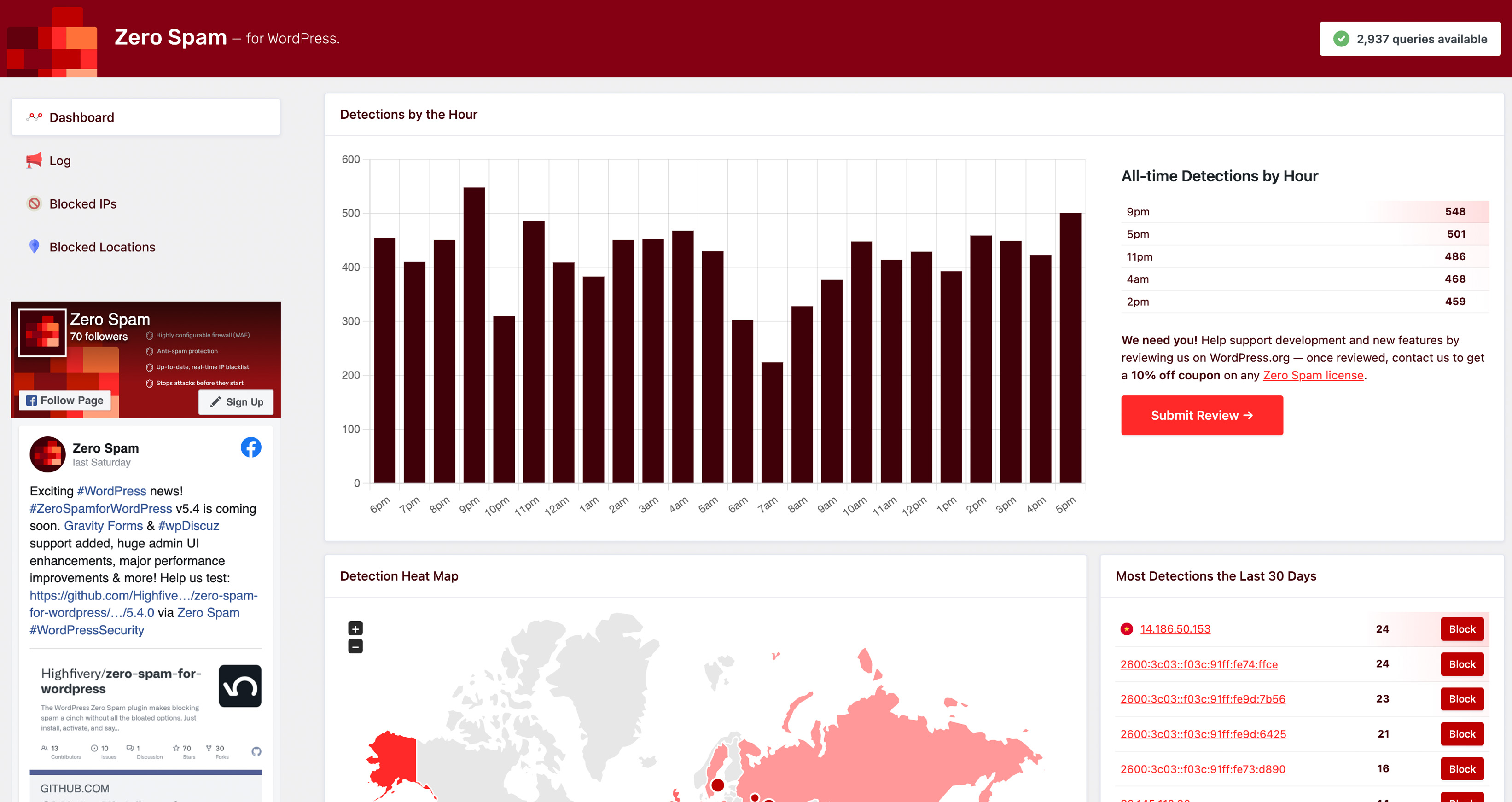
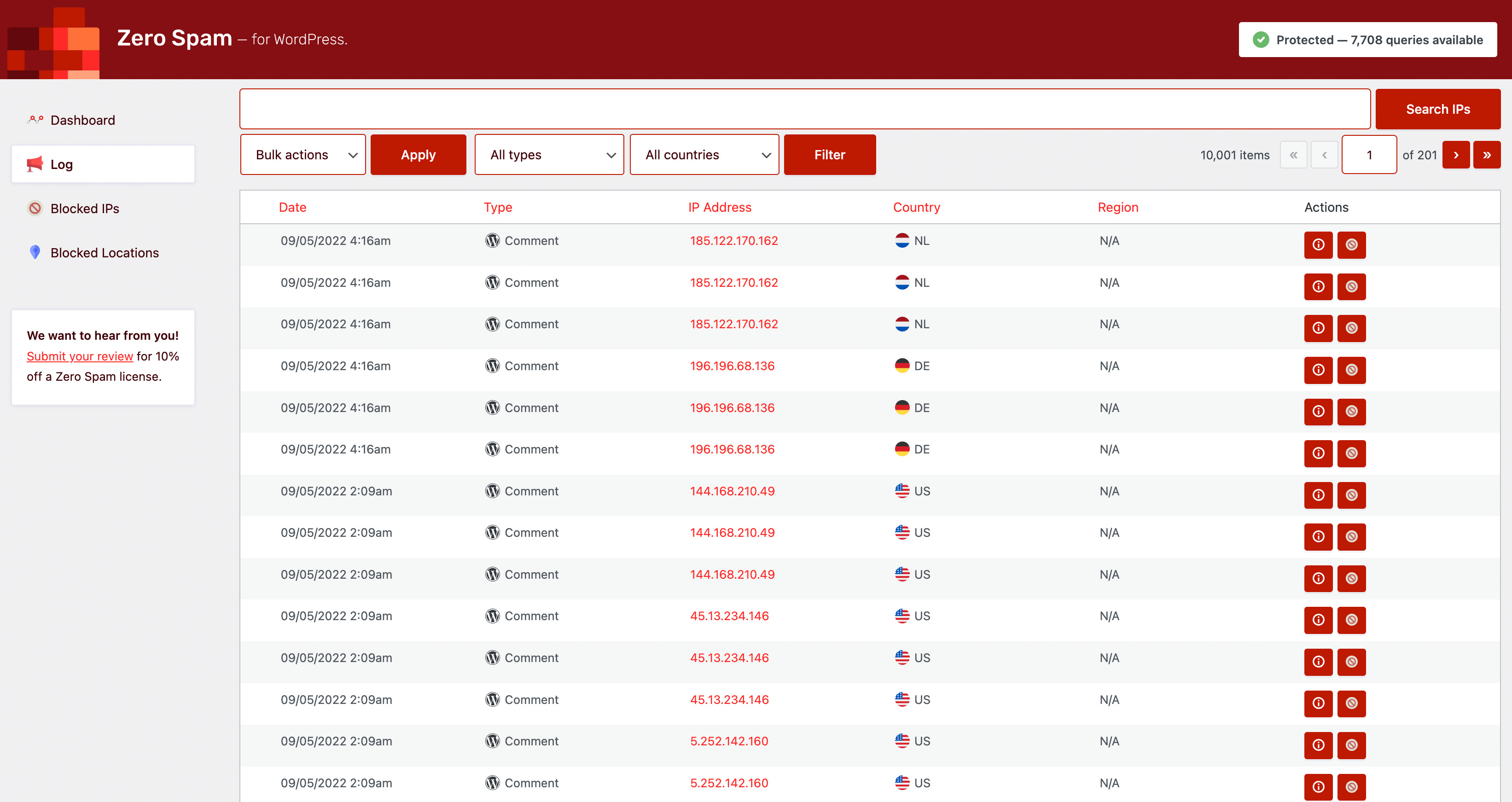
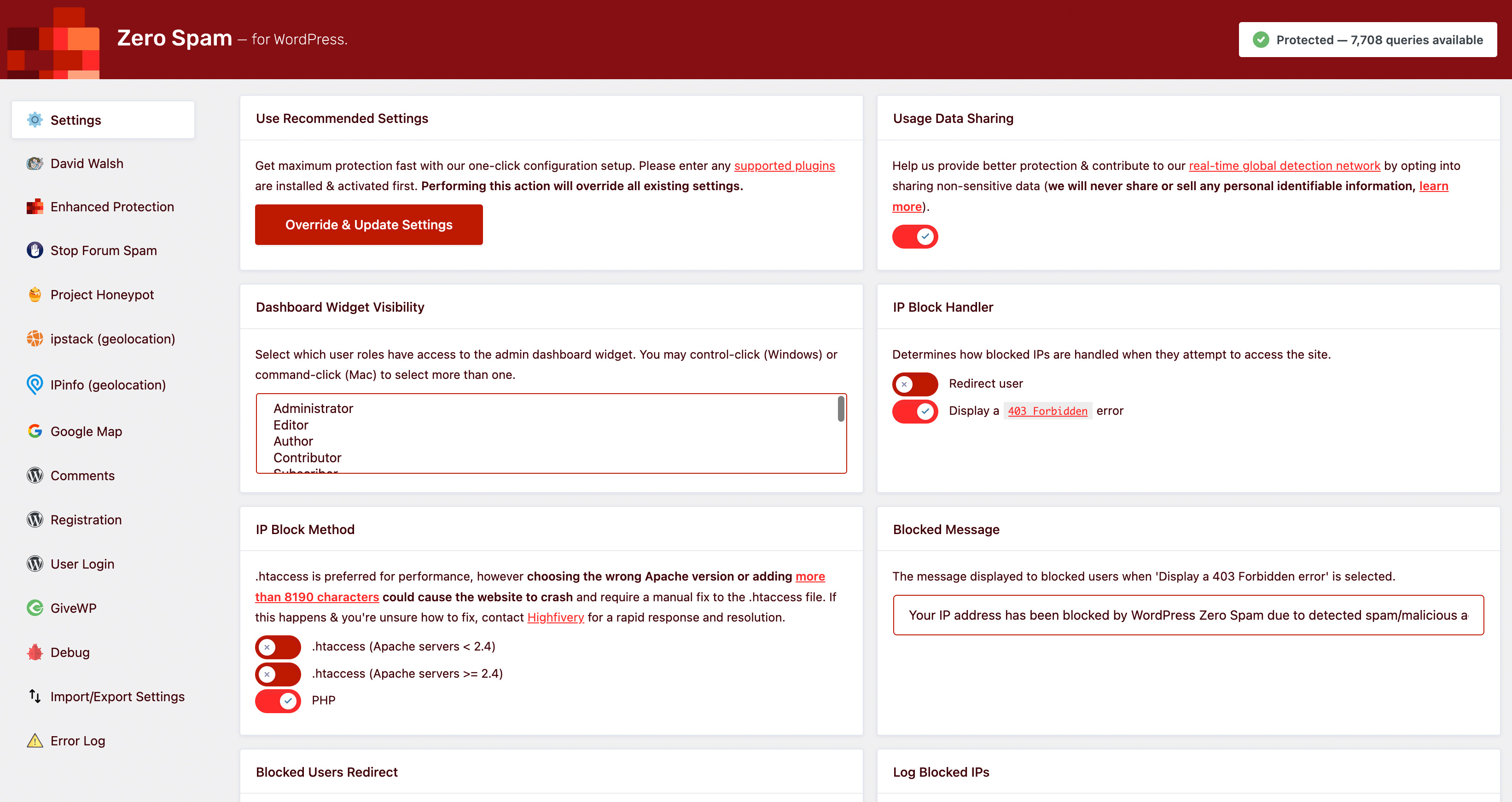
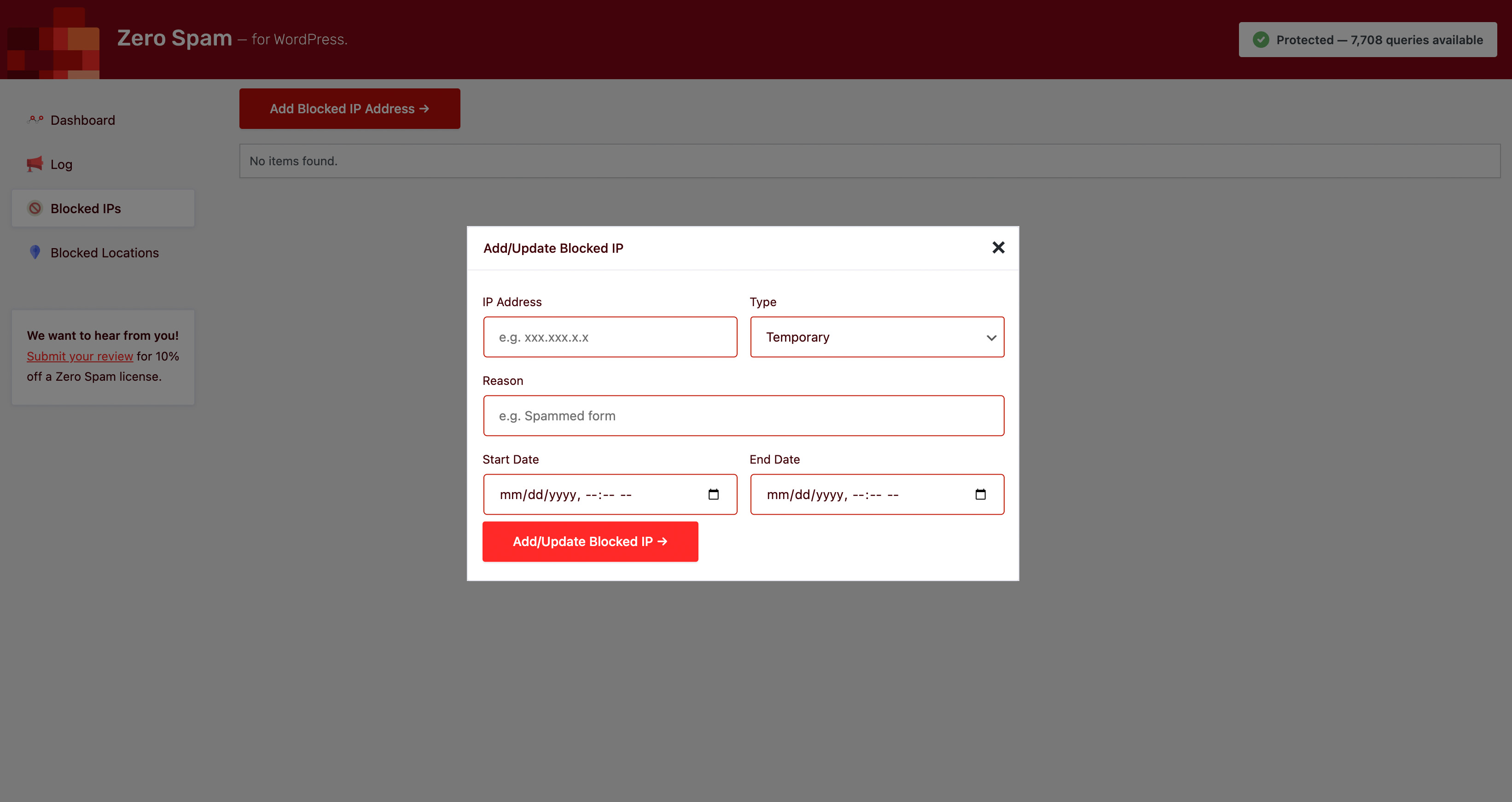

Faq
Not on its own. Zero Spam for WordPress does not automatically block IP addresses. If a visitor is blocked, it could be due to manual blocking by the site admin or their presence in IP blacklists such as Stop Forum Spam, Project Honeypot, or the Zero Spam.
In the event that a legitimate user is blocked, refer to the Log (Admin > Dashboard > Zero Spam > Log) for further details on the reason behind the block. You have the flexibility to adjust the strictness of the 3rd-party blacklist checks or disable them if your users are prone to being flagged as spam or malicious.
No, it doesn’t. Zero Spam for WordPress does not have integration with Jetpack. If you have any inquiries regarding this, please refer to https://wordpress.org/support/topic/incompatible-with-jetpack-comments for more details.
Enable caching for optimal performance. Enabling caching is highly recommended as it helps prevent repetitive calls to third-party APIs and access checks during each page visit.
To further optimize performance, you can adjust the cache and API timeout settings in the admin panel based on your server specifications and specific requirements.
wp zerospam autoconfigure— Auto-configures with recommended settings.wp zerospam settings— Displays all plugin settings.wp zerospam set --[SETTING_KEY]=[VALUE]— Updates a plugin setting.
Yes! Zero Spam provides a secure REST API for reading and updating settings remotely. This is perfect for:
- Syncing settings between staging and production environments
- Automating configuration in CI/CD pipelines
- Managing settings across multiple WordPress sites
- Remote administration and monitoring
- Testing configuration changes safely with dry-run mode
The API supports multisite installations with granular control over network defaults and per-site overrides. Authentication uses WordPress Application Passwords for secure, revocable access without exposing your main password.
Getting Started: Visit the Documentation tab in Settings > Zero Spam for complete details, step-by-step setup instructions, real-world examples, and troubleshooting tips. No technical expertise required!
Some hosts have issues with they way they access files. If you’re seeing a ftp_fget PHP notice, setting the FS_METHOD constant to direct in wp-config.php above the line /* That's all, stop editing! Happy Pressing. */ should solve the problem:
define('FS_METHOD', 'direct');
If hosting with Pantheon, see their known issues page for more information and what to do to resolve it with their $_ENV['PANTHEON_ENVIRONMENT'] variable check.
You can report security bugs through the Patchstack Vulnerability Disclosure Program. The Patchstack team help validate, triage and handle any security vulnerabilities. Report a security vulnerability.
On the blocked page, open Help for site owners, enter the email address of an administrator account on the site and press Email me a rescue link. Open the link in that email (on any device) and press Let me back in: that browser is let in for one hour, so you can log in and add your IP address to IP Whitelist under Settings Zero Spam Settings. The link works once, for 15 minutes. If the address isn’t an administrator’s, nothing is sent; the page says the same either way. Logged-in users are never blocked.
When you activate or update Zero Spam, it also saves your current IP address (public addresses only) as one it never locks out. Visitors from that address are still checked for spam. You can see and remove these addresses under the IP Whitelist on Settings Zero Spam Settings.
You can also define the ZEROSPAM_RESCUE_KEY constant in your wp-config.php file (e.g. define( 'ZEROSPAM_RESCUE_KEY', 'a-long-random-secret' );) and visit any page of your site with ?zerospam_rescue={YOUR_KEY} appended (e.g., https://example.com/wp-login.php?zerospam_rescue=a-long-random-secret). All checks are bypassed in that browser for one hour.
If none of these work (for example, you use an .htaccess block method, or your site can’t send email), rename the plugin folder via FTP (wp-content/plugins/zero-spam -> zero-spam-disabled) to gain access.
If every visitor, including you, suddenly sees “Your IP has been flagged as spam/malicious”, your site is probably behind a CDN, load balancer or proxy (for example Hostinger CDN or Sucuri) that Zero Spam doesn’t know about, so every visitor appears with the proxy’s address. Get back in with the rescue link or Rescue Mode, then add the proxy’s IP addresses or ranges under Trusted Proxy IPs in Settings Zero Spam Settings (your host can tell you what they are). Cloudflare is recognised automatically.
Yes. Cloudflare is recognised automatically. For any other CDN, load balancer or reverse proxy, list its IP addresses or ranges under Settings Zero Spam Settings Trusted Proxy IPs, one per line (for example 203.0.113.0/24), including internal hops such as a load balancer. Zero Spam only reads forwarded IP headers from those addresses, so visitors can’t fake their IP. If many visitors appear to share one IP address, Zero Spam shows administrators a warning on its screens so you know to check this setting. Developers can add proxies with the zerospam_trusted_proxies filter.
Yes, since version 5.7.14. Zero Spam checks the username and password step of the login as before. Once that step succeeds, the later steps of the same login (such as entering a two-factor code from WPMU DEV Defender Pro or the Two Factor plugin) are not checked again. Verification that has expired or was already used, for example from a cached login page or the back button, no longer blocks the login with “Your IP has been flagged as spam/malicious”: the visitor is let through, or asked to try again. Developers with custom login flows can use the zerospam_login_skip_check filter.
As of version 5.7.1, Zero Spam now actively protects wp-login.php and xmlrpc.php from blocked IPs. If you are blocked, check your IP reputation, or use the emailed rescue link on the blocked page (or the Rescue Mode key) to log in and whitelist your IP.
Reviews
Pay to use
By  Hamid Aminirad (berlinlion) on April 14, 2026
It’s an obvois pay to use plugin with a direkt URL to the License Key website, which is basically prohibited by wordpress.org. It’s even very intrusive with its payment demand. Since I have installed these type of plugins, I have more spam than before.
Giving options to meet your needs
By  Amibe Websites (amibe) on March 13, 2026
Fighting SPAM is an ongoing struggle – sometime we’re ‘winning’, and sometime we’re not.
I’ve been using the public version of Zero Spam for a few years. It’s not always been smooth, but when it comes to the moving goal post of fighting spam I don’t expect it to be. I have found Ben to be receptive and supportive when issues have been encountered. I don’t always need the extent of options provided by the plugin, however I appreciate it’s capacity to ramp up protection in situations when it’s needed. It’s not necessarily going to be the right solution for everyone – what solution ever is – and when it comes to protecting a site and its users from bad actors, it may be part of a wider tool-set. It’s up to website managers to understand what their needs are, and become proficient in configuring the tools, such as Zero Spam, available to them.
Is it the best? How could one honestly tell? It’s the one I choose, and have continued to use.
I love it
By  matteo raggi (whichtransfers) on March 9, 2026
I use it for dozens of websites, , very usefull, I love it!
Cluttered spammy and confusing
By  Wordlen (zelencomm) on February 23, 2026
Impossible to find where to block one specific IP, everything is just spam and sales and license and subscription, we just needed to block one specific problem IP and this plugin made that impossible.
Very useful plugin
By  Gerard Kanters (gkanters) on February 4, 2026
I am using this plugin on all of my sites and it is really helpful in reducing spam. It has a very broad range of functionality and integrates well.
This plugin also has good support. Great work
Dashboard Hijacker
By  Fields (wordlion) on January 26, 2026
Ham handed marketing team hijacks dashboard with no way out but to buy. There are many alternatives to this functionality that do not do this. A dashboard is not a billboard and just how many times do you think you can browbeat a prospect before they adjudge you tacky and counterproductive?
Any marketer worth a bag of salt could rattle off dozens better, more effective ways to convert.
We cannot commend any plugin that hijacks your workspace as these folks do.
Generally a good spam soloution – with a few issues
By  davidritter on March 26, 2025
This plugin generally does a good job at preventing spam. There are some user interface issues that should be addressed and auto-loading 2 megabytes of database info seems somewhat excessive.
Great extension
By  herecomes on February 2, 2024
Simple and effective extension
Very Effective, Prompt Support
By  Eli (RealAct) on May 22, 2023
The plugin seems to be highly effective against combating spam comments, registrations etc.
Support team is very fast in replying to support requests, going above and beyond to develop solutions for customers.
I recommend.
Politics Ruin Yet Another Good Thing
By  codejp3 on December 13, 2022
Changelog
v5.7.14
- fix(login): logins are no longer refused with “Your IP has been flagged as spam/malicious” when the verification that the login form carries has expired or been used up, as happened with cached login pages, the back button and two-step logins such as WPMU DEV Defender Pro’s two-factor login (a problem introduced in 5.7.12). Once the password is accepted, the rest of the login, such as a two-factor code, goes through (support topic)
- fix(ip): sites behind a CDN, load balancer or reverse proxy (such as Hostinger CDN) no longer see every visitor with the proxy’s IP address, which could get every visitor, administrators included, blocked. Zero Spam now reads the real visitor IP from Cloudflare automatically, or from the proxies you list in the new Trusted Proxy IPs setting, so visitors still can’t fake their IP. Behind Cloudflare and your own proxy, your proxy must pass on Cloudflare’s
CF-Connecting-IPheader. - fix(ip): IPv6 addresses now match however they are written, in the IP Whitelist and in blocked IPs (existing blocks are updated once), and searching the Detection Log or Blocked IPs finds them in any form.
- fix(multisite): multi-line settings saved on the network settings screen, such as the IP Whitelist, now keep one entry per line. Before, a multi-line IP Whitelist set there never matched.
- fix(settings): the Rescue Mode card, which says whether a rescue key is set and how to get back in, now shows on Settings Zero Spam Settings. It was missing there.
- feat(rescue): locked out by Zero Spam? The blocked page now lets you request a single-use link, sent only to an administrator’s email address, that lets your browser back in for one hour so you can log in. No file editing needed; email security scanners can’t use the link up, and every use is logged. The Rescue Mode setting now explains both ways back in.
- feat(rescue): activating or updating Zero Spam saves your current IP address as one it never locks out. Visitors from it are still checked for spam; the saved addresses are listed, with a Remove button, under the IP Whitelist.
- feat(settings): new Trusted Proxy IPs setting (Settings Zero Spam Settings) for your CDN’s or proxy’s IP addresses or ranges, and a warning on Zero Spam’s screens when many visitors seem to share one IP address.
- ui(admin): settings switches now work with the keyboard and screen readers, list tables, buttons and pop-up windows follow WordPress’s standard look with readable contrast, and animations turn off when your device asks for reduced motion.
- dev: developer changes (new filters and actions, rescue entries left out of
DB::query( 'log' ), admin assets that reload automatically on development sites with SCRIPT_DEBUG) are listed in the full changelog on GitHub and on Zero Spam’s Documentation tab.
v5.7.13
- fix(uninstall): deleting the plugin now removes all of its data: every module’s settings, the blocked email domains list, API notices, the settings audit log, network settings, the network templates and audit tables, scheduled tasks (including the network weekly summary and events left by older versions), cached data, dismissed-notice user meta and the error log file. Previously most of it was left behind.
- fix(uninstall): on multisite, deleting the plugin now cleans every site and returns to the original site, so the network-wide clean-up runs on the right site.
- fix(log): the Detection Log now shows 50 entries per page with no repeated or missing rows. Page 2 used to repeat and overflow rows and later pages were empty.
- fix(log): searching or filtering the Detection Log now reports the matching number of entries instead of the total, moving between pages keeps the type filter, and sorting by Region sorts by region instead of country.
- fix(log): removed the “wpdb::prepare was called incorrectly” debug notice on the Detection Log screen.
- fix(log): the Detection Log now keeps at most “Maximum Log Entries” rows (it used to keep one extra), deleting the oldest entries first.
- fix(dashboard): editing a permanent block from the Detection Log or Blocked IPs screens no longer pre-fills an end date of January 1, 1970.
- security(dashboard): refreshing the .htaccess block rules now requires an administrator and a valid security token, and the “Refresh .htaccess” button shows whether the refresh worked. Previously any admin request carrying the refresh flag rewrote .htaccess. Adding a blocked IP or location now also requires the manage_options capability, and dashboard notices are escaped.
- fix(security): the “Remove Resource Query Parameters” and “Disable WordPress Emoji’s” settings each now do what their label says. Before, enabling one applied the other’s behaviour, so sites that had either setting enabled will notice the change after updating.
- fix(stopforumspam): Stop Forum Spam results are now reused from the object cache instead of calling the API on every check; different IPs and emails no longer share a cached result, and error or rate-limit answers are no longer cached. The “Cache Expiration” field now shows a days placeholder.
- fix(login): the login intent cookie is no longer set once headers have been sent, which stops “Cannot modify header information” warnings under WP-CLI and when output has started.
- fix(elementor): the Elementor Pro forms integration is now actually loaded when Elementor Pro is active (it was never loaded before). Missing or invalid David Walsh tokens now block the submission, blocked email domains are logged, and spam messages are escaped.
- fix(multisite): on a network site’s Zero Spam settings page, settings locked by the network administrator now show a “Locked by Network Admin” badge, cannot be edited, and are announced as locked to screen readers, with a summary notice of network-managed settings at the top of the page.
- fix(multisite): saving a network site’s Zero Spam settings no longer turns every setting into a site override. Only settings changed from the network value are kept as the site’s own, so later network default changes still reach the site, and a save can no longer store a value for a locked setting. The network’s “Apply to All Sites” action no longer creates overrides on the target sites either.
- fix(multisite): on a network site, the REST settings endpoint now refuses changes to locked settings with a clear 403 that lists them and accepts a value equal to the network default instead of returning an error;
wp zerospam setwarns, instead of reporting success, when a setting is locked. - chore(dev): development tooling only: GitHub Actions replaced by a committed local quality gate (WPCS, PHP compatibility, PHPStan, version guard, pre-push hook), a PHPUnit integration suite (single site and multisite, PHP 8.2 and 8.4, WordPress 6.9 and 7.1) and Playwright end-to-end, accessibility and visual-regression suites;
AGENTS.mddocuments the conventions.
v5.7.12
- security(davidwalsh): the David Walsh check no longer relies on one site-wide key. Before, the same key was handed to every visitor (in the page and from the public
zero-spam/v5/davidwalsh-keyendpoint) and accepted for up to 48 hours, so a bot could fetch it once and pass the check on every protected form. Each visitor now gets their own signed key that expires after 12 hours and is accepted for at most 3 submissions. The endpoint stays public (cached pages need it) but only issues these short-lived keys, and an admin-ajax fallback is used when the REST API is blocked. Keys from before the update keep working for 24 hours so cached pages don’t break. Reported by Peter Tang via Patchstack. - security(login): the login check could be skipped on
wp-login.phpby adding awoocommerce-login-nonceorpp_current_urlfield to the request, even when WooCommerce or ProfilePress weren’t installed. Those forms are now only skipped outsidewp-login.php, when the plugin is active (and, for WooCommerce, with a valid login nonce). - security(login): the “login intent” fallback (for login forms whose fields are stripped by another plugin) could be triggered by any client that requested
wp-login.phpfirst. With David Walsh enabled it now also needs a valid key set by the login page’s script, and it’s never used when a submission filled in the honeypot or sent an invalid key. - security(geolocation): the
CF-IPCountryandX-Forwarded-Countryheaders were trusted from any visitor, so country blocks could be avoided (or a country cached for an IP for a week) by sending a different country.CF-IPCountryis now only used for requests that come from Cloudflare’s IP ranges or a trusted proxy (zerospam_trusted_proxiesfilter), andX-Forwarded-Countryonly from a trusted proxy. Sites whose server restores the visitor IP and only accept proxied traffic can opt in with the newzerospam_trust_country_headersfilter. Header countries are no longer cached, and existing cached locations are cleared on update.
v5.7.11
- security(log): fixed an unauthenticated stored cross-site scripting vulnerability in the detection log (CVE-2026-96752). A form submission with a nested field name containing HTML (e.g.
field[<img …>]) was stored verbatim, because array keys were never sanitized, and the log details modal output nested data unescaped. Keys are now sanitized on storage and the modal escapes all submission data on output, including entries logged before this update. Reported by Adrien Brunner via Wordfence.
v5.7.10
- fix(sharing): “Usage Data Sharing” no longer creates a cron event for every detection — reports are now queued (capped at 100, duplicates skipped, not autoloaded) and sent in batches by a single cron event. Busy sites could build up thousands of
zerospam_async_share_detectionevents, bloating the autoloadedcronoption and slowing every page load. Existing piled-up events are removed automatically on update (support topic) - fix(sharing): shared detection reports now include the visitor’s IP captured at detection time — previously the IP was read when the cron job ran, so reports could carry the site’s own server IP instead of the spammer’s
- security(sharing): queued detection reports only store the details the report needs (type, reason, IP, email, names) — previously the full detection data was stored in the
cronoption, which could include submitted form fields and, for blocked logins, the user object - fix(rescue-mode): rescue mode now works for logging in — a valid
?zerospam_rescue={KEY}bypasses checks in that browser for one hour (HttpOnly cookie), so the redirect towp-login.phpand the login form submission are no longer blocked. Previously the key only applied to the one request that carried it, so the login form still blocked locked-out administrators (support topic) - fix(rescue-mode): an array value for
zerospam_rescueno longer causes a PHP TypeError - fix(license): a valid license key is no longer reported as “invalid” when the Zero Spam API can’t be reached — saving the key while the API is unavailable now keeps the key, leaves Enhanced Protection enabled, and shows a “not verified yet” notice instead of replacing the key with “Invalid license entered.”
- fix(api): the circuit breaker now only counts real outages (connection errors, 5xx, 429) — “query limit exceeded” and “invalid license” responses no longer pause all API requests, which previously caused false “invalid license” errors after a free key used up its queries
- fix(license): a rejected license is only cached when the API explicitly reports it invalid, and for 1 hour instead of 24; saving a key always re-checks it with the API
- fix(license): license status is refreshed hourly instead of monthly, so remaining query counts stay current
- ui(settings): the settings header now distinguishes “invalid license”, “couldn’t verify license (API unreachable)” and “query limit reached” (with an upgrade link)
- chore(compat): tested up to WordPress 7.1
v5.7.9
- fix(admin): the Enhanced Protection promo notice and other plugin admin notices are now only shown to users who can manage options — previously they appeared for every role with dashboard access (#405)
- fix(admin): dismissing the Enhanced Protection promo notice is now permanent — it no longer reappears every 30 days (#405)
- security(dashboard-widget): on multisite, the dashboard widget refresh request no longer returns network-wide stats to site administrators — the client-sent
is_networkflag is now only honored for users with themanage_network_optionscapability; everyone else gets their own site’s data - security(admin): settings page actions (auto-configure, clear logs, delete IP/location blocks, etc.) now require the
manage_optionscapability in addition to a valid nonce — previously the auto-configure link, with a valid nonce, was shown to non-admin users - fix(admin): promo notice dismiss and click-tracking requests now check the
manage_optionscapability instead of theadministratorrole name - fix(admin): the promo notice now respects the 3-day waiting period after activation on new installs — a leftover workaround was resetting the activation time so it showed immediately
- feat(admin): added
zerospam_display_promo_noticefilter to turn off the promo notice programmatically - fix(uninstall): uninstalling now removes the promo notice dismissal user meta, activation time, and API monitoring notice options
- fix(release): corrected the plugin version — the previous release was mislabeled 5.5.8, so sites running 5.7.7 were never offered it. This release includes everything from that release, listed below
- fix(settings): resolved multiple PHP 8.x “Undefined array key” warnings for
typeandmodulein settings registration and rendering (#394) - fix(settings): added centralized
Settings::is_valid_setting()validation method to enforce required-key contract onzerospam_settingsfilter — invalid settings are logged in debug mode - fix(settings):
settings_field()now applieswp_parse_args()defaults, preventing undefined key warnings for optional field attributes - fix(settings): settings missing the
sectionkey now default togeneralinstead of triggering warnings - fix(settings): settings such as “Log Blocked IPs” no longer reset after plugin updates — the legacy settings migration now runs once and only fills in missing values (#392)
- fix(woocommerce): custom spam message for WooCommerce registrations could never be saved due to an option key mismatch — messages now persist correctly (#393)
- feat(woocommerce): added independent “Protect Checkout” toggle — checkout and registration protection can now be enabled/disabled separately (#393)
- feat(woocommerce): added dedicated “Checkout Flagged Message” setting with context-appropriate default for checkout blocks (#393)
- feat(woocommerce): added dedicated “Log Blocked Checkouts” toggle for independent checkout logging (#393)
- feat(woocommerce): checkout now validates billing email against blocked email domains, matching registration behavior (#393)
- refactor(woocommerce): normalized David Walsh filter hooks to
zerospam_preprocess_*naming convention for consistency with all other modules - fix(woocommerce): one-time migration ensures existing sites retain checkout protection and logging preferences after update
- fix(dashboard-widget): widget now properly hides when disabled — previously displayed for administrators even when all roles were deselected in visibility settings (#391)
- fix(dashboard-widget): resolved database errors (
Table 'prefix_zerospam_log' doesn't exist) by adding table existence checks before querying — shows a clean notice with remediation steps when the log table is missing (#391) - fix(settings): multi-select fields (e.g. widget visibility) now correctly store an empty array when no options are selected, preventing fallback to default values
- fix(dashboard-widget): AJAX refresh now correctly returns network-level data on multisite network admin dashboards
- fix(dashboard-widget): widget transient cache is now cleared immediately when settings are saved, so visibility changes take effect without waiting for the 5-minute cache expiry
- feat(settings): added “Dashboard Widget” enable/disable toggle — provides an unambiguous on/off control separate from role-based visibility
- feat(dashboard-widget): added
zerospam_dashboard_widget_visiblefilter — developers can programmatically override widget visibility - feat(dashboard-widget): refresh button now updates stats and charts in-place via AJAX without requiring a page reload
- refactor(dashboard-widget): extracted duplicated role-check logic into reusable
has_widget_access()method, eliminating ~60 lines of duplication - perf(dashboard-widget): Chart.js is now bundled locally instead of loaded from CDN — works in locked-down environments and eliminates external dependency
- fix(contactform7): disallowed word checks no longer scan security token fields like Cloudflare Turnstile (
cf-turnstile-response), reCAPTCHA, and hCaptcha responses — these long random strings almost always triggered false positives against short blocklist entries - fix(gravityforms): disallowed word and blocked email domain checks now use the centralized field validation with excluded fields support
- fix(formidable): disallowed word and blocked email domain checks now use the centralized field validation with excluded fields support
- fix(fluentforms): disallowed word checks now use the centralized field validation with excluded fields support
- fix(wpforms): disallowed word and blocked email domain checks now use the centralized field validation with excluded fields support
- feat(settings): added “Allowed Words” setting — lets you whitelist specific words so they are never flagged as spam, even if they appear in the disallowed words list (e.g. if your email or domain contains a blocked string like “ugg”)
- feat(settings): added “Minimum Disallowed Word Length” setting — skip very short blocklist entries (3-4 characters) that cause the most false positives
- feat(utilities): added
zerospam_excluded_fieldsfilter — developers can add custom POST field keys (e.g. third-party CAPTCHA tokens) to exclude from disallowed word scanning - feat(utilities): added
Utilities::check_fields_for_spam()centralized method — all form modules now share the same field validation logic with automatic system field exclusion - feat(comments): allowed words and minimum word length settings now also apply to WordPress comment validation via
wp_check_comment_disallowed_list() - refactor(modules): deduplicated field validation loops across CF7, Gravity Forms, Formidable, Fluent Forms, and WPForms modules into shared
check_fields_for_spam()utility - perf(utilities): allowed words list and minimum length setting are cached per-request to avoid repeated database lookups when checking multiple form fields
v5.7.7
- fix(davidwalsh): fixed 403 responses on
/wp-json/zero-spam/v5/davidwalsh-keyfor non-logged-in visitors on cached pages — stalewp_restnonce in the AJAX key-refresh request triggered WordPress cookie authentication rejection before the publicpermission_callbackwas evaluated; removed unnecessary nonce header since the endpoint is intentionally public - ui(project honeypot): added direct link to Project Honeypot website in the settings section description
- ui(project honeypot): renamed “Access Key” field to “HTTP:BL Access Key” with links to sign up and find the key on the HTTP:BL configuration page
v5.7.6
- fix(cli): removed
## OPTIONSdocblock fromsetcommand that caused WP-CLI to reject valid flags like--stop_forum_spam
v5.7.5
- security(database): fixed SQL injection vulnerabilities in
blocked()method — all queries now use$wpdb->prepare() - security(database): refactored
query()method to use prepared statements, column whitelisting, and sanitized LIMIT/OFFSET - security(database): secured DELETE query in
log()method with$wpdb->prepare()andabsint() - security(utilities): added
esc_attr()to honeypot field output to prevent potential XSS - security(utilities): hardened
log()method withsanitize_file_name(), mode allowlist, andfopenfailure handling - fix(gravityforms): blocked email domains are now checked during Gravity Forms submissions — previously these features were disconnected
- fix(contactform7): blocked email domains and disallowed words are now checked during CF7 submissions
- fix(formidable): blocked email domains and disallowed words are now checked during Formidable Forms submissions
- fix(fluentforms): fixed inverted logic in
validate_email()that prevented blocked email domain checks from working correctly - fix(cli):
wp zerospam set --blocked_email_domainsnow writes to the correct option (zerospam_blocked_email_domains) - fix(cli):
wp zerospam set --regenerate_honeypotnow properly regenerates the honeypot ID instead of storing a meaningless value - fix(settings):
auto_configure()now correctly handlesblocked_email_domainsvia standalone option and skips HTML action settings - feat(cli): added
wp zerospam regenerate-honeypotstandalone command for honeypot ID regeneration - feat(cli): added
wp zerospam update-blocked-domainscommand with--recommended,--file,--domains, and--appendoptions - feat(cli):
wp zerospam setnow supports--update_blocked_email_domainsand--update_disallowed_wordsaction flags - feat(gravityforms): added per-module toggle settings for blocked email domain and disallowed word checking
- feat(contactform7): added per-module toggle settings for blocked email domain and disallowed word checking
- feat(formidable): added per-module toggle settings for blocked email domain and disallowed word checking
- feat(fluentforms): added per-module toggle setting for disallowed word checking
v5.7.4
- fix(database): corrected table name reference in dashboard widget from
zerospam_logtowpzerospam_log - fix(database): added
blog_idcolumn to log table schema for single-site compatibility - fix(dashboard): resolved SQL errors on single-site installations caused by missing
blog_idcolumn - perf(database): added indexes for
blog_idand compositeblog_datefor improved query performance - feat(database): automatic migration adds
blog_idcolumn to existing installations - fix(dashboard): corrected widget styling to use light theme (removed dark mode support)
v5.7.3
- feat(multisite): added independent control for network settings change email notifications
- fix(multisite): resolved issue where changing network settings sent exponential emails in large networks
- feat(multisite): network administrators can now separately control weekly summaries and settings change notifications
- perf(multisite): prevents thousands of emails from being sent when network settings are modified
v5.7.2
- fix(ipinfo): migrated to Lite API (unlimited free tier) to resolve 429 quota exceeded errors
- perf(ipinfo): added persistent transient caching to reduce API calls
- refactor(ipinfo): removed ipinfo/ipinfo vendor dependency in favor of native WordPress HTTP API
- feat(multisite): added Notifications tab to Network Settings with toggle for weekly summary emails
- feat(multisite): network administrators can now enable/disable weekly email notifications from the UI
v5.7.1
- fix(settings): resolved undefined array key warnings for rescue mode setting
v5.7.0
- feat(safety): implemented rescue mode (ZEROSPAM_RESCUE_KEY) to bypass blocks (emergency access)
- feat(security): extended protection to wp-login.php and xmlrpc.php endpoints
- fix(login): implemented intent token mechanism to prevent false positives with multi-step login flows (e.g. 2FA, Math Captcha)
- fix(login): refined error messaging for missing verification fields to avoid incorrect “malicious” labeling
- feat(performance): implemented transient caching for geolocation lookups (1 week) to reduce API calls
- feat(logging): added granular failure reasons to detection logs (e.g. “High Confidence Score: 95%”)
- fast(core): removed incorrect main query check that could bypass blocks
- feat(multisite): comprehensive network-wide settings management for agencies managing multiple sites
- feat(multisite): network admin dashboard with overview statistics, site comparison, and application status
- feat(multisite): settings hierarchy system – network defaults with site-level override capability and lock enforcement
- feat(multisite): settings templates system for quick configuration deployment across sites
- feat(multisite): audit trail tracking all network setting changes with user attribution
- feat(multisite): import/export functionality for network settings backup and migration
- feat(multisite): WP-CLI commands for programmatic network settings management
- feat(multisite): REST API endpoints for remote network configuration
- feat(dashboard): unified dashboard widget that intelligently adapts to multisite/single-site context
- feat(dashboard): modern, responsive design using WordPress core components with dark mode support
- feat(dashboard): real-time API usage monitoring with visual progress bars and warning levels
- feat(dashboard): 30-day spam trend visualization using Chart.js 4.x
- feat(dashboard): top 10 sites by spam volume (network admin) and spam types breakdown (single site)
- fix(dashboard): improved permission handling for multisite super admins
- fix(dashboard): added proper hooks for both network and regular admin dashboards
- fix(comparison): corrected override count calculation to show actual differences, not just stored values
- fix(comparison): resolved undefined value errors and improved data validation
- fix(comparison): auto-load comparison data when viewing tab for better UX
- fix(import-export): added 3-second delay before page reload so success messages are visible
- fix(import-export): enhanced validation with file type checking, size limits, and JSON parsing
- fix(import-export): improved error messages and inline status feedback
- fix(ui): polished settings interface with better grouping, descriptions, and visual hierarchy
- fix(ui): inline save feedback that doesn’t scroll users away from their work
- fix(ui): simplified setting descriptions to be non-technical and user-friendly
- fix(php8.1): resolved deprecation warnings for number_format() with null values
Older releases are listed in the full changelog on GitHub.