
YOP Poll
Description
YOP Poll is back — completely rebuilt from the ground up.
After more than a decade of powering polls on WordPress sites, YOP Poll has been rewritten from scratch using modern web technologies. The result is a faster, more secure, and dramatically easier-to-use plugin — without losing any of the flexibility that made YOP Poll the go-to polling solution for WordPress.
Faster, end to end. The new admin interface responds instantly to your actions. Creating a poll, editing answers, switching templates, viewing results — everything happens in real time, with no full-page reloads slowing you down.
More secure by design. Internal data handling has been modernized to follow current security best practices.
Easier for everyone. The admin has been redesigned around how people actually build polls. Clear flows, sensible defaults, and fewer clicks to go from idea to published poll — whether you’re running a single quick poll or managing dozens of campaigns at once.
Safe to upgrade. All your existing polls, votes, templates, and settings migrate automatically. Nothing to export, nothing to rebuild — just install the new version and pick up where you left off.
Everything you can do with YOP Poll
- Run unlimited polls at the same time, with no artificial limits
- Schedule polls to start and end automatically — perfect for time-bound campaigns
- Choose between single-choice and multiple-choice questions
- Allow voters to add their own “Other” answers
- Sort answers in any order — exact, alphabetical, by votes, ascending, or descending
- Display results before voting, after voting, on a custom date, after the poll ends, or never
- Show results as numbers, percentages, or both
- Collect extra information from voters with custom fields (name, email, age, anything you need)
- Set who can vote: guests, registered users, or both
- Block voters by cookie, IP, or username
- Display polls anywhere with shortcodes, widgets, or by poll ID
- Show a random active poll, the latest poll, or any specific poll
- Browse a full archive of past polls with statistics
- View detailed logs of every vote, with sorting, search, and export
- Manage bans by email, username, or IP — globally or per poll
- Built-in protection against spam votes, including Cloudflare Turnstile support
Installation
Automatic installation (recommended)
- In your WordPress admin, go to Plugins Add New
- Search for “YOP Poll”
- Click Install Now, then Activate
- You’ll find the new YOP Poll menu in your dashboard sidebar
Manual installation
- Download the YOP Poll plugin .zip file from WordPress.org
- In your WordPress admin, go to Plugins Add New Upload Plugin
- Choose the .zip file and click Install Now, then Activate
- You’ll find the new YOP Poll menu in your dashboard sidebar
Upgrading from an earlier version
If you’re upgrading from YOP Poll 6.x, all your existing polls, votes, templates, and settings will migrate automatically the first time you activate version 7.0. No manual export or import is needed.
We strongly recommend backing up your database before any major plugin update — but the migration is designed to be safe and reversible.
Screenshots

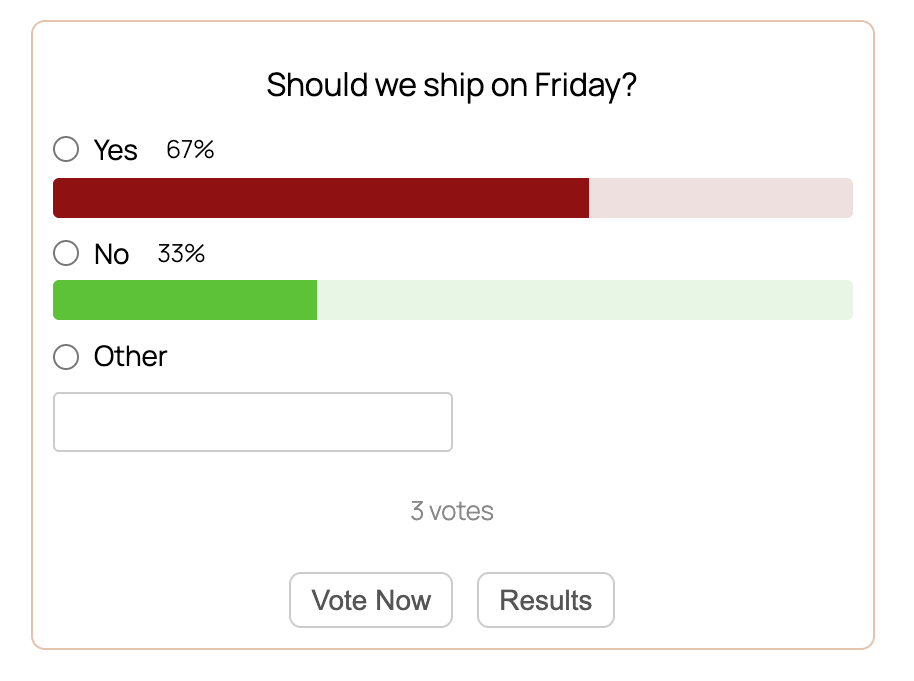
A live YOP Poll on the front end — clean, colorful, and mobile-friendly
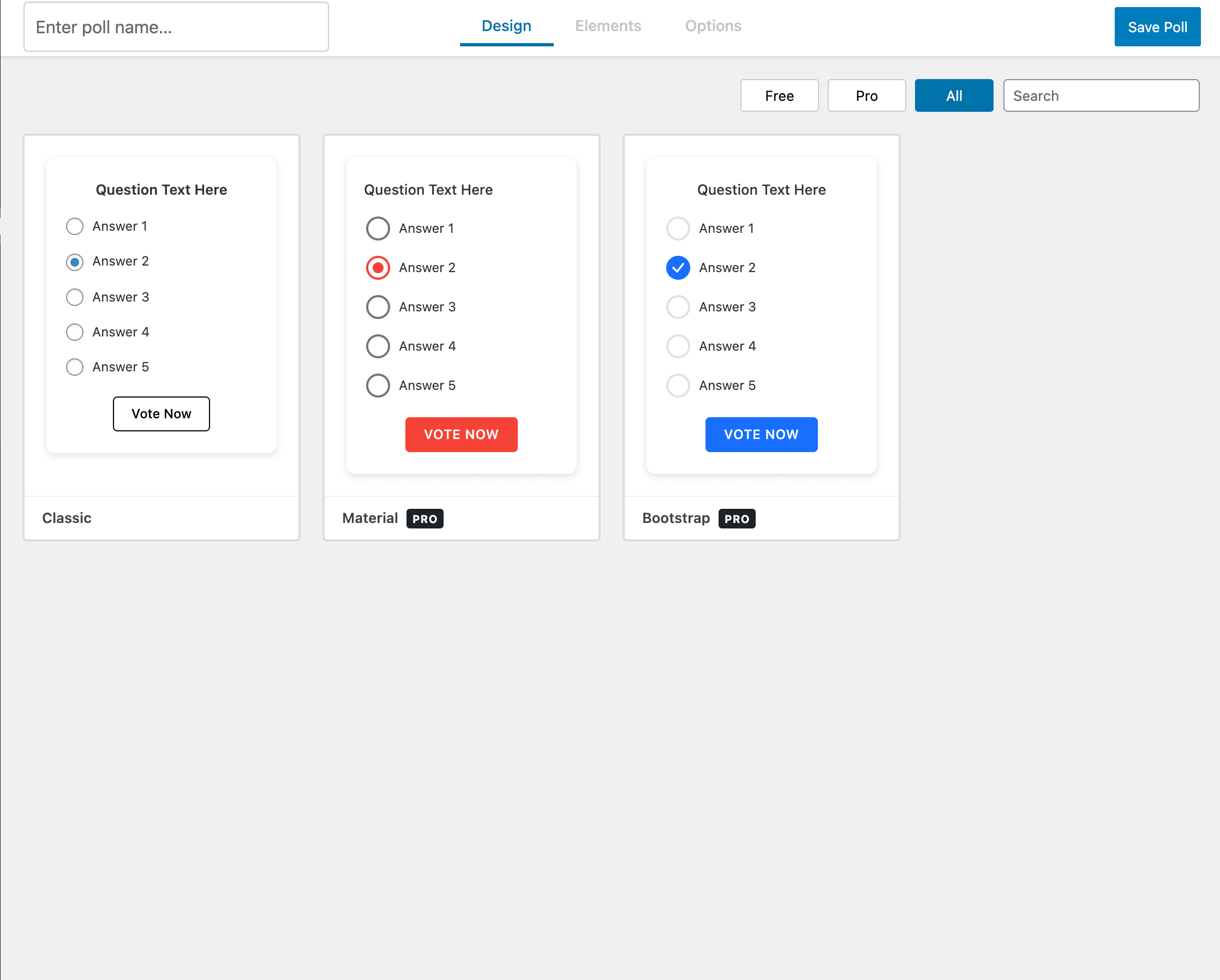
Choose from multiple poll designs
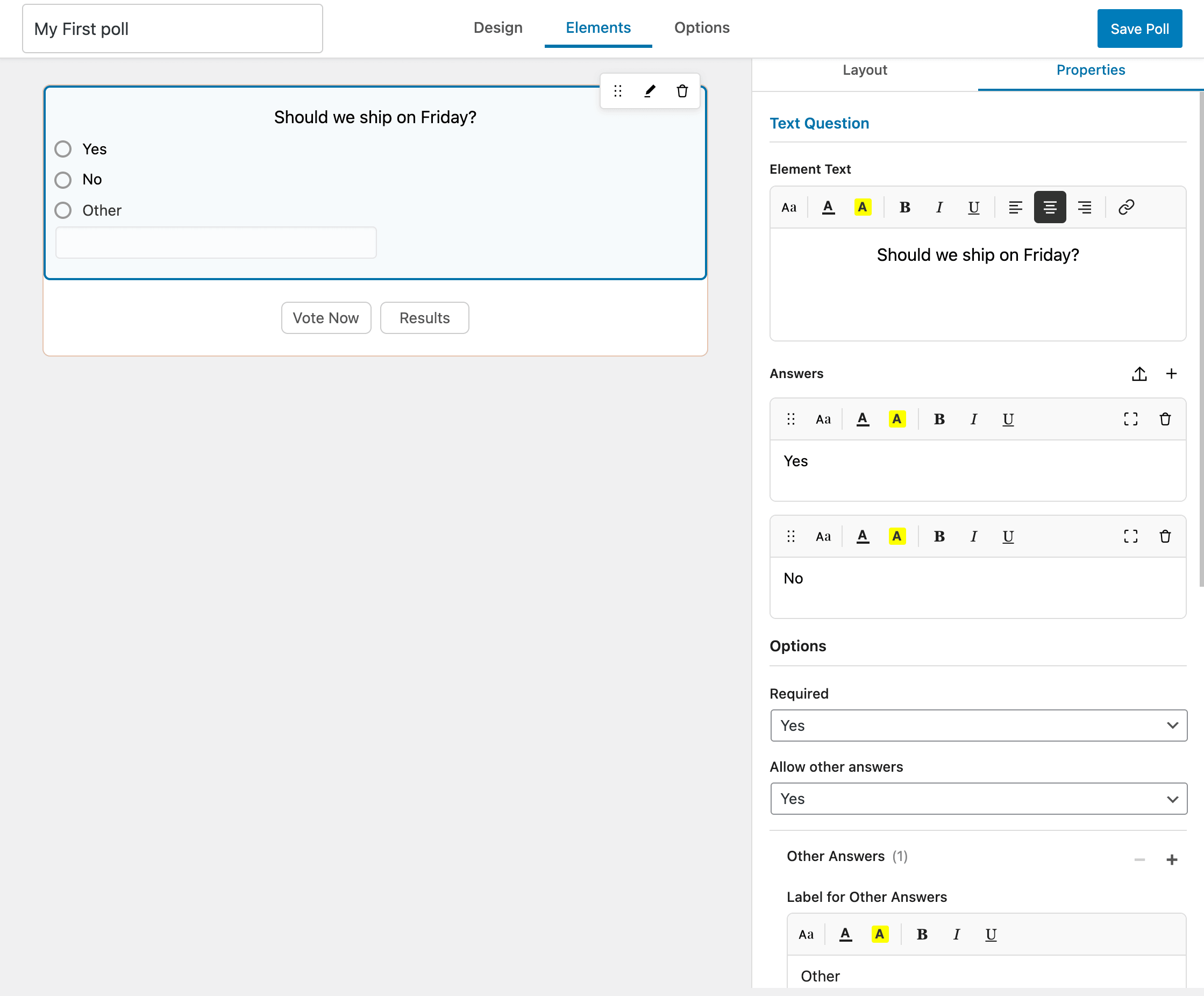
Add your question and answers with a real-time preview as you type
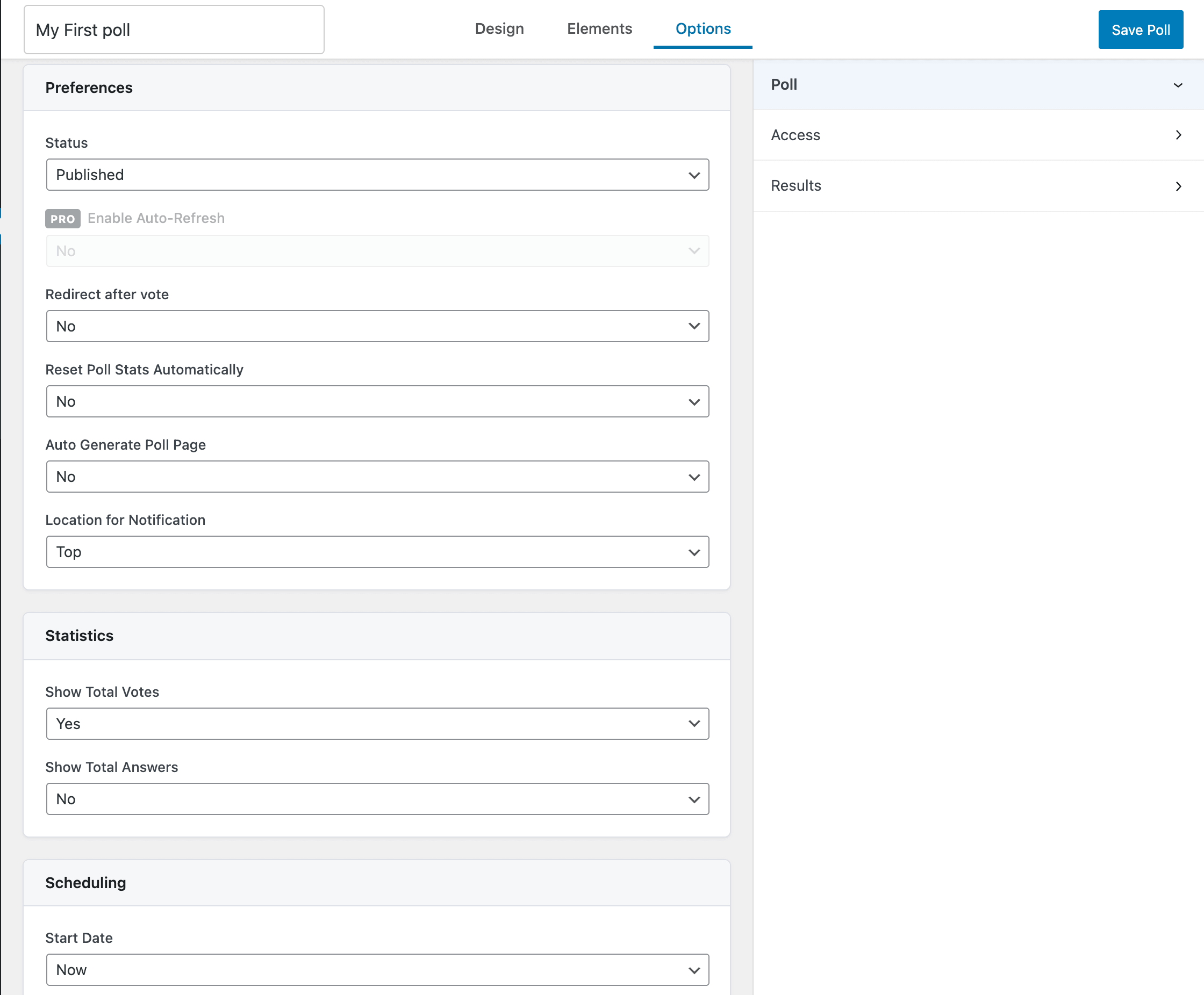
Configure poll behavior — scheduling, statistics, and notifications
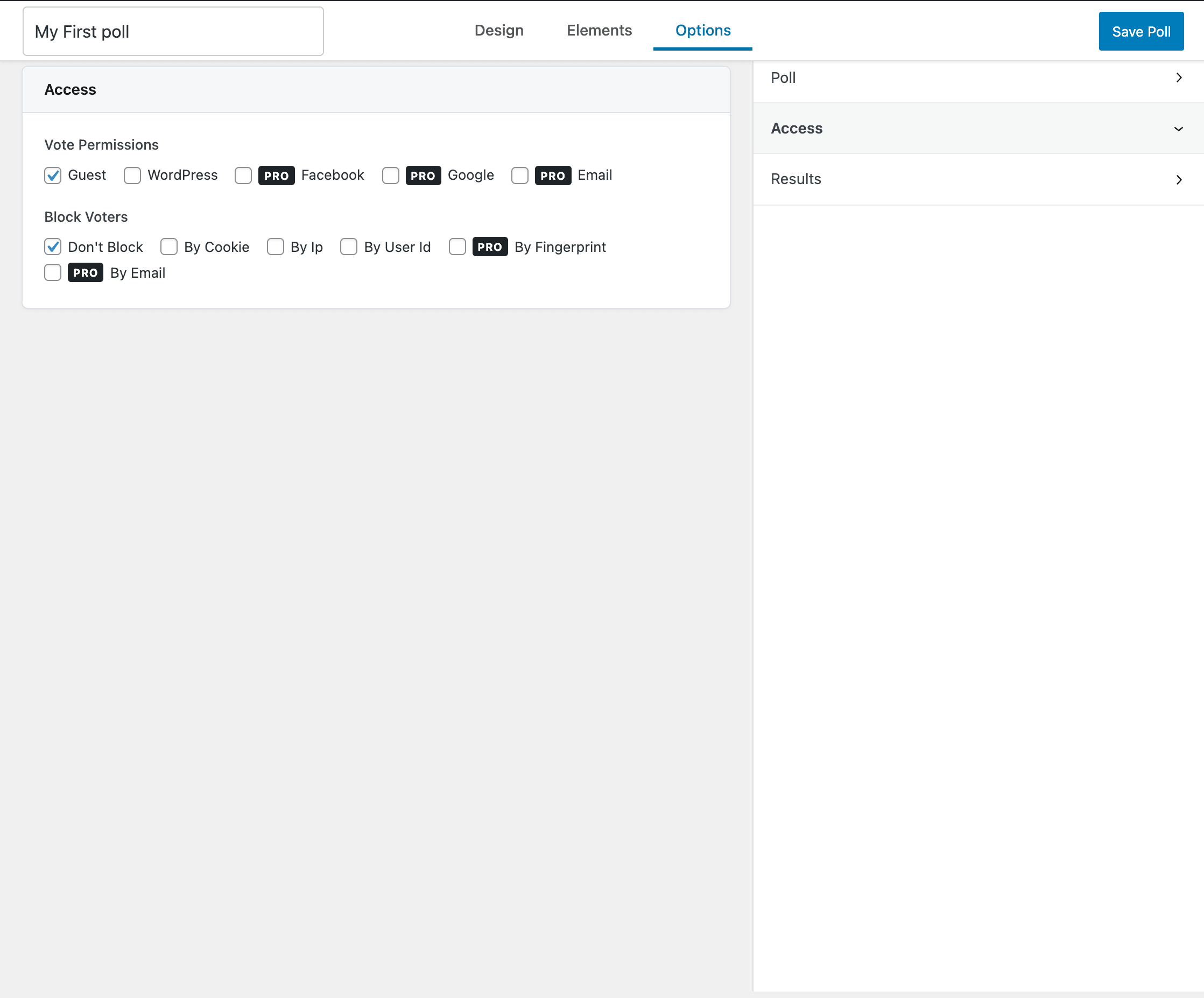
Decide who can vote and how to prevent duplicates
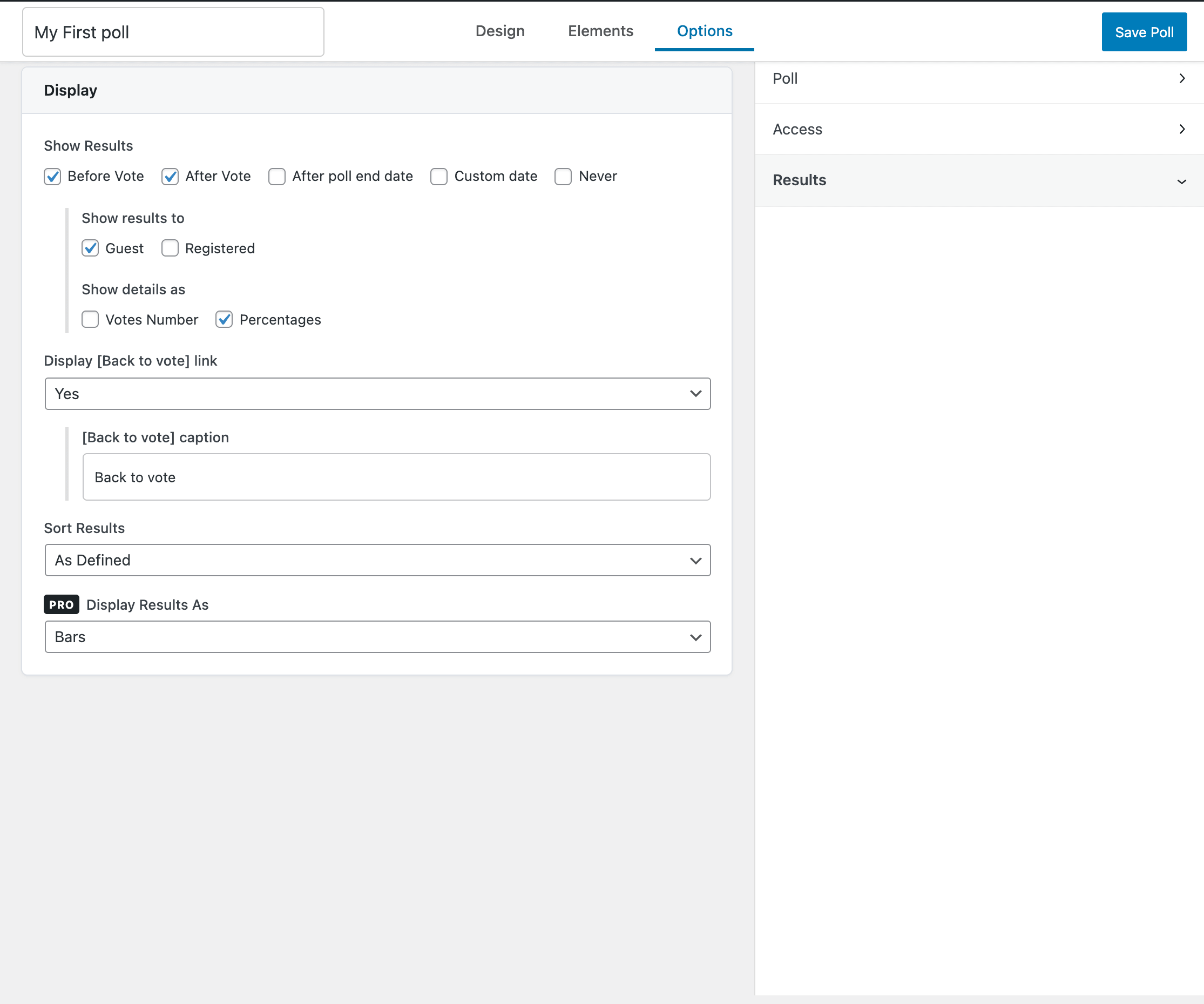
Control exactly when and how results are shown
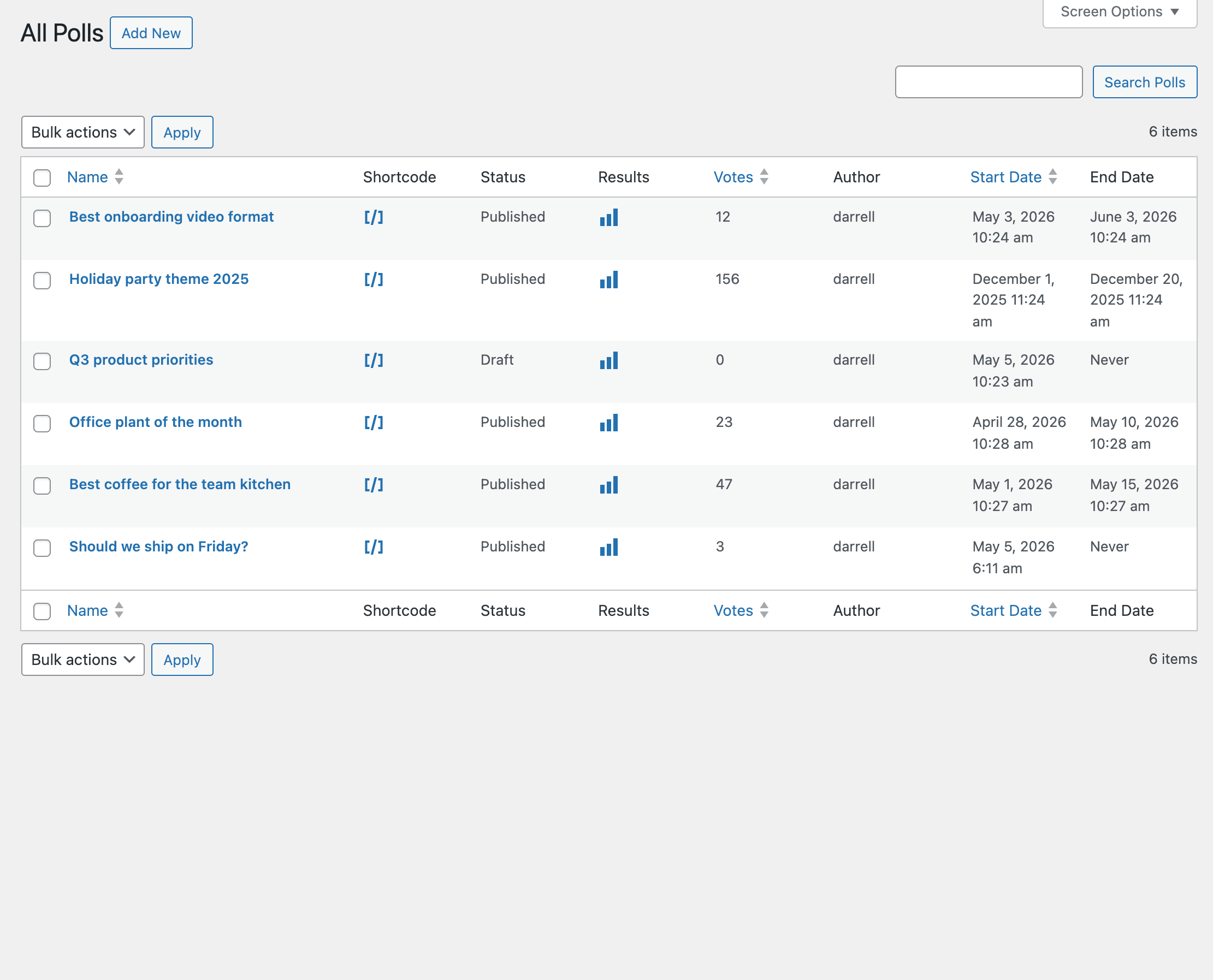
Run multiple polls at the same time — track votes, status, and schedules at a glance
Faq
Go to YOP Poll Add New in your WordPress admin. Fill in the question and answers, choose your start and end dates, and adjust the settings for results, vote permissions, and display however you like. Click Save and your poll is ready to use.
Every poll has a shortcode you can copy and paste anywhere on your site — pages, posts, widgets, or template files. You’ll find the shortcode for each poll on the All Polls page, in the dedicated shortcode column.
Yes. You can use these built-in shortcodes anywhere on your site:
[yop_poll id="-1"]— displays the current active poll[yop_poll id="-2"]— displays the most recent poll[yop_poll id="-3"]— displays a random active poll[yop_poll_archive max=0 sort="date_added|num_votes" sortdir="asc|desc"]— displays a full archive of polls
Yes. YOP Poll has no limit on the number of polls you can run simultaneously. You can also schedule polls to start and end on specific dates, so you can queue up campaigns to run one after another.
Yes. When creating or editing a poll, add Custom Field elements to ask voters for things like name, email, age, or anything else you need. You can export this data from the votes page later.
On the All Polls page, each poll has a View Results option that shows the full results — vote counts, percentages, and any custom field responses collected from voters.
The Logs option is separate: it records every voting attempt on your site (successful or not), which is useful for auditing, troubleshooting, or investigating suspicious activity. It’s not where you go to see poll results.
Edit the poll, find the View Results setting, choose After Poll End Date, and save. Voters will see only the question until the poll closes.
No — each poll has a single question. If you need multiple questions, create a separate poll for each one.
Yes. Version 7.0 is a complete rewrite, but it’s a drop-in upgrade. All your polls, votes, templates, custom fields, and settings migrate automatically the first time you activate the new version. Your existing shortcodes will continue to work without any changes.
Version 7.0.11 changed how a vote from a signed-in visitor reaches your site. It now goes through WordPress’s own admin-ajax.php, rather than through the WordPress REST API, so that no account-wide security token has to be placed on the page. Voting as a guest is unchanged.
A few security plugins and hosting firewall rules restrict admin-ajax.php, usually as a measure against brute-force or scraping traffic. On those sites, signed-in voting will stop working after the update while guest voting carries on normally — which is the symptom to look for. Allowing admin-ajax.php resolves it. The two actions the plugin uses are named yop_poll_vote and yop_poll_results, and both are refused outright for visitors who are not signed in.
Please report security issues through the Patchstack Vulnerability Disclosure Program. The Patchstack team will help with verification, CVE assignment, and notifying us of the issue.
Reviews
Pro pro pro pay pro
By  Danishsard on September 23, 2026
Pro pro pai pro pro.
One of the best plugins and support
By  yorgoschrisikos on August 20, 2026
One of the best plugins I’ve used and trusted across the websites I develop. It’s reliable, easy to work with, and the support team responds quickly with practical, effective solutions. The overall experience has been excellent, and I’ll definitely be upgrading to the Pro version soon.
Great responsiveness
By  beknowin on August 11, 2026
The support team were great, very timely assistance in finding a solution to a problem causing my customer a big problem at a crucial time – thank you.
One little suggestion …
By  polehamster on June 23, 2026
Great plugin, simple to use, just what I need. One small improvement would be for the text on the button to be editable. I’m using it to find out where visitors heard about us, and clicking on ‘Vote’ seems a bit odd in that situation. I’d like to be able to change it to (for example) ‘Submit’ … just like what I’m about to do to send this review !!
Charming PlugIn and perfect service
By  radiobw on December 12, 2025
The PlugIn is just great and the update offers many interesting gadgets. But, what is more: The customer service – quick, engaged and with the intention to find answers and solutions for any problems. Perfect.
Great snd simple… no bs!
By  scalpmonkey on December 9, 2025
Highly recommended if you need simple yet customizable poll. It can handle multiple polls and shuffle them randomly.
Great plugin, simple and effective
By  Matteo182 on March 14, 2025
I chose the pro version to have more features and I needed assistance for a problem on my server, I compliment you for the availability and precision of the assistance and having solved the problem with me as soon as I called. Great job and congratulations.
Stable plugin and great support
By  micb on January 17, 2025
Have been using this plugin for 7 years in operational mode. It’s been stable and efficient. And a great support. Had to migrate old data and the support team took the ticket and provided a solution quickly while in the middle of the end-of-year holidays.
Did not recieve anything after paying
By  royalfth on April 2, 2024
I bought the Pro and lifetime support, but did not recieve anything and also no response on the contact form. No other way to reach them because their e-mails also does not lead to anything but mail return to sender. Save your money! Not worth the hassle. (Update: After the review, They contacted me and got the money back.)
there must be an update
By  kargamel on February 16, 2024
When the survey ends, the valid vote amounts are written, but when we look at the logs, there are more votes cast.
In my opinion, in the survey results, the number of votes cast in the total vote log records and the valid votes should be written in the valid votes section.
Additionally, a solution must be found for proxy logins.
Changelog
The full notes for every release, in the same wording, are in changelog.txt.
7.0.13
- Fixed “Show results to: Registered” being ignored. On a poll that shows its results only to registered users, guests could still see the results after voting. Guests now see only the thank-you message and no Results button, while signed-in visitors see the results as before. A visitor who signs in from the poll’s login popup and then votes now sees the results right away, without reloading the page.
7.0.12
- Fixed “Limit Number Of Votes per User” still being applied after Guest voting was turned on. The builder hides that setting while guests can vote, but signed-in visitors were still being stopped at the limit. The limit now applies only when the setting is visible, and turns back on if Guest voting is switched off again.
7.0.11
- Security release, recommended for all sites. Fixes a vulnerability in the “Sign in with WordPress” voting option that could expose a signed-in user’s security token. Polls now use a limited, poll-specific token instead.
- Improved sanitization of poll content, voter input and spreadsheet exports. Existing content is cleaned automatically on update.
- Fixed several vote-counting issues and made voting limits, bans and blocking settings work as intended.
- Vote records, exports and email notifications now match the counted results.
- Strengthened server-side validation of votes, custom CSS and links.
- Fixed issues with time zones, hidden results, voter privacy and deleted data reappearing.
- Tightened permissions on the Settings page and when saving polls. Fixed a conflict between automatic results reset and poll edits.
- Fixed a display issue with text fields in the block editor preview.
- Fixed voter-added answers and their votes being lost when a poll was edited.
7.0.10
- Fixed polls not displaying on sites that delay or defer JavaScript.
- Fixed polls incorrectly showing empty results to some signed-in visitors.
- Fixed several captcha-related voting and display issues.
- Fixed problems with new-vote notification emails.
- Fixed minor issues with how results are displayed.
7.0.9
- Added an Elementor widget and the option to use an image as the poll background. Fixed polls stuck as “Draft” while the poll’s own Options tab showed “Published”.
7.0.8
- Fixed the admin results screen listing answers in their saved order instead of by popularity.
7.0.7
- Added a customizable “Submitting…” label for the vote button, under Settings Messages.
7.0.6
- Fixed a security issue that let someone get around “Block Voters by IP” by faking their IP address. Thanks to Melina Lentini (M3l3n) for the responsible disclosure.
- Fixed the poll builder sometimes erroring on save, and votes being lost when a visitor created an account in order to vote.
7.0.5
- Added a visual editor for the new-vote notification email. Ended polls now show their results when results are set to display after voting.
7.0.4
- Added an “Always show the Other text box” option. Fixed answer text not being editable in the builder, “Other” votes not appearing in results, ended polls still accepting votes after upgrading from 6.x, and several CSV export problems.
7.0.0 and earlier
- See changelog.txt for the complete history, including the 7.0.0 rewrite and all of 6.x.