

Local Business Schema Lite
Description
People looking for your business want to know a few simple things: where you are, when you’re open, and how to get in touch.
Local Business Schema Lite makes it easy to share those details with search engines. Add your business information in WordPress, and the plugin prepares LocalBusiness structured data for your website. There’s no code to write and no separate service to sign up for.
Good structured data gives Google a clearer picture of the business behind your website. It brings your address, contact details, opening hours, and business type together in a format search engines can read. It’s a useful part of a well-kept local SEO setup. AI tools that use structured data can also interpret these details more easily.
What can you add?
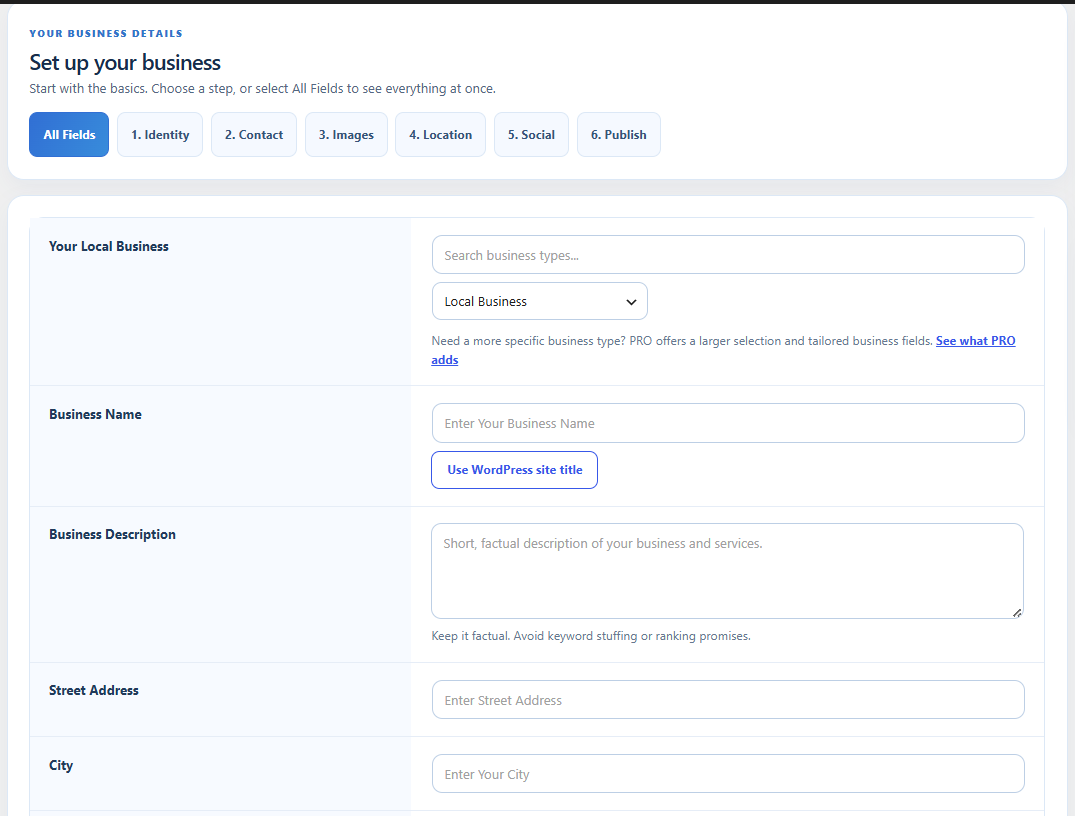
- Business details: name, description, address, phone, email, and website.
- Business type: choose from 21 familiar categories, including restaurants, shops, clinics, and local services.
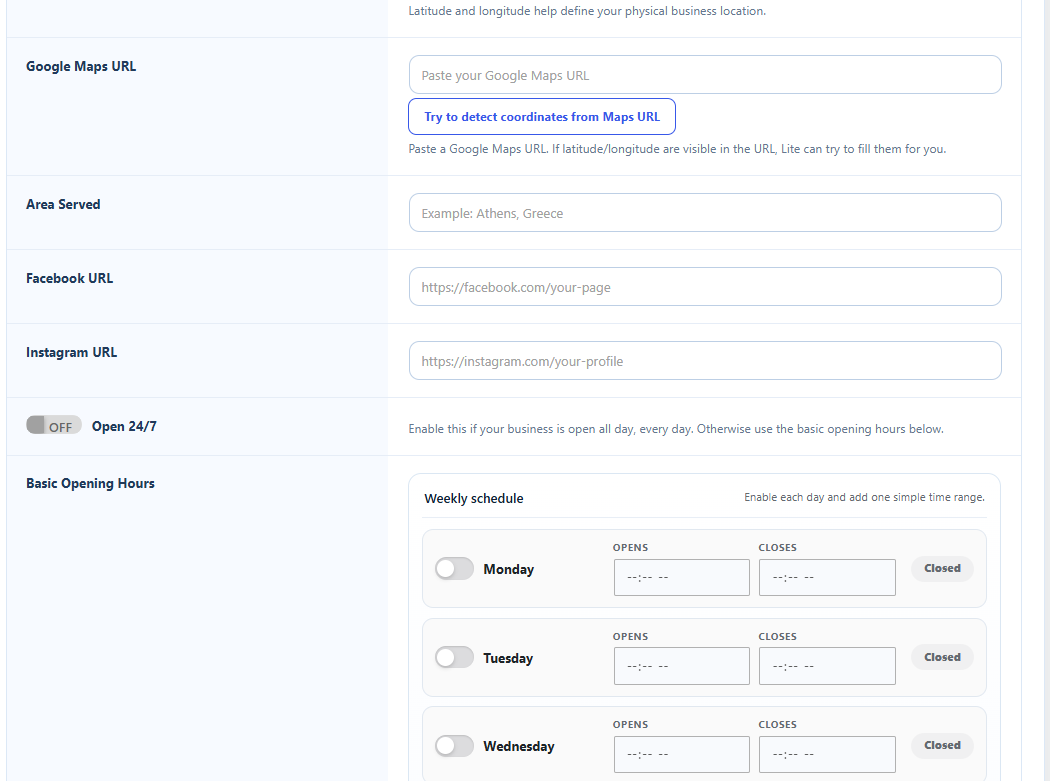
- Opening hours: set a weekly schedule or mark your business as open 24/7.
- Location: add a map link, service area, and coordinates.
- Photos and profiles: choose a logo or image and add your Facebook and Instagram pages.
- Price range: give visitors and search engines a little more context about your business.
Easy to set up, easy to check
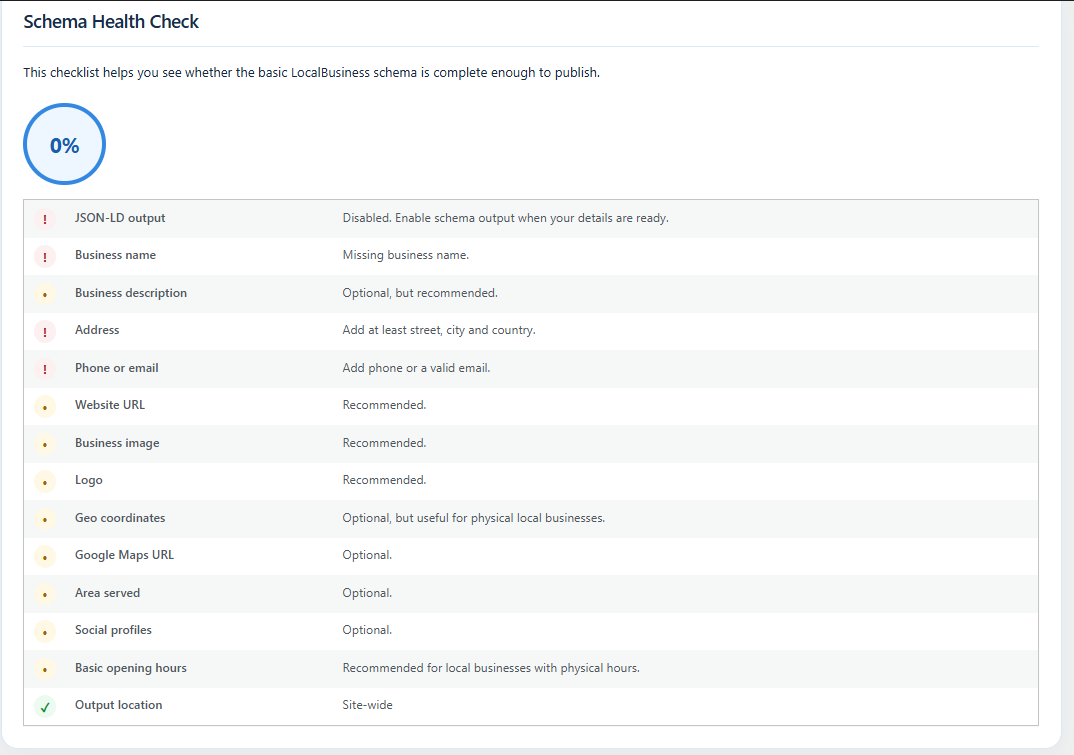
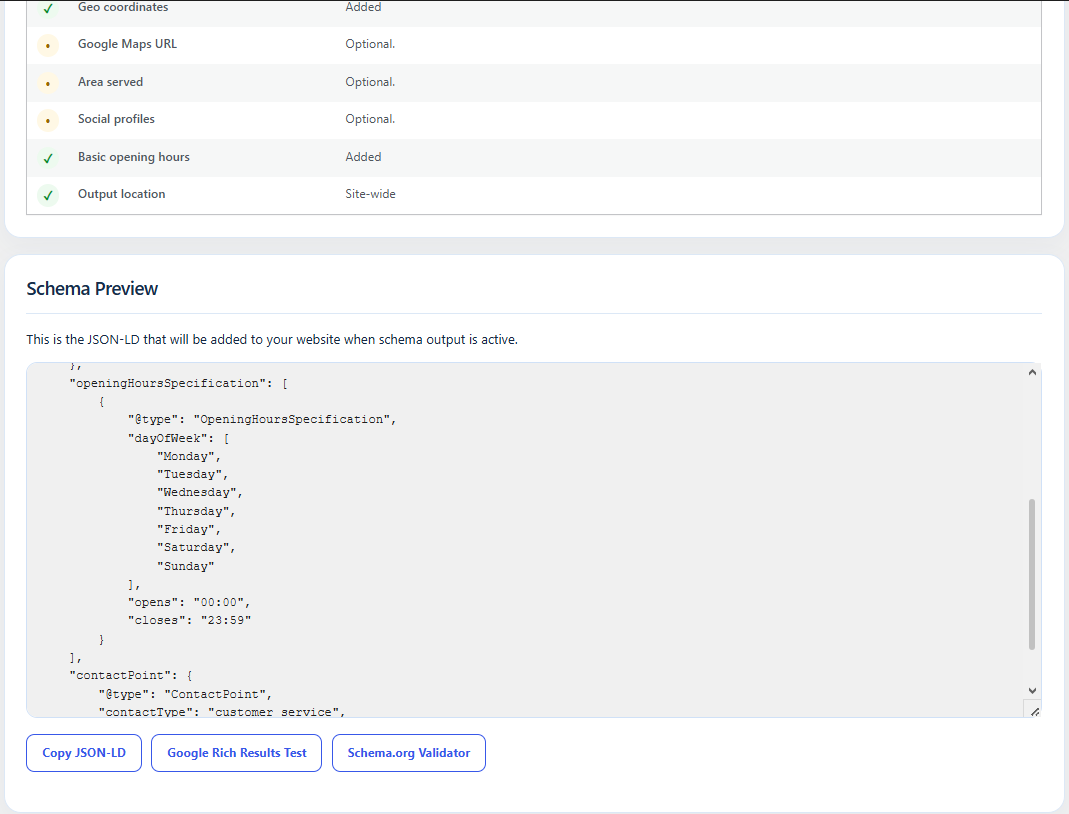
The dashboard shows what you’ve entered and suggests a sensible next step. You can preview the schema before publishing it, then choose whether it appears on your homepage or throughout your website.
When your business needs more
Local Business Schema PRO builds on the easy Lite setup with more options for businesses that have a lot to share. Whether you run one busy shop or several locations, you can give search engines a fuller picture of what you do.
- More business types: choose from a much wider range of business categories.
- Up to five locations: manage addresses and opening hours for each location.
- Services and specialties: describe the services you offer, with extra fields for different kinds of businesses.
- WooCommerce support: add more detail to product schema, including brands and product identifiers.
- Smarter setup tools: discover business details with Entity Autopilot, review your connected schema with Schema Brain, and check for possible overlaps with Conflict Shield.
- Easy upgrade from Lite: bring your saved business details into PRO with a guided import.
Take a look at Local Business Schema PRO to see the features and choose the license that suits your website.
Installation
- Install Local Business Schema Lite from Plugins > Add New in WordPress.
- Activate it and open Lumiverse Schema in the admin menu.
- Choose your business type and add your details.
- Set your opening hours and add any images or social profiles you want to include.
- Save your settings, check the preview, and enable schema output.
That’s it. You can come back and edit your details whenever something changes.
Screenshots

The Lumiverse dashboard with your business setup at a glance.
Business details, categories, and opening hours.
The schema checklist and suggestions for what to add next.
The schema preview and links to useful testing tools.
Faq
Do I need to write any code?
No. Enter your business information and the plugin creates the structured data for you.
How does this help my local SEO?
It gives Google clearer, more consistent information about your business, including its location, opening hours, and contact details. That makes it a useful addition to your local SEO work.
Can I add opening hours?
Yes. Set the days and times you’re open, or use the 24/7 option.
Can I update my business details later?
Of course. If your hours, address, or contact details change, just open the plugin settings, make your edits, and save.
What if I need more locations or extra business details?
The PRO version includes additional business types, multiple locations, a service catalog, and more tools for managing your business information.
Where can I get help?
Visit the WordPress.org support forum. We read feedback and use it to improve the plugin.
Reviews
Nice Work!
By  johannes896 on August 31, 2025
After installing Pro Version I misst something (geocoordinates for the second business schema and an another payment method). Mailed to John and the next Weekend all my wishes were in the new Pro Version. Now all works fine for me. Excellent! 🙂
Super Easy!
By  c3ajeff on February 25, 2021
tesekkürler
By  mustafa (remaxsamsun) on February 2, 2021
Funciona maravilhosamente
By  maurotoshiuki on December 9, 2020
Simple Yet Powerful
By  Erwin Macabudbud on November 3, 2020
EXCELLENT!!
By  betowarrior1 on April 19, 2020
Excellent Plugin
By  blenki101 on July 9, 2019
great plugin
By  kostaszias on January 3, 2019
Very Nice!
By  Michael (mdpalow) on December 30, 2018
Quick and easy to use free version
By  luckydeano on June 8, 2018
Changelog
3.5.5
- Updated the documentation to make the available features and upgrade options easier to understand.
- No changes to saved settings or schema output.
3.5.4
- Updated the setup guide, FAQs, and plugin description to make them easier to follow.
- Tidied code comments and improved the formatting of helpful links.
- Kept existing settings and schema output behavior unchanged.
3.5.3
- Improved the dashboard layout and made the main sections easier to find.
3.5.2
- Kept saved opening hours when a day is marked closed.
- Improved handling of older saved values and map coordinates.
- Added extra protection against duplicate business markup when PRO is active.
3.5.0
- Refreshed the settings page and added clearer setup guidance.
- Made the opening-hours controls easier to use.
3.4.0
- Added opening hours, a schema preview, and the business information shortcode.