

Comments – wpDiscuz
Description
wpDiscuz transforms the native WordPress comment system into a fast, modern, and interactive discussion experience while keeping your comments and data in your own WordPress database.
Add AJAX comments, live comments, threaded comments, comment voting and rating, inline comments, comment subscriptions, social login, custom comment forms, lazy loading, and modern engagement features without moving your community to an external commenting service.
wpDiscuz is a powerful Disqus alternative for WordPress and is designed for blogs, news websites, magazines, communities, membership sites, and WooCommerce stores.
- wpDiscuz Demo: https://wpdiscuz.com/
- Documentation: https://wpdiscuz.com/docs/
- Support Forum: https://wpdiscuz.com/community/
- GDPR Information: https://wpdiscuz.com/gdpr/
- wpDiscuz Add-ons: https://wpdiscuz.com/addons/
AJAX Comments
Enable fast AJAX-powered WordPress comments with instant comment posting, smooth interactions, and updates without unnecessary page reloads.
Live Comments
Create a more dynamic discussion experience with live comment updates, live notifications, and real-time comment bubble updates.
Threaded Comments and Replies
Organize discussions with multi-level threaded comments, nested replies, and reply controls that make long conversations easier to follow.
Comment Voting and Rating
Increase community interaction with positive and negative comment voting, comment rating, and post rating features.
Inline Comments and Feedback
Let visitors comment directly on post content and provide inline feedback without relying only on the main comment form.
Comment Subscriptions and Notifications
Allow users to subscribe to comments and discussion updates and receive notifications about new activity, replies, and approved comments.
Custom WordPress Comment Forms
Create custom comment forms and custom fields for different post types, products, pages, communities, and discussions.
Social Login and Social Comments
Allow visitors to comment using supported social login providers for a faster and more convenient commenting experience.
WooCommerce Comments and Reviews
Improve WooCommerce product discussions with AJAX-powered product comments, ratings, and engagement features. Advanced WooCommerce review and rating functionality is available with the wpDiscuz – Reviews add-on.
Performance and Lazy Loading
wpDiscuz is optimized for performance with lazy-loaded comments, built-in caching, AJAX posting, Gravatar caching, and a performance-focused architecture.
Disqus Alternative for WordPress
Replace Disqus, Jetpack Comments, and other third-party comment systems while keeping full ownership of your comments and storing them in the native WordPress comment database.
More wpDiscuz Features
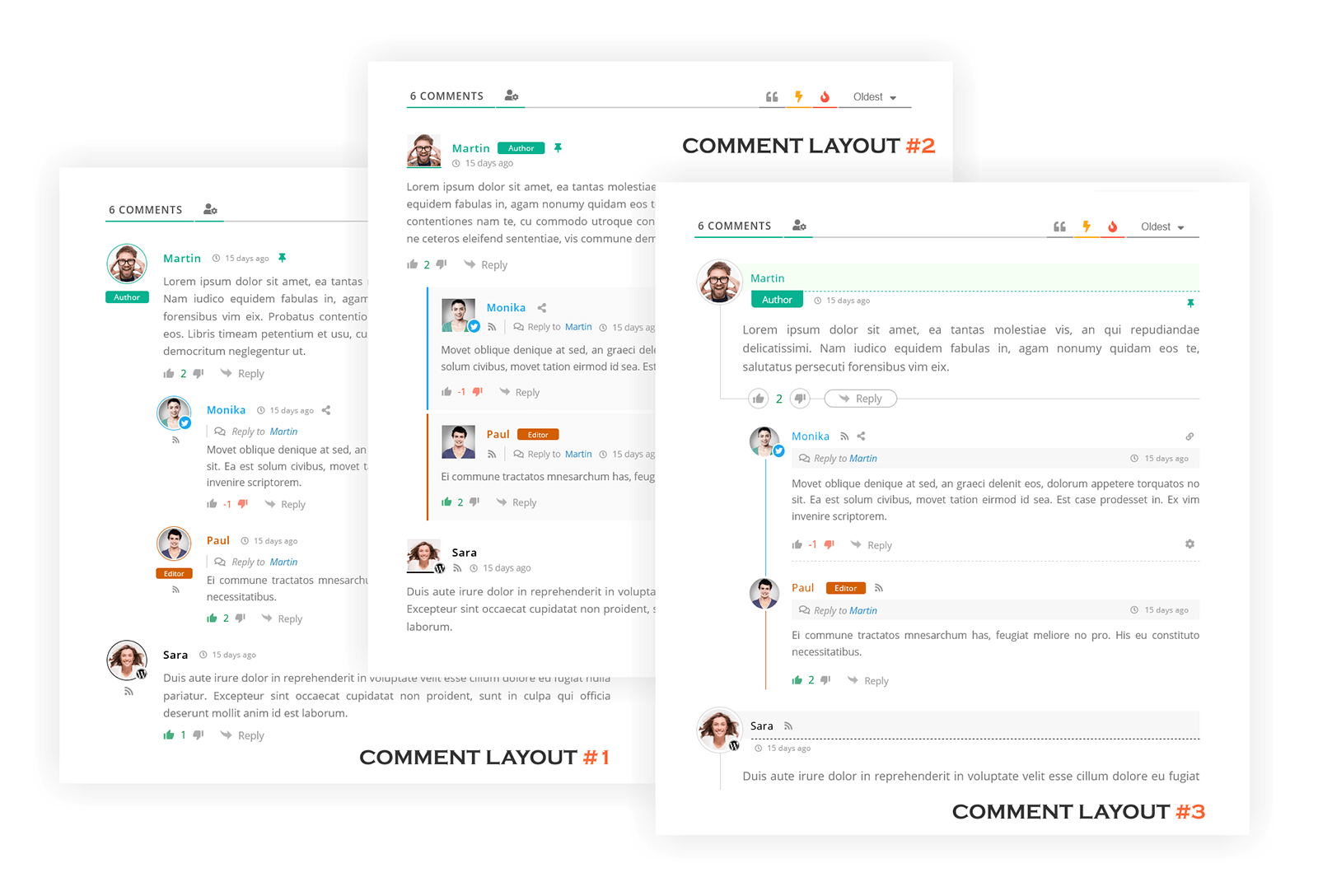
- Three modern WordPress comment layouts
- Comment sorting by newest, oldest, and most voted comments
- Comment editing for logged-in users and guests
- Automatic URL and image embedding in comments
- Long comment collapsing with “Read More” button
- WordPress date format integration
- Quick Tags support for comments
- Highlighting new comments since last visit
- Comment access control by user roles
- Option to load all comments on first page load
- Built-in Gravatar caching
- Sticky comments support
- Closed comment threads support
- User follow functionality
- Built-in comment and author caching system
- Responsive interface for desktop and mobile devices
wpDiscuz Add-ons
Extend wpDiscuz with optional add-ons for advanced reviews and ratings, media uploads, user notifications, front-end moderation, subscriptions, comment search, private comments, BuddyPress integration, GIPHY integration, voice commenting, and more.
Installation
Important
If you use a cache plugin or CDN, clear all caches after installing or updating wpDiscuz so the latest plugin assets are loaded.
Installation
- Upload the plugin folder to the
/wp-content/plugins/directory. - Activate the plugin through the Plugins menu in WordPress.
- Open the wpDiscuz menu item in your WordPress admin dashboard to configure your comment system.
Updating to wpDiscuz 7
Please read the update documentation:
https://wpdiscuz.com/docs/wpdiscuz-7/plugin-installation/update-to-wpdiscuz-7/
Screenshots

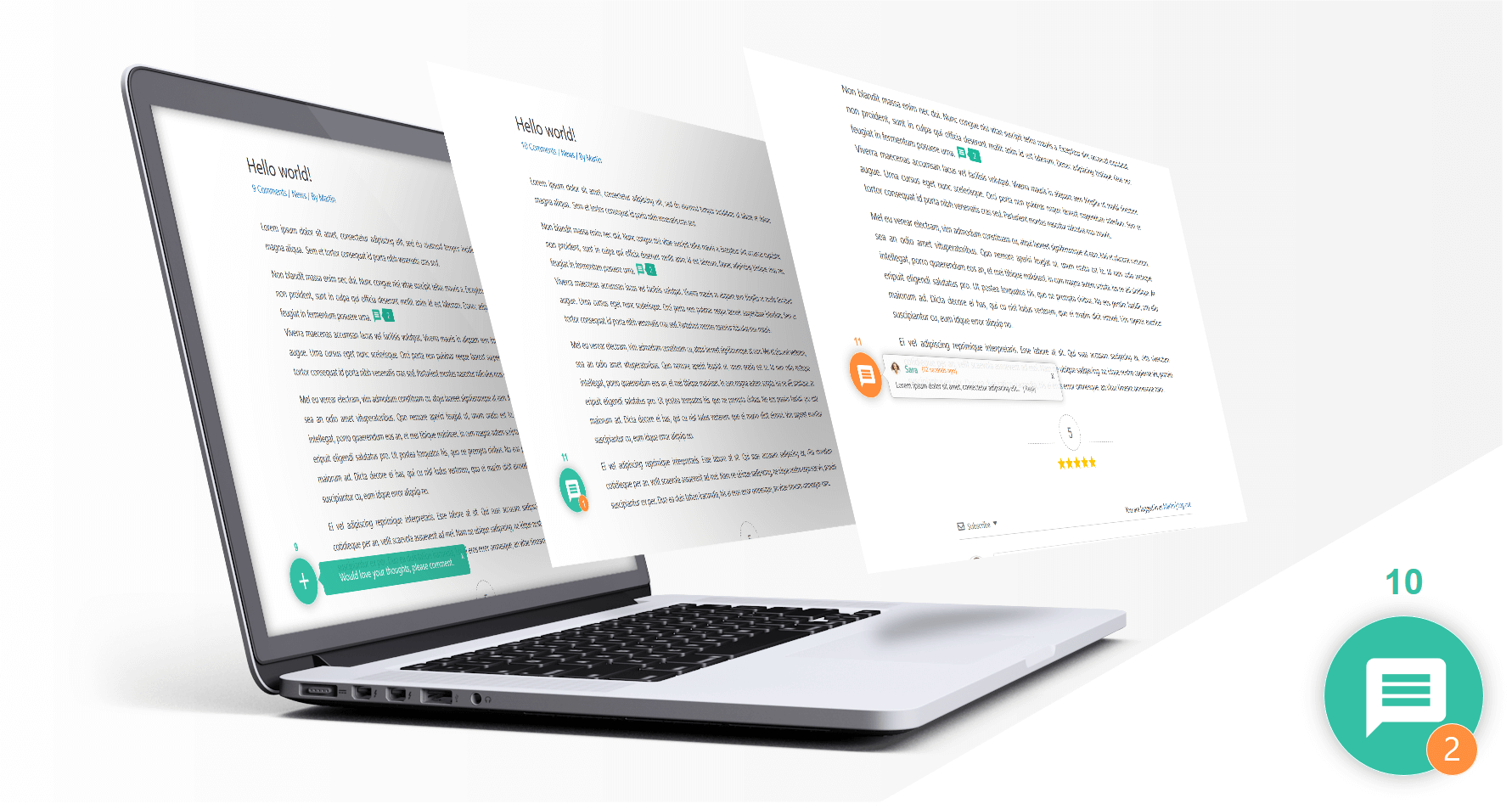
Live AJAX WordPress Comments | Screenshot #1
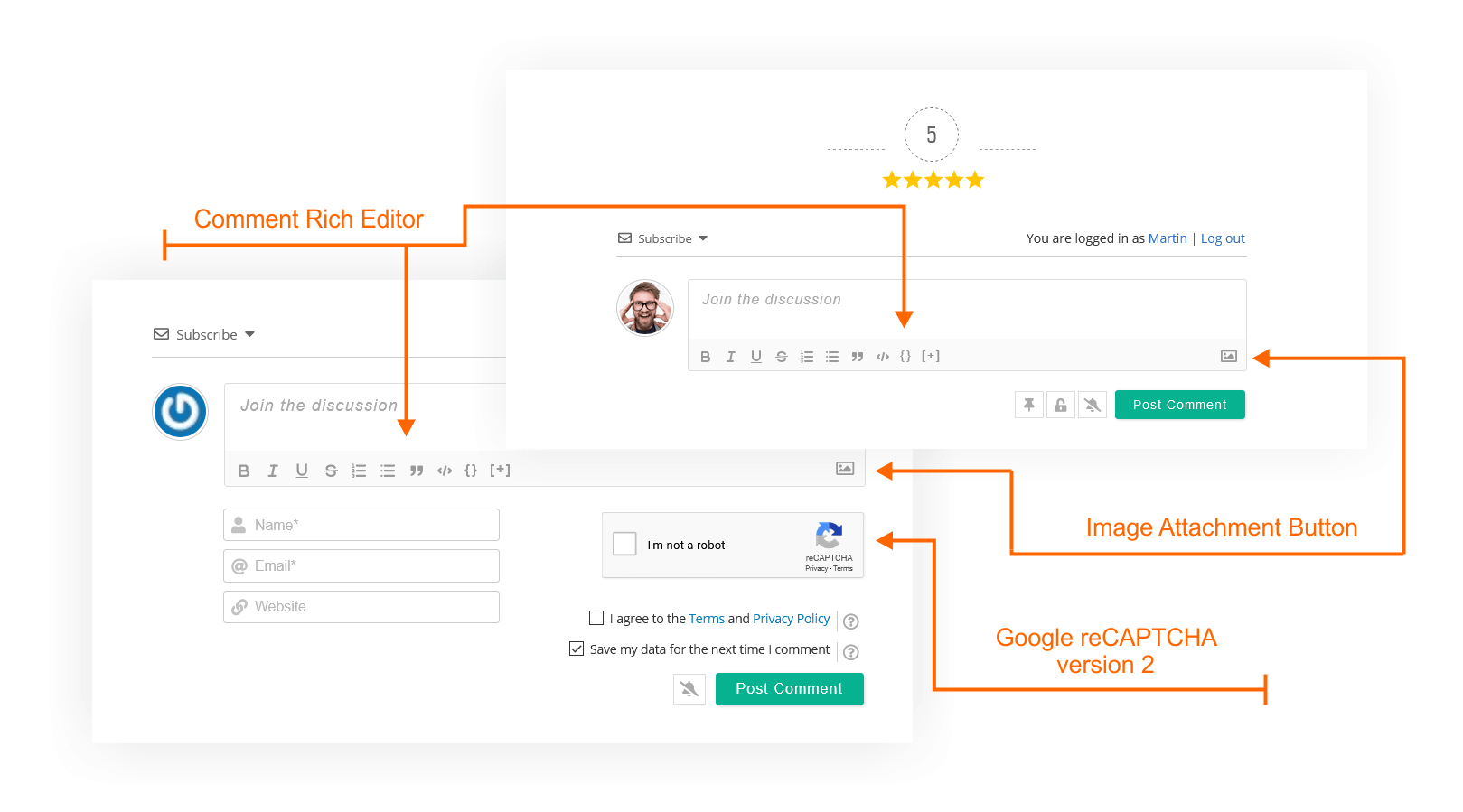
WordPress Comment Form | Screenshot #2
Modern WordPress Comment Layout | Screenshot #3
Responsive Comments on Mobile Devices | Screenshot #4
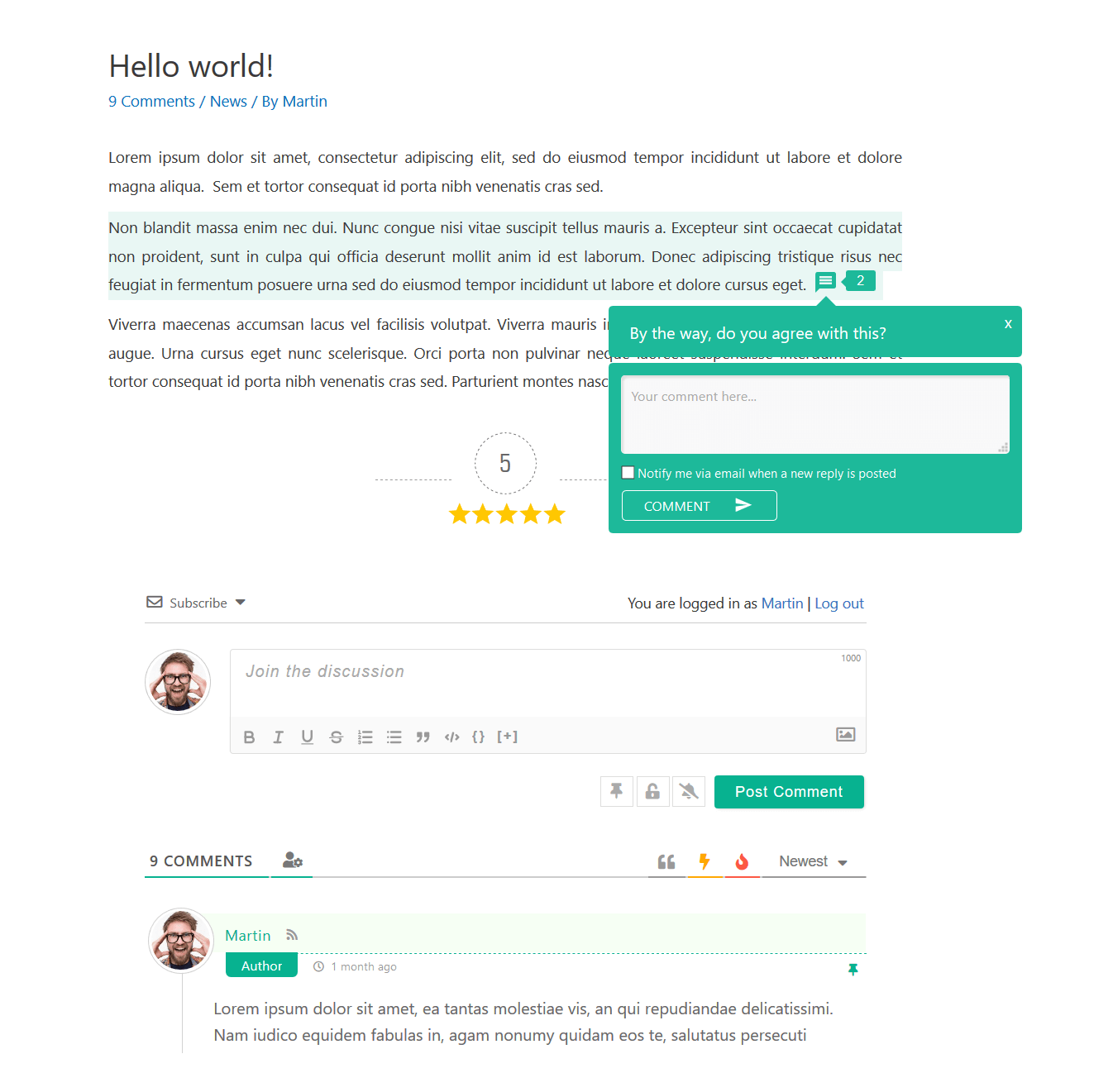
Inline Comment Form for WordPress | Screenshot #5
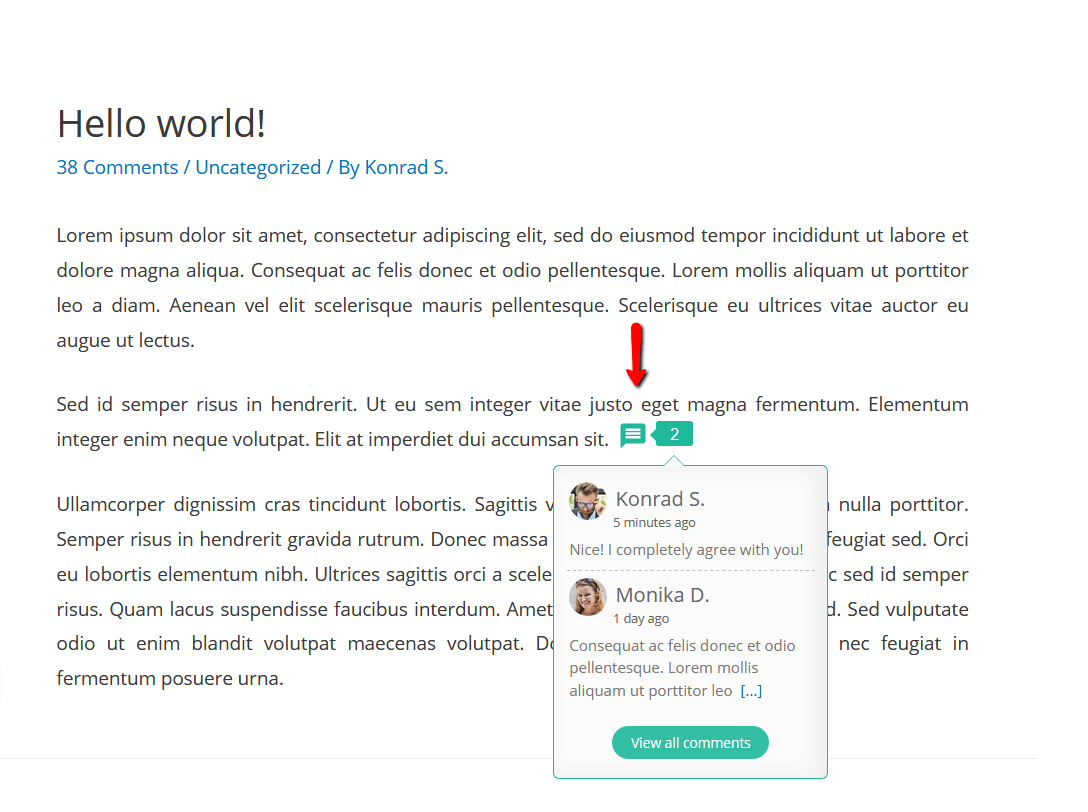
Inline Feedback and Commenting | Screenshot #6
Comment Voting and Post Rating | Screenshot #7
Live Comment Notifications | Screenshot #8
Social Login for WordPress Comments | Screenshot #9
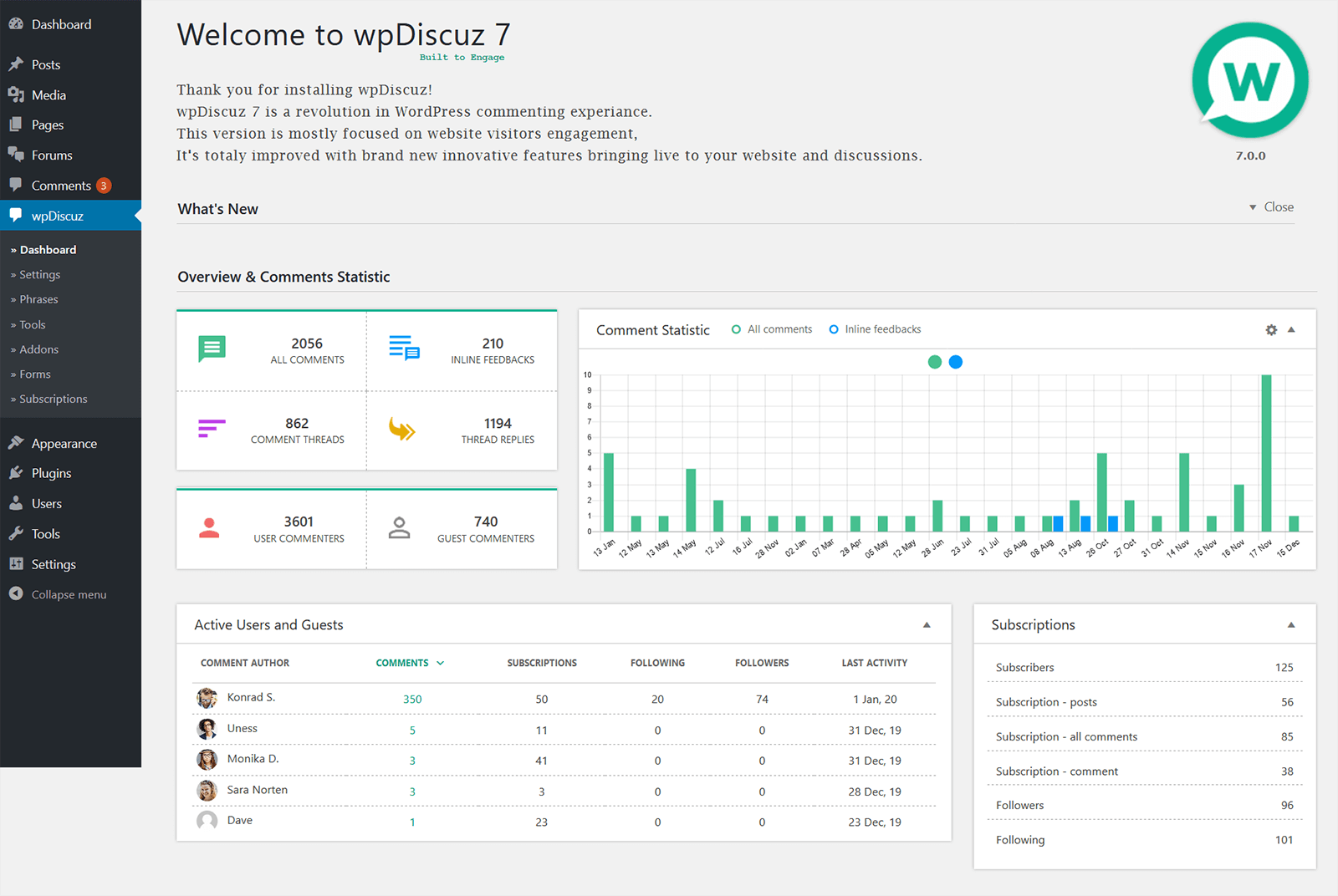
WordPress Comment Statistics | Screenshot #10
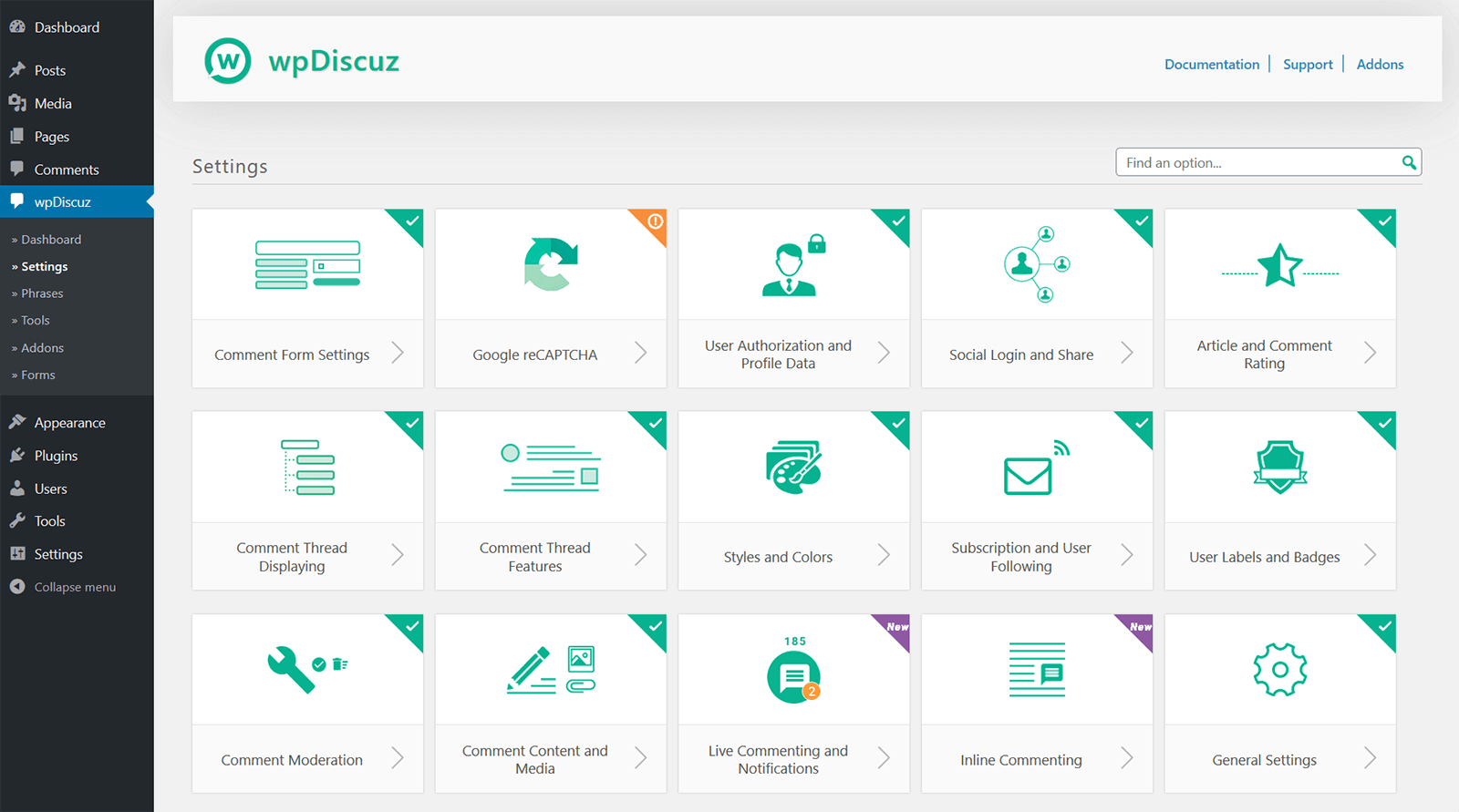
wpDiscuz Settings Panel | Screenshot #11
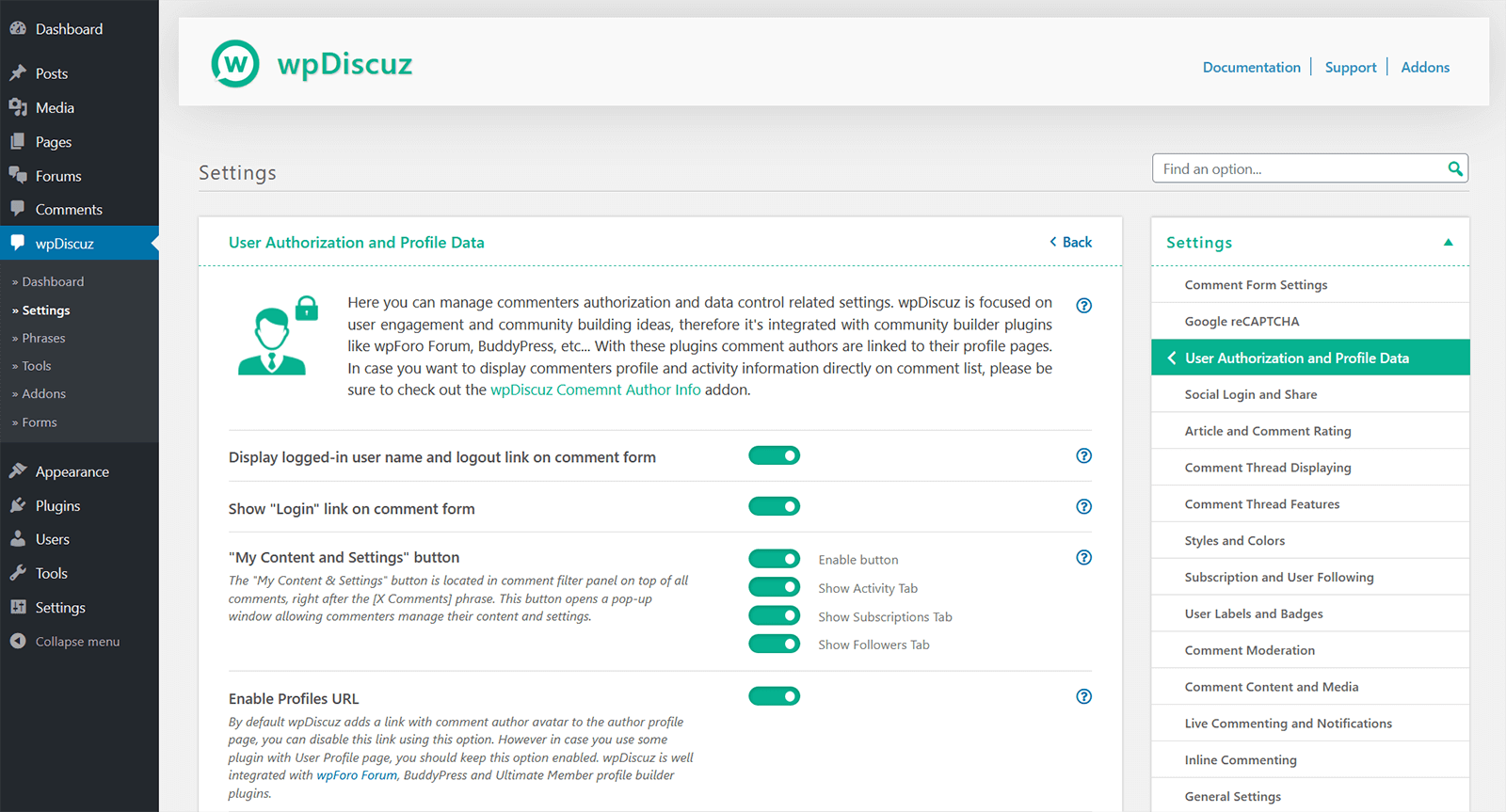
Advanced Comment Settings | Screenshot #12




Faq
wpDiscuz is a WordPress comments plugin that enhances the native WordPress comment system with a modern, interactive commenting experience while keeping comments in your own database.
wpDiscuz is one of the most popular WordPress comments plugins, combining AJAX comments, live commenting, inline comments, comment voting, subscriptions, custom comment forms, social login, and other engagement tools while keeping comments in the native WordPress database.
Install and activate wpDiscuz to add AJAX-powered comment posting and interactive comment loading without requiring visitors to reload the page after every action.
wpDiscuz is a Disqus alternative that uses the native WordPress comment system, allowing you to keep comments stored in your own WordPress database rather than relying on an external commenting service.
Existing comments remain in the WordPress database and are displayed automatically by wpDiscuz. Uninstalling wpDiscuz does not remove your existing WordPress comments.
Comments are stored locally in your own WordPress database using the native WordPress comment system.
Yes. wpDiscuz supports multi-level threaded comments and nested replies to keep long discussions organized and easier to follow.
Yes. wpDiscuz includes comment subscription and notification options so users can follow discussions and receive updates about new activity.
Yes. wpDiscuz supports custom WordPress comment forms and custom fields for different post types, products, pages, communities, and discussions.
Yes. wpDiscuz supports inline commenting and inline feedback, allowing visitors to interact directly with content inside a post.
Yes. wpDiscuz can improve WooCommerce product discussions with AJAX-powered comments, ratings, and engagement features. Advanced WooCommerce review and rating functionality is available through the wpDiscuz – Reviews add-on.
Yes. wpDiscuz can lazy load comments on scroll and also provides AJAX-based loading options to reduce the amount of comment content loaded during the initial page request.
wpDiscuz provides GDPR-related tools and guidance for site owners. See the wpDiscuz GDPR documentation for configuration details and information relevant to your site.
After installing or updating wpDiscuz, clear your WordPress cache and purge your CDN cache so the latest plugin assets are loaded.
wpDiscuz includes built-in anti-spam features and works with WordPress comment moderation. It can also be used alongside Akismet and compatible CAPTCHA solutions for additional protection.
wpDiscuz includes AJAX comment loading, lazy-loading options, built-in comment and author caching, Gravatar caching, and other performance-focused features. Actual performance depends on factors such as traffic, comment volume, hosting, caching configuration, and enabled features.
Yes. wpDiscuz provides a Comments block for the WordPress block editor, so you can add wpDiscuz comments to Gutenberg-based content.
Reviews
Great plugin- Excellent Support
By  jaco44 on October 20, 2026
I’ve been using wpDiscuz for years with zero issues along with the Media Uploader add-on. Tons of customization/options in the main plugin & add-on settings.. Recently purchased the Subscription Manager add-on & found it was lacking a couple of features that not only I needed but would add value to the add-on for others. Posted the feature(s) request & they pushed an update out within a few days with both added. 5-star plugin/support combo.
Holy updates, Batman!
By  angryjerknxc on September 16, 2026
I like wpDiscuz and I’ve used it because it offers a much better commenting experience than the default WordPress system, but the update frequency has become ridiculous.
Over the past few weeks, there’s been update after update after update, sometimes only a few days apart. At this point, it feels like every time I log into WordPress there’s another wpDiscuz update waiting for me. If these were all critical security fixes, I’d understand, but many of them appear to be bug fixes, tweaks, or fixes for issues introduced by previous releases.
That creates unnecessary maintenance for site owners, especially since wpDiscuz recommends clearing caches and purging CDN caches after updates. When you manage multiple WordPress sites like I do, this gets old very quickly.
I appreciate active development, and I’d much rather use a plugin that is maintained than one that has been abandoned. But there needs to be a better balance. Non-critical fixes should be tested and bundled into fewer, more substantial releases instead of pushing a new version every few days.
The constant update cycle has reached the point where I’m considering replacing an otherwise good plugin simply because I’m tired of maintaining it.
Great plugin and exceptional support
By  mikefury on September 4, 2026
If you’re serious about building a website on WordPress, wpdiscuz is a must-have. Highly recommended
Star ratings is nice, getting it to work —not so much
By  bellakaroo on January 15, 2026
Day 2
I managed after a day and half to get rid of the “fill in the required fields” message that popup for users wherether logged in or not, its the rich editor and the name and email field that causes this issue.
If I make the name field required and the email optional and deactivate the rich editor on both desktip and mobile then the message dissappear but now it creates 2 new issue.
Star ratings are not clickable and comment nesting for replies doesn’t work eventhough the feature is turned on in wp discussion tab.
If you reply to a comment the comment gets posted as an individual /standalone comment at the top of the comment section and not as a nested reply.
Honestly, I’m done struggling. I fix 1 thing and multiple other stuff breaks in your plugin! I’m now dropping star ratings because of the additional issues that now arised.
——
Day 1
The plugin is nice, especially the star ratings but it’s a nightmare to setup.
The whole day I’ve tried to get the plugin not to show “input too short” and “fill in the required fields” error messages.
My input is set to min 1 and unlimited to max so basically the default settings but it gives the error of “input too short” so I changed it from 1 to 2 min and from unlimited to 1000 max and finally the message stopped.
But now it gives the “fill in the required fields” error. I unticked the option in the wp discussion tab for users must fill in their name and email before they can comment. Great. Now I disabled the required field in the wpdiscuz default form field for name and email.
It worked once.
I closed out of my site, opened it again and navigated to a post and tried to comment and theres the “fill in the required fields” block, so I fill in the name eventhough it’s not required anymore and the email and hit the button and there’s the message again. There’s nothing left to fill in.
I changed the comment requirements to users must be logged in, now the name and email boxes vanish but I still can’t comment, the same error message popup.
I even went as far to disable everything in the wordpress discussion tab, cleared the cache and cookies, logged in via incognito and my tablet on another email and still get the same error message.
I deactivated all my plugins and still same message. I don’t use jetpack so it can’t be their comment form thing causing conflicts.
I switched from my kadence theme to the default twenty-five theme and same error.
It works once.
There’s no restrictions setup to how many times someone can comment either.
Guests that comment needs to fill out the name and email box everytime they want to reply to a thread, aint filling it in once enough until they leave the page? Only thing I want is for logged out users not to be able to comment under the anonymous lable.
I’m about to uninstall the plugin as I can’t be bothered to struggle this much with it. It’s definitely not worth spending another day trying to get rid of those messages.
I’m not a developer, and before I spend money on hiring one just to make a plugin work, I’d rather just not use it.
Download today, up & running in a few minutes
By  mbellinger on January 12, 2026
Downloaded the Plugin today.
Installation, Setup easy, is up & running in a few minutes, perhaps not perfect within these few minutes, but working.
Goog overview, goog presentation of settings.
Best of all – it is free of charge obviously 🙂 – Thank you Developers !
Collecting experience now…
Nice plugin, they fixed an issue I had with php8.3
By  Olaf Lederer (finalwebsites) on November 25, 2025
After an upgrade to php 8.3 the plugin broke my customer’s website.
It took some discussions here at WP.org to convince the plugin’s team to add more validations into their code.
But after they fixed it the PHP errors are gone.
Thanks!
wpDiscuz works well
By  Grant (grantjb) on November 4, 2025
Satisfied with wpDiscuz
By  Willem Jurka (jurka) on September 27, 2025
I have been using wpDiscuz for a long time and I’m very satisfied with it. The plugin is reliable, user-friendly and offers everything I need for managing comments on my site.
Sehr gut
By  tierschutzmato on August 28, 2025
Ein wirklich guter support. Und auch das Script finde ich super.
Too much Feature Creep!
By  c12gene on August 25, 2025
They just pack too much junk into this app. I can’t even figure out how to delete comments…there is so much nonsense even the basic stuff is confusing
Changelog
IMPORTANT!
Please remember to delete all caches and purge CDN after the update.
Comments – wpDiscuz v7.6.72 – 07.10.2026
- Fixed: A comment whose image was refused for its width or height was saved anyway, and the error message was empty. The
wpdiscuz_mu_preuploadaction now fires before the comment is saved, so a file it refuses stops the comment. - Fixed: The on/off switches on the settings page showed their state by color alone and could not be used from the keyboard. They now show a cross when off and a check mark when on, and can be reached with Tab and toggled with Space. Switches in addon settings tabs get the same fix.