

WPCore Plugin Manager
Description
WPCore stores lists of plugins called collections. You create collections at wpcore.com. Each collection has a key. Add the key to this plugin, and the plugin installs and activates the plugins in that collection.
Collections can contain plugins from the WordPress.org directory and custom plugins uploaded to wpcore.com as ZIP files.
WP-CLI
wp wpcore install <key> installs the plugins in a collection from the command line. `wp wpcore list <key>` lists the plugins in a collection and their status on the site.
Source code
The plugin includes the uncompressed source of the admin screen JavaScript and styles in assets/src/. build/ holds the compiled files.
External service
This plugin connects to the WPCore API at https://wpcore.com/api/ to read the collections whose keys you add. The request contains the collection keys and the plugin version. No other site data is sent. The WPCore terms and privacy policy apply.
Installation
- In the WordPress admin, go to Plugins > Add New and search for “WPCore”.
- Install and activate WPCore Plugin Manager.
- Create a collection at wpcore.com and add plugins to it.
- Copy the collection key.
- In the WordPress admin, go to WPCore and add the key.
- Select the plugins to install.
Screenshots

Create collections of plugins at wpcore.com.
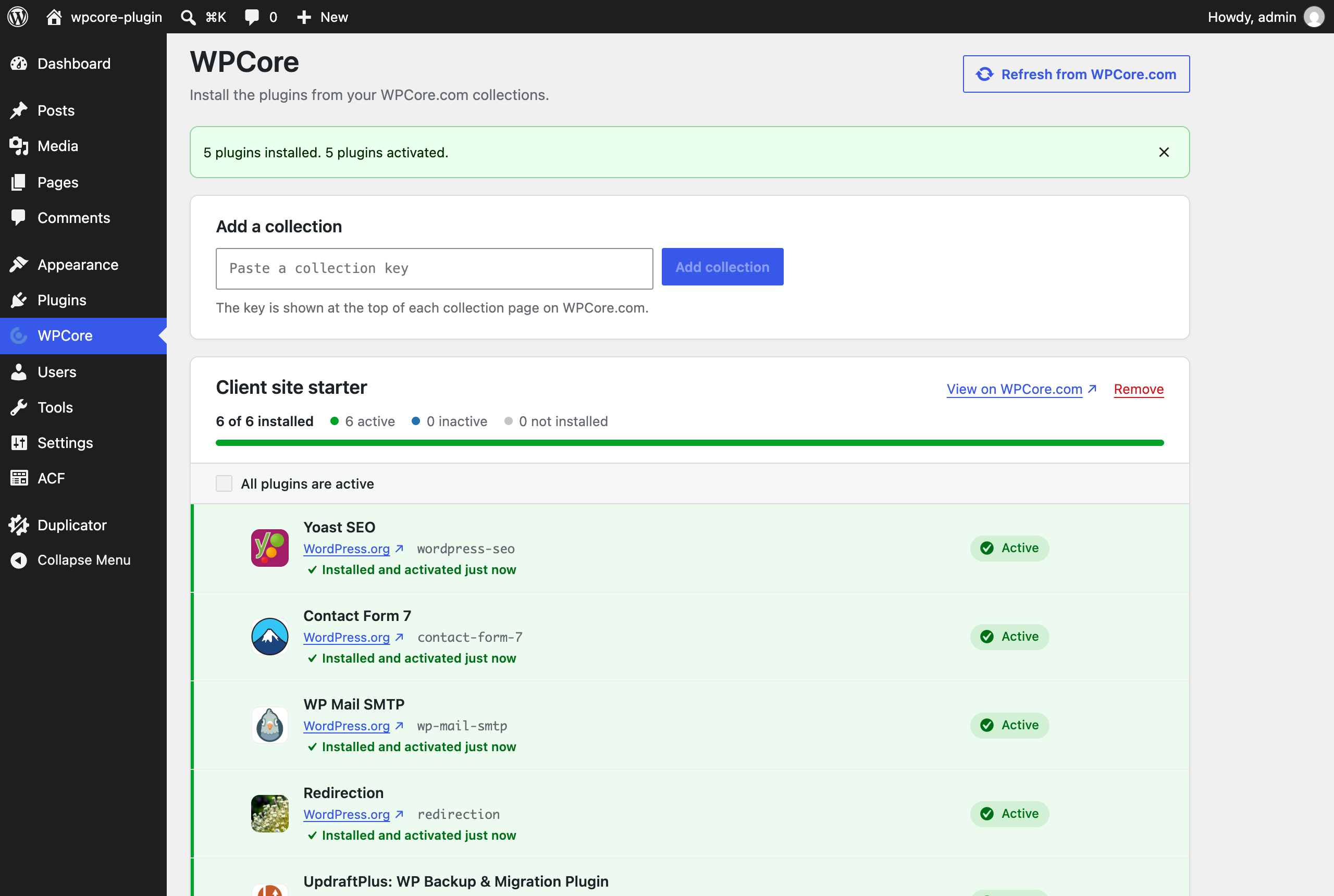
The WPCore screen lists the plugins in each saved collection and shows which are installed and active.
Install and activate the missing plugins of a collection. Each plugin shows its result.


Reviews
Awesome plugin!
By  webpippos on September 18, 2024
works exactly as described, easy to set up and manage. Amazing time saver when you manage multiple sites!
Awesome!!! Big Time Saver & Organizer!
By  LarryWEB (lhe2012) on August 18, 2023
It just really works! I have my groups of plugins I Always Use & Sometimes Use. Works every time for me and saves me time! Thanks Stuart!
Great plugin and still supported
By  C Green (cgreen177) on June 11, 2023
Love this plugin – and when there was a recent bug the author was quick to fix it. Makes bulk installation of plugins easy as pie.
Clever idea! Great for quickly installing plugins
By  treeflips on April 27, 2023
Love this plugin! I only use the free version and secretly wish it allowed up to 5 lists. But either way…thanks for making this!
Also wish it could install themes as well.
Convinient
By  mikatamni on August 18, 2023
Not updated in 2 years
By  Charlie (charliemoss) on March 4, 2022
Plugin works okay, has one error, website is buggy
By  Tyler Tork (TylerTork) on February 3, 2021
Wonderful!
By  John (dsl225) on December 30, 2020
incompatible w/ too many themes
By  nadworks on May 28, 2020
Very useful plugin
By  Bakari (bakari45) on March 31, 2020
Changelog
2.0.1
- The plugin includes the uncompressed source of the admin screen JavaScript and styles in
assets/src/.
2.0.0
- Rebuilt the plugin.
- Removed the TGM Plugin Activation library.
- Each collection is cached for 12 hours. A key that matches no collection is cached for 1 hour.
- A saved key that matches no collection is listed as not found.
- Requests to wpcore.com verify the HTTPS certificate.
- Deleting the plugin removes its data from every site in a multisite network.
- Plugins install with the WordPress core plugin installer. Installed plugins are not downloaded again.
- New WPCore screen: add and remove collection keys, select plugins, install or install and activate them, and see the result for each plugin.
- Export links use plugin folder names, and the active plugins export includes network-activated plugins.
1.9.2
- Fixed a bug with PHP 8.
1.9.1
- Removed calls to screen_icon.
1.9.0
- Added WP-CLI support.