

WP Term Order
Description
Sort taxonomy terms, your way.
WP Term Order allows users to order any visible category, tag, or taxonomy term numerically, providing a customized order for their taxonomies.
Also checkout
Installation
Download and install using the built in WordPress plugin installer.
Activate in the “Plugins” area of your admin by clicking the “Activate” link.
No further setup or configuration is necessary.
Screenshots

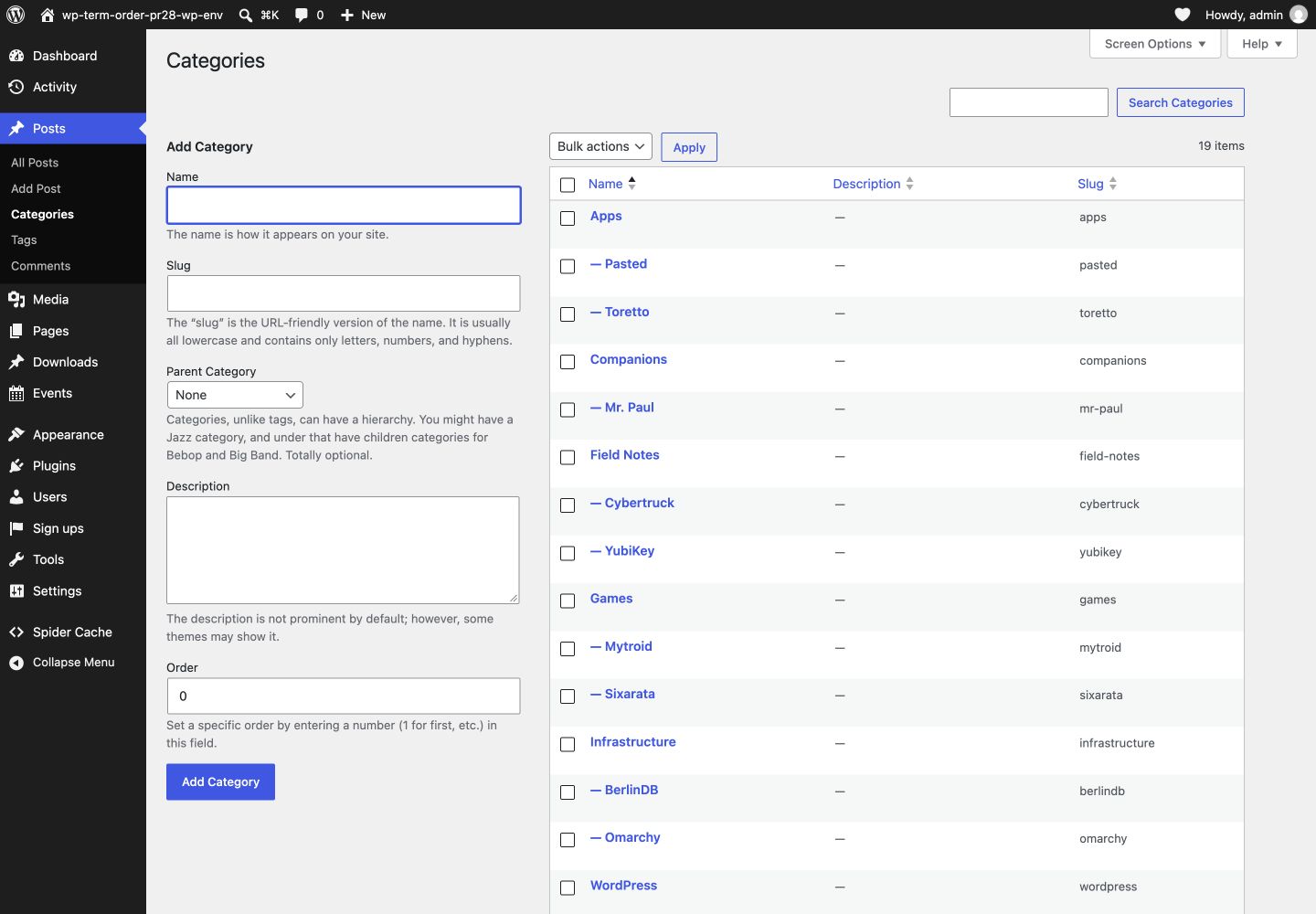
Drag and drop your categories, tags, and custom taxonomy terms
Faq
Does this create new database tables?
No. There are no new database tables with this plugin.
Does this modify existing database tables?
Yes. The wp_term_taxonomy table is altered, and an order column is added.
Deactivating the plugin preserves that column and its ordering data. Deleting the plugin through WordPress removes the column and the plugin’s database version option from each site. Existing term metadata, including values written by this plugin, is preserved because the generic order key may be shared with other plugins.
Can I use values such as 2.567 to describe a term’s place in a hierarchy?
No. Order values are whole numbers. A term’s parent is stored separately by WordPress, so use the Parent field to set its hierarchy and the Order field to position it among terms at that level.
Can I preserve a query’s requested term ordering?
Yes. Pass wp_term_order_override as false to preserve another orderby value for that query. For a supported taxonomy, an explicit orderby value of order is always honored. The wp_term_order_taxonomy_override_orderby_supported filter controls only the implicit override of WordPress’s default term-name ordering.
Can terms be ordered differently for each post?
Yes. Categories and tags support per-post ordering automatically. For a custom taxonomy, opt in with the wp_term_order_object_taxonomy_supported filter. The post editor will add an order panel for that taxonomy, and WordPress will store the order in its existing wp_term_relationships.term_order column.
Standard template functions such as get_the_terms() use the saved per-post order. A direct wp_get_object_terms() query can request orderby => term_order. The wp_term_order_object_taxonomy_supported filter can enable or disable this feature for an individual taxonomy.
Where can I get support?
The WordPress support forums: https://wordpress.org/support/plugin/wp-term-order/
Where can I find documentation?
http://github.com/stuttter/wp-term-order/
Reviews
Well integrated …
By  (ezoulou) on March 20, 2026
in default admin!
Super 🙂
Amazing plugin
By  Artneo (artneo) on December 1, 2020
Perfect and elegant
By  Knut Sparhell (knutsp) on November 12, 2020
very dummy stupid useless plugin
By  besfe on December 12, 2018
Works perfectly
By  Cristian (crosescu) on October 24, 2017
It just works
By  chadetz on June 13, 2017
Just what I needed!
By  benathomeofchampions on February 20, 2017
Awesome Plugin
By  devpatidar1224 on December 16, 2016
🙂
By  cardofearing (ricardoLabs) on September 3, 2016
Awesome.
Great plugin
By  leemon on September 3, 2016
Great little plugin with no junk in it!
Changelog
2.3.1
- Remove the custom term-order column and schema version during deliberate uninstall on single-site and multisite installations.
- Preserve shared term metadata and stop plugin deletion when database cleanup cannot be completed.
2.3.0
- Add hierarchical drag and drop with a live placement preview and horizontal depth selection.
- Add per-post term ordering to the block editor and Classic Editor.
- Preserve explicit term query ordering.
- Correct metadata ordering across nested and consecutive term queries.
- Strengthen hierarchy validation and batched sibling reordering.
- Require PHP 7.4 and WordPress 6.4 or newer.
- Declare compatibility with WordPress 7.1.
2.2.0
- Fix CSRF. Thank you Nabil Irawan.
2.1.0
- PHP8 support
2.0.0
- Migrate existing order data to term meta on upgrade
- Fix order override when querying for terms
- Fix terms sometimes not saving their order
- Add filter for taxonomy overrides
- Add filter for database strategy
- Move init out of __construct
- “Order” is now a default hidden column
- Remove static designation from certain method calls
- More accurate cache usage & cleaning
1.0.0
- Do action when order is updated
0.1.5
- Version bumps and updated readme
0.1.4
- Fix order saving in non-fancy mode
0.1.3
- Add filter to target specific taxonomies
0.1.2
- Normalize textdomains
0.1.1
- Prevent move on “No items” table row
0.1.0
- Initial release