

WP Import Export Lite
Description
WordPress Import Export Plugin is an easy, fast, and advanced tool to import and export your WordPress site data.
WP Import Export gives you the ability to export your site data into multiple file formats and import those files into any WordPress site. All types of Posts, Pages, Custom Post Types, Taxonomies, Comments, and Users can be imported or exported with just a few clicks. It is an effective way to manage and migrate data across multiple WordPress installations.
Main Features
- Pause, resume, and stop active imports and exports
- Background processing for large imports and exports
- Scheduled import & export (Available in Pro)
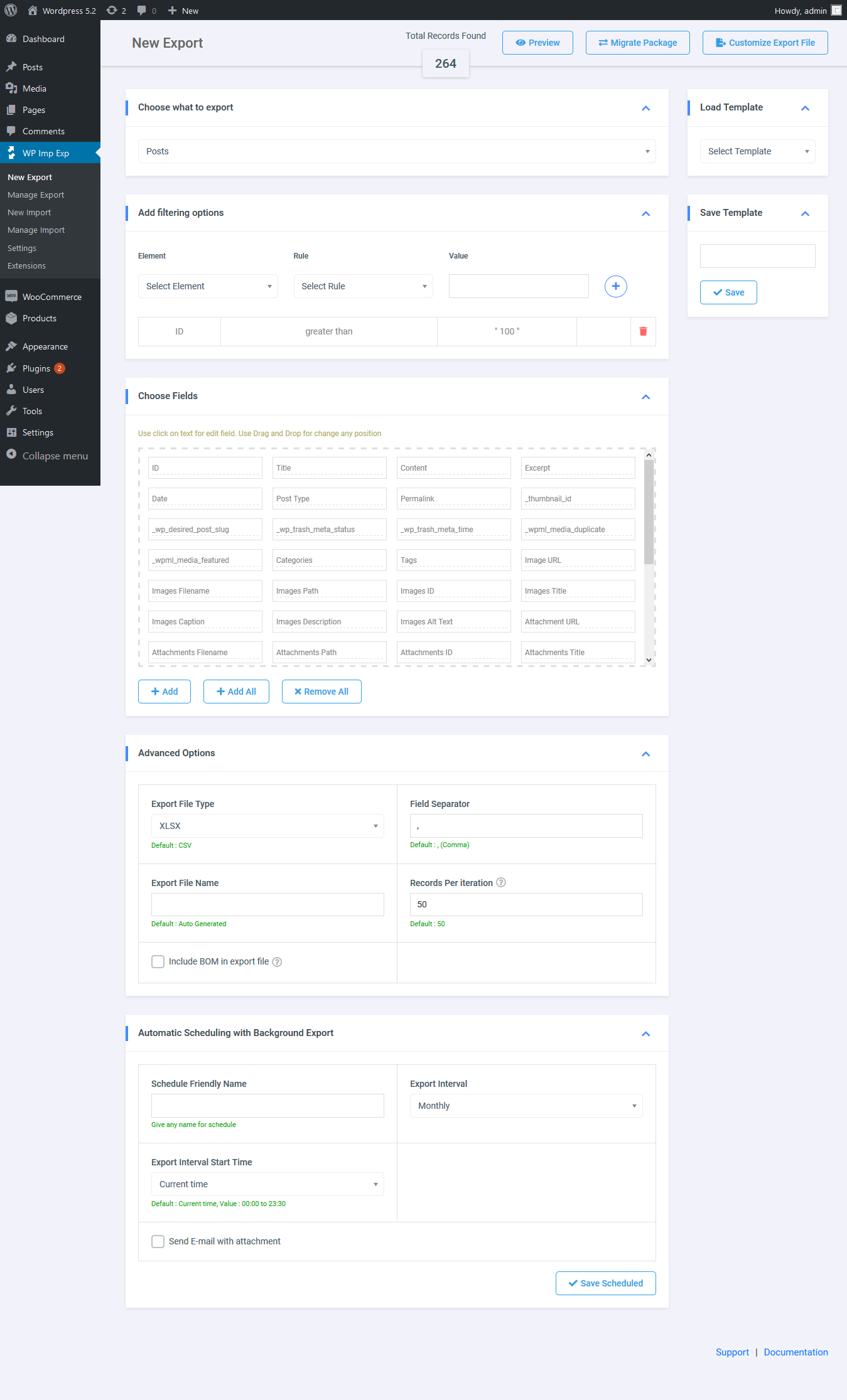
- Powerful data filtering options
- Drag-and-drop field mapping
- Add-on integrations for popular WordPress plugins
- Support for multiple file formats
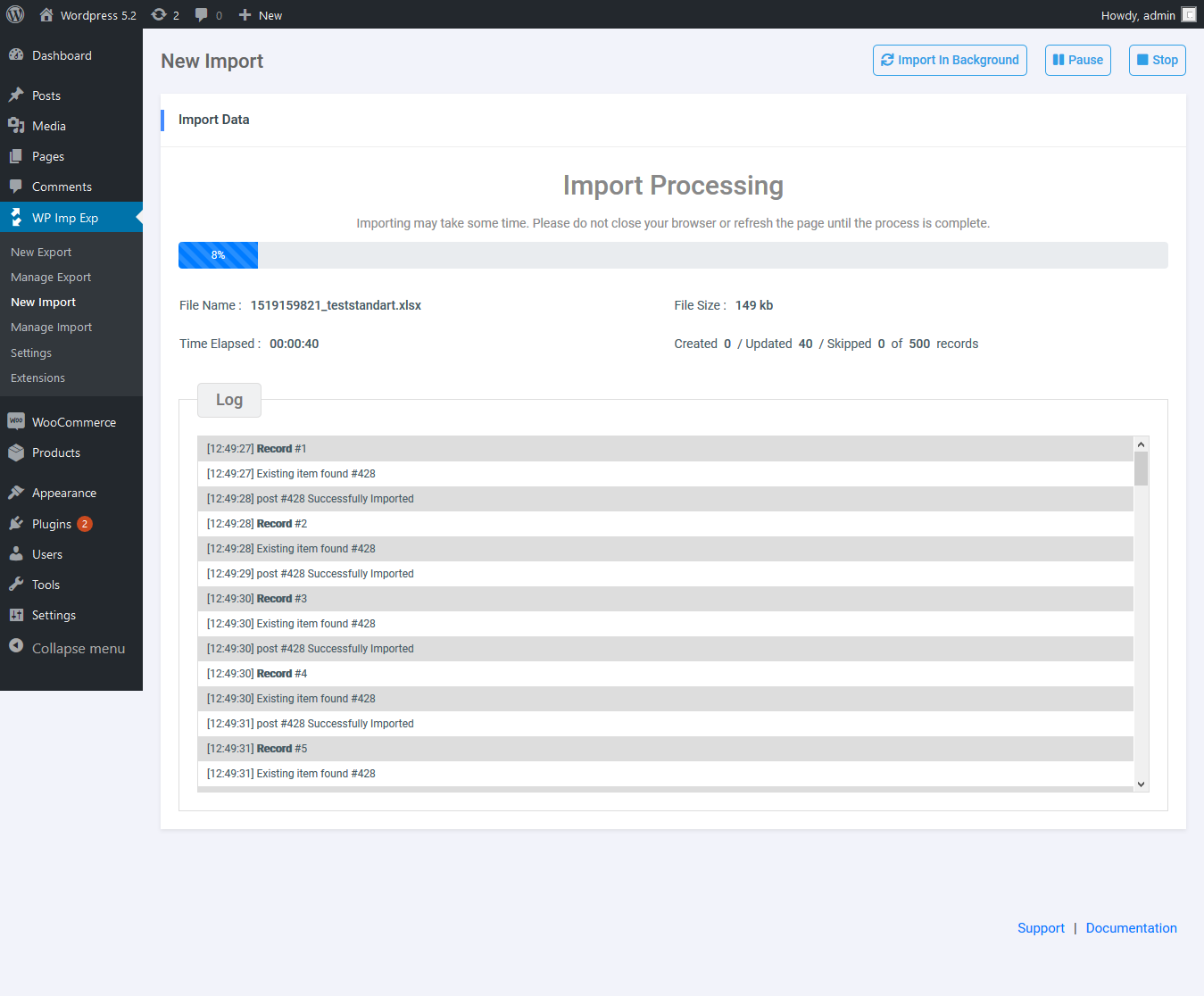
- Detailed import process logs
Pause, Resume & Stop
- Imports and exports can be paused, resumed, and stopped at any stage.
- Supports pause and resume functionality with background processing.
- Cancel or stop any processing task whenever needed.
Background Import & Export
- Run import and export tasks asynchronously in the background.
- Background jobs can be monitored, paused, resumed, and stopped.
- Process multiple import and export tasks concurrently.
- Convert standard import/export jobs into background processes with ease.
Powerful Filters
- Apply precise filter rules during export (e.g., export posts where Post ID is greater than 50).
- Advanced filtering rules for uploaded source data during import.
Field Management
- Rearrange and edit fields quickly before exporting.
- Intuitive drag-and-drop field mapping for incoming import data.
Multiple File Formats
- Full support for both import and export across multiple formats.
- Supports ZIP archives.
- Supports CSV, XLS, XLSX, JSON, TXT, ODS, and XML file formats.
Scheduled Import & Export (Pro)
- Set up automatic cron-scheduled imports and exports.
- Centralized schedule management interface.
- Runs reliably alongside background processing.
Import Process Log
- Comprehensive process and execution logs.
- Step-by-step logging for each individual record.
Supported Add-Ons
- Yoast SEO Import & Export
- ACF & ACF Pro Import & Export
- WPML Import & Export
- Polylang Import & Export
- WooCommerce Import & Export (Pro)
- Schedule Import & Export (Pro)
- Attributes Import & Export
- Google Drive Import (Pro)
- Microsoft OneDrive Import (Pro)
- Dropbox Import (Pro)
- FTP / SFTP Import (Pro)
- Background Import & Export
WP Import Export Professional Edition
Export Premium Add-Ons
- ACF / ACF Pro Export
- Scheduled Export
- WooCommerce Export
- WPML Export
- Attributes Export
- Polylang Export
Import Premium Add-Ons
- ACF / ACF Pro Import
- Dropbox File Import
- Upload From FTP/SFTP
- Google Drive File Import
- Microsoft OneDrive Import
- Scheduled Import
- WooCommerce Import
- WPML Import
- Attributes Import
- Polylang Import
Upgrade to the Pro edition of WP Import Export
Live Demo
Try the WP Import Export Live Demo
Documentation
Installation
Automatic Installation
Automatic installation is the easiest way to install the WP Import Export plugin.
- Log in to your WordPress admin dashboard.
- Navigate to Plugins -> Add New Plugin.
- Click Upload Plugin at the top.
- Select the plugin ZIP file and click Install Now.
- Once installed, click Activate Plugin.
Manual Installation
- Unzip the downloaded plugin archive.
- Upload the
wp-import-export-litefolder to the/wp-content/plugins/directory on your web server via SFTP/FTP. - Log in to your WordPress dashboard, navigate to Plugins -> Installed Plugins, and activate WP Import Export Lite.
Screenshots

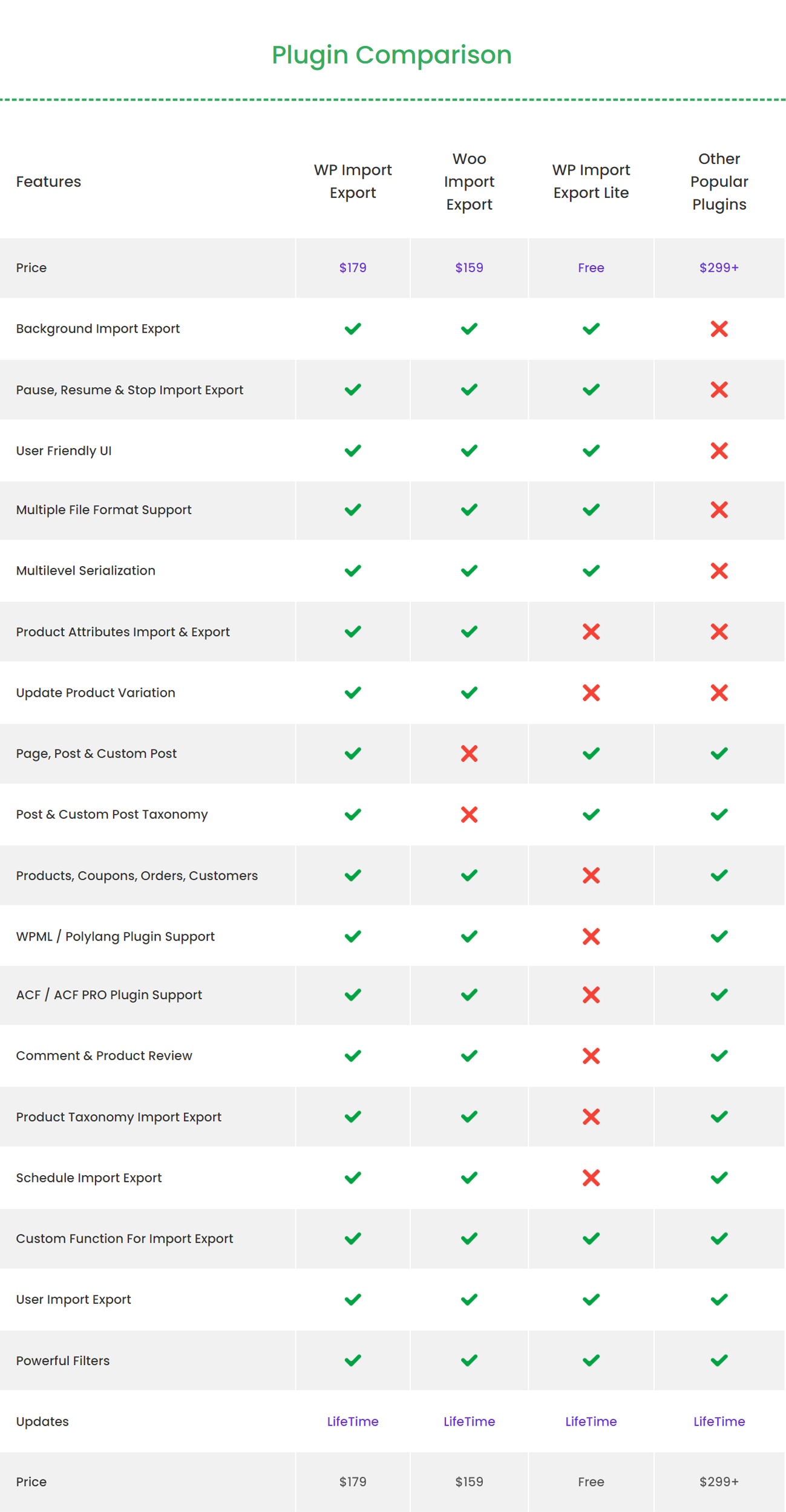
Plugin Comparison
Export
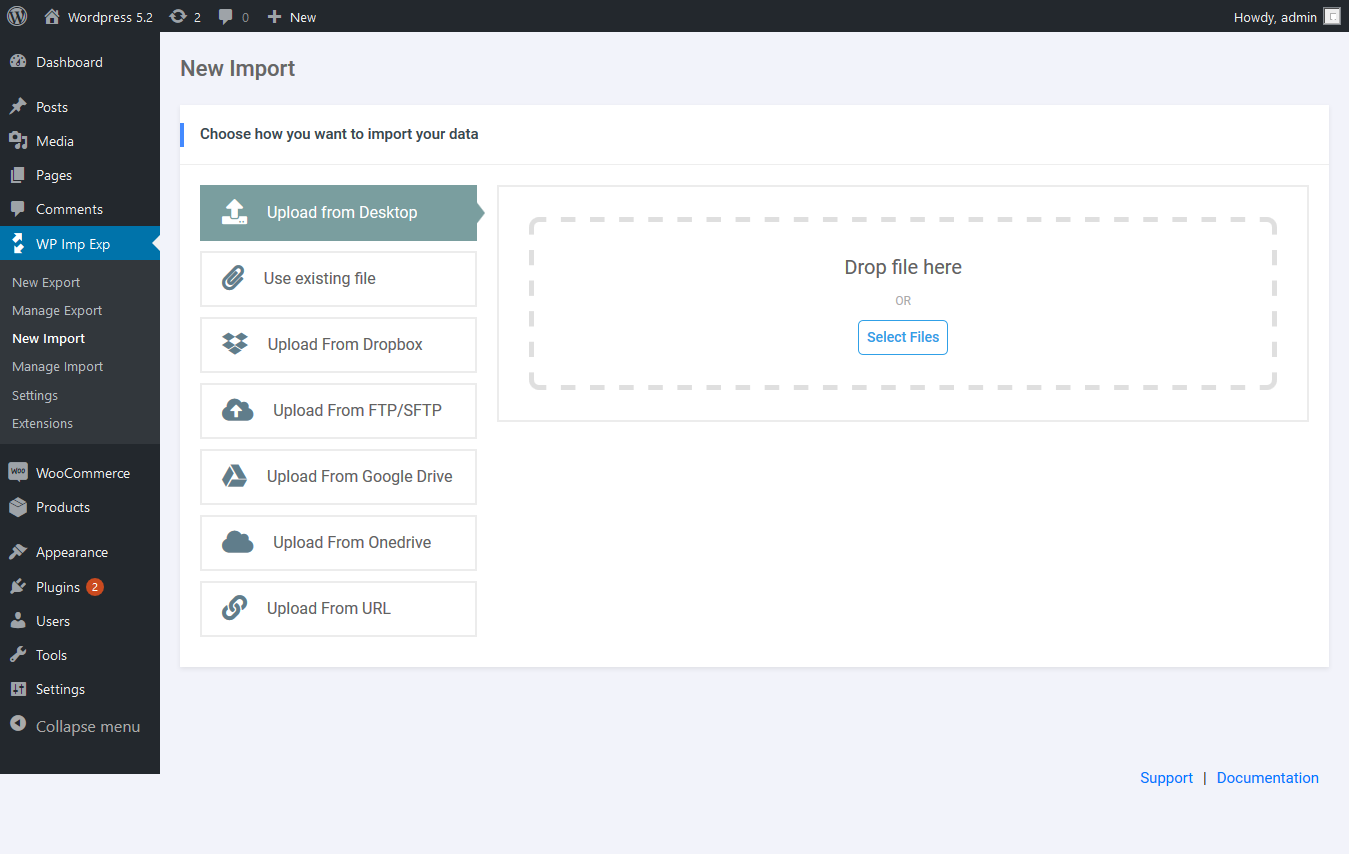
Import
Import Process
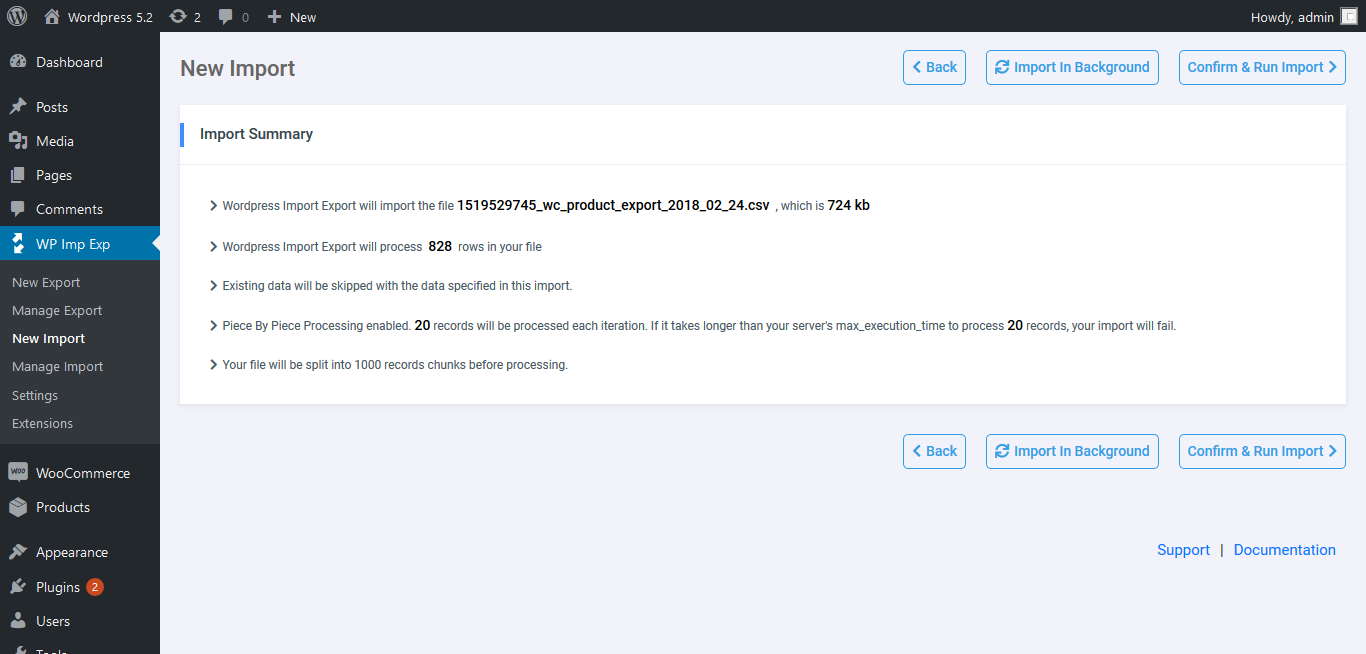
Import Summary
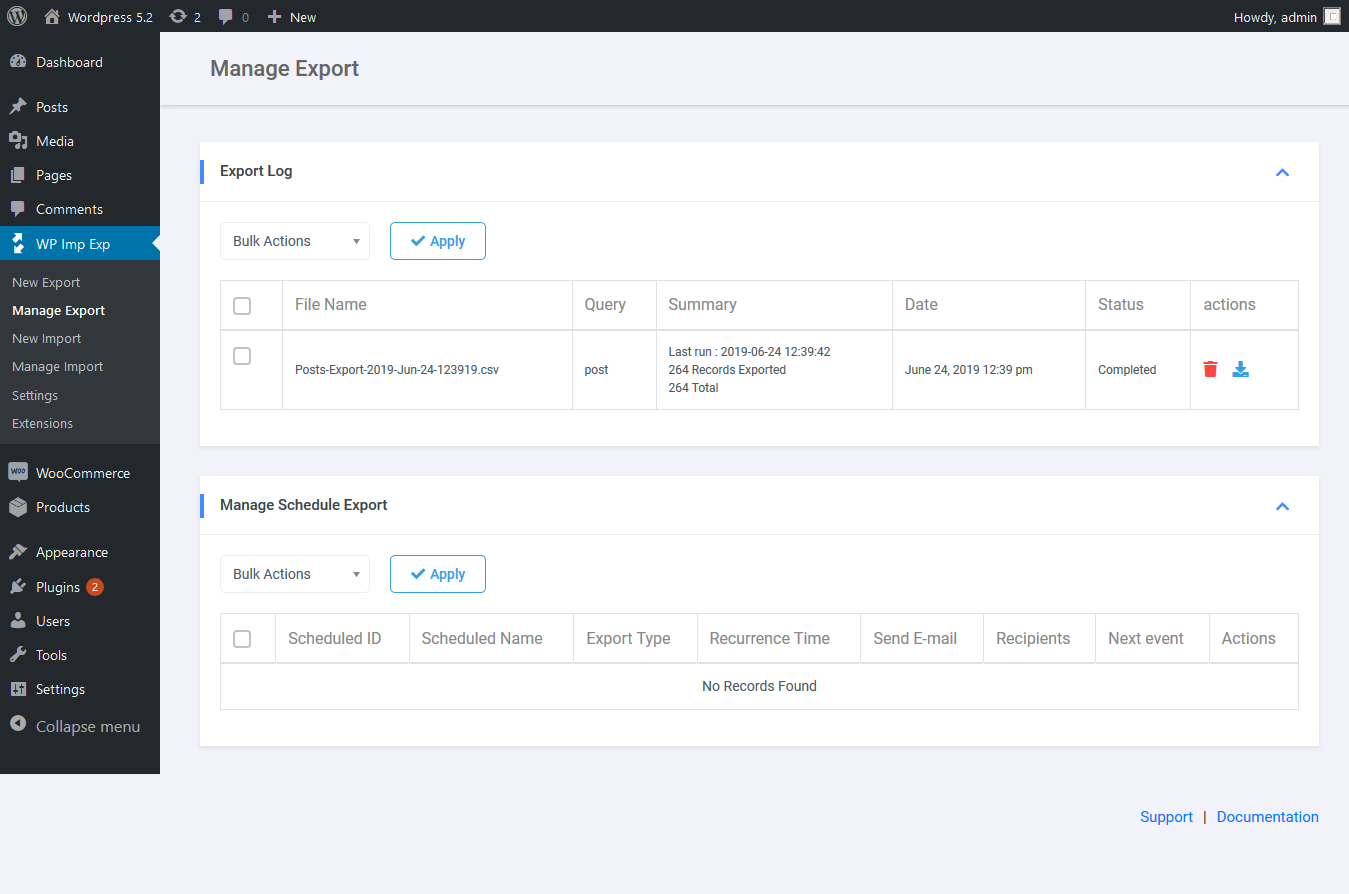
Manage Export
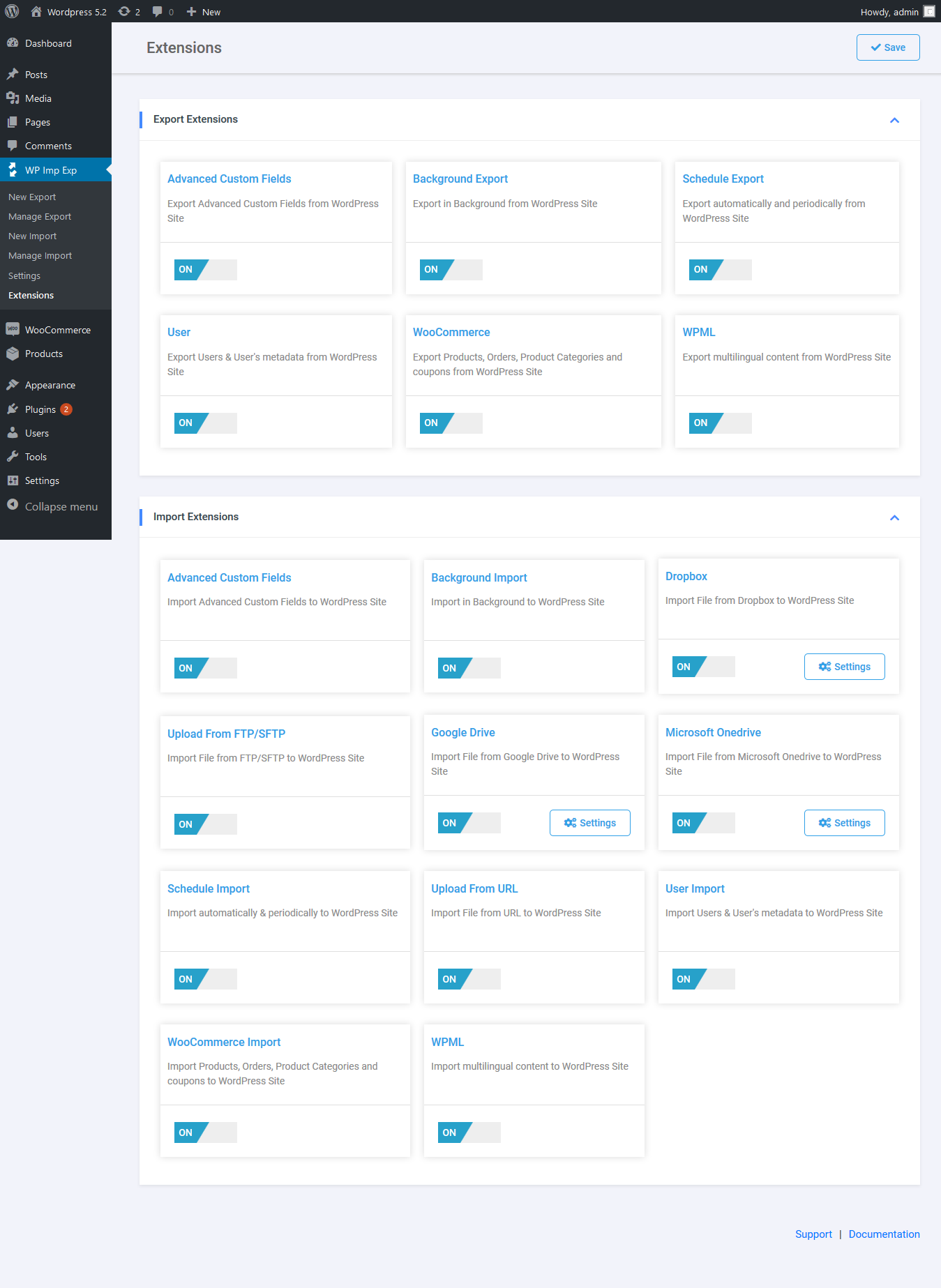
Extension
Faq
Yes, WP Import Export Lite is fully compatible with PHP 5.6 through PHP 8.5+.
Yes, you can enable background processing to allow large imports or exports to run asynchronously without timing out your browser.
Documentation and tutorials are available at VJInfotech Documentation.
Reviews
Awesome
By  Max Shvedov (maxshvedov) on December 26, 2025
A very simple, but extremely functional and working application. Thank you very much, I quickly solved the problems of synchronizing two inconsistent databases. Everything is very convenient.
Worst plugin
By  leadsquad on October 10, 2025
Time wasting
Contacted support via website and they solved my issue
By  pasttenseofdraw on September 5, 2025
I was having trouble with a custom function on my export, and they took care of it in short order and fixed it.
By far the worst plugin I've used
By  hondarox715 on July 10, 2025
I simply wanted to export posts with their media and import to a new site. There is no default setting to get everything you need for posts like author, categories, tags, etc. so you have to manually add all of that stuff. The UI for that is terrible. I finally get to the point of importing after getting through all of those extremely confusing settings. I chose to have it run in the background. I’m monitoring posts and media pages to see what’s happening. It begins adding triples, quadruples, etc. of posts and media. It placed over 4,000 images in my media folders. I quickly hit stop before it went further, and that didn’t work. I deactivated and uninstalled the plugin. It continued running whatever background script runs even after the plugin was deactivated and removed somehow. WHY is it SO hard to just find a plugin to simply move your posts and everything that comes with them to a new server?!?!
slick and easy
By  gipsea on July 3, 2025
Used for simple export. Does what it says will do with nice interface
Saved me SO MUCH TIME
By  ohliza on February 26, 2025
I needed to add info to a couple thousand user records and this made it SO easy. Thank you for a great free plugin!
Thank you
By  Jimako on February 12, 2025
This plugin does exactly what I needed. Thank you so much for it.
Just What I Needed
By  arbpen on January 22, 2025
I needed this plugin to do one thing and one thing only – export post information based on post status. I’m going to be importing the data to Asana so I can keep track of what’s important and what’s not. I saw that some reviewers thought the process was confusing – I disagree; the export process was quite simple with a variety of fields to filter and fields to export. Kudos to the developers – this is a great plugin.
Simple, easy and fast.
By  superbr on January 12, 2025
It has all the necessary features.
Works when other plugins failed to import CPT
By  reunu on December 14, 2024
Very nice job ! Thank’s a lot for that 🙏🏻
Changelog
3.9.35
- Security: Hardened multisite user import authorization by evaluating capabilities across all network subsites (including archived, spam, and deleted sites).
3.9.34
- Security: Enhanced directory containment and file validation during export processing.
- Security: Hardened capability and role checks during user import on Multisite installations.
- Security: Strengthened function execution controls in SafeFunction helper.
- Security: Enhanced data sanitization and output escaping in admin interface.
- Fix: Minor UI refinements and stability improvements.
3.9.33
- Security: Comprehensive security update improving input sanitization, file containment, and permission checks across import and export workflows.
- Fix: Updated deprecated utf8_encode() for PHP 8.2+ compatibility.
- Fix: Maintenance update and compatibility verification with latest WordPress and PHP versions.
- Fix: Minor UI refinements and stability fixes.