

Commerce7 for WordPress
Description
Commerce7 for WordPress connects your Commerce7 account to your WordPress site. Enter your Tenant ID, and the plugin sets up the pages and links Commerce7 needs. Then add your wines, club and reservations to any page with blocks or your page builder.
It has been free since 2019. It is built and supported by 5forests, a wine marketing agency and Commerce7 platinum certified partner, and URSA6, a Commerce7 preferred development partner, which builds hosting and apps for Commerce7 wineries.
Set up for you
- Creates the Commerce7 pages on activation: Profile, Collection, Product, Club, Checkout, Cart and Reservation.
- Handles the links Commerce7 uses for products and collections, such as /product/your-wine.
- Custom routes, if your shop lives at /wines/ instead of /collection/.
- Turns on pretty permalinks if your site has not set them yet.
- Warns you in the dashboard if a required page is missing.
Add Commerce7 anywhere
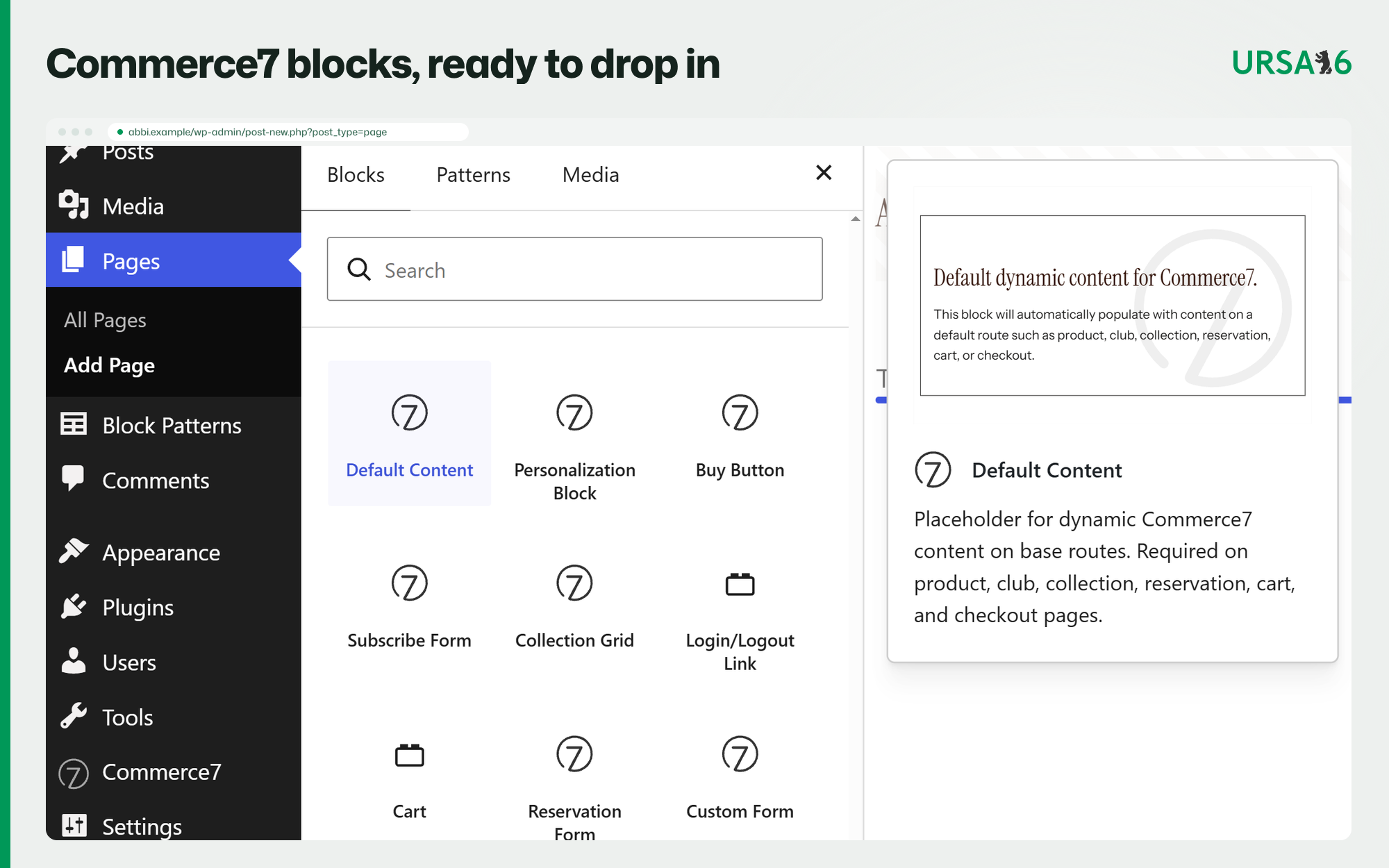
Commerce7’s storefront widgets come as blocks and page builder elements. Add your wines, cart, wine club sign-ups, reservations, forms and customer login to any page, with no code.
Works with your editor
- The block editor, including full site editing themes.
- Elementor, Beaver Builder, WPBakery, and Themeco Pro and Cornerstone.
- Shortcodes for everything else.
Small details that matter
- An optional floating cart box, light or dark, in the corner you choose.
- Canonical tags on Commerce7 product and collection pages, alone or with Yoast SEO, Rank Math, SEOPress or All in One SEO.
- A Site Health check for the Product Reviews embed.
- Supports Commerce7 V2 widgets. V1 (legacy) widgets work until they retire at the end of 2026.
Paid add-ons from URSA6
These are separate Commerce7 apps. You install them from the Commerce7 App Store and Commerce7 bills them. This plugin stays free and fully works without them.
- AI SEO Boost for WordPress gives every wine and collection page its own search title and meta description, share cards that show the bottle photo, and Product and ItemList schema. Collection pages also get a plain list of wines and links that crawlers and AI assistants can read. Cart, checkout and profile pages can be kept out of search. From $10/month, billed through Commerce7.
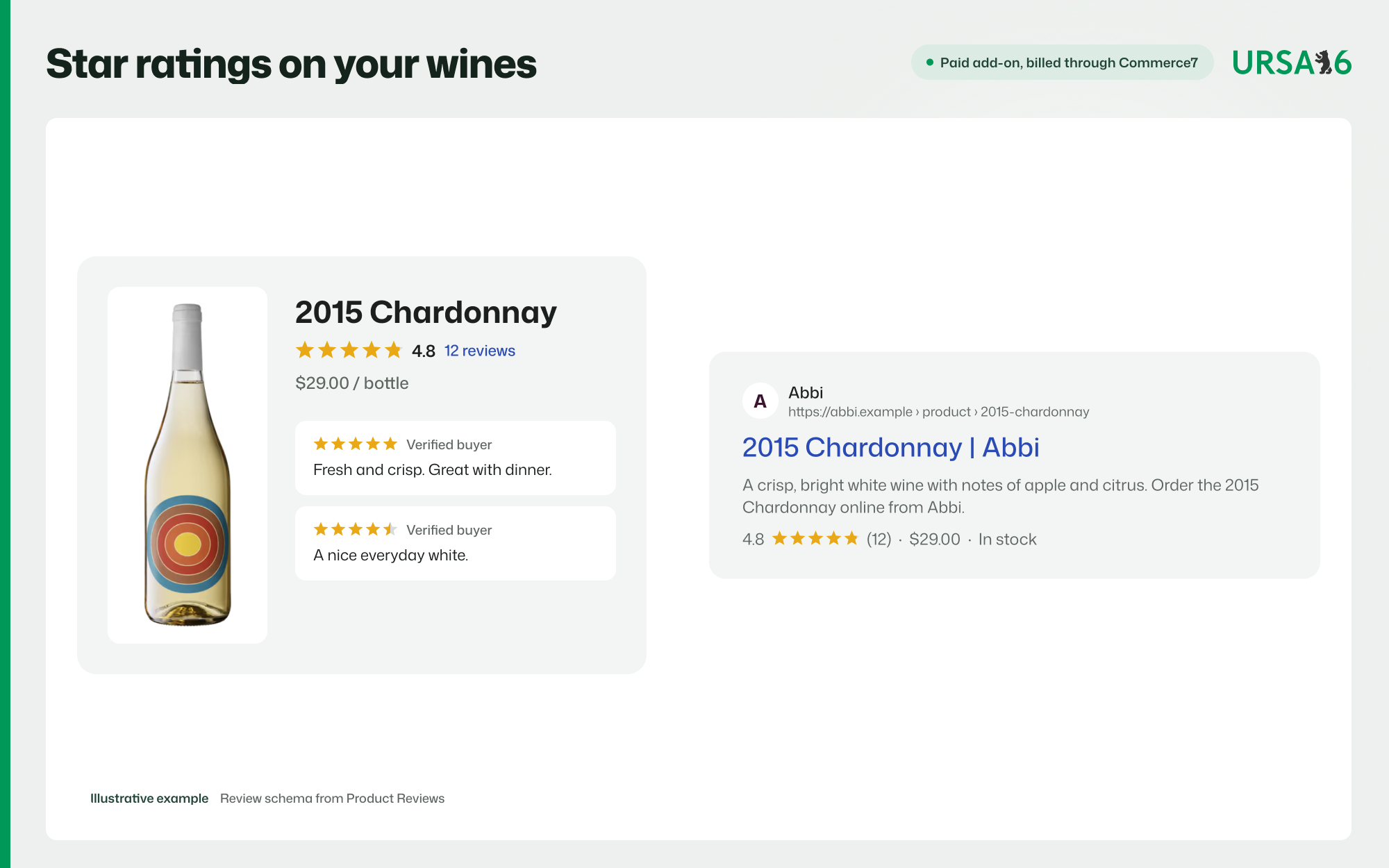
- Product Reviews for Commerce7 collects reviews from logged-in Commerce7 customers and shows star ratings on product and collection pages. Choose auto, manual or hybrid moderation, and manage reviews in Commerce7 Admin. Product pages get review schema when ratings are available. Turn it on with one setting in this plugin.
More URSA6 apps for Commerce7, such as Shopping Feed Pro, Loyalty Point Automations and Club Benefits Tab, are listed at ursa6.com.
For developers
Filters let you control the Commerce7 stylesheet (c7wp_enqueue_c7_css, c7wp_enqueue_c7_css_override, c7wp_enqueue_c7_css_admin) and hide the settings page sidebar (c7wp_show_sidebar). The storefront exposes window.c7wp_settings with your Tenant ID and routes. Docs are at c7wp.com.
Requirements
- A Commerce7 account. Commerce7 is a paid platform for wineries.
- HTTPS on your site.
- WordPress at the root of a domain or subdomain. Subfolder installs are not supported.
External services
This plugin connects to the services below.
Commerce7 runs your store, cart, checkout, club and reservations. Once you enter a Tenant ID, visitors’ browsers load Commerce7’s scripts and styles. Commerce7 receives standard request data and anything visitors enter in its forms. Terms, Privacy.
c7wp.com (run by URSA6). Twice a day, WP-Cron downloads a short list of admin notices from c7wp.com/notices.json. The settings page also loads up to three info panels from c7wp.com, cached for a week. Admins see them; visitors never do. No settings or customer data are sent. You can hide the panels with the c7wp_show_sidebar filter. Privacy.
AI SEO Boost (seo.c7wp.com), only if you turn it on. For product and collection pages, your server sends the page path and your Tenant ID, and gets back titles and meta tags. Your site token signs the request but is never sent. No customer or order data is sent. Terms, Privacy.
Product Reviews for Commerce7 (a URSA6 app), only if you turn on the Product Reviews embed. Visitors’ browsers load the reviews script on product and collection pages.
Your privacy policy should mention that Commerce7 processes orders for your store.
Installation
- In WordPress, go to Plugins > Add New, search for “Commerce7 for WordPress”, then install and activate it.
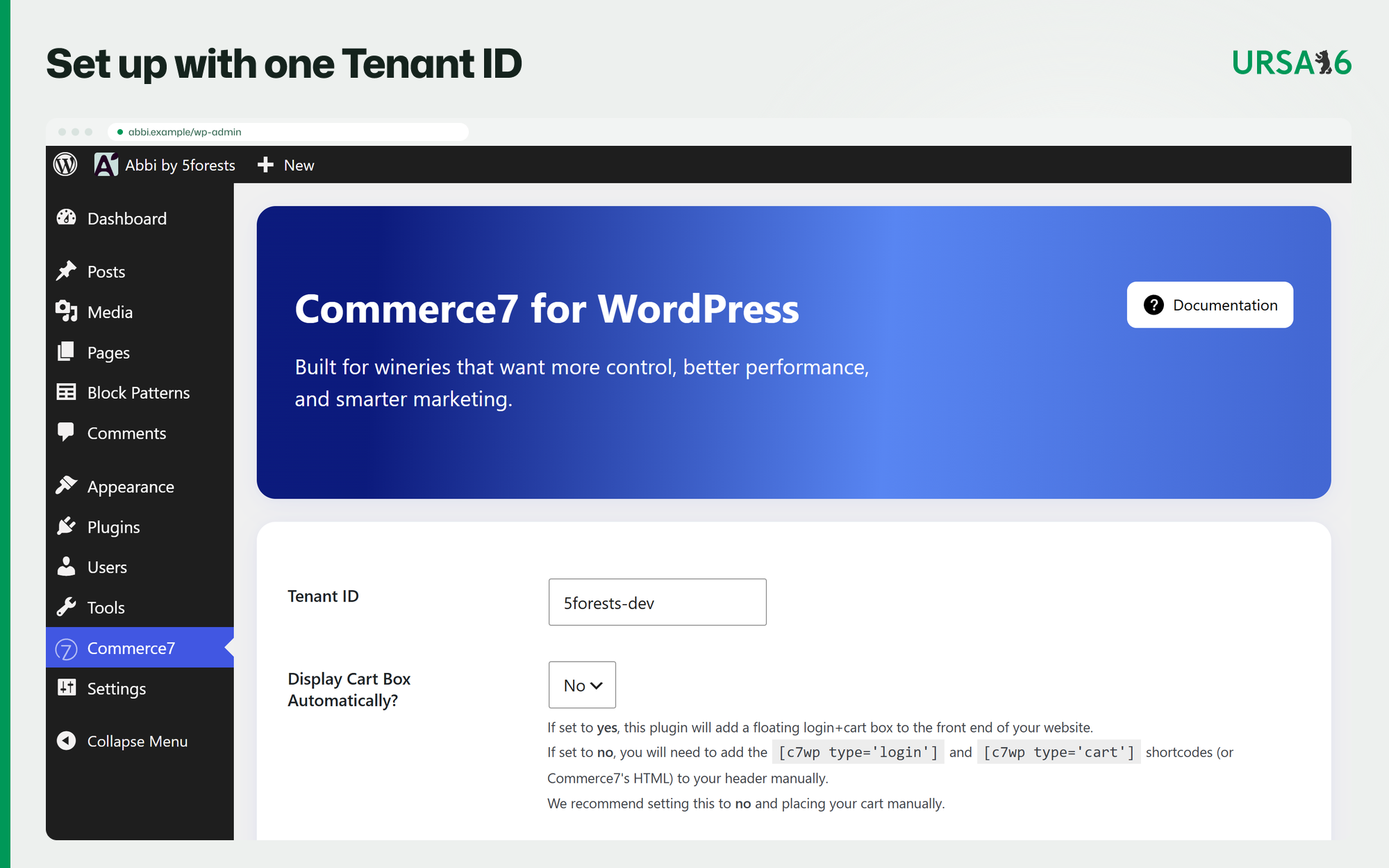
- Open the Commerce7 menu and enter your Commerce7 Tenant ID.
- Go to Settings > Permalinks and click Save.
- Add Commerce7 blocks or widgets to your pages.
Full setup guide: c7wp.com/documentation.
Screenshots

Commerce7 settings in WordPress: connect your store with your Tenant ID.
Commerce7 blocks in the WordPress block editor, from buy buttons to club and reservation forms.
A Commerce7 wine page on WordPress, with sizes, price and Add to Cart.
The Commerce7 cart drawer on a WordPress theme.
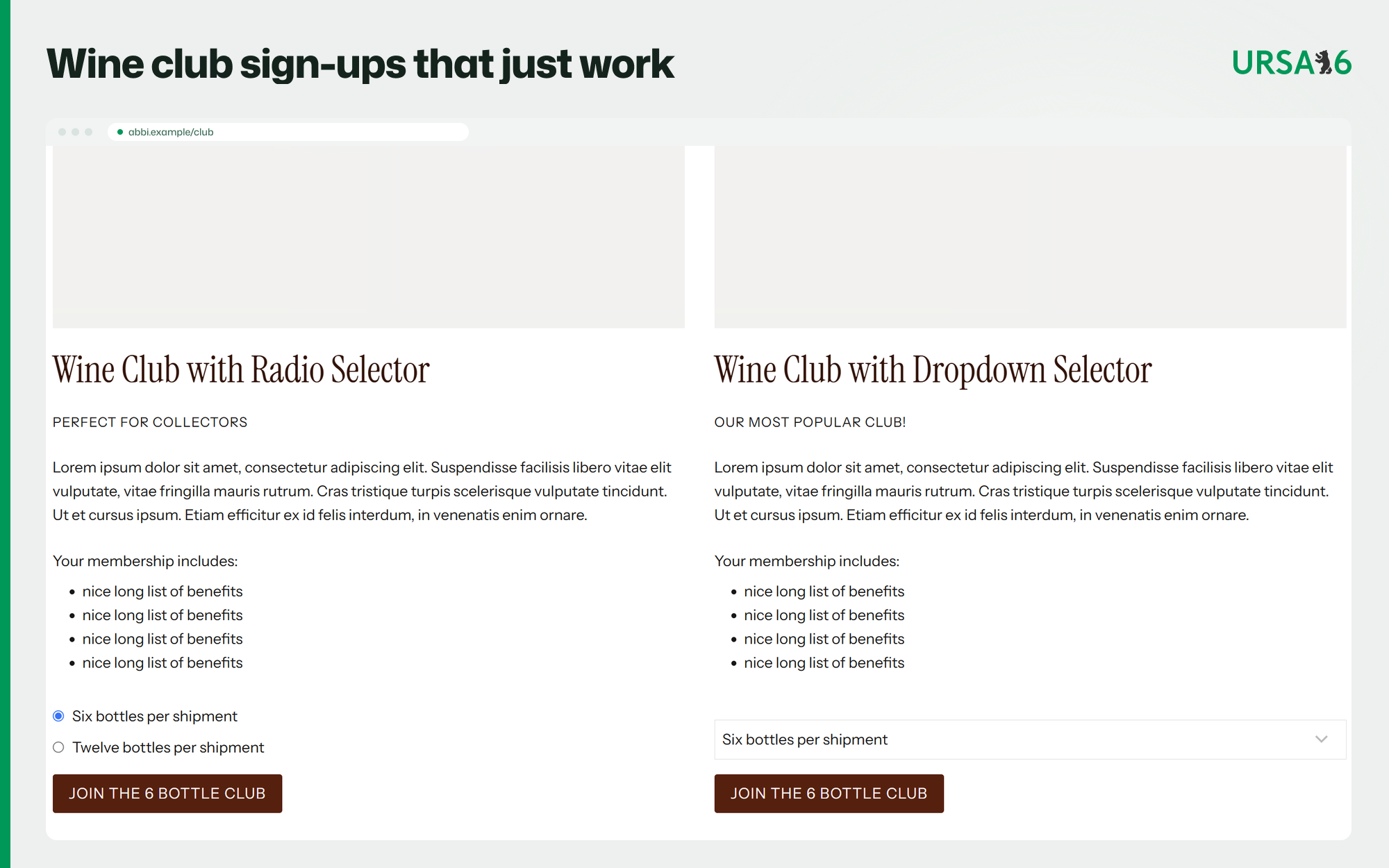
Wine club sign-up pages with a radio or dropdown club selector.
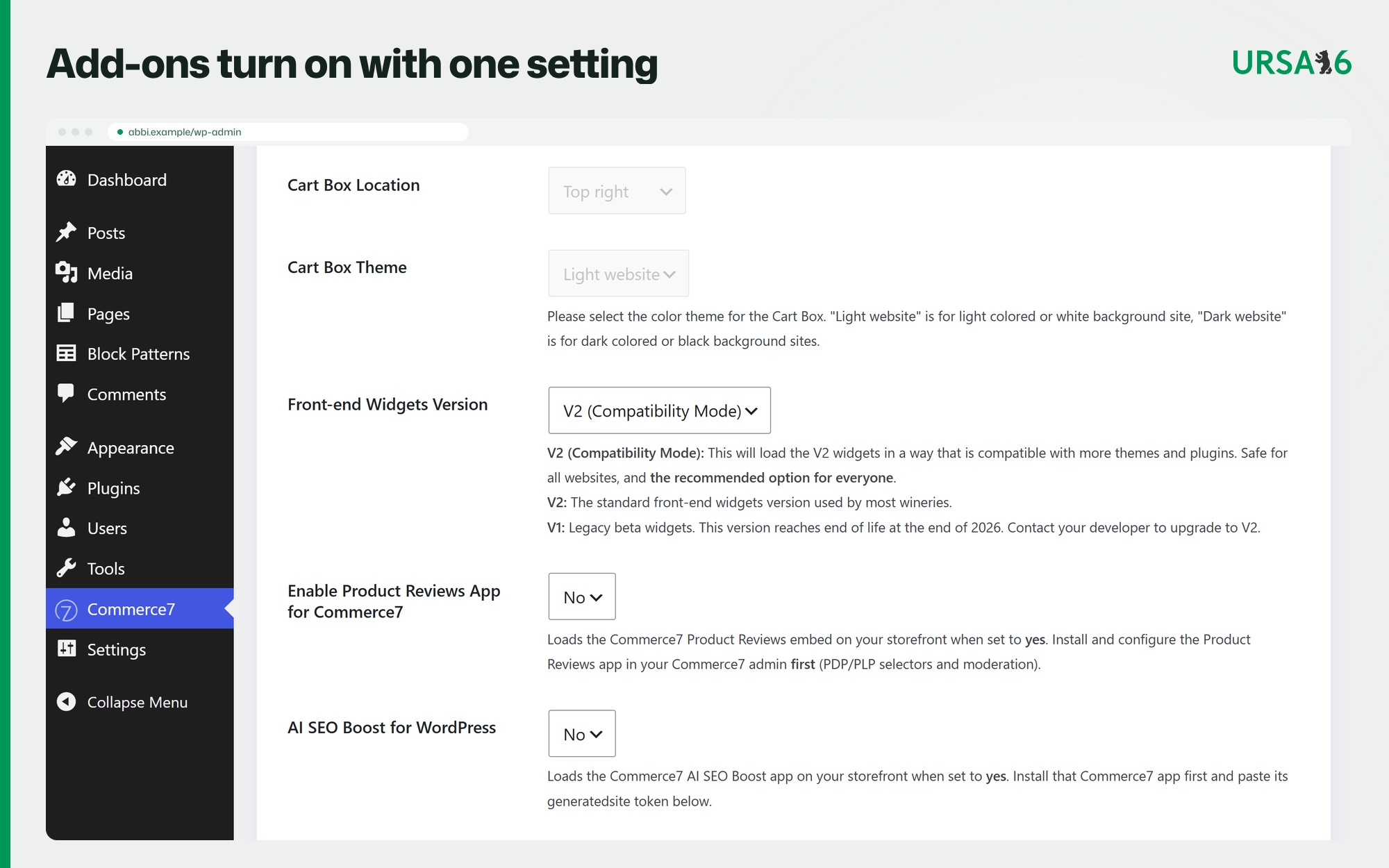
Settings for the widget version and the Product Reviews and AI SEO Boost add-ons.
Illustrative example, paid add-on: AI SEO Boost for WordPress shows the bottle photo, name and price in shared links and search results.
Illustrative example, paid add-on: Product Reviews adds star ratings to wine pages and search results.



Faq
Is it free?
Yes. The plugin is free. You need a paid Commerce7 account, and the optional add-ons above are billed through Commerce7.
Who makes it?
5forests and URSA6. The Commerce7 name and logo are used with permission of Commerce7 Platform Inc. Commerce7 does not make this plugin.
Which widget version should I use?
V2 (we suggest the “compatibility mode” option). Commerce7 is retiring V1 widgets at the end of 2026, and the plugin shows a notice if your site still uses them. Save your permalinks after switching.
My shop or a widget shows a blank area. What should I check?
- WordPress must sit at the root of a domain or subdomain, not in a subfolder.
- Go to Settings > Permalinks, choose “Post name” and click Save.
- Check that your Commerce7 pages still exist with the right slugs and still contain the Commerce7 Default Content block. If you deleted them, deactivate and reactivate the plugin to recreate them.
- If you use custom routes, make sure they match your page slugs, then save permalinks again.
I’m seeing a “hard error” page
Make sure you have not loaded the commerce7.js file twice. This plugin loads it for you, do not manually add that file to your site. If that’s not the cause, email Commerce7 for help, that error comes from their platform, not this plugin.
I’m seeing double widgets everywhere
Make sure you have not loaded the commerce7.js file twice. This plugin loads it for you, do not manually add that file to your site. If that is not the cause, check 3rd party services like compliance banners which sometimes fire the window.load event synthetically, and change their settings to refresh the page instead.
How do I turn on Product Reviews?
Install the Product Reviews app in Commerce7 and set it up there. In the plugin settings, turn on the Product Reviews embed and check your Tenant ID. If you use custom routes, match them to your product and collection page slugs, then save permalinks.
How do I turn on AI SEO Boost for WordPress?
Install AI SEO Boost for WordPress in the Commerce7 App Store and copy the site token it shows. In the plugin settings, paste the token into the SEO site token field and turn AI SEO Boost on. It does not add on-site search or server-rendered product pages.
Does it work with my SEO plugin?
Yes. Canonical tags on Commerce7 product and collection pages work with Yoast SEO, Rank Math, SEOPress, All in One SEO and WordPress core.
Where do I get help?
Plugin questions: the support forum. Questions about your Commerce7 account, orders or widget output and errors: Commerce7 support. Want help building or hosting your winery site? Talk to 5forests or URSA6.
What happens if I remove the plugin?
Your Commerce7 blocks and widgets stop working, but the pages and content stay. Remove Commerce7 content from your pages if you are leaving Commerce7.
Reviews
Excellent tool for Commerce 7
By  jmberry on June 21, 2023
Makes integrating with Commerce 7 ecommerce simple and easy. Excellent support and even modules for many page builders to make designing custom store and club pages a breeze
Changelog
1.9.0 – November 3, 2026
- Added: Optional AI SEO Boost for WordPress support. A site token signs requests to the SEO service, which returns titles, meta tags and a plain collection wine list.
The full history is in changelog.txt in the plugin folder.