
WP 2FA – Two-factor authentication for WordPress
Description
A free and easy-to-use two-factor authentication plugin for WordPress
Add an extra layer of security to your WordPress website login and protect your users. Enable two-factor authentication (2FA), the best protection against password leaks, automated password guessing, and brute force attacks.
Use the WP 2FA plugin to enable two-factor authentication for your WordPress administrator, enforce 2FA for all your website users, or for users with specific roles. This plugin is very easy to use; everything can be configured via wizards with clear instructions, so even non-technical users can set up 2FA without requiring technical assistance.
🔒 WP 2FA key plugin features and capabilities
- Passkeys support for passwordless logins
- Free two-factor authentication (2FA) for all users
- Multiple 2FA methods supported, including authenticator app (TOTP) and code over email
- Developer API to integrate any alternative 2FA method (WhatsApp, OTP Token, etc.)
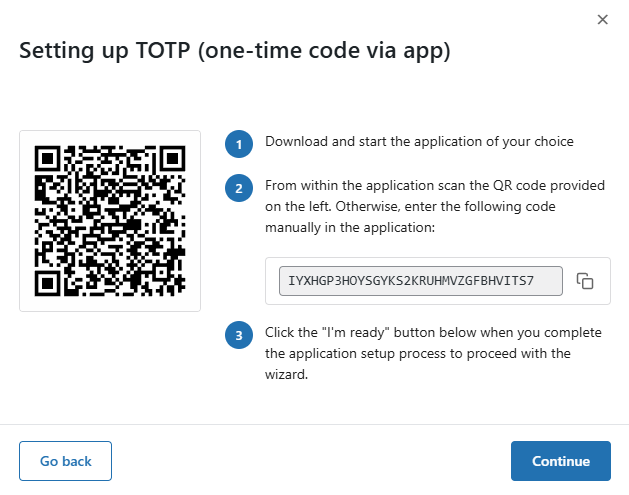
- Universal 2FA app support – works with Google Authenticator, Authy, and any TOTP-compatible app
- Backup codes (16 digits) for recovery access
- Wizard-driven setup – no technical knowledge required
- 2FA policies to enforce setup with grace periods or instant activation
- REST API endpoints for custom integrations and headless WordPress setups
- Dashboard-free setup – users can configure 2FA without WP admin access
- Editable email templates for full customization
- Much more!
Features | Getting Started | Get the Premium!
💎 Upgrade to WP 2FA Premium and get even more benefits
The premium version of WP 2FA comes bundled with even more features to take your WordPress website login security to the next level.
With the premium edition of WP 2FA, you get more 2FA methods, 1-click integration with WooCommerce, trusted devices feature, extensive white labeling capabilities, and much more!
Premium features list
- Everything in the free version
- Full white labeling capabilities to change all text and visuals in the wizards, emails, SMS, and 2FA pages
- Support for multiple passkeys per user for flexible passwordless logins
- Zero-setup email 2FA that automatically enrolls users without manual configuration
- YubiKey hardware key support for enterprise-grade security
- Additional 2FA methods such as SMS, email link, and more
- Trusted devices so users can log in without 2FA for a configured period
- Require 2FA on password reset to strengthen account protection
- Allow next user login without 2FA to help recover accounts locked out of authentication
- One-click WooCommerce integration to enable 2FA for customers and store admins
- And much more!
Refer to the WP 2FA plugin features and benefits page to learn more about the benefits of upgrading to WP 2FA Premium.
🛠️ Free and premium support
Support for the free edition of WP 2FA is free on the WordPress support forums. Premium world-class support via one-to-one email is available to the Premium users – upgrade to premium to benefit from email support.
For any other queries, feedback, or if you simply want to get in touch with us, please use our contact form.
MAINTAINED & SUPPORTED BY MELAPRESS
Melapress develops high-quality WordPress management and security plugins, such as Melapress Login Security, Melapress Role Editor, and WP Activity Log; the #1 user-rated activity log plugin for WordPress.
Browse our list of WordPress security and administration plugins to see how our plugins can help you better manage and improve the security and administration of your WordPress websites and users.
Installing WP 2FA
From within WordPress
- Navigate to ‘Plugins’ > ‘Add New’
- Search for ‘WP 2FA’
- Install & activate WP 2FA from your Plugins page
Manually
- Download the plugin from the WordPress plugins repository
- Unzip the zip file and upload the folder to the ‘/wp-content/plugins/ directory’
- Activate the WP 2FA plugin through the ‘Plugins’ menu in WordPress
As featured on:
Screenshots

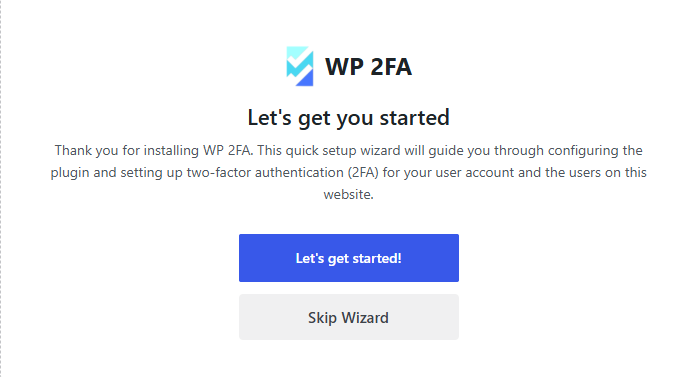
The first-time install wizard allows you to set up 2FA on your website and for your users within seconds.
The wizards make setting up 2FA very easy, so even non-technical users can set up 2FA without requiring help.
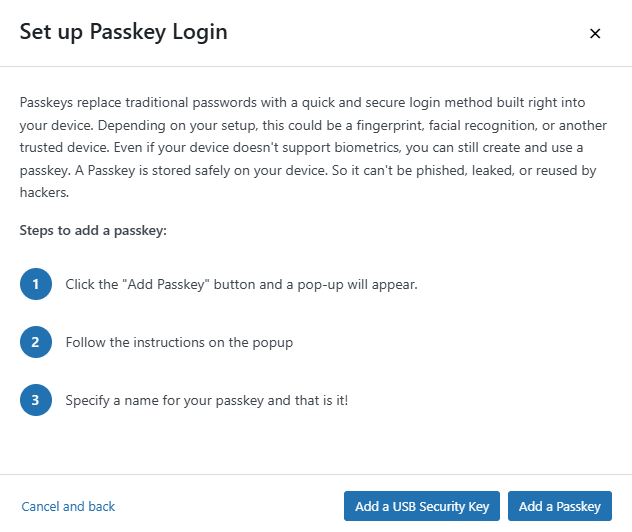
Setting up Passkeys is also a straightforward in WP 2FA. The users just have to follow the step by step instructions.
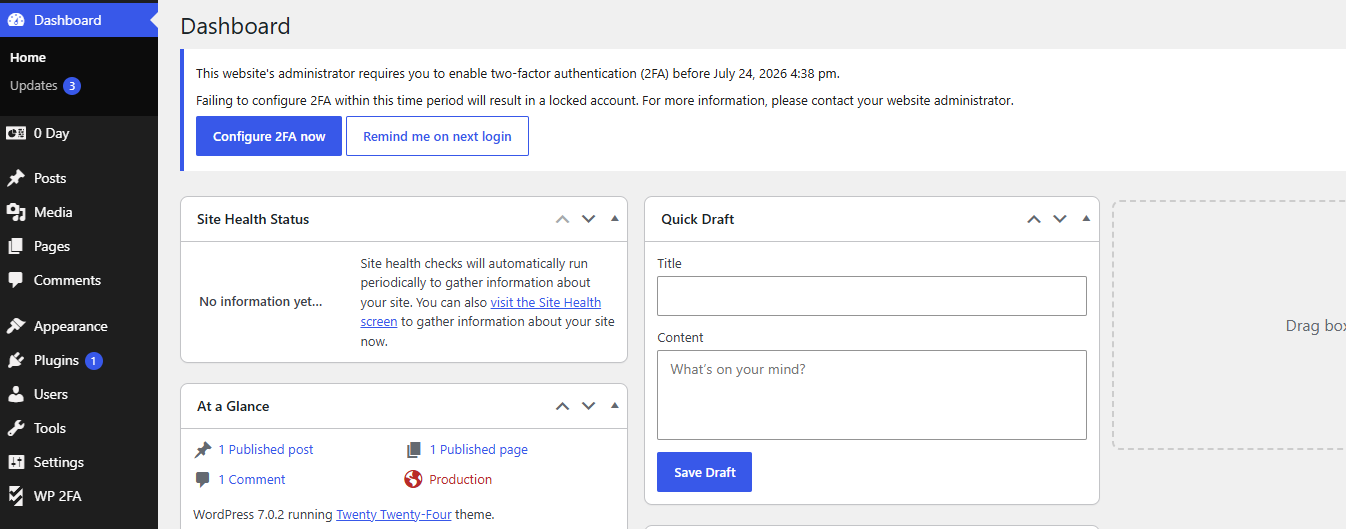
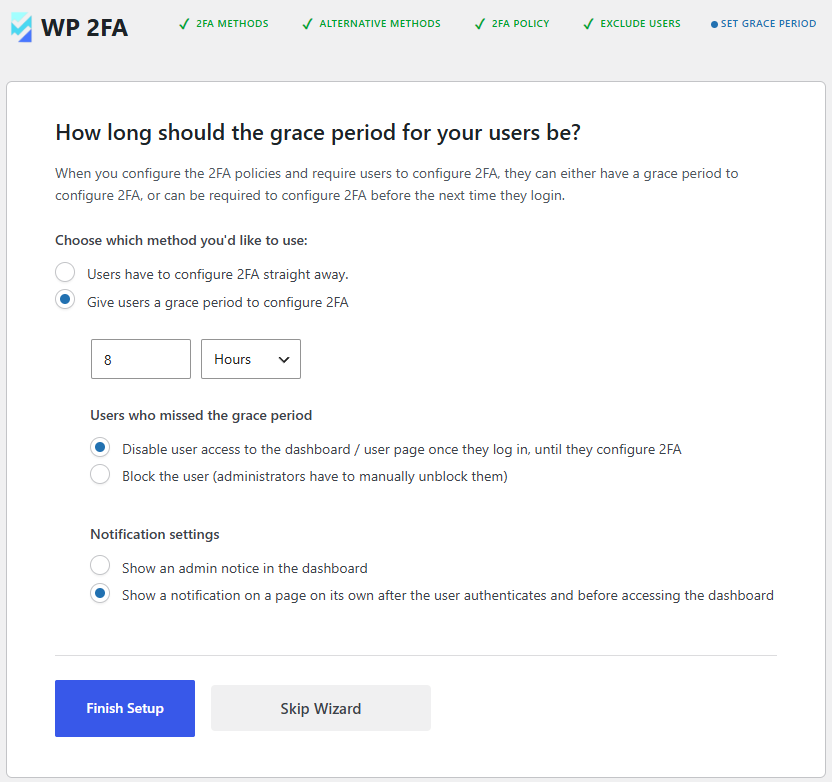
You can require users to enable 2FA and also give them a grace period to do so.
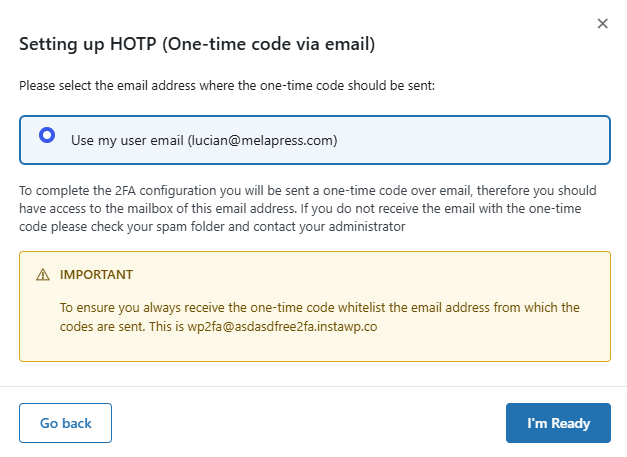
Users can also use one-time codes via email as a two-factor authentication method.
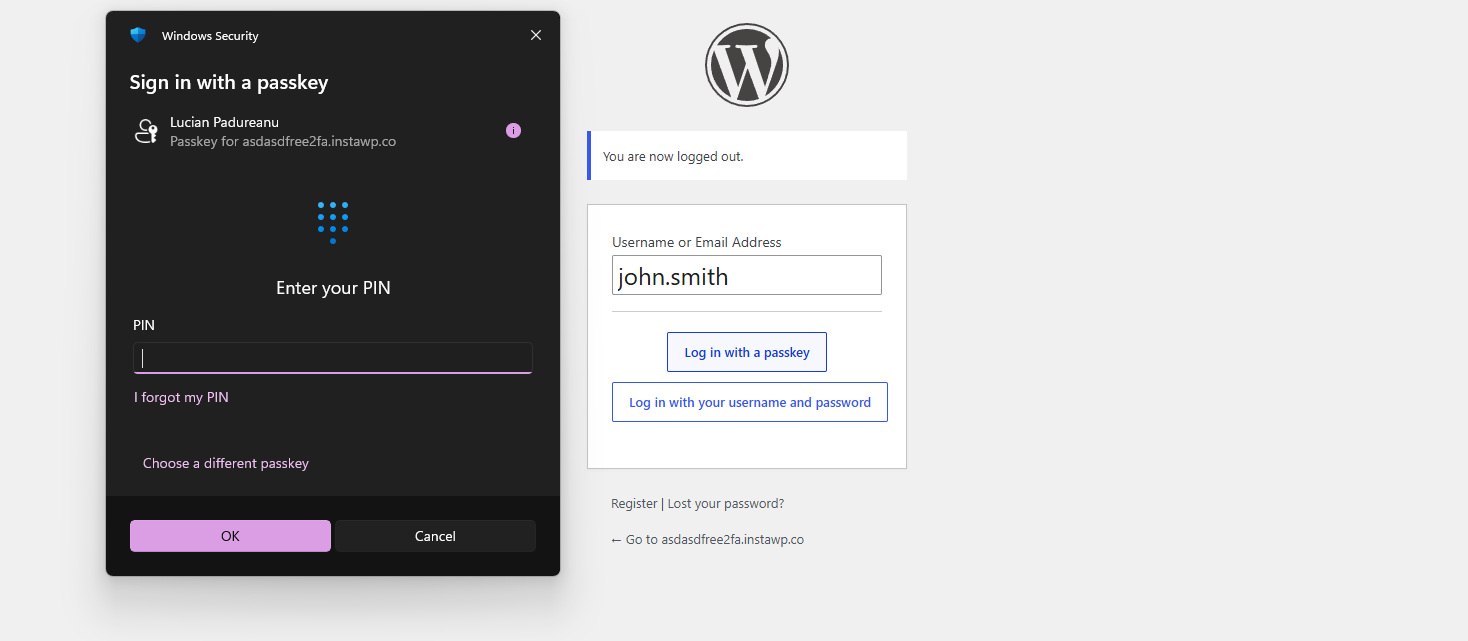
Users can configure and use Passkeys to log in to the website when using WP 2FA.
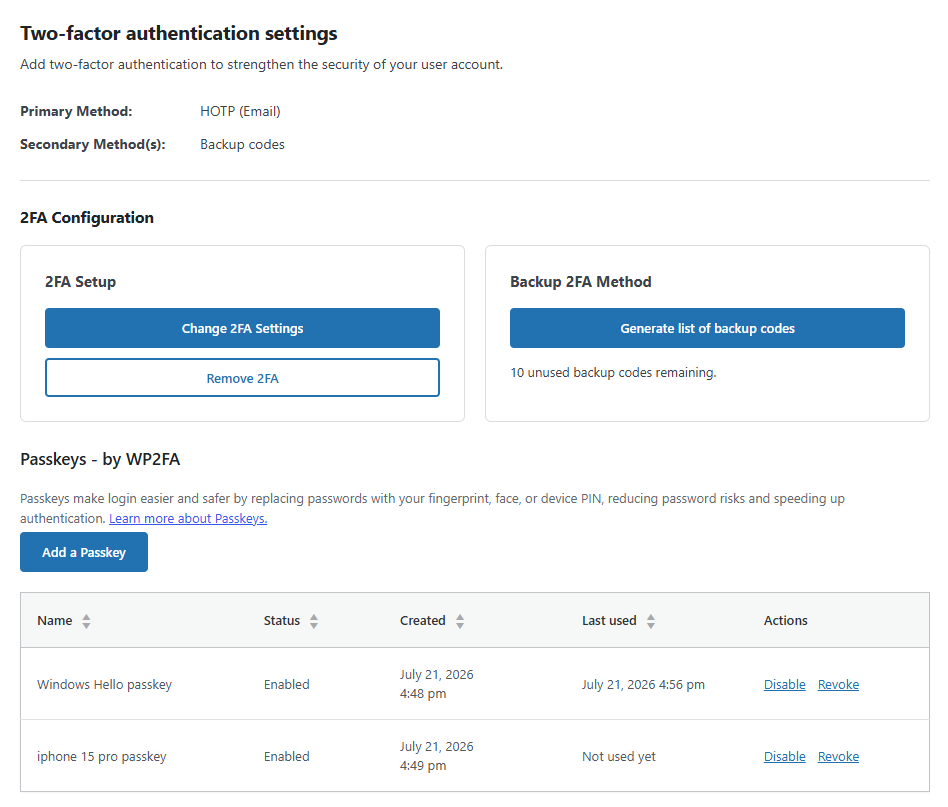
Users can easily manage their Passkeys from their user profile page.
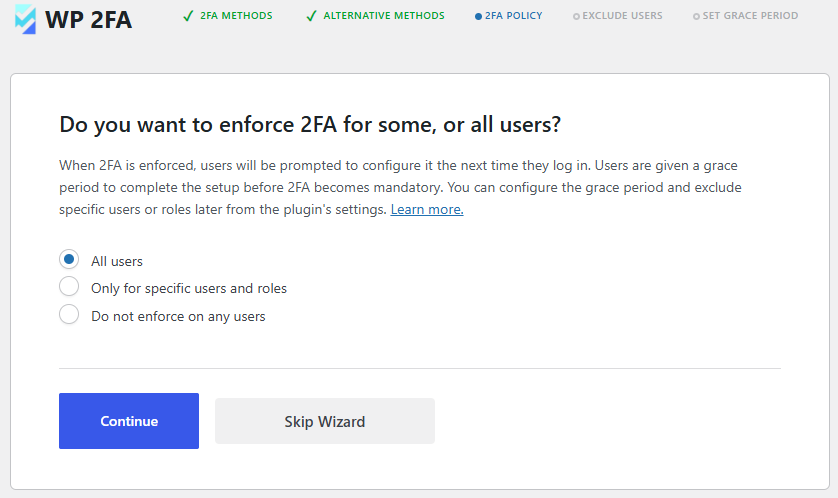
You can use policies to require users to instantly set up and use 2FA, so the next time they log in, they will be prompted with this.
You can give users a grace period until they configure 2FA. You can also specify what the plugin should do once the grace period is over.
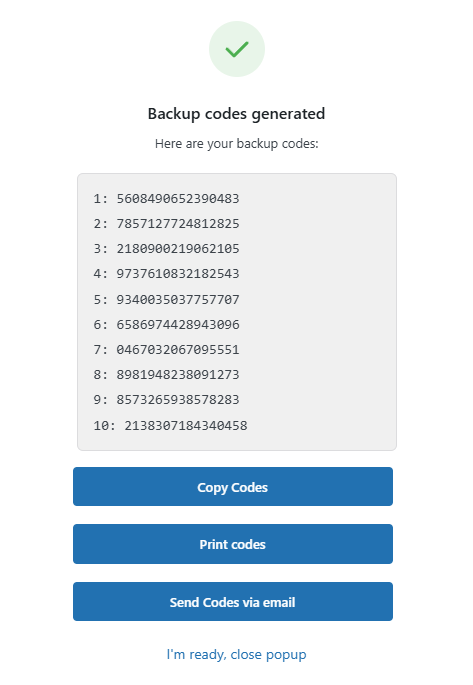
It is recommended for all users to also generate backup codes, in case they cannot access the primary device.
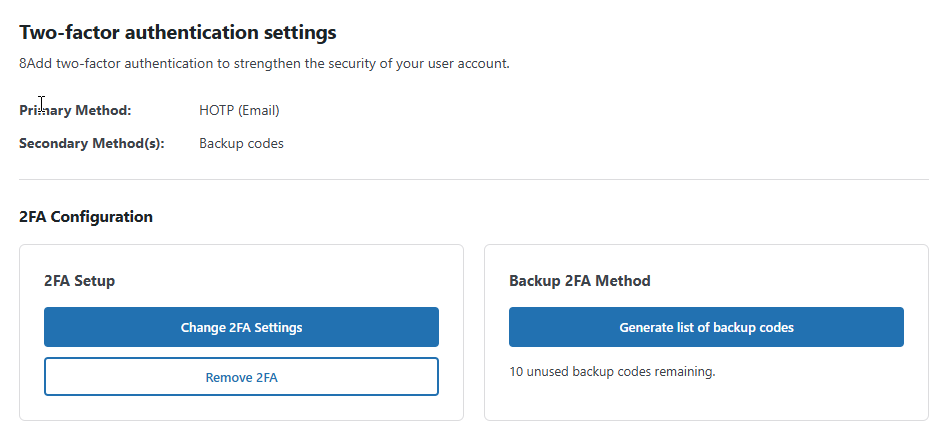
In the user profile, users only have a few 2FA options, so it is not confusing for them, and everything is self-explanatory.
Faq
No, the plugin does not send any data to us whatsoever. The only data we receive is license data from the premium edition of the plugin.
The free edition of WP 2FA includes the following 2FA methods: Authenticator app 2FA and code over email. This allows you to use Google Authenticator OTP The premium edition adds YubiKey, one-click email link, SMS 2FA, and Authy push notifications.
WP 2FA includes a REST API that allows developers to enable and verify 2FA during custom authentication flows, such as AJAX-based login forms, mobile apps, or headless WordPress websites. Refer to the REST API in WP 2FA documentation for more information.
WP 2FA includes backup authentication methods so that if the primary authentication method fails, you and your users can still log in. The free version of the plugin includes backup codes, which can be configured during 2FA configuration or at any point after that from the profile page. The premium edition adds 2FA backup codes over email.
In the unlikely event that you are unable to supply your 2FA code, there are several steps you can take to gain access to your WordPress dashboard. First, check if there is another administrator who can reset your 2FA. If this is not possible, manually deactivate the plugin, log in without 2FA, re-activate the plugin, and then reconfigure your 2FA.
Yes, WP 2FA is multisite compatible. The plugin can be activated at the network level. 2FA policies can be enforced on all users, a subsection of users, or per site on the network. It also supports network setups with different domains.
We update the plugin fairly regularly to ensure the plugin continues to run in tip-top shape while adding new features from time to time.
Yes, WP 2FA fully supports Google Authenticator on WordPress. WP 2FA also supports many other 2FA authenticator apps.
Support for the free edition of the plugin is provided only via the WordPress.org support forums. You can also refer to our support pages for all the technical and product documentation.
If you are using the Premium edition, you get direct access to our support team via one-to-one email support.
You can report security bugs through the Patchstack Vulnerability Disclosure Program. Please use this form. For more details, please refer to our Melapress plugins security program.
Reviews
Good app; great support
By  alanpaterson997 on October 15, 2026
Had some issues after a migration – entirely self-inflicted, I might add. The help in sorting it was quick, friendly, helpful and limitless. A dozen+ interactions over a few days: always excellent. Highly recommended.
Great bug fix support, support several type of 2FA,Enforce 2FA to user
By  genepine on October 13, 2026
I recommend this WP 2FA plugin, my favorite point are support several type of 2FA method and PASSKEY, Enforce 2FA to user that cannot unlock by user.
このWordPress用2FAプラグインをおすすめします。特に気に入っている点は、多様な2FA方式やパスキー(Passkey)に対応していること、そしてユーザー自身では無効化できない形で2FAを強制できることです。
Nice and easy 🙂
By  josegallo on October 8, 2026
Nice and easy 🙂 no more to say, thanks
Very prompt and helpful support
By  J (sbwdblog8) on October 5, 2026
The plugin has always worked for me, but when I had a slight issue I emailed support and they immediately got back to me and were able to identify what I’d done wrong.
broke the backend. endless popups
By  dnavdb on September 28, 2026
broke the backend. had to remove it.
Perfect
By  Vanessa Roseline Siegl (cpulchra) on September 28, 2026
Great plugin and awesome and fast support! I really appreciate that.
Excellent plugin
By  heynorris on August 28, 2026
Simple, straightforward interface. A breeze to set up, works exactly as advertised. Perfect, thanks!
Great plugin and really helpful support 👍
By  dmitryclariable on August 11, 2026
We had a pretty unusual issue where the 2FA setup was not showing on user profile pages. Lucian from support helped us narrow it down step by step, and his suggestion to check the custom theme led us straight to the real cause.
Really appreciate the patience and useful guidance from the support team. Thanks! 🙂
Great team, great plugin
By  procella on August 1, 2026
Great plugin with an amazing support team behind it, highly recommended
Excellent Alternative to SolidSecurity
By  stefanwberlin on July 23, 2026
Just replaced SolidSecurity Pro with WP2FA. That was a good choice. Great support from MelaPress, too!
Changelog
4.2.1 (2026-10-14)
-
Functionality & plugin improvements *
- Updated the Freemius SDK to version 2.13.5.
- Added a link to the Wordfence Login Security migration guide in the wizard and migrator page.
- Improved the Wordfence migration completion notice to confirm that all users’ 2FA configurations and backup codes have migrated and that Wordfence Login Security can be uninstalled. Made the notice more visible and removed the OK button.
-
Bug fixes *
- Fixed saving the setting that allows or blocks custom email addresses for HOTP, OOB methods. The additional settings panel now stays open when the toggle is turned off, until changes are saved.
- Fixed an invisible WP 2FA submenu item under Dashboard that linked to a 404 page after updating to version 4.2.0.