

Payment Gateway for PayPal Pro, PayPal Checkout & Subscriptions for WooCommerce
Description
This plugin adds two PayPal payment gateway options to your WooCommerce store, and lets you sell subscriptions with recurring PayPal payments:
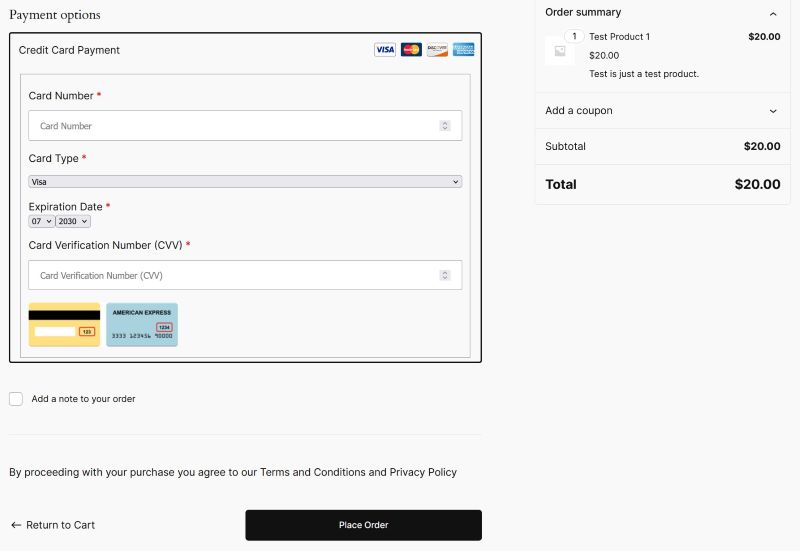
PayPal Pro (On-Site Credit Card Checkout)
Accept credit card payments directly on your checkout page. Your customers enter their card details on your site and never leave to complete the transaction. The credit card checkout experience is seamless and smooth.
The following video shows the credit card checkout experience:
PayPal Checkout (Latest PayPal Payment Buttons)
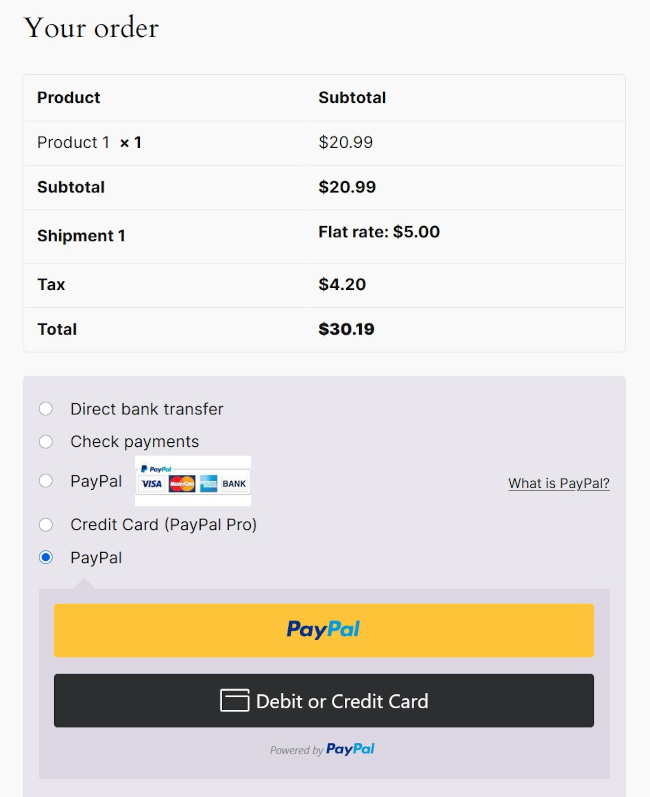
Offer the latest PayPal payment buttons on your checkout page. Your customers can pay using their PayPal account, credit/debit card, Venmo, Pay Later, and other payment methods supported by PayPal. The plugin uses PayPal’s Commerce Platform (PPCP) to provide a modern and secure checkout experience.
The following video shows the PayPal Checkout experience for a standard product:
PayPal Subscriptions (Recurring Payments with PayPal Checkout)
Sell subscription products with automatic recurring billing through PayPal. Create a “Subscription Product” in WooCommerce, set the recurring price and billing interval (for example, every month), and optionally add a free or paid trial period and a fixed number of payments. Customers approve the subscription once in PayPal, and PayPal charges them automatically on schedule.
- Each renewal payment creates an order in WooCommerce automatically.
- Customers can view their subscriptions and payment history, and cancel, from My Account > Subscriptions.
- Manage subscriptions in the WordPress admin: view received payments and refunds, cancel in PayPal, and email subscription details to the customer.
- Renewals, refunds, cancellations and other status changes made in PayPal are synchronized automatically using PayPal webhooks.
- No additional subscription plugin is required.
The following video shows the subscription checkout experience:
See the PayPal subscriptions documentation for setup and management instructions.
You can enable one or both payment gateways depending on your needs.
Features
- Two payment gateways in one plugin: PayPal Pro and PayPal Checkout.
- On-site credit card checkout via PayPal Pro.
- Latest PayPal payment buttons via PayPal Checkout (PayPal, Credit/Debit Card, Venmo, Pay Later).
- Recurring PayPal subscriptions with optional free or paid trials, using PayPal Checkout.
- Customer self-service subscription management from the My Account page.
- Easy one-click account connection for PayPal Checkout using the automated onboarding flow.
- Compatible with the WooCommerce block-based checkout page.
- Compatible with the legacy shortcode-based checkout page.
- Compatible with WooCommerce High-Performance Order Storage (HPOS).
- Full sandbox (test) mode support for both gateways.
Configuration
To configure the gateways, go to:
WooCommerce Settings -> Payments
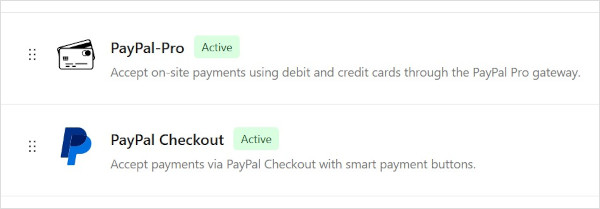
You will see both “PayPal Pro” and “PayPal Checkout” listed as available payment methods. Click on each one to configure it.
- For PayPal Pro setup instructions, see the PayPal Pro documentation page.
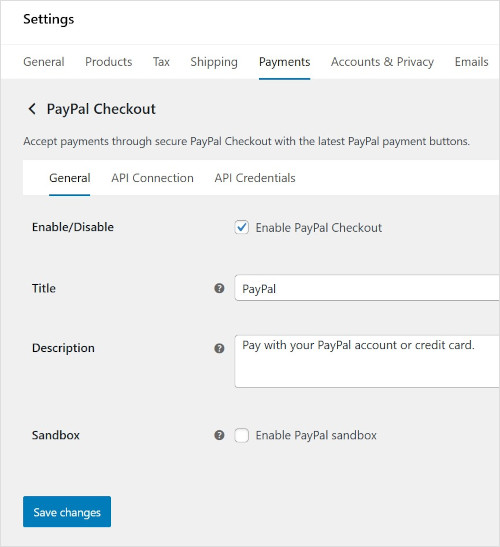
- For PayPal Checkout setup instructions, see the PayPal Checkout documentation page.
- For selling subscriptions, see the PayPal subscriptions documentation page.
Post a question on the forum if you have any issue using the addon.
Arbitrary section
None
Installation
Do the following to install the addon:
- Upload the ‘woocommerce-paypal-pro.zip’ file from the Plugins->Add New page in the WordPress administration panel.
- Activate the plugin through the ‘Plugins’ menu in WordPress.
Screenshots
Faq
What payment options does this plugin offer?
This plugin offers two payment gateways: (1) PayPal Pro for on-site credit card checkout, and (2) PayPal Checkout for the latest PayPal payment buttons (PayPal, Credit/Debit Card, Venmo, Pay Later, etc.).
Can I use both PayPal Pro and PayPal Checkout at the same time?
Yes. Both payment methods are registered as separate gateways in WooCommerce. You can enable one or both depending on your needs.
Will my customers be able to checkout using their credit cards after I install this plugin?
Yes. With PayPal Pro enabled, customers can enter their credit card details directly on your checkout page. With PayPal Checkout, customers also have the option to pay with a credit/debit card through PayPal.
Will PayPal Pro offer on-site checkout so my customers don’t have to leave the site?
Yes. PayPal Pro processes the credit card payment on your site. The customer never leaves your checkout page.
Do I need a PayPal Business account?
Yes. A PayPal Business account is required to accept payments via either gateway.
Does it work with the legacy shortcode checkout page of WooCommerce?
Yes. Both gateways work with the legacy shortcode-based checkout page.
Does it work with the new block based checkout page of WooCommerce?
Yes. Both gateways are compatible with the new WooCommerce block-based checkout page.
Is it compatible with WooCommerce HPOS?
Yes. This plugin is fully compatible with WooCommerce High-Performance Order Storage (HPOS).
How do I configure the PayPal Checkout gateway?
Go to WooCommerce > Settings > Payments > PayPal Checkout. Enable the gateway, then use the API Connection tab to connect your PayPal account with one click. See the PayPal Checkout documentation for detailed instructions.
Can I sell subscriptions with recurring payments?
Yes. Create a product with the “Subscription Product” type and set its recurring price, billing interval and optional trial. Customers subscribe using PayPal Checkout, and PayPal charges them automatically on schedule. See the PayPal subscriptions documentation.
Do I need the WooCommerce Subscriptions plugin?
No. The subscription feature is built into this plugin. It is separate from the WooCommerce Subscriptions plugin, and PayPal Checkout is not offered for products created with WooCommerce Subscriptions.
Can I offer a free trial?
Yes. You can add a free or paid trial period to a subscription product. Customers still approve the subscription in PayPal at checkout, and regular billing starts when the trial ends.
Are PayPal webhooks required for subscriptions?
Yes. PayPal uses webhooks to tell your store about renewal payments, refunds and cancellations. Create the webhook from the Webhooks tab in the PayPal Checkout settings before selling subscriptions.
How do I refund a subscription payment?
Issue the refund from your PayPal account. The refund is synchronized to WooCommerce automatically and shown on the order and the subscription’s payment history. Refunding a payment does not cancel the subscription.
Can customers cancel their own subscriptions?
Yes. Customers can view and cancel their subscriptions from My Account > Subscriptions. Cancelling stops future payments in PayPal.
Can a customer buy a subscription and other products in the same order?
No. A subscription must be purchased on its own, with a quantity of one.
Reviews
Fake reviews for a poorly written plugin?
By  Gabor Lippert (lunule) on November 6, 2021
Good plugin
By  Matt (visibledeals) on August 20, 2020
Easy to Use – Great Plugin
By  calderwood on August 13, 2019
CURRENCYCODE
By  Koundal on December 1, 2016
Can Transparent Redirect be enabled?
By  pattimcc on October 5, 2016
It Just Works!
By  w8ivit on September 3, 2016
As with all good plugins it just works, is easy to install and set up. Great plugin. Great support.
Simply does nothing.
By  David Hunter – LAS on September 3, 2016
Feels like it does nothing at all. Nothing at all. Nothing at all.
(Stupid sexy PayPal)
Changelog
4.1.0
- New: PayPal subscriptions with PayPal Checkout. Create subscription products with a recurring price, billing interval, optional free or paid trial, and an optional number of payments. PayPal subscriptions documentation
- New: Customers can view their subscriptions, received payments and cancel a subscription from My Account > Subscriptions.
- New: Subscription management in the WordPress admin, including received payment history (with refunds), cancellation in PayPal, and sending subscription details to the customer by email.
- New: Renewal payments, refunds and subscription status changes are synchronized automatically using PayPal webhooks.
- New: A notice is shown when PayPal Checkout webhooks have not been created.
- Changed: The PayPal Checkout button is no longer shown on the cart page. Customers pay with PayPal on the checkout page.
- Changed: PayPal Checkout is not offered for products from the WooCommerce Subscriptions plugin.
- Description updated to include PayPal Checkout features and details.
4.0.0
- PayPal Commerce Platform (PPCP) payment option added. PayPal Checkout setup and configuration documentation
- Fixed an issue with the PayPal API error response handling where the error response was not being properly handled and displayed to the user.
- PayPal checkout onboarding feature added.
- PayPal checkout code updated.
- Payment Method icons updated.
3.0.3
- Display name updated.
3.0.2
- Introduced a new settings option to automatically add a unique prefix to the invoice number sent to the PayPal API. Thank you to @marketing1on1com for suggesting this.
3.0.1
- Improved code formatting for better readability.
- Enhanced compatibility with older PHP versions through minor adjustments.
3.0
- WooCommerce Checkout Block support added.
- The addon now works with both the legacy shortcode checkout page and the new block checkout page.
2.9.16
- Updated the tags to limit it to 5.
2.9.15
- Added HPOS feature compatibility.
2.9.14
- Removed the admin notice for the secure checkout option which has been removed from WooCommerce.
2.9.13
- Works on WooCommerce latest (v8.3.1) and WordPress latest (v6.4).
2.9.12
- PHP 8.2 compatibility.
- Added a method description for the settings menu.
2.9.11
- Updated the secure checkout admin notice message to include a link to the advanced settings menu so it is easy to find.
- Added a new filter hook that will allow the transaction type to be customized to “authorization” instead of “sale/capture”. The filter hook is: wcpprog_request_query_arg_paymentaction
2.9.10
- Added a new filter hook “wcpprog_invnum_woo_order_number”. It allows customization of the invoice number field.
2.9.9
- Reversing the temporary fix that was added for the PayPal’s “Duplicate invoice ID supplied” error.
2.9.8
- Temporarily Ignore the “Duplicate invoice ID supplied” error. Thanks to @thaissamendes for sharing the code tweak.
- Added a new action hook “wcpprog_paypal_api_error_response” when the API response is an error response.
2.9.7
- Added a new filter hook (wcpprog_get_user_ip) for the IP address that gets submitted to the PayPal API. This hook can be used to override and apply your own customization for the IP Address.
2.9.6
- The “wcpprog_request_txn_description” filter can be used to override and customize the Transaction Description value.
- The description field of the API is now populated with a value like the following:
WooCommerce Order ID: XXXX - The last 4 digits of the card is saved in the order post meta (for the transaction).
2.9.5
- Added the email address value in the query parameter of the API. The billing email address will now be sent to the PayPal API.
2.9.4
- Removed (commented out) the individual item amount passing to the PayPal API (this was recently added after a request from a user). A few sites are having issues with it when dynamic pricing is used. It will still pass the item name.
2.9.3
- Variable product checkout error fixed. The dynamic pricing was causing an error with the additional amount parameter that the plugin now sends to PayPal.
2.9.2
- Added additional item info to the request parameter that is sent to PayPal. It will show more info about the item when you view the transaction in your PayPal account. Thanks to @kingpg
2.9.1
- Added a credit card icon next to the paypal checkout selection radio button.
- Added a filter (wcpprog_checkout_icon) to allow updating/tweaking of the credit card icon image.
2.9
- Updated a call to a function for the new WooCommerce version.
2.8
- Fixed WooCommerce settings URL in force SSL notice for the new version of WooCommerce.
2.7
- The shipping address is also sent to the PayPal API during the checkout.
2.6
- Added language translation POT file so the addon can be translated.
2.5
- The WooCommerce order number gets sent to the PayPal Pro API (so it is available in your merchant account)
2.4
- Credit Card number and CVV fields now show a placeholder text (the same as the field label).
- Added filters so the placeholder text can be customized using custom code.
- Added a filter that can be used to fully customize the output of the credit card fields on the checkout form.
2.3
- The credit card expiry year value has been increased.
2.2
- Added a class_exists check to make sure the ‘WC_Payment_Gateway’ class is available before trying to use it in the code.
- Added an empty index file in the plugin folder so it cannot be browsed.
2.1
- Replaced the “get_option(‘woocommerce_currency’)” function call with get_woocommerce_currency()
2.0
- Plugin translation related improvements.
- Tested on WordPress 4.6 so it is compatible.
1.9
- Added translation string for the credit card form.
1.8
- Fix: settings interface not showing. Updated the addon to be compatible with the latest version of WooCommerce.
- Note: Make sure to go to the settings interface of this addon and save your API details.
- Added a link to the settings menu in the plugins listing interface.
1.7
- The credit card number will stay in the form when there is a validation error.
1.6
- Added a new filter so the CVV hint image can be customized.
- WP4.4 compatibility.
1.5
- Added a new option to show a hint for the credit card security code (verification number) on the checkout form.
1.4
- Some more code refactoring changes.
1.3
- Minor code refactoring to make it more readable.
1.1
- First commit to WordPress repository.