
WooCommerce Stripe Payment Gateway
Description
Changing consumer behavior has resulted in an explosion of payment methods and experiences, which are great for increasing conversion and lowering costs—but can be difficult for businesses to maintain. Give customers a best-in-class checkout experience while you remain focused on your core business. This is the official plugin created by Stripe and WooCommerce.
Drive 11.9% in revenue with an optimized checkout experience from Stripe
The enhanced checkout experience from Stripe can help customers:
- Boost conversion: Provide an optimal experience across mobile, tablet, and desktop with a responsive checkout, and offer 23 payment methods, including Link, Apple Pay, and Google Pay, out of the box.
- Expand your customer base: Convert customers who might otherwise abandon their cart with buy now, pay later methods like Klarna, Affirm, and Afterpay/Clearpay, wallets like Apple Pay, Google Pay, Alipay, and WeChat Pay, and local payment methods such as Bancontact in Europe and Alipay in Asia Pacific. Deliver a localized payment experience with out-of-the-box support for localized error messages, right-to-left languages, and automatic adjustment of input fields based on payment method and country.
- Meet existing customer demand and localize the experience: Offer local payment methods, such as ACH Direct Debit, Bacs Direct Debit, Bancontact, BECS Direct Debit, BLIK, Boleto, Cash App Pay, EPS, iDEAL, Multibanco, OXXO, Pre-authorized debit payments, Przelewy 24, and SEPA Direct Debit, and let customers pay in their local currency across 150+ countries with Adaptive Pricing.
- Fight fraud: Detect and prevent fraud with Stripe Radar, which offers seamlessly integrated, powerful fraud-detection tools that use machine learning to detect and flag potentially fraudulent transactions.
- Accept in-person payments for products and services: Use the Stripe Terminal M2 card reader or get started with no additional hardware using Tap to Pay on iPhone, or Tap to Pay on Android, with WooCommerce POS in the free WooCommerce mobile app.
- Support subscriptions: Support recurring payments with various payment methods via WooCommerce Subscriptions.
- Manage cash flow: Get paid within minutes with Stripe Instant Payouts, if eligible.
- Achieve PCI-DSS compliance with Stripe Elements hosted input fields.
- Support Strong Customer Authentication (SCA).
Stripe is available for store owners and merchants in 46 countries worldwide, with more to come.
Compatibility Notes
The following items note specific versions that include important changes, features, or deprecations.
- 11.1.0
- Sofort is no longer offered at checkout, since Stripe discontinued it on March 31, 2025; existing Sofort orders can still be refunded and Sofort-initiated subscriptions keep renewing
- 11.0.0
- Express checkout merges the wc_stripe_express_checkout_normalize_address filter result over the address it sent; removing a field no longer clears it, return an empty string instead
- 10.9.1
- Some express checkout helpers now require the caller to specify whether they are in the WooCommerce Cart context
- 10.9.0
- Express checkout processes Classic Checkout custom fields by default (opt out via the wc_stripe_express_checkout_enable_classic_checkout_custom_fields filter)
- 10.8.0
- Optimized Checkout Suite enabled by default for eligible existing stores
- Adaptive Pricing enabled by default for eligible existing stores
- Removed deprecated code and constants from 10.2.0 and before – Full list – PR #5294
- 10.7.0
- Optimized Checkout Suite re-enabled by default for new installs
- Adaptive Pricing enabled by default for new installs
- Removed deprecated backend methods that called wc_deprecated_function – Full list – PR #5066
- 10.6.0
- Adaptive Pricing available
- 10.4.0
- Optimized Checkout Suite no longer enabled by default for new installs
- Removed the main Payment Request Buttons backend class, WC_Stripe_Payment_Request, which was deprecated in 10.2.0
- Removed the deprecated WC_Stripe_Apple_Pay class
- 10.3.0
- Removed legacy checkout payment method classes and settings retrieval methods
- 10.2.0
- Optimized Checkout Suite enabled by default for all new installations
- Add minimum transaction amounts for BRL, INR, NZD, THB, CZK, HUF, AED, MYR, PLN, RON
- 10.1.0
- Improved express checkout address handling for countries without state/postal codes
- 10.0.0
- Payment Request Buttons are fully replaced by Express Checkout
- Legacy Checkout is fully deprecated and no longer available
- 9.8.0
- Optimized Checkout Suite available via a configuration setting
- We will disable the Affirm or Klarna payment methods if the respective official plugin is enabled
- 9.7.0
- Improved express checkout support for custom checkout fields
- Validate customer details against required billing fields from checkout before sending to Stripe
- 9.6.0
- Legacy checkout deprecated by default
- Voucher payment methods can be used for subscription purchases when manual renewals are available
- Include extension data from block checkout for express checkout orders
- Add hooks to support custom checkout fields for Classic Checkout
- 9.5.0
- Synchronize payment methods with Stripe
- Support Pre-Authorized Debit (PAD) in Canada and the US
- Support BLIK in Poland and from other EU countries
- Support BECS Direct Debit payments in Australia
Screenshots

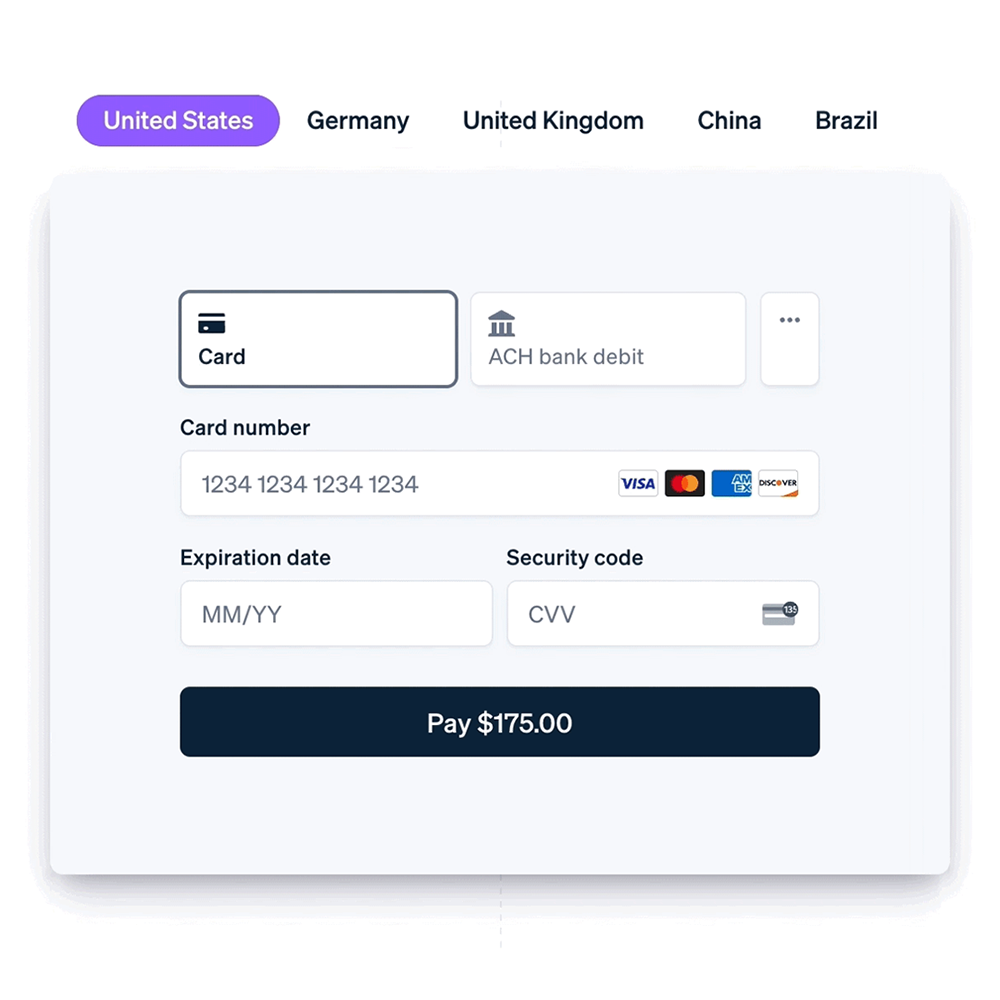
With the enhanced checkout from Stripe, you can surface 23 payment methods including buy now, pay later methods; and Link, an accelerated checkout experience.
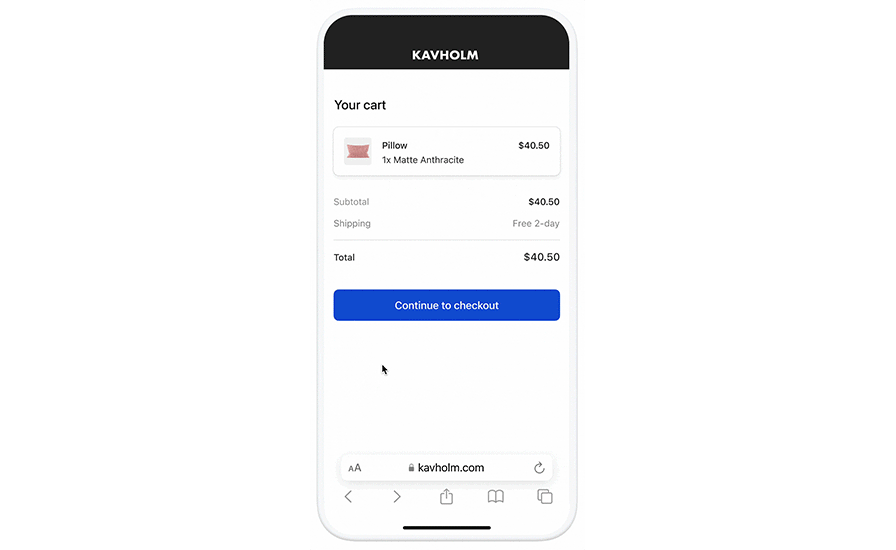
Link autofills your customers’ payment information to create an easy and secure checkout experience.
Convert customers who would usually abandon their cart and increase average order value with buy now, pay later options like Klarna, Afterpay, and Affirm. Accept credit and debit card payments from Visa, Mastercard, American Express, Discover, and Diners.
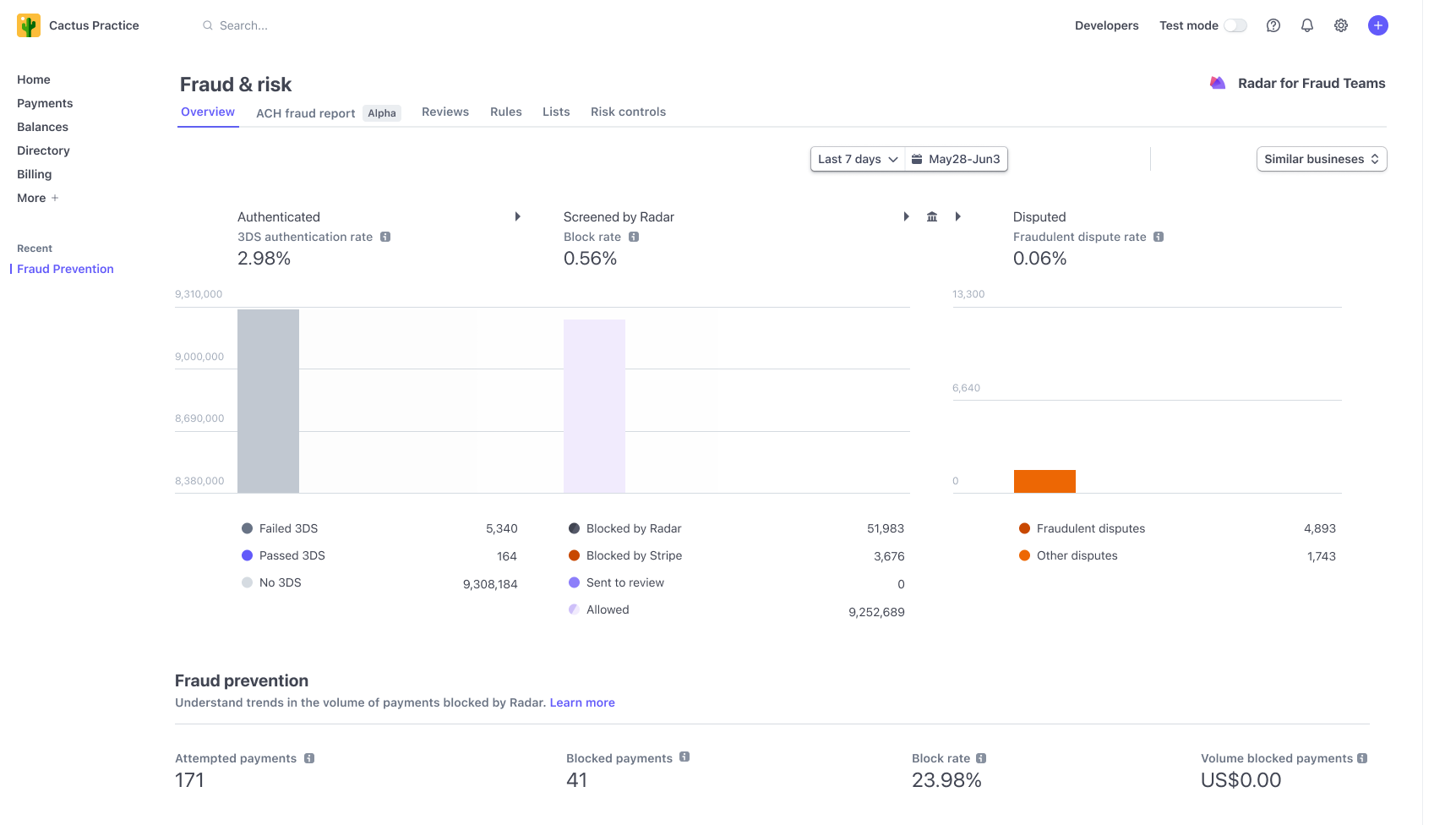
Stripe Radar offers seamlessly integrated, powerful fraud-detection tools that use machine learning to detect and flag potentially fraudulent transactions.
Accept in-person payments for products and services using the Stripe Terminal M2 card reader.
Get started with no additional hardware using Tap to Pay on iPhone, or Tap to Pay on Android.



Faq
Stripe is available in the following countries, with more to come:
- Australia
- Austria
- Belgium
- Brazil
- Bulgaria
- Canada
- Croatia
- Cyprus
- Czech Republic
- Denmark
- Estonia
- Finland
- France
- Germany
- Gibraltar
- Greece
- Hong Kong
- Hungary
- India
- Ireland
- Italy
- Japan
- Latvia
- Liechtenstein
- Lithuania
- Luxembourg
- Malaysia
- Malta
- Mexico
- Netherlands
- New Zealand
- Norway
- Poland
- Portugal
- Romania
- Singapore
- Slovakia
- Slovenia
- Spain
- Sweden
- Switzerland
- Thailand
- United Arab Emirates
- United Kingdom
- United States
Yes. In Live Mode, an SSL certificate must be installed on your site to use Stripe. In addition to SSL encryption, Stripe provides an extra JavaScript method to secure card data using Stripe Elements.
Yes, it does. Both production and test (sandbox) modes are driven by the API keys you use with a checkbox in the admin settings to toggle between both.
Refer to the Stripe WooCommerce Extension documentation for more information, including how to set up and configure the extension.
If you get stuck, you can ask for help in the Plugin Forum.
Reviews
Woocommerce / Stripe Duplicate Payment (GREAT Support)
By  bhranch on September 9, 2026
There was a duplicate payment on Stripe. Woocommerce & Stripe worked together to figure out why it made a duplicate payment. They was so very helpful in getting it figured out. The support with both Woocommerce & Stripe was Great. Thank You So Much.
Updates force features to Turn on magically
By  ctwatty on September 2, 2026
Almost every update has been re-enabling the “link” feature. Now with the latest update , despite begin disabled , it is forcing the link options to be present and confusing customers .
They have also implemented an element that you cannot see called “AiAgentPaymentSteering”
it always amazes me when a company continues to find new ways to aggravate its customer base.
support on stripe gateway plugin
By  stumats on August 29, 2026
Support was usually accurate, detailed and gradually guided through what was a somewhat difficult problem, and eventuated in a solution. The support team spent the time needed over several days, to sort it out.
Best in the business
By  shanhaw on July 13, 2026
They solved a problem that my company was dealing with that had been a huge issue for 6 months. I was at my wits in. They walked me through every possible scenario that could be causing the glitch and helped me fix it. They are the best and I cannot thank them enough. They really know what they are doing!
Resolved Manual Renewal Orders After Stripe Reconnection
By  gedeonlwds on June 30, 2026
Excellent support. Wes quickly identified why the suggested workaround wasn’t working, explained the underlying issue clearly, and provided a recovery process that successfully restored our affected subscription renewals using customers’ saved Stripe payment methods. The guidance was accurate, professional, and helped us resolve the issue without requiring custom code. Thank you for the excellent support!
Excellent support for a complex Stripe SEPA issue
By  ideafr on June 26, 2026
I had a complex issue involving WooCommerce Subscriptions, Stripe SEPA renewals and a separate WooCommerce admin JavaScript problem. The support team stayed engaged throughout the investigation, reviewed the evidence I collected, accessed my site (with my permission), and helped identify the renewal issue. During the process I also discovered an unrelated problem in my child theme that was causing WooCommerce admin pages to fail. Overall, the support was patient, thorough and collaborative. Thank you!
Features magically turn on and the support is useless
By  stordar on June 24, 2026
Two latest updates have been a disaster. The Adaptive Checkout got turned on AUTOMATICALLY adding the the payment options which haven’t even been activated by Stripe itself. As a result, customers try paying, they don’t work, we lose both money and customers. The support’s solution was to just turn it off, that’s all. And now, the plugin got updated AGAIN, and even though the Adaptive Checkout is turned OFF, strange payment options are shown on the checkout. Total disaster. I even disconnected the Adaptive Pricing at the Stripe dashboard – no use. These guys have seriously f…ed up our launch, and don’t seem to actually do anything about it.
Support réactif et efficace !
By  Raphaelle (raphaelle81) on June 12, 2026
Problème sur la page de paiement. Mes échanges avec le support ont été rapides et efficaces, de vraies réponses, bien détaillées, et pertinentes car une véritable écoute. Le problème ne venait finalement pas du plugin lui-même mais du thème Divi et pourtant, vous avez trouvé la solution !! Merci de votre aide !
Bug with last version
By  LaurentAnimage (animage) on June 12, 2026
On a website with last WooCommerce version + WordPress7 + last version of the plugin 10.8.1 connection is good, webhook too, but successfull payment won’t return to woocommerce command wich becomes “canceled”. It seems the plugin (the only payment plugin installed) force “Clover” mode.
De-installed and installed 7.4.1 version, entered API keys with copy/paste and all is getting OK with command status.
It seems that I’m not the only one having this pb.
Twice, in as many days.
By  Sean (sean-h) on June 10, 2026
First ever payment after launch, Bancontact crashes Woo, then I get reports of Chrome not displaying the Stripe modal, endless spinner.
The 2 things we wanted the most; Bancontact, because we’re a Belgian store, and Adaptive pricing, because we sell to other non-Euro countries too, are now off or the site breaks.
Days of painful trouble shooting, turns it both problems are 100% squarely on this plugin.
I am not amused.
Edit: Bumped the stars to 3, because they are very willing to help fix. Still, it was/is very embarrassing when you can’t offer the payment methods you planned to offer. Last time I checked, there are about 15 million Bancontact cards in circulation, so offering that as a Belgian store should be a no-brainer. Same goes for currencies when you ultimately have a worldwide customer base.
Changelog
11.1.1 – 2026-10-16
Important Fixes and Updates
- Fix – Stop blocking non-Stripe payment gateways on the Pay for Order, change payment method, and add payment method pages
11.1.0 – 2026-10-13
New Features
- Add – Automatically configure test mode when onboarding to a live account
Important Fixes and Updates
- Remove – Stop offering Sofort at checkout (discontinued by Stripe on March 31, 2025); refunds and subscription renewals for existing Sofort orders keep working
- Fix – Show BLIK and ACSS payment methods at checkout when Optimized Checkout Suite is enabled
- Fix – When checking if unpaid orders should be canceled, get the Stripe payment status, and update orders with Stripe payment details
- Fix – Preserve manually configured webhooks during automatic reconfiguration and warn when the configured webhook no longer exists
- Fix – Ensure retry with a saved payment method works after a declined Adaptive Pricing payment attempt on Classic Checkout
- Fix – Allow Classic Checkout payments without a WooCommerce billing country field when Adaptive Pricing is enabled
- Fix – Ignore Checkout Session failure webhooks after an order switches to another payment gateway
- Fix – Prevent dropped webhooks, double processing, and skipped pre-order handling when requests race for the order payment lock
- Fix – Show an error before submission when required custom checkout fields are empty in Classic Checkout
- Fix – Allow payment methods to be enabled when they support a currency supplied by a multi-currency plugin
- Fix – Prevent express checkout wallets from failing when rounded display items exceed the payment total
- Fix – Accept shipping addresses in the express checkout wallet sheet for free trial subscription carts whose shipping is charged with the recurring payments
- Fix – Point a saved Stripe Link payment method at the newest card selection when the customer re-enrolls through Link, so subscription renewals stop charging the replaced card
- Fix – Retry matching a completed Adaptive Pricing checkout session to its order instead of giving up after the first attempt
- Fix – Show the on-page 3D Secure authentication modal instead of a full-page redirect for card payments under Optimized Checkout with Dynamic Payment Methods
- Fix – Stop refusing express checkout orders over required classic custom checkout fields on stores whose checkout page uses the checkout block and cannot render them
- Fix – Remove account password data that may have been stored in order metadata by express checkout in version 10.9.0
- Fix – Allow Klarna purchases for Puerto Rico shoppers, and refine billing country availability logic
- Fix – Send a return URL when the browser confirms an express checkout (Apple Pay, Google Pay) or 3D Secure card payment, so a payment that needs a redirect can complete
- Fix – Allow retries with an express wallet or saved card after a declined card under Optimized Checkout with Dynamic Payment Methods
- Update – Ensure that application fees are not sent to Stripe for OAuth-connected accounts
Other Fixes and Updates
- Fix – Return an error response when a Payment Method Configuration update fails in settings, so the frontend correctly displays an error instead of a false success notice
- Update – Show the specific Stripe error reason in the settings save notice when a Payment Method Configuration update is rejected
- Fix – Show the correct guidance when a subscription renewal fails because its Stripe mandate is invalid
- Fix – Preselect the customer’s default saved Stripe payment method within the active gateway in Blocks checkout
- Fix – Stop two requests from reclaiming the same expired Optimized Checkout or Agentic Commerce sync lock
- Fix – Ensure the current Payment Method Configuration is specified for Optimized Checkout Suite and Adaptive Pricing
- Fix – Show negative order fees as negative line items in Express Checkout on the Pay for Order page
- Fix – Show coupon discounts as negative line items in Express Checkout on classic cart and checkout pages
- Fix – Show negative cart fees (e.g. a discount extension applying its discount as a fee) as negative line items in Express Checkout on classic cart page
- Fix – Stop disabling Level 3 data account-wide when Stripe rejects it for a request that declares a non-card payment method
- Fix – Open testing and payment settings documentation links in new tabs
- Fix – Show a useful error when a Stripe connection cannot start
- Fix – Link to checkout when missing required custom fields block express checkout on other pages
- Fix – Ensure that switching mode doesn’t show an incorrect payment method save error
- Fix – Add robust checks against order attribution Javascript not being fully loaded in block checkout
- Fix – Remove the duplicated period in the webhook status message when webhooks are pending
- Update – Reduce the size of the express checkout JS bundle
- Update – Reduce the size of the Stripe settings JS bundles by loading only the Gridicons they use
- Update – Improve checks in the wallet payment confirmation flow
- Update – Include the connected Stripe account ID in the account connection, account disconnection, and key update events sent when usage tracking is enabled
- Update – Link the WooCommerce POS page from the in-person payments description in the readme
Internal Changes and Upcoming Features
- Add – Show the originating AI agent in the WooCommerce order Origin column for Agentic Commerce orders
- Add – Agentic Commerce: add merchant settings to exclude add-on/configurator products from the feed or redirect shoppers to the store to check out, with per-product advisories in the feed preview
- Fix – Reject agentic checkout line items with a zero or negative quantity, or a negative amount, when building shipping packages, instead of quoting rates from corrupted totals
- Fix – Include cart contents in agentic checkout shipping calculations so content-dependent shipping methods such as table rate and weight-based return accurate rates
- Tweak – Agentic Commerce: surface shipping zones with no flat-rate method (which contribute no shipping to the feed) in the feed preview and logs
- Dev – Add E2E coverage for express checkout with free trial subscriptions, with and without shipping, including completing the purchase with Link
- Dev – Block outbound HTTP requests from unit tests
- Dev – Reduce Blocks Javascript by moving payment method icon styles into CSS
- Dev – Mark the Sofort and Giropay payment method classes and constants as deprecated ahead of their removal
- Dev – Make e2e tests runnable from Quality Insights Toolkit (QIT)
- Dev – Update PHPCS rules and improve alignment with WordPress plugin rules