

Store Exporter – Export WooCommerce Products, Orders, Subscriptions, Customers
Description
The Best WooCommerce Export Plugin – Products, Orders, Subscriptions, Users, and More!
Get Premium (Scheduled exports + more features) | Documentation
Export WooCommerce Products, Orders, Categories, Tags, Users and other store details into Excel spreadsheets that suit your store requirements.
Simply click Quick Export to produce concise, ready to use Excel spreadshseets.
Screen-loads of export fields, filters and options are available to customise each export type, with native export integration for 125+ WooCommerce Plugins.
This WooCommerce export Plugin maintains compatibility with the latest WooCommerce release through regular Plugin updates, we also proudly maintain compatibility with legacy releases of WooCommerce.
Supported since 2012 Store Exporter for WooCommerce is maintained by an active community of store owners and developers providing feature suggestions and feedback.
WooCommerce export types
- Export Products
- Export Categories
- Export Tags
- Export Brands (*)
- Export Orders
- Export Customers (*)
- Export Users
- Export Coupons (*)
- Export Subscriptions (*)
- Export Product Vendors (*)
- Export Bookings (*)
- Export Commissions (*)
- Export Shipping Classes (*)
- Export Attributes (*)
WooCommerce export features
🔸 Toggle and save export fields
🔸 Field label editor ()
🔸 Scheduled exports ()
🔸 Export templates ()
🔸 Compatible with WordPress Multisite
🔸 Compatible with WPML (WordPress Multilingual) ()
🔸 Compatible with WP-CLI ()
🔸 Export to CSV file
🔸 Export to TSV file ()
🔸 Export to Excel 2007 (XLS) file ()
🔸 Export to Excel 2013 (XLSX) file ()
🔸 Export to XML file ()
🔸 Export to RSS file ()
🔸 Export to WordPress Media
🔸 Export to e-mail addresses ()
🔸 Export to fixed filename ()
🔸 Export to remote FTP/FTPS/SFTP ()
🔸 Export to remote POST ()
🔸 Supports external CRON ()
🔸 WP-CLI support ()
See our WooCommerce export Plugin in action
(Thanks to Martha Waugh!)
WooCommerce export filters
- Export Products by Product Category/Tag
- Export Products by Product Status
- Export Products by Type including Variations
- Export Products by Stock Status/Quantity
- Export Products by Featured
- Export Products by Date Modified
- Export Orders by Order Date
- Export Orders by Order Status (*)
- Export Orders by Customer (*)
- Export Orders by Billing/Shipping Country (*)
- Export Orders by Product (*)
- Export Orders by Product Category/Tag/Brand (*)
- Export Orders by Order ID/Invoice Number (*)
- Export Orders by Payment Gateway/Shipping Method (*)
- Export Orders by Coupon Code (*)
- Export Customers by Order Status (*)
- Export Customers by User Role (*)
(*) Requires the Pro upgrade to enable additional store export functionality.
Native export integration with 125+ WooCommerce Plugins
Just a few of the features unlocked in the Pro upgrade of Store Exporter include:
- Export All in One SEO Pack
- Export Advanced Google Product Feed
- Export Product Addons
- Export Sequential Order Number Pro
- Export Checkout Manager
- Export Checkout Manager Pro
- Export Checkout Field Editor
- Export Cost of Goods
- Export Per-Product Shipping
- Export Print Invoice & Delivery Note
- Export Local Pickups Plus
- Export WooCommerce Subscriptions
- Export Checkout Field Manager
- Export Currency Switcher
- Export WooCommerce PDF Invoices & Packing Slips
- Export WooCommerce Checkout Add-ons
- Export Product Vendors
- Export WooCommerce Jetpack
- Import fields for Product Importer Deluxe
… and many more free and Premium extensions for WooCommerce and WordPress.
For more information visit our site.
Happy exporting! 🙂
Usage
- Open WooCommerce > Store Export from the WordPress Administration
- Select the Export tab on the Store Exporter screen
- Select which export type and WooCommerce details you would like to export
- Click Export
- Download archived copies of previous exports from the Archives tab
Done!
Support
If you have any problems, questions or suggestions please create a topic here on the Store Exporter dedicated forum.
Disclaimer
It is not responsible for any harm or wrong doing this Plugin may cause. Users are fully responsible for their own use. This Plugin is to be used WITHOUT warranty.
Installation
- Upload the folder ‘woocommerce-exporter’ to the ‘/wp-content/plugins/’ directory
- Activate ‘WooCommerce – Store Exporter’ through the ‘Plugins’ menu in WordPress
See Usage section before for instructions on how to generate export files.
Screenshots

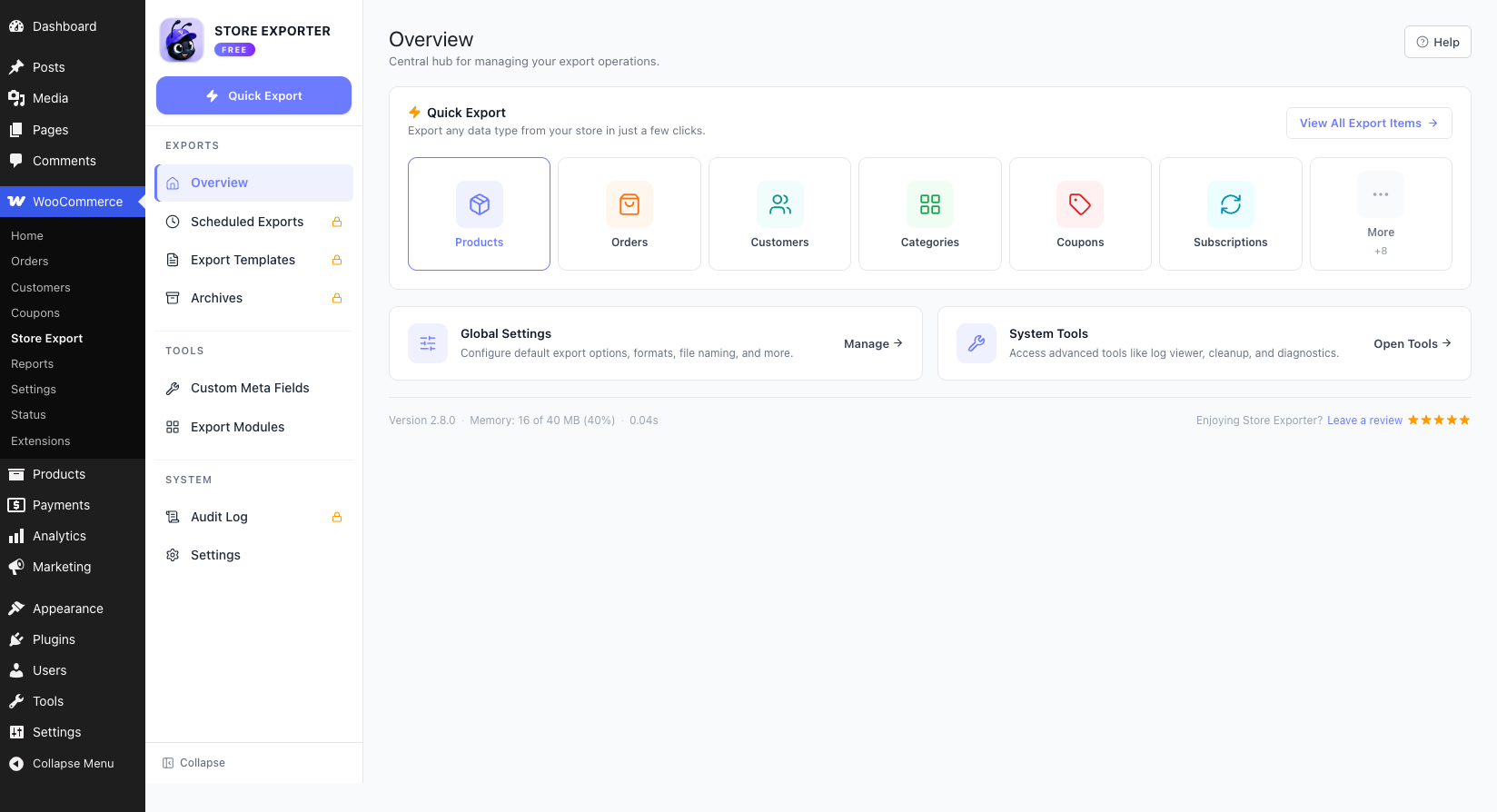
The Overview screen is the central hub for managing your export operations.
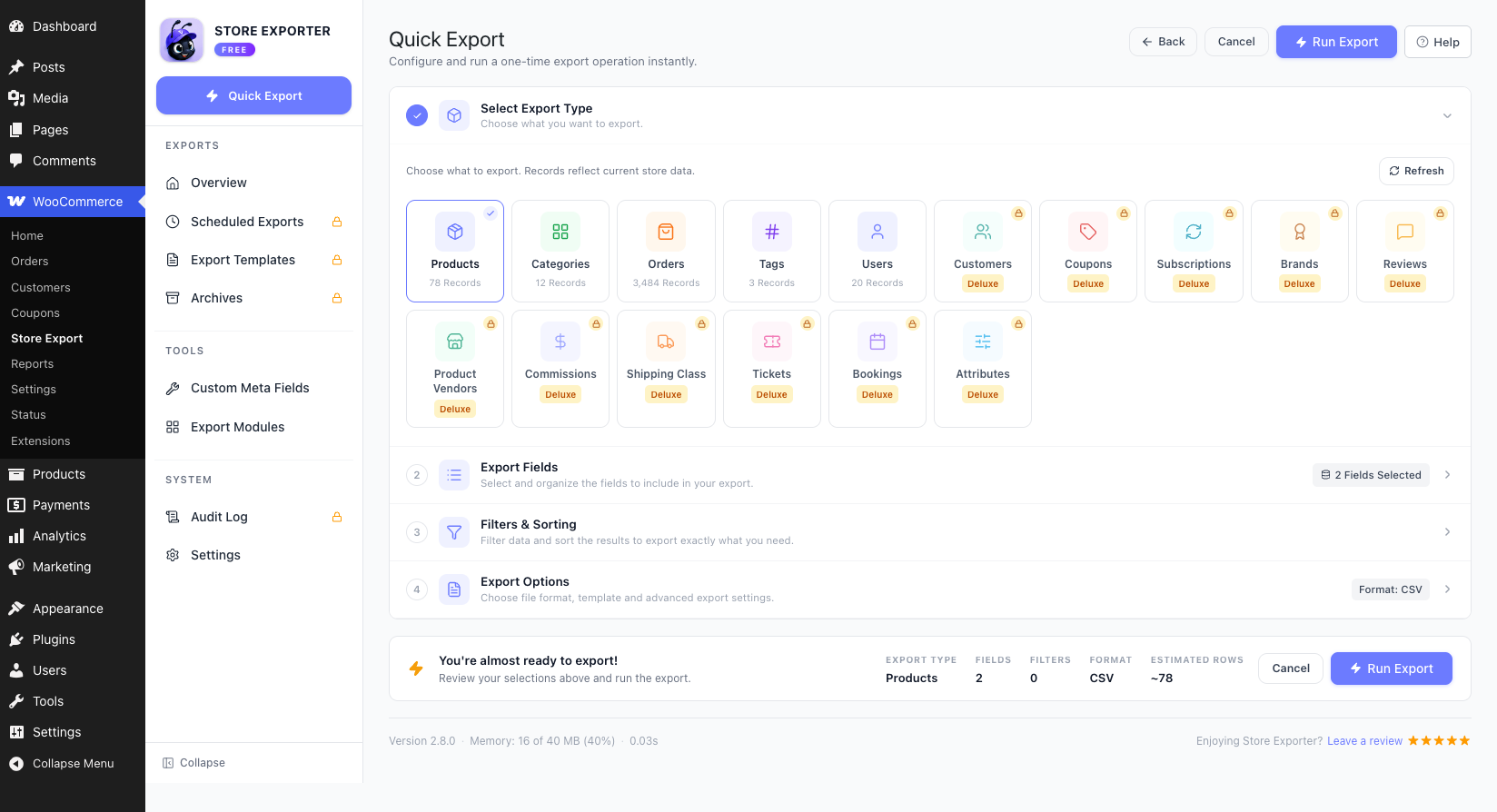
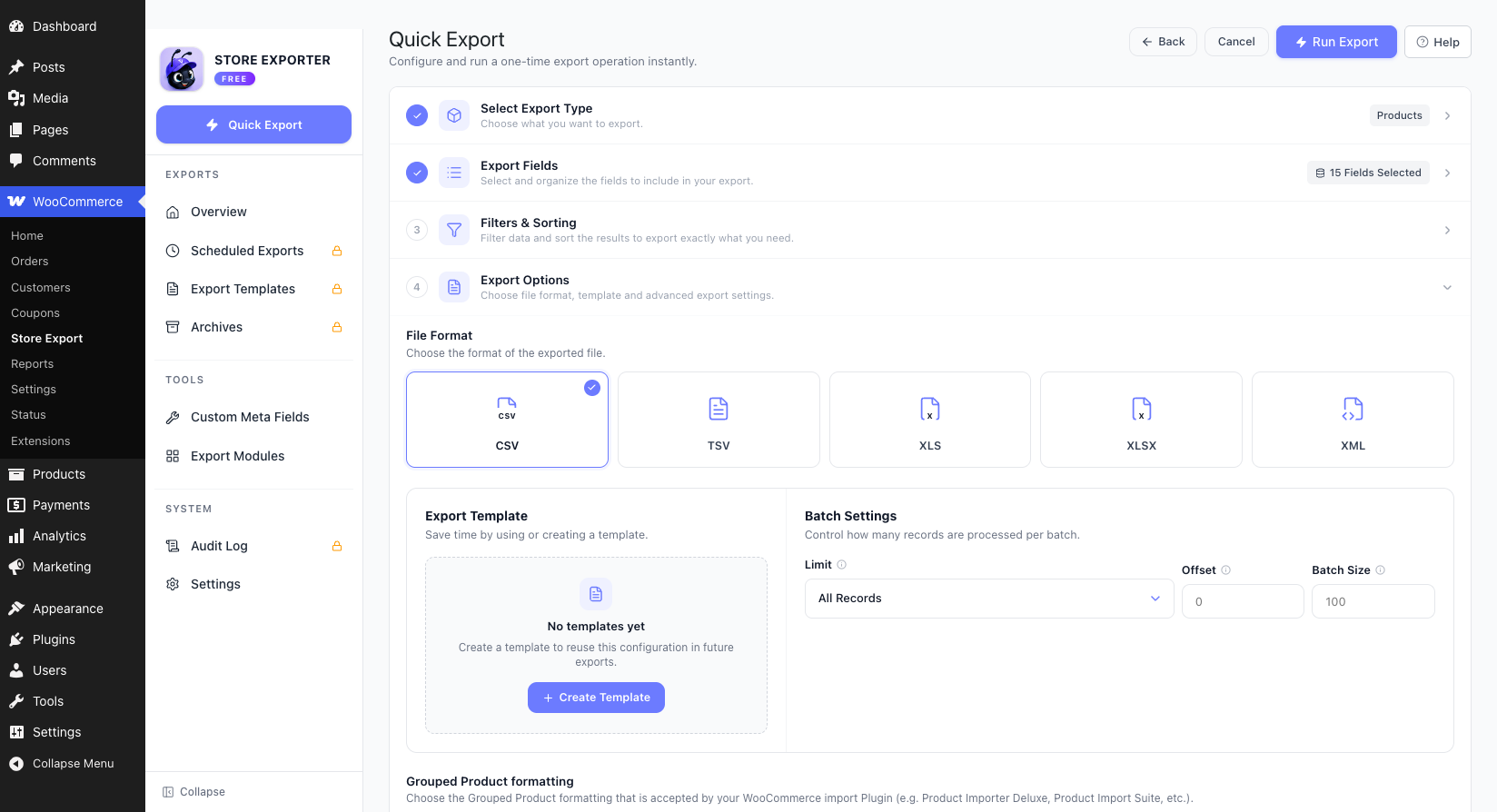
Each export type contains its own fields, filters and options.
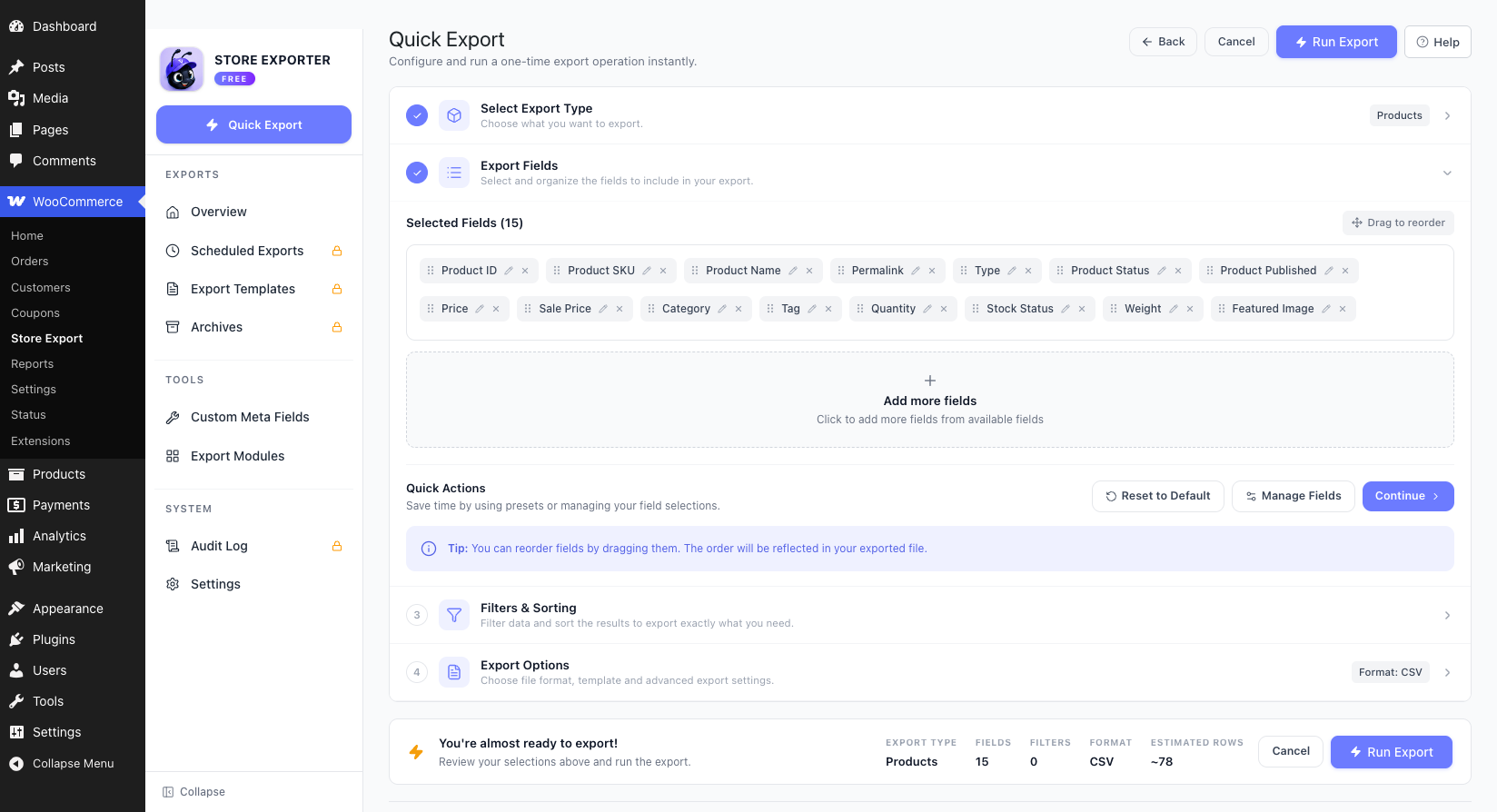
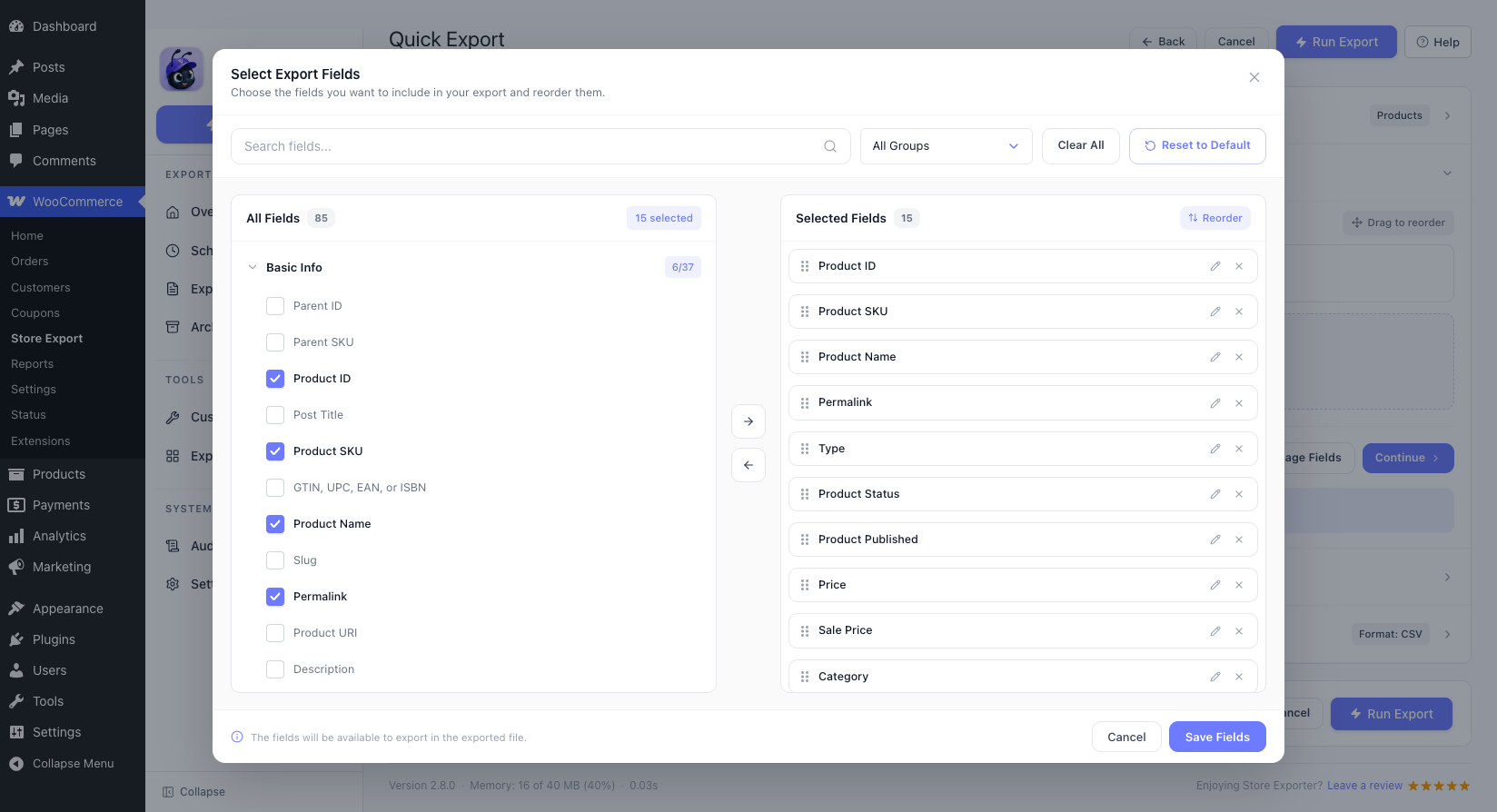
Select the Product fields to be included in the export, selections are remembered.
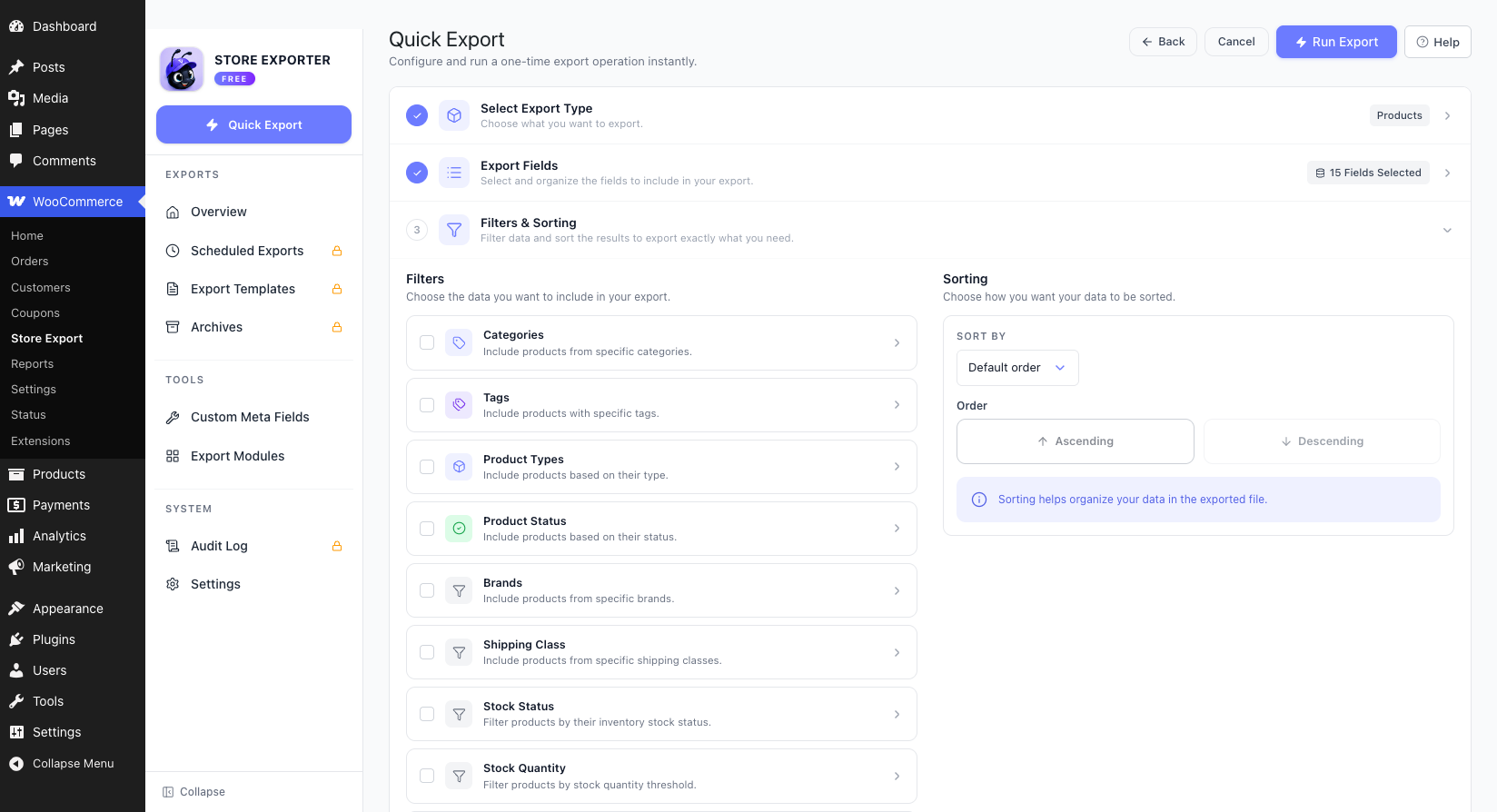
Filters are available for each export type.
Adjust options to suit different languages, file formats and column formatting.
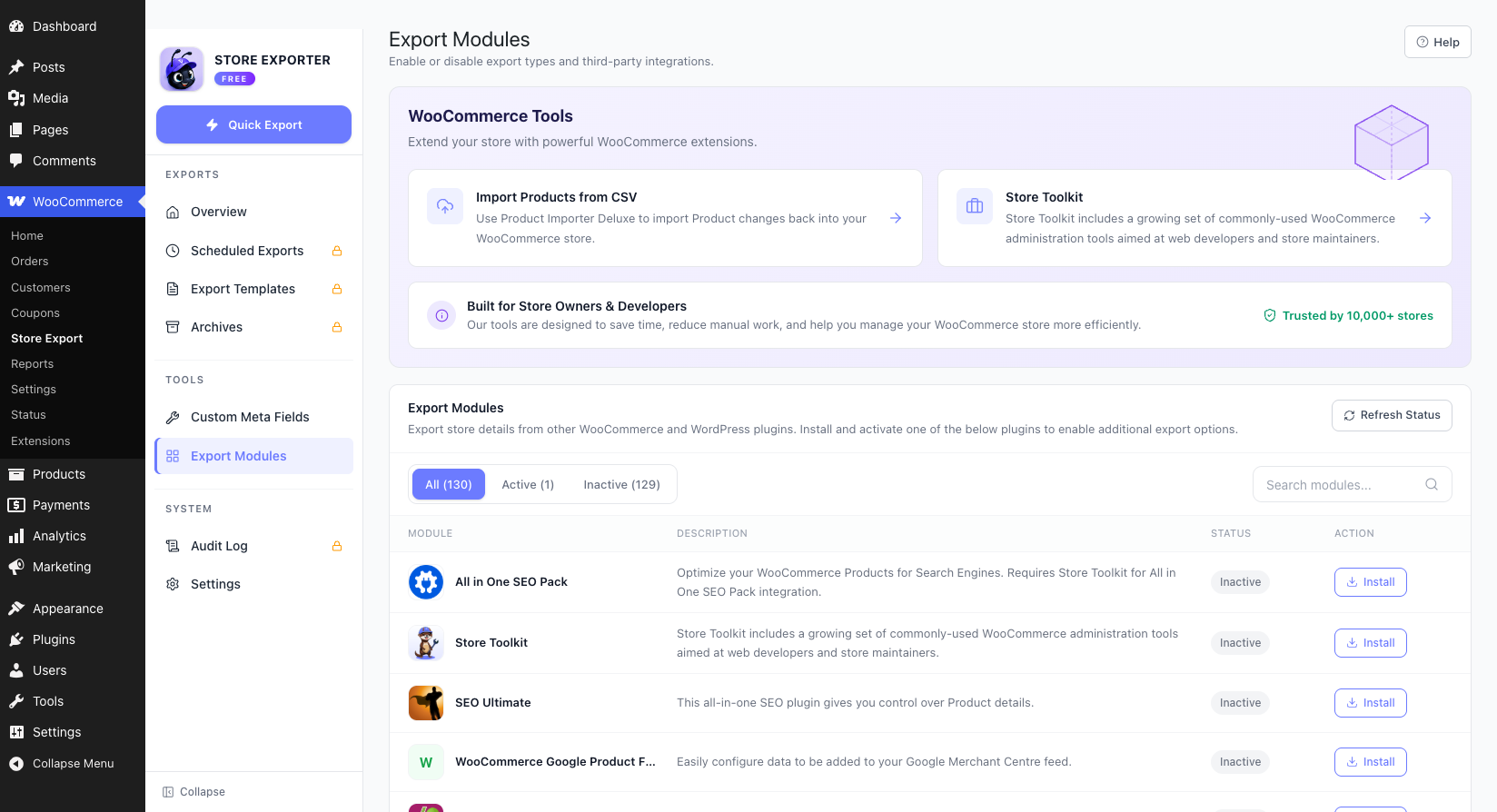
Native export integration with 100+ WooCommerce and WordPress Plugins.
Use the Field Editor to label export columns
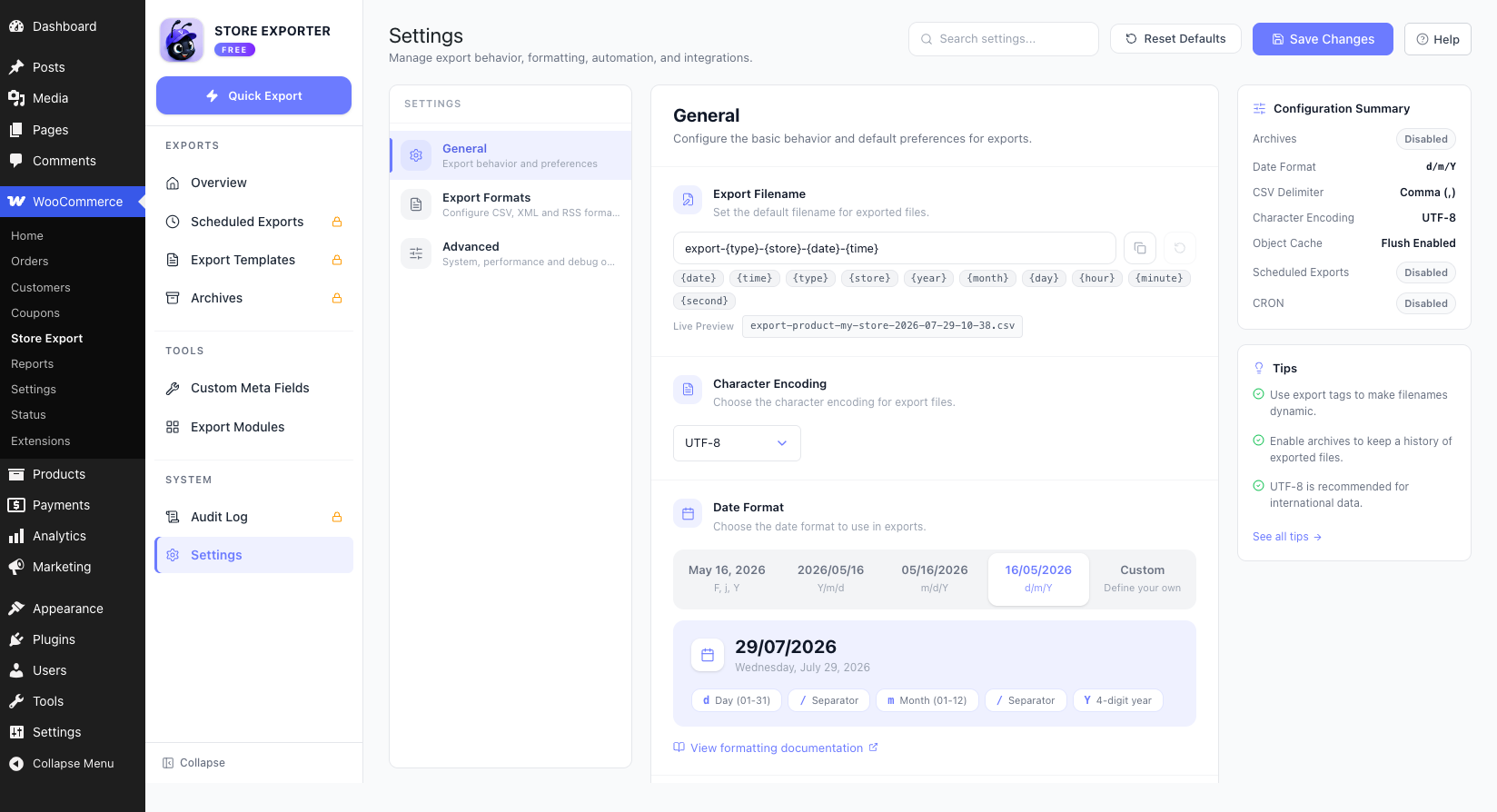
Manage Plugin options from the Settings screen.
Faq
How can I report security bugs?
You can report security bugs through the Patchstack Vulnerability Disclosure Program. The Patchstack team help validate, triage and handle any security vulnerabilities. Report a security vulnerability.
Reviews
Great Plugin, Better Support
By  disclosemedia on March 5, 2026
Plugin is all great, needed support to help connect and pull through data from another plugin and that was 10/10 – super responsive and went above and beyond to find a solution.
DONT TOUCH DONT BUY!!!!
By  chrisisaac24 on December 4, 2025
The Functions are damn bad, not working and the Support is literally NOT existent. There are many Plugins like this out there. Don’t buy this one. We only had trouble over months, pissed clients and costs!
Great plugin with excellent support!
By  dave8441 on December 10, 2024
I use this plugin to export a list of all product names, product ID numbers, prices, etc. Extremely useful plugin!
Plugin suddenly stopped working correctly, support non-existent
By  jpsnyder on November 6, 2024
This plugin stopped working correctly (custom meta not exporting, filtering, order by date not working, among other things. I contacted support over 3 times when the plugin stopped working correctly for me. Still haven’t heard anything from them. That was almost 1 month ago.
This massively impacted my workflow and I had to look for an older plugin version to revert back to. Eventually that worked, but still no word from them.
Even with the fix, I’ll be looking for an alternative to this exporter from now on. I have zero faith in their support. It’s too bad, because for years it was reliable and extremely useful. Don’t know why support can’t respond to a simple issue like this.
Exports aren't working as expected *updated – working now
By  B-Money (blackchrome) on October 30, 2024
It’s been over 6 days with barely any response, I’m having a number of issues I need addressed ASAP.
We have some automated exports that are working, we have some that aren’t. We can’t even trigger a manual export, the settings have been duplicated from existing working reports with just a category change so not sure why they aren’t working. It is causing us a lot of grief.
*update – Finally heard back from support after a week, the developer has applied a fix (that did not take long at all). There was a conflict with WooCommerce Product Add-Ons, all seems to be working fine now. Would have been 4 or 5 stars if support was quicker (way longer than quoted 24-48 hours).
DO NOT BUY THIS PLUGIN!
By  kovbal79 on April 26, 2024
The “Pro” version has many bugs, it crashes the website, they don’t give proper support, and when you request refund they disappear from Earth.
Shameful that a plugin costing 200 dollars has a customer support system like this.
Excellent support help
By  supportisb on March 29, 2024
Quick response on my questions and very good help to fix my problem with exporting my orders in my woocommerce website.
NOT Good Job Visser Labs
By  nautiboutique on March 22, 2024
Don´t buy The Pro Version!!
By  cyrock on December 4, 2025
My review is: ZERO star. Don’t buy the Pro Version. You won´t get any support. They take your money, and if there are any issues, they f**k you off.
We used SED for many years and since the new owner it´s embarrassing.
Pro Paid Version Doesn't Work + Silence From Support
By  digidesigns on October 3, 2023
We have had the free version, upgraded to the paid version when our license was due for a renewal. The plugin does not export subscription data, only empty reports. We have attempted to contact support multiple times, with no notification that we have been even been heard and they will get back to us. Just silence. Would not recommend purchasing or using!
Changelog
2.8.2
- Feature: Register Store Exporter features with the WordPress Abilities API so AI assistants can use them through MCP
- Feature: New AI / MCP screen to set up StoreAgent and allow or block AI changes
- Improvement: Product education page for the Advanced Coupons free plugin
- Improvement: Help buttons link to the matching documentation article for each screen
- Improvement: Add a filter to raise the 200-term cap on quick export filter dropdowns
- Improvement: CSV/TSV cells are now quoted by default (“Escape all cells”). Set field escape formatting to “Escape cells as Excel would” to keep the previous output
- Improvement: The product category and tag “Filter out” option is now applied, so a store that saved it gets the opposite set of products
- Improvement: Brand export, brand count and the product brand column include every brand taxonomy (WooCommerce Brands, Perfect WooCommerce Brands, YITH), but not the global “Brand” product attribute
- Bug Fix: “Review Time” field always exports blank in reviews export
- Bug Fix: Brand export sees only one brand taxonomy; Perfect WooCommerce Brands is never detected (stale class name)
- Bug Fix: Commission count includes reversed commissions
- Bug Fix: Custom meta fields selected in quick export manage fields never appear as export columns
- Bug Fix: Escape formatting setting is ignored by the export engine
- Bug Fix: CSV/TSV formula escaping can be bypassed with a backslash before a quote, or with a quote in an unescaped cell
- Bug Fix: Order ID filter exports every order when a range is too wide or the input is not valid
- Bug Fix: Order export brand filter matches only one brand taxonomy
- Bug Fix: Manual/”Fixed date” order filter collapses to “now” when the date format setting is corrupt
- Bug Fix: Order items fields export blank for every order in quick export
- Bug Fix: Product export: combining “Variation” with other product types drops or times out variation rows
- Bug Fix: Products export leaves stock status blank for on-backorder products
- Bug Fix: Quick export ignores per-field column label overrides in the exported file
- Bug Fix: Quick export: product SKU, language and product vendor filters are missing from the admin app
- Bug Fix: An export that finishes but is never downloaded blocks the next export for 30 minutes
- Bug Fix: ID range filters drop IDs when a range is followed by single IDs
- Bug Fix: Product-to-order lookup queries a misspelled order items table name
- Bug Fix: Export screen stops with a fatal error when a custom meta option holds an empty array
- Bug Fix: Tag and brand custom meta columns export blank when Yoast SEO is active
2.8.1
- Bug Fix: Free plugin exposed Deluxe-only export formats (XLS/XLSX/XML) and their settings; they are now gated with an upgrade prompt
- Bug Fix: Removed the inert Deluxe-only Hide Archives Tab and Hide Scheduled Exports Tab toggles from Advanced settings
- Bug Fix: Debugging Mode did not block exports in the admin app; also fixed Deluxe branding and invalid markup on the debug banner
- Bug Fix: Export Modules buttons and the Help button linked to dead visser.com.au URLs
- Bug Fix: Quick Export: all Order filters silently ignored (toggle value and date key mismatch between the admin app and the exporter)
- Bug Fix: Quick Export: all Product filters silently ignored (key mismatch), including status, type, stock status and stock quantity
- Bug Fix: Quick Export date-range filters silently ignored for Product, Order, User, Coupon and Subscription exports
- Bug Fix: Quick Export: Customer, Coupon code and Product ID text filters rendered with an empty body
- Bug Fix: Quick Export: Custom meta value filter missing for Product and Order exports
- Bug Fix: Order filters: Product Brand never applied, and Customer-by-email matched only guest orders
- Bug Fix: Order filters silently drop matching orders when the Analytics lookup tables are stale
- Bug Fix: Digital Products order filter silently fails when the order_product_lookup table is missing or the table prefix differs
- Bug Fix: Order export fails with a fatal error when the order items formatting setting is missing or invalid
- Bug Fix: Coupon export: Coupon Code not selected by default
- Bug Fix: Customer export leaks the previous customer’s identity and spend totals onto guest-order rows
- Bug Fix: Taxonomy exports (Category, Tag, Brand, Attribute, Shipping Class) duplicate every row past 100 terms
- Bug Fix: CSV/TSV exports ignore the Header formatting option (header row always written)
- Bug Fix: CSV/TSV formula injection unmitigated; new “Escape formulas in CSV/TSV” setting, on by default
- Bug Fix: Quick Export could start before the field list finished loading and export extra options as defaults
- Bug Fix: Export fails with a fatal error on PHP 8 when the Timeout setting is saved empty
- Security: Download endpoint allowed path traversal and skipped the capability check
- Security: Export Template post type used the generic post capabilities, so Contributors could create templates
- Security: Archives bulk-delete had no nonce or capability check
- Security: Archived export files were written to the public uploads folder; they now live in a protected export sub-directory and are removed when the attachment is deleted
2.8.0
- Feature: Admin SPA modernization — new Vue 3 admin interface backed by a REST API
- Bug Fix: Order export filters (customer, billing/shipping country, user role, order ID, payment gateway) silently ignored when HPOS is disabled
- Bug Fix: Subscription export shows a stale coupon after a recurring coupon is removed from the subscription
- Bug Fix: Fatal error crashing the whole site when the plugin bootstrap loads in a bad state (stale OPcache or incomplete update)
2.7.9
- Bug Fix: Brands are not being exported
- Bug Fix: Custom user meta fields (woo_ce_custom_users) missing from order exports after v5.x refactor
- Bug Fix: Export fails with fatal error when date format uses slashes (d/m/Y)
- Bug Fix: Fatal error calling get_description() on int when exporting subscriptions with coupons
- Bug Fix: Fatal error: attempt to assign property ‘order_id’ on null when exporting subscriptions with HPOS enabled
- Bug Fix: Fatal error: call to get_description() on int when exporting orders/subscriptions with recurring discount coupons
- Bug Fix: Incorrect “last month” date filter when using UTC-1 or negative timezones
- Bug Fix: Quick Export filters silently ignored for non-user export types (follow-up to #233)
- Bug Fix: Quick Export of users fails with 500 error on large user sites, permanently locks exports
- Bug Fix: Subscription Items export reads from parent order instead of current subscription
- Bug Fix: Subscription Items: product variation and variation ID columns always empty for variable subscriptions
- Bug Fix: Subscription export 500 error when HPOS enabled and date filter applied
- Bug Fix: User export: WooCommerce Memberships filter ignored (exports all users)
- Bug Fix: User export: disabled filters still applied (stale filter state)
- Feature: Add support to export Cost of Goods Sold (COGS) in the products and order type export
2.7.8
- Bug Fix: Custom order meta incorrectly appear for customer and subscription export
- Bug Fix: Export to SFTP doesn’t work for scheduled exports
- Bug Fix: Filtering orders by multiple coupon codes only exports a single coupon order
- Bug Fix: PHP 8.2: Cannot use dynamic creation of properties during export
- Bug Fix: Special characters break Excel export
- Bug Fix: Text with file extension is not exported to XLS format
- Bug Fix: WooCommerce Subscriptions division by zero
- Bug Fix: Potential security issues
Older versions
See changelog.txt for the changelog of older versions.