
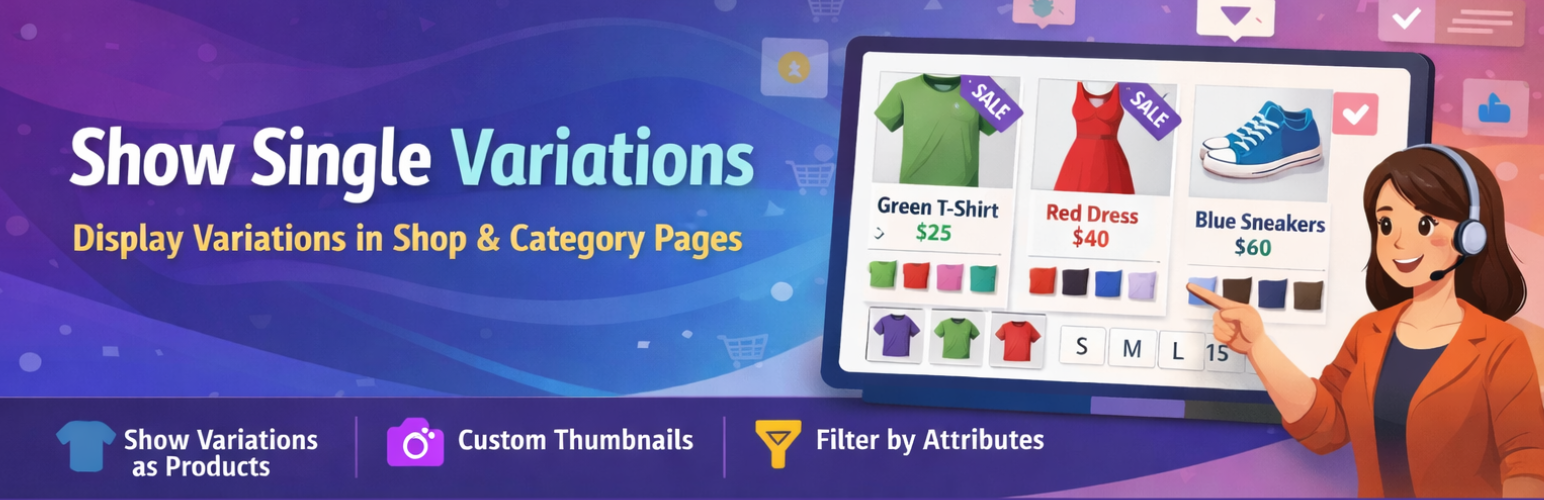
Show Variations as Single Products for WooCommerce
Description
Show Variations as Single Products for WooCommerce lets you display each product variation as its own standalone product listing on your WooCommerce shop page, category pages, and product tag pages. Instead of forcing customers to click into a product detail page just to pick a size or color, they can browse, select, and add to cart directly from the listing — reducing friction and increasing conversions.
Whether you sell clothing, accessories, or any product with multiple variants, this plugin makes it simple for shoppers to find exactly what they’re looking for without extra clicks.
View Demo | Upgrade to Pro | Get Support
Why Use This Plugin?
Standard WooCommerce hides all variations behind a single parent product. This means customers must open each product page, choose their options, and then add to cart — an extra step that costs you sales. This plugin solves that by surfacing each variation as a standalone listing, making your shop faster to navigate and easier to buy from.
How to Get Started
- Install and activate the plugin.
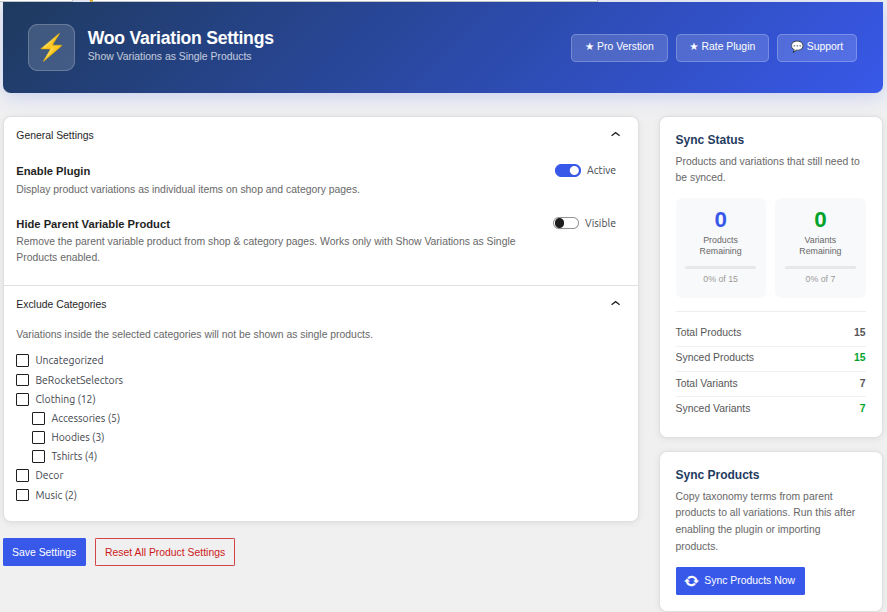
- In your WordPress admin, go to Settings > Woo Variation Settings.
- Enable the setting to show variations as single products.
- Save — your shop, category, and tag pages will now display individual variations.
Free Version Features
- One-click setup — no coding required
- Show product variations on the shop page, category pages, and product tag pages
- Filter variations by product attribute
- Customers can add variable products to cart directly from listing pages
- Works with WooCommerce’s default product query
- Supports both variation listings and standard single-product listings side by side
Pro Version Features
Upgrade to Pro for advanced control over exactly how and where variations appear:
- Auto-hide parent variable products — show only the individual variations, not the parent
- Hide parent product per individual product — granular control on a product-by-product basis
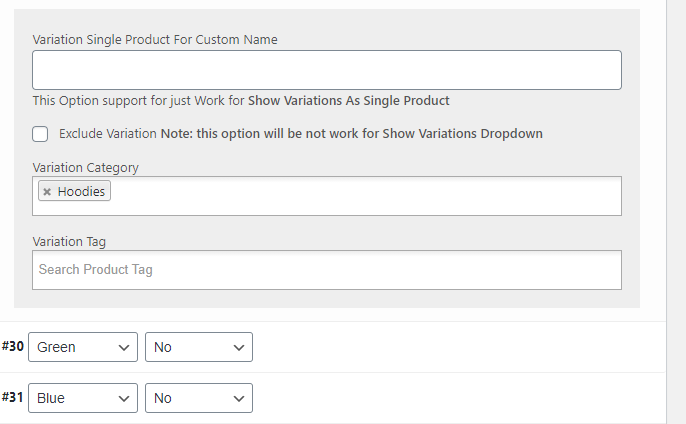
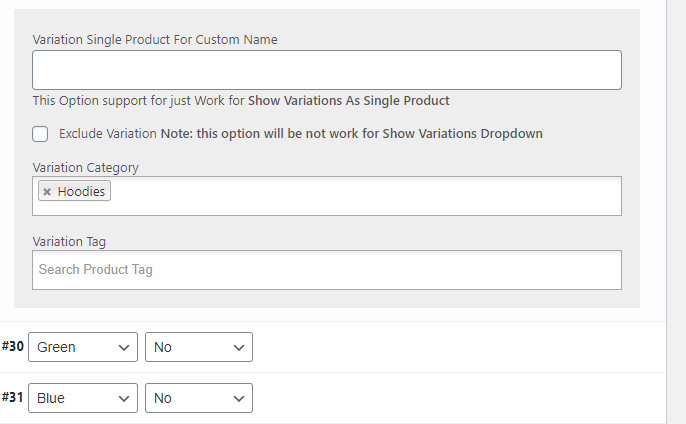
- Exclude specific products from showing variations
- Exclude entire product categories from the variation display
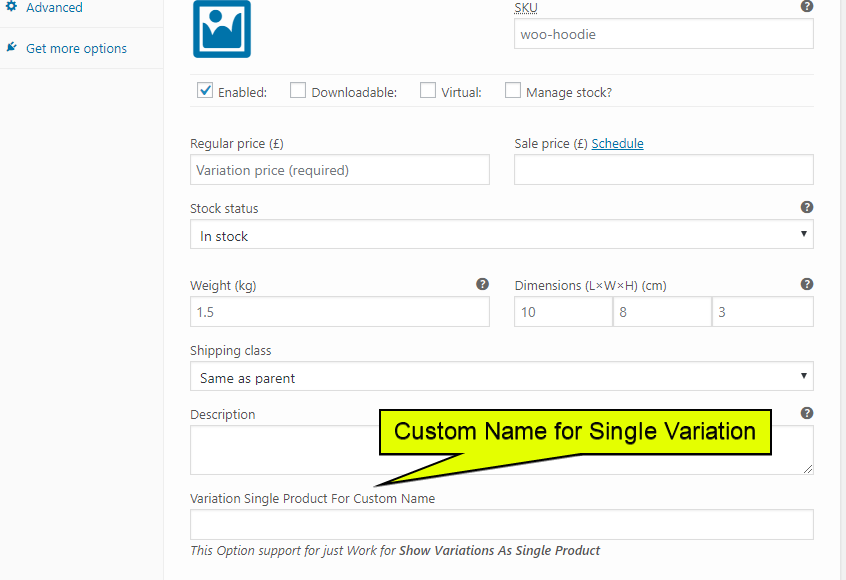
- Custom display names for individual variation listings
- Priority support
Works Great With
This plugin works alongside WooCommerce’s default product loop, including WooCommerce search results. When customers search your store, matching variations will appear as individual results — making it even easier to find the right product.
More Plugins by the Same Author
- Short Description and Attributes in WooCommerce Loop
- Add to Quote for WooCommerce
- Product Shortcode – Widget – Block for WooCommerce
- Variation Dropdown to Radio Buttons for WooCommerce
- Product Enquiry for WooCommerce
- PDF Catalog for WooCommerce
- Restrict Payment Methods for WooCommerce
- Display Product Variations Dropdown on Shop Page
Installation
Automatic Installation (Recommended)
- Log in to your WordPress admin panel.
- Go to Plugins > Add New.
- Search for “Show Variations as Single Products WooCommerce”.
- Click Install Now, then Activate.
- Navigate to Settings > Woo Variation Settings and enable the plugin.
Manual Installation
- Download the plugin
.zipfile from the WordPress Plugin Directory. - Go to Plugins > Add New > Upload Plugin in your WordPress admin.
- Upload the
.zipfile and click Install Now. - Activate the plugin.
- Go to Settings > Woo Variation Settings and turn on the display options.
Screenshots

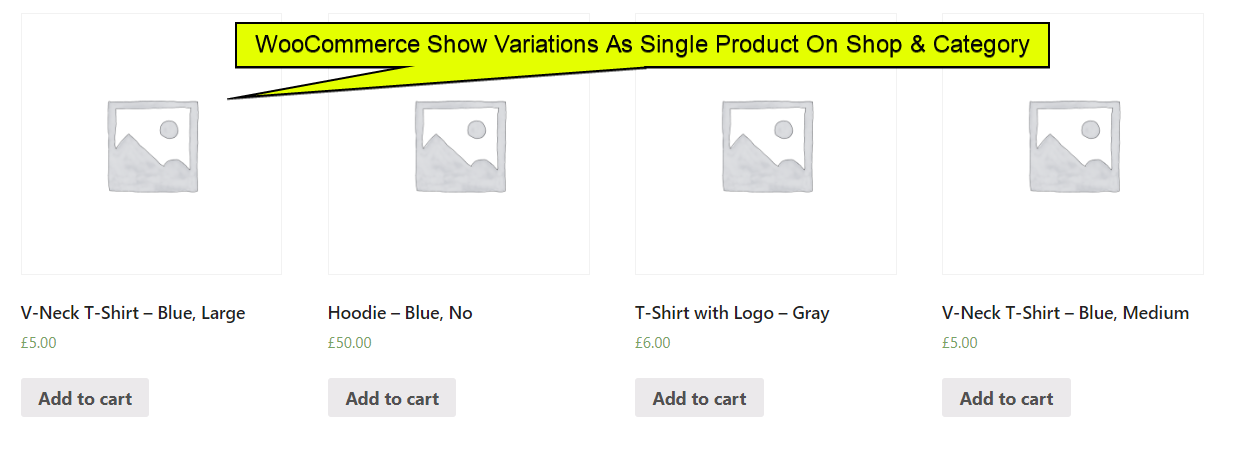
Variations displayed as individual products on the WooCommerce shop page.
Admin settings panel under Settings > Woo Variation Settings.
Category page showing individual variation listings.
Add-to-cart functionality directly from the variation listing.
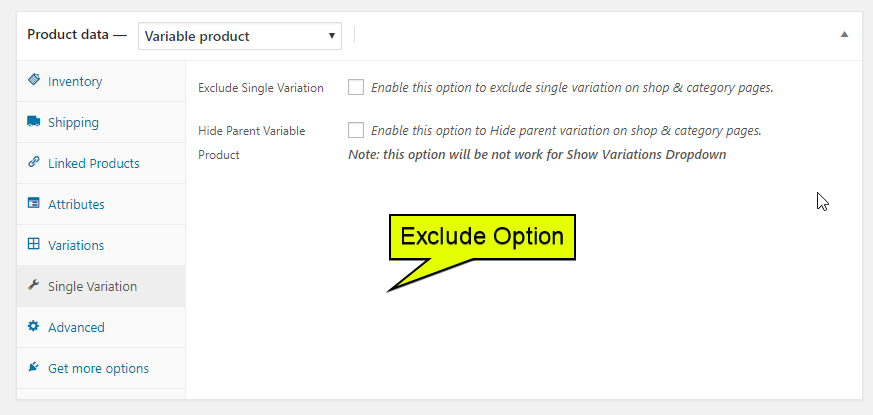
Pro version settings with advanced exclusion and hide-parent options.
Faq
Does this plugin work with all WooCommerce themes?
It works with any theme that uses WooCommerce’s default product loop and query. If your theme uses heavily customized product loops, some adjustments may be needed.
Will variations appear in WooCommerce search results?
Yes. When a customer searches your store, matching variations will appear as individual product results.
Can I show some variations but not others?
Yes. You can filter which variations appear using product attributes. The Pro version adds the ability to exclude specific products or categories entirely.
Can I hide the parent variable product and only show its variations?
This feature is available in the Pro version. It lets you auto-hide parent products so only the individual variations are visible in shop and category listings.
Does this affect the single product page?
No. The plugin only changes how products are displayed on listing pages (shop, category, and tag pages). The single product page remains unchanged.
Is this plugin compatible with WooCommerce HPOS (High-Performance Order Storage)?
Please check the plugin’s support forum or contact the developer for the latest compatibility information.
Reviews
Great plugin and quick support
By  adsim on March 13, 2025
I experienced a JS conflict with another plugin and the support fixed this in no time. Great.
Highly recommended.
Very responsive with support and does exactly what we needed.
By  andywalker313 on May 13, 2024
Very responsive with support and does exactly what we needed.
Great Plugin
By  stylebar on August 22, 2023
Pro Plugin has a lot of good features and fast support in case you need some help.
Works perfectly
By  Arian (ideagomedia) on January 12, 2023
Delivers what it promise. I tried several plugins in order to show single variations, none works for me without crashing other functions. Congrats to the author
Worst author in history
By  aboixet on March 16, 2022
Works but poorly written
By  Ben (benrich) on June 4, 2021
Works correctly
By  Lukasz Matysiewicz (donbebeno) on May 20, 2021
Works great for me
By  (themarcopolo) on May 1, 2021
Non-functional plugin
By  lambonak on February 28, 2021
SORTING DOESN'T WORK
By  bogdanpopa on February 9, 2021
Changelog
3.0
- Compatibility update for WooCommerce 6.9.x and WordPress 6.x
- General performance improvements and bug fixes
2.0
- Added support for product tag pages
- Improved attribute-based filtering for variations
- Added compatibility with WooCommerce search results
1.0
- Initial release
- Display variations as single products on shop and category pages
- One-click settings panel under Settings > Woo Variation Settings