
Product Feed Manager for WooCommerce – CTX Feed – Support 220+ Shopping, AI & Social Channels
Description
🏆 The #1 WooCommerce Product Feed Manager Plugin trusted by 90,000+ online stores worldwide.
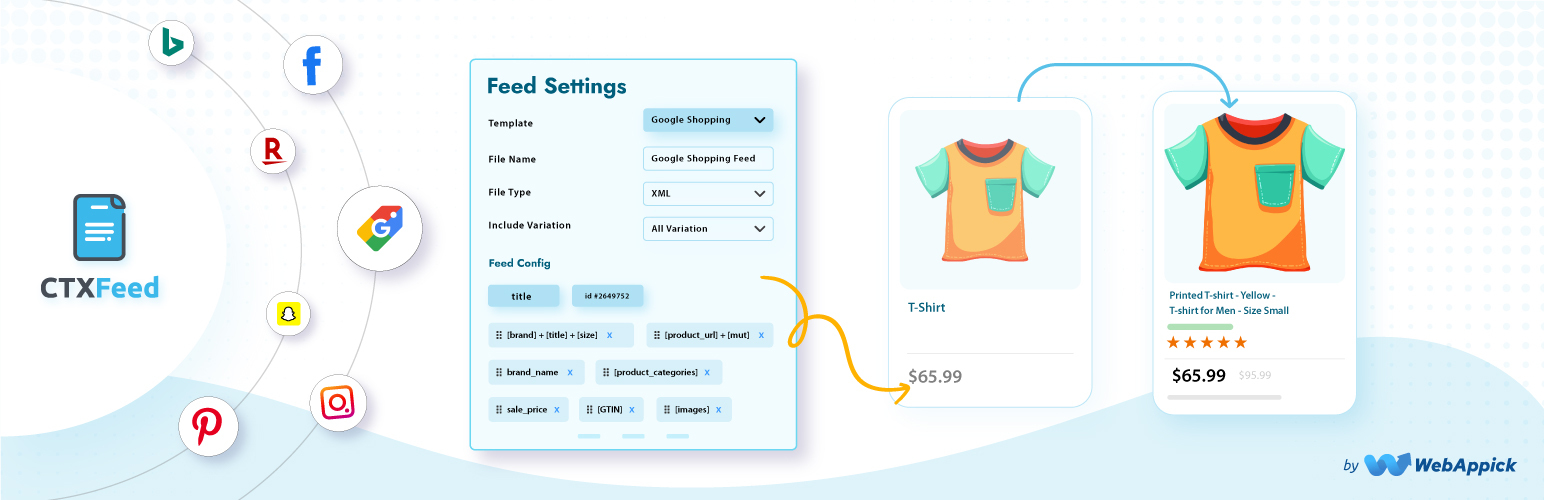
Stop losing sales to rejected product feeds. CTXFeed is the most powerful product feed plugin for WooCommerce, designed to generate optimized, error-free feeds for Google Shopping, Facebook Catalog, Instagram Shopping, TikTok Shop, Pinterest, Bing, and 220+ global marketing channels.
Whether you’re managing 100 products or 100,000+ SKUs, CTXFeed handles your entire WooCommerce product feed with zero limits. Our intelligent batch processing ensures your XML, CSV, and JSON feeds are created flawlessly without crashing your server.
2026 Google Merchant Center Compliant – Ready for the March 2026 multi-channel product ID requirements and subscription product support.
Why 90,000+ WooCommerce Stores Choose CTXFeed?
- 95 Pre-Built Templates for 220+ channels – Instant setup for Google Merchant Center, Meta (Facebook/Instagram), TikTok Shop, Amazon, eBay, Snapchat, Pinterest, and more
- 6 Export Formats – XML, CSV, TSV, XLS, TXT, JSON (more file format options than any competitor)
- Smart Category Mapping – Auto-map WooCommerce categories to Google’s official taxonomy to prevent feed errors
- Real-Time Auto-Sync – Scheduled cron updates keep your ads accurate with correct pricing and availability
- Variable Product Support – Perfectly handle complex product variations that other plugins miss
- Zero Server Crashes – Intelligent batch processing for stores with 50,000+ products
Upgrade to Pro | View Demo | Complete Documentation | Video Tutorials | Get Support
Google Shopping Feed Manager
CTXFeed is the ultimate Google Shopping feed manager for WooCommerce. Create Google Shopping feeds that get approved fast with automatic attribute mapping for all required fields:
- Product Title, Description, Link, Image Link
- Price, Sale Price, Availability, Condition
- Brand, GTIN, MPN, SKU, EAN, UPC
- Google Product Category (automatic taxonomy mapping)
- Shipping, Tax, and Custom Labels
- Color, Size, Material, Pattern, Gender, Age Group
- Local Inventory Ads support
- Google Promotions feed support
Fix “Missing Required Attribute” errors instantly with our built-in attribute mapping tool. No more Google Merchant Center rejections!
Facebook Product Feed & Instagram Shopping
Generate Facebook product feeds and Instagram Shopping catalogs compatible with Meta Commerce Manager. CTXFeed creates the perfect WooCommerce Facebook product feed for:
- Dynamic Product Ads (DPA) support
- Facebook Pixel integration ready
- Instagram Shopping checkout is compatible
- Advantage+ catalog campaigns optimized
- Facebook Marketplace listings
- All Meta required attributes are included automatically
TikTok Shop & Social Commerce Feed Manager
Reach younger shoppers with TikTok Shop integration. CTXFeed is your complete shopping feed manager for social commerce:
- TikTok Seller Center compatible feeds
- Product certification fields included
- Brand Authority attributes mapped
- Avoid “Under Review” status with optimized data
- Snapchat Product Catalog support
- Pinterest Shopping feed ready
Complete Channel & Marketplace Support
CTXFeed supports more channels than any other WP product feed manager:
Google Feeds:
- Google Shopping
- Google Local Inventory
- Google Promotions
- Google Dynamic Remarketing
- Google Local Products
- Google Manufacturer Center
- Google Express
AI Commerce:
- ChatGPT Merchant
- Perplexity’s AI-powered shopping
Shopping & Comparison Sites:
- Bing Shopping
- Yahoo Shopping
- PriceGrabber
- Shopzilla
- PriceRunner
- PriceSpy
- Kelkoo
- Idealo
- Billiger.de
- Trovaprezzi
- Skroutz
- Heureka
- Ceneo
- Beslist
- Vergelijk
Social Commerce:
- Facebook Catalog/ Meta Catalog
- Instagram Shop
- X.com Dynamic Product Ads
- Pinterest Catalog Feed
- TikTok Shop
- Snapchat Data Feed Catalog
- Reddit Dynamic Product Ads
Marketplaces:
- Amazon
- eBay
- Walmart
- Etsy
- Rakuten
- Wish
- Fruugo
- Bonanza
- Newegg
- Jet
Affiliate Networks:
- Commission Junction
- ShareASale
- Awin
- Rakuten Advertising
- AvantLink
- Pepperjam
Regional Marketplaces:
- Bol.com (Netherlands)
- Allegro (Poland)
- Fnac (France)
- Otto (Germany)
- Coolblue
- Marktplaats
…Make product feed for 220+ shopping channels
Upgrade to Pro | Complete Documentation | Video Tutorials | Get Support
Built for Large Catalogs – The Best Product Feed Tool
CTXFeed is engineered for WooCommerce stores of any size. As a professional product feed tool, it handles:
- Unlimited products per feed
- Unlimited feeds
- Batch processing prevents timeouts
- Effortless background feed generation
- No server capabilty limitation
- Works perfectly with shared hosting
- Memory-efficient processing
- Works on shared hosting
- Optimized for 200,000+ products
- Server resource management
WooCommerce Data Feed Features
CTXFeed provides comprehensive WooCommerce data feed management:
Smart Filtering:
- Include/exclude products by category
- Filter by stock status
- Filter by price range
- Filter by product type
- Custom condition filters
- Exclude specific products
- Conditional filtering to reduce ads cost
Dynamic Attributes:
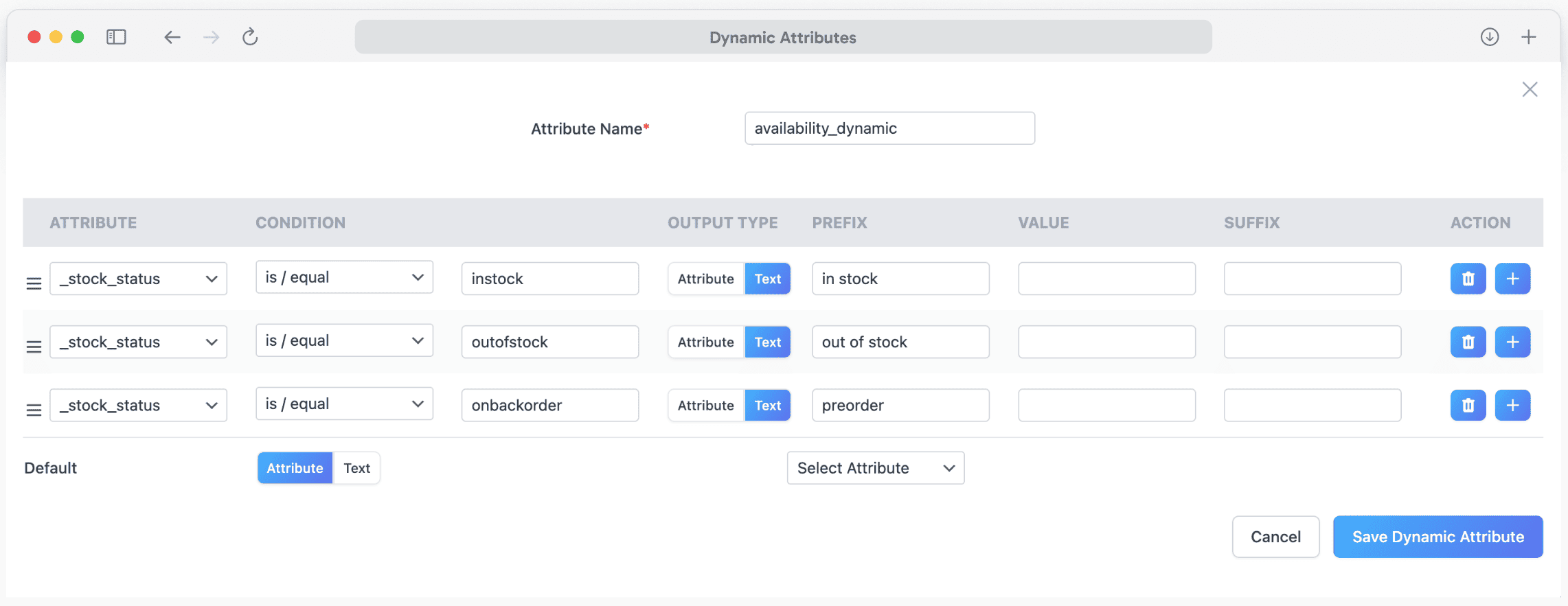
- Create custom attributes on-the-fly
- Combine multiple fields
- Price manipulation (markup/markdown)
- String replacement
- Conditional logic
- Pattern-based transformations
Feed Optimization:
- Auto-remove HTML from descriptions
- Image URL optimization
- Price formatting by locale
- Availability status mapping
- Category path customization
- UTM parameter support
Complete WooCommerce Compatibility
Works with all WooCommerce product types and popular extensions:
Product Types:
- Simple Products
- Variable Products (with all variations)
- Grouped Products
- External/Affiliate Products
- WooCommerce Subscriptions (Pro Feature)
- WooCommerce Bundles (Pro Feature)
- WooCommerce Composite Products (Pro Feature)
Multi-Vendor Plugins:
- Dokan Multivendor
- WCFM Marketplace
- WC Vendors
- MultiVendorX
- WC Marketplace
Multilingual & Multi-Currency (Pro Feature):
- WPML (WordPress Multilingual)
- Polylang
- TranslatePress
- Weglot
- CURCY – Multi Currency for WooCommerce
- Aelia Currency Switcher
- WooCommerce Multi Currency
SEO & Custom Fields:
- Yoast SEO (product data)
- Rank Math SEO
- All in One SEO
- ACF (Advanced Custom Fields)
- Custom Product Tabs
- WooCommerce Custom Fields
Other Integrations (Pro Feature):
- WooCommerce Brands
- Perfect Brands for WooCommerce
- YITH WooCommerce Brands
- WooCommerce Product Add-Ons
- WooCommerce Measurement Price Calculator
2026 Google Compliance Features
CTXFeed is fully prepared for Google’s 2026 policy updates:
March 2026 Multi-Channel Product ID Requirement:
- Separate product IDs for online vs in-store items
- Local Inventory Ads compliance
- Multi-channel feed generation
- Unique identifier management
January 2026 Subscription Products:
- subscription_cost attribute support
- Billing period mapping
- Recurring price feeds
- WooCommerce Subscriptions integration
AI-Ready Semantic Data:
- Clean, structured product data
- HTML/shortcode stripping
- Google SGE optimized feeds
- Schema-compliant output
Upgrade to Pro | Complete Documentation | Video Tutorials | Get Support
CTXFeed Pro – Premium Features
Upgrade to CTXFeed Pro for advanced capabilities:
- Dynamic Attribute Creation – Create custom attributes on-the-fly
- Advanced Filtering – Include/exclude products by any condition
- Custom XML Templates – Build any complex feed structure
- FTP/SFTP Auto-Upload – Automatically push feeds to channels
- Google Content API – Direct Merchant Center integration
- Priority Support – Expert assistance with email
What Store Owners Say
“CTXFeed is the ONLY plugin that handled our 45,000 product catalog without crashing. We tried 3 other plugins before finding this gem.” – WooCommerce Store Owner
“Finally got our Google Shopping feed approved after weeks of rejections with other plugins. CTXFeed’s category mapping feature saved us!” – E-commerce Manager
“The support team is incredible. They helped us set up feeds for 12 different marketplaces in one day.” – Digital Marketing Agency
“Best WooCommerce product feed plugin we’ve used. The batch processing feature is a game-changer for large stores.” – Online Retailer
Documentation & Support
Our Other Free Plugins
- Disco – Dynamic Pricing & Discount Rules for WooCommerce
- Challan – PDF Invoice & Packing Slip for WooCommerce
External services
CTX Feed builds feeds on your own server; your products and feed files are not sent to WebAppick. The plugin contacts the services below only in the situations described. Like every WordPress HTTP request, each one also carries your site’s address in the user-agent header.
WebAppick (webappick.com), the plugin author — Terms and conditions, Privacy policy:
- CTX Feed Pro prices: the Premium page, the CTX Feed Pro card in the side panel and the “Upgrade to Pro” buttons show current prices from webappick.com’s WooCommerce Store API (https://webappick.com/wp-json/wc/store/v1/products). Requested only while an administrator has one of those CTX Feed screens open, at most once every 12 hours, and cached on your site. No data is sent.
- News widget: the “CTX Feed” widget on the WordPress Dashboard lists the latest WebAppick blog posts (https://webappick.com/wp-json/wp/v2/posts). Requested when the Dashboard is shown, at most once a day. No data is sent.
- Usage data (opt-in only): if an administrator allows it (the setup wizard, or CTX Feed Settings “Share anonymous diagnostics with CTX Feed”), the plugin sends usage data to https://track.webappick.com/api/ once a week — site name and address, the admin email addresses, the administrator’s name, the store country, WordPress, PHP and server details, the lists of active and inactive plugins, the theme, the plugin version, the server’s IP address, product, variation and category counts, and the saved feed configurations (feed settings including any FTP/SFTP host and user name; passwords are stored encrypted). Nothing is sent unless tracking is allowed, and it can be turned off in Settings at any time.
- Deactivation feedback: when you deactivate CTX Feed or CTX Feed Pro from the Plugins page and choose a reason, the feedback form sends that reason and anything you type to https://track.webappick.com/api/ with the plugin, WordPress and PHP versions; “I’d rather not say” sends nothing. Only if usage data is allowed does it also include the site name and address, the admin email, your name and email, server details, the server’s IP address, and the same product counts and saved feed configurations as the usage data (passwords removed).
- Support requests: the Contact support form, the discount claim form and the contact form in the deactivation dialog email what you enter to WebAppick ([email protected] or [email protected]) through your site’s own mailer, with your site address and admin email. Contact support also attaches the system status report and, for the feed you select, its configuration and file.
IP address lookup (icanhazip.com, operated by Cloudflare) — Terms, Privacy policy: used only while sending usage data or deactivation feedback, to read the server’s public IP address. The request itself reveals that address to the service.
Promotional notices (Bitbucket, api.bitbucket.org, operated by Atlassian) — Terms, Privacy policy: the plugin reads a small list of WebAppick offers from https://api.bitbucket.org/2.0/snippets/woofeed/RLbyop/files/woo-feed-notice.json to show dismissible admin notices. Requested on wp-admin pages at most twice a day and cached. No data is sent.
WordPress.org (api.wordpress.org, downloads.wordpress.org) — Privacy policy: the “Our plugins” page and the plugin suggestions on Plugins Add New read plugin details from the WordPress.org Plugins API; installing a suggested plugin, installing WooCommerce from the setup wizard, and installing another CTX Feed version from Version control download the plugin from downloads.wordpress.org. Only when you open those screens or click those buttons.
Google and Meta product categories — Google: Terms, Privacy policy; Meta: Terms, Privacy policy: the category lists for category mapping ship with the plugin. They are downloaded again only when you click to update them: Google’s product taxonomy from https://www.google.com/basepages/producttype/ (or a Google taxonomy URL you enter), and Meta’s from https://www.facebook.com/products/categories/. No data is sent.
Connection checks on System status — PayPal: Terms, Privacy policy; WooCommerce.com (Automattic): Terms, Privacy policy: when you open CTX Feed System status, the plugin tests whether your server can make outgoing requests, like WooCommerce’s own status report: a POST to https://www.paypal.com/cgi-bin/webscr (body cmd=_notify-validate) and a GET to https://woocommerce.com/wc-api/product-key-api?request=ping. No store data is sent.
Your own FTP/SFTP server: if you turn on FTP or SFTP upload for a feed, the feed file is uploaded to the server and account you enter, after each generation.
Installation
Automatic Installation
- Go to Plugins > Add New in your WordPress dashboard
- Search for “CTX Feed”
- Click Install Now then Activate
- Go to CTX Feed > Make Feed to create your first product feed
Manual Installation
- Download the plugin ZIP file
- Go to Plugins > Add New > Upload Plugin
- Upload the ZIP file and click Install Now
- Activate the plugin
- Navigate to CTX Feed in your dashboard
Creating Your First Google Shopping Feed
- Go to CTX Feed > Make Feed
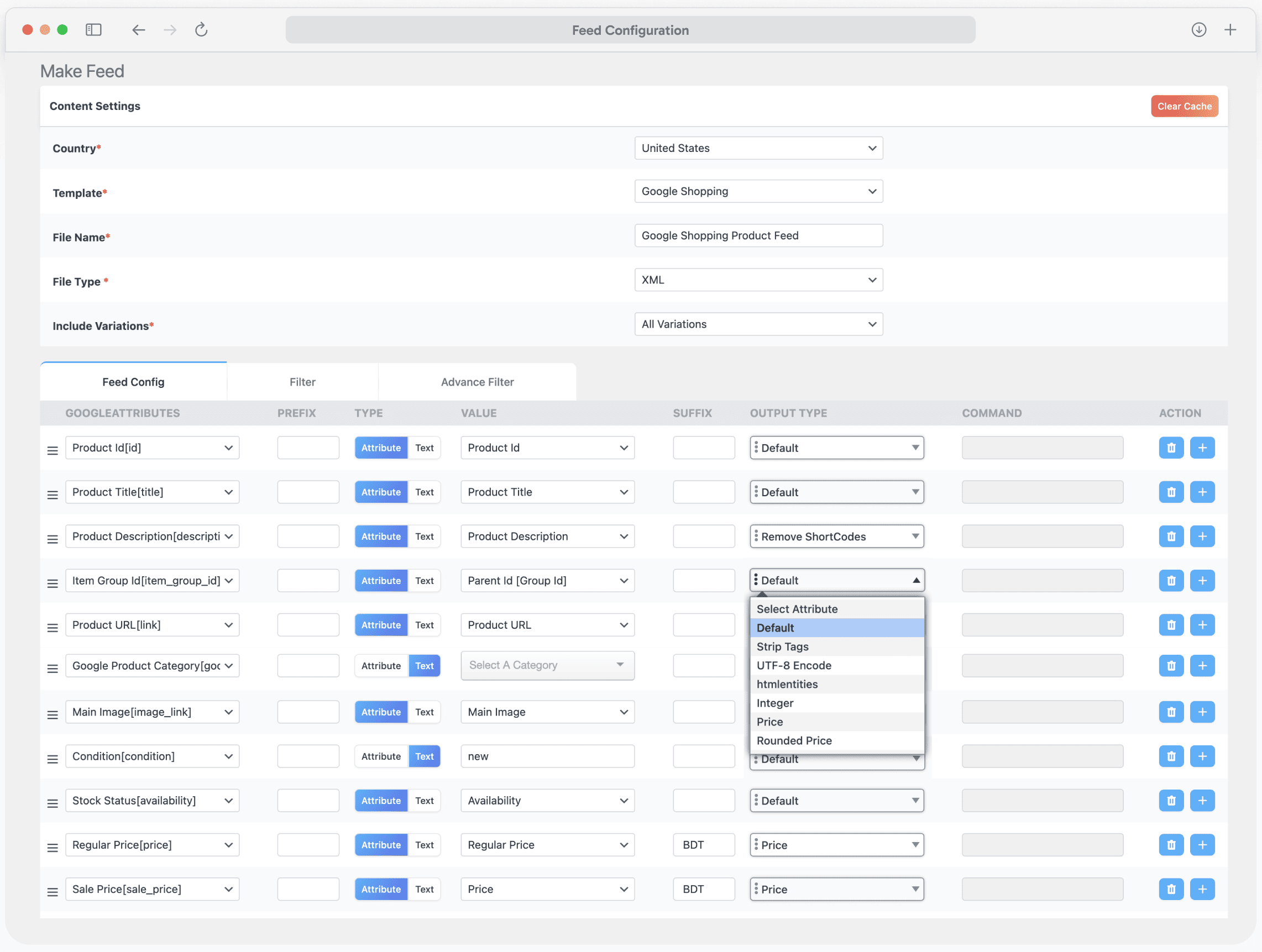
- Select “Google Shopping” from the template dropdown
- Choose XML as your file format
- Click Update and Generate Feed
- Copy the feed URL
- Add to Google Merchant Center via Scheduled Fetch
Creating a Facebook Catalog Feed
- Go to CTX Feed > Make Feed
- Select “Facebook Catalog / Instagram” template
- Choose CSV or XML format
- Generate your feed
- Upload to Meta Commerce Manager
Screenshots

Make Feed: Generate feeds for 220+ marketplaces
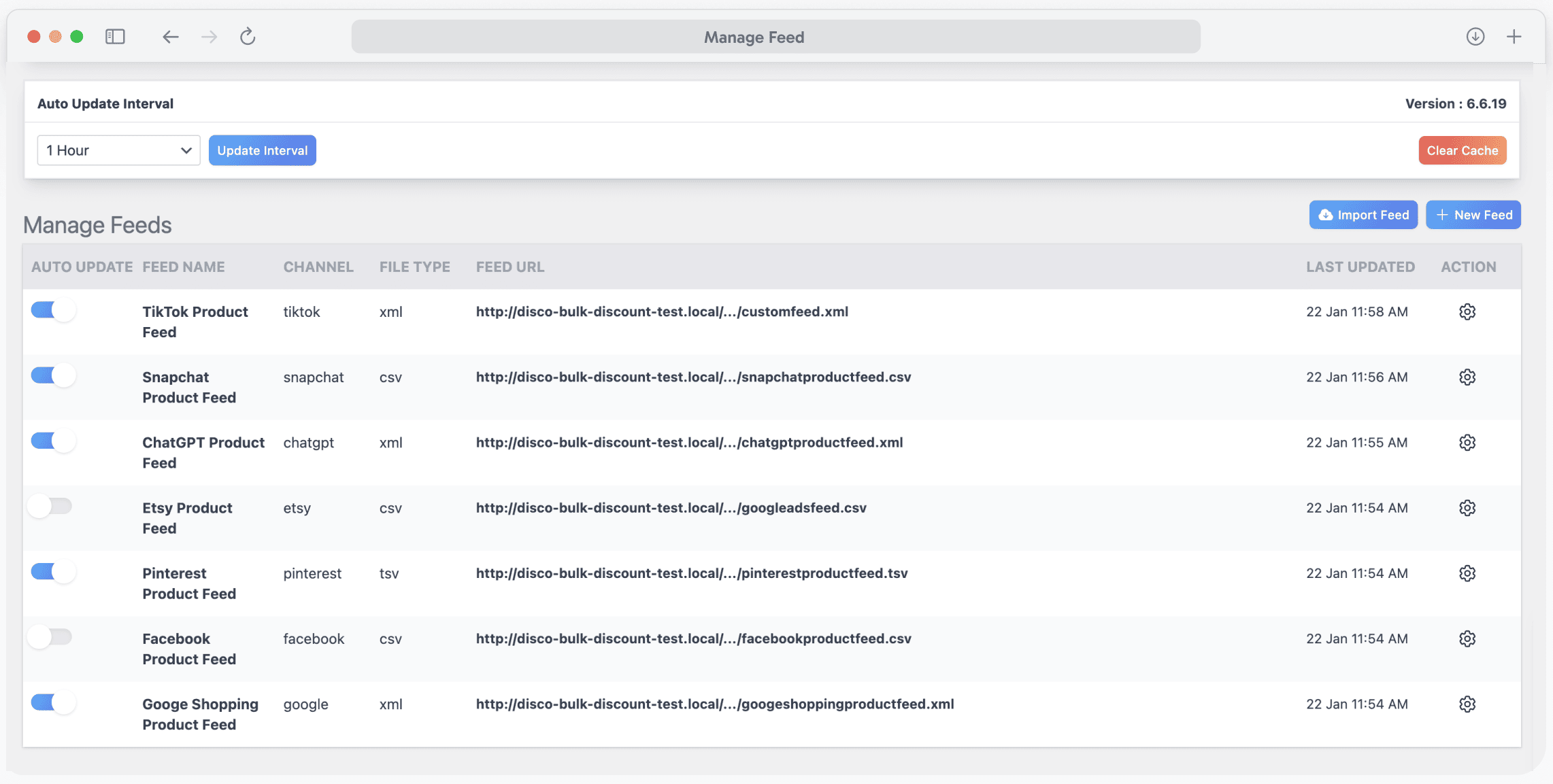
Manage Feed: Control all product feeds from one dashboard
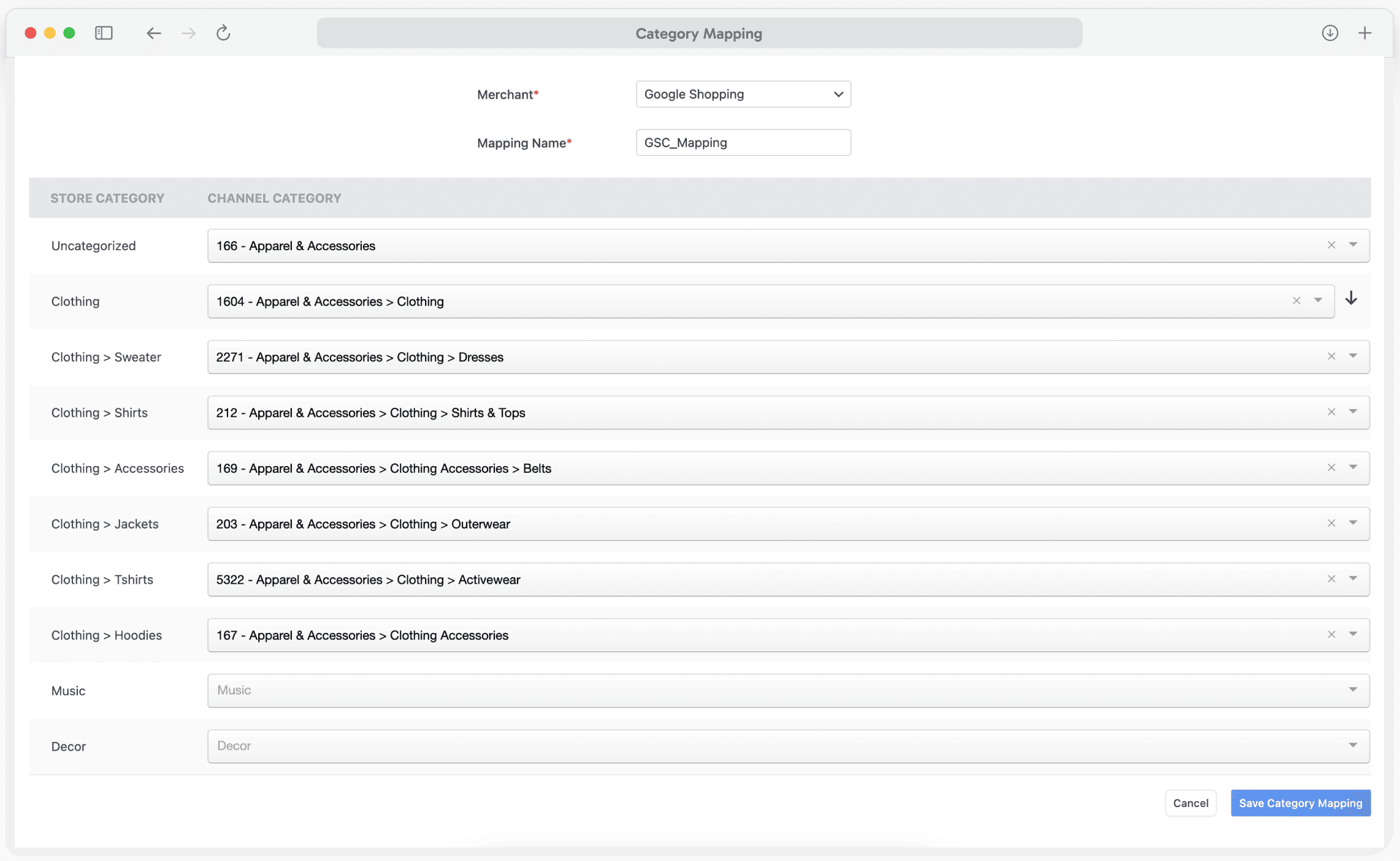
Category Mapping: Map store categories to feed categories
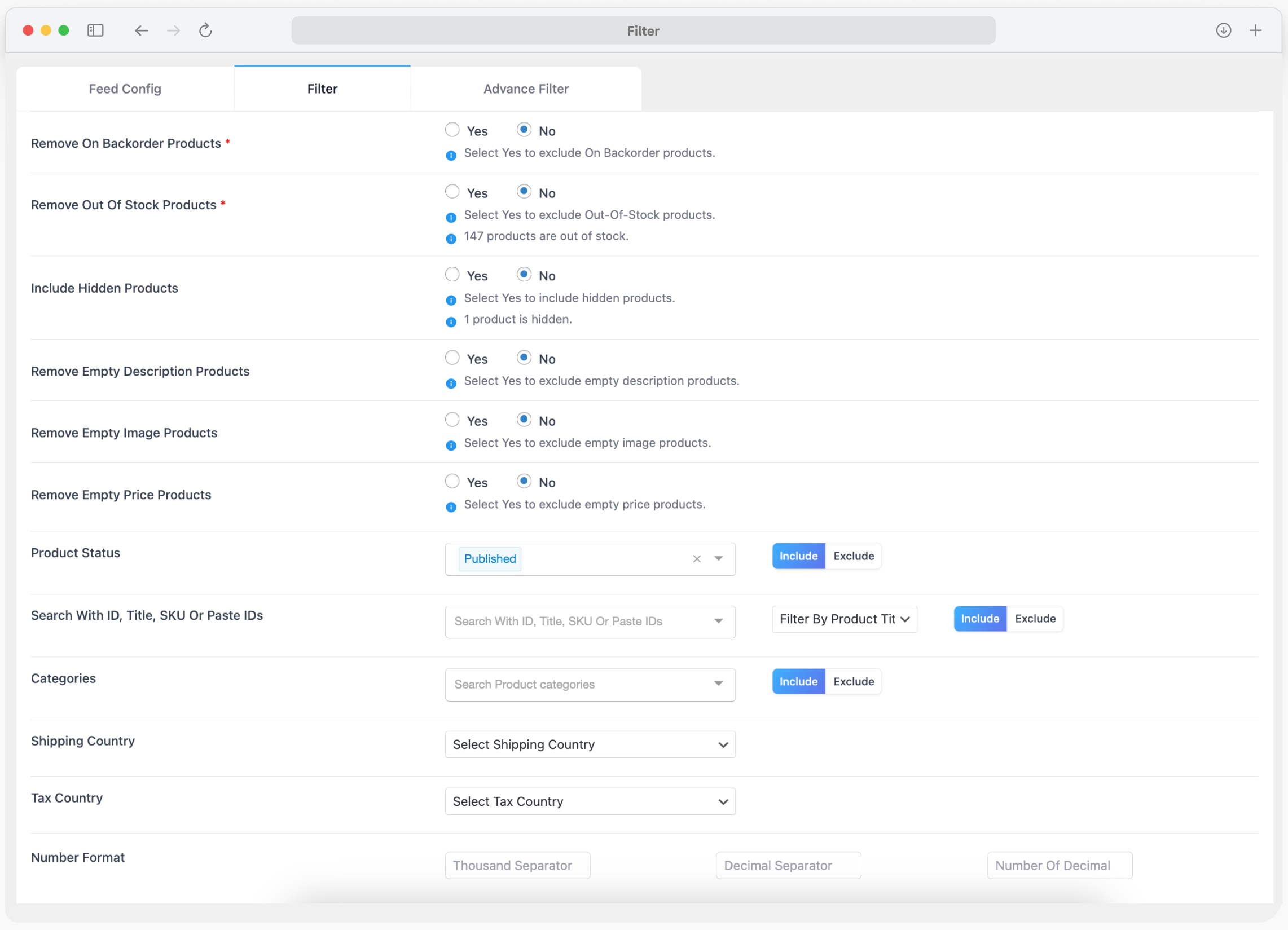
Filter: Filter products for feed generation
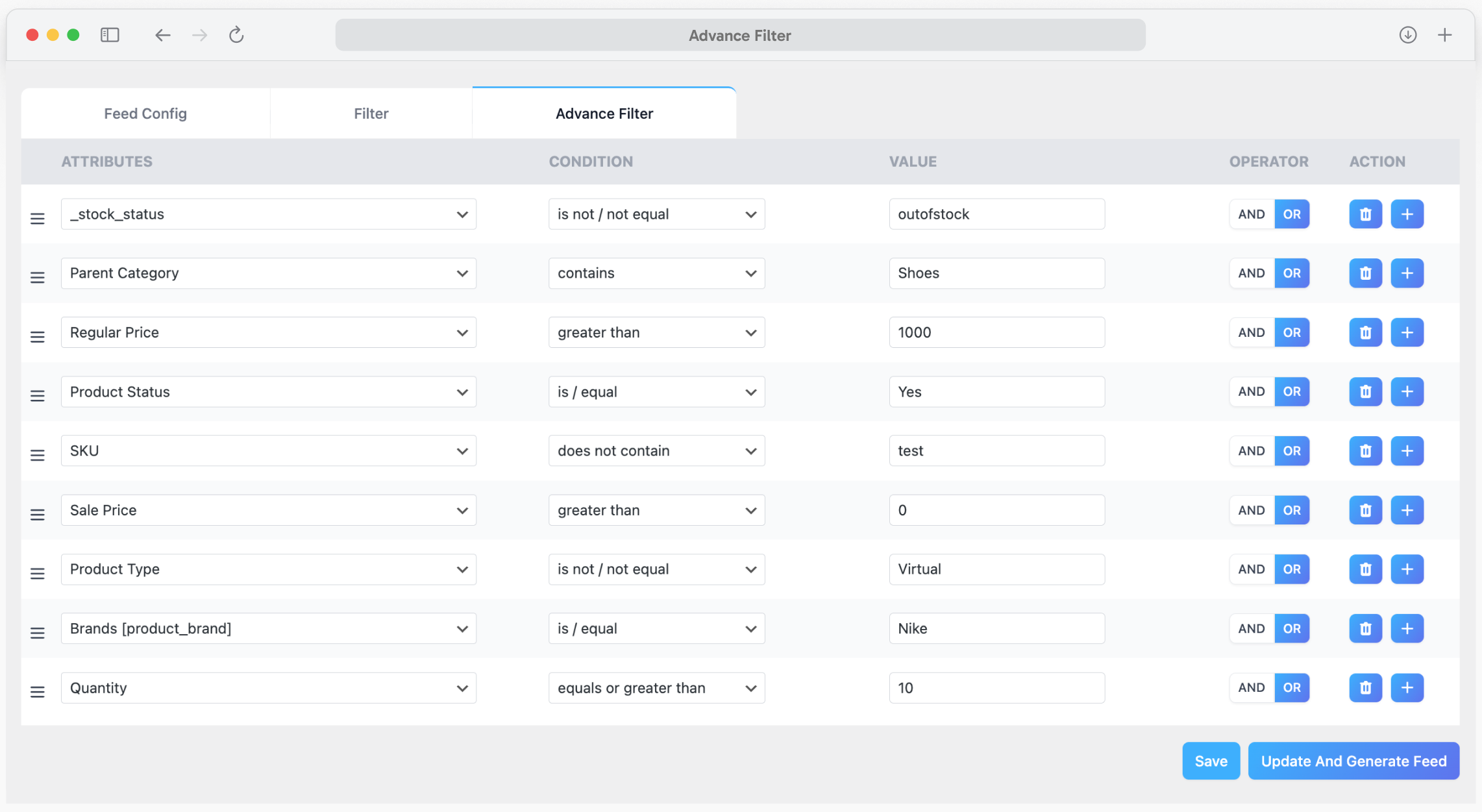
Advanced Filter: Apply advanced rules to filter products
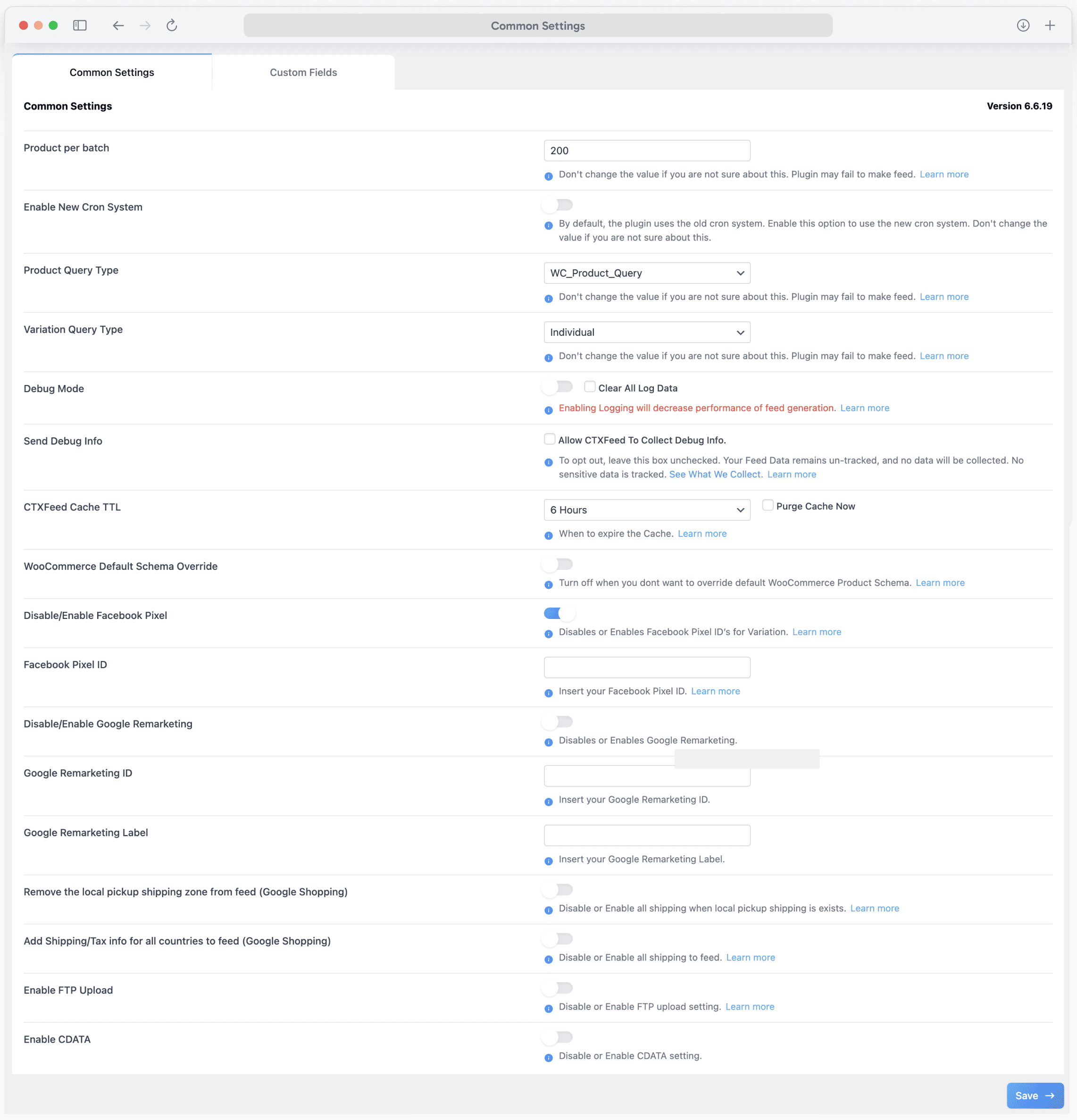
Settings: Configure WooCommerce feed settings easily
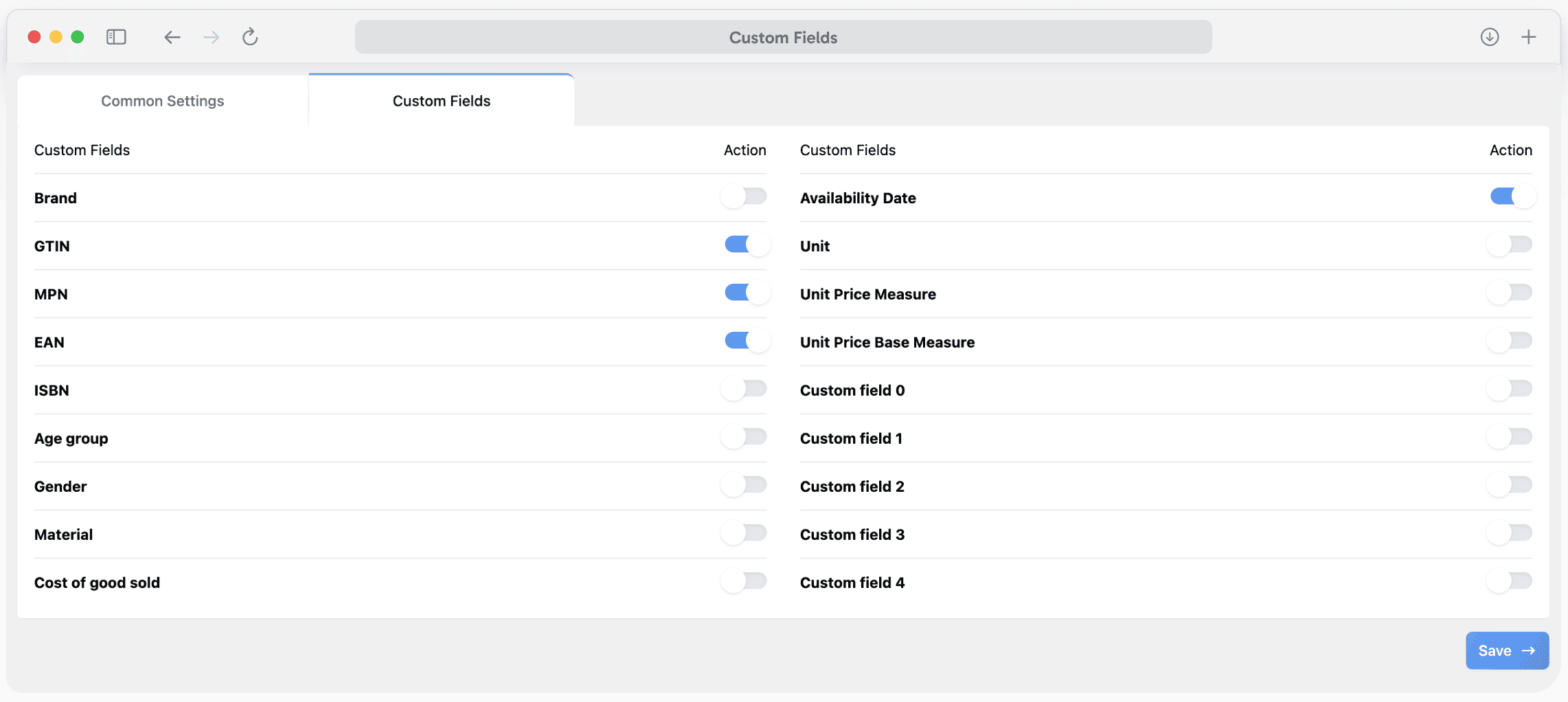
Custom Fields: Map and manage custom product fields
Dynamic Attributes: Use dynamic attributes for feeds
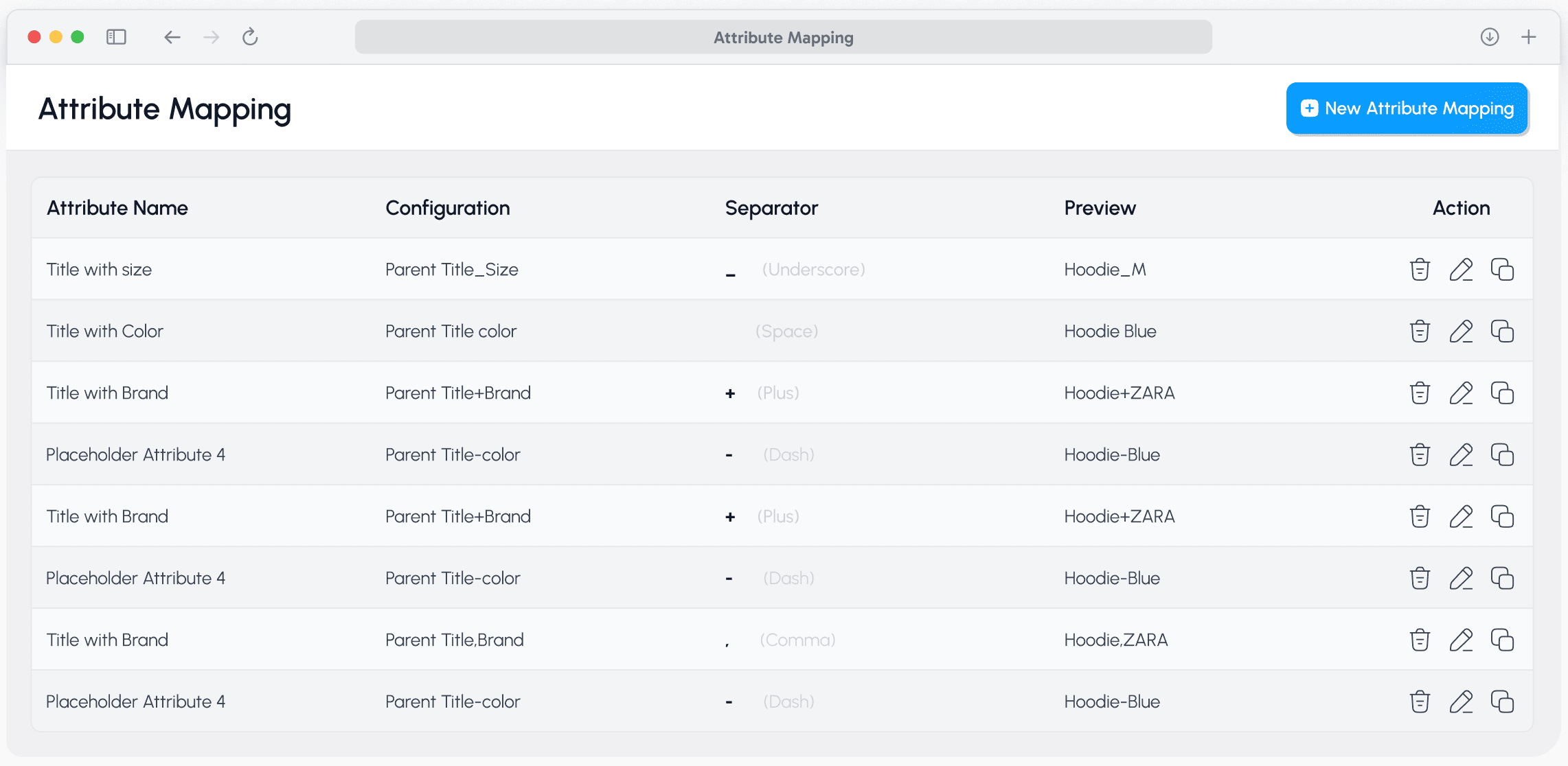
Attribute Mapping: Map product attributes to channels
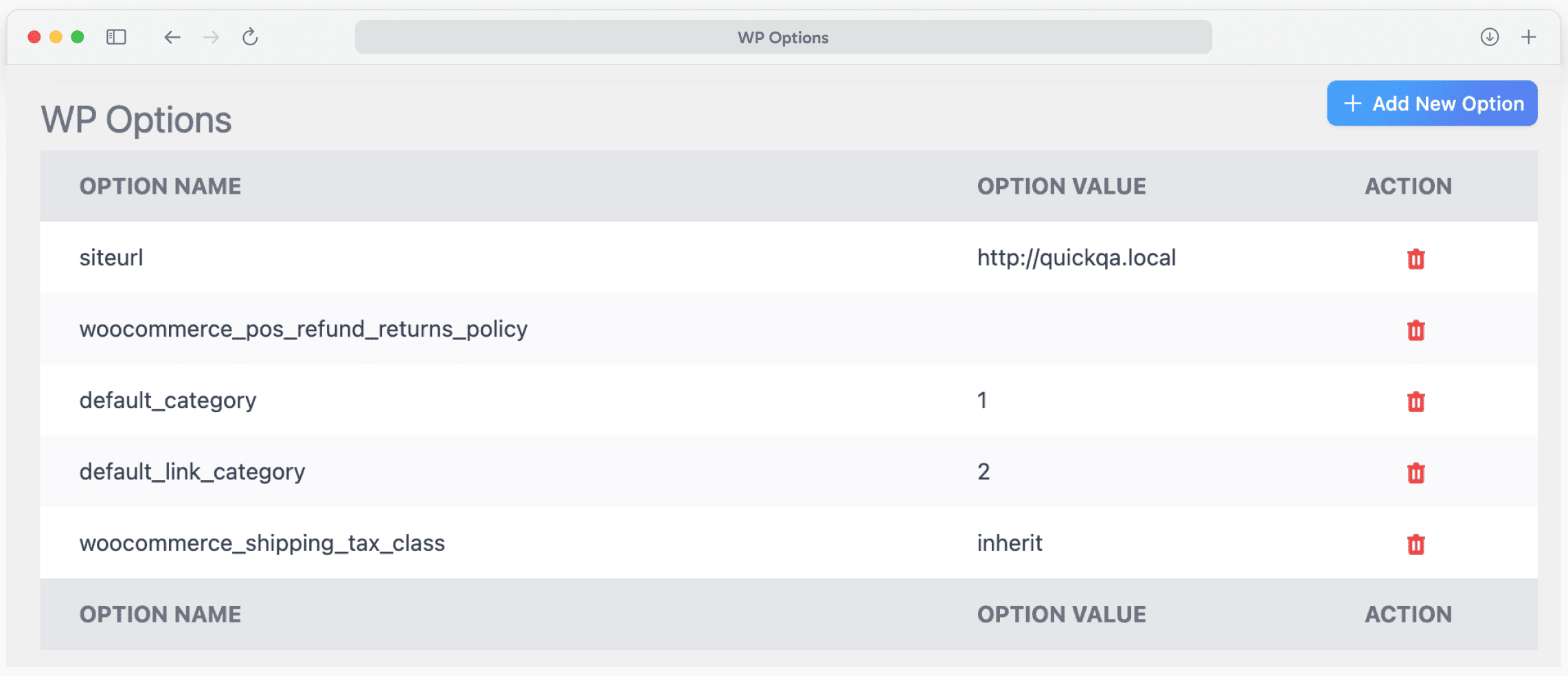
WP Option: Configure WordPress feed settings
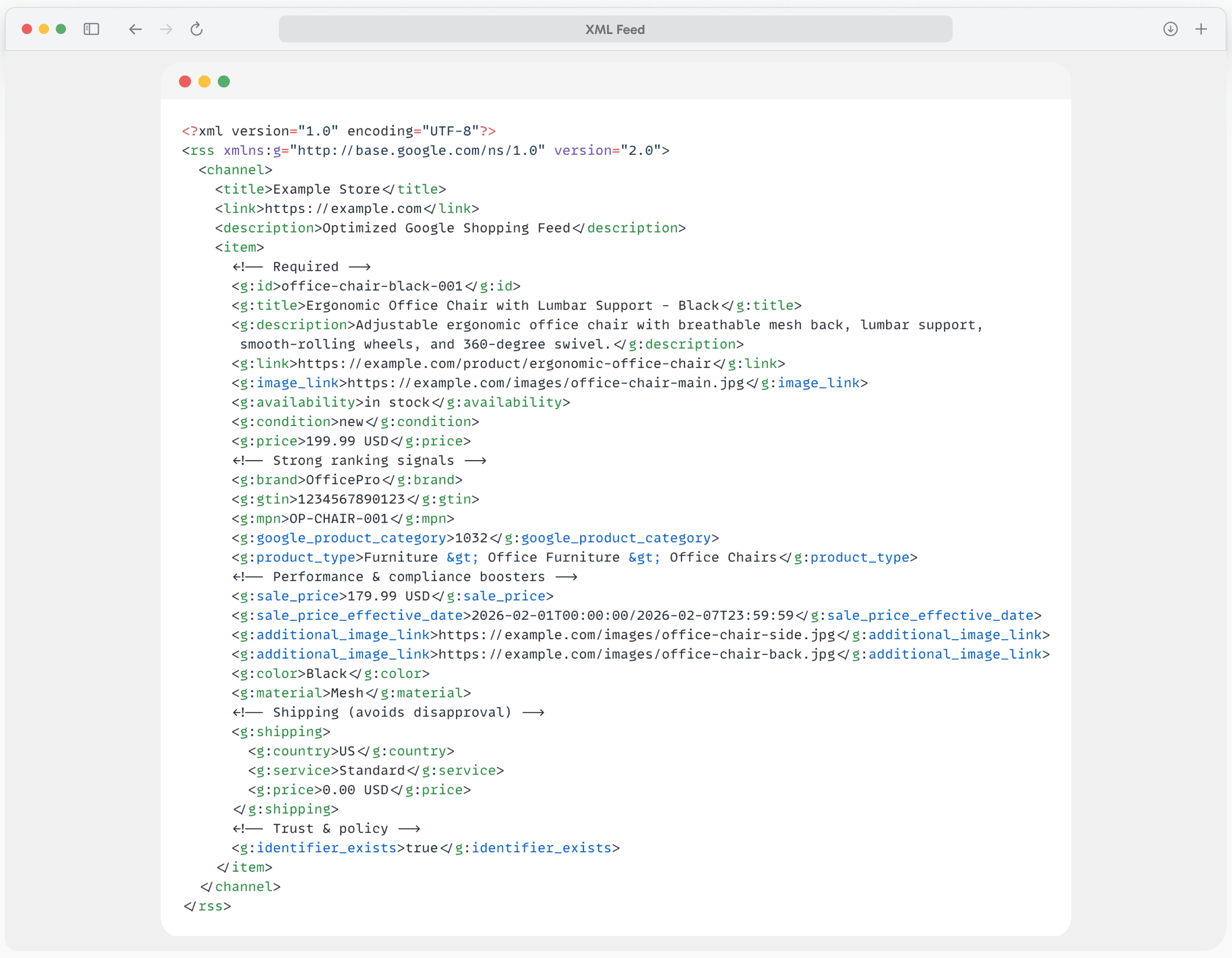
XML Feed: Preview a WooCommerce XML feed
Faq
With CTX Feed, creating a Google Shopping feed takes just 3 clicks:
1. Select the Google Shopping template from 220+ options
2. Configure your product attributes (pre-filled automatically)
3. Click “Generate Feed”
The plugin automatically maps your WooCommerce product data to all Google required attributes including title, description, price, availability, GTIN, brand, and image links.
CTX Feed’s Category Mapping tool instantly links your WooCommerce categories to Google’s official taxonomy. For missing attributes like brand or GTIN, use our Attribute Mapping feature to:
– Pull data from custom fields or ACF
– Use Yoast SEO or Rank Math data
– Set static values for your entire catalog
– Create dynamic attributes based on conditions
Absolutely! Unlike plugins that timeout, CTX Feed uses intelligent batch processing. Adjust the “Products Per Batch” setting (recommended: 200-500 products) to match your server capacity. This prevents memory limit errors and ensures 100% feed completion for massive catalogs.
Yes. CTX Feed fully supports Google’s new requirement for separate product IDs when online and in-store attributes differ (price, availability, condition). Our Local Inventory Ads template helps you generate compliant feeds with unique identifiers for multi-channel products.
Select the “Facebook Catalog / Instagram” template from CTX Feed’s 220+ pre-built options. The plugin generates a feed compliant with Meta Commerce Manager requirements, including all required fields for:
– Dynamic Product Ads (DPA)
– Instagram Shopping
– Advantage+ catalog campaigns
Yes! Following Google’s January 2026 policy update allowing subscription products in Shopping ads, CTX Feed Pro supports the subscription_cost attribute mapping required for:
– Subscription boxes
– Replenishment/auto-ship products
– Membership products
- Create a new feed using the TikTok Shop template
- Include all required attributes (product certification, brand authority)
- Generate the feed and copy the URL
- Add the feed URL to TikTok Seller Center
- Set up a scheduled sync for automatic updates
Yes! Use the Filter option when creating your feed:
1. Click “Filter” in the feed settings
2. Add condition: “Availability” + “is not” + “out of stock”
3. Generate your filtered feed
Pro tip: Use CTX Feed Pro’s advanced filtering for complex conditions.
Yes. CTX Feed is fully compatible with WPML, Polylang, and TranslatePress. Create separate feeds for each language to target international markets with localized product data.
We recommend daily updates for most stores. CTX Feed’s scheduled cron feature can automatically regenerate your feed every 1, 6, 12, or 24 hours. For stores with frequently changing inventory, use the Auto Update feature to sync changes immediately.
CTX Feed supports 6 file formats – more than any other WooCommerce feed plugin:
– XML (most common for Google, Facebook)
– CSV (spreadsheet compatible)
– TSV (tab-separated)
– XLS (Excel)
– TXT (text)
– JSON (API integrations)
No! CTX Feed free version supports unlimited products and unlimited feeds. There are no artificial limits. The Pro version adds advanced features like dynamic attributes and custom XML templates.
CTX Feed adds custom fields for GTIN, MPN, EAN, UPC, and Brand to your WooCommerce products. Simply:
1. Edit any product
2. Scroll to the “CTX Feed” tab
3. Enter your product identifiers
4. These will automatically be included in your feeds
Yes! Create separate feeds for each target country with:
– Localized pricing and currency
– Country-specific shipping information
– Translated product data (with WPML/Polylang)
– Region-specific availability
If your feed fails to generate:
1. Reduce “Products Per Batch” to 100-200
2. Increase PHP memory limit in wp-config.php
3. Check for plugin conflicts by disabling other plugins
4. Enable WordPress debug mode to identify errors
5. Contact our support team for assistance
Reviews
Good Plugin
By  nikhiltwinspark on October 13, 2026
Easy to configure…
Outstanding plugin for WooCommerce – Google Merchant Center
By  playhardgopro on October 8, 2026
We’ve been using this plugin for a few years. It has been flawless throughout the whole period. We use it for GMCfeed integration and there are not problems whatsoever. WE intend to use it in the future. WE highly recommend this plugin 🙂
Pro version update
By  tsso0120 on September 29, 2026
logged into my merchant account and discovered multiple violations: plugin uploaded products (basically all products) that weren’t supposed to be on Google at all.
It turns out that the pro version (where I had all filters set) required an update and just turned itself off leaving no filters while generating feeds
Am I supposed to monitor your pro releases 24/7 and run for update before you ruin my merchant account?
Easy to setup
By  Lukasz on September 22, 2026
This is easy to set up plugin, many functions, ai on board
Excellent support and a very useful plugin!
By  Gabitu on September 18, 2026
Excellent support and a very useful plugin!
We use CTX Feed on two WooCommerce websites, and the support team helped us successfully activate and configure the plugin on both sites. They were responsive, professional, and solved the activation issues quickly. The plugin itself is very useful for managing product feeds for multiple shopping, social, and AI channels.
Thank you to the CTX Feed support team for the great assistance. Highly recommended!
Great Plugin
By  shopmaster (serdarozbilen) on September 12, 2026
Thank you so much for this plugin. It’s really great.
Plugin is good
By  ana0to on September 8, 2026
Works well, even the free version is sufficient for most of my projects.
Impressive performance
By  barnabas1 on September 6, 2026
I have a 300+ product catalogue and the feeds for Google merchant are now generating in a couple of seconds after the recent version 8.x plugin redesign. Previously they would take 1+ minutes to generate. I guess that even smaller servers and shops can now handle generating any feed very smootly.
Excellent job, well done.
Ansary is Geniuss
By  higherspprt on September 3, 2026
Iwas facing issue in CTX feed and I contacted to live chat support Ansary replied me instantly and resolve my issue within minutes. Ctx has also updated their customer service with thier new version of CTX plugin which are really impressive and user friendly I really appriciate their work and customer care.
Good Plugin
By  frankyg73 on August 25, 2026
Very good Tool
Changelog
Version 8.0.39
- Fix: activating CTX Feed while an old CTX Feed Pro (version 7) is still active no longer crashes the site. Update CTX Feed Pro to version 8 to use both together.
- Fix: feeds come out the same on every server. Prices, dates, descriptions, titles and links no longer change with the server’s language, number or time zone settings.
- Fix: prices are no longer read 1000 times too high when CTX Feed Pro’s decimal and thousand separators are set, and Idealo prices always use the format Idealo requires.
- Fix: attribute names in non-Latin letters (for example Cyrillic or Greek) are kept when you save a feed or a mapping.
- Fix: with a currency switcher, feeds no longer pick up a visitor’s currency or convert a price twice (CTX Feed Pro).
- Fix: Woo Discount Rules no longer leaves the price empty for products without a discount.
- Fix: shipping costs are the same whether a feed runs by hand or on its schedule.
- Fix: UTM and add-to-cart links keep every character of the product link.
- Fix: Advanced Filter and Dynamic Attribute number rules give the same result on every PHP version, and an empty “contains” filter row is removed when you save.
- Fix: very long descriptions are never emptied when a text rule hits PHP’s pattern limits.
Version 8.0.38
- Fix: no more “critical error” emails when WordPress updates CTX Feed while visitors are on your site. A page that loads during the few seconds the plugin files are being replaced now loads without CTX Feed instead of failing.
- Fix: while CTX Feed Pro is being updated, feed runs wait for it instead of publishing a feed without Pro’s settings (prices, languages, attribute rules). If Pro is still not ready after 10 minutes, the run stops and your previous feed file is kept.
- Fix: image links keep file names with Polish and other non-English letters (ł, ą, ś, ü …). On some servers part of each letter was turned into “_”, so Google could not open the image.
Version 8.0.37
- Fix: if a CTX Feed file can’t be read on your server, CTX Feed pauses itself for that page load and shows administrators a notice. Before, the whole site could stop working.
- Fix: deleting, regenerating and duplicating feeds works on sites whose database settings table lost its automatic numbering, for example after a site migration.
- Added: a limited-time Halloween offer for CTX Feed Pro in the plugin’s sidebar and on the WordPress dashboard, until November 5.
Version 8.0.36
- Fix: prices with discount plugins (Acowebs, RightPress, Woo Discount Rules, Conditional Discounts) are worked out in a fixed order: the discount first, then the currency conversion. Tax is added once. Currency plugins need CTX Feed Pro 8.0.27.
- Fix: Conditional Discounts (WAD) discounts reach the current price, which the Google template uses as the sale price.
- Fix: every feed run uses the prices a logged-out visitor sees. Member, role and B2B prices no longer appear in feeds you run by hand.
- Fix: Rank Math variables such as %title% and %sitename% are filled in the SEO title and description.
- Fix: an empty Yoast, Rank Math or All in One SEO title or description uses the product’s own title or description.
- Fix: “GTIN [RankMath Pro SEO]” is filled again.
- Fix: a vendor feed only lists the selected vendor’s products, and “Vendor Store Name” is in the attribute list.
- Fix: Germanized unit prices can be picked with their unit, such as “150 g”.
- Fix: WoodMart variation galleries are included without a separate gallery plugin.
- Fix: the feed folder is excluded from the LiteSpeed CDN on current LiteSpeed versions.
- Fix: the tax column header of Google CSV, TSV and TXT feeds lists the four parts its value has.
- Fix: text parts in Attribute Mapping stay text after saving, in the list and when duplicated. Needs CTX Feed Pro 8.0.27.
- Fix: the Filters tab counts products priced 0.00 as empty-price products.
Version 8.0.35
- Changed: “First Variation Price” uses the price of the first variation in the product’s variation order, the same variation “First Variation Quantity” uses. Before, it gave the lowest price, the same as “Min Variation Price”.
- Fix: Enclosure “None” on CSV and TSV feeds writes values without wrapping them. They were wrapped in spaces.
- Added: category mapping in WPML and Polylang stores. Map each category once in your default language; translated categories use that mapping, and the editor lists each category once. Needs CTX Feed Pro 8.0.26.
- Fix: Dynamic Attribute names show in the feed editor as you typed them, including after a rename. Needs CTX Feed Pro 8.0.26.
- Fix: the License page points to My Account Downloads to download CTX Feed Pro.
Version 8.0.34
- Fix: a feed no longer lists the same products twice. On some servers two background processes could build the same feed at once; now only one can.
- Fix: an update that is still copying its files no longer causes a “critical error” on the site. CTX Feed waits until the update has finished and shows administrators a short notice meanwhile.
- Fix: FTP and SFTP uploads go straight to the feed’s real file name. Google Merchant Center’s SFTP no longer reports a “.part” file.
- Added: FTP/SFTP upload progress in the live log on Manage Feeds and in the feed log. A run is marked complete only after the upload has finished.
- Fix: the live generation log on Manage Feeds always fits inside the page and no longer runs past the left or right edge.
Version 8.0.33
- Changed: ChatGPT feeds follow OpenAI’s own product feed format (item_id, url, image_url, seller_name, and variants with group_id and variant_dict). Saved ChatGPT feeds are updated automatically on update; the original settings are kept as a backup.
- Fix: feeds made with an older version follow the “include all shipping countries” setting again, and the Filters tab shows the real value so saving no longer switches it to the feed country.
- Fix: text you type into a mapping row, such as a fixed brand, is never translated by TranslatePress. Needs CTX Feed Pro 8.0.24.
- Fix: a run that finds no products keeps the previous feed file and its “Last updated” date, and the feed log says so.
- Fix: Bing sale_price is a plain number, as Microsoft requires.
- Fix: feeds on a 5-, 15-, 30- or 45-minute schedule are listed under the right status in Manage Feeds.
- Security: feed logs are stored in a folder with a random name, so they cannot be opened on servers that ignore .htaccess (such as nginx).
- Added: email notifications when a scheduled feed update fails, finds no products or stops running (Settings > Notifications). Needs CTX Feed Pro 8.0.24.
- Added: a notice before updating from Version Control while CTX Feed is going through its major update.
- Improved: Google Shopping Actions, Walmart, Etsy, Shopee and Wish templates are marked as legacy with an explanation; Walmart no longer offers JSON.
- Improved: clearer hints for the FTP/SFTP path and the XML Extra header.
- Improved: the plugin zip no longer includes developer test files.