

User Profile Picture – Custom Local Avatars
Description
User Profile Picture gives any user a custom profile picture, a local avatar chosen from the WordPress Media Library, instead of their Gravatar.
Choose the picture on the user’s profile screen with the standard WordPress media uploader. From then on it appears everywhere WordPress shows that user’s avatar: comments, author boxes, the admin toolbar, the Users list, the Avatar block, the REST API, and any theme or plugin that uses get_avatar() or get_avatar_url(), such as page builder author boxes and GraphQL APIs.
Features
- Custom profile picture for any user, chosen or uploaded with the native WordPress media uploader.
- Shown everywhere avatars appear: comments, post authors, the admin toolbar, the Users screen, the Avatar and Post Author blocks, and themes and plugins that call
get_avatar()orget_avatar_url(). - Avatar URLs in the REST API (
avatar_urls) and in plugins that ask for the avatar URL, such as page builder widgets and GraphQL APIs, use the custom picture too. - Remove the picture with one click to go back to the Gravatar.
- Pictures are served from your own site, so users don’t need a Gravatar account.
- Users without a custom picture keep their Gravatar or your default avatar.
- Keeps the size, alt text, CSS classes and lazy loading your theme asks for.
- Set the picture when creating a user on Users > Add New.
- Lightweight: no settings page, and the media uploader loads only on the user screens.
- Works with block themes, classic themes and multisite.
- For developers: the
dew_profile_img()function and thedpp_avatar_classesfilter.
How it works
- Go to Users and open a user’s profile, or your own.
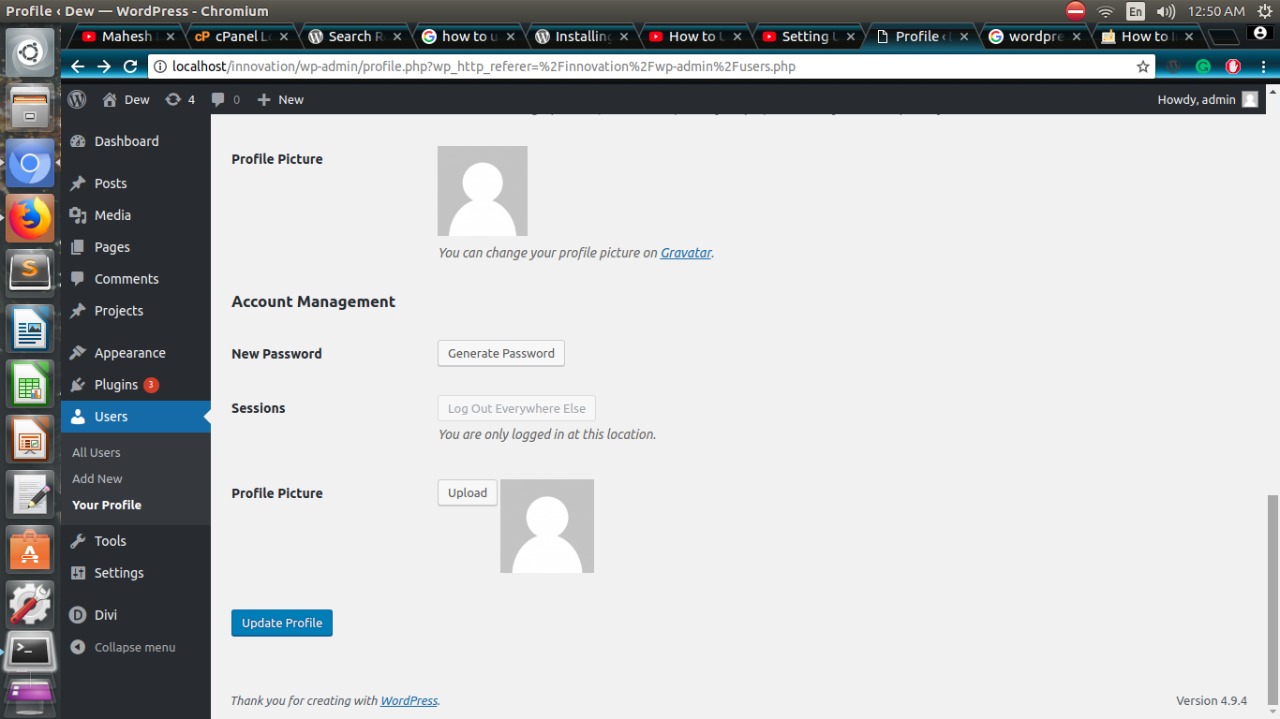
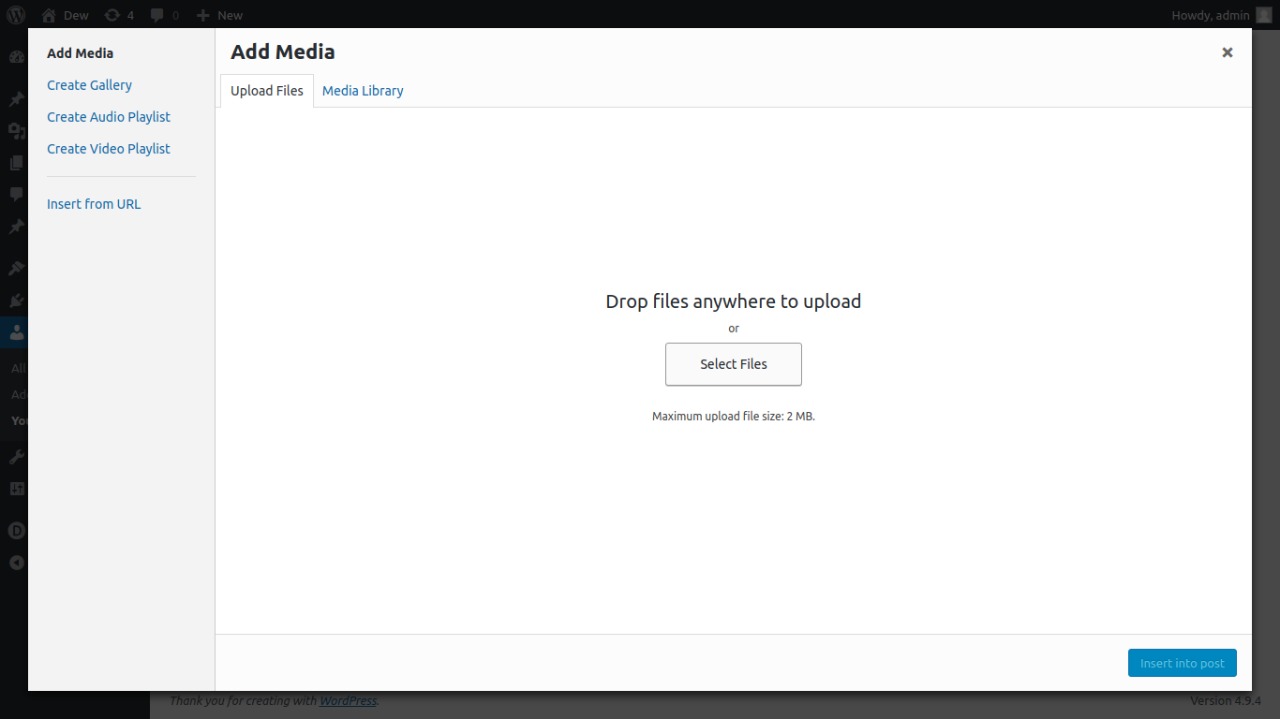
- Under Profile Picture, click Upload and choose or upload an image.
- Click Update Profile. The picture now replaces that user’s Gravatar across your site.
To go back to the Gravatar, click Remove under the picture and then Update Profile.
Profile pictures are set by administrators (users who can edit other users), for any user including themselves.
Like the plugin? Please consider leaving a review. It helps other people find it.
Installation
From your WordPress dashboard
- Go to Plugins > Add New and search for “User Profile Picture Dew Technolab”.
- Install and activate the plugin.
- Open Users > Profile, or edit any user, and set the profile picture.
Manual installation
- Upload the
users-profile-picturefolder to/wp-content/plugins/. - Activate the plugin on the Plugins screen.
Screenshots

The Profile Picture field on the user profile screen.
Choosing or uploading the picture with the WordPress media uploader.
Faq
How do I set a user’s profile picture?
Open the user’s profile (Users > Profile, or Users > All Users > Edit), click Upload under Profile Picture, choose an image and click Update Profile.
Who can set profile pictures?
Administrators, and other users who can edit users. They can set a picture for any user, including themselves.
Where is the picture shown?
Everywhere WordPress shows that user’s avatar: comments, author boxes, the admin toolbar, the Users list, the Avatar block, and themes and plugins that use the standard get_avatar() or get_avatar_url() functions. The REST API’s avatar_urls and plugins that read the avatar URL (page builder widgets, GraphQL APIs) get the custom picture as well.
How do I remove a profile picture?
Open the user’s profile, click Remove under the picture and click Update Profile. The user gets their Gravatar or the default avatar again.
Do users still need Gravatar?
No. A user with a custom profile picture gets it from your site. Users without one keep their Gravatar or the default avatar set in Settings > Discussion.
How do I show the picture in my theme?
Use get_avatar( $user_id, 96 ) as usual. To print only the custom picture, use dew_profile_img( $user_id, array( 'size' => array( 96, 96 ) ) ). Add CSS classes with the dpp_avatar_classes filter.
How do I crop the image?
In the media uploader, click Edit Image to crop or scale the picture with the WordPress image editor before you choose it.
Does it work on multisite?
Yes. The picture is stored with the user, so it is shown on every site in the network.
Where can I get help?
Ask in the support forum.
Reviews
Nice user profile plugin
By  Hub5050 (creatorseo) on January 15, 2026
Easy to use and does exactly what I would expect without any unnecessary functionality. It is nice to have a way for updating user profile pictures and not having to use a Graviar or something else.
I hope that this plugin will be maintained going forward as it is greatly appreciated.
A Simple and Effective Solution
By  designwise on February 17, 2023
Admins who need to add profile photos for users who do not have avatars can do so with this “plain vanilla” plugin, nothing fancy, just plain functional. Scroll down to the bottom of the user settings to see the new option.
Changelog
1.0.10
- Fix: The profile picture is now also used by code that asks for the avatar URL instead of the image (
get_avatar_url()andget_avatar_data()): the REST APIavatar_urls, page builder author boxes and profile picture tags, GraphQL APIs and the block editor showed the Gravatar. - Fix: The Avatar block’s border and rounded corners were lost on profile pictures. Extra image attributes, height and width passed to
get_avatar()are now kept. - Added: A “Remove” button under the profile picture to go back to the Gravatar.
1.0.9
- Fix: The plugin name showed an unreadable character instead of the dash on the Plugins screen.
1.0.8
- Added: A short, dismissible review request on the user screens (two weeks after first use) and a “Leave a review” link on the Plugins screen.
- Tweak: Clearer plugin name, description and FAQ.
1.0.7
- Fix: The profile picture is now also used when themes request an avatar with a user object, a post or a member’s comment, and keeps the theme’s alt text, CSS classes and lazy loading.
- Fix:
dew_profile_img()printed nothing (and a PHP warning) when called with its default settings, and its default size produced an invalid image size. - Fix: The picture chosen on Users > Add New is now saved.
- Fix: Picture URLs containing “&” were saved HTML-encoded.
- Security: Only http and https picture URLs are accepted, saving checks permission to edit that specific user, and a profile save without the picture field no longer removes the picture.
- Tweak: The media uploader now loads only on the user profile screens instead of every admin page.
- Tweak: The text domain now matches the plugin slug so WordPress.org translations load.
- Tested with WordPress 7.1.
1.0.6
- Added compatibility with WordPress version 7.0.0.
1.0.5
- Added compatibility with WordPress version 6.7.1.
1.0.4
- Added compatibility with WordPress version 6.0.
- Other minor bug fixes.
1.0.3
- Added compatibility with PHP version 8.0.
- Added compatibility with WordPress version 5.6.
- Other minor bug fixes.
1.0.2
- Change
1.0.1
- Fix error
1.0.0
- Initial release.