
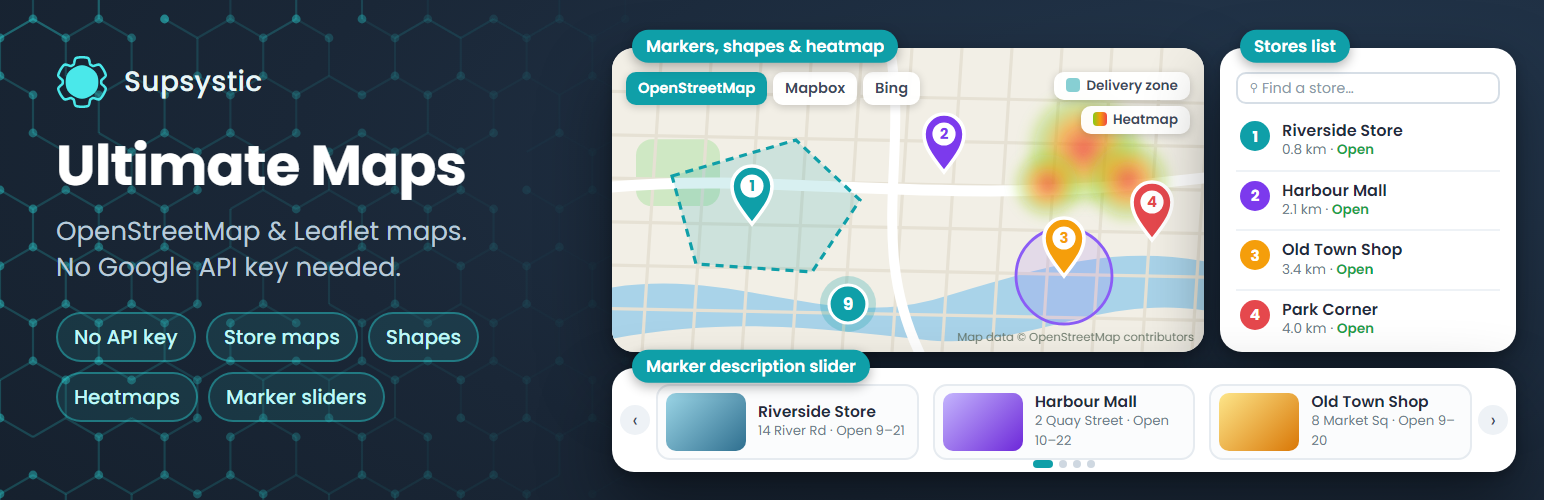
Ultimate Maps by Supsystic – OpenStreetMap, Leaflet & Mapbox, No API Key
Description
Ultimate Maps by Supsystic is a WordPress map plugin for interactive OpenStreetMap maps built on Leaflet. Add unlimited maps and markers, describe each place with text, photos and video, group markers into categories with a filter and cluster them when they crowd together. It works out of the box without a Google Maps API key, and your pages make no requests to Google.
Want a different look? Switch the same map to Mapbox, Thunderforest, Bing Maps or your own tile server without rebuilding a single marker.
Try it in your browser: open a live demo in WordPress Playground – no install, no account.
OpenStreetMap without an API key
OpenStreetMap tiles load through Leaflet with no key and no account. Pick the style that suits your site:
- OpenStreetMap Standard, Germany and Humanitarian
- OpenTopoMap, CyclOSM and OpenHikingMap for outdoor, cycling and hiking maps
- Public transport and railway maps
- OpenFreeMap vector styles: Positron, Bright, Liberty, Dark and Fiord
- CartoDB Positron
More map providers
- Mapbox: streets, outdoors, light, dark and satellite (free access token)
- Thunderforest: OpenCycleMap, outdoors, landscape and transport (free API key)
- Bing Maps: road, aerial, bird’s eye and canvas (Bing Maps key)
- MapTiles API (OpenStreetMap) through RapidAPI
- Any custom or self-hosted Leaflet tile server
Change the provider of an existing map at any time. Your markers stay where they are.
Unlimited maps and markers
- Markers with text, photos, video, links, phone and e-mail
- Custom marker icons from the built-in library or your own image
- Marker categories with a front-end filter
- Marker clustering for maps with many locations
- Linked markers that open any URL on click
- Address search: type an address and get the pin
Map settings
- Width, height, zoom, minimum and maximum zoom
- Scroll-wheel and drag behaviour, navigation bar and zoom controls
- Responsive maps with touch controls
- A starter set of map themes
Add maps anywhere
- Gutenberg block, Elementor widget, sidebar widget, shortcode and PHP snippet
- Works with WPBakery, Divi, Beaver Builder and other page builders through the shortcode
Moving from Google Maps
Import maps from our Easy Google Maps plugin and keep your markers. Move maps and markers between sites with CSV import and export.
Privacy
Ultimate Maps makes no requests to Google. Map tiles load only from the provider you choose for each map.
Made for
- Contact page and office location maps
- Businesses with several branches or dealers
- Real estate and rental listings
- Hiking, cycling and travel maps
- Event venues, campuses and city guides
Ultimate Maps Pro
Pro adds layers, shapes and richer ways to present your locations:
- Shapes: polygons, polylines and circles with fill and descriptions
- KML layers from a file or URL, and KML points imported as markers
- Heatmap layer
- Table view: a searchable, sortable list of locations
- Horizontal and vertical photo sliders and an exposition slider next to the map
- Visitors can add markers from the front end
- Markers shown only between two dates
- The full collection of map themes
Learn more
Installation
- In your dashboard go to Plugins Add New Plugin and search for “Ultimate Maps by Supsystic”.
- Click Install Now, then Activate.
- Open the Ultimate Maps menu and add a new map. OpenStreetMap works right away, no key needed.
- Add markers by typing an address or clicking on the map, then save.
- Add the map to a page with the block, the Elementor widget or the shortcode.
Screenshots

Interactive map with custom markers and marker descriptions.
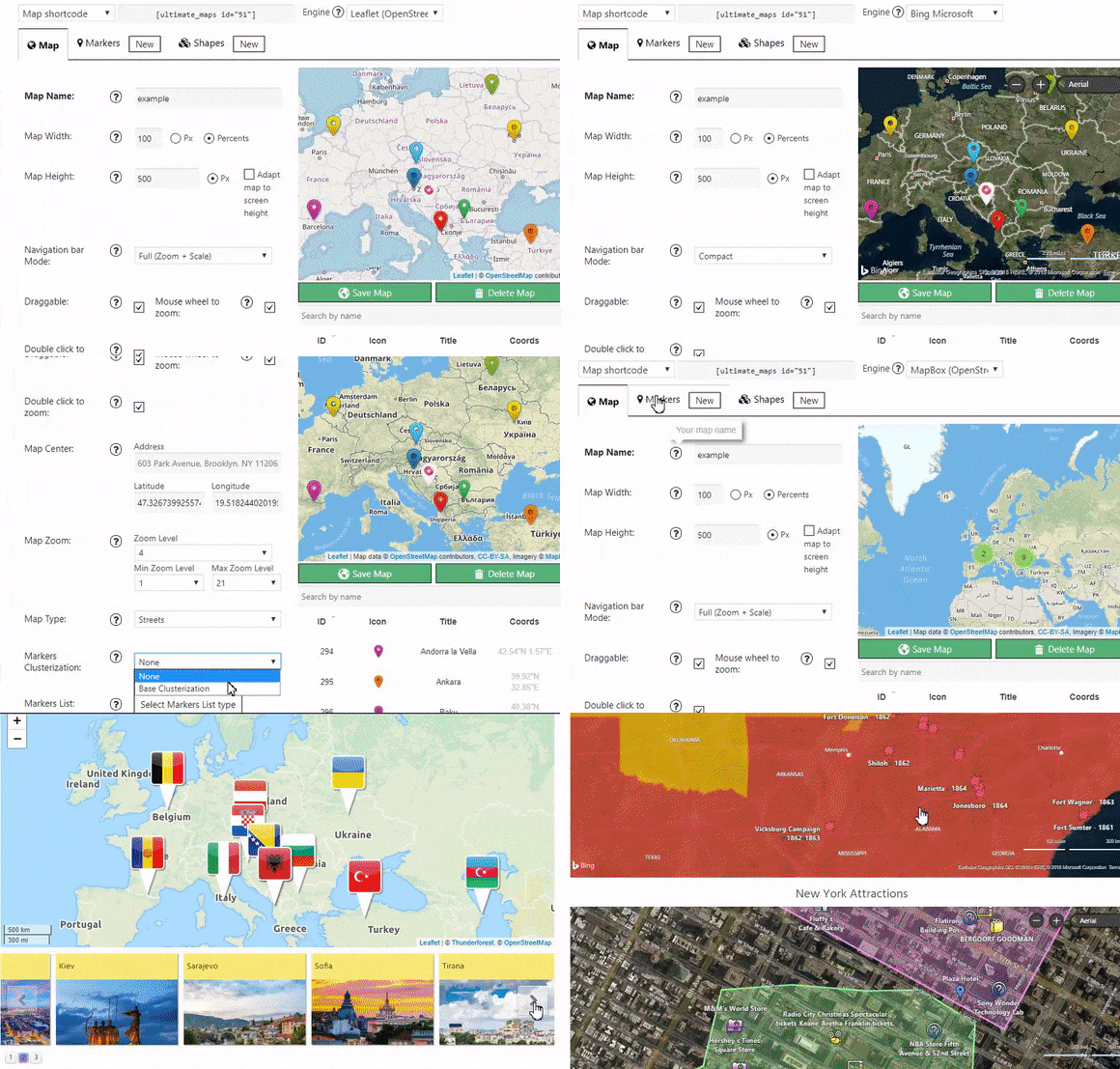
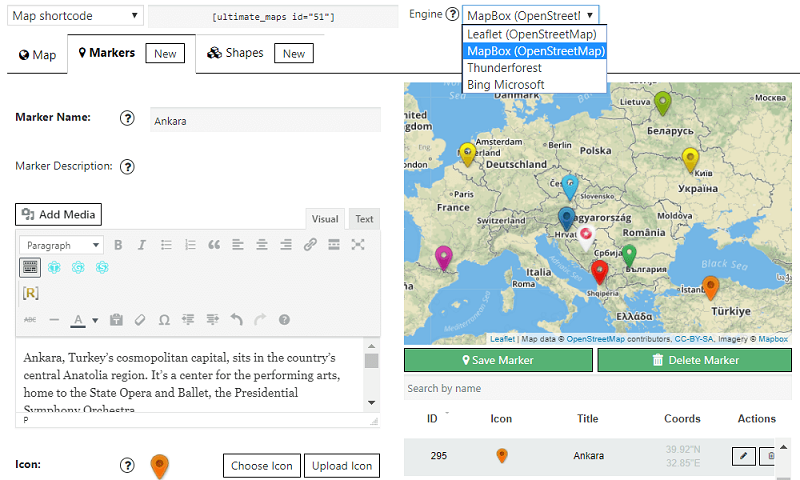
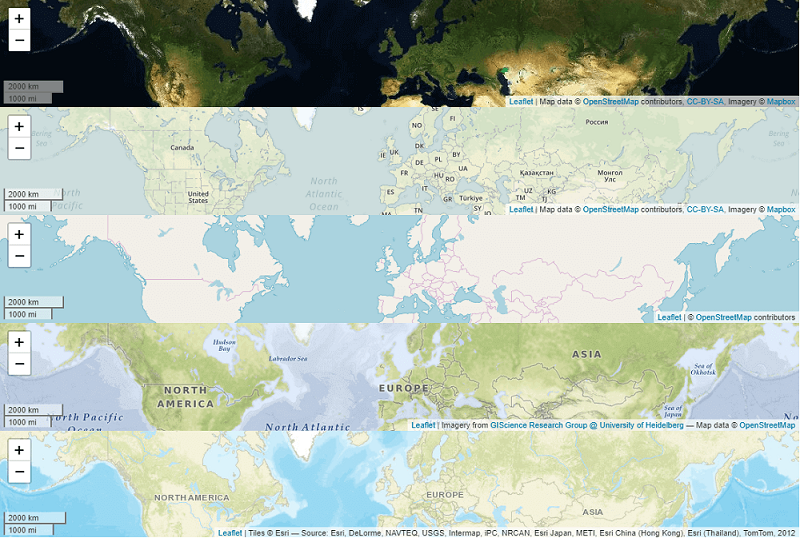
Switch the map provider in one click: OpenStreetMap, Mapbox, Bing Maps or Thunderforest.
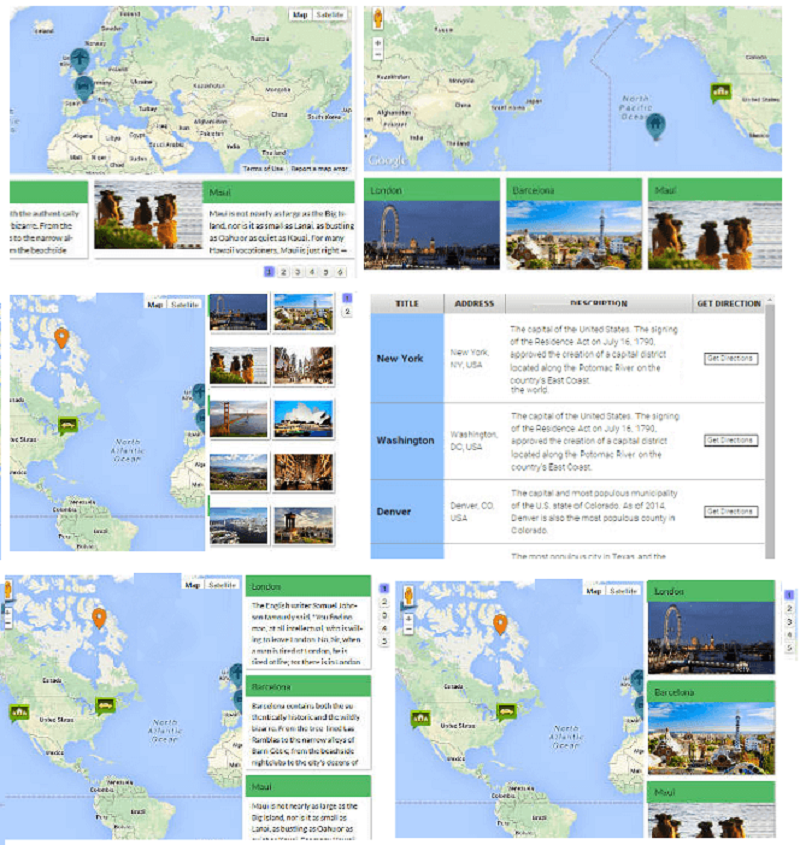
Map with a list of all markers displayed below it (Pro).
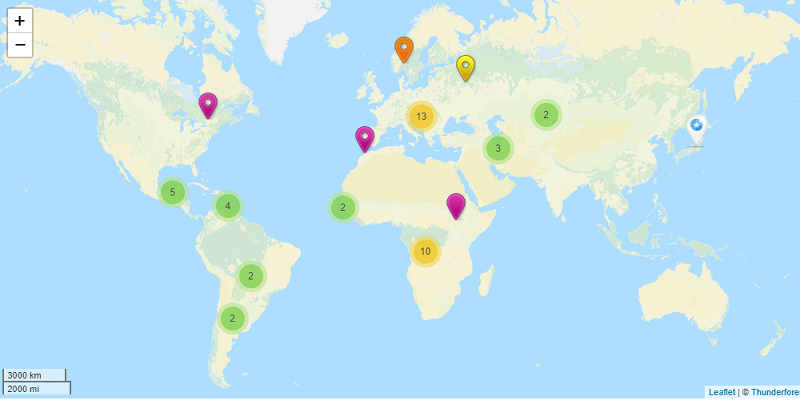
Marker clustering on a map with many locations.
Map styles and themes.
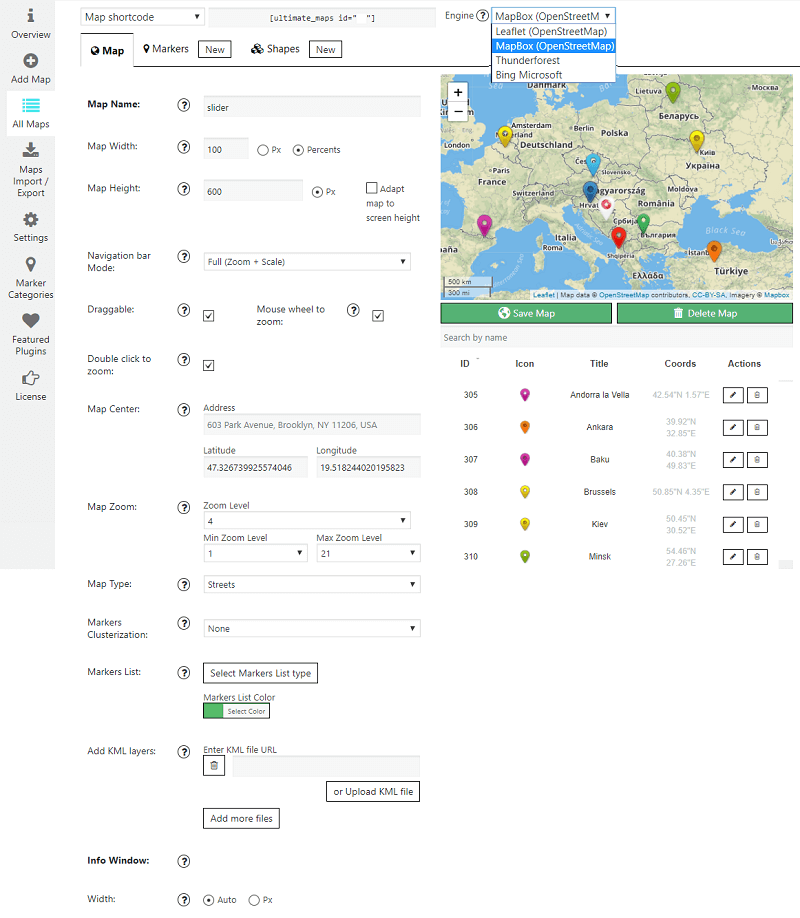
Map settings in the admin area.
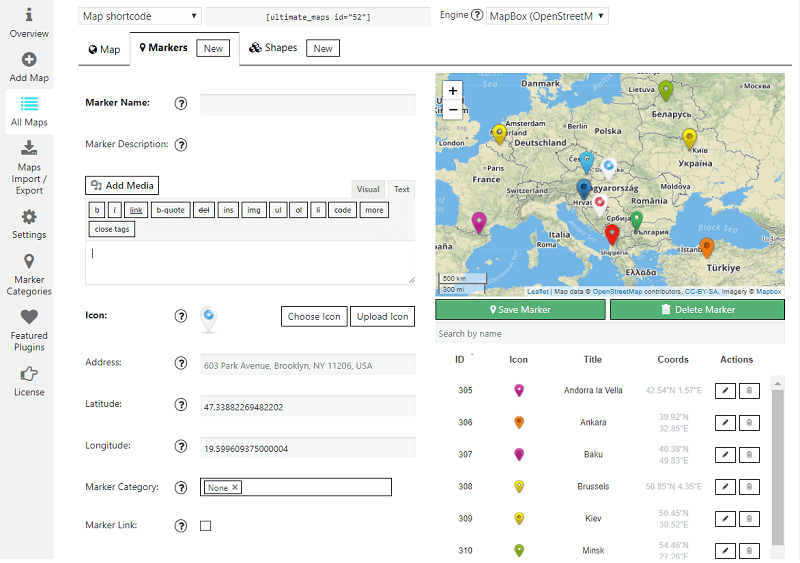
Marker settings: address, icon, description and category.
Shape settings for polygons, lines and circles (Pro).

Faq
No. OpenStreetMap maps through Leaflet work without any key or account. Mapbox, Thunderforest, Bing Maps and MapTiles API need a key from that provider; Mapbox and Thunderforest offer free plans.
Yes. Ultimate Maps gives you interactive maps with markers, categories and clustering without Google Maps, a Google API key or Google billing.
No. Ultimate Maps makes no requests to Google. Tiles load only from the map provider you select.
Yes. Change the provider or style of an existing map at any time, and your markers stay in place.
As many as you need. Maps and markers are unlimited in the free plugin.
Yes. Choose an icon from the built-in library or upload your own image.
Yes. Assign markers to categories and show a front-end filter on the map.
Yes. Nearby markers group into clusters that open as visitors zoom in.
Yes. Ultimate Maps imports maps from our Easy Google Maps plugin. You can also move maps and markers between sites with CSV import and export.
Use the plugin’s block in the block editor, the Elementor widget, the sidebar widget, or paste the map shortcode. A PHP snippet is available for theme templates.
Polygons, polylines and circles are available in Pro, along with KML layers and a heatmap.
Yes. The plugin is translation-ready and ships with a German translation.
Please report security issues through the Patchstack Vulnerability Disclosure Program. The Patchstack team validates and triages each report and notifies us.
Reviews
Problème affichage
By  orvaloris on July 25, 2024
Bonjour, j’ai un problème avec l’affichage des cartes via ce plugin, sur certains appareils bureau, elles s’affichent, sur d’autres non, mobile pareillement. Je n’arrive pas à comprendre à quoi cela peut être du. Si vous avez des pistes, n’hésitez pas à m’aiguillez pour trouver la solution et ainsi obtenir un affichage complet sur tous les ordinateurs. J’ai également régler les paramètres dans mon navigateur, partager ma localisation, supprimer les données, vider le cache, autoriser cookies tiers, activer javascript etc mais rien n’y fait. Pour info, les cartes ont été générées via un code court intégré dans Elementor et j’ai utilisé le moteur Leaflet Map. Merci d’avance.
functional with display bugs
By  LEXPROD SAS, NORMAND Alexandre (lexprodsas) on March 16, 2024
The module works on the whole, but there are some bugs that make it difficult for moderators to manage content.
The “edit” and “delete” icons are not displayed.
Category names do not support strings of characters with apostrophes.
Support doesn’t seem to want to make any effort to fix this. I hope a fix will be made soon.
Error at line 19 after update
By  johnnybravo69 on January 12, 2024
Great plugin for showing maps but after updating from Version 1.2.13 to Version 1.2.16 I get this error message on the top of each page:
Warning: Undefined array key “align” in /var/www/sitenamehere/public_html/wp-content/plugins/ultimate-maps-by-supsystic/modules/maps/views/tpl/mapsMapStyles.php on line 19
Great plugin – I love it!
By  PeterServatius on December 17, 2023
I truly love this plugin, which suits exactly what I need and is easy to work with. I wanted a plugin that shows a map which is not connected to Google Maps (I use OSM) and that’s what this plugin offers.
The only reason why I did not give 5 stars is, that the Ukrainian flag is forced to show up. Even though I can understand the background, I don’t want any political message or signal on my website.
The best I've found
By  2276wpam on November 4, 2023
I have had it with going through 9 levels of hell with Google Maps API and the absurdly complicated and paid plugins needed to use them. Not only is this plugin easier to use with all the features I would ever need, it frees me from Google Maps with other equally good maps to use. Get it and free yourself from Google’s tyranny! Excellent!
Très bon système
By  leduigou on May 13, 2023
Il fait le Job!
Good map plugin
By  davidvia on May 12, 2023
Does what it claims, simple to config
Bug when icons overlap
By  creapwp79 on June 1, 2023
I am writing to you because there is a bug in your ultimate maps pro plugin. When on the map 2 icons overlap and you want to click on the one behind I uncheck the section that displays the icon above to make it hidden so I see the icon that was behind the first one. I click on the icon to display the insert. But the inset that appears is the hidden icon. Why is the hidden icon link still active? This is not normal. Why aren’t the icon links disabled when the icon is hidden ? This is a major bug that needs to be fixed quickly but I’ve been waiting 6 months for a module update that doesn’t arrive. Why there is no update on this plugin?
Great way to integrate Mapbox!
By  bas007gsm on May 8, 2023
Great plugin to integrate MapBox into your website with many features and good support!
Funziona perfettamente
By  putignanonelmirino on April 10, 2023
Il plugin mi soddisfa totalmente.
Changelog
2026
1.6.4 — October 16, 2026
- Maintenance release with minor stability improvements.
1.6.3 — October 15, 2026
- General security hardening and code improvements.
1.6.2 — October 9, 2026
- Maintenance release with minor stability improvements.
1.6.1 — September 29, 2026
- Maintenance release with minor stability improvements.
1.6.0 / 29.09.2026
- General code improvements and security hardening
1.5.5 / 03.09.2026
- Improved the classic WordPress widget with the same map selection fields used by the Elementor widget and Gutenberg block
- Added a Gutenberg block for selecting and displaying Ultimate Maps without manually inserting a shortcode
- Added an Elementor widget for selecting and displaying Ultimate Maps without manually inserting a shortcode
- Fixed Ultimate Maps shortcode rendering inside Elementor and other dynamic page builder contexts
1.5.4 / 01.09.2026
- General security hardening
- Update Leaflet skin list: add OpenFreeMap, CyclOSM and OpenMaps.fr skins; hide CartoDB skins that require an API key
1.5.3 / 31.08.2026
- Fix Leaflet marker position when CSS overrides icon margins
1.5.2 / 10.08.2026
- General security hardening and code improvements
1.5.1 / 10.08.2026
- Server-side validation for the default Maps Engine setting, enforced when it is saved
1.5.0 / 10.08.2026
- General security hardening and code improvements
1.4.0 / 03.08.2026
- Fixed a data-loss issue where markers or shapes added to a newly created (unsaved) map could be lost after saving
- Fixed a critical error that could occur when saving markers on a map
- Improved marker popup close button contrast to meet WCAG 2.1 accessibility guidelines
- Completed a full PHP 7.4-8.5 compatibility pass across the plugin core and all modules
- General code cleanup and stability improvements
1.3.3 / 28.07.2026
- Minor fixes
1.3.2 / 31.05.2026
- Confirmed compatibility with WordPress 7.0
1.3.1 / 17.03.2026
- Fixed an issue with Rocket Loader compatibility and long loading times
- Added new working map styles, including new Leaflet styles
1.3.0 / 14.03.2026
- Multiple stability fixes
- Fixed a Rocket Loader compatibility issue
- Confirmed compatibility with WordPress 6.9.4
2025
- Delivered ongoing compatibility updates for WordPress 6.7-6.8.x and PHP 8.3
- Fixed a text-domain loading issue and a file-metadata (Zone) edge case
- General version maintenance
2024
- Added security nonce verification and expertise-level field for the ActiveCampaign form
- Replaced legacy escaping with wp_kses()/esc_attr() throughout the admin area
- Fixed several “love link” feature issues
2023
- Completed a compatibility pass for WordPress 6.2
- Updated the bundled Leaflet.js library to its latest version and improved overall map stability
- Fixed a missing source map file issue
2022
- Added support for WordPress 6.0/6.1 and PHP 8.1
- Fixed map tile rendering and removed unsupported map styles
2021
- Added support for WordPress 5.7
- Completed a major security and database-query hardening pass, and removed the bundled Bootstrap dependency
- Fixed marker category, media description, and “Show All Maps” issues
2020
- Added WordPress 5.5 and PHP 7.4 compatibility
- Fixed a Mapbox rendering issue and removed CDN-hosted files for GDPR compliance
- Delivered several security fixes
2016-2019
- Refined marker list design, clustering, and translation support
- Fixed numerous rendering and interaction issues across the Leaflet, Bing, and OpenStreetMap engines
- Added Deutsch translation and general admin-area interface improvements
2015 and earlier
- Established the plugin’s core feature set: KML layers, shapes, marker lists, and multi-engine map support (Bing, Leaflet, OpenStreetMap)