

TinyMCE Clear Float
Description
Adds a button to the WordPress TinyMCE editor to clear floats.
Screenshots

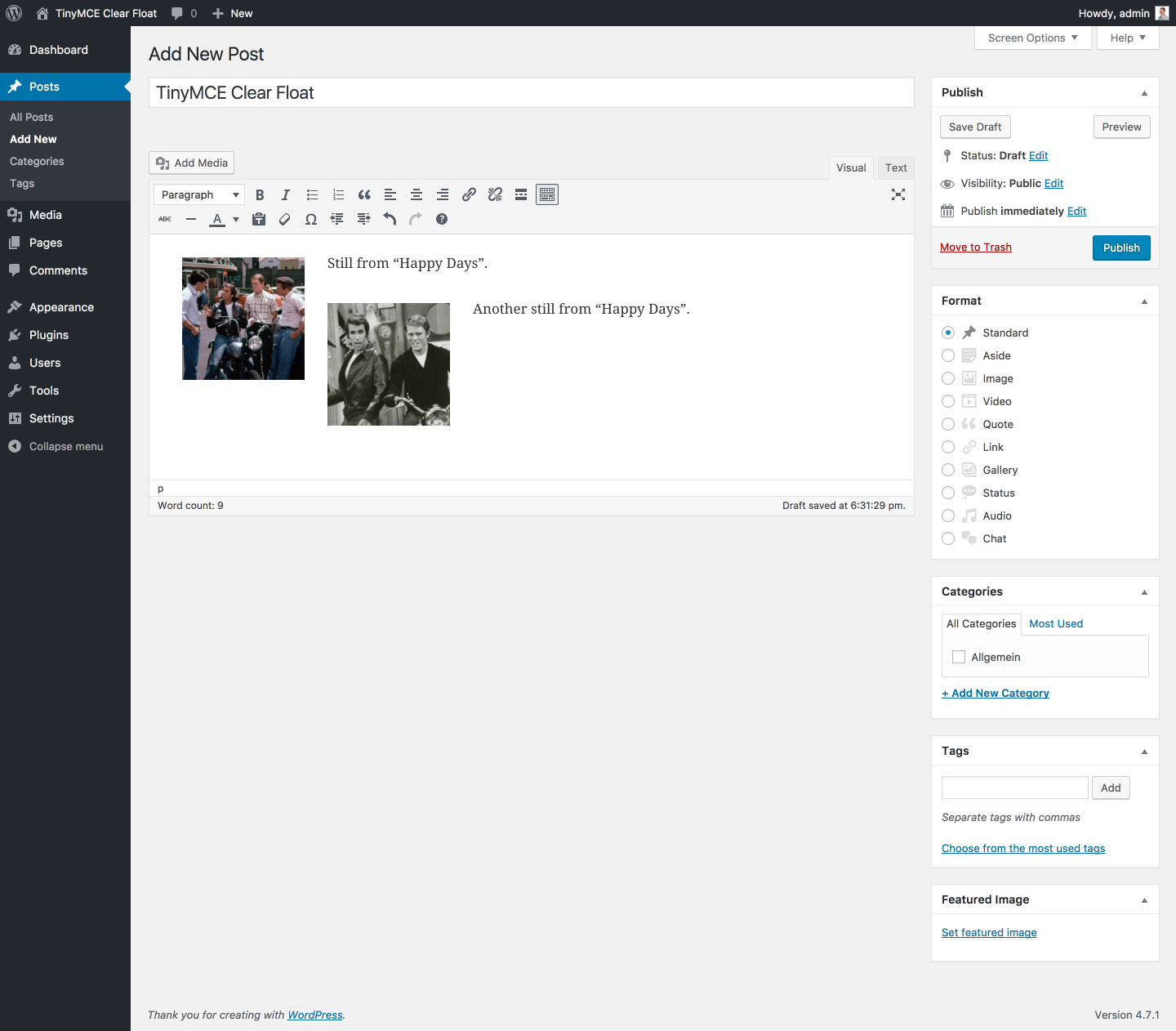
Before: Floated images in the editor. The second image overlaps the first.
After: Added clear tag (see new icon in second toolbar).
Markup in the Text Editor (notice
<br style="clear: both;">).


Faq
Which HTML markup does the plugin use ?
Line breaks with inline styles (<br style="clear: both;">).
Note: TinyMCE wrapps line breaks in paragraphs which may lead to additional margins depending on your theme. To prevent these margins paste the following in the “Custom CSS” part of the Customizer:
p > br[style=”clear: both;”]:only-child {
content: ”;
display: block;
margin-bottom: -1.5em;
}
The value1.5emcorresponds to your theme’smargin-bottomof<p>tags.
Reviews
Works perfectly, thanks!!
By  SforSteph on February 15, 2019
Easy to use
By  Certa Web (certa) on June 29, 2018
Perfect
By  Kimball31 on September 7, 2017
Solve my problem. Easy to use and very handy.
By  Alexandre Gaeta (agaeta) on April 28, 2017
Changelog
1.3.2 (08/01/2018)
- Fix: Rare bug (introduced in v1.2.0) that prevented parsing of deprecated clear element if it contained non breaking space (
<div style="clear: both;"> </div>)
1.3.1 (05/20/2018)
- Fix: Bug (introduced in v1.3.0) that hid the TinyMCE content if no clear element was found
1.3.0 (05/19/2018)
- Fix: Replaced regular expressions for switching clear elements with placeholders and vice versa with DOMParser to reliably match all possible clear element notations (e. g.
<br style="clear: both;">,<br style="clear:both">,<br style="clear: both;" />,<br style="clear:both" />)
1.2.2 (05/25/2017)
- Fix: Rare bug (introduced in v1.2.0) that caused TinyMCE to remove the
<br />tag - Fix: Bug (introduced in v1.2.0) that prevented the plugin from beeing translatable (finally)
- Misc: Bumped “Requires at least” to WordPress 4.6
1.2.1 (03/30/2017)
- Fix: Bug (introduced in v1.2.0) that prevented the plugin from beeing translatable
1.2.0 (01/26/2017)
- New maintainer; first update after seven years
- Feature: Removed clear left and clear right buttons (see FAQ section)
- Misc: Completely refactured plugin code
1.1 (05/10/2010)
- Feature: Added HTML block in the style of WordPress
1.0 (04/28/2010)
- Initial release