

Export Single Post Page
Description
Say goodbye to exporting your entire content database or manually copying and pasting individual posts or pages. Export exactly the content you need as a standard WordPress (WXR) XML file, then bring it into any other site with the official WordPress Importer.
Features
- One-click export from the Posts, Pages, Media and custom post type lists.
- Bulk export. Select several items and choose “Export” from the Bulk actions menu to get them all in one file.
- Export from the editor. Use the block editor’s options (⋮) menu, or the Publish box in the classic editor.
- Export with media. Include the featured image, attached media, and images, galleries, video, audio and files used in the content. The importer downloads them and updates the links.
- Only the terms you need. Categories, tags and custom taxonomy terms used by the exported content are included, along with their parent terms.
- Clear file names. Single exports are named after the post slug.
- Secure. Export links are protected with nonces and are only shown to users who can export and edit the content.
Check out our other plugins:
- 🦄 Unicorn Panel – the new web hosting control panel built for multi-server fleets; FREE!
- 🎉 Media Library File Size
- 🔒 Two Factor (2FA) Authentication via Email
- 🙍♂️ View User Metadata
- 🔠 Enable Turnstile (Cloudflare) for Gravity Forms
- ⭐️⭐️⭐️⭐️⭐️ Gravity Forms to FreeScout
Installation
Use the automatic installer via WordPress or download the plugin and:
- Upload the plugin files to the
/wp-content/plugins/single-post-page-exportdirectory. - Activate the plugin through the ‘Plugins’ screen in WordPress.
- Go to any list of Posts, Pages, Media or a custom post type.
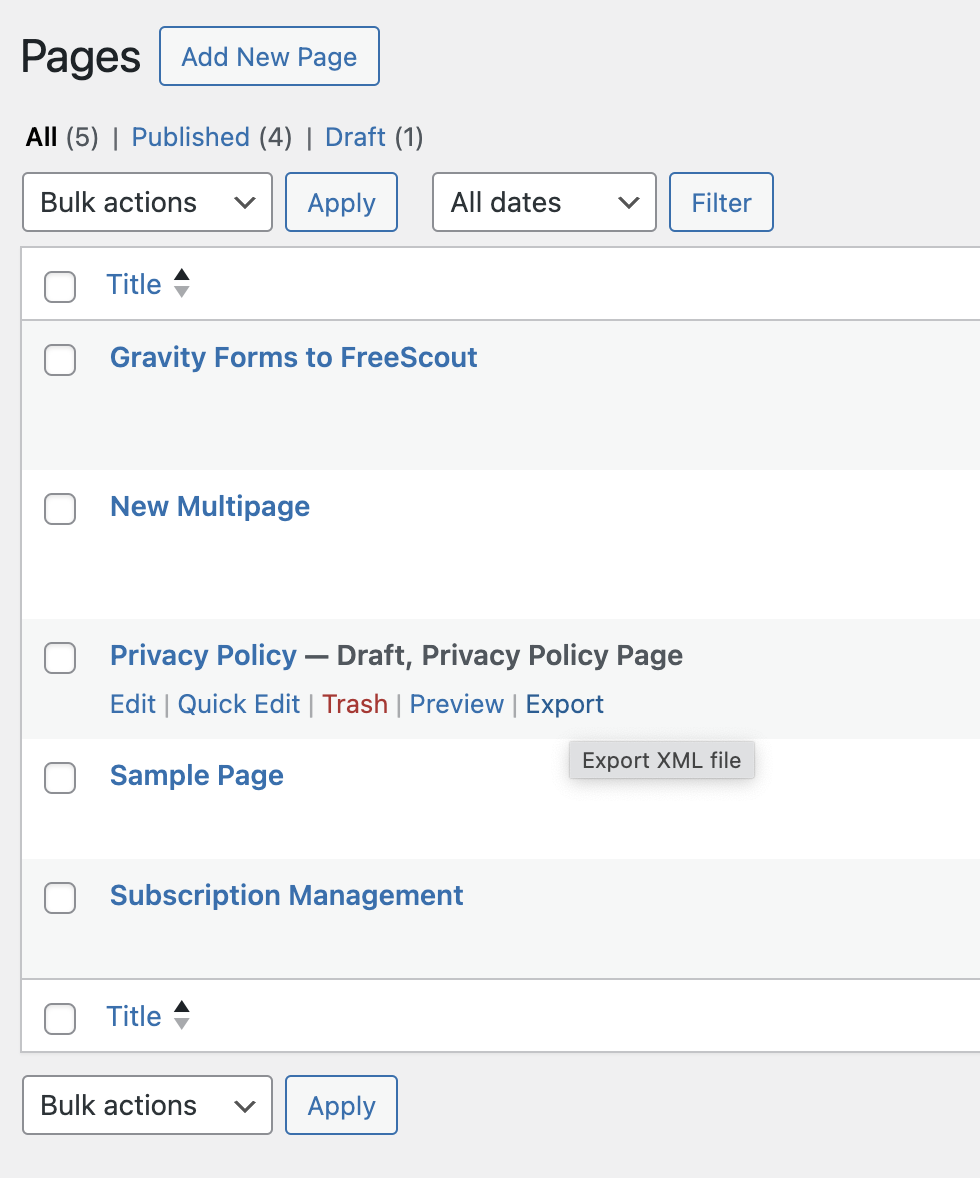
- Hover over an item, click ‘Export’ and choose what to export, or select several items and use the Bulk actions menu.
- Import the XML file on another site with Tools > Import > WordPress.
Screenshots

An example of the ‘Export’ link when viewing Pages.
Faq
Who can export?
Users with the export capability (Administrators by default) who can also edit the content.
What does “Export with media” include?
The featured image, any media attached to the post, and media used in the content (image, gallery, video, audio, file, cover and media & text blocks, wp-image- classes in classic content, and / shortcodes). When importing, tick “Download and import file attachments”.
Developers can add more attachment IDs with the ss88_sppe_media_ids filter.
Which post types are supported?
Any post type registered with can_export enabled, which is the default.
Reviews
Excellent plugin!
By  Gordon (jwart) on October 21, 2026
Great plugin! Does what it says and does it well. Very useful.
Super easy, for single language
By  lausianne on June 27, 2025
Really simple: just click export in the pages/posts overview.
Unfortunately the exports do not contain langauge data, at least for WPML. So for sites using WPML it cannot be used. Maybe in a future version?
Thank you!
Perfect export
By  joseyaz on July 17, 2024
Perfect export. I have used it to export single books (cpt: books) and it had ACF fields such as isbn, number of pages, etc… and with the native WP import on my other website (where I have the same ACF fields) they have remained as in the original.
Thanks for the plugin
Changelog
1.4.1
- Fix: Dismissing the Unicorn Panel notice now always saves, even if it’s closed before the page finishes loading
1.4
- New: Bulk export from the Bulk actions menu
- New: Export from the block editor options menu and the classic editor Publish box
- New: “Export with media” includes the featured image, attached media and media used in the content
- New: Single exports are named after the post slug
- New: “Need help?” link on the Plugins screen
- Security: Export links now use nonces and check user permissions
- Fix: More reliable export query that can no longer fall back to exporting the whole site
- Fix: Exporting a post in a child category no longer hangs when the parent category wasn’t included
- Tested for WP 7.1
1.3
- Tested for WP 6.5
- Plugin name change
1.2
- Rewrite to use query instead of custom code for export
1.1.1
- Category/CDATA fix
1.1
- Translation ready
1.0
- Initial release.