

Simple Disable XML-RPC
Description
Simple Disable XML-RPC is a lightweight, battle-tested, and developer-friendly WordPress security plugin that provides comprehensive protection against XML-RPC vulnerabilities. Protect your WordPress site from brute force attacks, DDoS attempts, and resource exhaustion with a single click.
🔒 Why Disable XML-RPC?
XML-RPC is an obsolete remote communication protocol originally built for external desktop blogging applications. While historically useful, modern WordPress relies on the secure REST API. Today, XML-RPC is one of the most frequently exploited vectors for:
- Brute Force Attacks – Hackers execute
system.multicallto attempt thousands of username and password combinations in a single HTTP request, completely bypassing basic login rate limiters. - DDoS Amplification Attacks – Attackers abuse the
pingback.pingmethod to turn thousands of vulnerable WordPress websites into botnet reflectors against targeted hosts. - Server Resource Exhaustion – Continuous scans and exploit probes against
/xmlrpc.phpconsume CPU cycles, MySQL connections, and memory.
✨ Key Features in Version 1.4.1
- 🎯 One-Click Master Switch – Instantly enable or disable XML-RPC via an accessible, modern toggle.
- 🛡️ Direct Request Blocker (HTTP 403) – Immediately terminates direct hits to
xmlrpc.phpwith an HTTP 403 Forbidden status before full WordPress initialization, saving precious server resources. - ⚡ Pingback DDoS Protection – Explicitly unregisters
pingback.pingandpingback.extensions.getPingbacksmethods. - 🧹 Header Footprint Cleanup – Automatically removes the Really Simple Discovery (RSD /
EditURI) and Windows Live Writer (wlwmanifest) links from your website’s<head>. - 🚫 X-Pingback Stripper – Safely removes the
X-PingbackHTTP header from all server responses. - 🧪 Live Diagnostics & Self-Test Tool – Test your live
xmlrpc.phpendpoint directly from the admin dashboard to verify that your site is protected. - ⭐ Recommended Plugins Hub – A dedicated menu showcasing all plugins by community contributor Delower Hossain (@wpdelower) with one-click AJAX install, activate, and deactivate.
- 🎨 Ultra-Professional Admin Interface – Modern card design, real-time status banners, live search filters, and smooth responsive layout.
- 🌐 Translation Ready – Fully internationalized and compatible with multilingual setups.
- 🧹 Complete Clean Uninstall – Cleans up all database options and transients on both single-site and multisite networks.
🆕 What’s New in Version 1.4.1
- 🚀 Recommended Plugins Section: Brand new submenu and tab featuring all WordPress plugins by Delower Hossain (@wpdelower) with instant AJAX installation, activation, and deactivation.
- 🔒 HTTP 403 Direct Request Blocker: Halts requests to
xmlrpc.phpearly to avoid CPU spikes during DDoS and brute force scans. - 🛡️ Pingback Security Hardening: Blocks pingback methods specifically to eliminate amplification vectors.
- 🧹 DOM & Header Cleanup: Strips
rsd_linkandwlwmanifest_linkfrom<head>. - 🧪 Live XML-RPC Diagnostic Tester: Built-in connection tester to verify endpoint status.
- 🎨 Elevated UI: Enterprise-grade header, protection badges, real-time status banner, and quick filter controls.
- ⚡ Modular Architecture: Clean separation into
SDXRPC_Core,SDXRPC_Admin, andSDXRPC_Recommended.
🎯 Perfect For
- Security-conscious WordPress website owners.
- Websites experiencing XML-RPC brute force or high server load.
- Administrators who do not use the WordPress mobile app or legacy publishing tools.
- Agencies and developers managing client sites needing zero-overhead protection.
⚠️ Important Note
Disabling XML-RPC may affect:
* WordPress mobile apps
* Jetpack (features requiring XML-RPC)
* Remote XML-RPC publishing clients
* Trackbacks and pingbacks
If you do not utilize these services, disabling XML-RPC is strongly recommended.
🤝 Contributing & Bug Reports
Bug reports and pull requests are welcome on GitHub.
💝 Support the Development
If you find this plugin helpful:
* ⭐ Rate it 5 stars on WordPress.org
* 💬 Check out our other plugins
Privacy Policy
Simple Disable XML-RPC does not:
* Collect or store personal user data
* Track user activity or use tracking cookies
* Send personal data to third parties
The plugin only queries the official WordPress.org Plugins API when an administrator visits the Recommended Plugins page to display plugin updates and metrics.
Credits
Developed with ❤️ by Delower Hossain & MonarchWP
Contributors:
* wpdelower
* monarchwp23
Special thanks to all our users and contributors!
Installation
Automatic Installation (Recommended)
- Log in to your WordPress admin panel.
- Navigate to Plugins > Add New.
- Search for “Simple Disable XML-RPC”.
- Click “Install Now” and then “Activate”.
- Go to Disable XML-RPC > Settings to verify your protection settings.
Manual Installation
- Download the plugin ZIP file.
- In your WordPress admin, go to Plugins > Add New > Upload Plugin.
- Choose the ZIP file and click “Install Now”.
- Click “Activate Plugin”.
- Configure your settings under Disable XML-RPC.
Screenshots

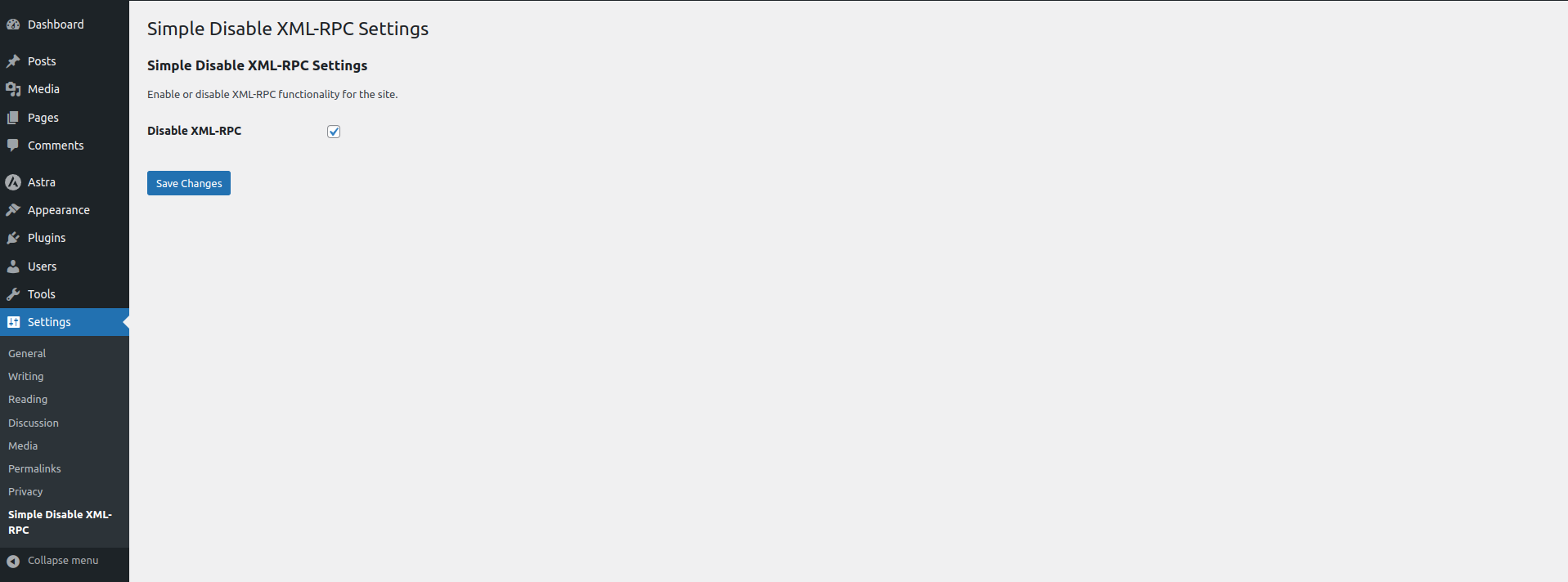
Settings & Hardening Dashboard – Modern protection overview, master toggle, advanced hardening options, and live XML-RPC diagnostics.
Recommended Plugins Hub – Browse, install, activate, and deactivate plugins by Delower Hossain (@wpdelower).

Faq
What is XML-RPC and why should I disable it?
XML-RPC is an older remote communication API. Modern WordPress applications use the REST API. Attackers frequently exploit XML-RPC for password brute forcing (via system.multicall) and DDoS amplification (via pingback reflection). Disabling it closes these attack surfaces.
Does this plugin block requests early to save server resources?
Yes! In version 1.4.1, the Direct Request Blocker sends an HTTP 403 Forbidden header immediately when xmlrpc.php is requested, terminating execution before WordPress processes expensive queries or XML payloads.
How does the Recommended Plugins section work?
Under Disable XML-RPC > Recommended Plugins, you can view all WordPress plugins created by Delower Hossain (@wpdelower). You can install, activate, and deactivate any recommended plugin with a single click using AJAX without leaving the page.
How can I verify that XML-RPC is disabled?
Go to Disable XML-RPC > Settings and click the “Test XML-RPC Endpoint” button under the Live Diagnostics section. It will send a test request and report whether the endpoint returns HTTP 403 Forbidden or a disabled fault.
Will this plugin break my website?
No. The plugin uses WordPress filters and standard status headers. Only services that explicitly require XML-RPC (such as the WordPress mobile app or certain Jetpack modules) are affected.
Does this plugin work on WordPress Multisite?
Yes, it functions on both single-site and WordPress Multisite networks. The uninstall script cleanly cleans up network-wide settings.
Reviews
Simple, Lightweight & Effective
By  Abu Raihan (raihanbabubd) on July 1, 2025
I always recommend this plugin for quickly disabling XML-RPC and boosting WordPress security. No config needed—just activate and done. Appreciate the effort!
Very easy and ready to use
By  Riad Mahmud (riadmahmud46) on June 29, 2025
It’s one of my go to plugin to make extra security layer. Thanks for this great plugin buddy.
Beautiful and easy plugin
By  Ashim Mollick (ashimmollick) on November 21, 2024
Beautiful and easy plugin
Plugin results
By  Shamim Ahamed (shamimahamedwp) on December 12, 2023
I have install the plugin and it works fine. I highly recommend for try it out this must needed plugin. to disable XML-RPC and it’s very easy to us.
Excellent Solution
By  jimk111 on December 12, 2023
Simple is certainly appropriate for this very straightforward plugin “Simple Disable” – To improve our security I now have it installed on all my client websites hosted on Hostinger – (Jim, Neat Websites)
Changelog
1.4.1 (2026-10-28)
Feature Release – Recommended Plugins Hub, Direct Request Blocker & Live Diagnostics
- 🚀 NEW: Recommended Plugins Hub – Dedicated submenu and tab displaying all plugins created under the
wpdelowerWordPress.org profile. - ⚡ NEW: One-Click AJAX Management – Install, activate, and deactivate recommended plugins with instant AJAX feedback.
- 🔒 NEW: Direct Request Blocker (HTTP 403) – Immediately terminates hits to
xmlrpc.phpwith HTTP 403 Forbidden, saving server CPU and RAM during attacks. - 🛡️ NEW: Pingback & Trackback Filter – Specifically strips
pingback.pingandpingback.extensions.getPingbacksmethods. - 🧹 NEW: Header Cleanup – Removes RSD (
EditURI) and Windows Live Writer manifest links from<head>. - 🧪 NEW: Live Endpoint Diagnostics – Built-in connection tester to test and verify
xmlrpc.phpresponse code and status. - 🎨 NEW: Enterprise-Grade Admin UI – Modern brand header, status pills, navigation tabs, and responsive card layout.
- ⚡ IMPROVED: Modular Architecture – Clean OOP separation into
SDXRPC_Core,SDXRPC_Admin, andSDXRPC_Recommended. - 🧹 IMPROVED: Clean Uninstall – Cleans up all new options and transients on single and multisite installs.
- ✅ COMPATIBILITY: Tested and verified compatible with WordPress 7.1+.
1.4.0 (2025-11-09)
Major Update – UI Overhaul & Security Enhancements
- 🎨 NEW: Modern toggle switch interface replacing checkboxes
- 🎨 NEW: Beautiful card-based admin design
- 🔒 IMPROVED: Enhanced security with proper sanitization callbacks
- 🔒 IMPROVED: Added X-Pingback header removal
- ⚡ IMPROVED: Better code organization with OOP structure
- ⚡ IMPROVED: Separated files for better maintainability
- 🐛 FIXED: Activation redirect issue with bulk plugin activation
- 🐛 FIXED: Consistent function prefixing
- ♿ IMPROVED: Better accessibility and mobile responsive design
- 🧹 NEW: Proper uninstall cleanup script
1.3.5 (2025-04-20)
- 🐛 Bug fixes
- ⚡ Performance improvements
- ✅ WordPress 6.8 compatibility tested
1.3.4 (2024-11-17)
- 🐛 Bug fixes
- ⚡ Performance improvements
- ✅ WordPress 6.7 compatibility tested
1.3.3 (2024-07-17)
- 🐛 Bug fixes
- ⚡ Performance improvements
- ✅ WordPress 6.6 compatibility tested
1.3.2 (2024-04-02)
- 🐛 Bug fixes
- ⚡ Performance improvements
- ✅ WordPress 6.5 compatibility tested
1.3.1 (2024-03-23)
- 🔒 Important security update
- 🐛 Bug fixes
- 🎨 Plugin live preview added
1.3.0 (2024-03-12)
- ⚡ Performance improvements
- 🔒 Security enhancements
1.2.5 (2024-03-12)
- 🔧 Plugin compatibility fixes
1.2.4 (2024-03-12)
- 🐛 Bug fixes and improvements
1.2.3 (2024-03-11)
- 🐛 Bug fixes and improvements
1.2.2 (2024-02-21)
- 🐛 Bug fixes and improvements
1.2.1 (2024-01-31)
- 📝 Settings description updated
1.2.0 (2024-01-31)
- ✅ WordPress 6.4.3 compatibility
- 🐛 Bug fixes
- 📚 New FAQs added
1.1.0
- 🎯 Auto-redirect to settings after activation
- 🐛 Bug fixes
1.0.0
- 🎉 Initial release