
Simple Digital Clock 🕒
Description
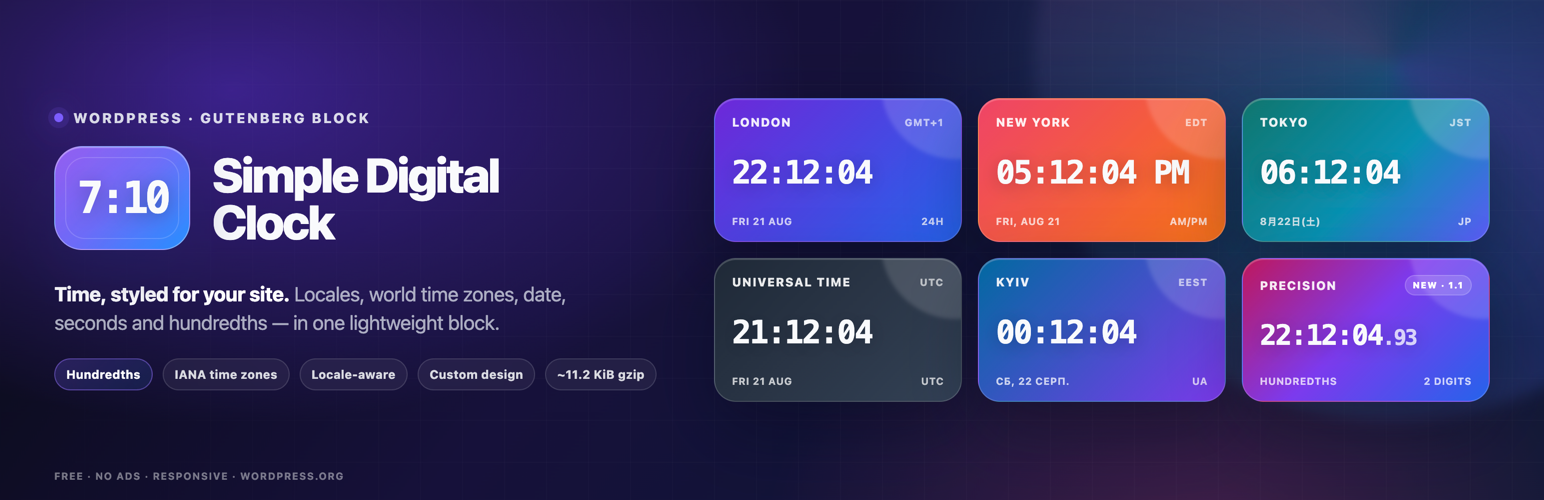
Add customizable digital clocks to WordPress. Show your office’s local time, another city’s time or UTC with captions, dates and colors.
📌 Description
Show your office’s local time, the time in another city or UTC on your WordPress site. Simple Digital Clock provides a Gutenberg block for posts, pages and block-based widget areas. Choose a time zone, add a caption and adjust colors, fonts and display options directly in the editor. Add multiple clocks to show the time in different locations, with independent settings for each block.
Live demo👀 | CodePen playground👀
⭐️ FEATURES ⭐️
- 🚀 Lightweight (~11.2 KiB gzip)
- 🗣 Locale support (BCP-47, e.g.,
en-US,uk,de-DE) - 🌐 IANA time zones (e.g.,
Europe/Kyiv,UTC) - 📝 Custom caption
- 🎨 Styling: color/gradient, radius, shadows
- 🔢 24-hour or AM/PM, ⏱ seconds, ⏱️ optional hundredths of a second, 📅 date
- 🔒 SSL-friendly, 📱 responsive
- 💯 Free, no ads
How it works
- Add the Simple Digital Clock block in the editor or as a widget.
- Configure in the right sidebar:
- Locale (e.g.,
en-US,uk,fr-FR) - Time Zone (IANA ID, e.g.,
Europe/Kyiv,America/New_York,UTC) - Seconds, Hundredths, Date, 24-Hour (AM/PM), Caption
- Background/gradient, border radius, shadow, and font
- Locale (e.g.,
Hundredths shows two fractional digits after the seconds for clocks that need finer visual precision. Hundredths automatically include seconds while enabled. Note: the browser may not render every 10 ms increment.
📌 Installation
= From your WordPress dashboard =
1. Go to Plugins Add New
2. Search for “Simple Digital Clock”
3. Install & Activate
4. Insert the block in the editor or add it as a widget (/wp-admin/widgets.php)
From WordPress.org
- Download “Simple Digital Clock”
- Upload to /wp-content/plugins/
- Activate
- Insert the block / add the widget
Source / Development
The production JavaScript bundled with this plugin is built from the public Simple Digital Clock Widget source.
- Source repository: https://github.com/Timenow-zone/Simple-Digital-Clock-Widget
- Bundled upstream version: 0.7.0
- Exact source for this bundled release: https://github.com/Timenow-zone/Simple-Digital-Clock-Widget/tree/v0.7.0
To reproduce the production bundle:
npm cinpm run build
🍩 Donations
🕒 Sync Time: UTC
🗓️ Today’s Date: TodaysDateNow
Screenshots

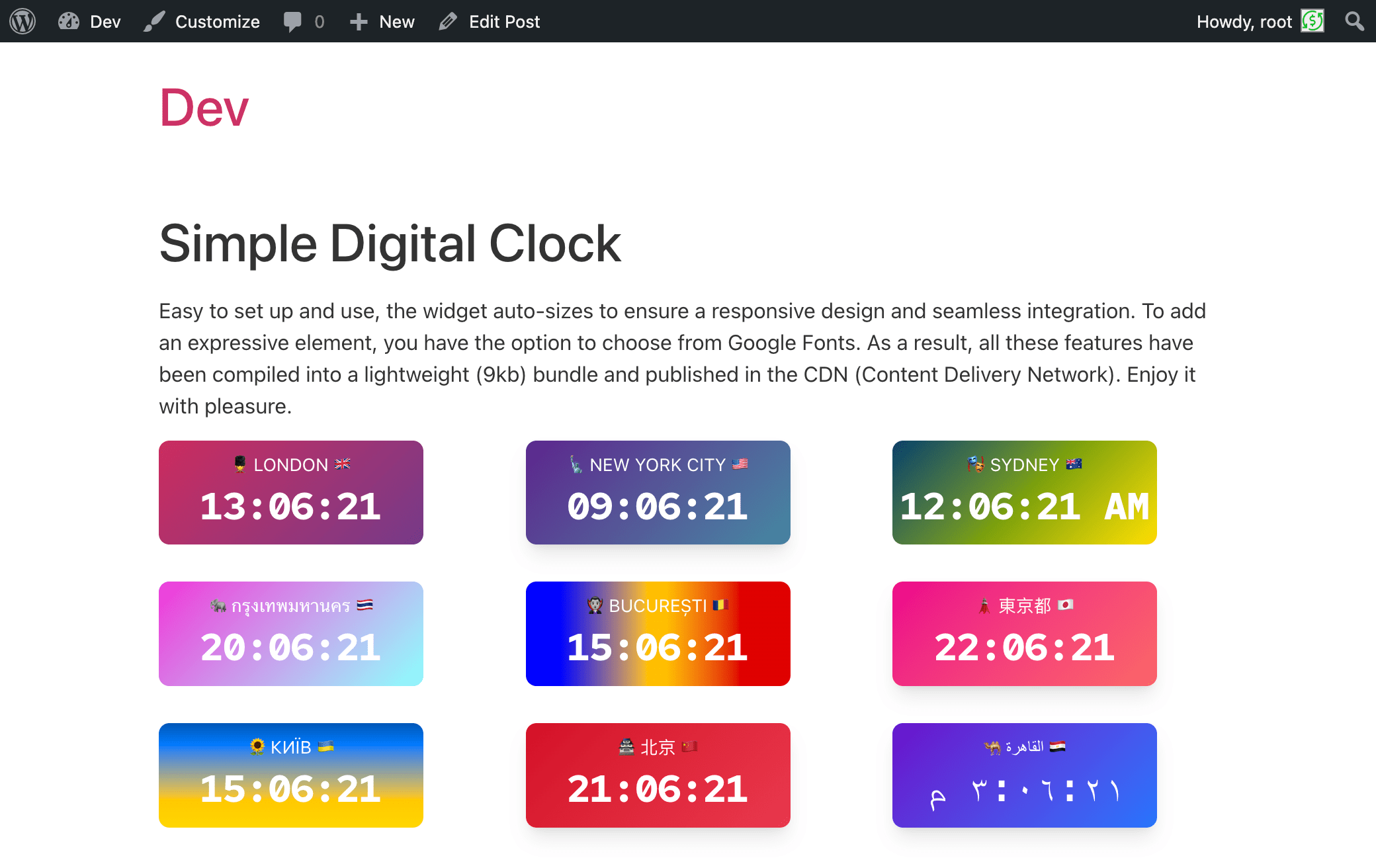
screenshot-1.png – Front-end examples: multiple Simple Digital Clock blocks on one page, each with different locales, time zones, colors, and formats (AM/PM or 24-hour).
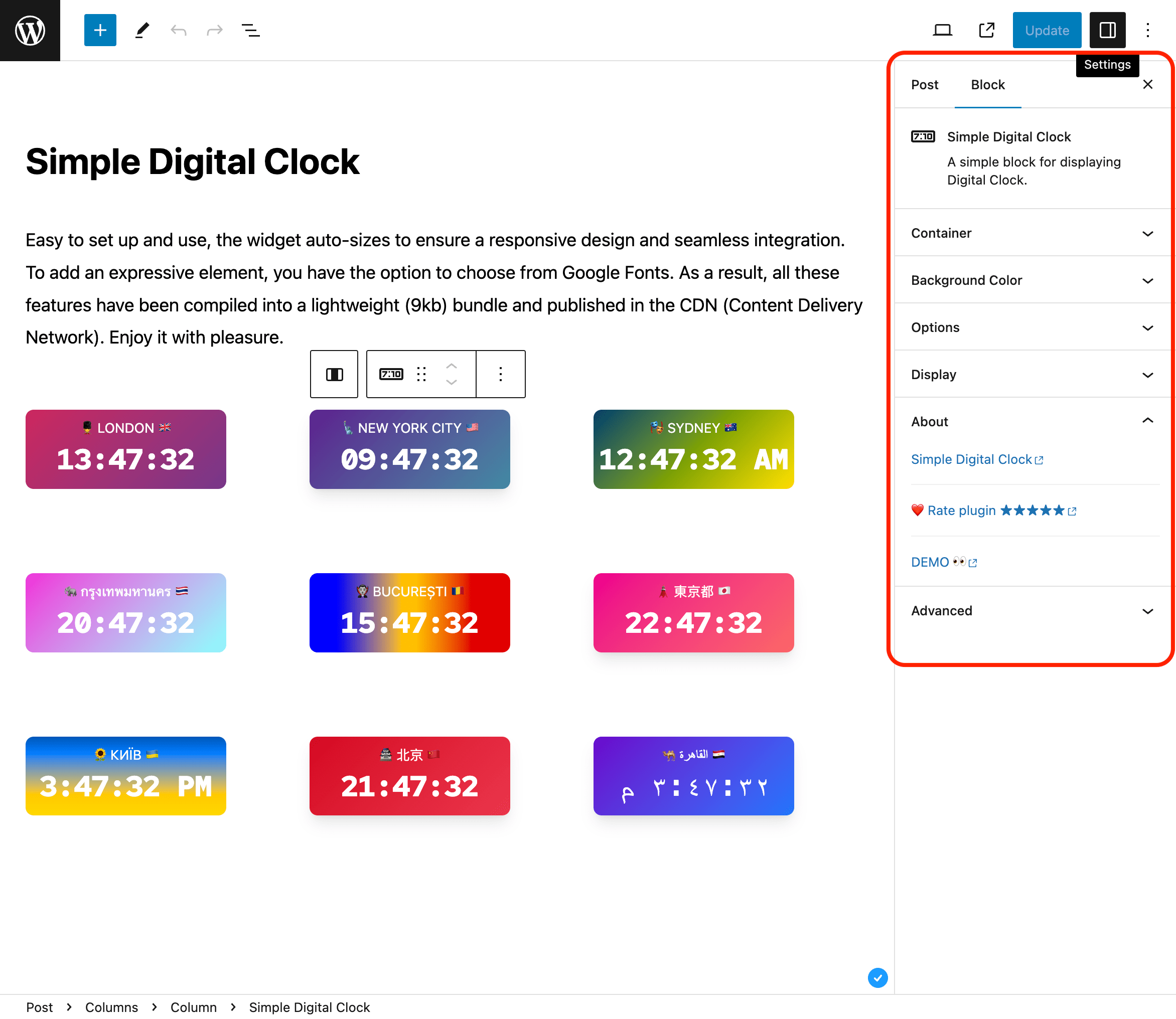
screenshot-2.png – Editor view: Gutenberg sidebar settings for the block (Container, Background Color, Options, Display, About, Advanced) to tweak size, radius, shadow, font, locale, time zone, seconds, date, etc.
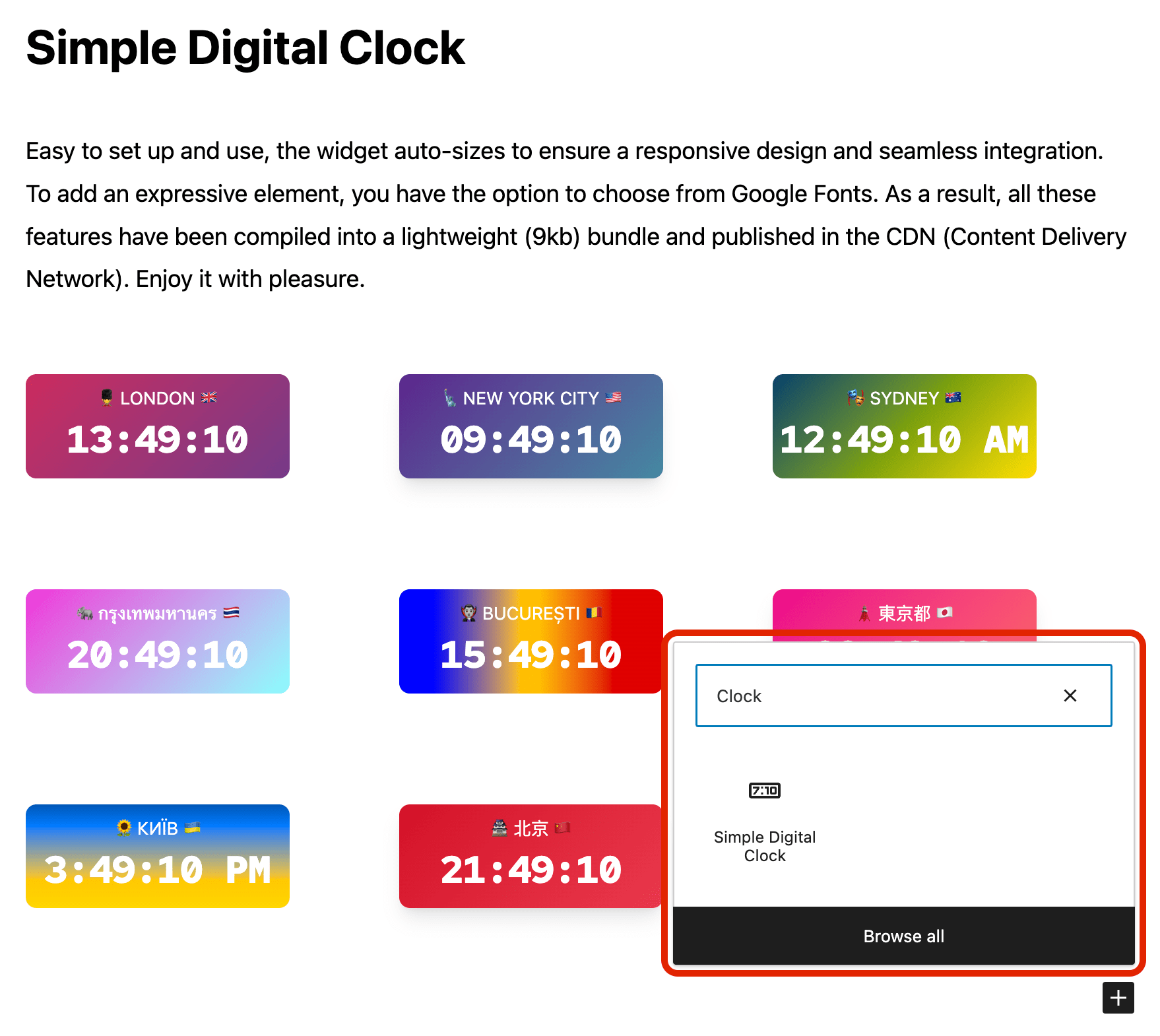
screenshot-3.png – Block inserter: searching “Clock” and selecting the Simple Digital Clock block to add it to the page.
screenshot-4.png – Live preset gallery showing Local Time, London, New York, Tokyo, Kyiv, and the Hundredths preset.
screenshot-5.png – Live preview of a customized London clock with caption, seconds, date, color, radius, and shadow.


Faq
Can I set a custom locale (e.g., `uk` or `en-GB`)?
Yes. Use the Locale field and enter any valid BCP-47 tag.
Where does the clock get its time?
The clock uses the date and time reported by the visitor’s device and formats it for the selected time zone. It does not synchronize with a time server, so an incorrect device clock will affect the displayed time.
How do I pick the time zone?
Use the Time Zone field and select any valid IANA ID (e.g., Europe/Kyiv, UTC).
Can I show hundredths of a second?
Yes. Enable “Hundredths of a second” in the block settings. It shows two fractional digits and automatically includes seconds while enabled.
Can I use my own fonts?
You can choose from the available mono fonts (Google Fonts) or select System to use a local monospace font. Selecting a Google Font loads it from Google’s servers.
24-hour format
Yes. Enable 24-Hour to force a 24-hour display. When disabled, the clock follows the selected locale. For AM/PM, choose a locale such as en-US and leave 24-Hour disabled.
Can I show different locales and time zones on the same page?
Yes. Each block is independent—set its own locale and time zone.
Is it fast?
Yes. The bundled clock widget is about 11.2 KiB gzip and is served locally without a runtime JavaScript CDN dependency.
Reviews
Breaks in LocalWP
By  bernepe on October 27, 2026
Breaks in LocapWP
Does everything I need
By  silvercarpet on June 9, 2026
This clock plugin does a great job of displaying the time. You can make many adjustments to include the date, have it in different sizes or show a different time zone. Simple yet powerful! 😀
Nice plugin
By  beka99 on March 30, 2026
This is a very good plugin.
The clock is stylish and decorative.
Easy to install.
Awesome. Best clock plugin
By  ecmvilleneuve on December 20, 2025
You have no idea how much I searched & searched for a plugin like this where it will display my server time instead of the correct time display for each person who goes to my page but all the plugins were outdated and didn’t work.
All plugins should be tightly-coded single purpose stuff like this
By  OllieJones on December 13, 2025
This plugin sends a little bit of HTML and a 15K Javascript file to the user’s browser, then the browser updates the clocks. About as lightweight as anybody could hope for.
Thanks for the good work.
Greetings from Slovakia
By  milan koziak on December 4, 2025
User-friendly plugin with tasteful clock design. Thank you,
Very good!
By  tsioupoul on July 13, 2025
Amazing!
Plugin full of porn link
By  calogero on May 10, 2025
I’m reading good reviews. I installed the plugin but it’s full of link poiting to porn link.
Maybe the plugin was hackered.
Best Simple Digital Clock
By  Sonny Del Rosario (sonnydelrosario) on January 26, 2025
Nothing can be simpler than this and that’s what I like.
verry good
By  handoko14 on December 12, 2024
good and simple
Changelog
1.1.2
- Fixed caption preservation with the HTML API KSES sanitizer in WordPress 7.2 Beta 2.
- Fixed custom BCP-47 locale codes being discarded by the block editor.
- Fixed mouse activation of Auto language and Auto Timezone with open suggestions.
- Resetting Locale now restores the site language instead of an invalid empty locale.
- Resetting Time Zone preserves the string format supported by version 1.1.1.
- Fixed saved clock blocks becoming invalid when reopened in a different browser time zone, including in LocalWP.
- Fixed clock markup being removed when saved by users without unfiltered HTML permissions, including in LocalWP.
1.1.1
- Fixed the clock block layout so it stays correctly positioned within WordPress content containers and block themes.
1.1.0
- Added optional hundredths-of-a-second display.
- Updated bundled Simple Digital Clock Widget to 0.7.0.
- Updated live demo and source-code documentation.
1.0.5
- Migrated the clock block to Block API version 3 for compatibility with the iframe block editor: the clock preview now renders inside the WordPress 7.1 editor canvas.
- Verified compatibility with WordPress 7.1.
1.0.4
- Verified compatibility with WordPress 7.0.
- Added isolated upgrade-path testing from the public 1.0.3 release.
- Added WordPress 7 smoke coverage across PHP 8.2, 8.3, 8.4, and 8.5.
1.0.3
- Updated: POT file.
1.0.2
- Fix: Minor bugs fixed.
1.0.1
- Fix: JavaScript issue resolved.
1.0.0
- New: Stable release published.
- New: 24-hour time format option.
0.2.1
- Fix: Minor bugs fixed.
0.2.0
- Enhancement: Clock JavaScript updated.
- Fix: Minor bugs fixed.
0.1.1
- Fix: Minor bugs fixed.
0.1.0
- Initial release.