

RTMKit for Elementor – Modular Addons, Widgets, Templates, Icon Library, GSAP Animations, MCP & Store Ready
Description
RTMKit for Elementor – Modular Addons, Widgets, Templates, Icon Library, GSAP Animations, MCP & Store Ready
Build Professional WordPress Websites Faster
Create beautiful, interactive WordPress websites with Elementor using 115 widgets and elements, 2,400+ ready-to-use icons, advanced design tools, and flexible customization options—all without writing code.
From landing pages and business websites to blogs, portfolios, and online stores, RTMKit gives you the tools to create engaging layouts, dynamic content, and memorable website experiences with less effort.
Explore a growing collection of creative widgets, ready-made template kits, form-building capabilities, and interactive design tools. Start with the free plugin and unlock more advanced capabilities with RTMKit PRO as your projects grow.
Useful Links
Docs | Video Tutorials | Join Community | What’s New? | Upgrade To Pro | Share Review
🚀 Why Choose RTMKit?
- 115 Widgets & Elements – Build professional layouts with a broad collection of content, media, navigation, WooCommerce, form, and interactive elements.
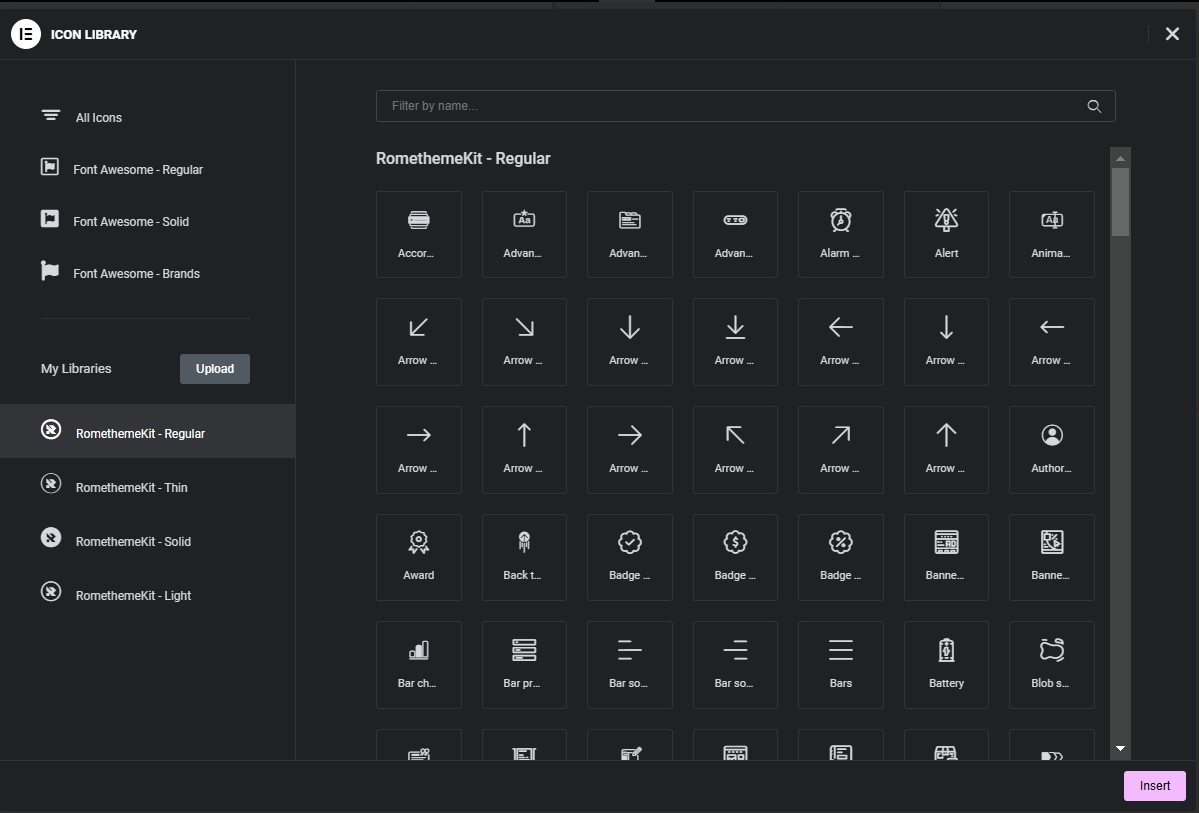
- 2,400+ Ready-to-Use Icons – Enhance your designs with an extensive icon library.
- GSAP-Powered Animation – Explore powerful motion and animation capabilities through RTM Motion.
- 50+ Ready-Made Template Kits – Speed up website creation with professionally designed layouts.
- Flexible Design Controls – Customize typography, colors, spacing, layouts, and visual effects.
- Form Building for Elementor – Create contact, feedback, and newsletter forms with RTMForm Builder.
- WooCommerce Integration – Design product displays and enhance online store experiences.
- Advanced Blog Layouts – Create attractive post grids, lists, carousels, and custom content layouts.
- Interactive Design Effects – Add image hotspots, hover interactions, animations, glass effects, and more.
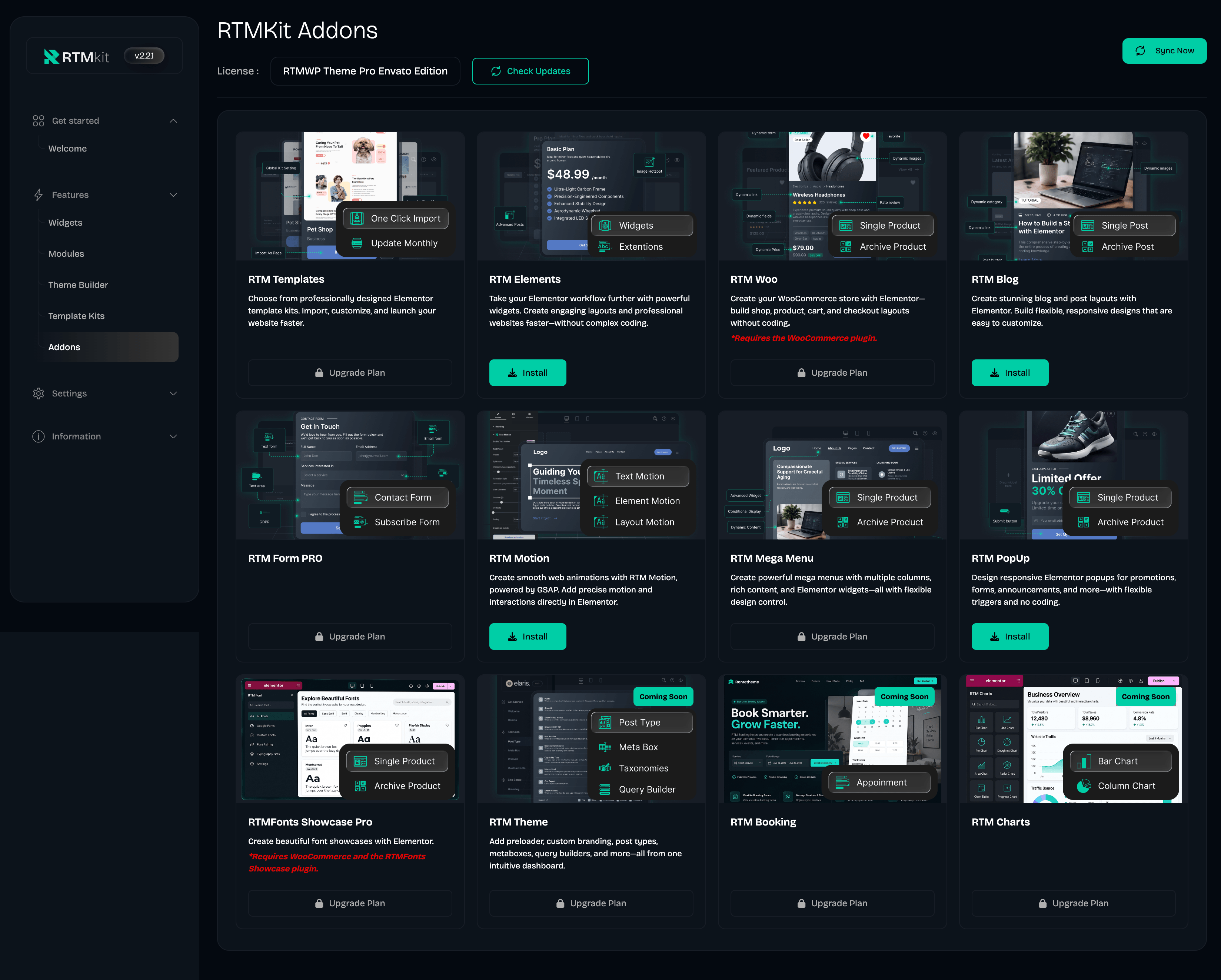
- Modular Product Ecosystem – Explore specialized tools for elements, templates, WooCommerce, blogs, motion, navigation, and popups.
- MCP & AI-Ready – Designed to support emerging AI-powered workflows and MCP integrations, helping developers explore new ways to connect tools and streamline website-building tasks.
- A More Efficient Workflow – Reduce repetitive work and create websites with greater flexibility.
✨ What’s New in the RTMKit Ecosystem?
RTMKit is getting bigger. And better.
We’re evolving beyond a collection of widgets into a growing, modular ecosystem designed to give Elementor users more creative freedom and specialized tools for building modern websites.
Following the introduction of RTM Elements, RTM Woo, RTM Blog, and RTM Templates, we’re expanding the ecosystem with three additions.
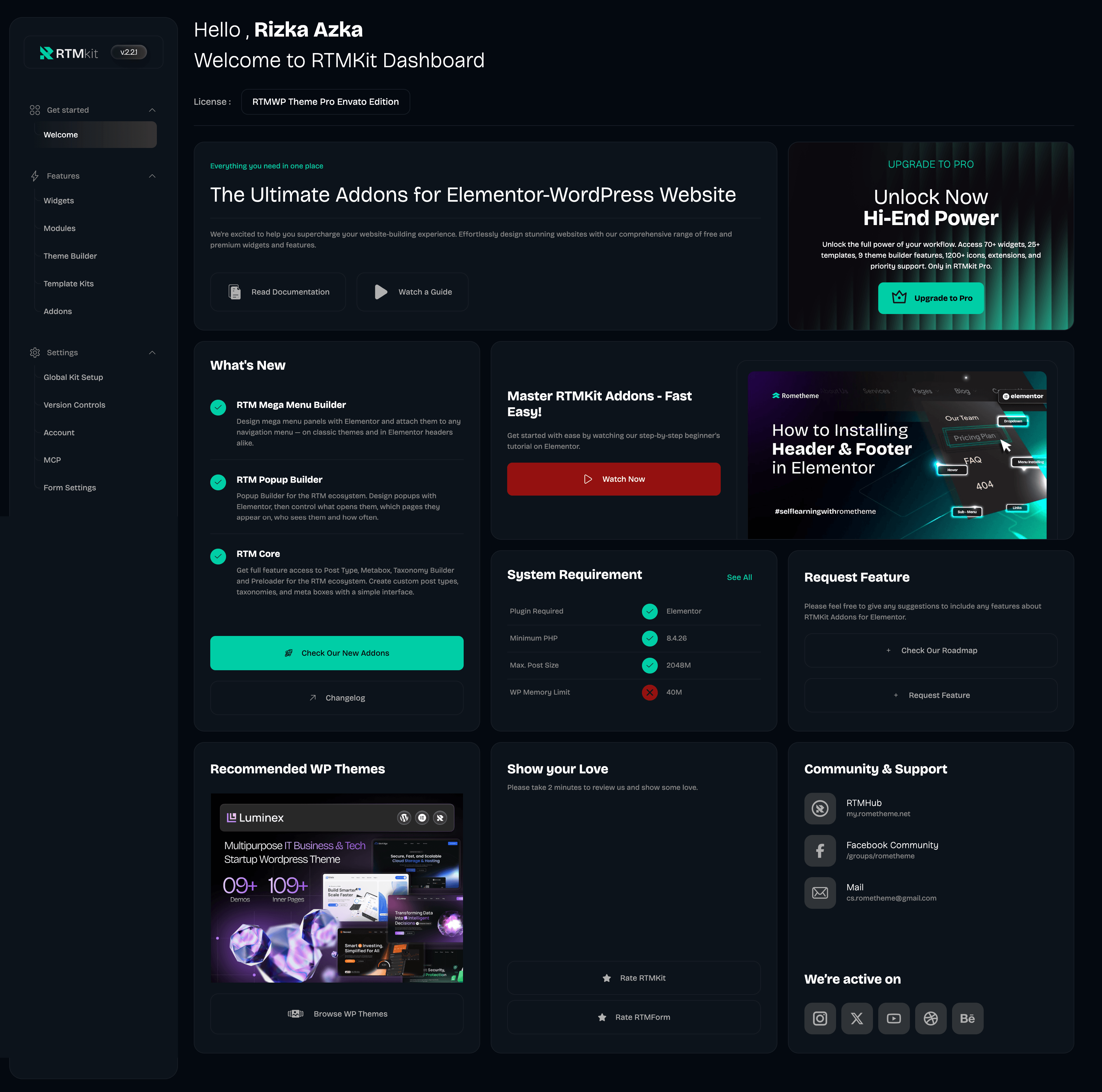
RTM Motion — Bring Your Designs to Life
Create more engaging website experiences with motion and animation capabilities powered by GSAP. Explore new possibilities for interactive designs, visual effects, and dynamic website experiences.
RTM Mega Menu — Rethink Website Navigation
Build advanced navigation experiences with a drag-and-drop builder, custom badges, conditional visibility, dynamic content, hover effects, animations, and responsive controls.
RTM Popup — Make Every Interaction Count
Create popup experiences for announcements, promotions, and lead generation with flexible placement and animation options.
These products extend the wider RTM ecosystem. Their availability and requirements depend on the individual product.
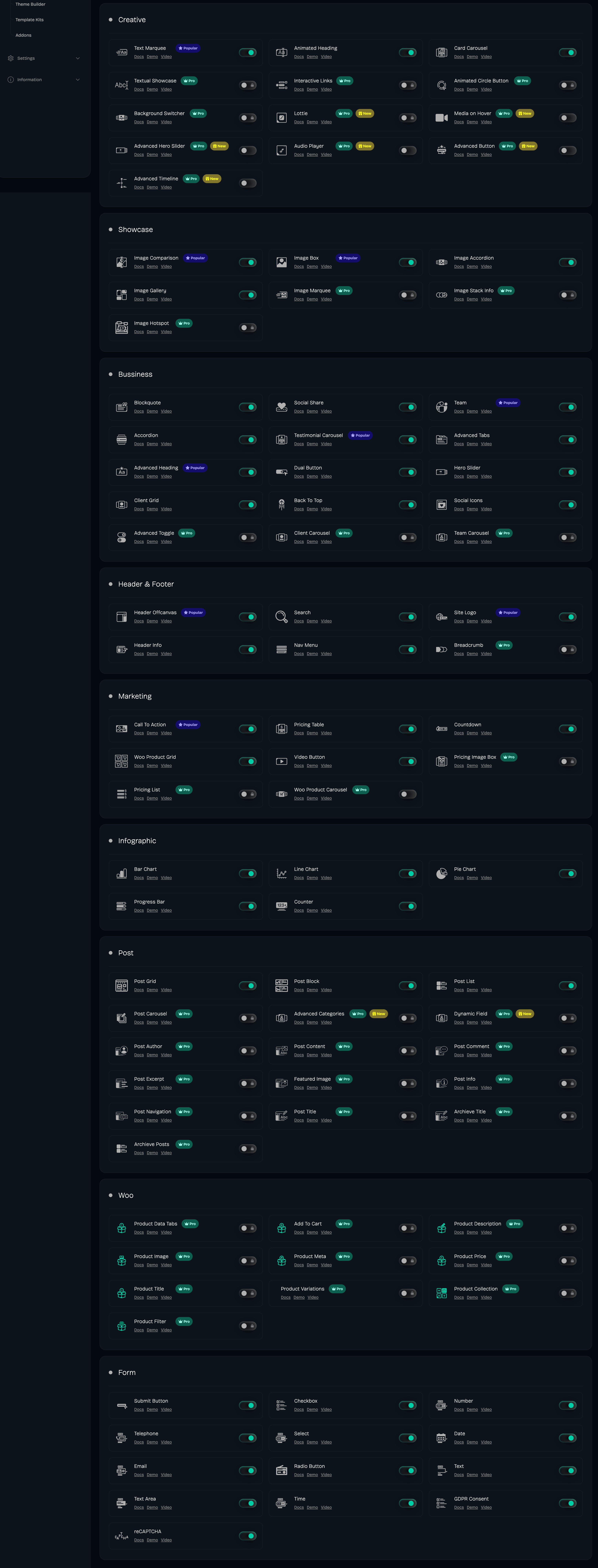
🌟 Explore 115 Widgets and Elements
Discover a growing collection of tools for building professional websites with Elementor. Each item is organized by its primary function to help you find the right tool for your project.
Availability guide: [Free] Included in the free version · [PRO] Requires RTMKit PRO.
1. Navigation, Headers & Menus
Build intuitive navigation experiences that help visitors explore your website.
- Back to Top [Free] – Add a customizable button that lets visitors quickly return to the top of a page.
- Breadcrumb [PRO] – Display navigational trails to help visitors understand their location within your website.
- Header Info [Free] – Display contact details such as your address, phone number, and email in your header.
- Header Offcanvas [Free] – Create toggleable panels for additional navigation, forms, or supplementary content.
- Mega Menu [PRO] – Build advanced navigation layouts with custom content, badges, conditional visibility, and responsive controls.
- Nav Menu [Free] – Create dropdown navigation menus for clear and accessible website navigation.
- Search [Free] – Add classic or modal search interfaces to help visitors find content.
- Site Logo [Free] – Display your website logo with customizable styling.
- Sub Menu [PRO] – Create and customize submenu layouts for more structured navigation.
2. Headings, Text & Content
Present information clearly with flexible typography and content widgets.
- Accordion [Free] – Organize FAQs and other content into expandable sections.
- Advanced Categories [PRO] – Display content categories in a customizable layout to help visitors explore related topics.
- Advanced Heading [Free] – Create distinctive headings with extended typography and styling controls.
- Animated Heading [Free] – Add animated text effects to emphasize important words and headlines.
- Advanced Posts [PRO] – Display and customize post listings with advanced layout and content presentation options.
- Advanced Tabs [Free] – Organize related information into horizontal or vertical tabs.
- Advanced Toggle [PRO] – Create interactive toggle elements with custom styling and animations.
- Blockquote [Free] – Highlight quotations, testimonials, or important statements.
- Call to Action [Free] – Combine headlines, descriptions, and buttons to encourage visitors to take action.
- Dual Button [Free] – Display two buttons together to present alternative actions, destinations, or offers.
- Dynamic Field [PRO] – Display dynamic field values from supported content sources using customizable styling.
- Text Marquee [Free] – Create continuously scrolling text for announcements, promotions, or visual effects.
- Textual Showcase [PRO] – Present key information through animated or scroll-revealed text blocks.
3. Buttons, Timelines & Visual Interactions
Create engaging interactions and present information through distinctive visual elements.
- Advanced Button [PRO] – Design buttons with advanced styling, hover effects, and interactive behavior.
- Advanced Timeline [PRO] – Present milestones, processes, events, or project histories in a structured timeline.
- Animated Circle Button [PRO] – Create circular buttons with animated hover effects for distinctive calls to action.
- Background Switcher [PRO] – Let visitors switch between predefined background options through interactive controls.
4. Image Galleries & Interactive Showcases
Showcase your work, products, and visual content with engaging layouts.
- Image Accordion [Free] – Present images in interactive horizontal or vertical accordion layouts.
- Image Box [Free] – Combine an image, icon, heading, and description in a single content element.
- Image Comparison [Free] – Let visitors compare two images using an interactive before-and-after slider.
- Image Gallery [Free] – Display images in responsive grid or masonry layouts.
- Image Hotspot [PRO] – Add interactive markers and tooltips to images, including support for dynamic post or product content.
- Image Marquee [PRO] – Create continuously scrolling image strips for logos, portfolios, and visual content.
- Image Stack Info [PRO] – Showcase grouped images alongside ratings and key details.
- Interactive Link [PRO] – Create engaging hover interactions that reveal images, text, buttons, and other content.
- Interactive Showcase [PRO] – Present images and visual content with interactive motion and hover effects.
- Filterable Gallery [PRO] – Organize portfolio images into categories visitors can filter to find relevant work.
5. Video, Audio & Animation
Add media, motion graphics, and interactive effects to your website.
- Audio Player [PRO] – Embed audio content with a dedicated player interface for listening to music, recordings, or other audio.
- Lottie [PRO] – Display Lottie animations to bring lightweight motion graphics into your layouts.
- Media on Hover [PRO] – Create hover-triggered media experiences, such as video previews, for supported content.
- Video Button [Free] – Display a video play button that opens video content in a popup or lightbox.
6. Cards, Carousels & Hero Sliders
Organize content into engaging layouts and create impactful visual presentations.
- Advanced Card [PRO] – Create flexible card layouts with customizable content, styling, and interactive effects.
- Advanced Hero Slider [PRO] – Build advanced hero presentations with richer visual effects and interactive transitions.
- Card Carousel [Free] – Display cards in a responsive, swipeable carousel.
- Client Carousel [PRO] – Showcase client logos in an interactive slider.
- Client Grid [Free] – Present client logos in a clean, organized grid.
- Hero Slider [Free] – Create full-width sliders with image or video backgrounds.
- Team Member [Free] – Showcase team members with photos, roles, and social links.
- Team Carousel [PRO] – Present team profiles in a carousel that visitors can navigate through.
- Testimonials Carousel [Free] – Display customer testimonials in a rotating layout.
7. Pricing & Conversion
Present offers, compare plans, and guide visitors toward purchasing decisions.
- Pricing Image Box [PRO] – Combine pricing information with product imagery to create visually engaging offers.
- Pricing List [PRO] – Present service, product, or restaurant-style pricing menus.
- Pricing Table [Free] – Compare pricing plans, features, and calls to action in a structured layout.
8. Social Media & Sharing
Connect your website with social platforms and encourage content sharing.
- Social Share [Free] – Add styled buttons that let visitors share website content across supported platforms.
- Social Icons [Free] – Display links to your social media profiles with customizable icons and styling.
9. Charts, Statistics & Progress
Visualize data, highlight achievements, and communicate progress.
- Bar Chart [Free] – Display comparisons using horizontal or vertical bars.
- Countdown [Free] – Display countdown timers for launches, events, and promotions.
- Counter [Free] – Highlight statistics, milestones, and important numbers.
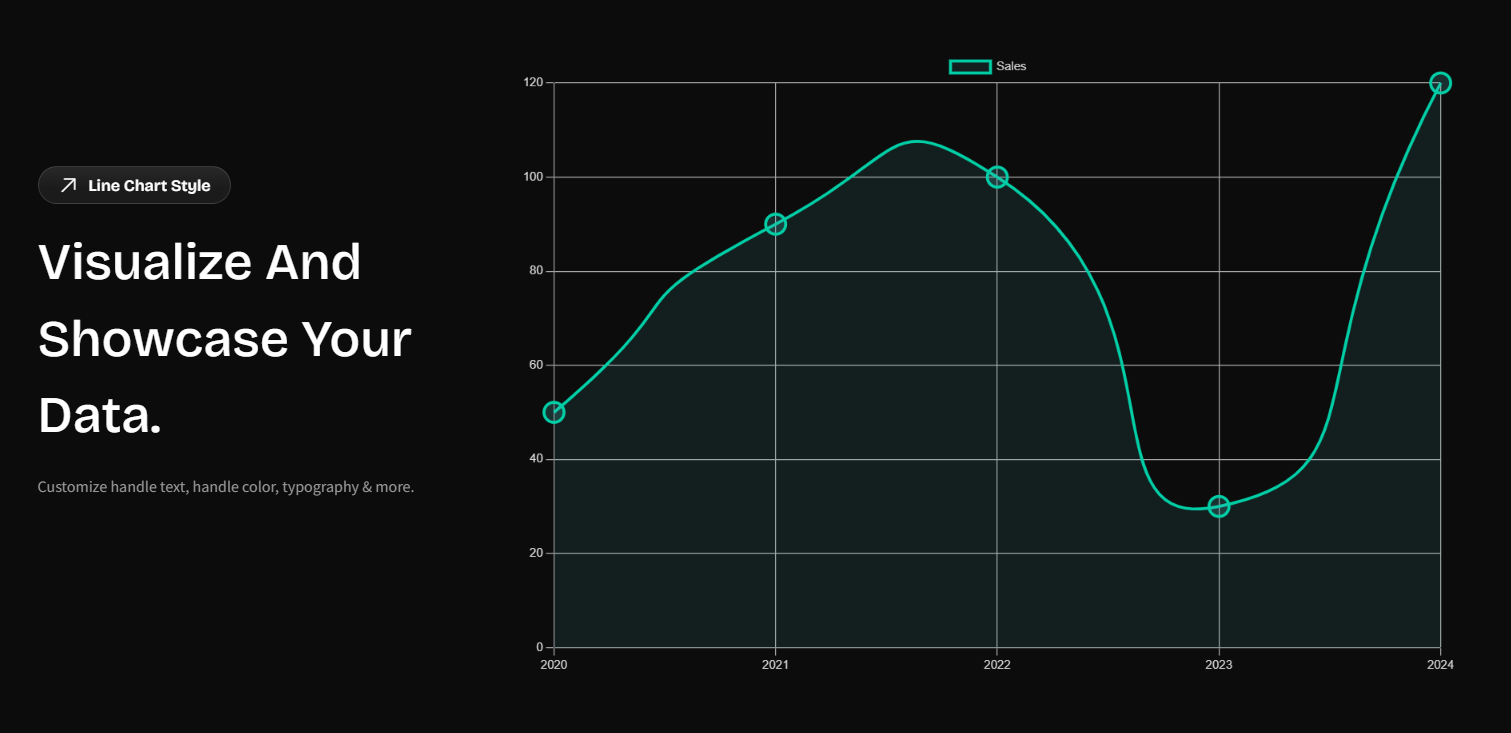
- Line Chart [Free] – Visualize trends and changes using line graphs.
- Pie Chart [Free] – Show proportions and data distribution in a circular chart.
- Progress Bar [Free] – Display completion percentages or progress toward a goal.
10. WooCommerce & Online Stores
Build and customize online shopping experiences with dedicated WooCommerce elements.
- Add to Cart [PRO] – Display an add-to-cart control so customers can add products to their shopping cart.
- Cart Page Builder [PRO] – Customize the layout and presentation of the WooCommerce cart page.
- Checkout Page Builder [PRO] – Customize the checkout layout to create a more consistent purchasing experience.
- My Account Page Builder [PRO] – Design the WooCommerce account area where customers manage their accounts and orders.
- Product Collections [PRO] – Showcase curated groups of products in a customizable layout.
- Product Data Tabs [PRO] – Display product information in organized tabs, such as descriptions and additional details.
- Product Description [PRO] – Display and style the product description on product pages.
- Product Filter [PRO] – Help shoppers narrow product listings using supported filtering options.
- Product Image [PRO] – Display product images with customizable presentation and layout controls.
- Product Meta [PRO] – Display product metadata such as SKU, categories, and tags where available.
- Product Price [PRO] – Display product prices with customizable styling.
- Product Title [PRO] – Display and style product titles.
- Product Variations [PRO] – Present product variation options for supported variable products.
- Thank You Page Builder [PRO] – Customize the order confirmation page shown after checkout.
- Woo Product Carousel [PRO] – Showcase WooCommerce products in a navigable carousel.
- Woo Product Grid [Free] – Display WooCommerce products in a customizable grid.
11. Blog Posts & Dynamic Content
Create engaging content layouts for blogs and content-driven websites.
- Archive Posts [PRO] – Customize post listings on archive pages, including category and other supported archives.
- Archive Title [PRO] – Display dynamic titles for archive pages.
- Featured Image [PRO] – Display and style the featured image of a post.
- Post Author [PRO] – Display author names, avatars, and biography information.
- Post Comment [PRO] – Add comment sections to single-post layouts.
- Post Content [PRO] – Display and customize the main content of a post.
- Post Excerpt [PRO] – Display short previews of posts.
- Post Info [PRO] – Display post metadata such as dates, categories, tags, and other supported information.
- Post Navigation [PRO] – Add previous and next post links to help readers navigate between articles.
- Post Title [PRO] – Display and style dynamic post titles.
- Post Block [Free] – Highlight blog posts in block-style layouts.
- Post Carousel [PRO] – Feature blog content in a navigable carousel.
- Post Grid [Free] – Display blog posts in a responsive grid.
- Post List [Free] – Present posts in a vertical list for a compact content layout.
12. Extensions & Website Productivity
Simplify repetitive tasks and enhance your website’s visual presentation.
- Custom Cursor Effect [PRO] – Create distinctive cursor styles for interactive website designs.
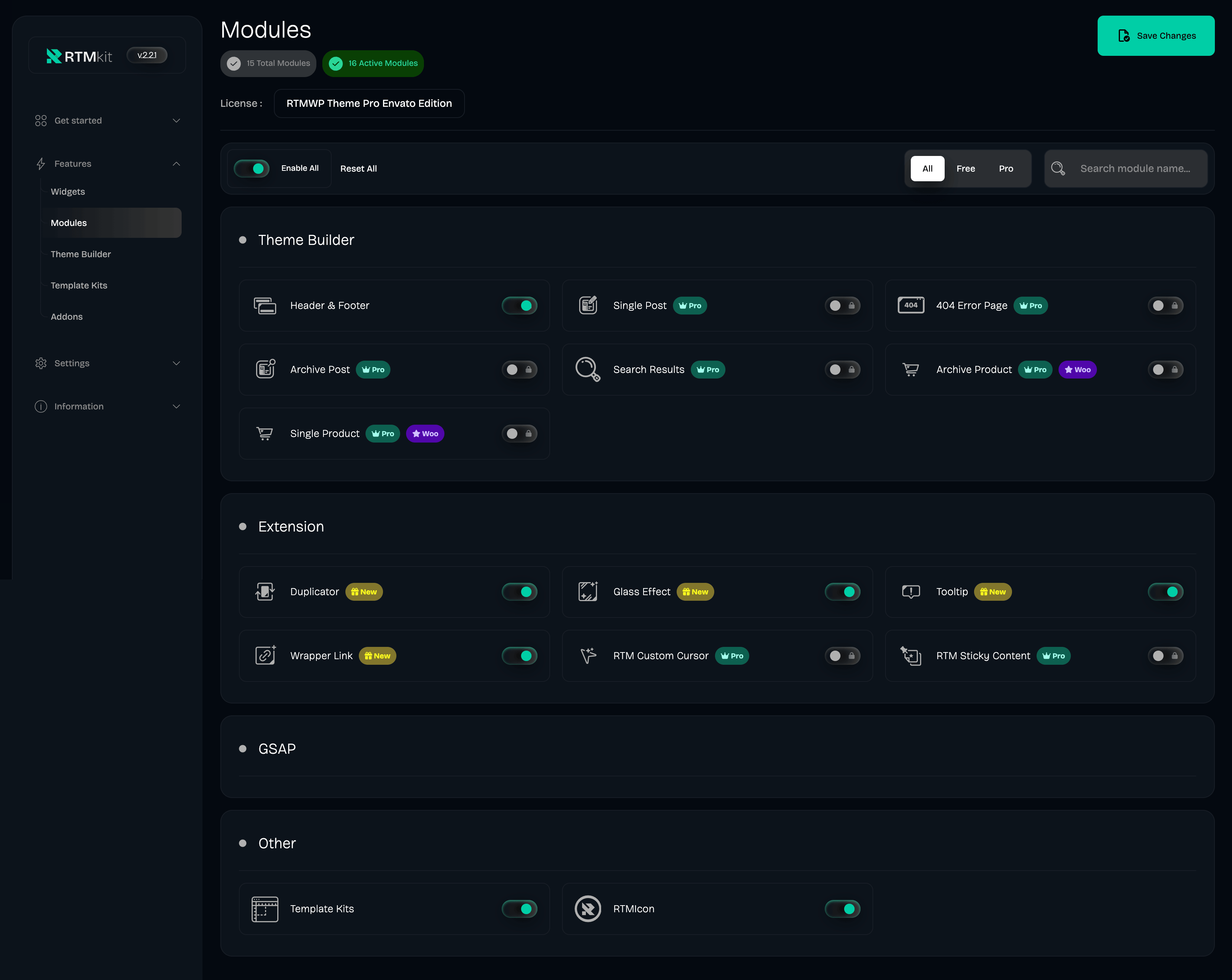
- Duplicator [Free] – Duplicate posts and pages to speed up repetitive website-building tasks.
- Glass Effect [Free] – Add frosted-glass or blur-style backgrounds to supported elements.
- Sticky Content [PRO] – Keep supported elements visible while scrolling to improve content accessibility.
- Tooltips [Free] – Display supplementary information when visitors hover over supported elements.
- Wrapper Link [Free] – Make supported sections, columns, or containers clickable.
13. GSAP Motion Elements
Explore specialized motion capabilities through the RTM Motion ecosystem.
- Text Motion [PRO] – Animate text to create more engaging headings, messages, and content presentations.
- Layout Motion [PRO] – Animate layout elements to create smoother transitions and more dynamic visual compositions.
- Element Motion [PRO] – Add motion effects to supported elements to draw attention to important content.
- Image Motion [PRO] – Animate images to create more engaging visual experiences.
These motion elements depend on the relevant RTM Motion functionality. Confirm whether they are included in the current RTMKit PRO release or require a separate addon.
14. RTMForm Builder
Create contact forms, feedback forms, newsletter forms, and other custom forms with configurable fields and styling.
Available form elements:
- Checkbox [Free] – Let visitors select one or more options from a list.
- ReCAPTCHA+ [Free] – Add supported CAPTCHA verification to help protect forms against automated submissions.
- Date [Free] – Let visitors select a date using a date input.
- Email Field [Free] – Collect email addresses using an email input.
- GDPR Consent [Free] – Request consent for privacy policies or other required terms.
- Number [Free] – Collect numeric values with a number input.
- Radio Button [Free] – Let visitors choose one option from a group.
- Select [Free] – Provide a dropdown list of available options.
- Submit Button [Free] – Let visitors submit completed forms with a customizable button.
- Telephone [Free] – Collect telephone numbers using a phone input.
- Text [Free] – Collect short text responses.
- Text Area [Free] – Collect longer messages or written feedback.
- Time [Free] – Let visitors select a time.
- Login [PRO] – Provide a form element for user login workflows.
- Register [PRO] – Provide a form element for user registration workflows.
RTMForm Builder offers flexible field styling and layout controls to help you create forms that match your website’s design.
Requirement: RTMForm Builder must be installed for the form-building functionality described above. Check the current feature and licensing requirements before use.
Get RTMForm Builder: https://wordpress.org/plugins/romethemeform/
🚀 Unlock More with RTMKit PRO
Need more creative freedom? RTMKit PRO unlocks additional widgets and advanced capabilities for …
Screenshots

Reviews
It's nice to see feedback being taken seriously
By  rinviayuuki03 on July 27, 2026
I really appreciate that the team listens to its users. After I shared a few ideas for new features, I noticed that some of them were added in later releases. It’s nice to see feedback being taken seriously.
Causes huge slowdowns and crashes
By  pascalminator on June 23, 2026
Avoid at all cost, at least until there’s a fix for the current broken state of this plugin. It causes very slow loading times and errors.
Once activated, it doesn't allow access to wp-admin.
By  jrrafaelg on June 20, 2026
I had to remove it to be able to use my website; I don’t recommend it.
Breaks WordPress Admin Dashboard
By  oakcreekdev on May 13, 2026
Can’t access /wp-admin while this plugin is active. Do not install.
Plugin Prevents Backend Access
By  jesiouqwroij on March 11, 2026
The developers need to fix the issue with RTMKit v2.03 hijacking the website backend stat. It’s a really, really, bad user experience that is no doubt causing headaches for a lot of WP users right now.
hijacking dashboard access
By  krissydb on March 3, 2026
Since Jakob said it so well…WTF? No acces to /wp-admin until you complete their stupid onboarding dashboard? Even forcing to subscribe to their newsletter as step 5?
And also my entire nav menu disappeared.
Kidnapping dashboard access
By  jakoblieser on March 3, 2026
WTF? No acces to /wp-admin until you complete their stupid onboarding dashboard? Even forcing to subscribe to their newsletter as step 5?
Do not install
By  sumiglez on February 25, 2026
Totally invasive, doesn’t let you access your dashboard anymore. Please avoid at all cost.
INVASIVE
By  holygraphix on February 24, 2026
Didn’t even want to test this thing. Got installed as a requirement for a template. Kidnapped my admin dashboard, not letting me do anything until i finished their “setup” which didn’t allow you to decline the installation of other plugins as “requirements” and subscribing you to their newsletter. WTF?
Site breaking update
By  VForce (visionforce) on February 22, 2026
Thank goodness for Google Gemini helping me delete a random string in the database. The plugin completely breaks the site, you cant access your dashboard at all. It forces you into it’s own setup screen and you can’t do anything but complete it. Once you do, your site goes down, this was fixed on my end 2-3 weeks ago. Another site just got the issue, I can’t believe this. Let us go to the settings and setup what we want. Don’t force us to do anything on our own sites holy hell.
Changelog
Version 2.2.1 – October 15, 2026
– Update : New addon builder support
– MCP Ready (Early development)
– Minor Fixes
Version 2.2.0 – October 05, 2026
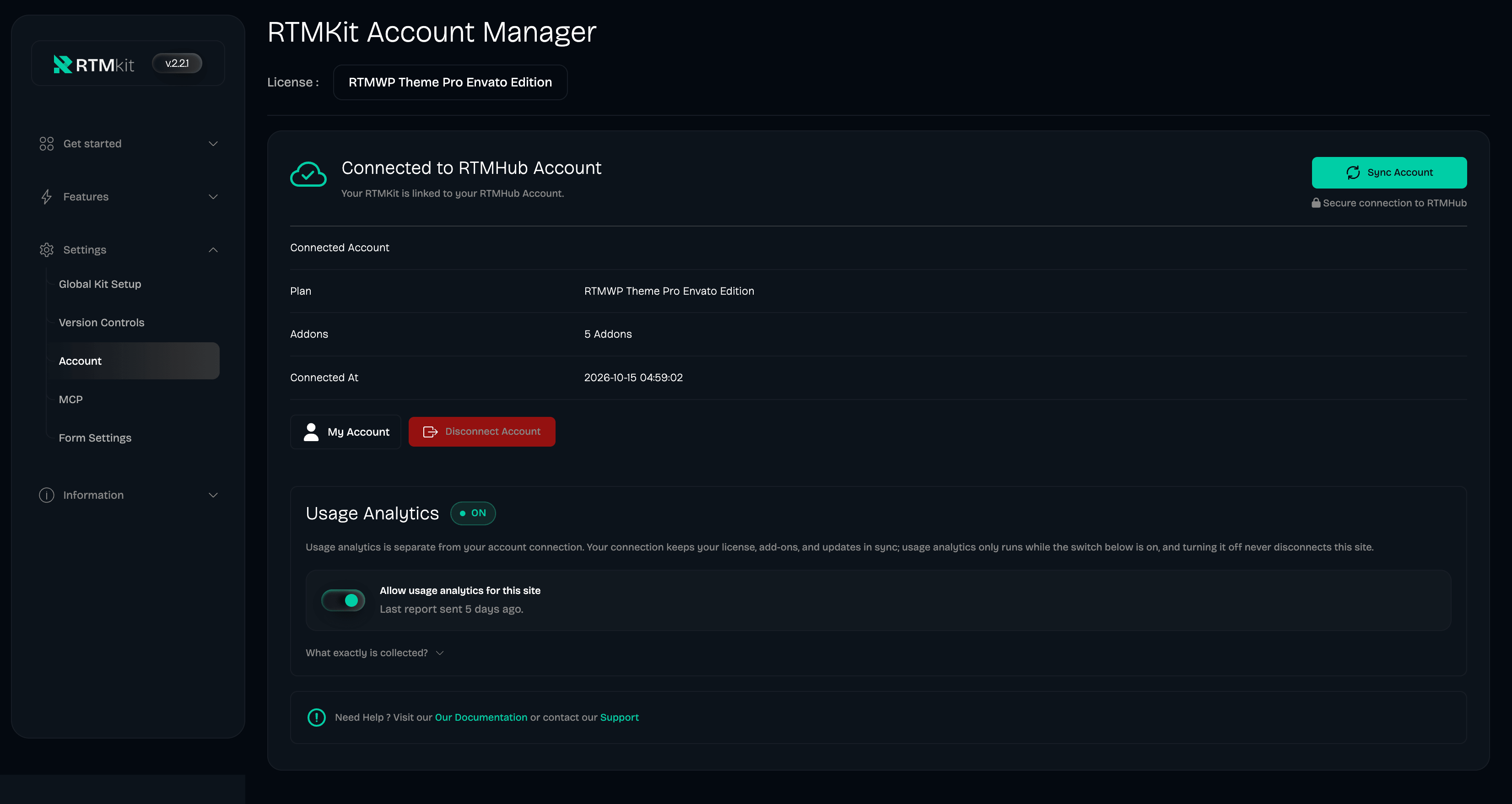
– Update : Multisite support activation for RTMHub
– RTMKit Form Pro Support
– Minor Fixes
Version 2.1.9 – September 17, 2026
– New : Telemetry implementation
– Minor Fixes
Version 2.1.8 – September 9, 2026
– HOTFIX : Widget Update Error
– Misc Updates
Version 2.1.7 – September 7, 2026
– Version control adjustment for RTMKit Addons Pro
– SSO Login to RTMHUB
– Addons enhancement and optimization
– Bug fixes
Version 2.1.6 – September 1, 2026
– Minor fixes
– Security fixes
– Code optimization
Version 2.1.5 – August 26, 2026
– Minor fixes
– Code optimization
Version 2.1.4 – August 21, 2026
– NEW : connection with RTMHUB ( for subcription users )
– NEW : feed notification with badge
– NEW : WPML and RTL Support
– Optimization performance
Version 2.1.2 – July 8, 2026
Fixed : version control
Version 2.1.1 – July 1, 2026
Optimize : add cache manager to reduce loading time
Version 2.1.0 – June 24, 2026
Fixed : black screen related server connection issue
Version 2.0.9 – June 23, 2026
Security issue fixed
Version 2.0.8 – June 11, 2026
Fixed : alignment bugs affecting the Background Text and HTML Tags in the “Advanced Heading” Widget
Fixed : an issue where the box-shadow did not follow the border-radius in the “Card Carousel” Widget
Fixed : a text-clipping bug where the number “0” was cut off when using Google Fonts in the “Counter” Widget
Fixed : a spacing issue with the Content Padding in the “Image Box” Widget
Fixed : a border-radius clipping bug on the Social Icons Style during hover states in the “Team Member” Widget
Fixed : bugs related to the Floating Date configuration in the “Post Block” Widget
Fixed : a query limitation bug, allowing users to successfully select and display more than 5 posts in the “Post List” Widget
Improve : Control Button (Animation, Transition, and new styling option) in the “Post Block” Widget
Improve : Control Button (Animation, Transition, and new styling option) in the “Post List” Widget
Improve : “Crop Title by Word” control to easily maintain uniform product card heights in the “Woo Product Grid”
Improve : a new Spacing control between the Author Name and the Description in the “Testimonial Carousel” Widget
Improve : a new Vertical Margin control for suffix and prefix positions in the “Counter” Widget
Version 2.0.7 – April 20, 2026
Update api url
Version 2.0.6 – April 7, 2026
Pricing table Bug Fixed
Card Carousel Bug Fixed
Advanced Heading Update
Call To Action Bug Fixed
Advanced Tab Bug Fixed
Testimonial Carousel Update
Version 2.0.5 – March 27, 2026
Setup Wizard Update
Wrapper Link Extension Bug Fixed
Advanced Heading Bug Fixed
Post Grid Bug Fixed
Client Grid Bug Fixed
Countdown Bug Fixed
Image Gallery Bug Fixed
Image Accordion Bug Fixed
Image Comparison Bug Fixed
Post List Bug Fixed
Product Grid Bug Fixed
Version 2.0.4 – March 13, 2026
Setup Wizard Update
Setup Global Style Bug Fixed
Chart Widget Bug Fixed
Wrapper Link Extension Bug Fixed
Version 2.0.3 – March 04, 2026
Security Update
Bug Fix : Conditional Display Theme Builder
Widget Bug Fix Pricing Table
Version 2.0.2 – February 20, 2026
Setup Wizard Bug Fix
Widget Bug Fix
Header & Footer Bug Fix
Version 2.0.0 – February 10, 2026
New: Improve the user experience by updating the visual interface.
Improved widget controls and UI consistency
Enhanced responsive and editor preview behavior
Fixed various widget, style, and control issues
Resolved minor rendering and PHP warnings
Performance and asset loading improvements
Internal refactor for better stability and compatibility
Security Update
Version 1.6.8 – November 24, 2025
Security Update
Version 1.6.7 – October 24, 2025
IMPROVE : setting navigation animation in the “Card Carousel” widget.
IMPROVE : Control width and height Dot in the Hero Slider widget.
IMPROVE : Responsive alignment text in the client grid widget.
IMPROVE : control navigation in the testimonial carousel widget.
IMPROVE : Responsive control alignment in the Pricing Table widget.
IMPROVE : Control height in the progres bar widget.
IMPROVE : control border time style in the countdown widget.
IMPROVE : more social media selected in the social icons widget.
IMPROVE : more social media selected in the social share widget.
IMPROVE : responsive control direction in the woo product grid widget.
FIX : control alignment text not working in the advanced heading widget.
FIX : text shadow headline standard control in the advanced heading widget.
FIX : alignment in control container is not effect to feature in the Pricing Table widget.
NEW : Woo Product Carousel Widget
NEW : Team Carousel Widget
Version 1.6.6 – September 29, 2025
FIX Search button position not working in the “Search” widget.
FIX Submenu icon hover not changing in the “Nav Menu” widget
FIX Box shadow not follow the border radius scale on image or icon in the “Text Marquee” widget.
FIX Icon on Slider style not work when color change in the “Image Comparison” widget.
FIX Mouse hover show up in the editor canvas in the “Wrapper LInk” widget.
FIX Container broken in mobile view for “Woo Product Grid” widget.
FIX Mode responsive height content broken in the “CTA” widget.
FIX Broken layout on Style Half Circle” in the “Progress Bar” widget
FIX Lightbox feature in “Image Gallery” widget not working in Tablet & Mobile.
IMP Added Responsive mode on All Alignment in the widget.
Security Update
Version 1.6.5 – September 5, 2025
Change name hover effects “overlay” to “flip” widget ” Client Grid” widget.
“Restructure control” and add new feature normal, hover effects “Video Button” widget.
Fix Title Alignment, Description Alignment and Button alignment in the ” Image Accordion ” widget.
New Features : Import Template Kits
New Features: Premium Template Kits
Version 1.6.4 – August 13, 2025
Fixed : Conflict within Header Offcanvas and glass blur effects.
Fixed: Image Accordion Description alignment not working.
Improved : Image Box Add aspect ratio options: 4:5, 2:3.
Version 1.6.3 – August 11, 2025
Added the ability to adjust padding responsively in the ‘Client Grid’ widget.
Issue showing list discs in posts within the ‘Post List’ widget.
Version 1.6.2 – August 6, 2025
Upgrade to PHP 8.2
New widget “Video Button”
New widget “Social Icons”
Issue on spacing control in the “Advance Heading” widget
Issue on pointer control in the “Team” widget
Issue on image size in the “Client Grid” widget
Issue on bullet point on post blog
Improve on Pricing Table
Added width control in the “Tooltips” extentions
Version 1.6.1 – May 21, 2025
Fixed : Issue on button global kit style control in the “Setting” dashboard.
Fixed : Issue on Button can’t click save & editing in the “Form” theme builder.
Fixed : Issue on navigation not working on editing canvas in the “Testimonial Carousel” widget.
Fixed : Issue on button area click in the “Call to Action” widget.
Improved : Added optional alignment content in the “Woo Product Grid” widget
Improved : Added icon spacing and padding content control in the “Image box” widget
Improved : Added optional position for dots in the “Hero Slider” widget
Improved : Added Icon color control in the “Image Comparison” widget
Improved : Added spacing control in the “Advanced Heading” widget
Improved : Added separator or dot optional in the “Countdown” widget
Improved : Added other layout style in the “Counter” widget
Improved : Added saved templates optional in the “Accordion” widget
Improved : Added optional alignment for tabs in the “Advanced Tabs” widget
Improved : Added optional lightbox in the “Image Gallery” widget
Improved : Added icon submenu color control in the “Nav Menu” widget
Improved : Added optional layout position inline and list in the “Search” widget
Improved : Added new style “inline” in the “Progress Bar”
Improved : Added control content for border width, radius, & color in the “Team Widget”
Version 1.6.0 – May 21, 2025
Added : New extention “RTM Duplicator”
Added : New extention “RTM Tooltips”
Added : New extention “RTM Wrapper Link”
Fixed : Issue on alignment mobile devices in the “Header Info” widget.
Fixed : Issue on responsive and fullwidth in the “Woo Product list” widget (style 2)
Fixed : Issue on animation not working in the “Image Accordion” widget
Fixed : Issue on image not show with 4 colomn in the “Image Gallery” widget
Fixed : Issue on responsive view in the “Image Comparison” widget
Fixed : Issue on Box Shadow radius in the “Card Carousel” widget
Fixed : Issue on Featured Image in the “Post Grid” widget
Fixed : Issue on icon missing close in the “Header Offcanvas” widget
Fixed : Issue with vertical layout option not displaying view content saved template correctly in the ‘Advanced Tabs’ widget
Improved : Added border style and color options to the button in the “Search” widget
Improved : Responsive color control options for the tab menu style in the “Nav Menu” widget
Improved : Added number prefix in the “Counter” widget
Improved : Added border radius for time style and position in the “Countdown” widget
Improved : Added width and heigth control for image in the “Image Marquee” widget
Improved : Added alignment, typo optioins for category in the “Post List” widget
Improved : Added border color options in the “Pie Chart” widget
Improved : Added border radius options in the “Header Info” widget
Version 1.5.6 – March 15, 2025
Bug Fixed in Export Import TemplateKit
Version 1.5.5 – March 14, 2025
New Extension : Glassmorphism Effect
New Widget : Back to Top
New Widget : Client Grid
Update : Text Marquee
Update : Post List
Update : Product Grid
Update : Pricing Table
Update : Hero Slider
Version 1.5.4 – January 30, 2025
New Widget: Woo Product Grid
Update Widget : hero slider
Update Widget : image accordion
Update Widget : Call To Action
Update Widget : Advanced Tabs
Update Widget : Blockquote
Update Widget : Post Block
Security Update
Version 1.5.3 – January 10, 2025
New : Template Library
New Widget : Hero Slider
New Widget : Image Box
New Widget : Dual Button
New Widget : Image Gallery Masonry
Update Widget : Pricing Image Box
Update Widget : Post Carousel
Update Widget : Client Carousel
Update Widget : Testimonial Carousel
Update Widget : Nav Menu
Security Update
Version 1.5.2 – November 7, 2024
New Widget: Image Comparison
New Widget: Post List
New Widget Advanced Heading
New Widget: Post Block
Update Navmenu Widget
Update Header Offcanvas Widget
Update Team Widget
Update Text Marquee Widget
Update Blog Post -> Rename to Post Grid
Update Card Slider -> Rename to Card Carousel
Bug Fix: Multiple Animated Heading Widgets on the Same Page
Bug Fix: Multiple Testimonial Carousel Widgets on the Same Page
Version 1.5.1 – September 13, 2024
* Bug Fixed
* Update Header Info Widget
Version 1.5.0 – August 28, 2024
* New: Improve the user experience by updating the visual interface.
* New: Adding Countdown and Pricing Widget.
* Fix : Bug Fixed in Blog Post Widget
* Fix : Bug Fixed in Blockquote Widget
* Fix : Bug Fixed in Social Share Widget
* Fix : Bug Fixed in Team Widget
* Fix : Bug Fixed in Accordion Widget
* Fix : Bug Fixed in Counter Widget
Version 1.4.5 – June 28, 2024
* Header Info Bug Fixed
* Animated Heading Bug Fixed
* Card Slider Bug Fixed
* Testimonial Carousel
* Adding New Icon for Rometheme Icon Pack
Version 1.4.4 – April 30, 2024
* Widgets Bug Fixed
Version 1.4.3 – April 19, 2024
* Adding New Rometheme Icon Pack
* Widgets Bug Fixed
* Add link Help for Widgets
Version 1.4.2 – March 10, 2024
* Security Update
Version 1.4.1 – January 15, 2024
* Update Card Slider Widget
* Edit button Theme Builder Bug Fixed
Version 1.4.0 – December 27, 2023
* Update Visual Interface for the Plugin
* Testimonial Carousel Bug Fixed
* Add Rometheme Icons Pack
Version 1.3.4 – September 27, 2023
* Bug Fixed Progress Bar Font Title
* Add Padding & Margin Style Progress Bar Title
* Add Team Social Media Margin
* Bug Fixed Blog Post
Version 1.3.3 – August 23, 2023
* Add Line Chart Widget
* Add Pie and Doughnut Chart Widget
* Add Progress Bar Widget
* Add Counter Widget
* Fixed Social Media Margin in Team Widget
* Fixed Padding Title in Accordion Widget
Version 1.3.2 – August 7, 2023
* Add Accordion Widget
* Add Testimonial Carousel Widget
* Add Bar Chart Widget
* Add Advanced Tab Widget
* Icon Size Search Widget
Version 1.3.1 – July 17, 2023
* Add Text Marquee Widget
* Add Animated Heading Widget
* Add Card Slider Widget
* Navmenu Fixed Submenu Radius
* Blog Post Fixed Featured Image
Version 1.3.0 – May 8, 2023
* Add Features Rometheme Library
* Add Rometheme Icons Pack
* Add widget Call to Action
* Add widget Blockquote
* Add widget Social Share
* Add widget Team
* Blog Post Bug Fixed
* Header Info Bug Fixed
Version : 1.2.1 – February 28, 2023
* Navmenu submenu typography bug fixed
Version : 1.2.0 – February 23, 2023
* Navmenu settings improvement and enhancement
* Addition of menu form
* Bug Fixed on Date Blog Post
* Bug FIxed on Edit Header & Footer
Version : 1.1.3 – January 27, 2023
* Some Bug Fixed
Version : 1.1.2 – January 27, 2023
* Add New Header Footer Bug Fixed
Version : 1.1.1 – January 27, 2023
* Add Blog Post Widget
Version : 1.1.0 – January 19, 2023
* CSS Bug Fixed
* Nav Menu Bug Fixed, Multi Submenu Issue, Nav Menu Position Issue
* Search Bug Fixed
Version : 1.0.0 – January 5, 2023
* this is first version of Rometheme for Elementor Plugin