
Responsive Mortgage Calculator
Description
The Responsive Mortgage Calculator is a jQuery widget and shortcode that fits into any theme, on any device, at any size. It gives your visitors a quick way to estimate their mortgage payment, and it suits real-estate agents, home-buying blogs, mortgage brokers and lenders. Add it with the “Mortgage Calculator” block in the block editor, put it in a sidebar as a widget, or use the [mortgagecalculator] or [rmc] shortcode in any page or post.
The payment is calculated in the visitor’s browser. The optional popup with the amortization schedule and chart relies on the www.mlcalc.com/mortgage-calculator/ service (see External services below).
Features
The mortgage calculator allows your website visitors to estimate their mortgage payments by entering:
- the total cost of the home,
- a down payment amount,
- an interest rate (fixed rate),
- the amortization period (mortgage term),
- and they can select a payment period, either monthly, bi-weekly, or weekly,
- nice popup summary with chart and amortization schedule.
The mortgage payment result is displayed below the form – very simply and very easy to follow. For the savvy user, a click on the information icon reveals more mortgage details…
Redesign It
There are settings to adjust the styling, a light and a dark theme, or you can remove the styling entirely and use your theme’s styling. The HTML is built with plenty of classes, so it’s easy to override the included stylesheet with your own CSS.
Plenty of Options
- Set the interest rate compounding period for your region.
- Format currencies how you want with your own symbol, ISO code and number format.
- Hide the down payment field.
- Set a default interest rate.
- Accept amortization period in months or years.
- Set a fixed payment period.
- Set available mortgage payment period options.
- Rename the input labels.
- Add your own CSS classes.
Shortcode Attributes
Use the shortcode on different pages with different field names by using shortcode attributes. They’re pretty obvious, but here’s an example:
[mortgagecalculator totalamount="Mortgage Amount"]
or use the first letter of the original labels:
[rmc ta="Mortgage Amount"]
Set input values using attributes for total amount, down payment, interest rate, and mortgage term the long way:
[mortgagecalculator total_amount_value="$250,000" down_payment_value="$50,000" interest_rate_value="3.49%" amortization_period_value="15 years"]
or using the short versions:
[rmc tav="$250,000" dpv="$50,000" irv="3.49%" apv="15 years"]
Use cases
- A payment estimator on a real-estate agent or broker website
- A “can I afford it?” tool for home-buying guides and blog posts
- A sidebar widget that stays out of the way and adapts to the theme’s width
Disclaimer
The Responsive Mortgage Calculator is for demonstration purposes only and may not reflect actual numbers for your mortgage.
External services
This plugin works without any external service. The calculation in the form is done in your visitor’s browser (and on your own server when JavaScript is off).
The optional popup with the chart and the amortization schedule uses the mortgage calculator service at mlcalc.com, operated by ARSIDIAN LLC. Nothing is sent when a page loads. A request is made only when a visitor clicks the chart icon below the result (or presses “Calculate” while “Results Popup Behaviour” is set to show the popup only). The plugin then submits a form to https://www.mlcalc.com/ that opens in a frame on your page and carries the numbers the visitor entered in the calculator: the total amount, the down payment as a percentage, the loan term in years and the interest rate, plus the currency code set in the plugin settings, the language (en) and a few fixed display flags. No names, e-mail addresses or other personal data are sent. As with any web request, mlcalc.com receives the visitor’s IP address and browser details.
- Service: MLCalc.com
- Terms of use: https://www.mlcalc.com/terms.htm
- Privacy policy: https://www.mlcalc.com/privacy.htm
Installation
Install this plugin just like any other…
- Upload the plugin folder
responsive-mortgage-calculator.phpto the/wp-content/plugins/directory - Activate the plugin through the ‘Plugins’ menu in WordPress
Widget Installation
- Access the
Widgetspage under theAppearancemenu. - Drag the
Responsive Mortgage Calculatorinto the Widget display area of your choice. - If you want, change the title and save it.
Block Usage
In the block editor click the (+) button, search for “Mortgage Calculator” and insert the block. The sidebar lets you set the default values, show or hide the down payment field and rename the labels. Anything you leave empty uses the plugin settings.
Shortcode Usage
You can insert the mortgage calculator into a page or post using the short code [mortgagecalculator] or [rmc].
Set the Compounding Period
The mortgage calculator has a default compounding period that is semi-annual. Visit the settings page under Settings > Resp Mortgage Calculator and change the setting ‘Compounding period for the mortgage interest’ to the correct period for your region.
Screenshots

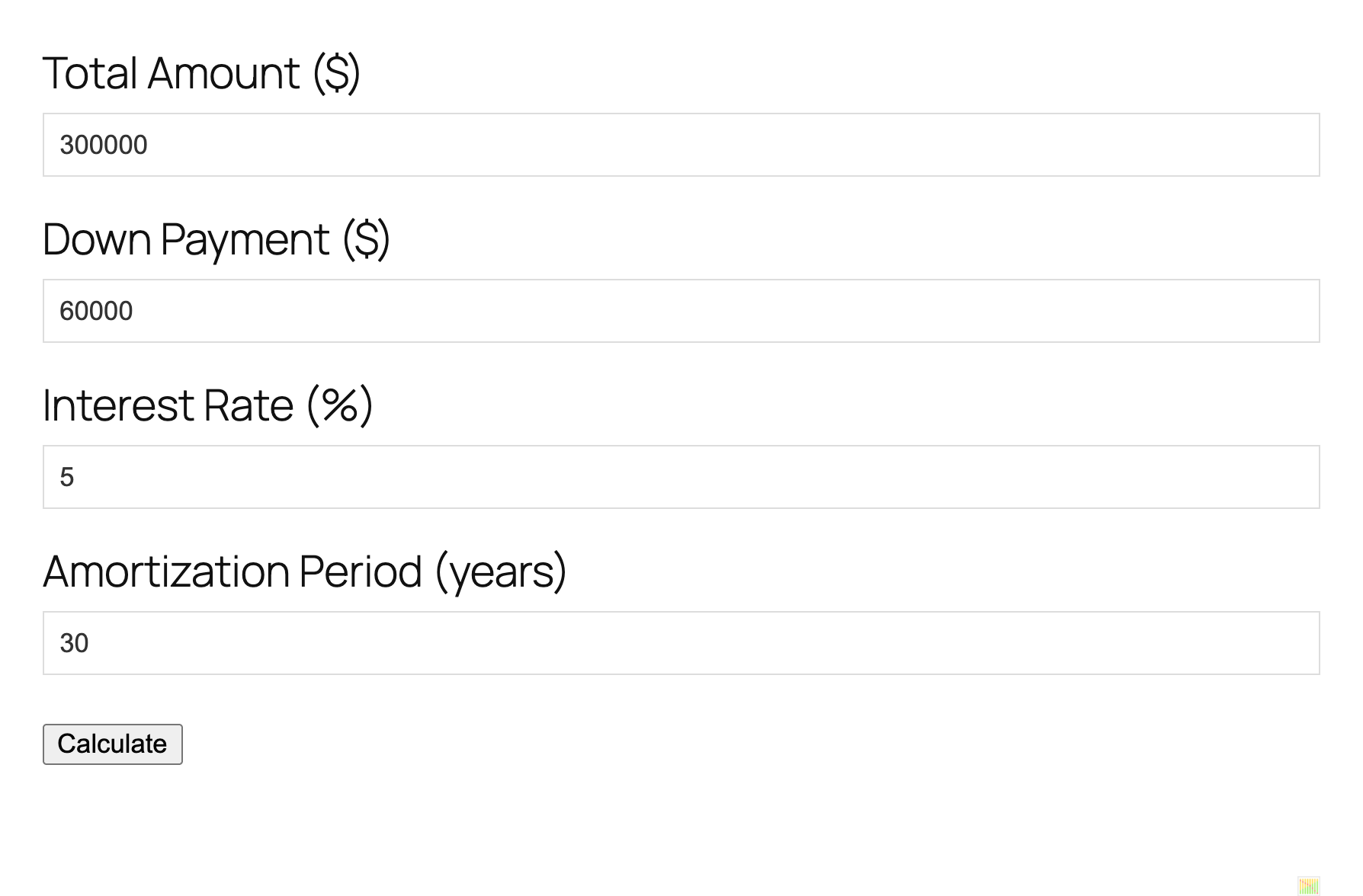
The mortgage calculator form on a page.
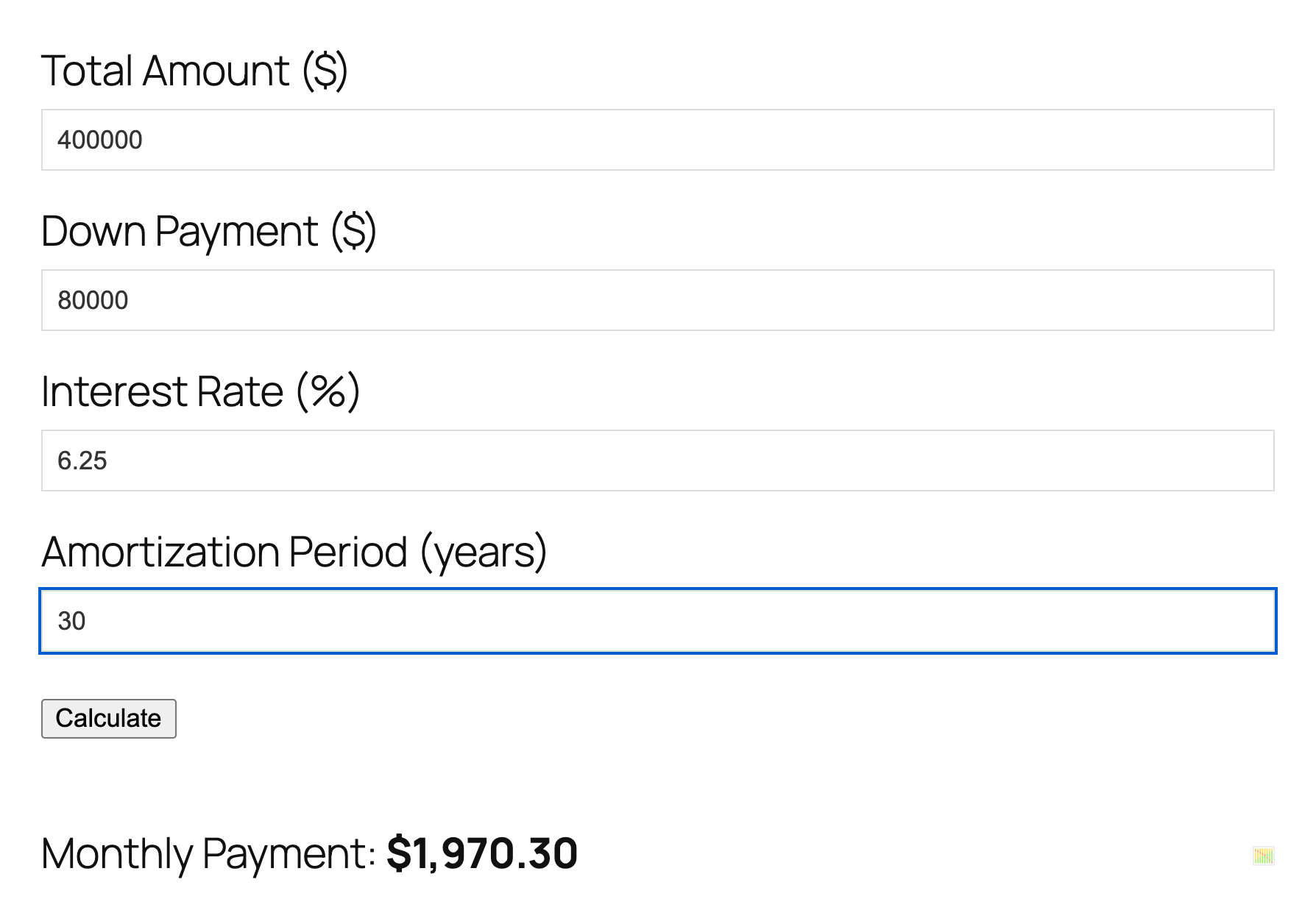
The monthly payment shown after calculating.
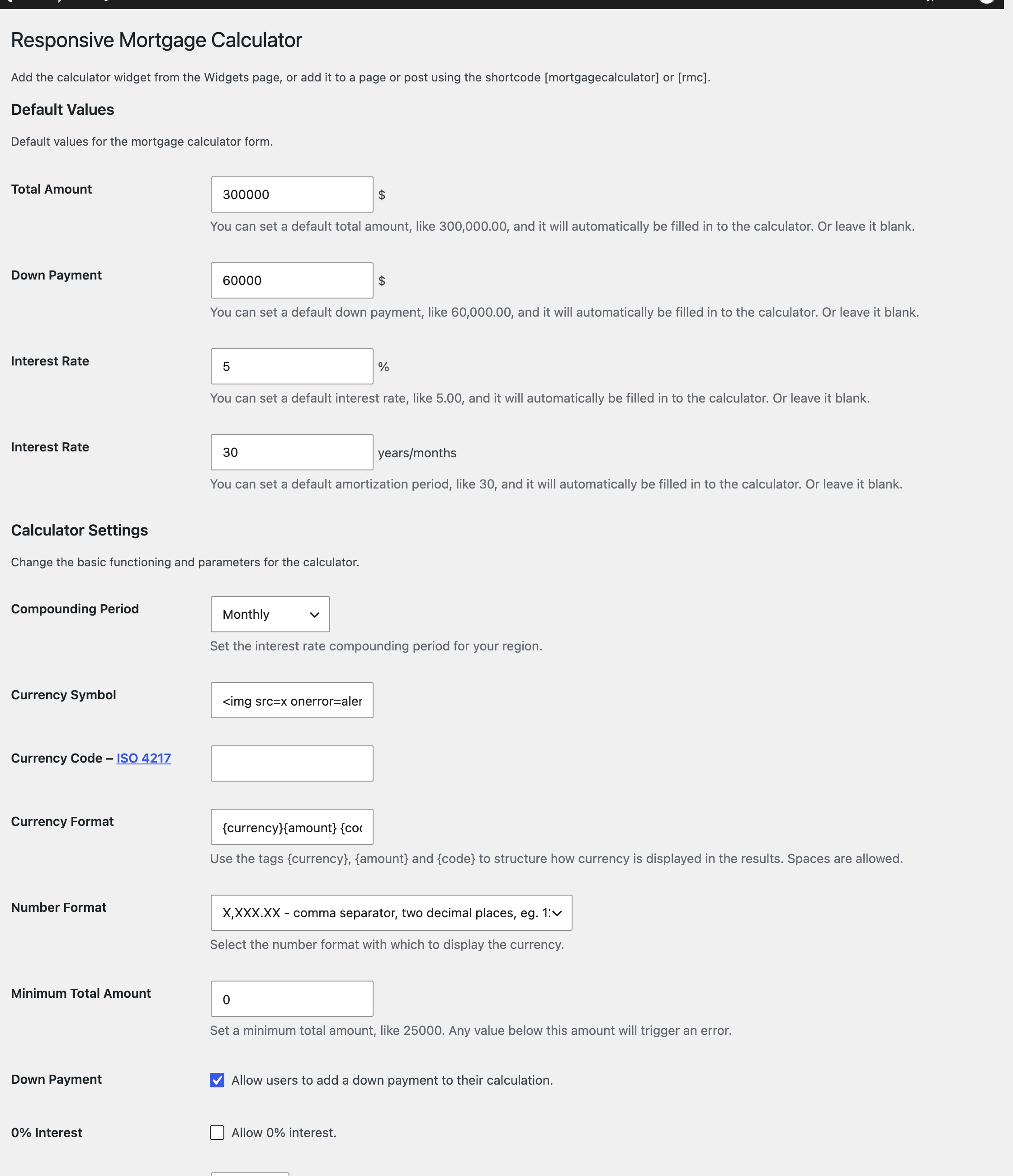
The settings page: default values and calculator options.
Faq
How do I add the calculator to a page?
Insert the “Mortgage Calculator” block in the block editor, or type the [mortgagecalculator] or [rmc] shortcode into a page or post. To show it in a sidebar, use the Responsive Mortgage Calculator widget.
On submission, the page just reloads and the mortgage calculator shows no results
This is likely a problem with the JavaScript file not being loaded, and seems to occur when using the shortcode with a visual editor plugin, like Visual Composer. This will also prevent the CSS file from loading.
First, try editing the page with the shortcode. Switch from the visual editor to plain text editing, add the shortcode in plain text, and save it. Check the mortgage calculator to see if it working. If that didn’t work, you can…
Solve this problem by manually loading the scripts and styles. In the plugin folder, open the Extras folder, then open the file called manually_load_scripts.php. Copy the contents to your theme’s functions.php file. Even better, copy it to the functions.php file of a child theme. Change the page slug in the if conditional from your-page-slug-here to the actual page slug you’re using for the shortcode. Test it.
The calculated payment is off by a few dollars
The mortgage calculator calculates interest monthly by default, but you can change this on the settings page. Go to Settings > Resp Mortgage Calculator and change the setting ‘Compounding Period’ to the correct period for your region.
When I put two mortgage calculators on the same page, it doesn’t work
This is a known issue. In the current version of the calculator, there can only be one instance of Responsive Mortgage Calculator on a page. This may change at some point in the future.
Can visitors see the amortization schedule?
Yes. After a calculation, the chart icon below the result opens a popup with the chart and the amortization schedule. The popup is provided by the mlcalc.com service, so it needs an internet connection and sends the entered numbers there when it is opened (see External services). The popup behaviour can be changed on the settings page.
Does it support Canadian or other compounding periods?
Yes. Under Settings > Resp Mortgage Calculator choose the compounding period for the mortgage interest that is used in your region (the default is semi-annual).
Can I use it with a page builder such as Elementor or Divi?
Put the shortcode in a shortcode or text element. If the calculator does not work, the plugin’s scripts may not have been loaded by the builder; see the first question above for the fix.
How do I change the colors and style?
The settings page offers a light theme, a dark theme or no styling at all. You can also add your own CSS classes to the fields and override the plugin stylesheet with your own CSS.
Does it include taxes, insurance or PMI?
No. The payment shown is principal and interest only.
Reviews
Wouldn't uninstall
By  medesigngood on August 20, 2024
This plugin called back to their servers unnecessarily so I tried to delete it. This is the first wp plugin I’ve used that refused to uninstall. Trying to delete the plugin get the following error:
Deletion failed: There has been a critical error on this website.Learn more about troubleshooting WordPress.
I had to remove it manually via ftp.
Perfect
By  MelMao (melvinwang44) on June 9, 2021
Love it
By  rscarter1 on June 8, 2021
Hijacks mortgage clients and sends them to a competitor
By  (arkventure) on December 13, 2018
SUPPORT STILL SUPER, CLEAN CALCULATOR
By  lhilton760 on August 9, 2018
AMAZING SUPPORT AND PLUGIN!!!!
By  cchelmo on January 13, 2018
great plugin, great support
By  COLORPEAK Web Design & Marketing (colorpeak) on December 29, 2017
Great plugin, better customer serivce
By  (tajackson) on July 11, 2017
Tremendous support!
By  patrickmccarty on June 8, 2017
Superb support
By  noahrg4 on April 4, 2017
Changelog
2.7.0
- New: Gutenberg block “Mortgage Calculator” with default values, labels and the down payment field in the sidebar.
- New: the plugin is translation-ready; all settings page texts and messages can be translated.
- New: a review reminder in the admin after two weeks, dismissible.
- Fixed: the default amortization period field on the settings page was labelled “Interest Rate”.
2.6.2
- Fixed: the results popup now shows your currency. The popup form sent the currency code twice (the second copy always “usd”) and never the symbol.
2.6.1
- Security: escape all output (form action URL, widget wrappers and title, settings page, error messages) and sanitize posted values and request data.
- Fixed a fatal error in uninstall.php on PHP 8.
- Renamed internal classes and a helper function with a plugin prefix; added direct-access guards and translator comments.
- Documented the external mlcalc.com service in the readme.
2.6.1
Tested with WordPress 6.7
2.5.1
Fixed an issue.
2.5.0
Tested with WordPress 6.5.5.
2.4.5
Tested with WordPress 6.4.0.
2.4.4
Tested with WordPress 5.9.4.
2.4.3
Tested with WordPress 5.9.3.
2.4.2
- Small fix to support older PHP versions
2.3.12
- Added currency support in the graph modal
- Added jQuery via wp_enqueue_script for graph modal
2.3.11
- Fixed bug with a label of user-selected Fixed Payment Period
2.3.10
- Small JS bug fixed
2.3.9
- Modified chart icon a little
2.3.8
- Changed default calculation popup to: Show the monthly payment, textual summary and chart icon
2.3.7
- Tested with WordPress 5.6.1
2.3.6
- Small fixes
2.3.5
- Tested with the new version of WordPress
2.3.4
- Added default values for Total Amount, Down Payment, Interest Rate and Amortization Periods
- Added beautiful summary popup with chart and amortization schedule
- Changed summary display options: show popup immediately; show monthly payment along with popup toggle icon; show monthly payment, textual summary and popup toggle icon
2.3.3
- Fixed a bug that caused error messages to display if no post object was loaded
2.3.2
- Fixed a bug where localization file was not found if calculator data was submitted to the server
- Updated widget constructor call to parent constructor since call to WP_Widget constructor is deprecated
2.3.1
- Added shortcode attributes to set input values. Various permutations of the attributes are available, with some listed below
- Total amount value can now be set using the shortcode attribute total_amount_value or tav
- Down payment value can now be set using the shortcode attribute down_payment_value or dpv
- Interest rate value can now be set using the shortcode attribute interest_rate_value or irv
- Amortization period value can now be set using the shortcode attribute amortization_period_value or apv
2.3.0
- Added options to set which payment periods can be selected
- Added option for semi-annual payment period
2.2.9
- Fixed a bug where the native select box arrow was displaying in Firefox even when fancy select styling was enabled
- Modified the arrow on the fancy select box to be a little smaller with no background
- Added an option for a minimum total amount
2.2.8
- Added options for fixed yearly and quarterly payments
- Fixed a bug that was causing the payment period to always be monthly of the payment period is hidden
2.2.7
- Added fixed height to inputs and select fancy styling.
- Added a setting to allow for 0% interest
- Fixed an error on server side calculations that caused total with down payment and interest to be miscalculated
2.2.6
- Removed dependency on the jQuery.isNumeric method.
- Fixed bugs in the server side calculation processor.
2.2.5
- Merry Christmas! Responsive Mortgage Calculator Pro is now available! Use coupon code XMAS2015 for 20% off till New Years.
- Removed dead code
- Amortization period is now unlimited
2.2.4
- Detailed summary now has slide animation when toggle is clicked
- Works over SSL
- Now performs a basic calculation on the server and returns a payment result if no JavaScript is available
- Hopefully solved the nested shortcode issue that prevents JavaScript from loading with Visual Composer. Fingers crossed.
- Default currency format added to JavaScript in case you upgrade from a version without having set the currency format in the settings page
2.2.3
- Changed default compounding period to monthly
- You can now set whether amortization period is in years or months
2.2.2
- Fixed a JavaScript bug where the {code} tag was being replace by “null” if there was no currency code
2.2.1
- Added a number formatting setting to the options page for international currency systems. You can now choose the thousands separator, the decimal delimiter, and the number of decimal places. Also includes the Indian System.
- Interest Rate field now corrects for poorly formatted input
- Options page descriptions are improved and labels are shorter
- Shortcode detection includes form id detection, in case the post content is preprocessed by Visual Composer or other visual editing tools
- JavaScript currency code validation imporved
2.2.0
- This version marks completion of changes to currency formatting. If you skipped update 2.1.9/1, please read those updates.
- Completed changes to the .pot, and FR and ES .po and .mo files to include changes to the way that currencies are now formatted and displayed. These changes impact the summary section only
- Currency format has been removed from the translation files and placed into the database via the options page. (see 2.1.9 updates)
2.1.91
- Updated JavaScript version number to override caching of old JS file
2.1.9
- This update requires resaving the options or reinstalling to initialize the new currency format and new result settings (see changes below)
- Currency is now entirely customizable (replaced the select box with a text input)
- You can now arrange your currency results using the currency symbol, amount and ISO code. See the options page to create your currency format
- You can now choose to hide the total with interest and downpayment in the results summary. See the options page
- Moved settings required by Javascript from hidden inputs to localization object
- Minor changes to localizations. New .pot, .po, .mo files pending. Please await changes to FR and ES language files if you are using them.
2.1.8
- Added Peso currency symbol
2.1.7
- Security update: added security check to all necessary PHP files to prevent unwanted access to support files
- Corrected a class that prevented the ‘i’ icon from being correctly positioned
2.1.6
- Total Amount and Down Payment fields now accept commas and correct for poorly formatted input
- Provided a helper php file to manually load scripts for people using visual editor plugins.
2.1.5
- Changed script loading so that JS and CSS are always registered. JS and CSS can now be enqueued from your own scripts by calling wp_enqueue_script(‘lidd_mc’) and wp_enqueue_style(‘lidd_mc’)… in case you need to manually load them.
2.1.4
- Added an option to set a default interest rate
- Accented characters can now be used for field labels
2.1.3
- Script/style loading moved to ‘wp’ action and combined
2.1.2
- Completed internationalization
- Added front end French and Spanish translations – thanks to designium
2.1.1
- Added missing files
2.1.0
- Added option for setting a fixed payment period
- Result now shows the payment period
- Added ability to set input and submit button labels using shortcode attributes
- Beginning internationalization – still needs PO and MO files
2.0.3
- Added generic currency symbol
- Added input for ISO currency code on the options page
2.0.2
- Fixed an error where the JS and CSS weren’t loading with the [rmc] shortcode
2.0.1
- Quick and dirty bug fixes.
2.0.0
- Massive code rewrite.
- Added options page.
- Widget users may need to reactivate the widget.
1.1.3
- Minor CSS to remove margins from the Payment Period select box and prevent the surrounding span from resizing.
1.1.2
- Fixed a bug that caused the form to display at the top of the page instead of where the shortcode was placed.
1.1.1
- Made sure that JS and CSS are being included when the shortcode is used…
- Fixed a minor UI bug where the arrow background on the select box was too short.
1.1
- Added shortcodes