
Nepali Date Utilities
Description
Nepali Date Utilities converts English (AD) dates to Nepali (BS) for posts, comments, shortcodes, blocks, and a monthly post calendar. It helps Nepali sites show Bikram Sambat dates consistently across WordPress.
Features
- Convert post and modified dates to Nepali
- Convert comment dates
- Bilingual display (BS + AD)
- Devanagari or Arabic numerals
- Home / front page modes: default format, relative “time ago”, or hide
- Shortcodes:
[ndu_today_date],[ndu_date_ago],[ndu_convert],[ndu_post_calendar] - Classic “Today Date in Nepali” widget (optional format)
- Gutenberg blocks: Nepali Today Date and Nepali Post Calendar
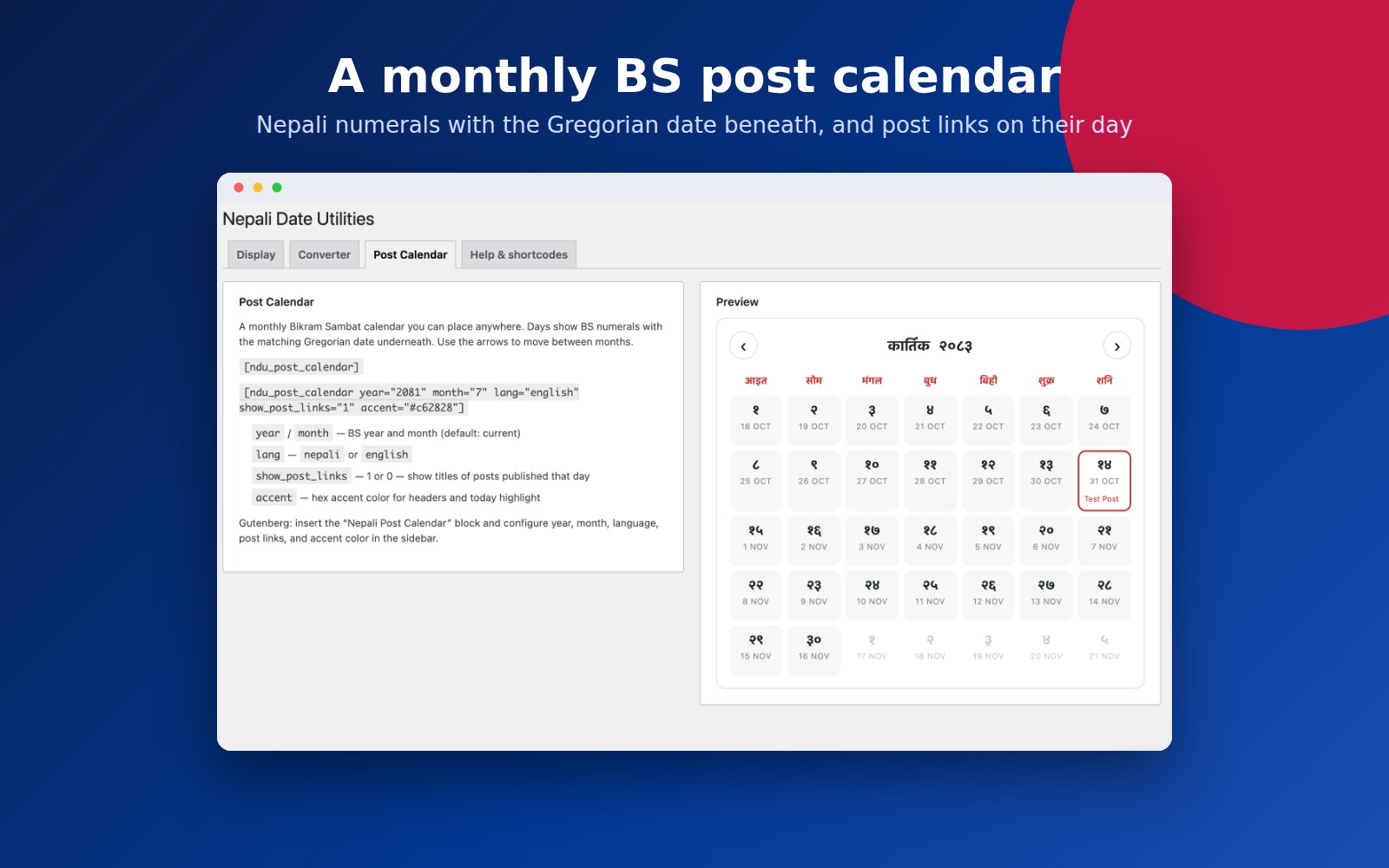
- Monthly BS post calendar with navigation, dual dates, optional post links, and accent color
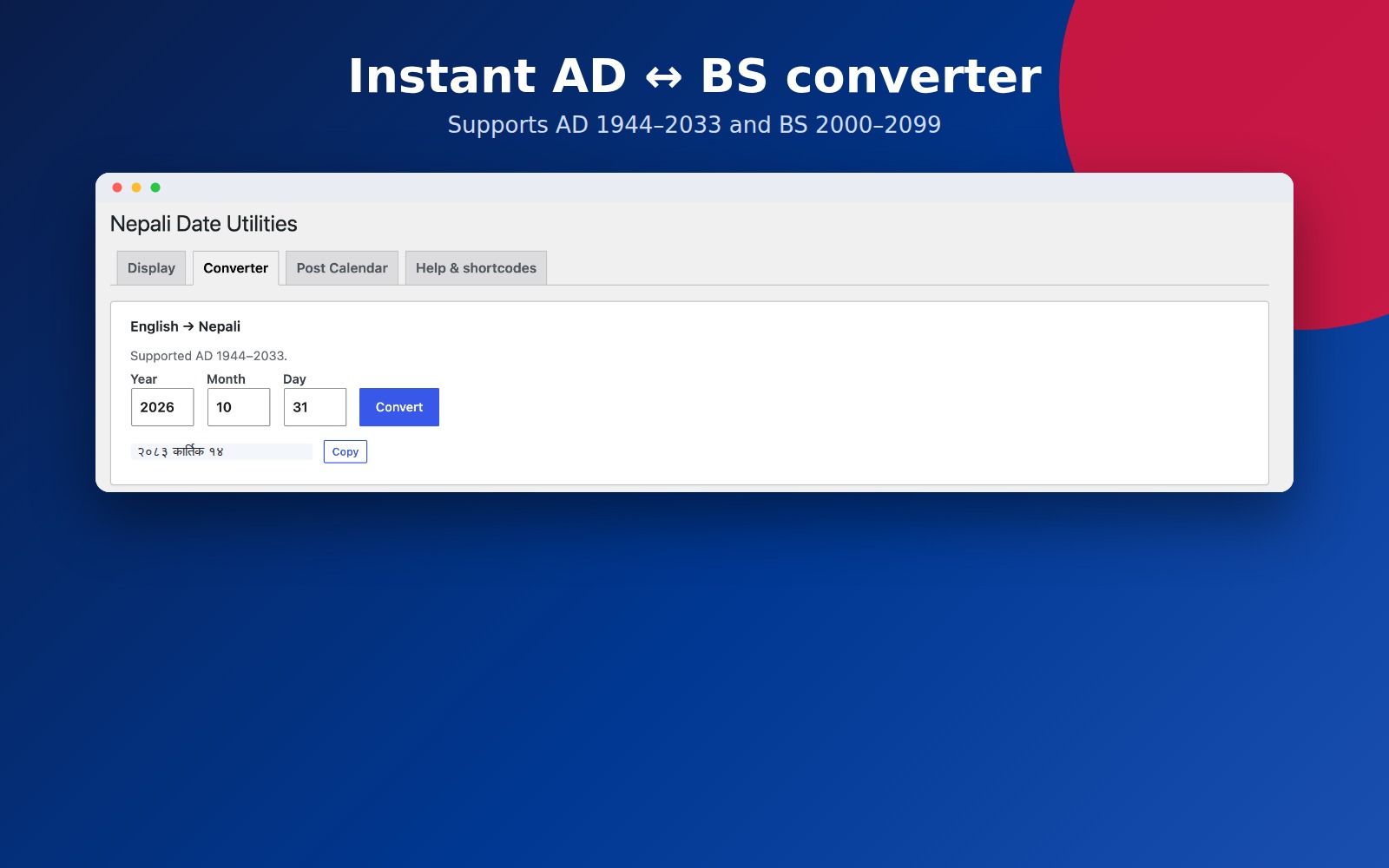
- Admin converter: English Nepali
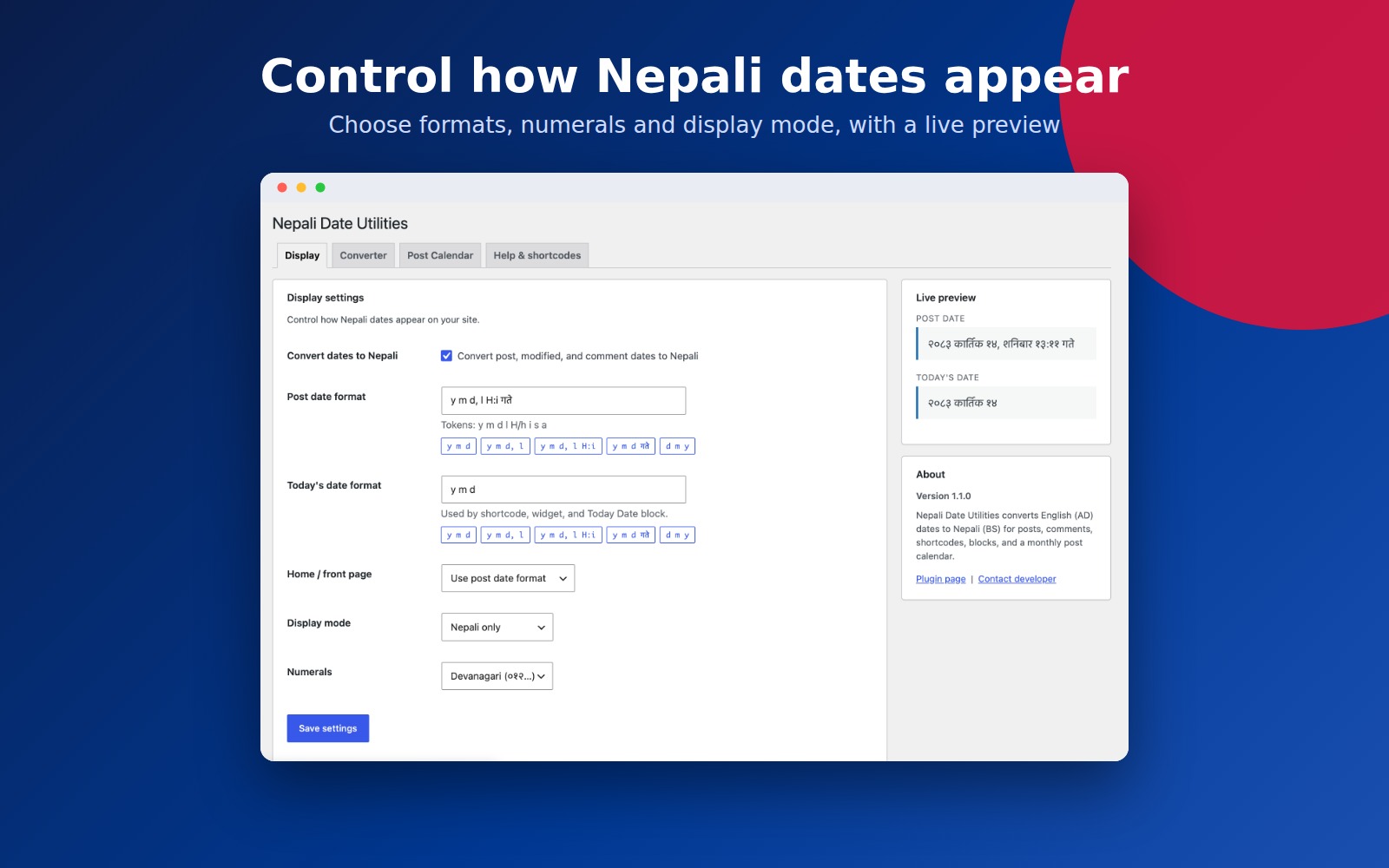
- Live format preview and format presets in settings
Shortcodes
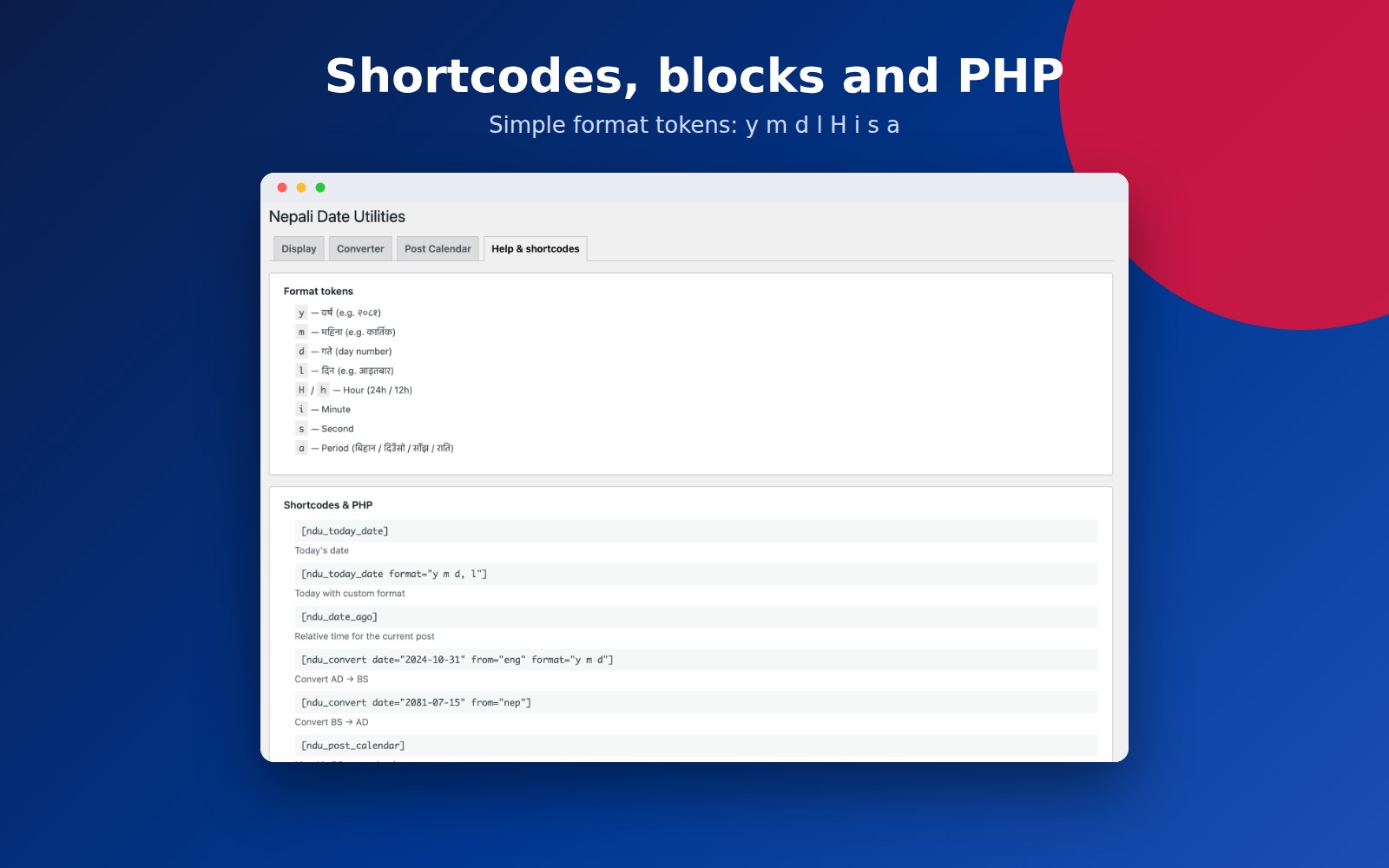
[ndu_today_date]— today’s date[ndu_today_date format="y m d, l"]— custom format[ndu_date_ago]— relative time for the current post[ndu_convert date="2024-10-31" from="eng" format="y m d"]— AD BS[ndu_convert date="2081-07-15" from="nep"]— BS AD[ndu_post_calendar]— monthly BS calendar[ndu_post_calendar year="2081" month="7" lang="english" show_post_links="1" accent="#c62828"]— calendar with options
Format tokens
y— year (e.g. २०८१)m— month name (e.g. कार्तिक)d— day numberl— weekdayH/h— hour (24h / 12h)i— minutes— seconda— period of day (बिहान / दिउँसो / साँझ / राति)
PHP helpers
ndu_today_date(), `ndu_get_date_ago()`, `ndu_format_nepali_date( $timestamp, $format )`
Supported conversion range: AD 1944–2033 / BS 2000–2099.
Installation
- Upload the plugin folder to
/wp-content/plugins/nepali-date-utilities, or install via Plugins Add New. - Activate Nepali Date Utilities.
- Go to Settings Nepali Date Utilities to configure display options, try the converter, or preview the post calendar.
Screenshots

Display settings with live preview, format presets, and About
Post Calendar tab with shortcode docs and live BS calendar preview
Instant AD ↔ BS converter
Help & shortcodes — format tokens and usage examples
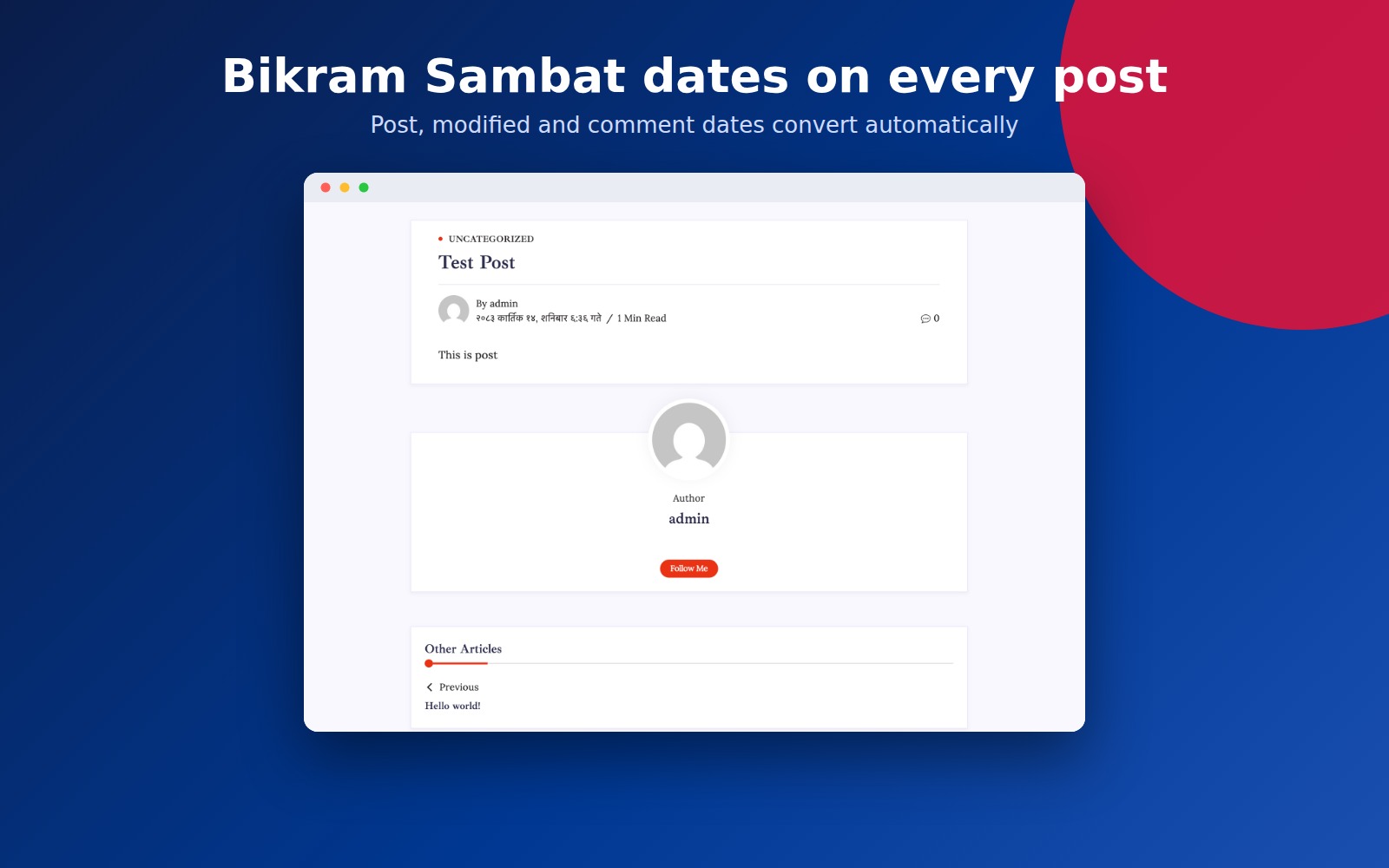
Nepali post dates on the front end
Faq
Does this replace English dates site-wide?
When “Convert dates to Nepali” is enabled, post, modified, and comment dates use your Nepali format. You can switch to bilingual mode to show both BS and AD.
Can I convert a specific date?
Yes. Use the Converter tab in settings, or the [ndu_convert] shortcode.
How do I show a Nepali post calendar?
Use [ndu_post_calendar], or insert the Nepali Post Calendar block. Configure year, month, language, post links, and accent color. Arrows navigate between BS months.
Is there a Gutenberg block?
Yes. Insert Nepali Today Date or Nepali Post Calendar and configure options in the block sidebar.
Reviews
Nepali date not being updated as per the English date.
By  Subash Dahal (wpsubash) on July 20, 2020
It's Work
By  Santosh Devkota (santoshdevkota) on February 17, 2020
Nice Plugin
By  ashishcruel on January 11, 2019
Changelog
1.1.0
- Redesigned settings UI (Settings API) with Display, Converter, Post Calendar, and Help tabs
- Live format preview and format presets
- Shared date formatter; safer conversion (no fatal errors on out-of-range dates)
- Unicode Devanagari numerals; optional Arabic numerals
- Bilingual BS + AD display mode
- Comment date conversion
- Home and front page date behavior
- Improved period-of-day labels (बिहान / दिउँसो / साँझ / राति)
- Shortcodes: format attribute on today date,
[ndu_date_ago],[ndu_convert],[ndu_post_calendar] - Gutenberg blocks: Nepali Today Date, Nepali Post Calendar
- BS post calendar with month navigation, dual dates, post links, accent color
- Widget format field
- Requires PHP 7.4+; WordPress 5.0+
1.0.16
- Maintenance release