
Mortgage Calculator
Description
This plugin adds a mortgage and loan calculator to your WordPress site, as a Gutenberg block, a sidebar widget or the [mlcalc] shortcode. Visitors enter the purchase price or loan amount, down payment, rate and term, then press Calculate to see a summary, a chart and an amortization schedule in a popup. It is built for mortgage loan officers, real-estate agents and finance or home-buying sites.
The calculation and the results popup are provided by the MLCALC.com service, which means the calculator needs an internet connection and sends the entered values there when Calculate is pressed (see External services below).
Features
- Gutenberg block with a live preview and sidebar settings
- Mortgage calculator with property tax, home insurance and PMI
- Loan calculator for general loans
- Summary, chart and amortization schedule (by month or by year) in a popup window
- Choose which calculators to show: mortgage and loan, mortgage only or loan only
- Narrow (150px) or wide (300px) form, suitable for sidebars and page content
- Preset default values with shortcode attributes or in the widget settings
- Currency: US dollar, euro, pound or a currency code of your own
- Interface languages: English, German, Spanish, French, Italian, Russian, Portuguese and Albanian
- CSS, JavaScript and images are bundled with the plugin and loaded from your own server
- Free for commercial use
How to use
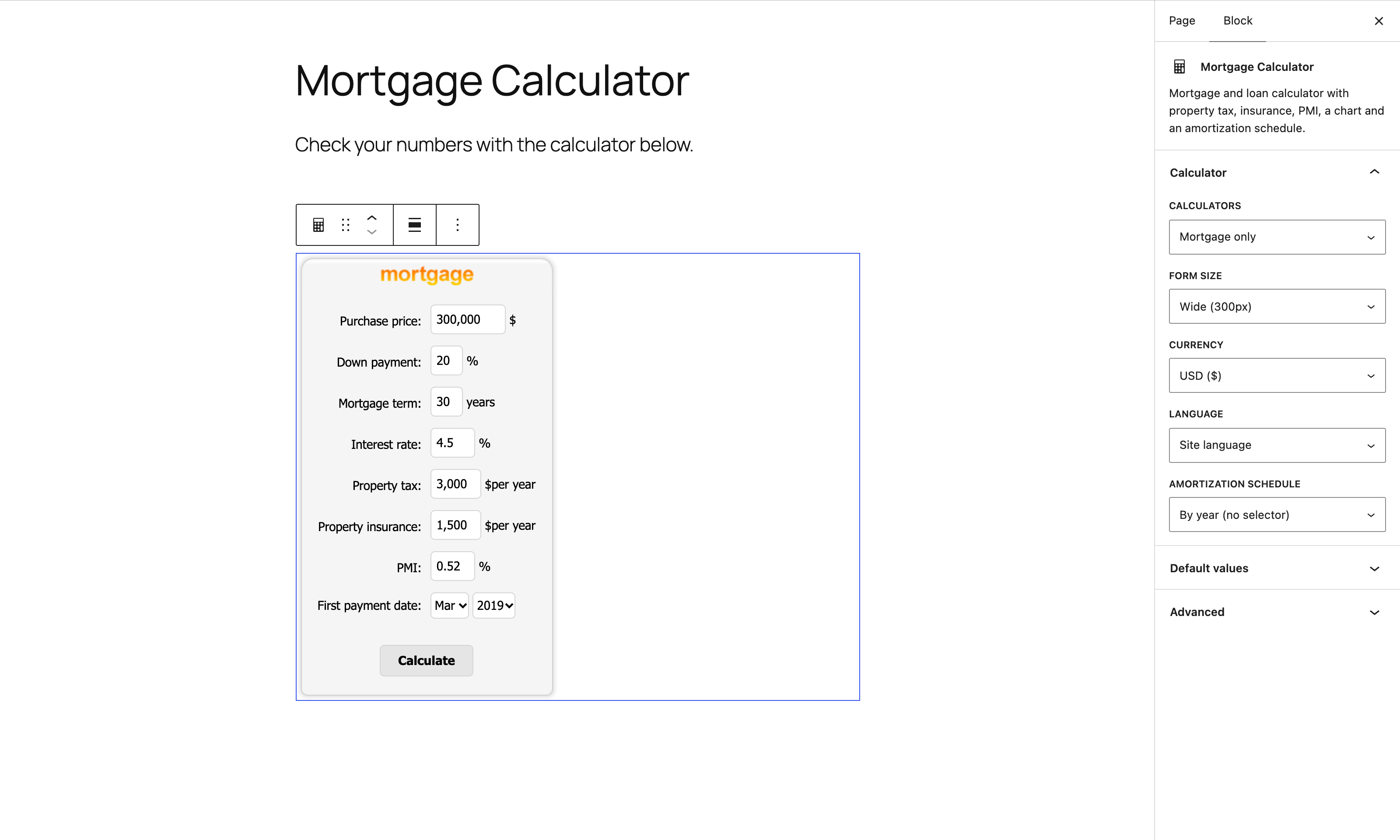
In the block editor, click the “+” button, search for “Mortgage Calculator” and add the block; the sidebar lets you pick the calculators, size, currency, language and default values.
Or add the shortcode to a page or post:
[mlcalc]
Set default values:
[mlcalc default="mortgage" size="narrow" price="125,000" rate="6.2" language="es" currency="eur"]
You can also add the “Mortgage Calculator” widget under Appearance > Widgets, or call <?php display_mlcalc(); ?> from a theme template.
Shortcode parameters
- default = mortgage | loan | mortgage_only | loan_only
- size = wide | narrow
- currency = usd | eur | gbp | any code of your own
- rate = interest rate
- price = purchase price
- mterm = mortgage term in years
- down = down payment in percent
- tax = property tax
- insurance = property insurance
- pmi = PMI in percent
- amount = loan amount
- lterm = loan term in years
- schedule = month | year | month_nc | year_nc | none (_nc stands for “no choice” for the visitor)
- language = en | de | es | fr | it | pt | ru | al
Shortcode examples
[mlcalc]

[mlcalc default="mortgage_only"]

[mlcalc default="loan_only" amount="20,000" lterm="5"]

[mlcalc default="mortgage" size="narrow" price="125,000" rate="6.2" language="es" currency="eur"]
External services
This plugin relies on the MLCALC.com calculator service to compute and display results. When a visitor presses “Calculate”, the values typed into the form (purchase price or loan amount, down payment, term, interest rate, property tax, insurance, PMI, start date, currency and language) are sent to https://www.mlcalc.com/ and the results page opens in a popup window served by mlcalc.com. Nothing is sent until the visitor submits the form, and no personal data is collected. The service is provided by ARSIDIAN LLC: Terms of use, Privacy policy.
Installation
- Upload the
mortgage-loan-calculatordirectory (including all files within) to the/wp-content/plugins/directory. - Activate the mortgage calculator plugin through the ‘Plugins’ menu in WordPress.
Usage
- If you are using widgets, just add the Mortgage Calculator to the sidebar through the
Appearance -> Widgets -> Mortgage Calculatormenu in WordPress. - Add the following code:
<?php display_mlcalc(); ?>to your template where you would like the mortgage loan calculator form to appear. - Add the shortcode
[mlcalc]to your page or post and configure default mortgage parameters.
Screenshots

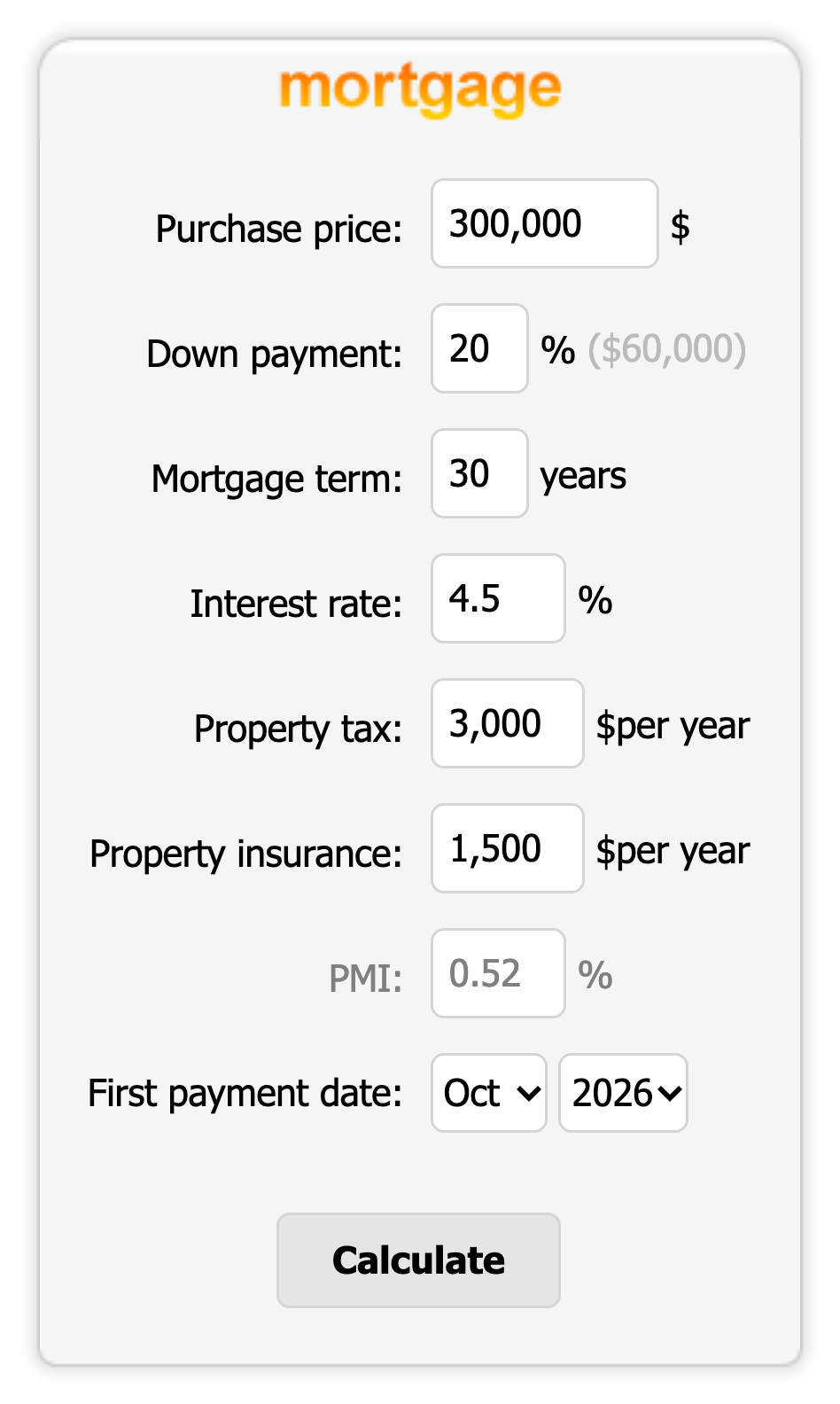
The mortgage calculator form with property tax, insurance and PMI fields.
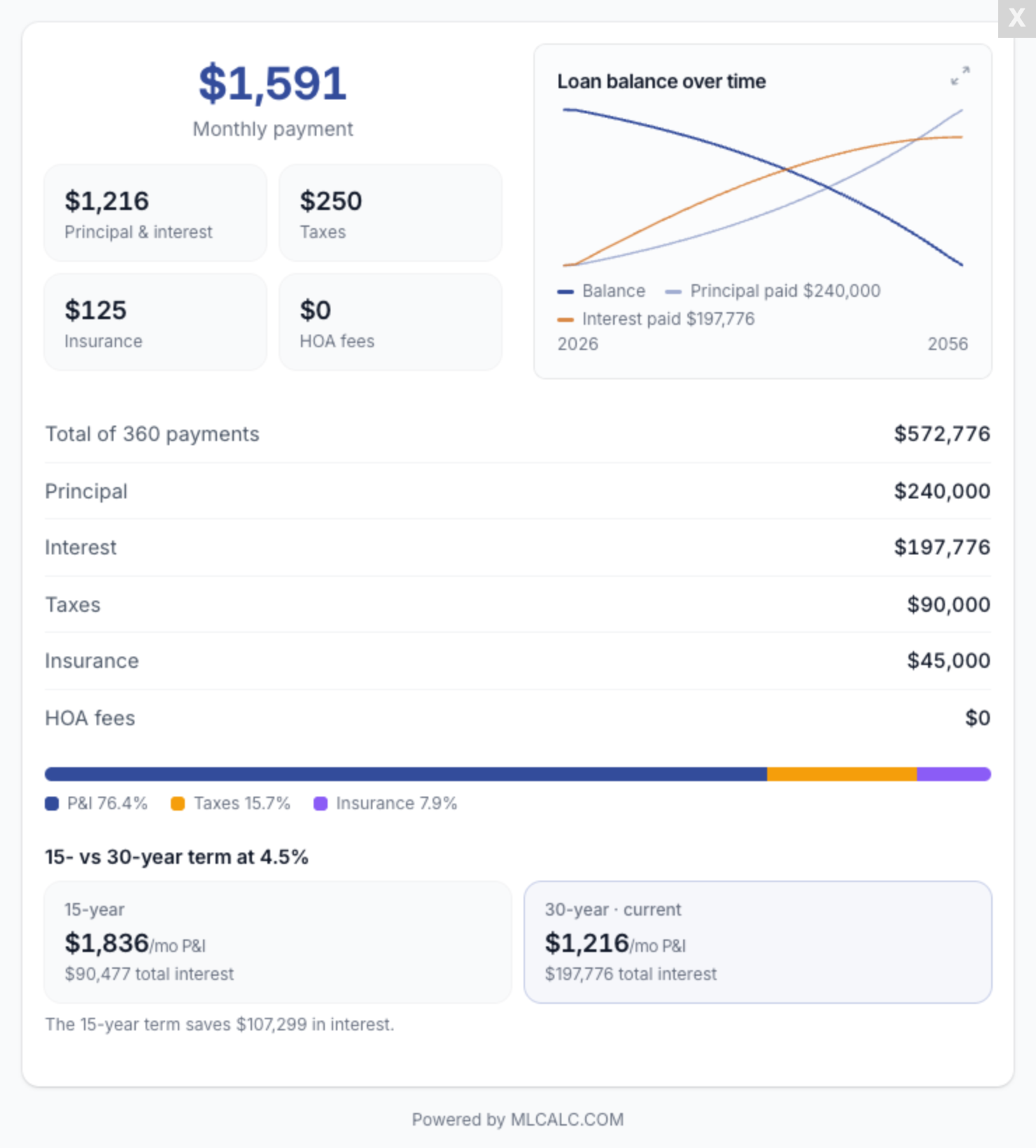
The result: monthly payment breakdown, loan balance chart and payment totals.
The Mortgage Calculator block in the block editor, with its settings in the sidebar.
Faq
How do I add the mortgage calculator to a page?
In the block editor add the “Mortgage Calculator” block and set its options in the sidebar. You can also paste [mlcalc] into the page or post (or into a Shortcode block). To start with specific values, add attributes, for example [mlcalc default="mortgage" price="400,000" rate="6.5" down="20"].
How do I show only the mortgage calculator, or only the loan calculator?
Use default="mortgage_only" or default="loan_only". With default="mortgage" or default="loan" both calculators are available and the chosen one is shown first.
Does it calculate PMI and property tax?
Yes. The mortgage form has fields for property tax, home insurance and PMI, which you can preset with the tax, insurance and pmi attributes.
Which languages and currencies are supported?
English, German, Spanish, French, Italian, Russian, Portuguese and Albanian, set with the language attribute (or the widget settings). Currencies: usd, eur, gbp, or any currency code of your own.
Does it send data to an external service?
Yes. When a visitor presses Calculate, the numbers typed into the form are sent to MLCALC.com, which returns the results popup. Nothing is sent before that and no personal data is collected. See the External services section for details and links.
Does it work offline?
No. The results are produced by MLCALC.com, so the visitor needs an internet connection.
May I use your widget on my commercial website
Yes. Absolutely.
Reviews
Best Plugin
By  Compare Closing LLC (compareclosing) on February 9, 2022
The most convenient calculator
By  MIL (mil33) on February 20, 2017
Bad idea! Remove Lender Ads!
By  mikelerdman on September 3, 2016
Remove lender ads, or at least make it optional. There are better ideas to monetize your plugin. Functionality and display have been fantastic. Happy to update rating if removed. I’ve used the plugin for 5 years and recommended it to hundreds of clients. They’re now very upset with me…
Get rid of the lender ads
By  mike366 on September 3, 2016
ASAP.
Fix this!
Used to be the best – Now has lender ad's
By  loanadvisorfl on September 3, 2016
I have used this calculator on many sites. It was perfect until a recent update – now it includes ads for other lender rates in the payment calculation results. This is real bad for mortgage companies that use this calculator. Is there a way to remove this, or can we get a paid version with NO AD’S ?
I would be happy to change my review if we can just get this calculator back to the way it used to be!!
Loan calcuation
By  suriyak92 on February 8, 2017
This is my requirements, kindly fix this using your plugin. If you fix my requirements how much cost for you?
http://tekexplore.info/upload/03_LoanCalculator.xls
Changelog
1.6.1
- Fixed: the results popup cut off the bottom of the results; it now fits the window and scrolls when needed.
1.6.0
- Gutenberg block: add the calculator in the block editor with a live preview and sidebar settings.
- Translation-ready: the admin texts can be translated on translate.wordpress.org.
- A review reminder in the admin after two weeks, dismissible.
Older versions are listed under Upgrade Notice.