

Marquee Running Text
Description
Marquee Running Text adds a smooth scrolling text bar — a news ticker, offer banner or announcement bar — to your website in a minute. Build it with a live preview, then show it at the top of every page, as a sticky bar, as a fixed bottom bar, or anywhere with a shortcode, block or Elementor widget.
Version 2.0 is a complete rebuild: a modern, lightweight animation engine replaces the old <marquee> tag, and everything you set up in 1.x is moved over automatically.
Features
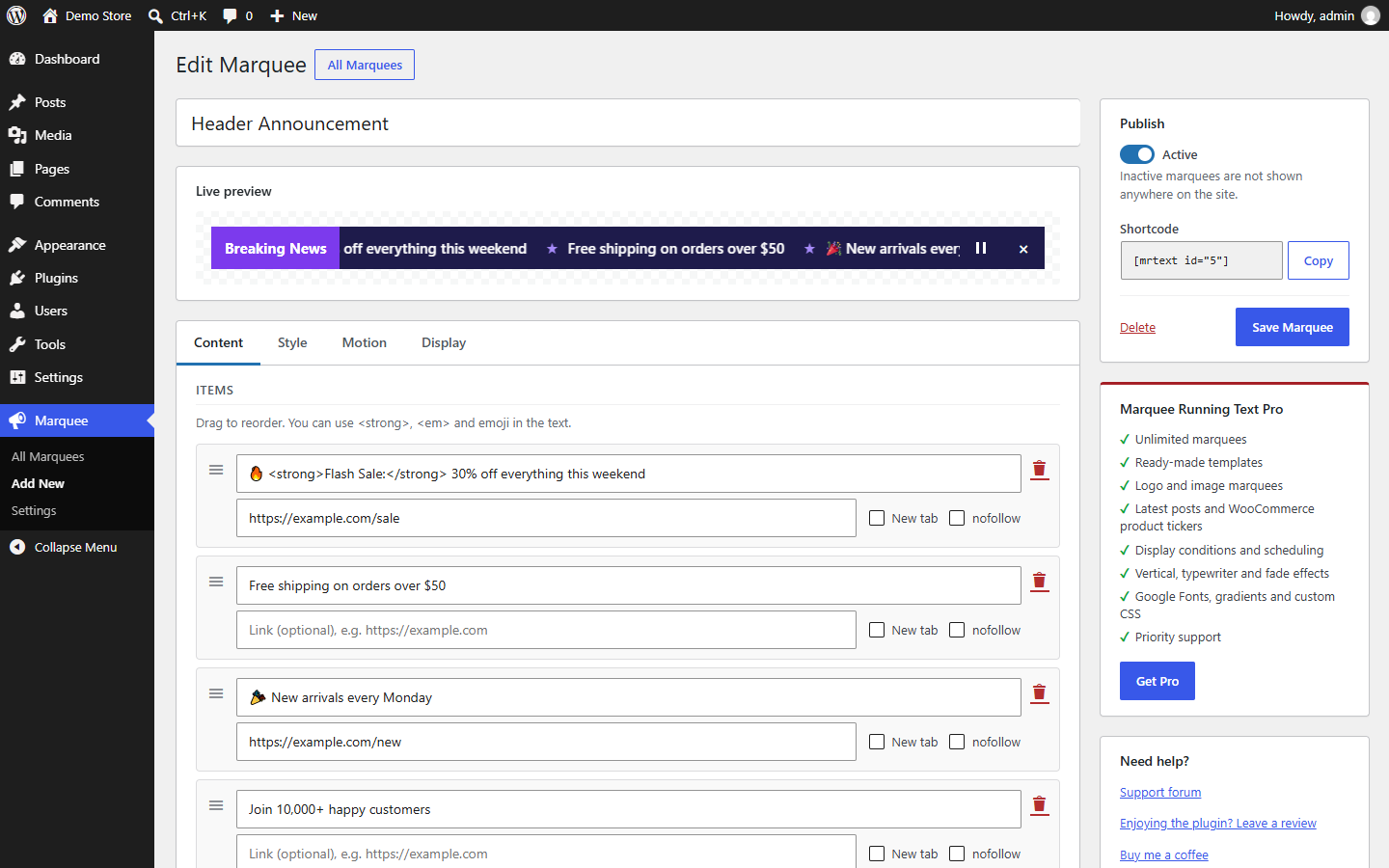
- Live preview builder — see every change instantly while you edit.
- Up to 5 marquees, each with its own items, colors and placement.
- Unlimited items per marquee, each with an optional link (new tab and nofollow options). Drag and drop to reorder.
- Placements: top of the page, sticky top bar, fixed bottom bar, or shortcode/block only.
- Shortcode:
[mrtext id="123"], or[mrtext]for your default marquee. - Gutenberg block and Elementor widget.
- Label box such as “Breaking News” or “Notice”.
- Styling: background, text, hover, separator and label colors; font size and weight; bar height; spacing; rounded corners.
- Separators: dot, line, star, any character or emoji, or none.
- Motion: direction, speed, pause on hover, optional pause/play button.
- Close button that remembers the visitor’s choice.
- Show on the entire site or the homepage only; hide on mobile or desktop.
- Accessible: keyboard friendly, respects “reduce motion”, optional pause button.
- Fast: a tiny dependency-free script (no jQuery) that only loads on pages with a marquee, and pauses when off-screen.
- RTL ready and translation ready.
- Works with any theme — including themes that do not support
wp_body_open.
Marquee Running Text Pro
Need more? Marquee Running Text Pro adds:
- Unlimited marquees
- 25 ready-made templates
- 1,800+ modern icons with an icon picker
- Logo and image marquees
- Latest posts and WooCommerce product tickers
- Display conditions (pages, categories, user roles, devices) and scheduling
- Vertical, typewriter and fade effects
- Google Fonts, gradients and custom CSS
- Priority support
Privacy
This plugin uses the Freemius SDK. On first use you are asked whether to share basic site information (opt-in) to receive security and feature updates; nothing is sent if you skip. See the Freemius privacy policy.
Installation
- In your dashboard go to Plugins Add New, search for “Marquee Running Text”, then click Install Now and Activate.
- Go to Marquee in the admin menu.
- Edit the example marquee (or add a new one), switch it to Active and click Save Marquee.
Show a marquee
- Header, sticky or bottom bar: choose the placement in the editor’s Display tab.
- Posts and pages: add the Marquee Running Text block, or the shortcode
[mrtext id="123"]. - Elementor: add the Marquee Running Text widget.
- Widgets: add a Shortcode widget with
[mrtext]. - Theme files:
<?php echo do_shortcode( '[mrtext]' ); ?>
Screenshots

The marquee builder with live preview.
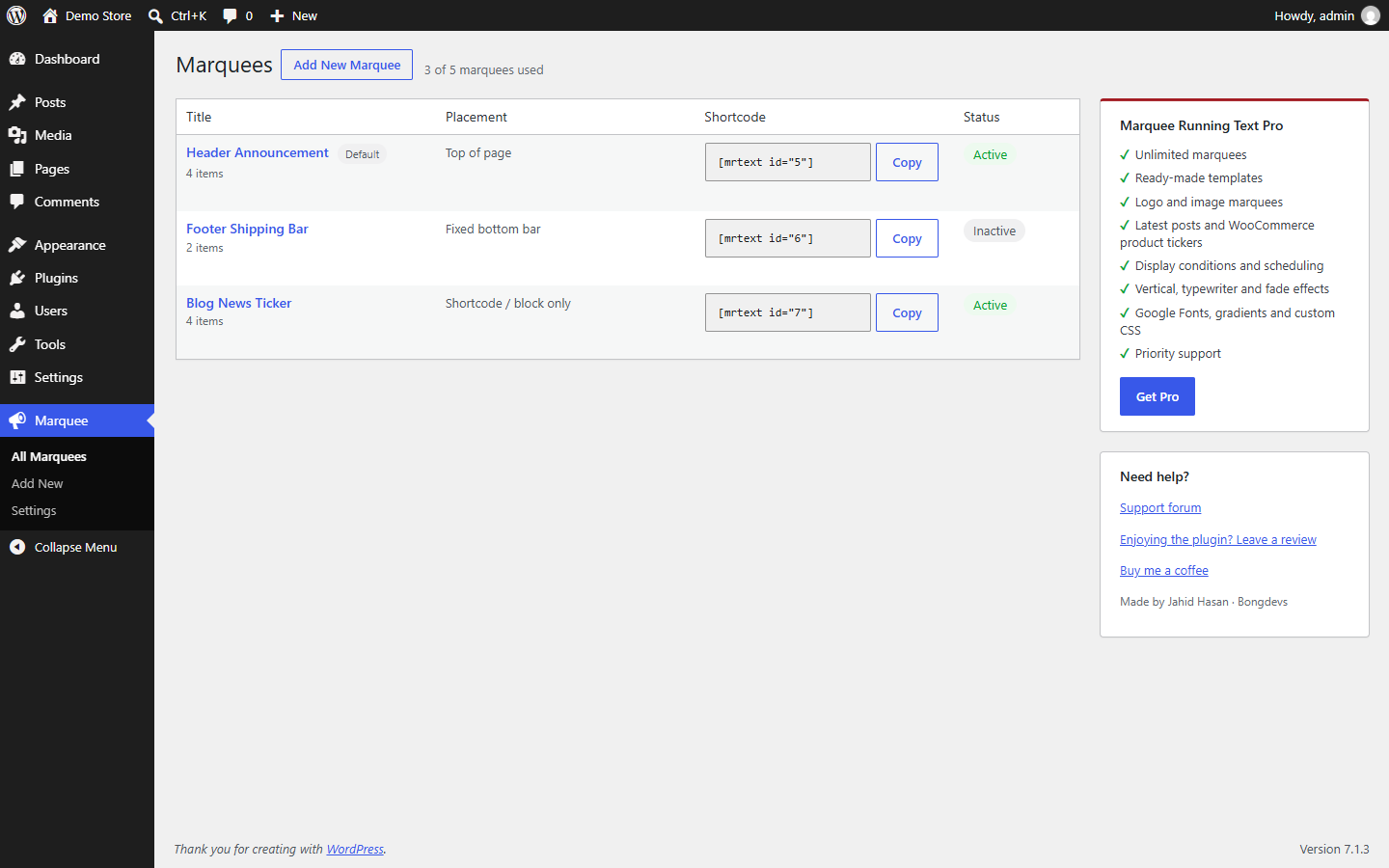
The list of marquees.
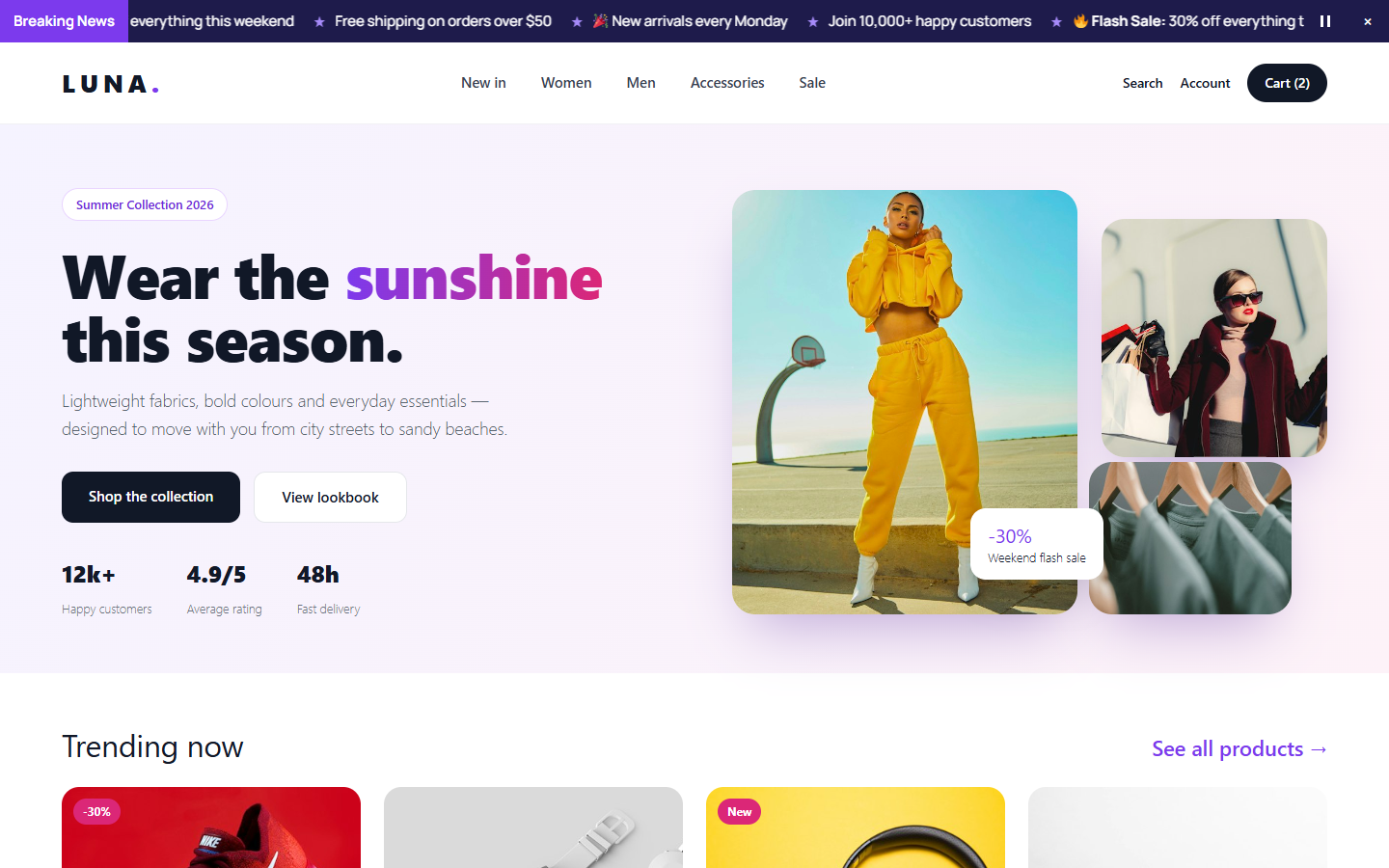
A marquee with a “Breaking News” label on the front end.
Faq
I updated from version 1.x. Are my texts and colors still there?
Yes. On the first load after the update, your five texts, links, colors, font size, direction, speed and show/hide setting are moved into a marquee called “Header Marquee”. It is shown in the same place as before, and [mrtext] keeps working. Your old settings are also kept in the database.
The marquee does not appear in my header.
Check that the marquee is Active and its placement is Top of page, Sticky top bar or Fixed bottom bar. If you use a caching plugin, clear its cache.
How many marquees can I create?
Up to 5 in the free version. Marquee Running Text Pro removes the limit.
Can I use bold text or emoji?
Yes. Emoji work everywhere, and you can use <strong>, <em>, <b>, <i> and <u> in item text.
Does it work with right-to-left languages?
Yes. Arabic, Hebrew, Urdu and other RTL text is displayed correctly, and the label is placed on the right on RTL sites.
What about visitors who get motion sickness?
If a visitor has turned on “reduce motion” in their operating system, the marquee does not move; they can scroll it by hand. You can also add a pause/play button.
Reviews
Free is usable but Pro didn't work on Astra Pro theme
By  n4vq on June 1, 2025
I used the Free version and it allows you to add up to 5 “marquees” or text sections. It automatically puts the marquee at the very top of your pages (use Astra Pro theme). No way to add “marquees” more then the 5 provided. No descenders on lettes like Y P etc so doesn’t look professional.
Contacted developer after I bought the Pro and found it adds another Plugin. Developer said both are not needed but can’t figure out how to make the Pro work.
This plugin (free) has great potential – got a answer that basically said the plug in is great and upgrade to Pro.
Latter the developer sent another email with helpful information. https://youtu.be/p_K5x5r0wyU
I use Astra Pro as a theme and I couldn’t get the Pro version of the Marquee product to work at all and the free didn’t have descenders on letters like Y & P so I didn’t use it either.
does what it says
By  datto510 on November 11, 2024
this plugin does exactly what it says it will.
very handy if your after some scrolling text.
Option to remove / replace the dot before the running text
By  Patrick (uentooser) on June 29, 2024
Hello Developers,
is there an option to remove (hide) or replace the dot before the running text? Thanks.
Awesome Plugin! Needs some extra options
By  wisshie on April 25, 2024
What a wonderfull and easy to use plugin. it’s very lightweight and works very well.
Options I would add if possible:
* option to change the round bullet to something else
* option to remove round bullet
* option to add spacing between text1, text2, text3,…
* option to slide text1 from left then text2 from right and so on
* option to add text flicker for text1 and text2…
Great Plugin, Needs More Functionality
By  wastedolphine on October 26, 2023
Hi,
The plugin works great, please add the support for adding more then 5 Marquee Text.
Thanks.
Changelog
2.0.1
- Fix: the Upgrade link now opens the Marquee Running Text Pro pricing page.
- Fix: removed the empty in-dashboard pricing page and the unused “Activate License” link (Pro licenses are activated in the Pro add-on).
2.0.0
- New: complete rebuild with a smooth, seamless animation engine (replaces the deprecated
<marquee>tag). - New: marquee builder with live preview and drag-and-drop items.
- New: up to 5 marquees, unlimited items per marquee.
- New: sticky top bar and fixed bottom bar placements.
- New: Gutenberg block and Elementor widget.
- New: label box, separators, pause/play button, close button, homepage-only and device options.
- New: accessibility — keyboard support, reduced motion support, screen reader labels.
- New: works with themes that do not call
wp_body_open. - Improved: all settings are validated and sanitized; admin styles load only on plugin screens.
- Improved: translation ready (text domain
marquee-running-text). - Changed: the “Before/After” header option (which never saved) is replaced by the new placement options.
- Upgrade: settings from 1.x are moved automatically. Requires WordPress 6.3+ and PHP 7.4+.
1.1.7
- Fix error.
1.1.6
- Fix error.
1.1.5
- Get Pro button added.
1.1.4
- Fix error.
1.1.3
- Upgrade to Pro link added.
1.1.2
- Settings link added.
1.1.1
- Fix error.
1.1.0
- Core code update.
1.0.3
- Fix header hide/show error.
1.0.2
- Fix error.
1.0.1
- Fix error.
1.0.0
- Initial release.