

Manage Notification E-mails
Description
With this plugin you can switch the different WordPress notification e-mails on and off, like options as the new user and password change notifications send by WordPress to the administrator and user. Works perfectly in combination with a lot of other plugins!
Watch this nice tut made by Robert Orzanna:
The options you can manage are:
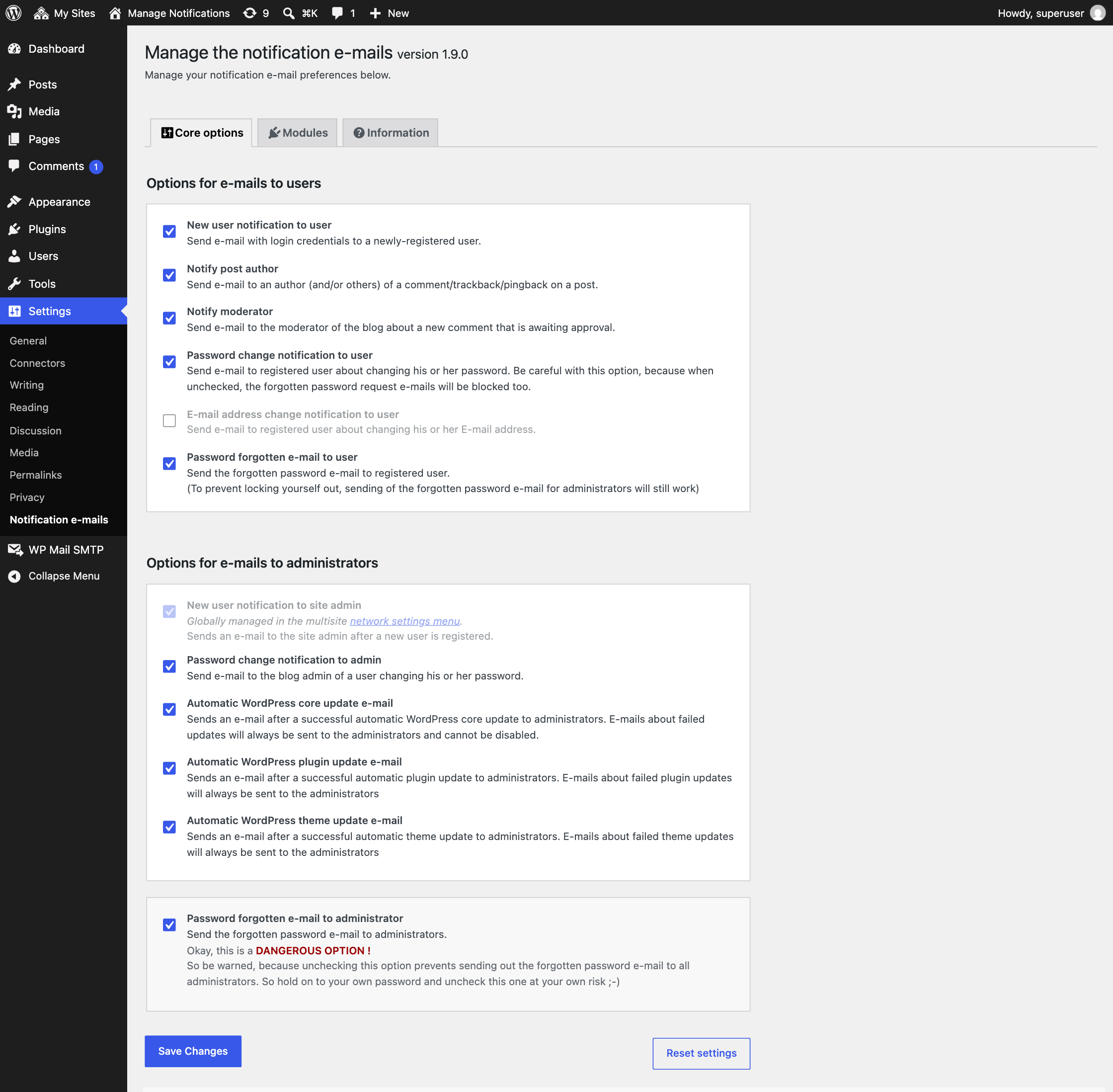
- New user notification to admin
- New user notification to user
- Notify post author
- Notify moderator
- Password change notification to admin
- Password change notification to user
- E-mail address change notification to user
- Forgotten password e-mail to user
- Forgotten password e-mail to administrator
- Automatic WordPress core update e-mail
- Automatic WordPress plugin update e-mail
- Automatic WordPress theme update e-mail
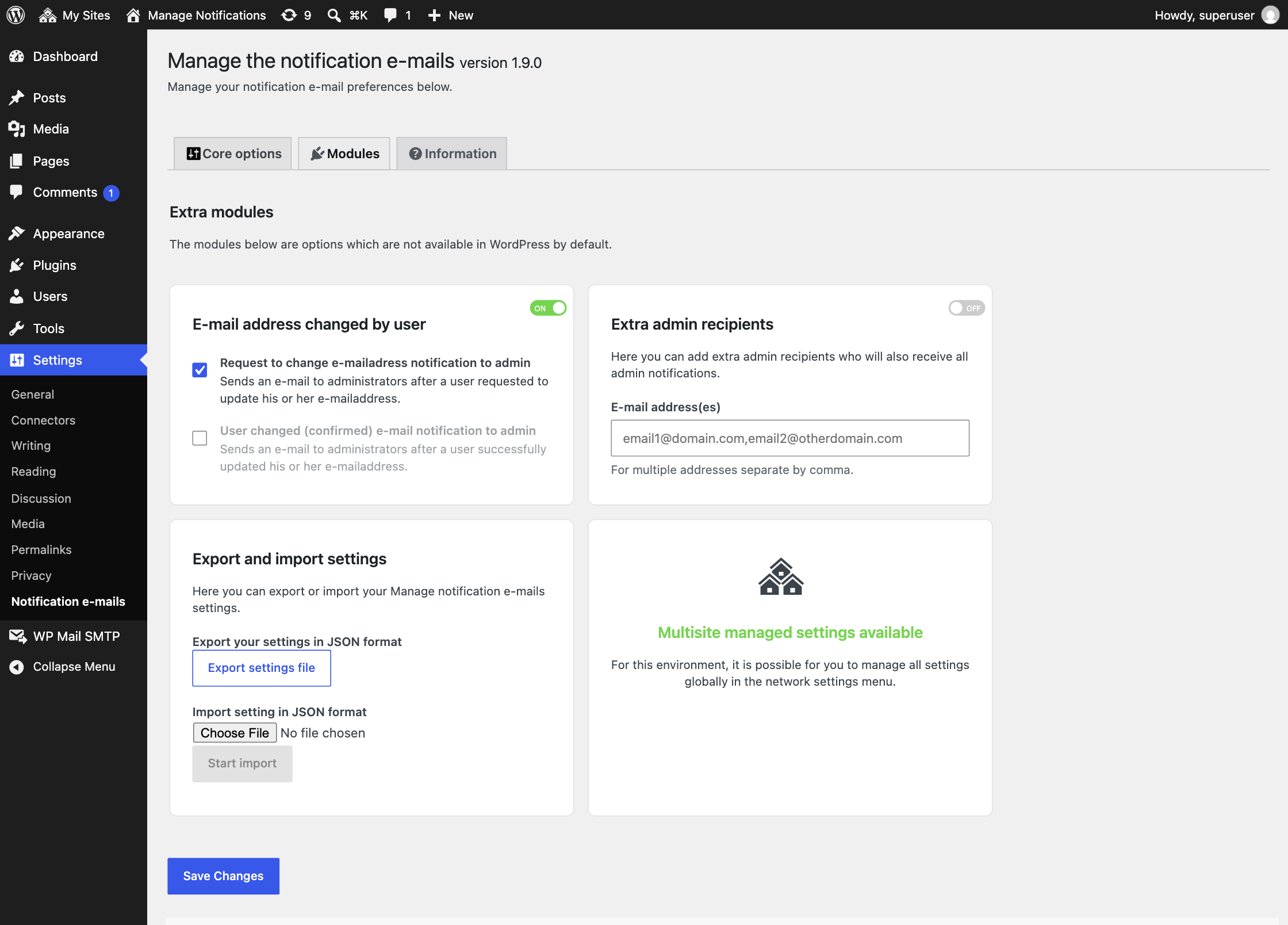
- Send admin notifications to extra admin e-mail addresses (1.7.0)
- Send an e-mail to administrators after a user requested to update his or her e-mail address (1.7.0)
- Send an e-mail to administrators after a user successfully updated his or her e-mail address (1.7.0)
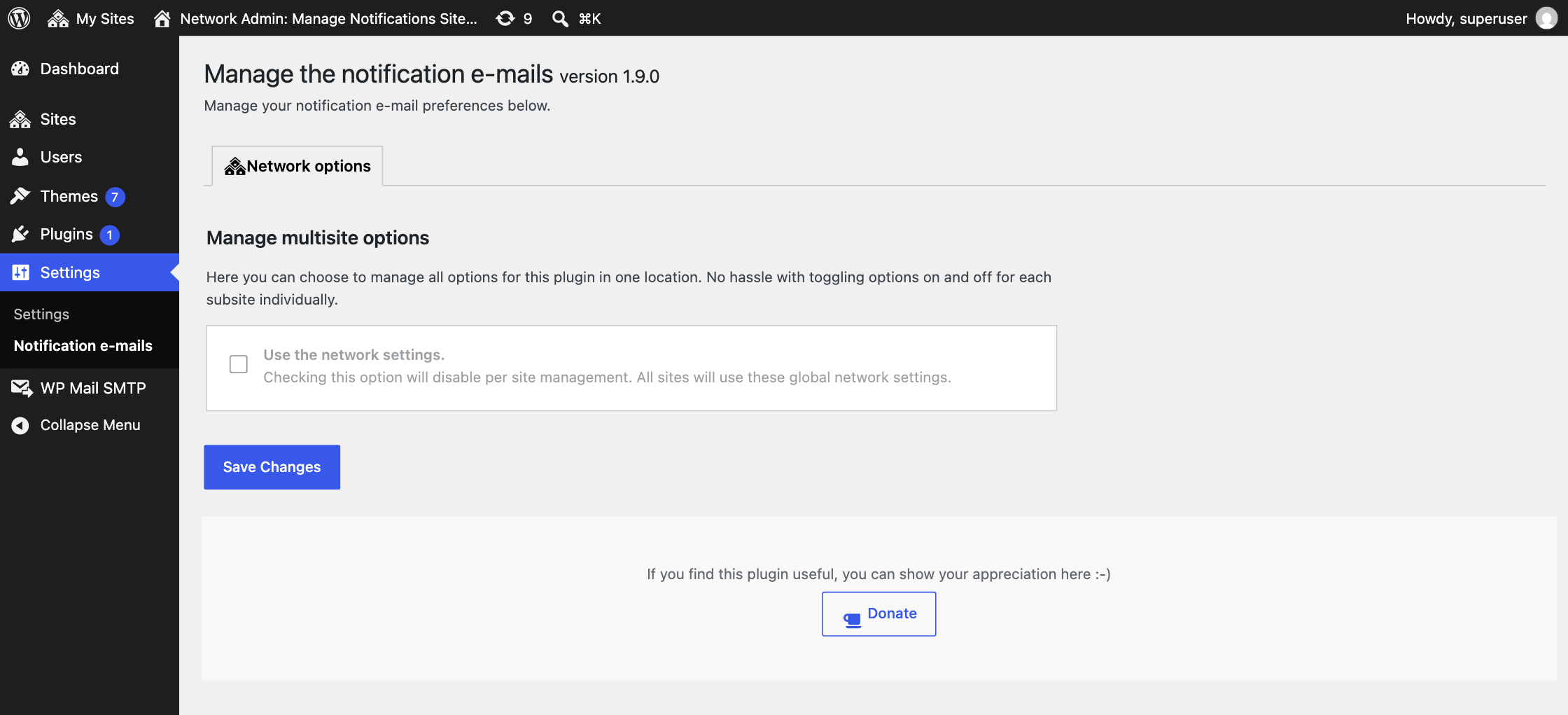
- Multi-site support! Now you can manage your notification settings in one single environment (1.8.0)
- Export and import settings (1.8.0)
The automatic core, plugin, and theme updates have a special built-in feature. When one of these options is disabled, successful e-mails don’t get send out, but failed updates still will send an e-mail to the admin.
This version contains some nice new stuff. If you find any issues, let me know. If you like the new features, please be so kind to give this plugin a good rating! It will help me to keep up the good work for you 🙂
Want regular updates? Feel free to support me with a small donation 🙂
Installation
- Upload
manage-notification-emails.zipvia the plugins menu - Activate the plugin through the ‘Plugins’ menu in WordPress
- Use the settings-page to enable or disable sending of notifications
Screenshots

Settings view: Core options.
Settings view: Available modules.
Settings view: Multi-site network settings.
Faq
Yes, after activating you can go to the settings page and disable or enable the notification e-mails that suits you.
Yes! starting from version 1.8.0 multi-site is supported.
Some other plugins also use their custom notifications which overwrite the core notifications of WordPress. To be sure, please first try the plugin without other plugins installed or at least temporarily disable them.
Reviews
Superb!
By  linzihall on October 13, 2026
Very happy and very needed!
Great!
By  slingshotdesign on September 23, 2026
I manage a lot of websites so the ability to switch off email notifications for automatic core and plugin updates is really useful and just what I needed.
Thanks very much!!
Useful plugin
By  matthew (zonetuke) on August 6, 2026
Just what I needed. Thank you
Perfect
By  thomasobrien on October 24, 2024
thanks a lot
Really useful plugin
By  TomCobbley on October 2, 2024
This is a really useful plugin for disabling those annoying ‘plugin x has just automatically updated’ emails.
Suggestion for author – the plugin isn’t easy to find in WordPress’s plugin search for terms like ’email notifications’. This is because you spell email as e-mail. This might be the technically correct spelling, but it’s not helping people find your plugin. I would consider changing the spelling.
功能很完整
By  richard0508 on March 12, 2024
很不錯的外掛,大力推薦!
Good plugin
By  snoringdragon on August 1, 2023
This plugin has made life easier.
Thanks for its development.
Prevents password changes
By  lookwhoo on June 23, 2023
This plugin no longer works and seems to have been abandoned. Within the past half year, users were complaining they weren’t receiving the password reset emails. Sure enough, we found it was this plugin preventing password reset emails from going out. Disabled it and all is working as should now.
Works without any problem
By  samtr on May 23, 2023
Works without any problem
Stopped working this week
By  jreitter on May 17, 2023
Love the plugin, saved me a lot of hassle but stopped working all of a sudden. Did re-install, delete date etc. but now I get flooded with e-mails.
Edit: working again! Thank you so much!
Changelog
1.9.2
FIXED: On multisite only the first site got the default settings, so on the other sites all notifications were disabled. A site without settings now gets the default settings.
1.9.1
FIXED: All PHP files now block direct access, as required by Plugin Check.
UPDATED: Resolved all Plugin Check warnings.
UPDATED: Tested up to WordPress 7.1.
1.9.0
FIXED: Disabling the password forgotten e-mail no longer blocks resetting the password, which also stopped the new user e-mail from being sent.
FIXED: On multisite the new user notification to the site admin now follows the network registration notification setting, as shown on the settings page.
FIXED: Security hardening of the settings page: all output is escaped, module options are sanitized, resetting and saving network settings check user capabilities and exporting settings requires a nonce.
UPDATED: Minimum required WordPress version is now 5.2.
UPDATED: Code follows the WordPress Coding Standards. All functions now use the famne_ prefix. The old function names still work, but are deprecated.
UPDATED: The password changed e-mail and the e-mail changed e-mail to the admin now use the WordPress texts, so they are translated in every language.
UPDATED: The donate button no longer loads external images.
UPDATED: License is now GPLv2 or later.
UPDATED: Dutch translation.
1.8.6
FIXED: Medium vulnerability in settings module. Thanks to Wordfence for reporting this.
UPDATED: Lowered the priority to 99 in the filters fixing some issues where plugins overwrite the disabling of sending the e-mails.
1.8.5
UPDATED: Compatibility fix with WP 6.1+ where new user notifications are managed by filters.
1.8.4
UPDATED: Refactoring.
1.8.3
FIXED: (CSRF) Security fix. Special thanks to Muhammad Daffa (Patchstack Alliance) for reporting this.
1.8.2
FIXED: fixed an issue with automatic plugin update notification.
FIXED: fixed issues with not correct activating options in multisite environment.
UPDATED: language corrections.
1.8.0
ADDED: Multi-site support.
ADDED: Import and export of settings.
UPDATED: A lot of files are refactored and added some more comments along with it.
For older versions, see changelog.txt.