

Maintenance
Description
WP Maintenance plugin allows the WordPress site administrator to close the website for maintenance, enable “503 Service temporarily unavailable”, set a temporary page with authorization, which can be edited via the plugin settings. Add your logo, background image, select the desired color and text – all with easy maintenance builder. Maintenance uses Bunny Fonts for EU GDPR compliance.
Need pre-made themes and over 8 million free images to build maintenance, coming soon & landing pages faster? Have a look at WP Maintenance PRO plugin.
Having problems with spam or bots? Try our free Advanced Google ReCaptcha plugin. It’s used on over 200,000 sites and provides great protection!
Features
- over 200 themes in the PRO version
- Full-screen background (Backstretch)
- Blur background effect
- Upload your own logo
- Configurable colors: fonts, icons, background
- Customize title, headline, text
- User login on frontend
- Admin bar status
- 503 error on/off
- Google analytics support
- Exclude selected pages from Maintenance mode
- Support for all popular caching plugins
- mtnc_load_maintenance_page_for_this_user filter for modifying show sees the maintenance page
Support
If you have any problems, questions or recommendations about WP Maintenance please open a ticket in the official support forum. We answer all questions within hours!
Want to say “thank you”? Please leave a review.
GDPR Compatibility
We are not lawyers. Please do not take any of the following as legal advice.
If you don’t opt to use Bunny Fonts and don’t use Google Analytics then no resources are loaded or shared with 3rd parties. And nothing is tracked. Opting to use any of those services will result in data sharing/tracking as described in their terms of service.
Maintenance uses these 3rd party libs:
- Super simple WYSIWYG editor v0.9.0, MIT
- SweetAlert 2, github.com/Sweetalert2/Sweetalert2, MIT
- jscolor Color Picker, GNU GPL v3
- Ace Editor (Ajax.org Cloud9 Editor), BSD
- Web Font Loader, Apache 2 License
Installation
Follow the usual routine;
- Open WordPress admin, go to Plugins, click Add New
- Enter “maintenance” in search and hit Enter
- Locate the Maintenance plugin by searching for our mascot, click “Install Now”
- Activate & open plugin’s settings page located in the main WP admin menu
Or if needed, upload manually;
- Download the plugin.
- Unzip it and upload to /wp-content/plugins/
- Open WordPress admin – Plugins and click “Activate” next to the plugin
- Activate & open plugin’s settings page located in the main WP admin menu
Screenshots

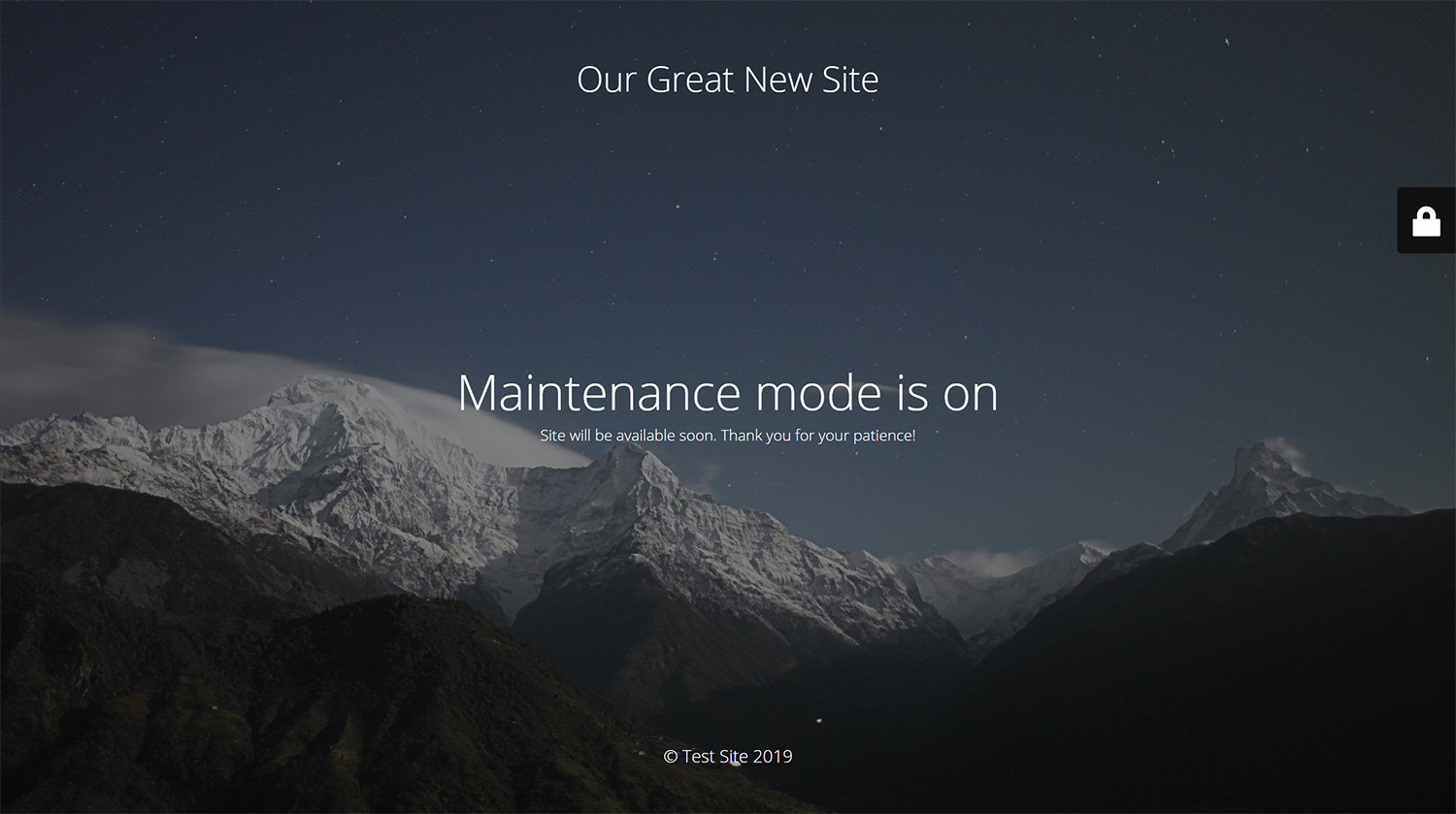
Maintenance page with default design and layout
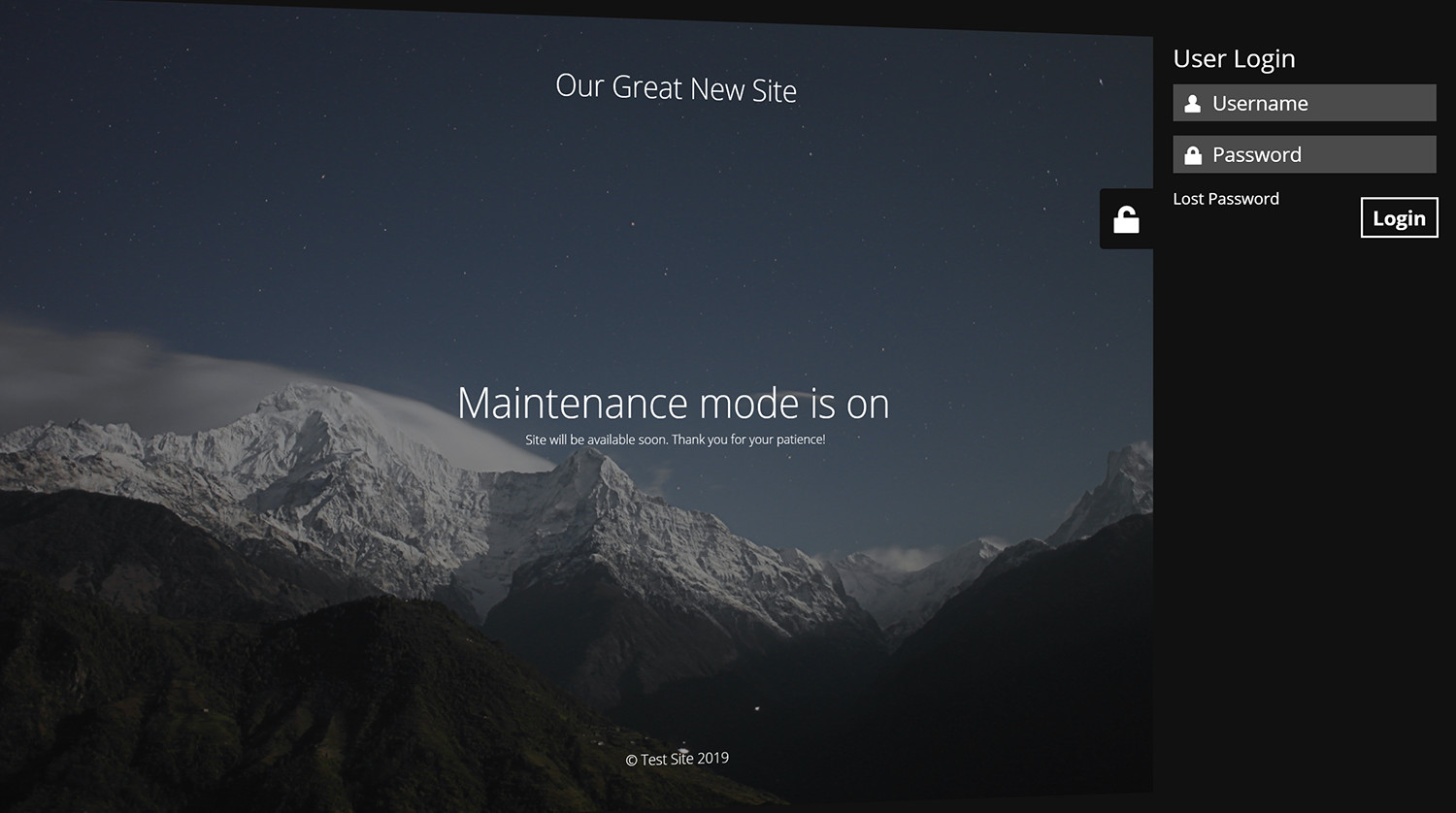
Log in form is built into the maintenance page
Faq
Try to check in different browser. If you a logged as WordPress user you see the website in normal mode.
The site will not be visible to search engines only if “503 Service Temporarily Unavailable” option is enabled.
You can use your “normal” WP administrator access or create a new user in WordPress dashboard – Users.
Please post the question on the support forum.
You can report security bugs through the Patchstack Vulnerability Disclosure Program. The Patchstack team help validate, triage and handle any security vulnerabilities. Report a security vulnerability.
Reviews
Worthless now
By  high5m on October 3, 2026
This used to be a good plugin, and I used to use it for all the tiles, but this is what happens when developers want to change everything and mess it all up. They can’t leave it as is, so bye, uninstalling and will never use this trash!
Compliqué.
By  Rocou on August 31, 2026
Pour une simple page de maintenance, il y a une multitude de paramètres et pourtant on ne peut pas changer le texte de la page.
On se retrouve donc avec du texte en anglais.
useless
By  mohamadgh22 on August 30, 2026
it’s just work if you pay
so it’s useless!
Umm seriously??
By  4wdabcwebmaster on August 30, 2026
“By default, a helpful Maintenance menu and status are added to the admin and front-end toolbar. If your toolbar is too crowded, disable the menu.”
Okay, but… that’s a Pro feature. I can’t do that unless I buy it. For a plugin I might use once or twice a year, I have to have this cluttering up my admin bar.
It works. It does what I got it for. No complaints there. But I don’t need it in my face all the time. If my options are to pay for it or get rid of it to avoid that, well… bye.
Капец
By  yurazz on August 29, 2026
Пользовался этим плагином много лет. Всё было хорошо. И давеча вот понадобилось его включить. Сначала не понял, что я вижу, а потом потекла кровь из глаз. Разрабов жестоко изнасиловали маркетологи и уничтожили основной функционал более чем полностью. Очень очень жаль. Good night sweet prince.
Used to be good
By  szmaras on August 25, 2026
Used to be good, totally mess now
Terrible after the latest updates
By  tennis-hero (tleshotho) on August 17, 2026
From 5 stars to 1 star, this is utterly terrible now. This used to work very well. I hope you can revert this crap you have now released. If the wheel is working, why are you re-inventing it?
It was good. Once upon a time.
By  ktistai on August 12, 2026
It was a good plugin. Now everything, almost every useful option is pro. Full of bloat. A lot of stuff that makes no sense. There are much better choices nowadays.
Utter Rubbish
By  silverstreamdigital on August 5, 2026
Why would you change something that worked well? I’m un-installing this and I will be writing my own plugin for this. Utterly Disgusted.
Barely usable since the update
By  Mario Günter (mrguenter) on July 17, 2026
I have used this plugin regularly and was always happy with it, including the free version. Since the latest update, however, it has become unnecessarily complicated and confusing to use.
I was still able to change the SEO title, but I can no longer find a clear way to edit the actual heading and text on the maintenance page. According to the plugin description, these elements should still be customizable, but in the current interface this no longer seems to work properly or intuitively.
Changelog
v4.32
- 2026/07/13
- minor bug fix
v4.31
- 2026/06/30
- changed login icon back to padlock
- minor bug fixes
v4.30
- 2026/06/18
- complete rewrite, new options, new GUI
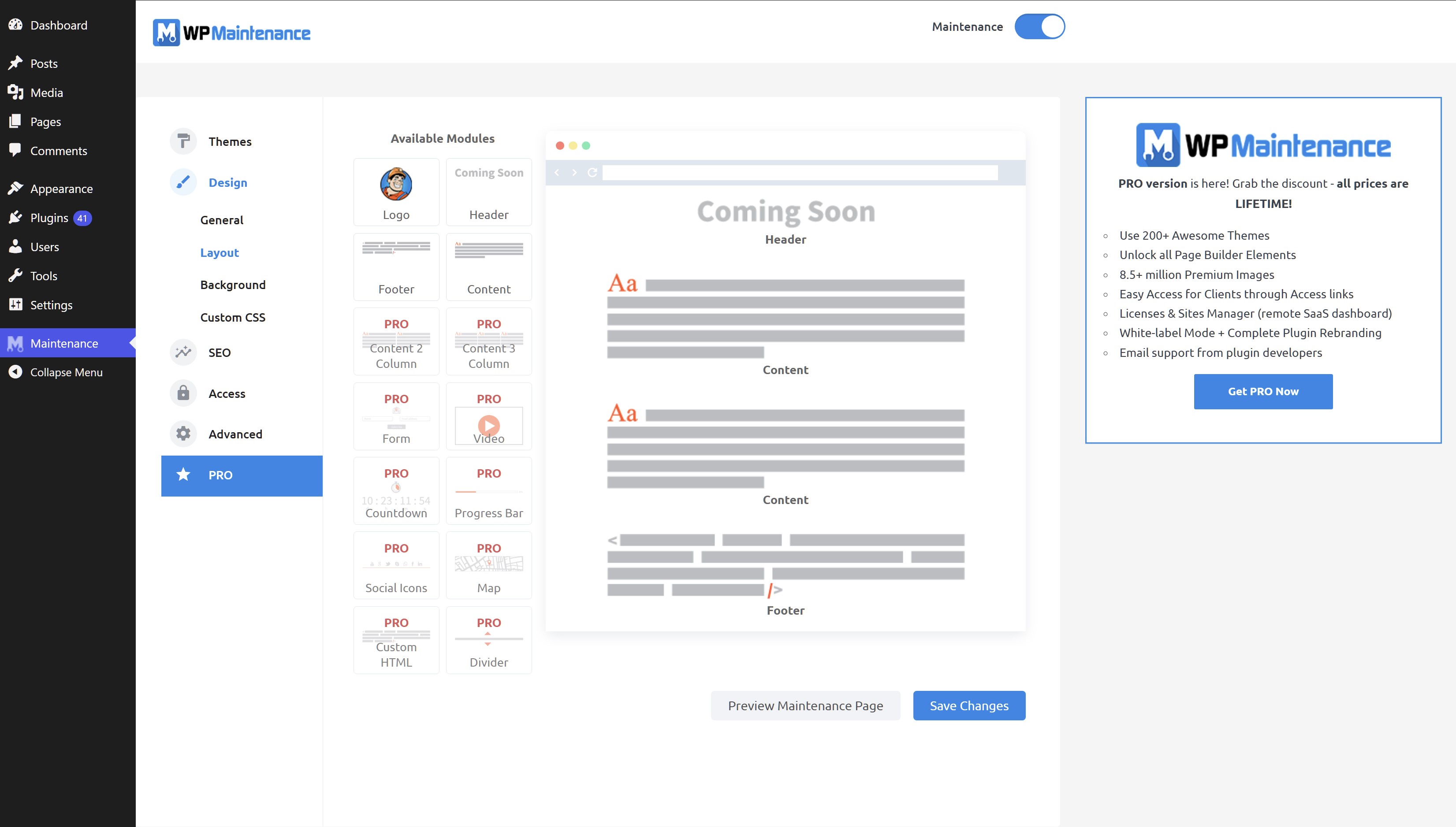
- drag&drop maintenance page builder
v4.21
- 2026/04/02
- Minor fixes
v4.20
- 2026/01/03
- Fixed Bunny Fonts getting loaded even for system fonts
v4.19
- 2025/11/19
- WordPress 6.9 compatibility
v4.18
- 2025/07/31
- improved mobile resposiveness
v4.17
- 2025/01/22
- fixed Show some love option not saving
v4.16
- 2025/01/10
- updated Google Analytics code
- added skip-lazy class to background image to fix Autoptimize compatibility
v4.15
- 2024/10/22
- fixed bug with some options not being saved
v4.14
- 2024/10/17
- excluded posts/pages not saving bug fix
v4.13
- 2024/10/13
- minor security fixes
v4.12
- 2024/06/07
- minor bug fixes
v4.09
- 2024/06/03
- added Weglot support
v4.08
- 2023/08/31
- fixed reset password URL changed if Maintenance is off
v4.07
- 2022/05/06
- replaced Google Fonts with the privacy-oriented and GDPR compliant Bunny Fonts
- minor fix for image field
v4.06
- 2022/05/06
- introduction of the PRO version
v4.05
- 2022/01/04
- bug fix for retina image
- security fixes
- ad for our free WP Force SSL plugin
v4.03
- 2021/07/18
- security fixes
- checked WP 5.8 compatibility
v4.02
- 2021/03/06
- JS fixes on frontend
- Contact Form 7 conflict fix
v4.01
- 2021/02/20
- added support for Cache Enabler plugin
- fixed a bug when background image isn’t defined
- fixed issue on sites with large numbers of posts/pages/CPTs
v4.0
- 2021/01/30
- added flyout menu
- added mtnc_load_maintenance_page_for_this_user filter
v3.99
- 2021/01/13
- minor fixes
- removed promo for WP 301 Redirects
v3.97
- 2020/10/02
- minor fixes
- added promo for WP 301 Redirects
v3.96
- 2020/08/19
- “headers already sent” bug fixed
v3.95
- 2020/08/14
- bug fixes for WP v5.5
v3.90
- 2020/05/30
- bug fixes
- removed integration with Amelia Booking
- added support for WP Rocket Cache plugin
- fixed blur issue
v3.85
- 2019/11/28
- bug fixes
- added integration with Amelia Booking
- added support for Hummingbird Cache plugin
v3.80
- 2019/09/25
- numerous bug fixes
- added preview button
- 400,000 installations; 3,790,000 downloads
- for older changelog entries please refer to https://wpmaintenancemode.com/old-changelog.txt