
Kitgenix CAPTCHA for Cloudflare Turnstile
Description
Kitgenix CAPTCHA for Cloudflare Turnstile adds Cloudflare Turnstile CAPTCHA and anti-spam protection to WordPress, WooCommerce and a wide range of form, membership, community and ecommerce plugins. Challenges are not treated as a client-side decoration: submitted Turnstile tokens are verified server-side with Cloudflare before a protected action is accepted.
The plugin is designed for site owners who want to reduce automated login attempts, fake registrations, comment spam, bot-driven checkout abuse and unwanted form submissions while using Cloudflare’s privacy-oriented Turnstile challenge rather than a traditional image CAPTCHA.
Configuration, integration controls, diagnostics and local verification metrics are managed inside WordPress. The only service required for CAPTCHA functionality is Cloudflare Turnstile itself; no Kitgenix verification proxy is used.
Learn more about Kitgenix WordPress plugins at Kitgenix.
Supported WordPress and Plugin Integrations
The codebase contains dedicated integrations for:
- WordPress login.
- WordPress registration.
- Lost-password and password-reset flows.
- WordPress comments.
- Custom login forms produced with
wp_login_form(). - WooCommerce login, registration, lost password, checkout and related account flows supported by the integration.
- WooCommerce Pay for Order (order-payment links), controlled separately from checkout.
- Easy Digital Downloads.
- Elementor forms, including Elementor Pro Forms and the newer Elementor Atomic Forms.
- Contact Form 7.
- WPForms.
- Gravity Forms.
- Fluent Forms.
- Formidable Forms.
- Forminator.
- Ninja Forms.
- Jetpack Forms.
- JetFormBuilder.
- Kadence Forms.
- MailPoet.
- bbPress.
- BuddyPress.
- wpDiscuz.
- Ultimate Member.
- MemberPress.
- Paid Memberships Pro.
Each integration is loaded conditionally and can use integration-specific display/validation behaviour rather than forcing one generic hook onto every form system.
Server-Side Turnstile Verification
The browser obtains a Turnstile response token from Cloudflare’s official widget. When a protected form is submitted, the plugin sends that token to Cloudflare’s official Siteverify endpoint using the WordPress HTTP API. The protected action is allowed only when the verification result satisfies the integration’s validation flow.
This server-side step is important because simply placing a widget in the browser is not sufficient protection on its own. The plugin tracks the most recent verification response, error codes and latency for diagnostics and can record aggregate verification metrics locally.
Setup Verification for Login-Sensitive Forms
Login, registration and other account-sensitive protections can be gated behind a setup-verification state. The administrator can verify the configured Site Key and Secret Key before those protections are treated as ready.
This reduces the risk of enabling a broken key pair on a login screen and accidentally locking legitimate administrators or customers out of the site.
Site and secret keys can be supplied from plugin settings or from supported environment variables/constants, allowing security-conscious deployments to keep the secret outside the normal WordPress options table.
Replay Protection
Turnstile tokens are intended to be short lived and single use. The plugin includes optional replay protection that hashes accepted tokens and temporarily remembers that hash. A token that is submitted again during the replay window can be rejected rather than being accepted repeatedly.
The replay window is filterable for developers. Stored replay information is a hash/temporary value, not the raw challenge token itself.
Honeypot and Layered Anti-Spam Controls
An optional honeypot can be rendered alongside Turnstile. This adds a second low-friction signal for simple bots that fill fields a normal visitor never sees.
The plugin also supports whitelisting logic so trusted requests can bypass the challenge where appropriate. Whitelist decisions can take account of configured rules and developer filters rather than hard-coding one bypass mechanism for every site.
Trusted Proxy and Client IP Handling
Sites may sit behind Cloudflare, another reverse proxy or a load balancer. The client-IP component can be configured to trust proxy headers only when the request path matches the trusted-proxy configuration. This avoids blindly believing spoofable forwarding headers from arbitrary visitors.
Administrators can also choose whether the resolved visitor IP is included in the Siteverify request to Cloudflare. A developer filter is available to change that behaviour when required by a site’s privacy or infrastructure policy.
Widget Appearance and Placement
The plugin supports central defaults plus integration-level overrides for Turnstile appearance. Depending on the supported integration, administrators can control options such as theme, size, appearance and language, and can choose placement behaviour where the integration exposes more than one suitable hook.
A manual shortcode is also registered:
[kitgenix_turnstile]
The shortcode is useful when the site owner needs to render the widget in a supported custom workflow. Rendering a widget alone does not automatically secure arbitrary custom PHP processing; custom form handlers must still validate the submitted token server-side.
Diagnostics, Metrics and Site Health
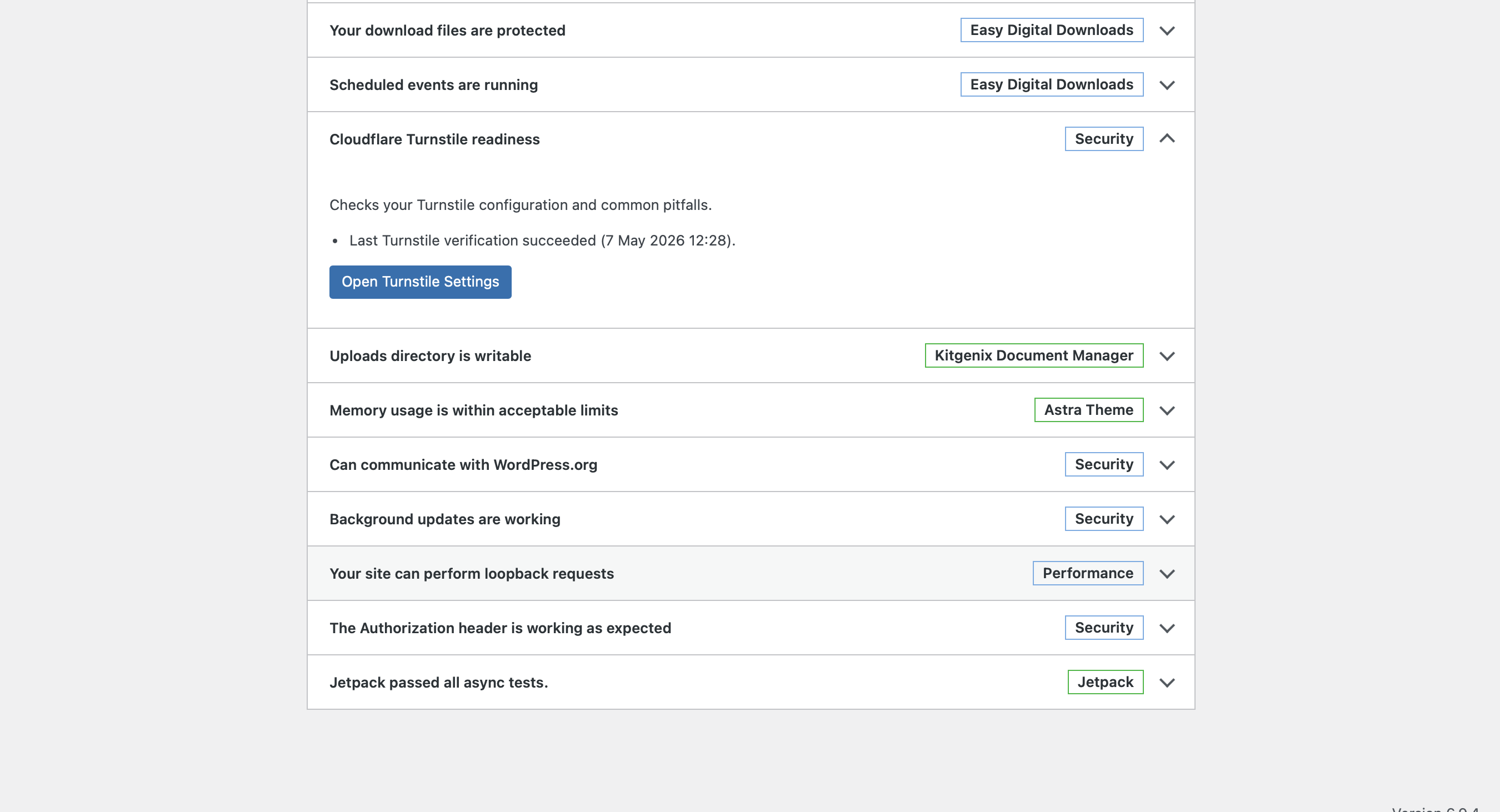
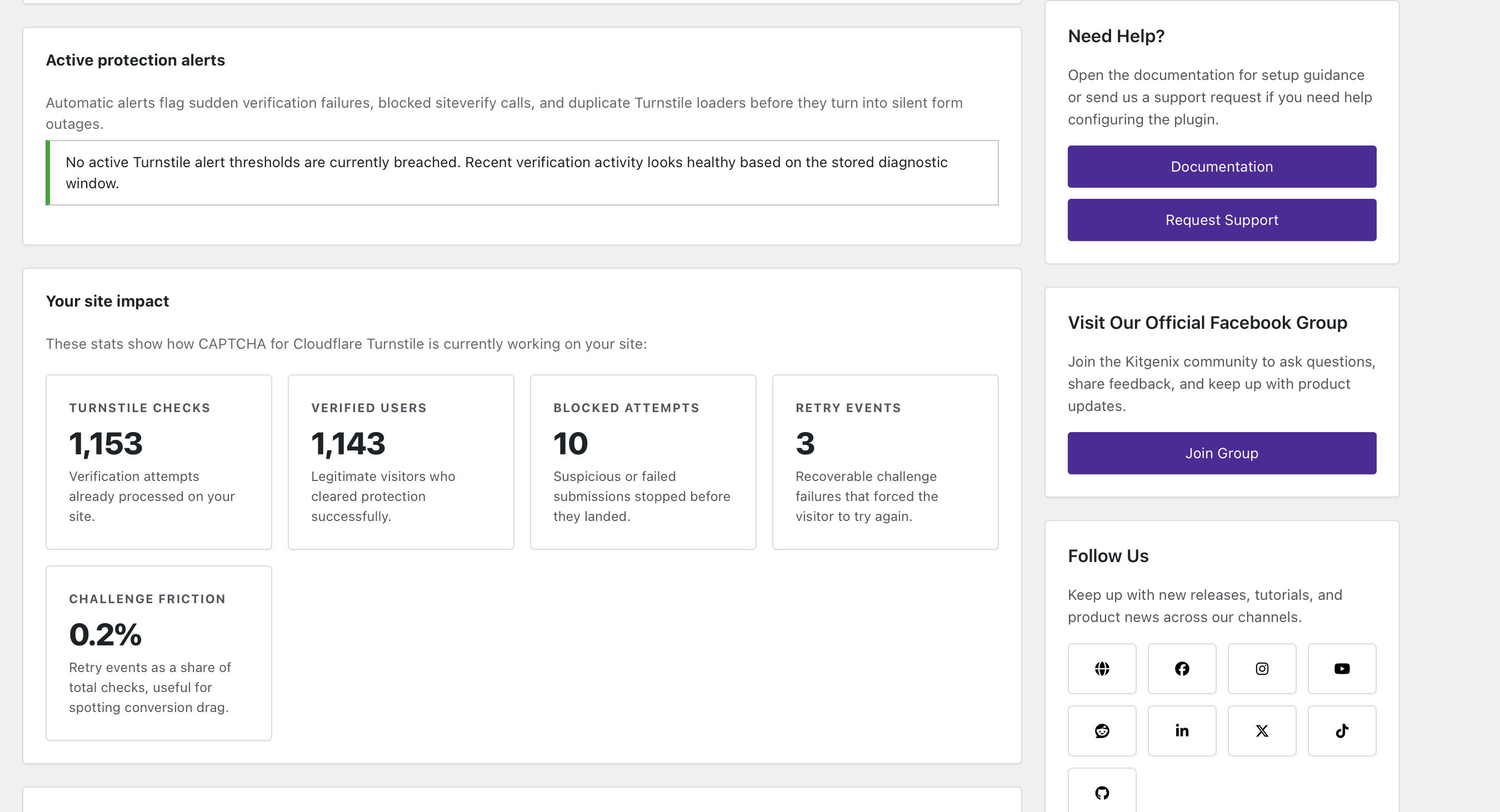
The plugin includes diagnostics for configuration and verification health, local counters for passed/failed checks, latency information, recent verification events and integration-level metrics. Site Health integration can surface configuration or connectivity issues to administrators.
Challenge performance reporting on the Log tab shows how quickly Cloudflare answers server-side verifications (average, 95th-percentile range, slow responses and slowest response) and which forms are seeing more unsuccessful checks than in the previous period, with daily charts, per-form trends, top Cloudflare error codes and a CSV export for the last 7, 14 or 30 days. It keeps only daily counts, response times and error codes per integration – never tokens, IP addresses or submitted form data – and deletes anything older than 60 days automatically.
Developer Mode adds additional troubleshooting detail without changing the fundamental requirement that live submissions be verified correctly when protection is active.
Settings Portability
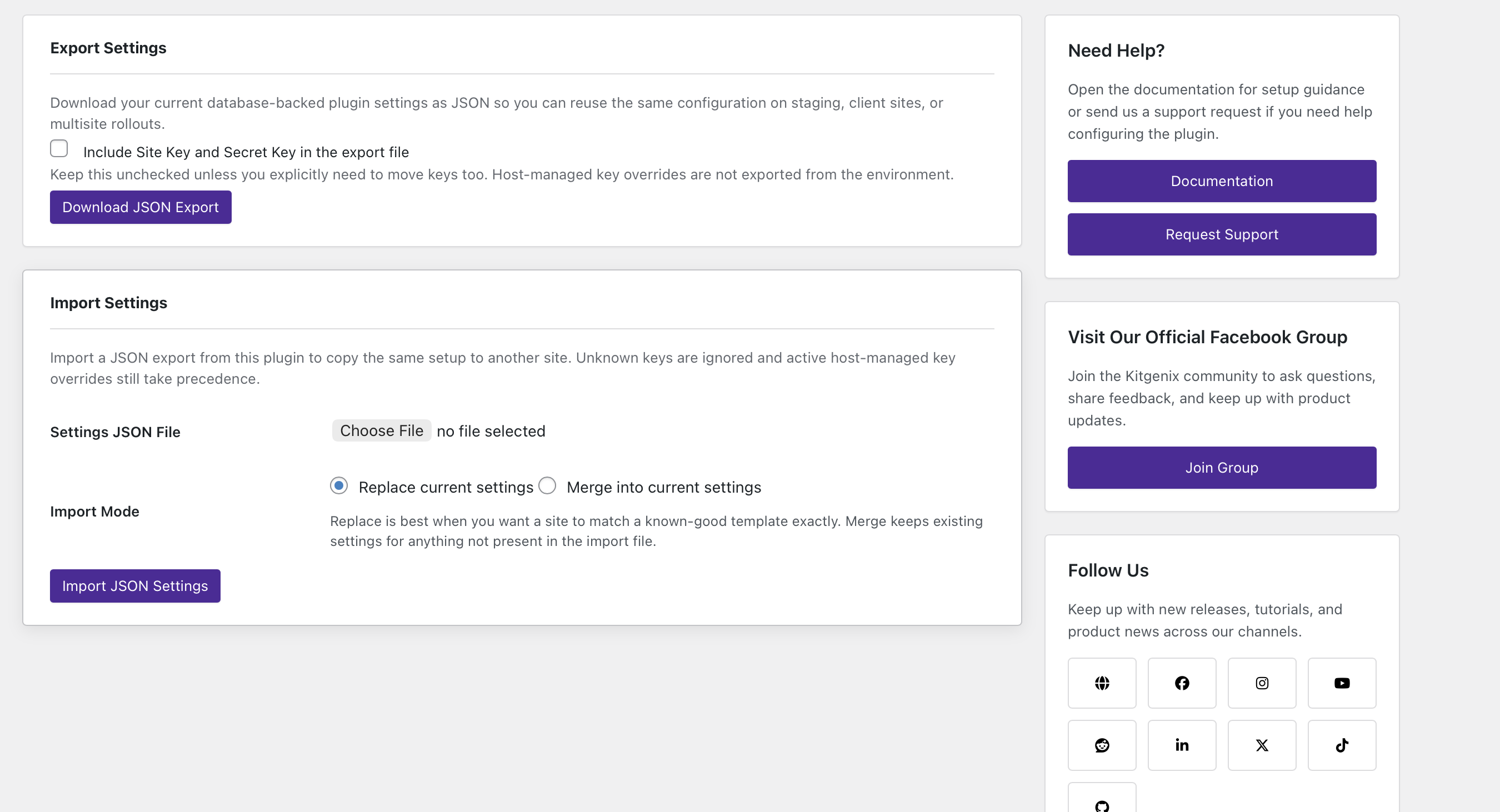
Settings can be exported and imported for controlled migration between WordPress installations. The transfer system is designed for plugin configuration rather than for exporting visitor submissions or unrelated site data.
Performance and Script Loading
The public Cloudflare Turnstile script is loaded only for pages/contexts where the plugin determines that a Turnstile widget may be needed. The loader includes duplicate-script detection so multiple integrations do not intentionally enqueue several copies of the same Turnstile API script.
Public assets are kept separate from the admin interface, and admin-only diagnostics/settings code does not need to run as part of every anonymous form request.
Privacy and Data Flow
Turnstile is an external service provided by Cloudflare, so challenge rendering and server-side verification necessarily communicate with Cloudflare. The plugin itself stores configuration and limited diagnostic/aggregate verification data locally. It does not require a Kitgenix account and does not send form contents to Kitgenix for verification.
The exact Cloudflare data flow, WordPress.org Hub request and Google Fonts admin request are documented in the External Services section below.
Common Uses
- Protect a WordPress login page from automated credential attacks.
- Reduce spam registrations on WordPress or WooCommerce.
- Add anti-bot verification to WooCommerce checkout and account forms.
- Help stop card-testing through WooCommerce order-payment links.
- Protect Elementor and popular WordPress form plugins with one central Turnstile configuration.
- Add a challenge to membership, forum and community registration/login flows.
- Replace more intrusive CAPTCHA experiences with Cloudflare Turnstile while keeping server-side validation.
Developer Notes
Shortcode
[kitgenix_turnstile]
Main settings option
kitgenix_captcha_for_cloudflare_turnstile_settings
Useful filters
Script and display:
kitgenix_captcha_for_cloudflare_turnstile_script_urlkitgenix_turnstile_freshness_mskitgenix_turnstile_inline_style
Verification:
kitgenix_turnstile_siteverify_urlkitgenix_turnstile_siteverify_timeoutkitgenix_turnstile_siteverify_sslverifykitgenix_turnstile_siteverify_http_argskitgenix_turnstile_send_remoteipkitgenix_turnstile_remote_ipkitgenix_turnstile_token_from_requestkitgenix_turnstile_error_codeskitgenix_turnstile_error_messagekitgenix_turnstile_replay_messagekitgenix_turnstile_skip_wp_login_validation
Replay protection:
kitgenix_turnstile_replay_ttl
Whitelisting and proxy handling:
kitgenix_turnstile_is_whitelistedkitgenix_turnstile_trust_headerskitgenix_turnstile_trusted_proxies
Operational alerts:
kitgenix_turnstile_alert_window_secondskitgenix_turnstile_alert_failure_spike_min_failureskitgenix_turnstile_alert_failure_spike_failure_ratekitgenix_turnstile_alert_http_error_min_failures
Developer logging action:
kitgenix_turnstile_dev_log
The plugin also exposes context-specific error-message filtering through kitgenix_captcha_for_cloudflare_turnstile_{context}_turnstile_error_message.
Privacy and Local Data
The plugin stores its configuration in the WordPress database. Depending on enabled features it also stores local operational data such as setup-verification state, aggregate integration metrics, challenge performance aggregates, the recent event log and replay-protection transients.
Challenge performance aggregates (option kitgenix_turnstile_performance) hold, per day and per integration, only check counts, Siteverify response-time totals and buckets, and Cloudflare error-code counts. They contain no tokens, IP addresses, user agents or form contents, are deleted after 60 days, and can be reset from the Log tab.
The recent event log is limited to 50 events and contains operational fields such as time, integration, success/failure, error codes and Siteverify latency. It does not store raw form submissions, the raw Turnstile response token, the visitor’s raw IP address or the request URL in that log.
Turnstile itself is an external Cloudflare service and receives data when a widget is loaded and when the server validates a token. See External Services below.
External Services
This plugin relies on third-party services for specific functionality. These connections are documented here so site owners can make an informed decision before enabling and using the plugin.
Cloudflare Turnstile
Cloudflare Turnstile is the CAPTCHA / bot-verification service that provides the plugin’s core protection. A Cloudflare account and Turnstile Site Key / Secret Key are required.
When a protected widget is rendered, the visitor’s browser loads Cloudflare Turnstile from:
https://challenges.cloudflare.com/turnstile/v0/api.js
The browser communicates with Cloudflare as part of the Turnstile challenge. As with normal web requests, Cloudflare can receive network/request information such as the visitor’s IP address and browser/request metadata, and Turnstile evaluates browser signals to generate a verification token.
When a protected form is submitted, the WordPress server sends a POST request to:
https://challenges.cloudflare.com/turnstile/v0/siteverify
By default, that request contains:
- The configured Turnstile Secret Key
- The Turnstile response token
- The visitor IP address as Cloudflare’s optional
remoteipparameter when an address is available
The remoteip value can be disabled by developers with the kitgenix_turnstile_send_remoteip filter.
Cloudflare documentation: https://developers.cloudflare.com/turnstile/
Cloudflare Terms: https://www.cloudflare.com/website-terms/
Cloudflare Privacy Policy: https://www.cloudflare.com/privacypolicy/
WordPress.org Plugin API
The shared Kitgenix Hub in wp-admin uses WordPress core’s plugins_api() functionality to request public WordPress.org plugin-directory information such as plugin details, active-install counts, ratings and media.
These requests occur on Kitgenix administration screens. The plugin supplies WordPress.org plugin slugs to WordPress core; the outbound request itself is handled by WordPress and can include normal HTTP request metadata generated by WordPress. Responses are cached locally with WordPress transients to reduce repeat requests.
WordPress.org: https://wordpress.org/
WordPress.org Privacy Policy: https://wordpress.org/about/privacy/
Google Fonts
The Kitgenix administration stylesheet imports the Inter and Manrope font families from Google Fonts. This occurs on Kitgenix plugin administration screens, not as part of the Turnstile verification request itself.
Loading those font resources causes the administrator’s browser to connect to Google-hosted domains such as fonts.googleapis.com and fonts.gstatic.com, which can receive normal request information such as IP address and browser headers.
Google Fonts: https://fonts.google.com/
Google Privacy Policy: https://policies.google.com/privacy
Google Terms: https://policies.google.com/terms
Trademark Notice
Cloudflare and Cloudflare Turnstile are trademarks or services of Cloudflare, Inc. This plugin is independently developed by Kitgenix and is not affiliated with or endorsed by Cloudflare, Inc.
WordPress and WooCommerce trademarks belong to their respective owners. References are descriptive and identify supported integrations.
Support Development
Kitgenix CAPTCHA for Cloudflare Turnstile is free software. If the plugin is useful to you, you can support continued maintenance and development through the Donate link shown on the WordPress.org plugin page.
More WordPress plugins and development resources are available from Kitgenix.
Installation
- Upload the plugin through Plugins Add New Upload Plugin, or install it from the WordPress.org Plugin Directory.
- Activate Kitgenix CAPTCHA for Cloudflare Turnstile.
- Create a Turnstile widget in your Cloudflare account and copy its Site Key and Secret Key.
- Open the plugin settings from the Kitgenix menu in wp-admin.
- Enter the Site Key and Secret Key and run the setup verification test.
- Enable only the integrations and forms you want to protect.
- Test the protected forms while logged out and, where relevant, through checkout/account flows.
A Cloudflare account and Turnstile key pair are required. Your website does not need to use Cloudflare’s CDN or proxy service to use Turnstile.
Screenshots

WordPress login protected with Cloudflare Turnstile.
WordPress registration protected with Cloudflare Turnstile.
Cloudflare Turnstile on WooCommerce Classic Checkout.
Cloudflare Turnstile on WooCommerce Checkout Blocks / Store API checkout.
WooCommerce My Account login protection.
Turnstile protection on a contact form.
WPForms protected with Cloudflare Turnstile.
Elementor Pro Forms protected with Cloudflare Turnstile.
Site Key, Secret Key and setup-verification settings.
Security controls.


Faq
What is Cloudflare Turnstile?
Cloudflare Turnstile is a CAPTCHA alternative that runs a challenge in the visitor’s browser and produces a token. The token must then be validated server-side before the protected action is accepted.
Do I need to use Cloudflare DNS or the Cloudflare CDN?
No. Turnstile can be used on a WordPress site even when the site’s traffic is not proxied through Cloudflare.
Do I need a Cloudflare account?
Yes. You need a Cloudflare account and a Turnstile Site Key / Secret Key pair.
Does the plugin verify Turnstile on the server?
Yes. Supported integrations validate the token with Cloudflare’s Siteverify endpoint before accepting the protected submission, unless Developer Mode or the relevant per-integration Test Mode is intentionally configured to warn rather than block.
Which WordPress forms can it protect?
Native WordPress login, registration, lost/reset password and comment forms are supported. The plugin also supports WooCommerce, Easy Digital Downloads, Elementor Pro Forms, Elementor Atomic Forms, Contact Form 7, WPForms, Fluent Forms, Formidable Forms, Forminator, Gravity Forms, JetFormBuilder, Jetpack Forms, Kadence Forms, Ninja Forms and several membership/community plugins.
Does it support WooCommerce Checkout Blocks?
Yes. The plugin can render Turnstile in block-based checkout and validates the token server-side during the WooCommerce Store API checkout request.
Can I protect WooCommerce “Pay for order” links?
Yes. Enable Pay for Order Form under Integrations WooCommerce. It is independent of the checkout toggles, so you can protect order-payment links (for example the “Customer payment page” link or failed-payment retries) with or without protecting the normal checkout. The token is verified before WooCommerce passes the payment to the gateway.
Can I see how fast Cloudflare verification is?
Yes. The Challenge performance section on the Log tab reports Cloudflare Siteverify response times and per-form unsuccessful-check trends for the last 7, 14 or 30 days. Only aggregate numbers and Cloudflare error codes are stored; no submitted personal data is kept.
Does it support WooCommerce HPOS?
Yes. The plugin declares HPOS compatibility and uses WooCommerce order CRUD methods for its Checkout Blocks verification metadata.
Can I choose where the Turnstile widget appears?
Yes. Automatic placement is available for supported integrations, and many integrations include a shortcode-only placement option. The [kitgenix_turnstile] shortcode can also render a widget manually.
Can I use the shortcode on any custom form?
The shortcode can render the widget, but an unsupported custom form still needs a server-side validation integration. Rendering a widget alone is not sufficient security.
Can different forms use different Turnstile themes or sizes?
Yes. Global theme, size and language settings can be overridden per integration.
What does Developer Mode do?
Developer Mode is warn-only. Failed verification is recorded but does not block the submission. Individual integrations can also be placed in Test Mode without putting the entire site into warn-only mode.
What is replay protection?
Replay protection helps reject a Turnstile token that has already been accepted or processed. This reduces the usefulness of captured or repeatedly submitted tokens.
Does the plugin include a honeypot?
Yes. The optional honeypot can reject simple automated submissions before Cloudflare Siteverify is contacted.
Can I whitelist administrators or trusted visitors?
The plugin can whitelist logged-in users, configured IP addresses/ranges and User-Agent strings. Whitelisted visitors do not need to complete Turnstile, and the frontend Turnstile script is skipped for them. Because User-Agent strings can be spoofed, the User-Agent whitelist only applies to page views (for example uptime monitors and crawlers) and never exempts a form submission from verification.
Does it work behind Cloudflare or another reverse proxy?
Yes. Proxy-aware IP detection is included. For security, forwarded headers are trusted only when proxy trust is enabled and the connecting proxy matches your configured trusted proxy list.
Can I stop the visitor IP address being sent to Cloudflare Siteverify?
Developers can return false from the kitgenix_turnstile_send_remoteip filter. See the External Services section for the default data flow.
Can I store the Site Key and Secret Key outside the WordPress database?
Yes. The plugin supports the KITGENIX_CAPTCHA_FOR_CLOUDFLARE_TURNSTILE_SITE_KEY and KITGENIX_CAPTCHA_FOR_CLOUDFLARE_TURNSTILE_SECRET_KEY constants and matching environment variables.
Can I move settings between sites?
Yes. Export settings to JSON and import them using Replace or Merge mode. Credentials are excluded by default unless you explicitly include them.
Why is the widget not appearing?
Check that the Site Key exists, the integration and relevant form toggle are enabled, the visitor is not whitelisted, and another plugin or optimisation rule is not blocking https://challenges.cloudflare.com. Also check the plugin’s duplicate-loader warning and Site Health test.
Why do I see expired, missing or replayed-token errors?
Turnstile tokens are short-lived and single-use. Cached forms, back-button resubmissions, double-clicks, delayed JavaScript or submitting after a token has expired can all require a fresh Turnstile challenge.
Reviews
Goog work & Thank you!
By  defoi on May 7, 2026
Actually works very well – I`am looking forward to test the added improvements of 1.1.0 .
Actually works for real-life situations—and built by nice people!
By  thejsnbrwn on February 5, 2026
I was using some other plugins to run my Turnstile implementation before, and though they were “easy to install”, they consistently were getting messed up by caching/CDN and forms in popup modal windows (in my case, Cloudflare/Kinsta caching and Elementor forms).
Enter Kitgenix.
After reading their plugin details, I could tell these folks knew firsthand the issues I was experiencing, and they seemed to have designed a product which would handle the real-life scenarios most of us encounter with our sites.
Don’t let the small number of reviews fool you—this plugin is legit!
It worked very well right away when I put it to the test. And the best part—after noticing a persistent warning on my admin, I posted a quick support thread about it… and then had heard back from the plugin developer promptly the same day, who did a full investigation and solved the issue by the next morning.
Can’t thank you enough. It’s so wonderful to work with real humans making great products which solve real problems.
❤️
Works in Elementor Popups
By  mtirapu on February 4, 2026
It delivers what it promises.
It works correctly with Elementor popup forms.
Lightweight, well-coded, easy to integrate
By  Atom Adam (adampaine) on January 11, 2026
I was using another Turnstile plugin on my site until I had trouble with a custom integration. I started looking for alternatives and found this one. I’m impressed! It is lightweight, well-coded (with a score of 97 from PluginScore), and the shortcode feature made it is easy to integrate with a premium WooCommerce plugin I use on my site. Awesome!
Awesome lightweight plugin with very efficient team
By  kammsw on October 20, 2025
Although the plugin was recently developed, the team is very responsive when it comes to bug fixes. The plugin is lightweight and is already a great alternative to plugins that have been around for a very long time. I’ve installed it on more than twenty of my clients’ sites, and everything is going great!
Easy to Set Up, Works Like a Charm
By  Just There (carlbensy16) on August 12, 2025
I’m really impressed with Kitgenix CAPTCHA for Cloudflare Turnstile. Setting it up was super straightforward, I had it running in just a few minutes. It does exactly what it promises: keeps the bots out without making life harder for real visitors.
I love that it just works quietly in the background. No weird puzzles, no endless clicking boxes, just a smooth experience for genuine users. It also fits nicely into the site without slowing anything down.
Changelog
2.2.0 (30 October 2026)
- New: Added Turnstile support for Elementor Atomic Forms (the Editor V4
e-formelement in Elementor Pro 4.x), alongside the existing Elementor Pro Forms integration. The widget is added before the form’s submit button, a submission without a solved challenge is blocked before it is sent, and every submission is verified server-side before Elementor stores uploads or runs any after-submit actions (email, webhook, collect submissions). The existing Elementor toggle and its Auto-inject/Shortcode-only, theme, size and language settings apply to both form types. - New: Added WooCommerce Pay for Order protection. A new “Pay for Order Form” toggle (Integrations WooCommerce) adds Turnstile to order-payment links, such as the “Customer payment page” link and failed or pending payment retries, independently of the checkout toggles. The token is verified before WooCommerce sends the payment to the gateway, helping stop card-testing through shared payment links. It is off by default and is reported as “WooCommerce pay for order” in the Log tab and Test Mode per Integration.
- New: Added Challenge Performance Reporting to the Log tab. It shows Cloudflare Siteverify response times (average, 95th-percentile range, slow responses over 2 seconds and the slowest response) and per-form unsuccessful-check trends compared with the previous period, with daily charts, top Cloudflare error codes, a 7/14/30-day period switch, a CSV export and a “Reset performance data” button. Only daily counts, response times and error codes per integration are stored – never tokens, IP addresses or submitted form data – and data older than 60 days is pruned automatically and removed on uninstall.
- Security: Fixed a login CAPTCHA bypass. A login request sent to an alternative form of the login URL (for example
//wp-login.php,/./wp-login.phpor/wp%2Dlogin.php) without the Turnstile fields could skip verification, because the check compared the raw request URL against the login URL. Login protection is now decided by the script WordPress actually runs, so every route towp-login.phpis covered, including when a login-URL renaming plugin is used. - Security: The User-Agent whitelist now only skips loading the widget on page views (GET/HEAD requests), for example for uptime monitors and crawlers. Because user agents can be spoofed, a whitelisted user agent no longer exempts a form submission from Turnstile verification.
- Security: Fixed a possible CAPTCHA bypass through the IP whitelist when “Trust Cloudflare/Proxy Headers” is enabled behind a proxy that appends to
X-Forwarded-For(for example a load balancer, nginx or Varnish). The client IP was taken from the left-most public address inX-Forwarded-For, which the visitor controls, so sendingX-Forwarded-For: <whitelisted IP>could skip Turnstile verification. The header is now read right to left, skipping your trusted proxies, and the first address the trusted proxy actually saw is used. If that address is not a valid public IP, the proxy’s own address is used instead. - Fix: Resolved a WordPress 6.7+ “translation loading too early” debug notice logged on every request. A settings gate that runs on every options read was building a translated status message every time, even though it only needed a yes/no check. It no longer builds any translated strings.
- Fix: The shared “kitgenix” icon collection/icon was registered unconditionally on
init, so on a site running more than one Kitgenix plugin, every plugin after the first to load triggered an “Icon collection is already registered” notice. It is now only registered if not already present. - Removed: Removed the Kitgenix Plugin Score integration, as Kitgenix Plugin Score has been discontinued. Its settings card, saved settings, setup-verification entries and analytics labels have been removed. Existing saved Plugin Score settings are ignored and are dropped the next time settings are saved.
- Improved: Raised the minimum PHP version to 8.2 (
Requires PHP: 8.2). The activation check now also blocks activation on PHP versions below 8.2. - Improved: Tested up to WordPress 7.4, and reviewed for compatibility with PHP 8.2 to 8.5. The full codebase passes syntax checks on PHP 8.5 and a PHPCompatibility scan for PHP 8.2–8.5, and uses no dynamic properties or functions deprecated in PHP 8.2–8.5.
- Improved: Declared compatibility with the WooCommerce Cart and Checkout blocks (
cart_checkout_blocks), so WooCommerce no longer lists the plugin as possibly incompatible in the Checkout block editor. - Fix: The CSV
$escapeargument is now passed explicitly in the admin CSV exports, preventing “the $escape parameter must be provided” deprecation notices on PHP 8.4 and later. The CSV format is unchanged. - Security: Hardened verification by checking the
actionandhostnamefields Cloudflare’s siteverify response echoes back, guarding against a token solved on one form being replayed against a different one. Ships in log-only mode this release – mismatches are logged, not blocked, pending full enforcement in a later release. - Fix: Siteverify requests now send an idempotency key and retry once on a network-level failure, so a retry after Cloudflare already recorded success is no longer incorrectly blocked as a duplicate.
- Fix: Avoided false “Security check failed” errors on page-cached forms. A stale WP nonce on a cached page is now treated as informational (relying on the Turnstile token instead) for non-authentication forms; login, registration and password-reset forms are unaffected and still require a valid nonce.
- Improved: Reduced database write load during a bot flood by rate-limiting diagnostic logging for failed checks, with a tighter limit for a tripped honeypot. Successful checks are unaffected.
- Improved: The replay-protection record is now only stored when an external object cache (Redis/Memcached) is present, avoiding an extra database row per successful check on sites without one.
- New: Added a “Lazy Render Widgets” setting (Settings Display, off by default) that defers loading a widget until its form scrolls near the viewport, reducing script cost and layout shift on pages with below-the-fold forms.
- New: Added a “Login Lockout” setting (Settings Security, off by default) that temporarily blocks further login attempts from an IP address or username after too many failures in a row. It also rate-limits XML-RPC and Application Password logins, which share the same underlying check, and clears automatically on a successful login.
- New: Added an optional “Disable XML-RPC” setting (Settings Security, off by default) for sites that don’t rely on the
xmlrpc.phpendpoint. - New: Added a “Block User Enumeration” setting (Settings Security, off by default) that blocks discovering valid usernames via the REST API’s users endpoint or the legacy “?author=<id>” link, for logged-out visitors.
- Dev: Hardened the performance-export and log-retention
daysrequest parameters to useabsint()instead of a raw integer cast. - Dev: Corrected WordPress coding-standards (PHPCS) escaping and resource-version annotations in the settings UI and script handler; no behaviour change.
- Dev: Removed the PluginScore verification code from the readme, as Kitgenix Plugin Score has been discontinued.
- Dev: Bumped the version to 2.2.0 across the plugin.
- Documentation: Updated
DOCUMENTATION.mdto remove the Plugin Score integration, describe the new login and User-Agent whitelist behaviour, and document WooCommerce Pay for Order protection and challenge performance reporting. - Documentation: The regenerated
.pottemplate also picks up the Easy Digital Downloads block strings added in 2.1.4, which were missing from the previous template. - Documentation: Regenerated the
.pottranslation template for 2.2.0. - Documentation: The readme changelog now lists only the current release. The full release history is in
CHANGELOG.md.
Full release history is available in the plugin’s CHANGELOG.md file.