

Jetpack VideoPress
Description
AD-FREE, CUSTOMIZABLE VIDEO PLAYER FOR WORDPRESS
With an immersive design, VideoPress is ideal for videographers, creators, filmmakers, educators, and bloggers seeking to upload high-quality videos with ease.
Built for WordPress
Take advantage of full integration with the best video hosting plugin created specifically for WordPress. Bring your ideas to the screen and save time by managing your videos in the same interface as your website. You can drag and drop videos directly into WordPress, and manage them in the media library.
Ad-free videos offer a better experience
Tired of video companies sending your customers to their app to view videos? Or worse, showing inappropriate ads to your site visitors? Our customizable video player for WordPress keeps people on your site so the spotlight is all yours. With VideoPress, you can avoid intrusive ads or imposing player branding.
High-quality, lightning-fast video hosting
Take the complexity out of self-hosting videos. VideoPress offers fully-hosted videos and a CDN to ensure instant video speed for your audience around the globe. With our powerful and reliable hosting infrastructure, you can provide your audience with fast-motion videos with 60 FPS and full 4K resolution.
A complete video experience from the WordPress Editor
With the Jetpack VideoPress Block, adding videos to your content has never been easier. This powerful tool lets you effortlessly insert videos straight from the WordPress Editor and comes packed with advanced features like subtitles, captions, chapters, private videos, and poster images.
- Adaptive Streaming – Videos play back faster by automatically adjusting video quality based on bandwidth and display size. The viewer can still choose the quality they’d like in the menu.
- Reliable Global Hosting and Video CDN – Built on WordPress.com’s world-class cloud infrastructure, your videos are stored in multiple servers across the globe to ensure quick delivery no matter where your audience is.
- Subtitles, Captions, and Chapters – Simply upload your text tracks via the VideoPress block and they will be available on the video as soon as you publish.
- Progress Bar Color Match – The VideoPress seekbar now adapts its color to match the scenes in your videos. This makes your content really pop.
- Optimized for mobile – Switch between mobile and desktop without missing a beat.
- Picture-in-picture – Pop out the video from the web browser for easier viewing.
- Unlimited Logins – Work with a team? We don’t charge per seat, so everyone that works on your site can have their own login.
- High-Resolution Videos Up to 4K – Watch crisp images on any display and screen size. We’ve added video display for 1440p, 60 FPS, and full 4K resolution.
- Ad-free video – Keep the spotlight on your content, not on ads you can’t control.
Your one-stop solution for video management
The VideoPress Dashboard is a centralized space to upload and manage your video library. Filter your library by rating or privacy setting, view your library in multiple ways, and upload local videos to your Jetpack cloud library.
WITH 💚 BY JETPACK
Installation
Installation
- To begin, click on the Plugins link in the left hand sidebar, then click Add New.
- Search for VideoPress. The latest version will be in the search results. Click the Install Now button.
- Next, click the Activate button. After activating, you will be prompted to set up VideoPress.
Screenshots

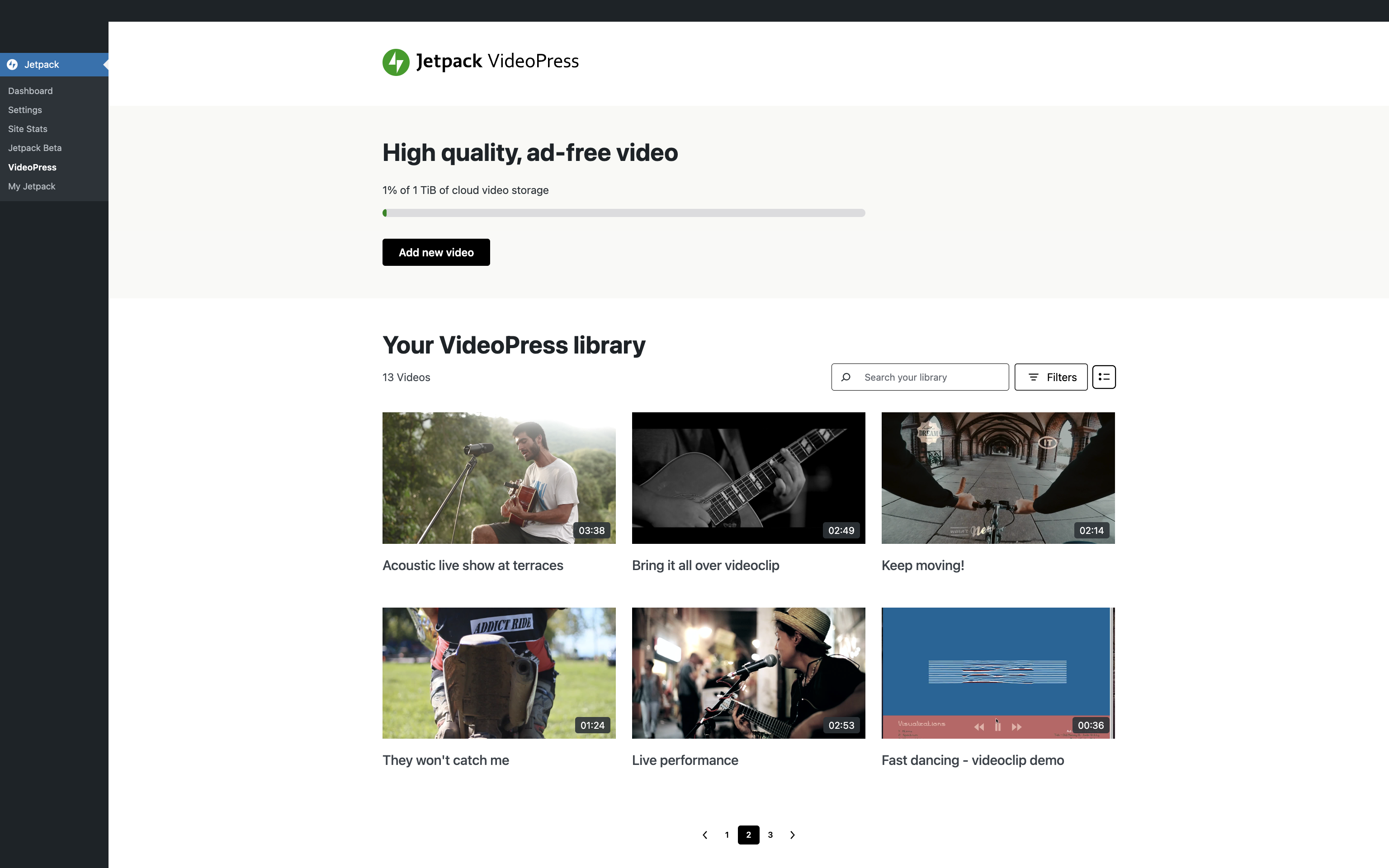
Add and manage your videos from your VideoPress library.
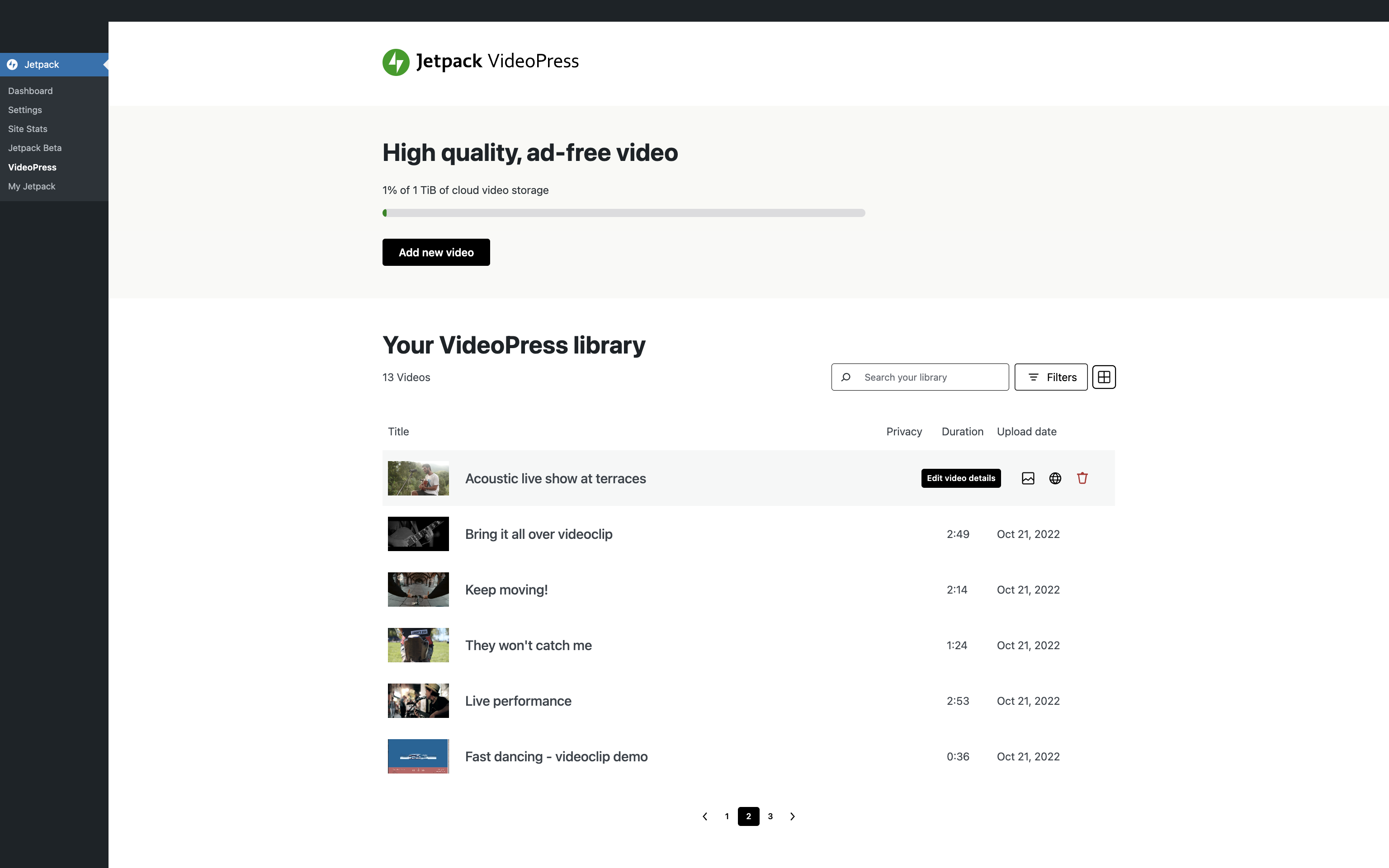
Browse through your videos and edit their details.
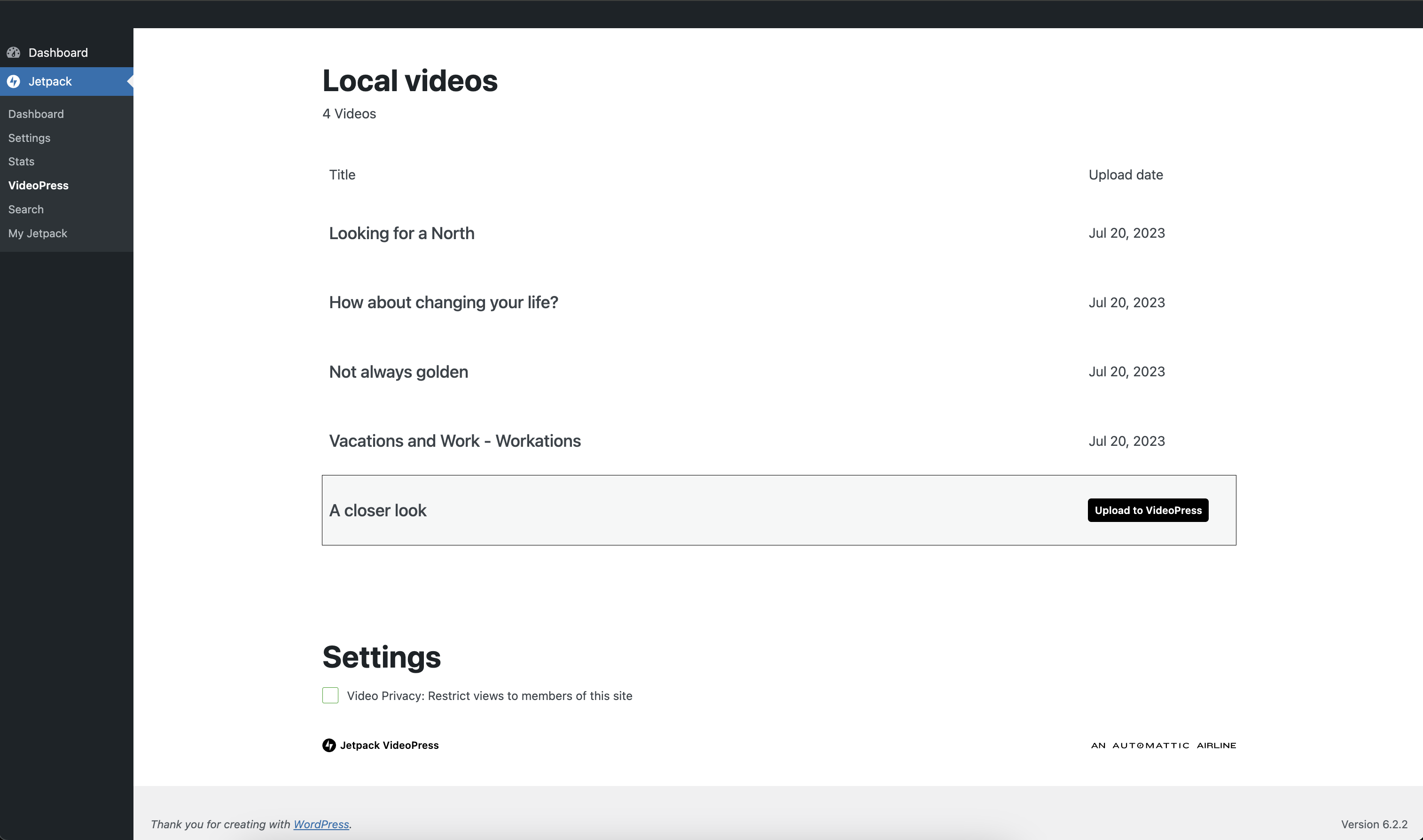
Upload your local videos to VideoPress.
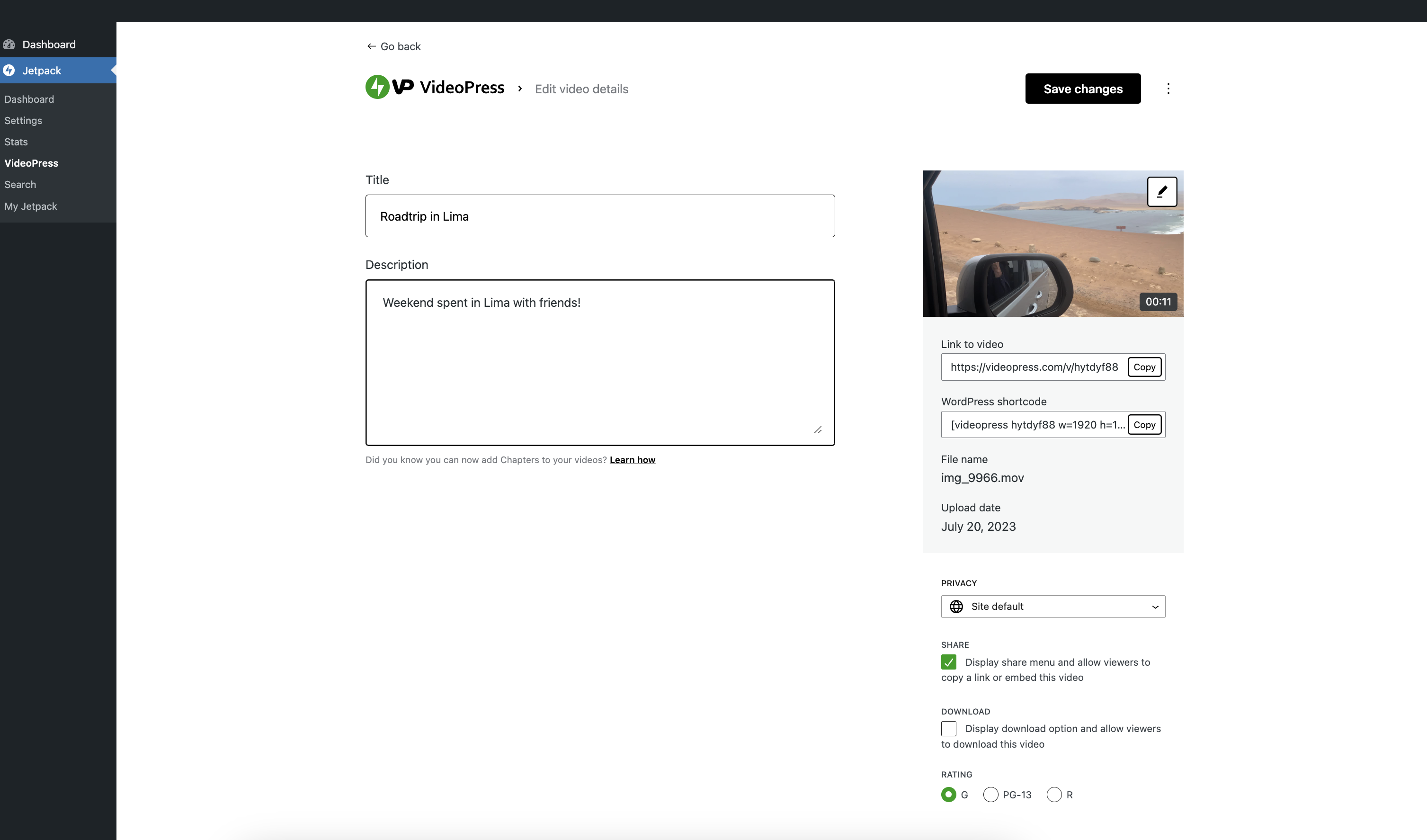
Edit your video details, cover image, and privacy from your VideoPress library.
Faq
Is Jetpack VideoPress free?
Jetpack VideoPress is free to try. You get free video hosting for WordPress for one video with a file size of up to 1 GB.
To get unlimited videos with a total storage of up to 1 TB, upgrade to the paid plan.
Is Jetpack VideoPress included in a Jetpack plan?
Jetpack’s video player for WordPress is included in the Jetpack Complete plan. It is not currently included in any other plan.
Is there a storage limit?
The free plan has a limit of 1 video and 1 GB.
The paid plan has a storage limit of 1 TB.
Is there a file size limit?
The file size limit is 5 GB. However, on slower networks, there is a chance the network will time out before being able to upload larger videos to a WordPress site.
Reviews
No batch upload
By  jamtpg23 on July 31, 2026
Great so far but reeeeeeeeaaallly needs a batch upload. Currently can only upload one video at a time… and I have lots.
VideoPress ERROR
By  lorenzo77 on June 20, 2026
VideoPress ha problemi. Ho segnalato il problema a Jetpack ma non mi hanno nemmeno dato risposta. VideoPress non salva le configurazioni che inserisco ad ogni video, ne le impostazioni, titolo, flag ecc…. Ho fatto cancella cache ma nulla. Ho provato inoltre a sconnettere Jetpack, mi dice sconnesso, poi faccio aggiorna pagina ma in realtà non si scollega e resta connesso. Non funziona nulla.
VideoPress is having problems. I reported the problem to Jetpack but they haven’t even responded. VideoPress doesn’t save the settings I add to each video, nor the settings, title, flags, etc. I cleared the cache but nothing. I also tried disconnecting Jetpack, it says disconnected, then I refresh the page but it doesn’t actually disconnect and stays connected. Nothing works.
Does what it needs to, but you'll need half a day to figure out how to cancel.
By  kannyman (ryankanwal) on May 17, 2026
The plugin does what it says on the tin. It is a great way to embed videos into your WordPress website using the native ‘media upload’ tab. But trying to cancel… best of luck with that! You’ll navigate through a complex web of going from your WordPress.org site to your WordPress.com account with buttons that link to random places and a UX that generally makes it difficult to cancel your paid subscription. The reason I cancelled also is because I host a number of videos on different domains for me/clients and Jetpack only allows 1x subscription per domain, which then gets expensive on multiple sites. If they allowed you to host videos from one paid subscription for several different WP installs, I would have probably stayed.
ADD MONITISATIONS
By  qhrlysterss on November 21, 2024
DEVELOPERS KINDLY MAKE IT IN MONITISATIONS TO ALLOWED USERS ON ADMINISTRATION TO SELL OR RENT THEIR CONTENTS. EXAMPLES LIKE WP STREAM
Bad Experience with VideoPress jetpack
By  amfahadsafi on October 2, 2024
Customer support is zero they are replying very late.
i am facing issue with video upload, the video processing stuck at 0%
multiple time i tried to upload the video but each time it stuck during processing at 0%
Nice plugin and excellent support
By  stoian02 on August 9, 2024
Nice plugin and excellent support 😄
It took a while to get it right
By  danielserwer on August 2, 2024
But the customer service people pitched in and made it work. They were patient and helpful.
Didn't work on my site
By  stemsrus on June 25, 2024
Doesn’t work as advertised although it’s a good concept. I rating it low for multiple reasons: Overall, it’s buggy.
- Control list didn’t display as advertised. On google chrome, no controls were displayed.
- It wouldn’t allow me use either cover page or video block
- Deactivate button in the module didn’t work, so it’s hard to remove
- Lack of JetPack support in general probably because of all the bugs they’re dealing with.
I’m sure with all the support, it’ll be a future great product. But for now, I’m staying away from it.
Super Happy
By  irrationalcoach on June 21, 2024
I am very happy with the plugin and the costumer support. Love it!
Fantastic Plugin
By  laser558 on December 3, 2023
So glad I found this plugin, it does exactly what I need it to do. Also, the help I received from Customer Support in setting it up the way I needed was beyond brilliant. They were polite, patient, and tested every step of the way with me. Thank you!
Changelog
3.8 – 2026-10-20
Added
- Add a Channel Details block to channel sites, with the channel’s handle, subscribers, videos, playlists, views and start date.
- Add an Episode Navigation block.
- Add a page per playlist on channel sites, with All Playlists cards linking to it and a Video Playlist block option to show the playlist being viewed.
- Add a Playlist Details block.
- Add a Video Details block, and let the VideoPress Video block play the newest upload.
- Add trim and cut editing to the video block toolbar and clarify the editor tool icons.
- Connection: Add a Connected view to the Users page listing users with a linked WordPress.com account.
- Connection: Transfer connection ownership to another administrator without leaving your site.
- Connection: Transfer connection ownership to another connected administrator from the Connectors page.
- Let channel blocks show authors a call to action while a channel has no videos or playlists.
- Let the Latest Videos Playlist block sort, search, filter by length and paginate, and show view counts.
- Let the Video Playlist block show a playlist published on the site, and let the All Playlists block sort by last update and show each playlist’s last update and length.
- My Jetpack: Add an Available filter to the Features list.
- My Jetpack: Add catalog-controlled Pro offers and preserve existing plan management.
- My Jetpack: Recognize Jetpack Pro subscriptions and licenses.
Changed
- Connection: Link the connection owner’s name on the Connectors card to their profile, and update the card without reloading the page when a non-owner disconnects their account.
- My Jetpack: Line up notices with the cards below them, and drop the grey background behind the Features grid and list buttons.
- My Jetpack: Refresh Pro availability while preserving existing offers.
- My Jetpack: Show a connection error on the Overview connection card while your account is still to be connected, instead of only asking you to connect it.
- Open this site’s video pages from a Video Playlist in the same tab, and mark the video being viewed.
- Settings: Match the card spacing and top margin of the other Jetpack settings screens.
- Update package dependencies.
Fixed
- Connection: Translate the Connectors card’s text on sites that don’t use English.
- Dashboard: Announce the views trend chart correctly to screen readers.
- My Jetpack: Hide other plugins’ notices while the setup screen is open, and stop the full-screen layout breaking when another plugin adds an admin body class first.
- My Jetpack: Make the connection screen’s Connect button and footer links reachable on shorter screens.
- My Jetpack: Show the highest-priority notice first when several are set at once.
- My Jetpack: Stop reporting an error when switching VideoPress off while the Jetpack plugin is inactive.
- Only open a channel video page for a video uploaded to this site.
- Prevent new uploads from reusing video attachment IDs after a site restore.
- Show failed conversions with delete and re-upload guidance, and retry locked resumable uploads.