

Health Check & Troubleshooting
Description
This plugin will perform a number of checks on your WordPress installation to detect common configuration errors and known issues, and also allows plugins and themes to add their own checks.
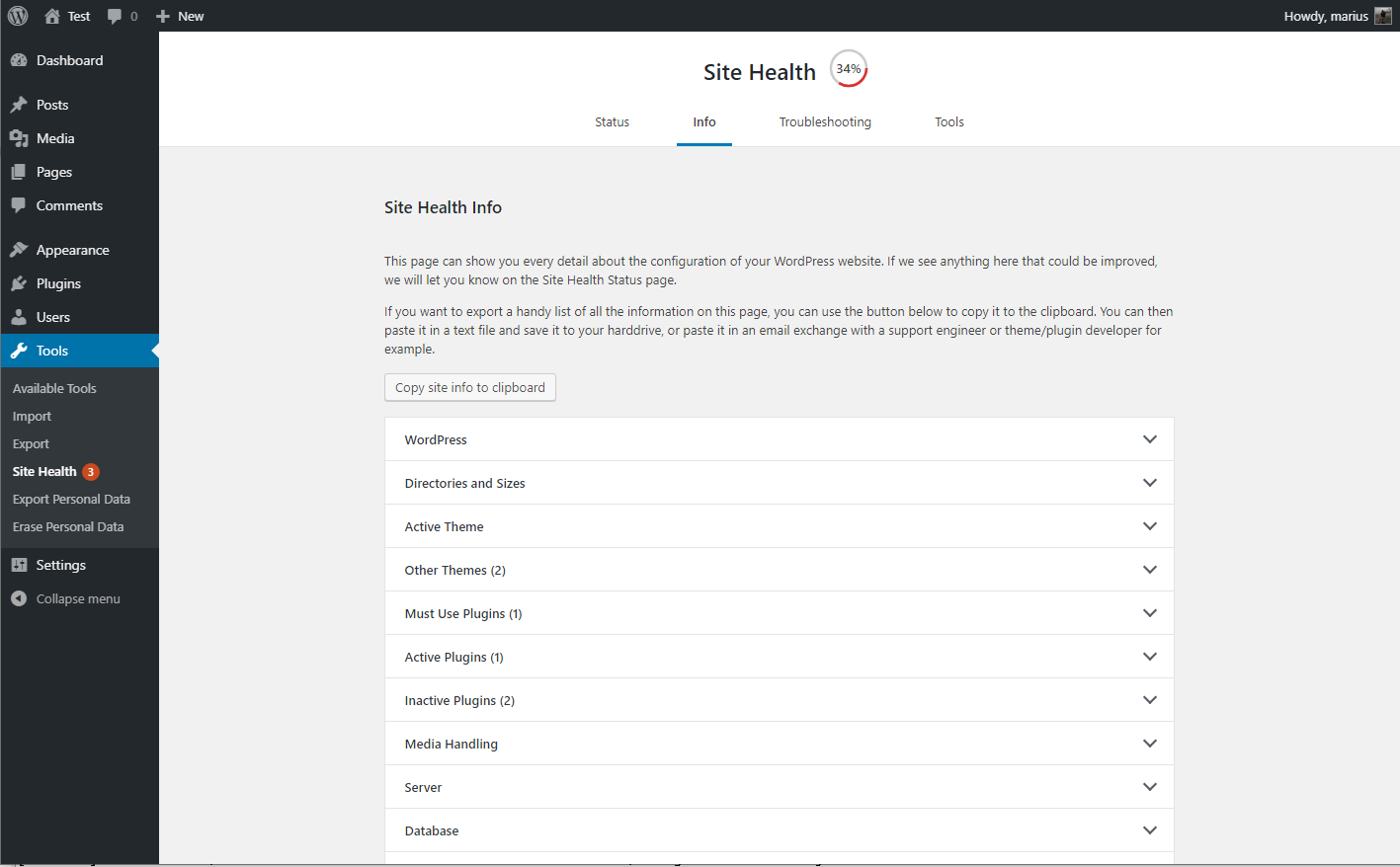
The debug section, which allows you to gather information about your WordPress and server configuration that you may easily share with support representatives for themes, plugins or on the official WordPress.org support forums.
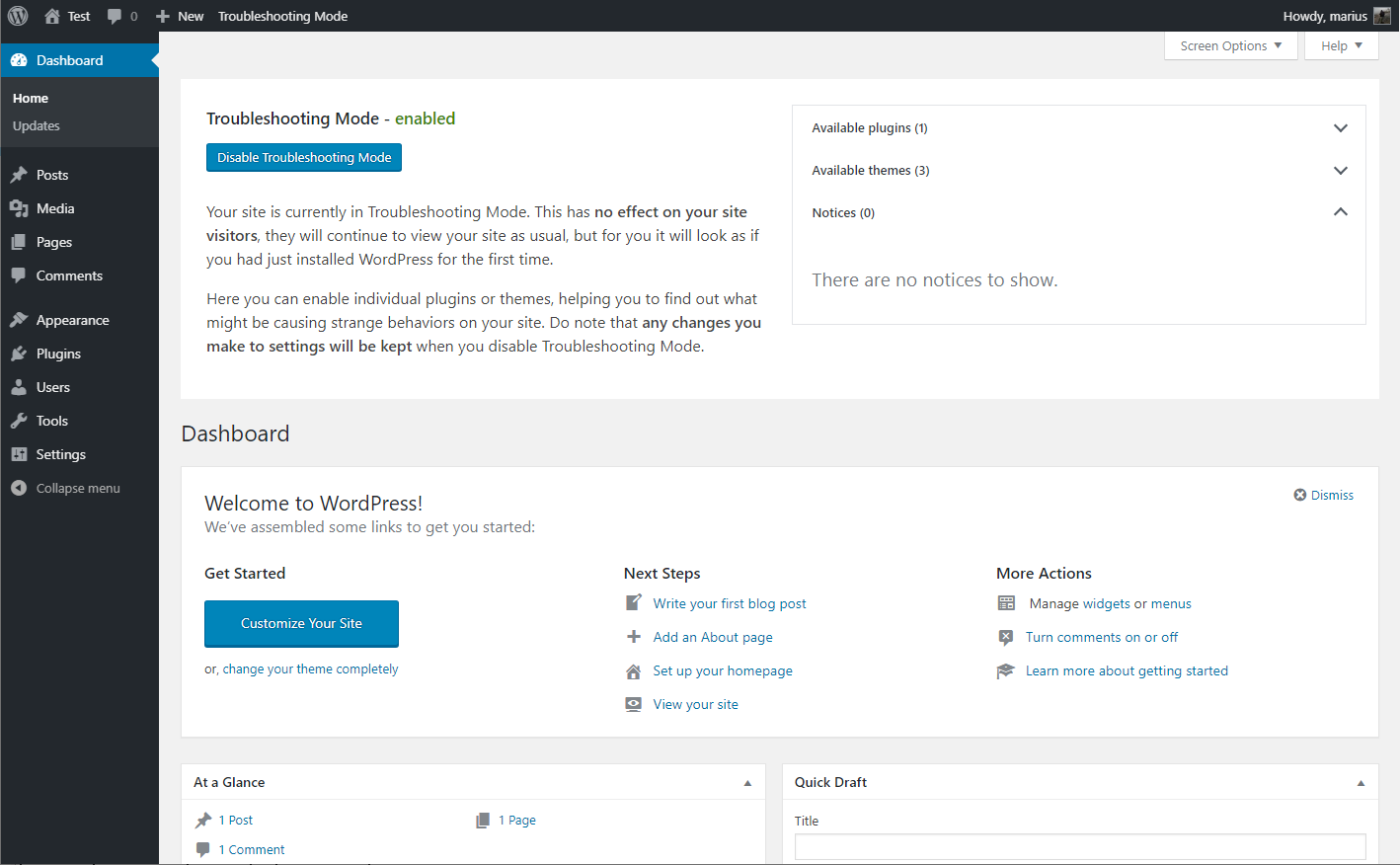
Troubleshooting allows you to have a clean WordPress session, where all plugins are disabled, and a default theme is used, but only for your user until you disable it or log out.
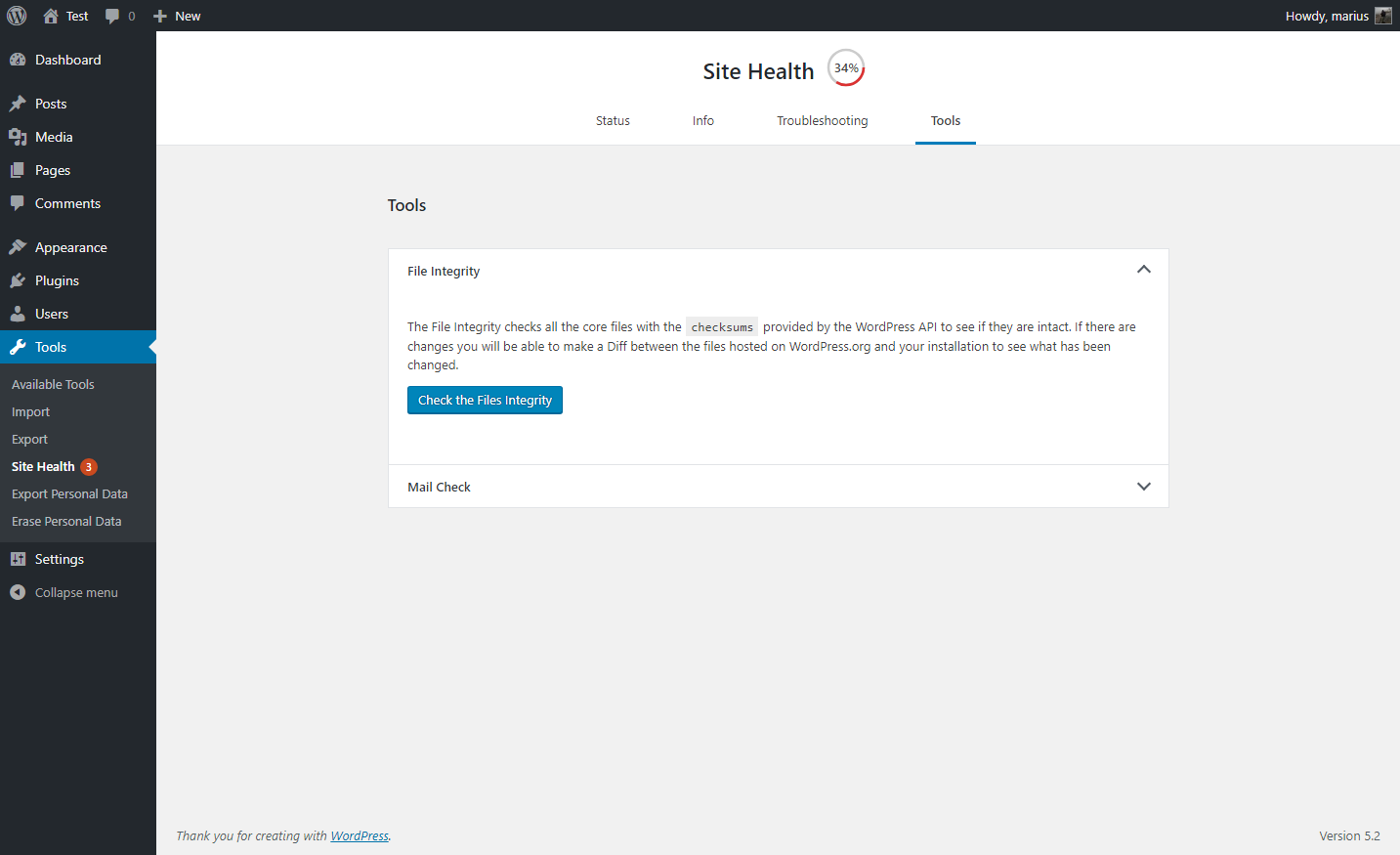
The Tools section allows you to check that WordPress files have not been tampered with, that emails can be sent, and if your plugins are compatible with any PHP version updates in the future.
For a more extensive example of how to efficiently use the Health Check plugin, check out the WordPress.org support team handbook page about this plugin.
Feedback is welcome both through the WordPress.org forums, the GitHub project page, or on Slack in either #forums or #core-site-health.
Screenshots

The health check screen after the automated tests have gone over the system.
The debug information, with the copy and paste field expanded.
A selection of tools that can be ran on your site.
Troubleshooting mode enabled, showing your website Dashboard

Faq
If you should find your self stuck in Troubleshooting Mode for any reason, you can easily disable it by clearing your cookies.
Are you unfamiliar with how to clear your cookies? No worries, you may also close all your browser windows, or perform a computer restart and it will clear this specific cookie automatically.
The plugin is made to be a support tool for as many users as possible, this means it needs code that is written for older sites as well.
Tools that check for PHP compatibility do not know how to separate this code from the real code, so it will give a false positive response.
At this time, the plugin has been tested with every version of PHP from 5.2 through 7.3, and works with all of these.
The Site Health team and WordPress community take security bugs seriously. We appreciate your efforts to responsibly disclose your findings, and will make every effort to acknowledge your contributions.
To report a security issue, please visit the WordPress HackerOne program.
Reviews
Nobody seems to care
By  Martin Sauter (martin.sauter) on July 31, 2026
This plugin adds many valuable features for site administrators to WordPress Core. I installed and used it on all my sites for years.
Since half a year though, there is security issue (CVE-2025-64253), and nobody cares to address it. Clients start to complain about that unsafe plugin, so I had to remove it.
I can’t believe that
By  مؤسسة دعسه برو (abuwassan) on April 4, 2026
I can’t believe anyone gave this plugin 5 stars. Troubleshooting mode will break your site. It disables ALL plugins and it says that this will only affect you and NOT your other site visitors but that is FALSE.
When you disable troubleshooting mode all plugins remain inactive! There is NO WAY to revert or cancel this. Once you enter troubleshooting mode you are screwed.
My entire site was broken and I had to scramble to reactive plugins one by one.
It is Very helpful tool for developers
By  whizPlugins (whizplugins) on February 17, 2026
It is Very helpful tool for developers
Service Recommended
By  deynadc9 on January 16, 2026
The plugin is very good, I’m happy with it and I recommend it.
Absolute Life saver on my agency sub sites..
By  akehsanz (pixarzbd) on January 13, 2026
I’ve been facing few unresolved problems — that was easily identified by this plugin.. really appreciate the efforts from dev team… thanks
good
By  carrie06 on December 16, 2025
good app!
good
By  susan54 on October 13, 2025
A must-have plugin for diagnosing site issues and resolving conflicts quickly. Simple, effective, and reliable.
Good for Troubleshooting
By  Michael Fridrich (michaelfridrich) on September 24, 2025
Really helps with diagnosing issues. Finds conflicts easier.
Great plugin
By  leemon on September 12, 2025
This is an essential plugin for troubleshooting plugin and theme conflicts
Authors are slow to fix issues
By  kal123 on September 8, 2025
This issue has been open for almost a year and not fixed:
Notice: Function _load_textdomain_just_in_time was called incorrectly. Translation loading for the health-check domain was triggered too early. This is usually an indicator for some code in the plugin or theme running too early. Translations should be loaded at the init action or later. Please see Debugging in WordPress for more information. (This message was added in version 6.7.0.) in …/public_html/wp-includes/functions.php on line 6121
Changelog
1.7.1 (2024-07-25)
- Security: Prevent a potential information disclosure from the screenshot beta feature, reported independently by Jarko Piironen.
- Security hardening: Make each screenshot delete nonce unique to that image.
- Security hardening: Add a capability check alongside the nonce validation when toggling beta features on or off.
- General: Updated the
Tested up totag. - General: Added notice about future changes to the Troubleshooting and Tools sections.
- Added Twenty Twenty Four as a known and valid default theme.
- Tools: Fixed a PHP warning when checking for PHP version compatibility and no data was found.
- Tools: Fixed a PHP warning when
WP_DEBUGis disabled, or nothing has been written to the logfile yet. - Tools: Improved the description for the
robots.txtfile viewer.
1.7.0 (2023-08-06)
- General: Improved styling inconsistency between the plugin and WordPress core.
- General: Fixed an issue with plugin translations where language strings would get mixed when using third party language plugins, or a separate profile language.
- Troubleshooting Mode: Fixed the URL used when disabling elements and having a subdirectory installation.
- Troubleshooting Mode: Fixed a deprecation warning when disabling troubleshooting mode on PHP version 8.3 or higher.
- Troubleshooting Mode: Added reference on how to troubleshoot as different users when testing scenarios.
- Tools: Fixed integration with WPTide for the PHP Compatibility checker.
- Tools: Added a viewer that will display debug log output when enabled.
- Tools: Added a warning to the File Integrity tester if unexpected files are mixed in with WordPress core files.
- Tools: Added a warning if sending emails is taking longer than expected.
- Tools: Added beta feature toggle for those who wish to test new functionality that may not be fully ready yet.
- CLI: Fixed the CLI commands, you can now
wp health-check statusto your hearts content! - Beta feature: Added a new beta feature, making it easier for non-technical users to grab screenshots of issues on their site, and share them.