

GS Books Showcase – Book Library, Book Grid & Book Slider for Authors
Description
GS Books Showcase turns your WordPress site into a book library. Add each book once with its cover, description, publication date, ISBN and page count, then show your books anywhere as a grid or slider. Every book gets its own page or popup, so readers can see the details without leaving your books page.
Pick a design in the shortcode builder, see it in the live preview, and paste one shortcode or block.
👉 Live demo · Documentation · Pro features · Pricing · Support
Who it’s for
- Authors: a books page with every title you’ve written, with links to buy.
- Publishers: your catalog, organized by category and series.
- Libraries, schools and book clubs: reading lists and collections.
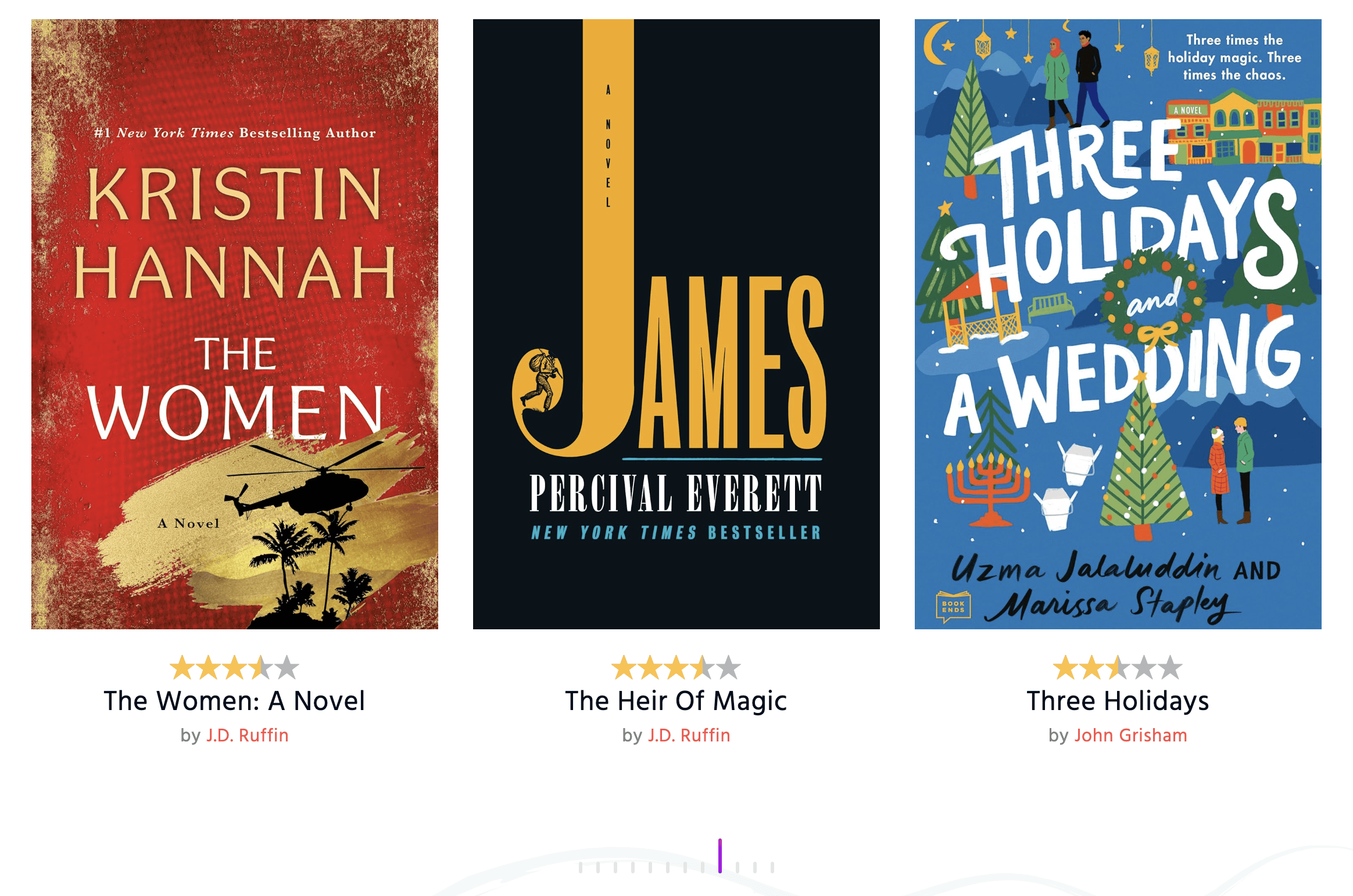
- Book bloggers and reviewers: the books you’ve read and reviewed, with ratings.
Why site owners choose GS Books Showcase
- Made for books: fields for ISBN-10, ISBN-13, publication date, page count, dimensions, e-book file size and download link.
- Set up in minutes: a dedicated Books menu, a shortcode builder with live preview, and one-click demo data.
- Looks right on every screen: set columns for desktop, tablet and mobile.
- Works with your builder: Gutenberg block, Elementor, Divi, WPBakery, Beaver Builder, Oxygen and the Newspaper theme.
Free features
- Grid and slider views with 3 designs.
- Shortcode builder with live preview: create, edit, clone and delete book shortcodes.
- Open books in a popup or on a single book page.
- Book details: cover, description, publication date, ISBN-10, ISBN-13, pages, dimensions, e-book file size and download link.
- Categories and tags, with labels you can rename.
- Slider controls: speed, autoplay, delay, loop, pause on hover and items to move.
- Slider arrow and dot styles.
- Typography settings for titles, authors, labels and values.
- Pagination.
- Unlimited books.
- Export and import books, plus one-click demo data.
- Custom book slug, custom CSS and template overrides in your child theme.
- Translation ready, with every front-end label editable.
Pro features
GS Books Showcase Pro adds:
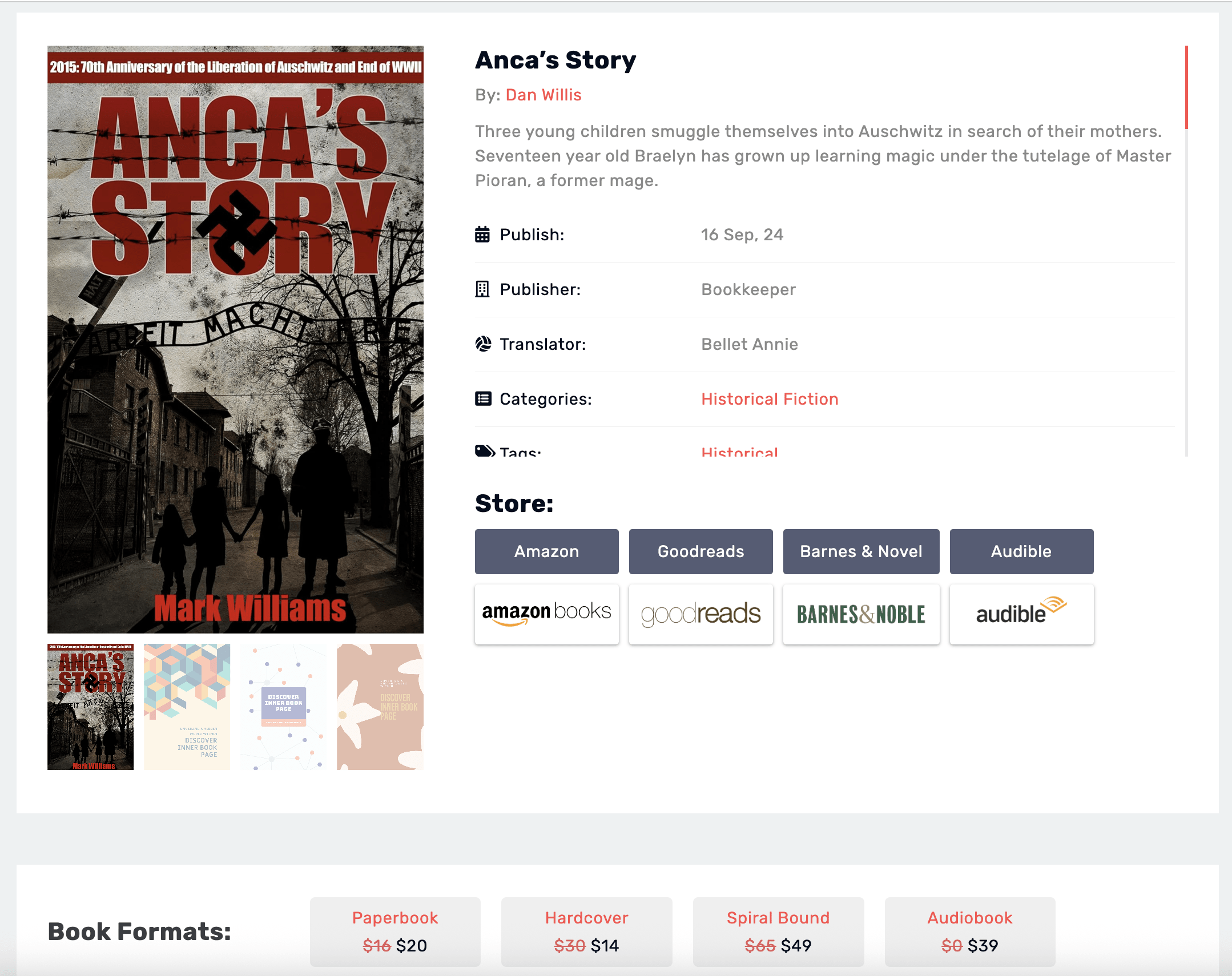
- Buy links: bookstore buttons with logos, plus formats (hardcover, paperback, e-book, audiobook) each with its own price and link.
- Filter view with live search and filters, and a ticker view.
- 31 more designs, including flip, 3D book, author, widget and PDF designs.
- PDF books: upload a PDF and show it in a reader on the book page.
- Authors, genres, series and publishers, with author pages.
- More book details: translator, co-publisher, ASIN, DOI, LCCN, weight, price, sale price, availability, pre-order, age group, reading level, edition, awards and reading time.
- Readers’ rating and review for each book.
- Book gallery and cover variations.
- Ribbons such as “New” or “Bestseller”.
- More popup and single book page designs.
- Import book details from Open Library by ISBN, plus CSV bulk import.
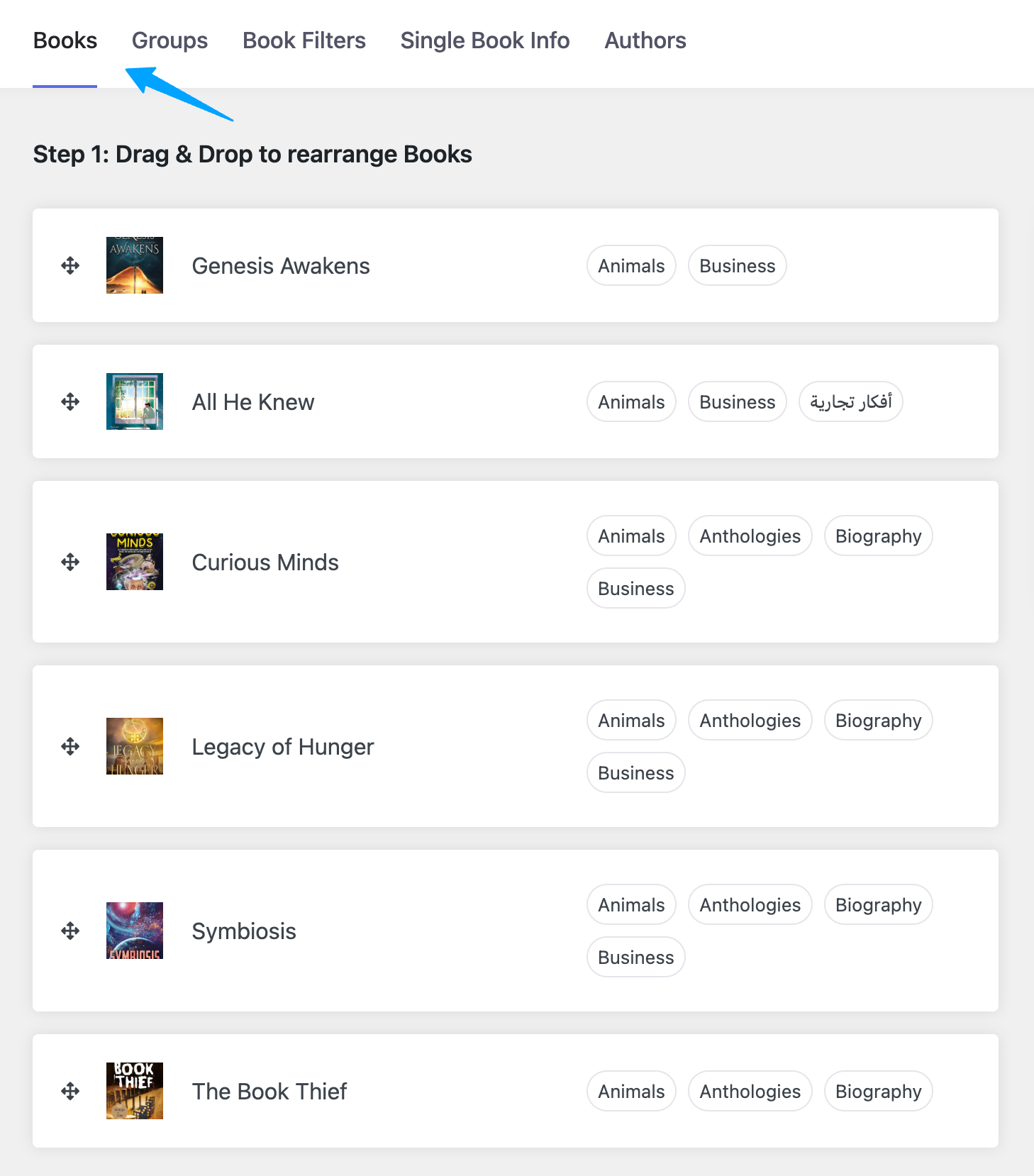
- Drag-and-drop custom order.
- Priority email support.
Plans start at $49 per year, with a 7-day money-back guarantee. Compare Pro plans.
How it works
- Go to Book Showcase > Add New. Add the title, description and cover, then fill in the publication date, ISBN and other details, and choose a category.
- Go to Book Showcase > Shortcode, create a shortcode and pick a view and design. The live preview updates as you change settings.
- Copy the shortcode, for example
[gs_bookshowcase id=2], into any page or post, or use the GS Books block or widget in your page builder.
Each shortcode has three tabs:
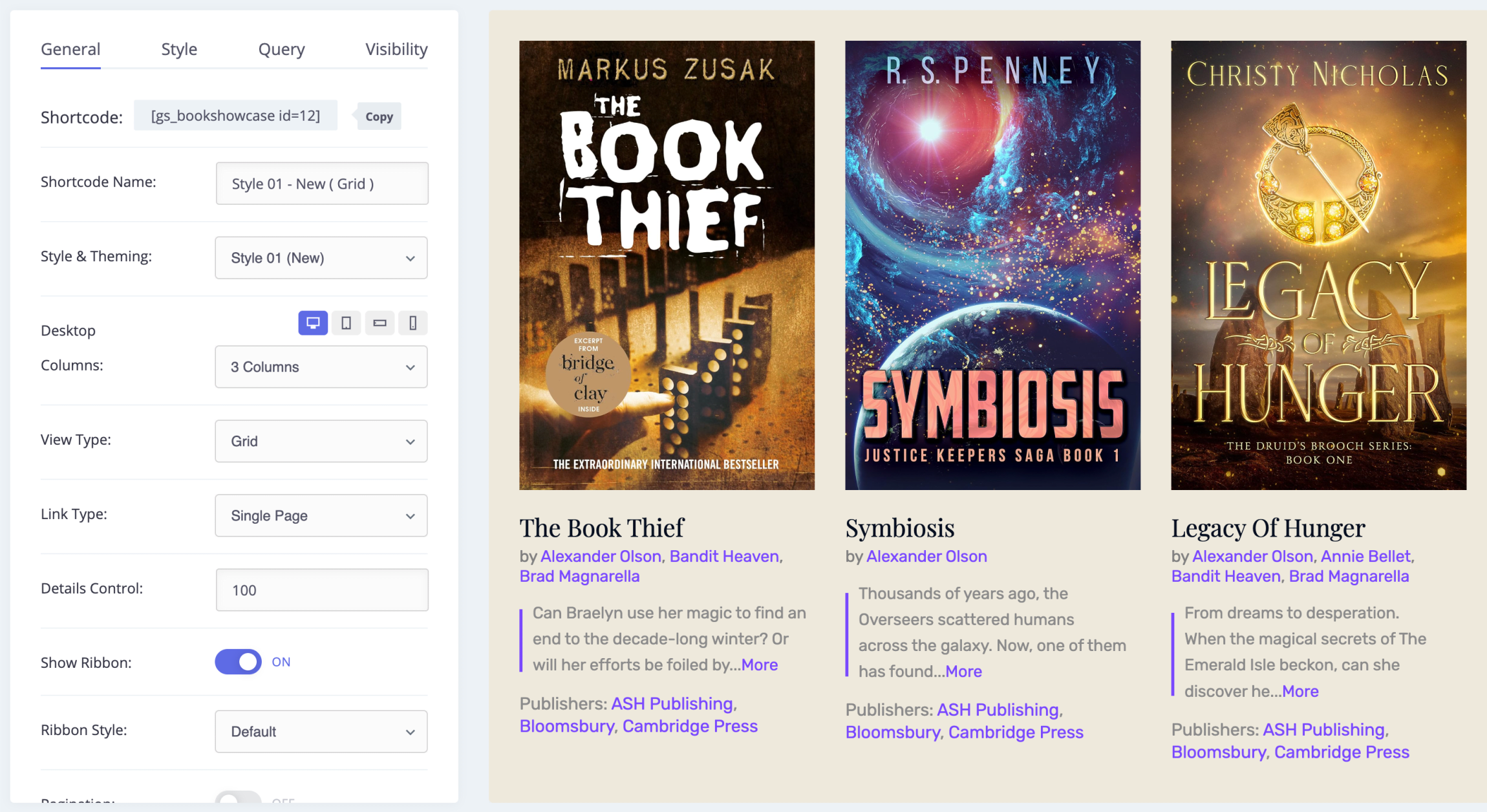
- General: view, design, link type (popup or single page), columns per device and which details to show.
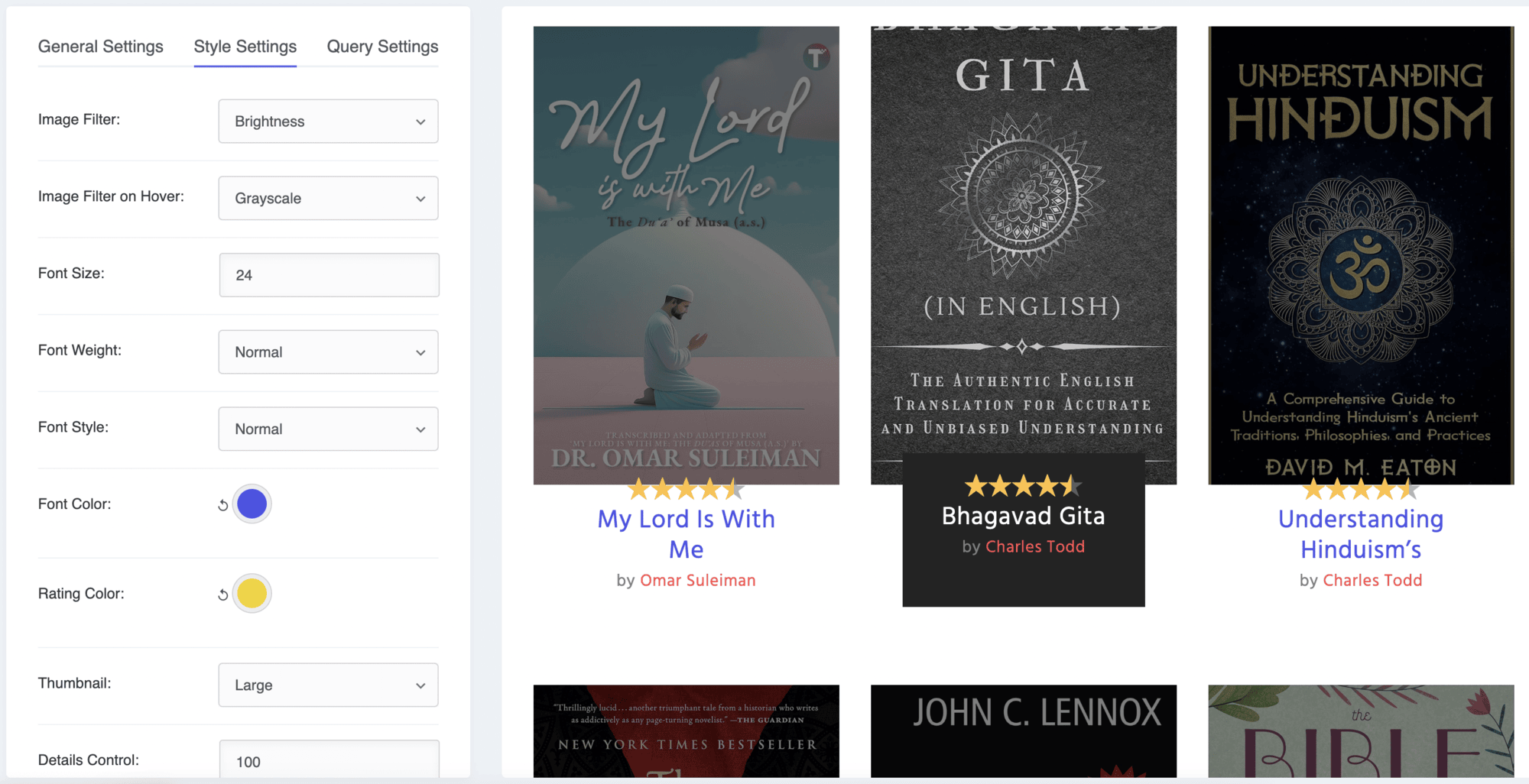
- Style: image effects, typography, text alignment, and slider arrows and dots.
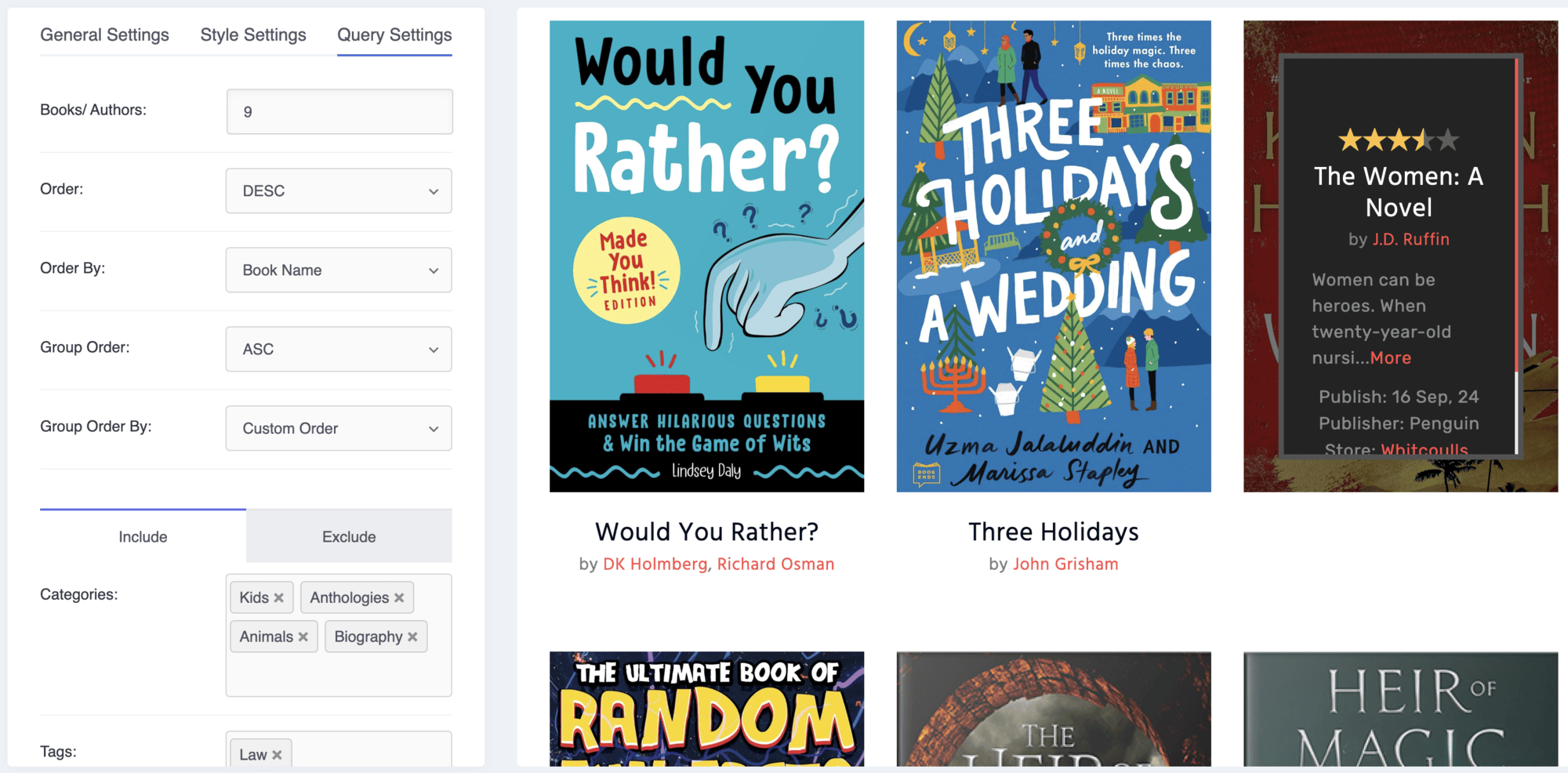
- Query: how many books to show, sorting, and which categories and tags to include or exclude.
Shortcode usage
[gs_bookshowcase id=2]
In a theme file:
<?php echo do_shortcode( '[gs_bookshowcase id=2]' ); ?>
See the documentation for every option.
Support
Free users get help in the WordPress.org support forum. Pro users get priority email support through our help desk. We reply as soon as we can, excluding holidays.
More plugins from GS Plugins
- GS Logo Slider: client, partner and sponsor logos in sliders, carousels, tickers and grids.
- Solid Testimonials: customer reviews and quotes in sliders, grids and masonry layouts.
- GS Team Members: team pages and staff directories with profiles and social links.
- GS Portfolio: show your work in grid, slider, list and filterable layouts.
- GS Projects Showcase: case studies with client, dates, value and project links.
- GS Coaches: coach and trainer profiles with skills and certifications.
- GS Posts Grid: blog posts in 50+ grid, list and slider styles.
- GS WooCommerce Products Slider: product sliders and carousels for your shop.
- GS Variation Swatches: color, image and button swatches for WooCommerce variations.
- GS WooCommerce Brands: add brands to products with logos, filters and sliders.
- GS Pinterest Portfolio: embed Pinterest pins and boards.
- GS YouTube Gallery: YouTube videos, playlists and channels in galleries.
- PowerUp: redirects, restrictions and admin tools for WordPress.
Installation
From your WordPress dashboard
- Go to Plugins > Add New and search for GS Books Showcase.
- Click Install Now, then Activate.
- A Book Showcase menu appears in your dashboard.
By uploading the zip file
- Download
gs-books-showcase.zip. - Go to Plugins > Add New > Upload Plugin, choose the file and click Install Now.
- Activate the plugin.
By FTP
- Upload the
gs-books-showcasefolder to/wp-content/plugins/. - Activate the plugin from Plugins in your dashboard.
Then add [gs_bookshowcase id=#] where you want the books to show. See the setup guide for screenshots of each step.
Screenshots

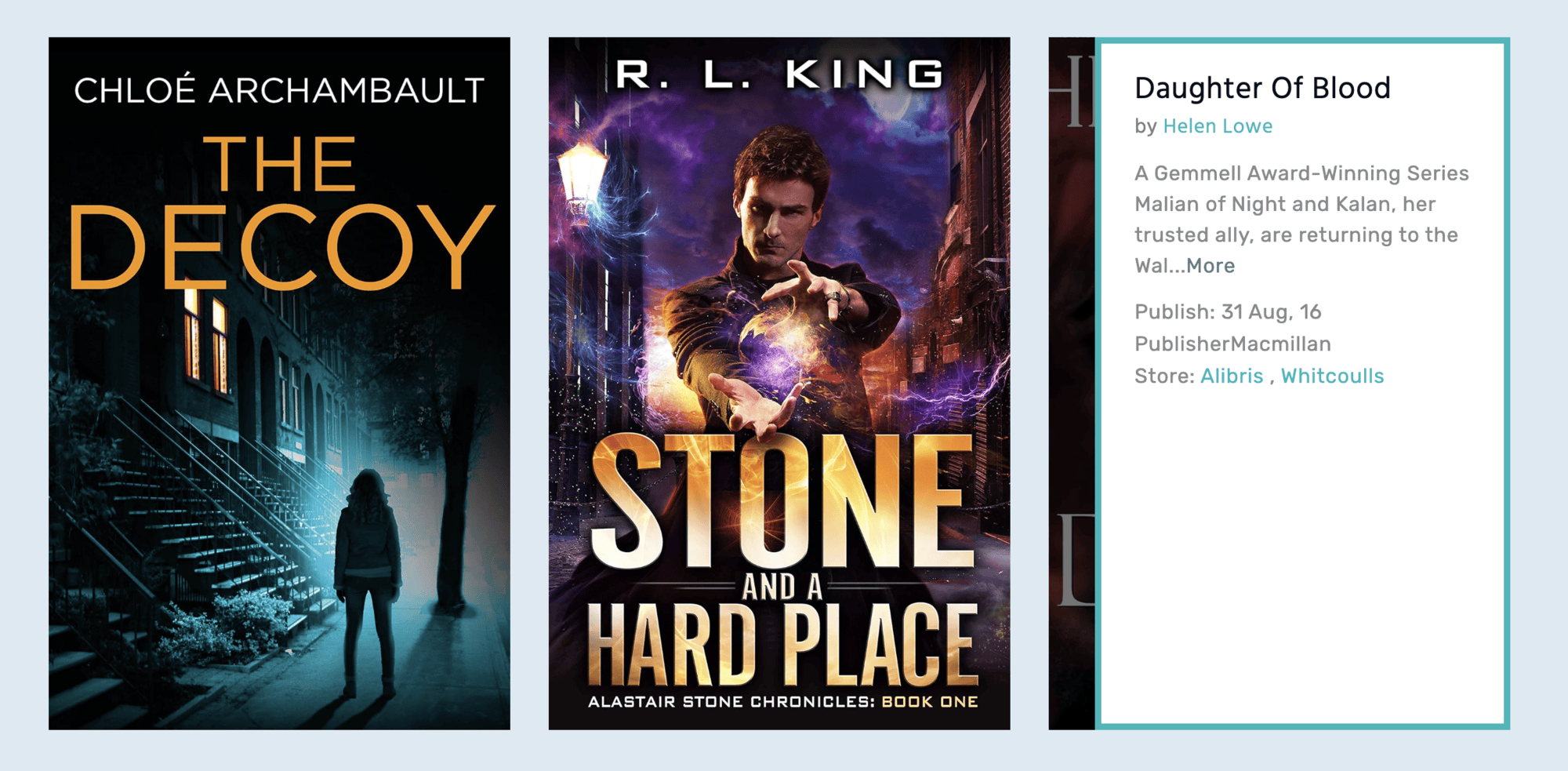
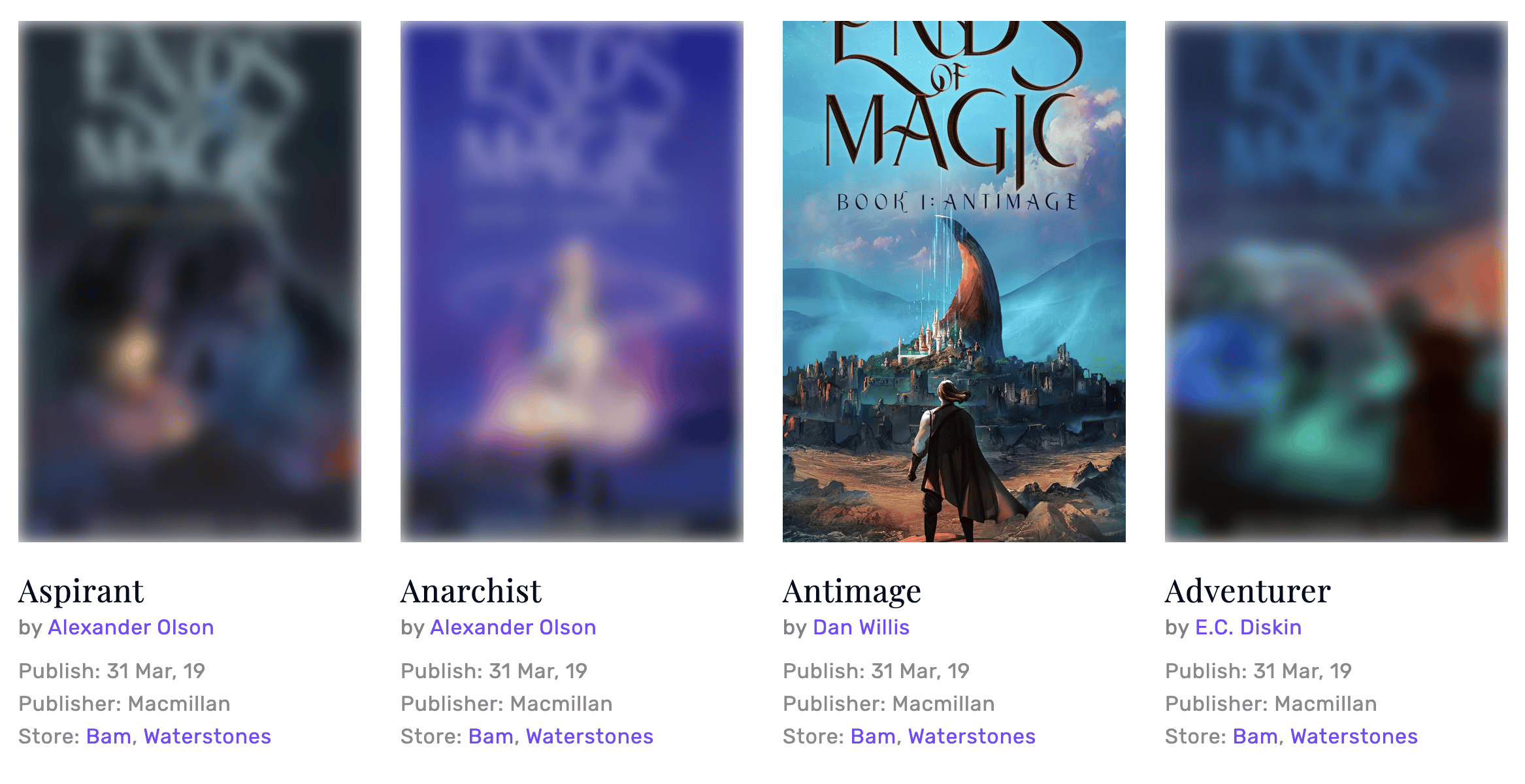
Grid design with hover effect.
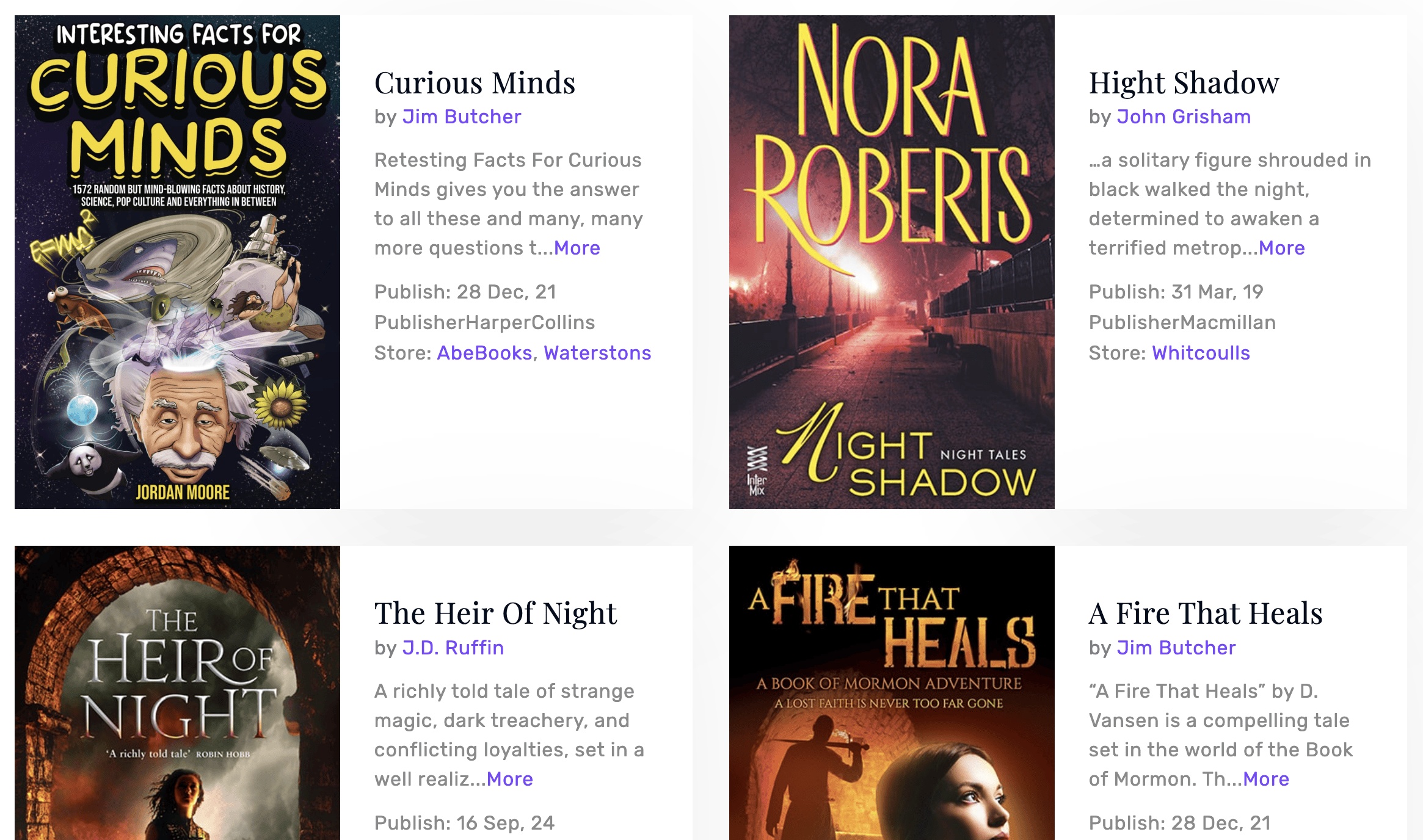
Horizontal design.
Flip design.
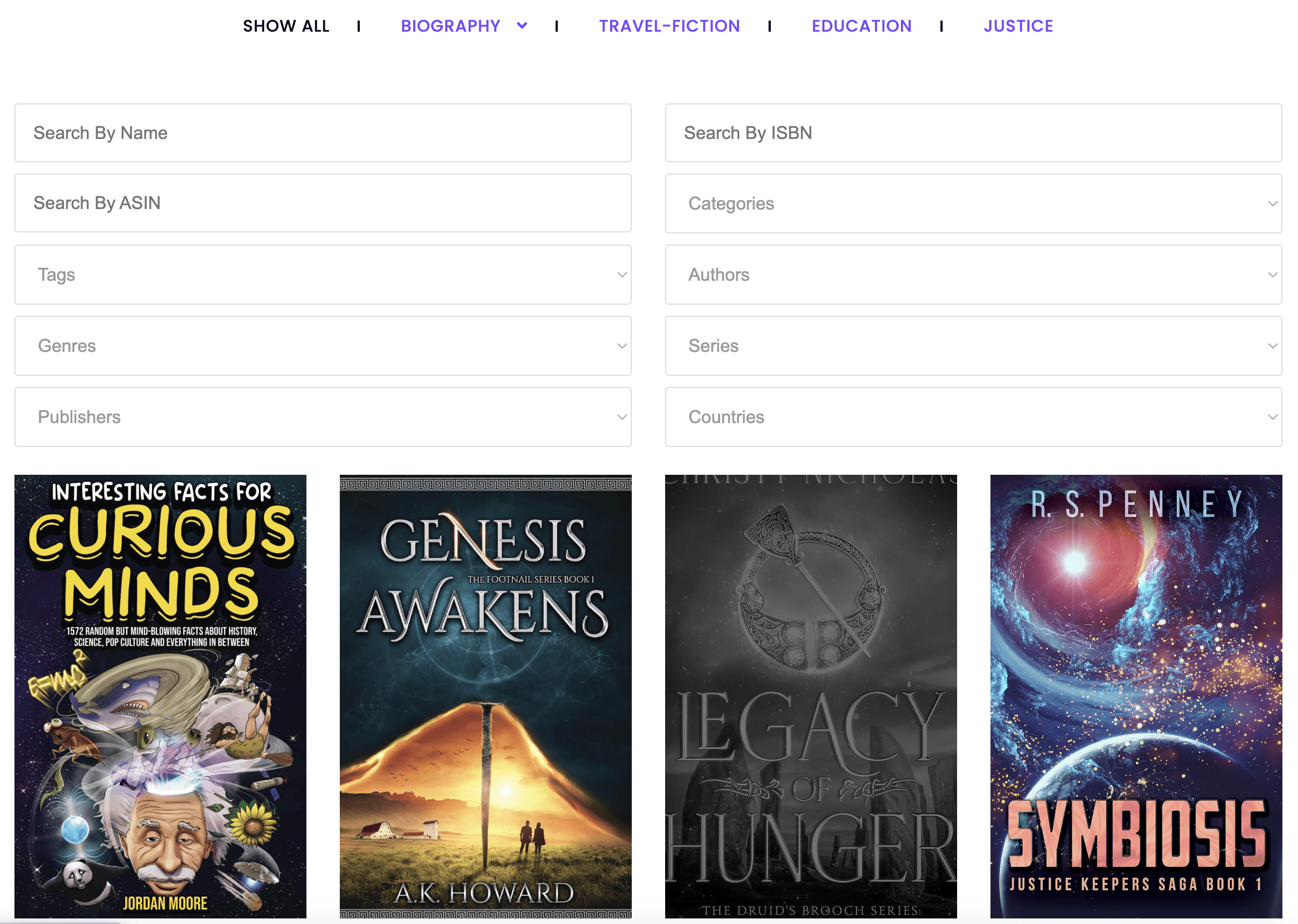
Filter view.
Slider design.
3D book design.
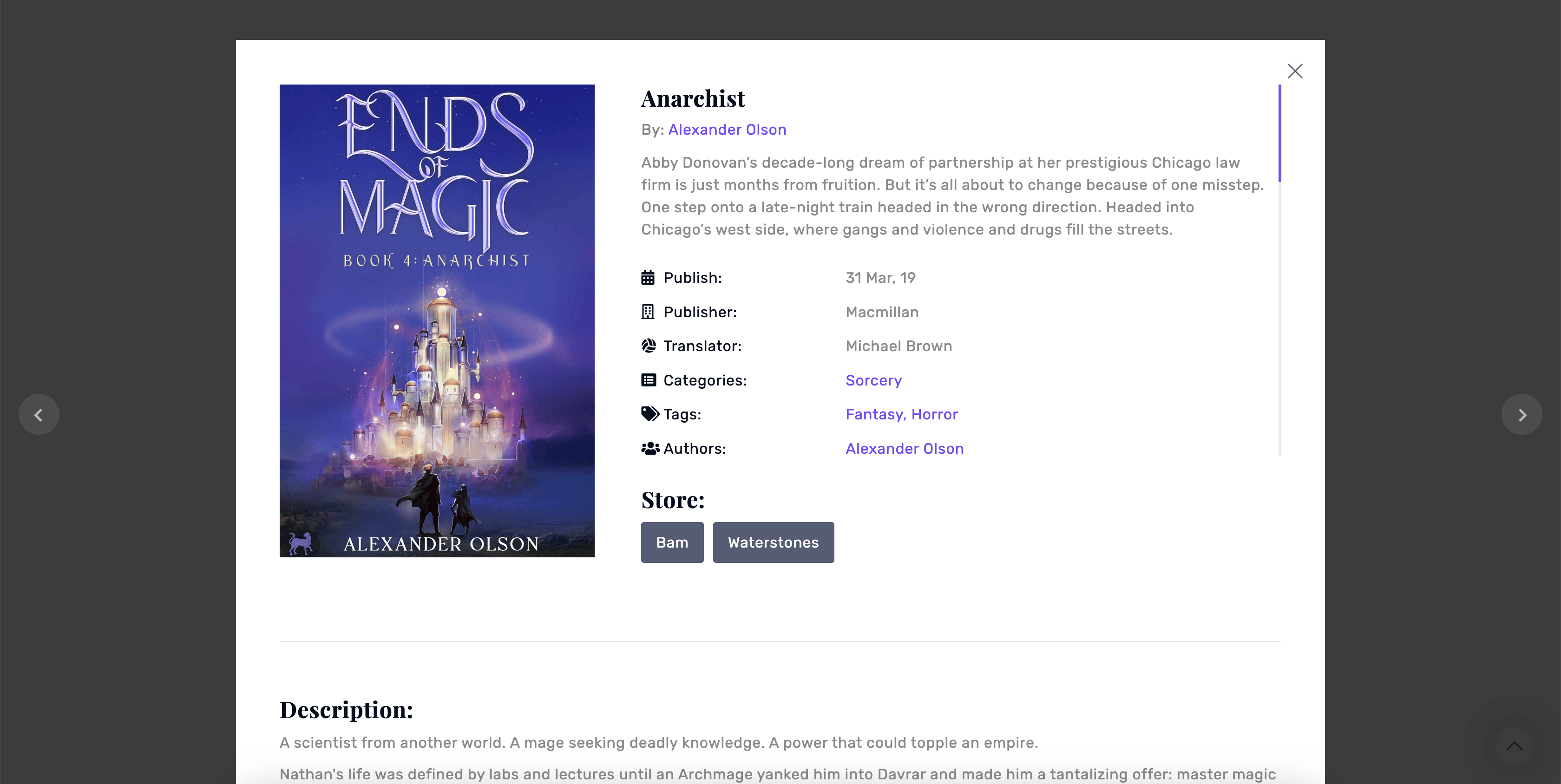
Book popup.
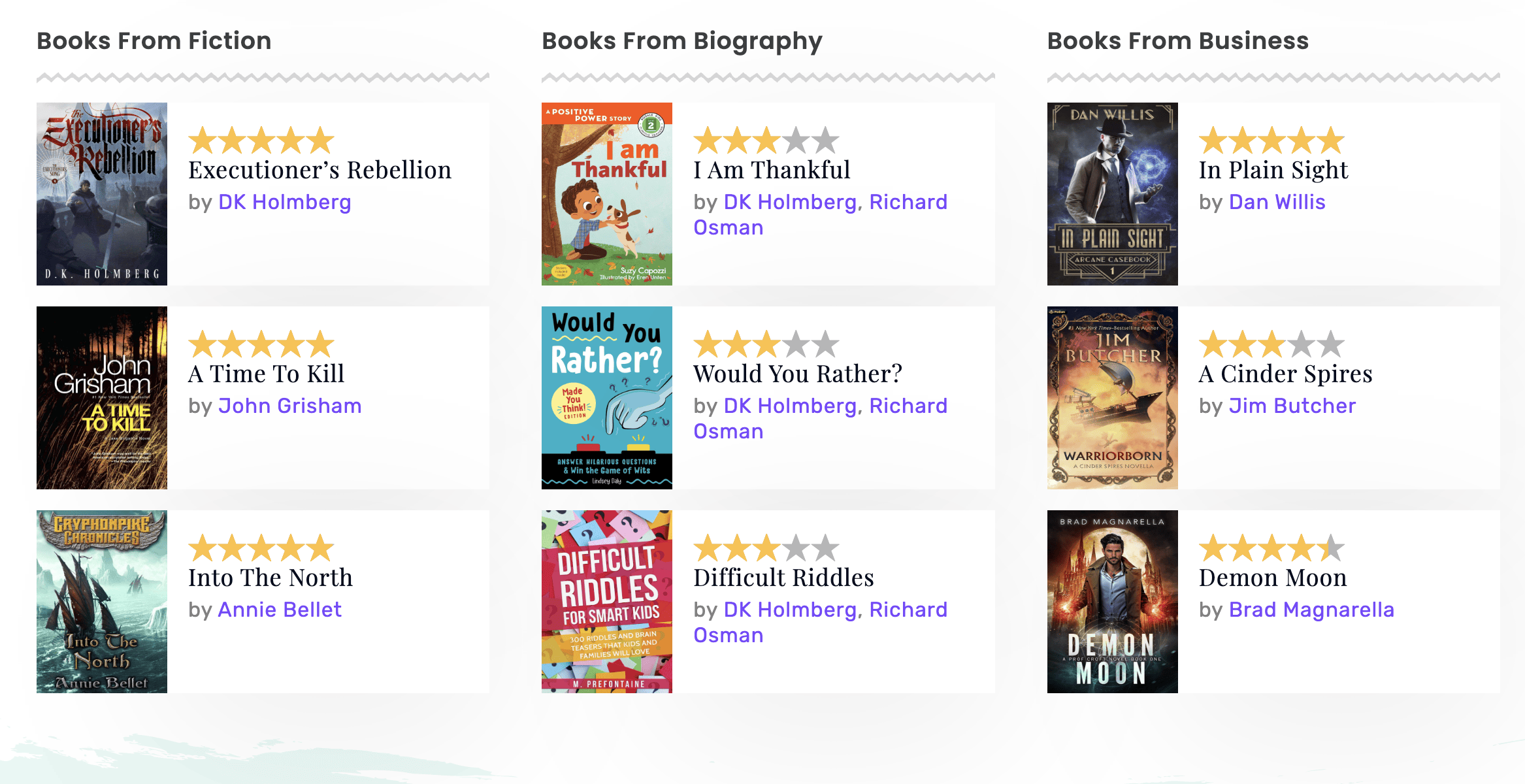
Authors view.
Image blur effect.
Widget design.
Single book page.
Author page.
Category archive page.
General settings.
Style settings.
Query settings.
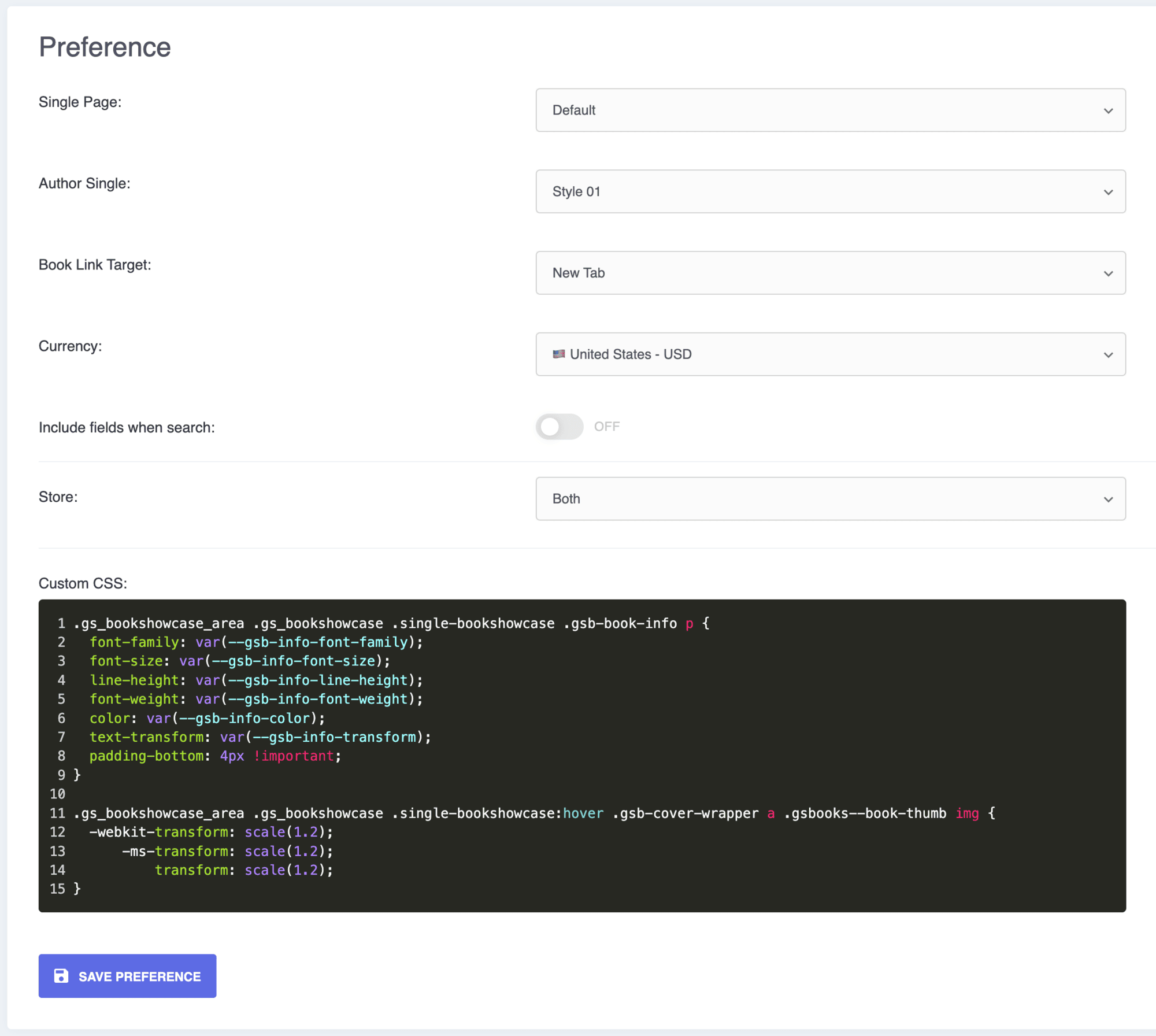
Preferences.
Drag-and-drop custom order.





Faq
How do I add a book?
Go to Book Showcase > Add New. Enter the title and description, set the cover as the featured image, fill in the book details and choose a category. Then publish. See Add a new book for a step-by-step guide.
Can I import book details instead of typing them?
You can import books exported from another site using the plugin’s export and import tool. Pro adds two faster ways: fetch a book’s details from Open Library by entering its ISBN, or import many books at once from a CSV file.
How many books can I add?
As many as you need. There is no limit in the free version.
What size should book covers be?
600 × 900 pixels (a 2:3 ratio) works well. Use the same ratio for every cover so the grid lines up.
Can readers buy my books from the showcase?
Yes, with Pro. Add bookstore buttons (Amazon, your own shop or any other store) and formats such as hardcover, paperback and e-book, each with its own price and link.
Can I offer e-book downloads?
Yes. Each book has a download link and file size field. Pro also lets you upload a PDF and show it in a reader on the book page.
Can I group books by author, genre or series?
The free version has categories and tags, which you can rename. Pro adds authors, genres, series and publishers, with author pages.
Can I show ratings and reviews?
Yes, with Pro. Add a readers’ rating and a review to each book.
Does it work with Elementor, Divi and other page builders?
Yes. It has a Gutenberg block and native widgets or modules for Elementor, Divi, WPBakery, Beaver Builder, Oxygen and the Newspaper theme. In any other builder, paste the shortcode.
Why does my book page show a 404 error?
WordPress needs to refresh its links. Go to Settings > Permalinks and click Save once.
How do I use the shortcode in a theme template?
Use <?php echo do_shortcode( '[gs_bookshowcase id=2]' ); ?> and replace 2 with your shortcode’s ID.
What is the difference between the free and Pro versions?
The free version gives you grid and slider views with 3 designs, book pages and popups, the main book details and unlimited books. Pro adds buy links and formats with prices, Open Library and CSV import, filter and ticker views, 31 more designs including 3D and PDF designs, authors, genres and series, ratings, reviews, galleries and priority support. See the Pro features and plans.
Reviews
An Excellent Book Display
By  marcoetheridge on August 17, 2026
After My Book Table crashed and took down my author site, I needed a new book display plugin. GS Books Showcase proved to be the solution. When I had difficulties replacing my book table, they were their with swift support and advice. Top show! Highly recommended.
Highly customizable
By  jgmiller on June 17, 2026
This is a great book showcase plugin that can be adapted for use by public libraries. Excellent customer support!
Great Plugin and Great Customer Service
By  jluu19 on May 6, 2026
This is a great plugin to display books. The customer service is wonderful! They promptly answered all of my questions. Highly recommended!
A Must-Have Plugin for Authors and Book Promotion
By  vabayarkcom on April 8, 2026
As an author, GS Books Showcase has become an essential part of how I present my current book and upcoming releases on my website. It allows me to showcase my books in a professional, structured, and visually compelling way that builds trust with readers and potential buyers.
The plugin makes it very easy to organize book details, highlight key information, and create dedicated pages that actually feel like a proper digital bookstore rather than a simple listing. This has had a clear positive impact on how my books are perceived.
The support team has been extremely responsive and helpful in resolving any issues I encountered.
If you’re an author planning to promote not just one book but a growing catalog of titles, this plugin is a powerful tool that can directly support your visibility and sales.
Highly recommended.
VERY HELPFUL plugin and support!
By  thekneez on April 2, 2026
This is the plugin I was looking for for my client’s website!
Very easy to use for my client to handle their books.
And the support is also very responsive!
Thanks!
Just the plugin I was looking for
By  rfulleman on March 2, 2026
I was looking for a new plugin to replace one that I had been using for years, but unfortunately whose developer was no longer able to update it GS Books Showcase is just the ticket. They’ve been extremely helpful in aiding me in making those little tweeks to get the software working exactly as I wanted.
VERY responsive support!
By  easchechter on February 9, 2026
I had a rough start to using the plugin — I could not figure out the documentation, so I emailed support. They took me by the hand and got everything set up and running smoothly!
Great plugin and support
By  Herman Mommersteeg (hmommersteeg) on October 5, 2025
This plugin is outstanding with impressive features and is easy to use. After comparing several alternatives, I found this one offered the most comprehensive options and flexibility.
When I had a question, the support team responded quickly with clear and thorough instructions to help me out. I highly recommend the gs-books-showcase plugin!
Great plugin
By  Ibrahim Mnahi (ibraq8) on September 16, 2025
great plugin.. and great support.
Excellent
By  phenweb on September 7, 2025
Excellent book management plug-in and great quick support
Changelog
Version 3.1.8 [27th Oct 2026]
- [Fixed]: Broken pricing links.
Version 3.1.7 [25th Oct 2026]
- [Fixed]: Author Socials.
Version 3.1.6 [28th Jul 2026]
- [Improved]: PDF themes and layout variations.
Version 3.1.5 [23rd Jul 2026]
- [Added]: Browser extension to import Amazon Books.
- [Added]: Import books from Open Library.
- [Added]: Meta Field to upload PDF.
- [Added]: 5 different themes to display book PDF.
- [Added]: PDF reader support on single book templates.
- [Added]: Taxonomy description on archive template.
- [Added]: More books by authors in single templates.
- [Added]: Pagination animation.
- [Added]: Taxonomy count display in filters.
- [Fixed]: WooCommerce Product tabs conflict/hidden.
- [Fixed]: Spacing issue in single and archive templates.
- [Fixed]: YouTube video issue in single book.
- [Fixed]: Site Health Conflict.
- [Fixed]: Console errors and slide per group issue.
- [Improved]: PDF functionality and performance.
- [Improved]: Query settings for PDF display.
- [Improved]: Panel height and layout behavior.
Version 3.1.4 [29th Apr 2026]
- [Fixed]: Database error when prefix_gs_books table does not exist.
Version 3.1.3 [22nd Apr 2026]
- [Added]: Typography controls for title, author, labels, and values.
- [Added]: Additional typography settings and font family support.
- [Added]: Reset icons and active icon display in popup.
- [Fixed]: Height calculation issue.
- [Fixed]: Store image display issue.
- [Fixed]: Menu-related issues.
- [Fixed]: Active link and text spacing issues.
- [Fixed]: Text domain loading and icon text issues.
- [Fixed]: Minor bugs and small issues.
- [Improved]: Author template with new structure.
- [Improved]: Read More typography styling.
- [Improved]: Field label and value formatting.
- [Improved]: Specific book author reordering functionality.
- [Improved]: Overall UI and settings structure.
- [Improved]: Codebase with merge updates and build optimization.
- [Removed]: Unnecessary style settings for cleaner UI.
Version 3.1.2 [6th Apr 2026]
- [Added]: Ribbon feature.
- [Added]: Ribbon demo data.
- [Added]: Popup visibility and draggable functionality.
- [Added]: Icon selection support on single & popup.
- [Added]: Archive page control option in Preferences settings.
- [Added]: Option to select specific books (Query).
- [Added]: Custom Sortable author.
- [Fixed]: PRO link issue in JavaScript.
- [Fixed]: General JavaScript issues.
- [Fixed]: CSS styling issues.
- [Fixed]: Bookstore image upload preview issue.
- [Fixed]: Media uploader CSS issues.
- [Fixed]: Minor errors and bugs.
- [Fixed]: Text domain loading issue.
- [Improved]: Store image handling.
- [Improved]: Ribbon functionality and demo data.
- [Improved]: Ribbon placement.
- [Improved]: Arabic language filtering limitation.
- [Improved]: Author reordering across templates.
- [Improved]: Archive template styling.
Version 3.1.1 [23rd Feb 2026]
- [Fixed]: Warnings on Shortcode Preview.
- [Fixed]: Regular Price & Sale Price Input Decimal Issue in Book Formats.
Version 3.1.0 [9th Oct 2025]
- [Added]: Single Book Fields Sorting & Visibility.
- [Fixed]: The Arabic Filter Issue.
- [Fixed]: Group Sorting.
- [Fixed]: Tags Exclude in Query.
- [Updated]: Shortcode Visibility Tab.
- [Updated]: Popup Layout.
- [Removed]: Popup Control (Visibility).
- [Removed]: Admin Notice for Review.
Version 3.0.9 [14th Sep 2025]
- [Fixed]: Ticker Template Issue.
- [Fixed]: Taxonomy Label.
Version 3.0.8 [11th Sep 2025]
- [Added]: Shortcode Visibility Tab.
- [Added]: Archive Page Slug & Archive Page Title.
- [Added]: Pagination.
- [Added]: Class in Single Items (Single Template).
- [Added]: Ticker Theme Settings.
- [Added]: Export Import Feature.
- [Fixed]: Post Thumbnail Issue.
- [Fixed]: Social Icon Issue.
- [Fixed]: Theme & Popup Issues.
- [Fixed]: Label Issues.
- [Fixed]: Pro Pricing Link.
- [Fixed]: Save_localization.
- [Fixed]: Taxonomy Issue.
- [Improved]: Various Issues checked with Plugin Check (PCP).
Version 3.0.7 [14th May 2025]
- [Fixed]: Array Merge Issue.
Version 3.0.6 [11th May 2025]
- [Added]: Post Type Slug Change Option.
- [Added]: Slug front rewrite option.
- [Fixed]: Store saving issue when image is unset.
- [Fixed]: Permalink flush issues.
- [Fixed]: _load_textdomain_just_in_time error.
- [Improved]: Few File Management.
Version 3.0.5 [15th Apr 2025]
- [Fixed]: Unauthenticated Arbitrary Shortcode Execution.
Version 3.0.4 [27th Feb 2025]
- [Added]: Additional controls for translation strings.
- [Fixed]: Translation-related errors.
- [Fixed]: Issue where Pro fields (rating, gallery, store links) were not saving properly.
- [Improved]: Data escaping and validation for enhanced security.
- [Improved]: Separation of Free and Pro templates for better modularity.
- [Improved]: Optimized template code for improved performance.
- [Updated]: Documentation links.
- [Updated]: Icons and logo for a refreshed look.
- [Removed]: Unused files and redundant code.
Version 3.0.3 [6th Feb 2025]
- [Added]: CSV Bulk Import feature for faster data management.
- [Fixed]: Incorrect value issue in the File Size field.
- [Fixed]: Box-sizing issue affecting multiple themes.
- [Fixed]: Appsero integration issue to improve stability.
- [Fixed]: Shortcode styling issue that was printing in the wrong place.
- [Fixed]: Sortable file functionality for better usability.
- [Fixed]: Metabox security vulnerability for enhanced protection.
- [Fixed]: Admin CSS inconsistencies for a cleaner dashboard interface.
- [Fixed]: ABSPATH definition issue to improve compatibility.
- [Fixed]: Single Page Templates rendering inconsistencies.
- [Fixed]: Carousel navigation issue (incorrect left-right movement).
- [Fixed]: Font Awesome icon conflicts with other plugins.
- [Updated]: Replaced
include_oncewithincludefor optimized performance. - [Updated]: Adjusted menu position for better accessibility.
- [Updated]: Reduced image sizes for faster loading.
- [Updated]: Improved columns field structure for better display.
- [Updated]: Optimized assets file organization for cleaner code management.
- [Removed]: Extra unnecessary files for a more lightweight plugin.
Version 3.0.2 [2nd Jan 2025]
- [Fixed]: Single Book Template 1 & Popup Template 1.
Version 3.0.1 [31st Dec 2024]
- [Updated]: JSON File.
Version 2.0.0 [31st Dec 2024]
- [Updated]: Rewritten the plugin.
Version 1.3.2 [9th Dec 2023]
- [Fixed]: Sanitize Issue.
Version 1.3.1 [30th Jan 2023]
- [Updated]: Free, Pro Plugins Pages & Help Page.
- [Removed]: All Admin Notices From the Books Showcase Post Type.
Version 1.3.0 [19th Sep 2022]
- [Added]: Comments Support for the Single Book Page.
- [Updated]: Contact & Donation Links.
Version 1.2.11 [23rd May 2021]
- [Fixed]: PHP 7.3 Compatibility.
- [Fixed]: Deprecated Function Warning.
Version 1.2.10 [19th Dec 2020]
- [Updated]: AppSero Client.
- [Removed]: Affiliate Admin Notice.
- [Updated]: With WordPress version 5.6
Version 1.2.9 [14th Sep 2020]
- [Updated]: link with UTM.
Version 1.2.8 [13th Sep 2020]
- [Added]: Admin notice
Version 1.2.7 [13th Aug 2020]
- [Updated]: With WordPress 5.5
Version 1.2.6 [9th Jul 2020]
- [Added]: Appsero client.
Version 1.2.5 [18th Jun 2020]
- [Fixed]: Replace with Bootstrap Grid CSS.
- [Removed]: Admin notice.
Version 1.2.4 [21st Apr 2020]
- [Added]: Bootstrap 4 css and admin notice.
Version 1.2.3 [29th Dec 2019]
- [Fixed]: Conflict with OceanWP’s Elementor Widgets.
Version 1.2.2 [25th Nov 2019]
- [Fixed]: Domain name with www & fixed all urls.
- [Updated]: With WordPress latest version.
Version 1.2.1 [22nd Oct 2019]
- [Fixed]: Domain name changed & fixed all urls.
- [Fixed]: Admin CSS.
- [Added]: New Contributors.
- [Added]: Review system.
Version 1.2
- Wrong shortcode updated at Description & Docs, corrected to [gs_book_showcase theme=”gs_book_theme1″]
Version 1.0.1
- Initial release