
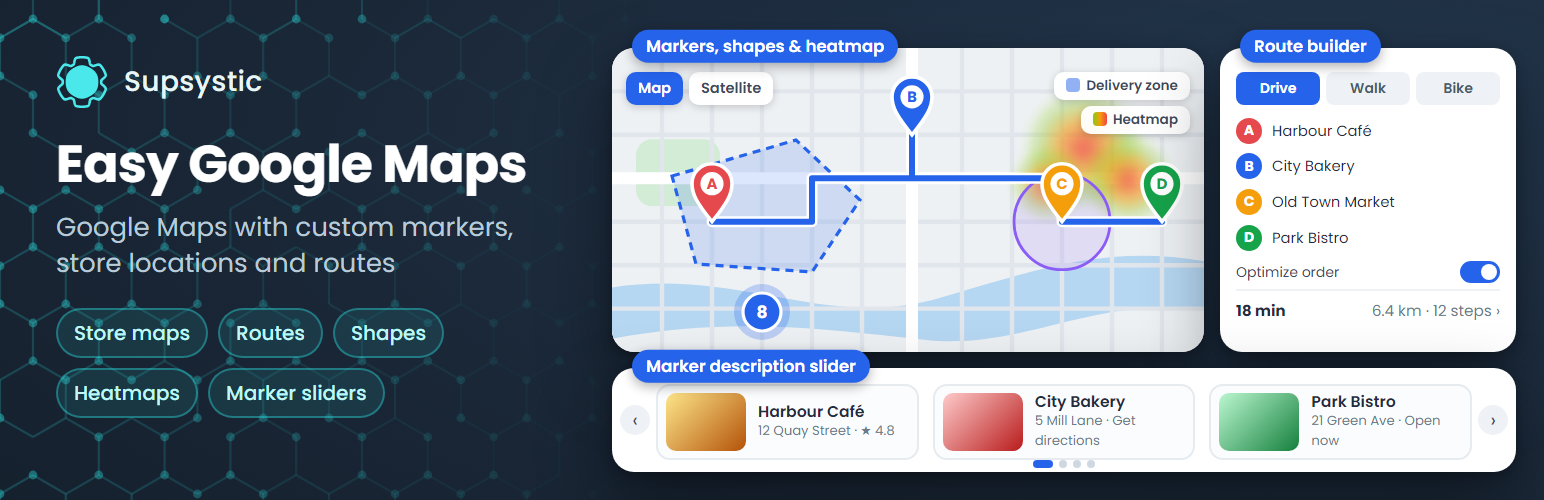
Easy Google Maps by Supsystic – Custom Markers, Clustering & Map Themes
Description
Easy Google Maps by Supsystic adds interactive Google Maps to any WordPress page: unlimited maps and markers, custom marker icons, marker categories with a filter, clustering and map themes. Describe every location with text, photos, video, links, phone and e-mail, then publish the map with a block, an Elementor widget or a shortcode. No code required.
The plugin works with your own Google Maps API key, and the settings page walks you through getting one in a couple of minutes. It supports the current Google Maps JavaScript API, including Cloud Map IDs and Advanced Markers.
Unlimited maps and markers
- Markers with text, photos, video, links, phone and e-mail
- Custom marker icons from the built-in library or your own image
- Marker categories with a front-end filter
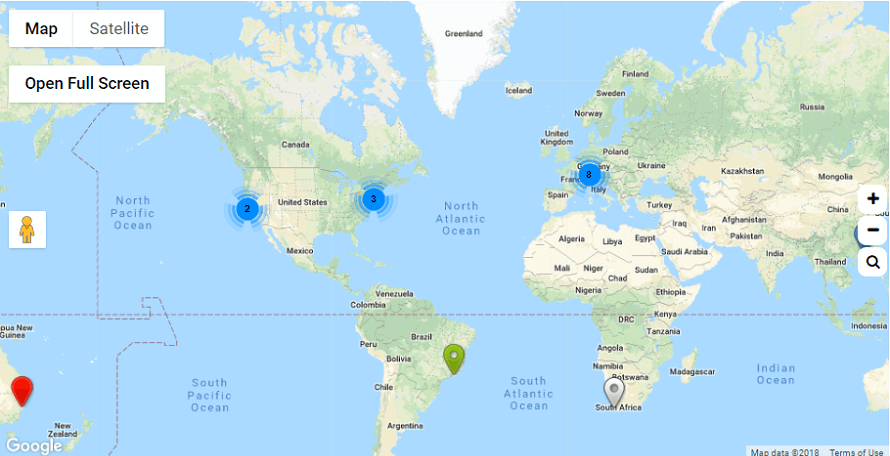
- Marker clustering for maps with many locations
- Linked markers that open any URL on click
- Address search: type an address and get the pin
Map settings
- Roadmap, satellite, hybrid and terrain map types
- Width, height, zoom, minimum and maximum zoom
- Scroll-wheel and drag behaviour
- Responsive maps with a separate zoom level on mobile
- A starter set of map themes
- Map language and region (US, CA, GB, DE and more), so labels and address search match your country
- Google Maps China endpoint (maps.google.cn)
Add maps anywhere
- Gutenberg block, Elementor widget, sidebar widget, shortcode and PHP snippet
- Works with WPBakery, Divi, Beaver Builder and other page builders through the shortcode
Import and export
Move maps and markers between sites with CSV import and export.
Made for
- Contact page and office location maps
- Businesses with several branches, stores or dealers
- Real estate and rental listings
- Restaurants, hotels and event venues
- Travel blogs and city guides
Translations
The plugin ships with translations in 15 languages.
Prefer maps without a Google API key?
Try Ultimate Maps by Supsystic for OpenStreetMap and Leaflet maps. It can import your Easy Google Maps maps.
Easy Google Maps Pro
Pro adds directions, layers and richer ways to present your locations:
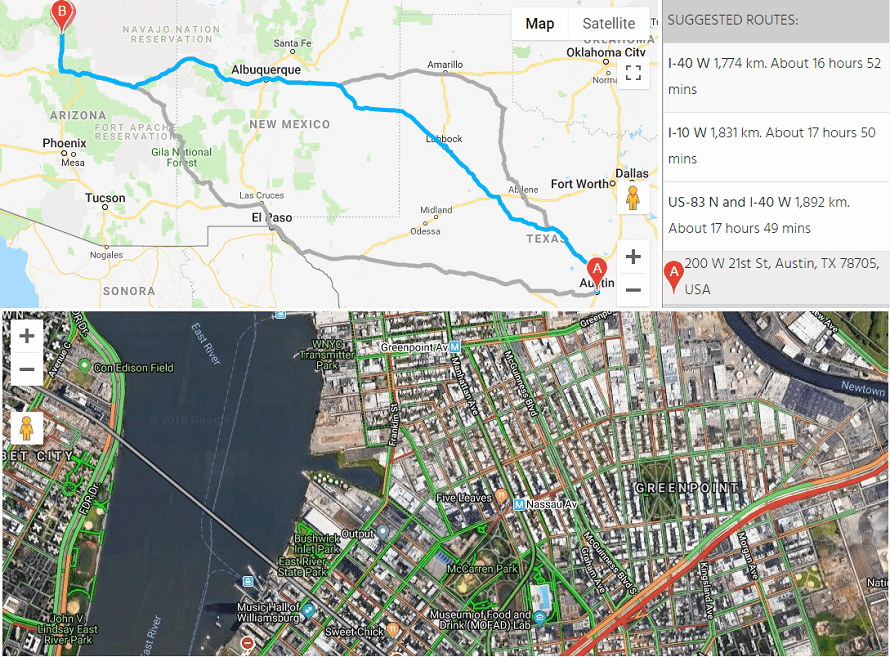
- Route builder: connect several points, choose the travel mode and let Google find the optimal order of stops, or set your own order
- Get Direction button, routes with turn-by-turn steps and alternate routes, starting from the visitor’s position
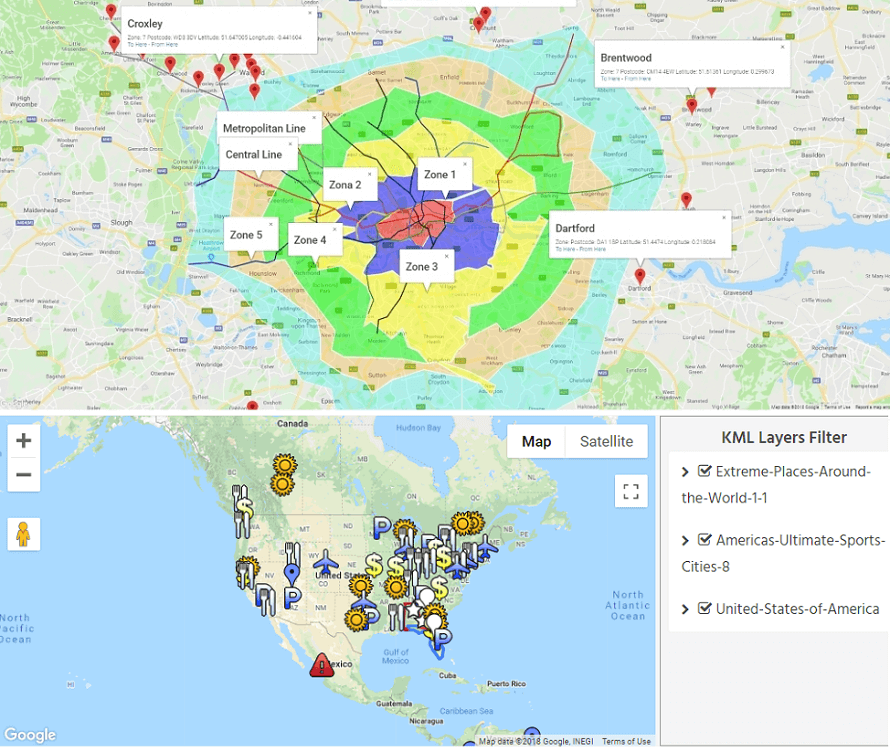
- KML layers with filters, and KML points imported as markers
- Traffic, transit and bicycling layers and a heatmap layer
- Figures: polygons, polylines and circles
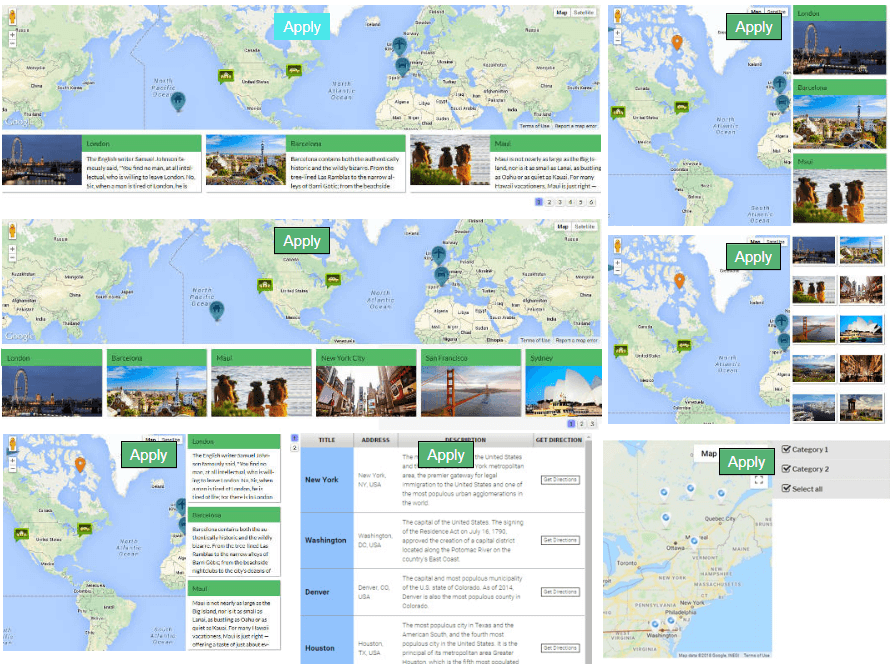
- Table view and photo or description sliders for your locations
- Visitors can add or edit markers from the front end
- Centre the map on the visitor’s location and a places search toolbar
- Fullscreen and print buttons, custom control positions and hidden labels
- Static map images, social sharing and markers shown between two dates
- The full collection of map themes
Learn more
Installation
- In your dashboard go to Plugins Add New Plugin and search for “Easy Google Maps”.
- Click Install Now, then Activate.
- Open the Easy Google Maps settings and add your Google Maps API key. It takes a couple of minutes; a step-by-step guide is linked under Learn more.
- Add a new map, then add markers by typing an address or clicking on the map, and save.
- Add the map to a page with the block, the Elementor widget or the shortcode.
Screenshots

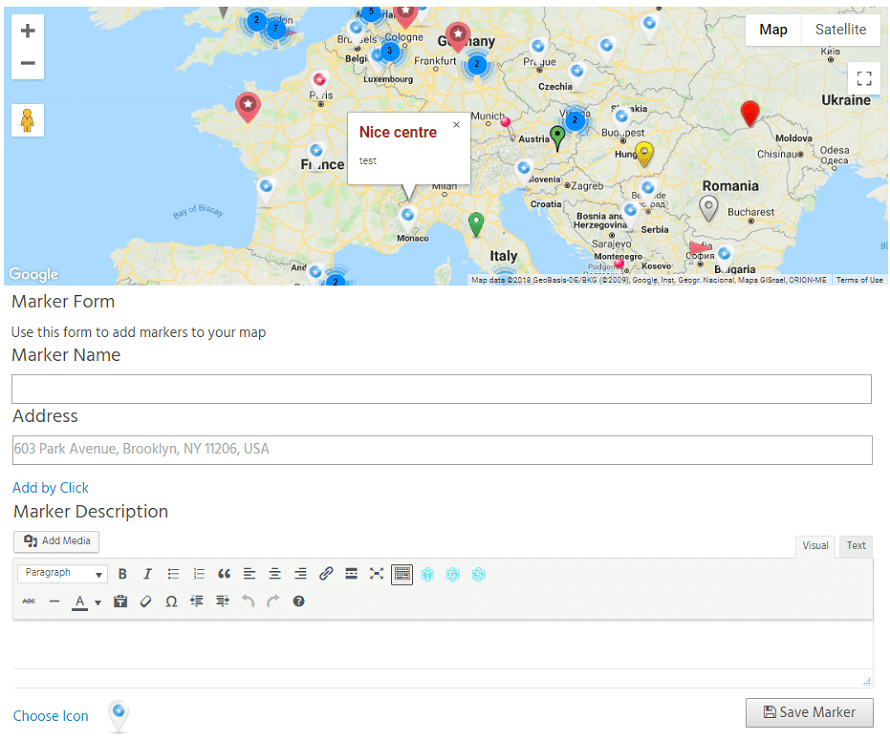
Google Map with custom markers and info windows.
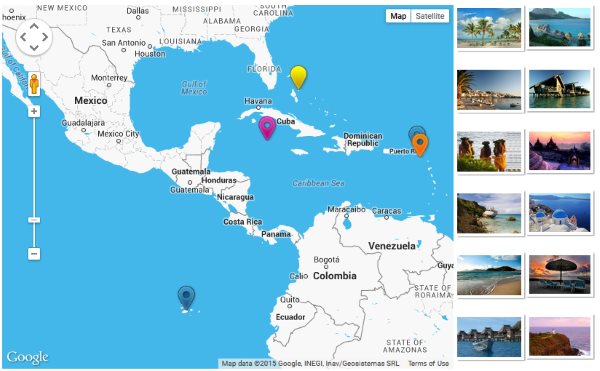
Markers shown in an image slider next to the map (Pro).
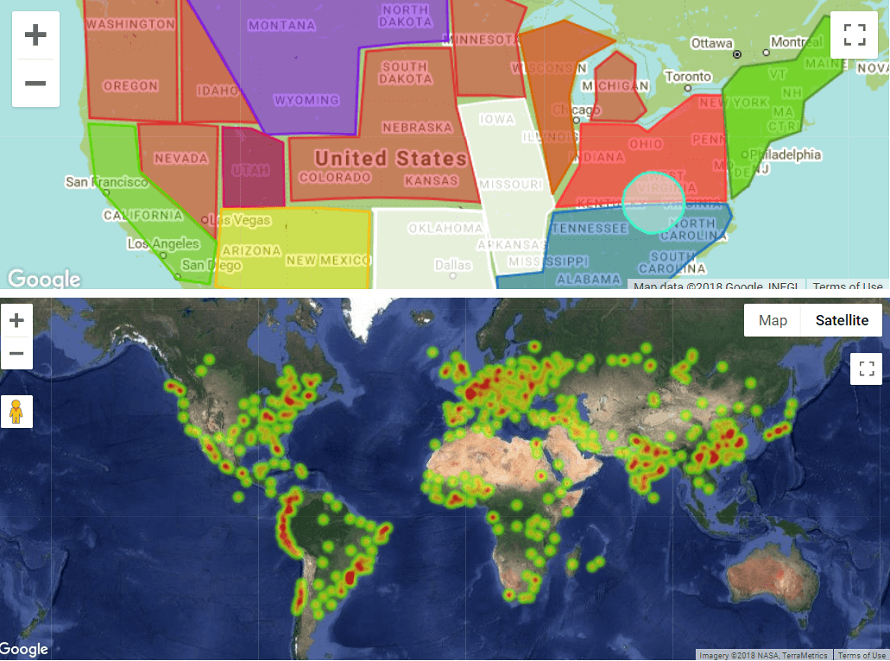
Map with figures and a heatmap layer (Pro).
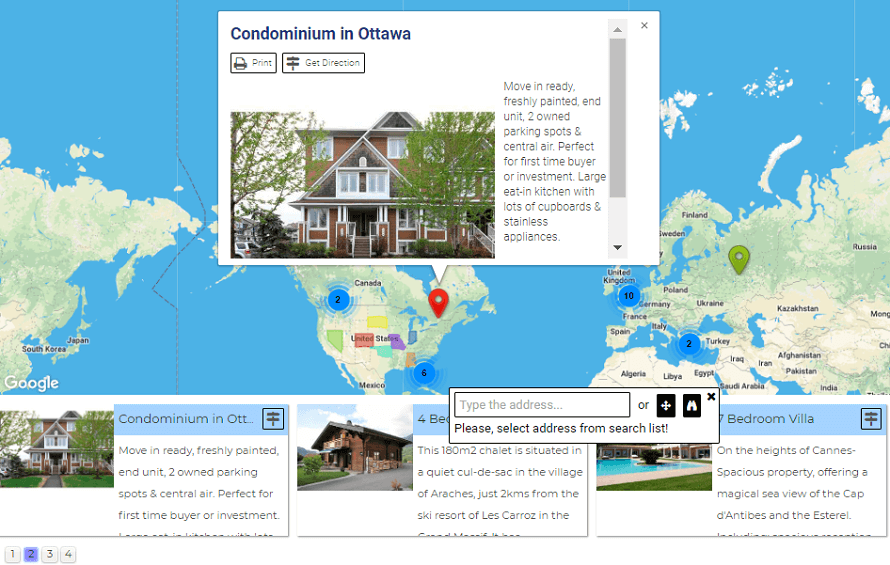
Marker lists that help visitors find a location faster (Pro).
Marker clustering groups nearby markers as you zoom out.
KML layers with a KML filter (Pro).
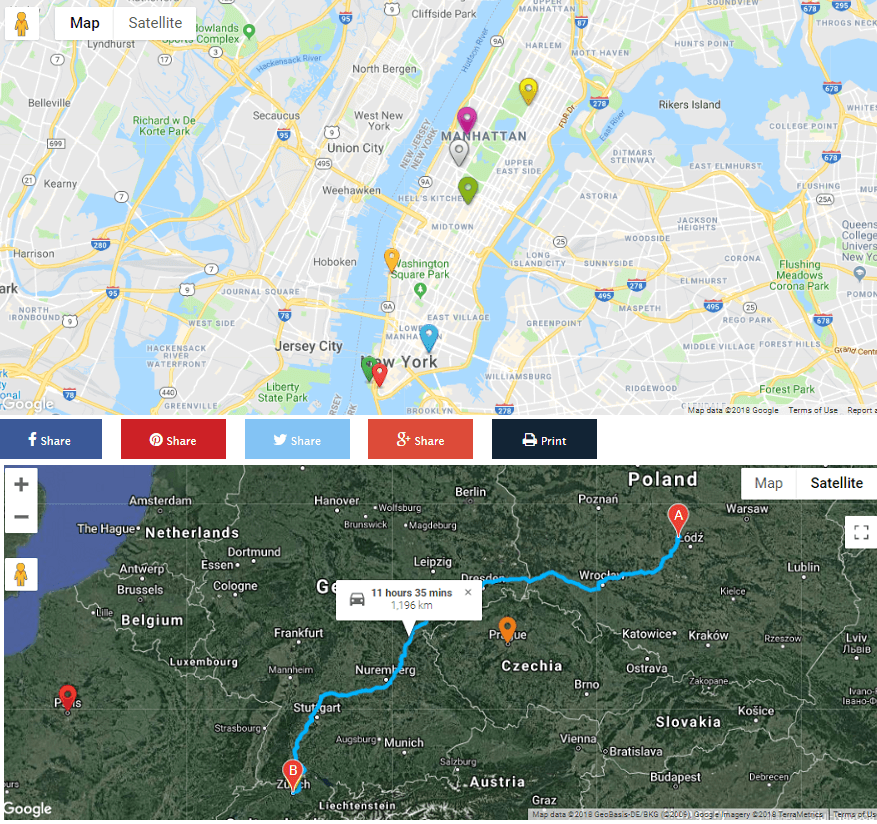
Route through several points with step-by-step directions, alternate routes and a traffic layer (Pro).
Visitors adding markers from the front end (Pro).
Social share buttons and the Get Direction feature (Pro).
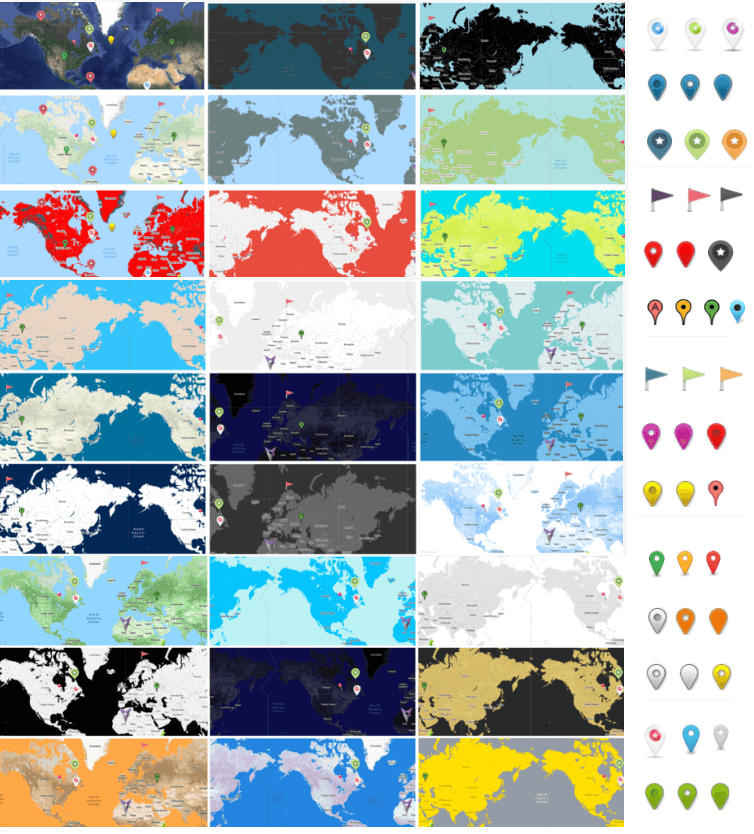
Map themes to match your site design.
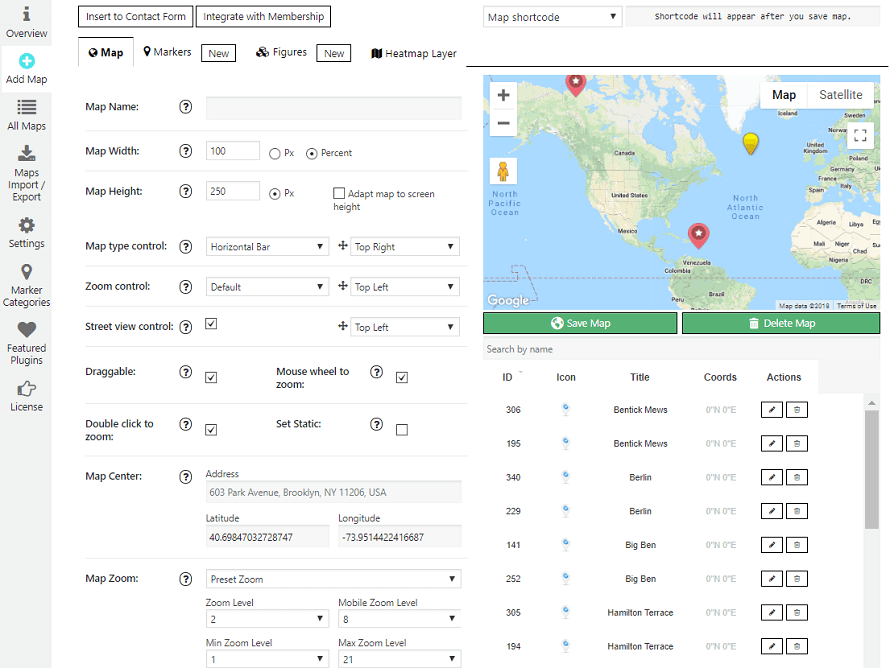
Map settings in the admin area.
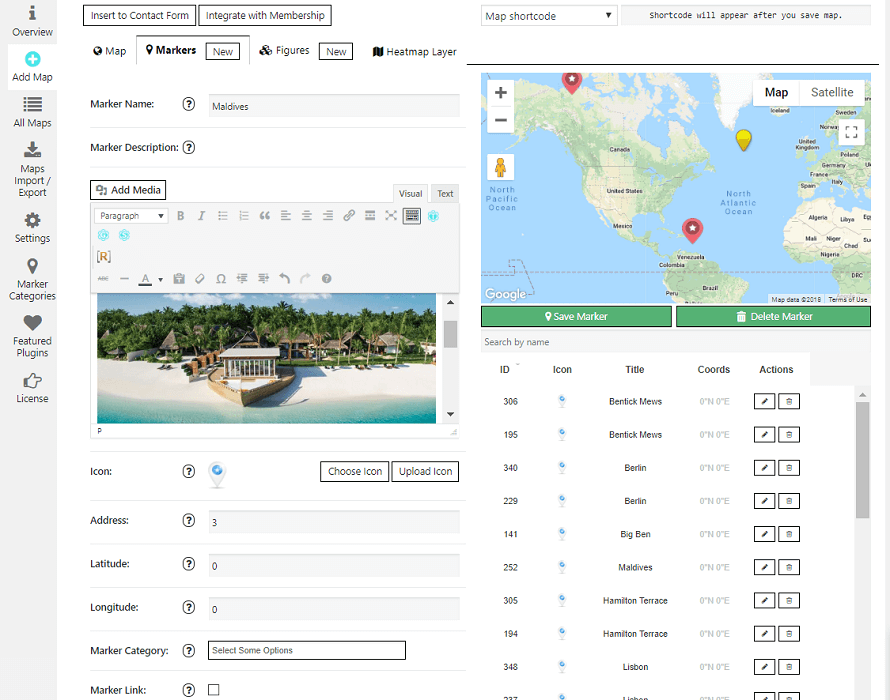
Marker settings: description with links, images and video.
Faq
Yes. Google requires an API key to display its maps. It takes a couple of minutes to create one; a step-by-step guide is linked under Learn more.
Google Maps Platform includes free monthly usage, and many small sites stay within it. Check Google’s current pricing for your expected traffic.
Yes. Add your Map ID in the map settings and markers render as Advanced Markers. Maps without a Map ID keep working as before. When a Map ID is set, Google controls the map style through Cloud Styling.
As many as you need. Maps and markers are unlimited in the free plugin.
Yes. Choose an icon from the built-in library or upload your own image.
Yes. Assign markers to categories and show a front-end filter on the map.
Yes. Nearby markers group into clusters that open as visitors zoom in.
Use the plugin’s block in the block editor, the Elementor widget, the sidebar widget, or paste the map shortcode. A PHP snippet is available for theme templates.
Yes. Set the map language and region in the settings, and switch to the Google Maps China endpoint if your visitors are in mainland China.
Yes, with Pro. Add waypoints with descriptions, pick the travel mode and choose whether Google optimises the order of stops for the shortest trip or keeps your order. The route follows the roads and shows turn-by-turn steps.
Yes, with Pro: a Get Direction button on every marker, routes with turn-by-turn steps, alternate routes and a start from the visitor’s current position.
Yes. Export maps and markers to CSV and import them on the other site.
Yes. Ultimate Maps by Supsystic uses OpenStreetMap and Leaflet without a Google API key and can import your Easy Google Maps maps.
Please report security issues through the Patchstack Vulnerability Disclosure Program. The Patchstack team validates and triages each report and notifies us.
Reviews
Gute Unterstützung
By  djokor on December 23, 2023
Die Karte konnte nicht geladen werden. Es stellte sich heraus, dass die Website bereits eine integrierte Google Map im Theme hatte, die das Laden des Plugins verhinderte. Sie haben mir auch geholfen, meinen API-Schlüssel einzurichten.
very usefull but…
By  WJJ on November 21, 2023
Good idea, but this plugin has some bugs
By  packi93 on July 9, 2023
In general this plugin is good, but unfortunately I found some bugs and irritating things.
API link broken
By  sparkerman on July 31, 2023
Link for instructions on how to get an API key is broken.
Very few Shortcode Examples – so unsure of capabilities
By  Dennis Bareis (dbareis) on February 25, 2023
It you want to create a map with a few FIXED (aka STATIC) markers (and categorisation) then this looks like it would do the job very well.
If you want to dynamically add markers in PHP or automatically add markers from images with GPS info (attached or not) then I have a pending query as to whether this is possible (see: supsystic.com/topic/can-you-add-attached-images-with-gps-or-specifiy-markers-in-shorcode/).
Free plugin with maps and more features
By  Petrm (travelspain) on September 14, 2022
Excellent Support
By  ponxho on June 13, 2022
Great Support
By  evitasng on May 31, 2022
Support is WOEFULLY lacking
By  wilcochris on April 18, 2024
<!– wp:paragraph –> <p class=””>Absolutely wish I could give this 0 stars. The communication from these guys is shocking. They asked me to submit a request. It’s been nearly 2 months since I did that and they are not communicating. I want to purchase a lifetime plugin but need questions answered and they are ignoring me. I would avoid these yahoos. They only want your money and don’t care if you have issues or questions. Spend your money elsewhere</p> <!– /wp:paragraph –>
Paid for lifetime license that is supposed to come with support that isn’t an age and a day coming. This is false. I have been waiting 11 days for a response to a license issue. This is not what you’d call premium support for a paid up license.
a plugin with no support anymore
By  lujox on October 26, 2021
Changelog
2026
1.15.4 — October 16, 2026
- Maintenance release with minor stability improvements.
1.15.3 — October 15, 2026
- General security hardening and code improvements.
1.15.2 — October 9, 2026
- Maintenance release with minor stability improvements.
1.15.1 — September 29, 2026
- Maintenance release with minor stability improvements.
1.15.0 / 24.09.2026
- General security hardening
- Added JSON export of map themes for Google Cloud styling when a Map ID is set
- Fixed a grey map when no maximum zoom level is set
- Fixed the CSV Import button not opening the file dialog
- Removing maps, markers and marker categories now also removes their related data
1.14.6 / 08.09.2026
- Added an optional API Region setting for Google Maps JavaScript API localization
- Kept the Google Maps default region behavior when the API Region setting is empty
1.14.5 / 03.09.2026
- Added Elementor and Gutenberg map selection integrations
- Improved the classic WordPress widget with shared map selection fields and sanitized settings
- Improved frontend map initialization in dynamic editor and page builder contexts
1.14.4 / 01.09.2026
- General security hardening
1.14.3 / 14.08.2026
- Fix Custom Map Controls and related admin toggles not working
1.14.2 / 10.08.2026
- General security hardening and code improvements
1.14.1 / 10.08.2026
- Server-side validation for the API Domain setting, enforced both when it is saved and when it is used to build the Google Maps script URL
1.14.0 / 10.08.2026
- General security hardening and code improvements
1.13.1 / 07.08.2026
- General code cleanup and stability improvements
1.13.0 / 31.07.2026
- Added further security hardening and unofficial version detected
- Fixed a critical error that could occur when saving markers on a newly created map
- Fixed an issue where reordering marker groups (parent category) could silently fail to save
- Completed a full compatibility pass for PHP 7.4 through 8.5 across the plugin core
- General code cleanup and stability improvements
1.12.3 / 28.07.2026
- Fixed: admin menu could stay hidden after activation on some installs (core module state is now self-healing)
- Added: guided setup after activation – connect your Google Maps API key and jump straight into creating your first map
- Updated: Overview page promo image
- Minor fixes
1.12.2 / 30.05.2026
- Confirmed compatibility with WordPress 7.0
1.12.1 / 02.04.2026
- Fixed a plugin activation issue
1.12.0 / 27.03.2026
- Multiple stability fixes
- Confirmed compatibility with WordPress 6.9.4
2025
- Delivered ongoing compatibility updates for WordPress 6.8.x
- Fixed a textdomain loading notice
- Added a security fix for an XXE (XML External Entity) vulnerability
- General stability fixes and overview page updates
2024
- Added an XSS security fix for SVG marker icon uploads
- Fixed several map/marker import and export issues
- Added security nonce verification and an expertise-level field for the ActiveCampaign form
- General security hardening
2023
- Fixed the Path Router feature and several visual/text editor issues for markers and marker lists
- Fixed an issue with loading multiple maps on the same page
- Completed a compatibility pass for WordPress 6.2 and PHP 8.2, with additional nonce hardening
2022
- Added support for WordPress 6.0/6.1 and PHP 8.1
- Added the renewal reminder flow for PRO licenses
2021
- Added support for PHP 8.0/8.1 and WordPress 5.7
- Replaced legacy escaping with wp_kses()/esc_attr() throughout the admin area and removed the bundled Bootstrap dependency
- Fixed several stability, tooltip, and custom-icon issues
2020
- Added WordPress 5.5 and PHP 7.4 compatibility
- Fixed a map zoom issue and an asset-upload (AJAX) issue
- Removed the legacy PHPMailer bundling