
Tracking and Consent Manager – WP Full Picture
Description
WP Full Picture will help you set up consent management and tracking tools in minutes instead of days.
With WP Full Picture you will:
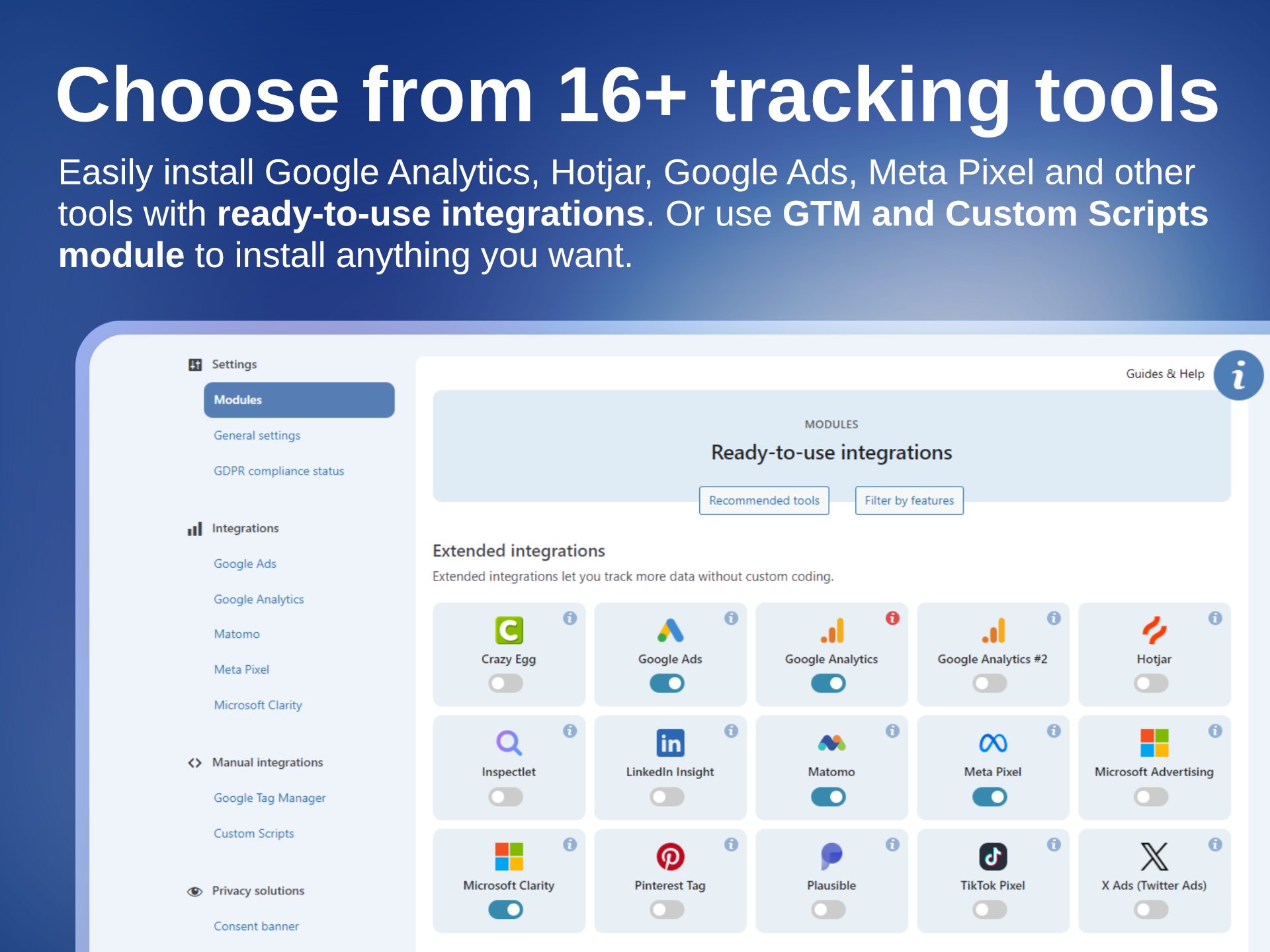
- Install tracking tools, like Google Analytics, Google Ads, Google Tag Manager, Meta Pixel and others, through ready-to-use, no-code integrations.
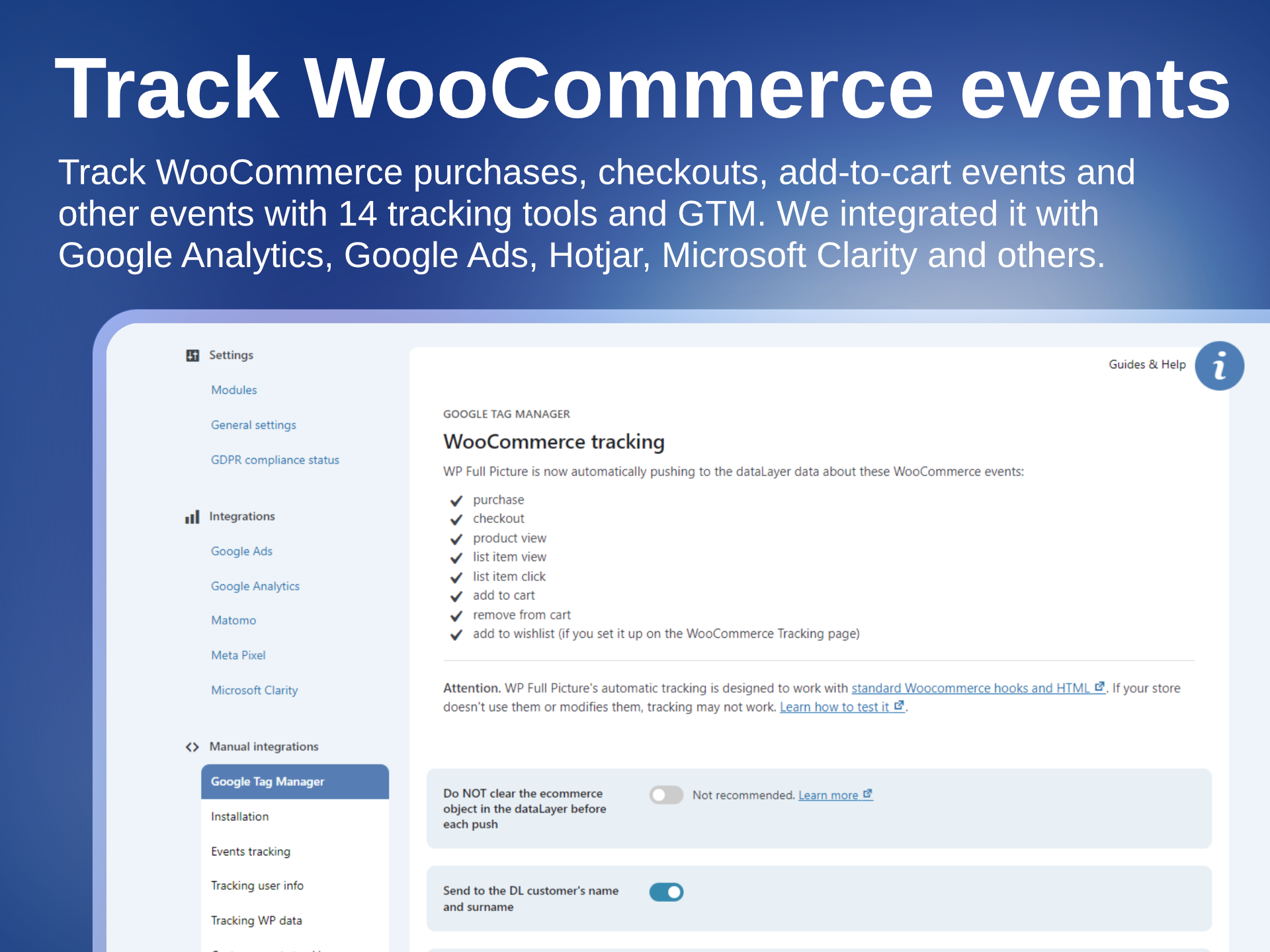
- Track user actions and WooCommerce events.
- Track your visitors in compliance with GDPR, PIPEDA, CPRA, etc, thanks to a built-in, pre-configured and full-featured consent management solution.
It replaces:
- Consent management platforms like CookieBot, CookieYes, Complianz, and others.
- Tracking plugins like PixelYourSite, Pixel Manager for WooCommerce, or Google Site Kit.
- Google Tag Manager plugins like GTM4WP.
🍪 FREE CONSENT MANAGEMENT
WP FP comes with a powerful, free consent management solution.
It automatically manages all tracking tools that you install with WP FP’s integrations and lets you block other tracking scripts and HTML elements (built-in page scanner available).
It includes:
– Highly customizable consent banner
– Three modes: opt-in, opt-out, and notification-only
– Support for Google Consent Mode v2 Advanced and Microsoft UET Consent Mode
– Recording proof of consent (required by GDPR)
– Blocking third-party scripts (until consent)
– Replacing tracking iframes with placeholders (until consent)
– GDPR setup helper
– Scanner of tracking scripts and HTML elements
No complicated setup. No subscriptions for cookie scanning.
🚫 What it doesn’t do
WP Full Picture doesn’t scan for cookies – it scans for tracking scripts.
WP Full Picture automatically manages all tracking tools that you install with its integrations. To find and block other tracking tools you should:
- Use the WP FP page scanner — it generates a report of potential tracking scripts and HTML elements.
- Upload the report to an AI tool
- The AI will check which of these scripts are trackers and tell you how to block them with WP Full Picture.
WP Full Picture doesn’t display cookie lists
WP Full Picture doesn’t display cookie lists and their descriptions on privacy policy pages – it’s not required by law and it’s technically impossible. You can read more about it here.
🧩 INTEGRATIONS WITH TRACKING TOOLS
WP Full Picture comes with ready-to-use, no-code integrations with:
- Google Analytics integration
- Google Ads integration
- Meta Pixel integration
- Pinterest Ads tag integration
- Hotjar integration
- Twitter / X integration
- Microsoft Advertising integration
- Microsoft Clarity integration
- TikTok Pixel integration
- LinkedIn Insights Tag integration
- Plausible Analytics integration
- Matomo integration
- Inspectlet integration
- Crazy Egg integration
- PostHog (installation only)
- Simple Analytics (installation only)
Need something else?
⚙️ Tag managers and addons
If you need to install other tracking tools, WP FP gives you three options.
Option 1. Custom Integrations module
To quickly install tracking tools, you can use Custom Integrations module. All tools installed with this module are automatically managed by the consent management system—with no extra setup!
Option 2. Google Tag Manager
For more advanced users, WP Full Picture comes with Google Tag Manager integration.
As with GTM4WP, it automatically sends WooCommerce events to the dataLayer, but it doesn’t stop there. You can also use our pre-configured functions to track (and send to the DL) user actions and page data.
Option 3. Build your own integrations
WP Full Picture is extendable. Download an example addon and turn it into a new integration with any tool you want. Then use it yourself, share or start selling.
👁️ WHAT YOU CAN TRACK
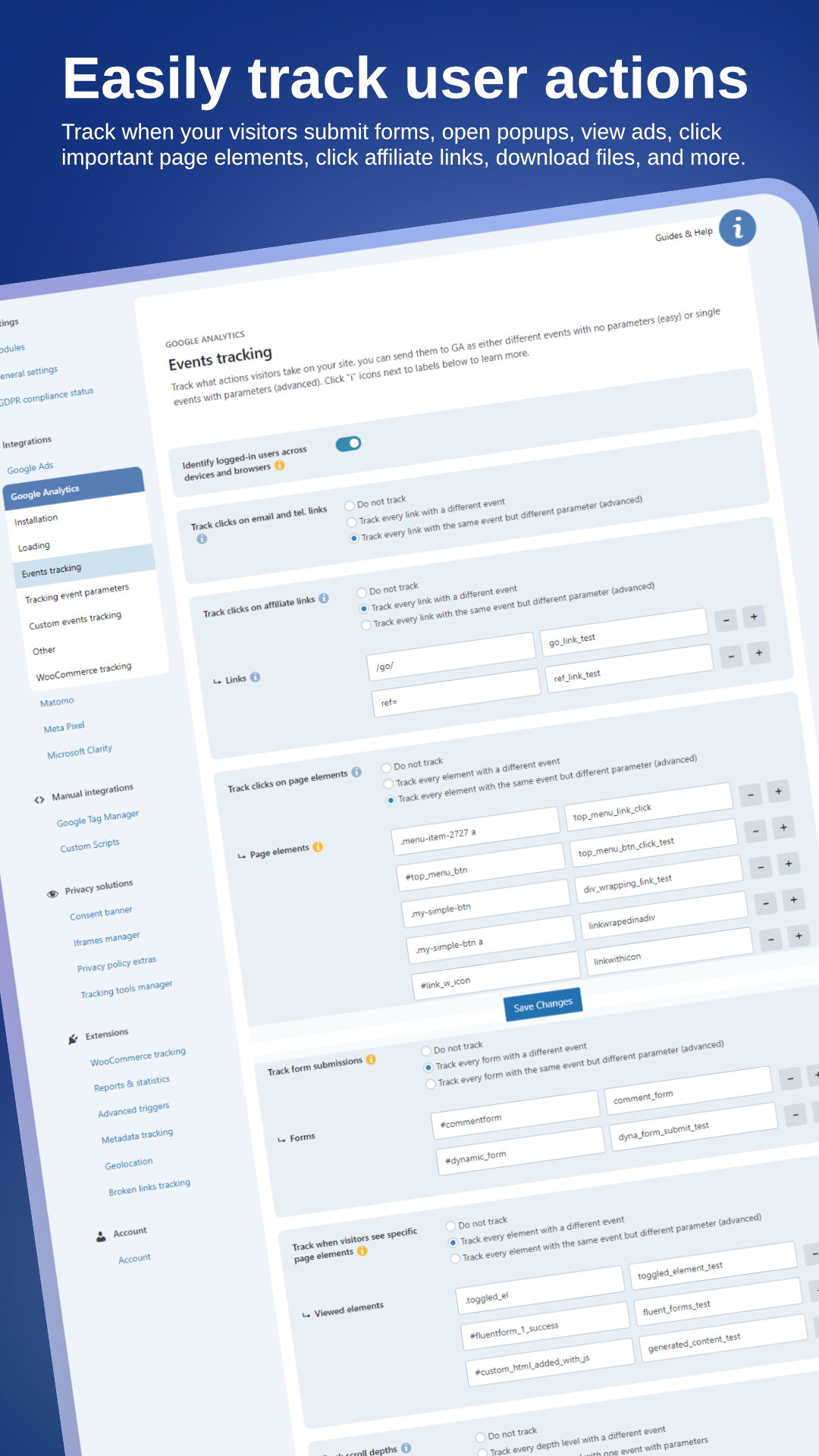
WP Full Picture lets you track extra information about your users’ actions. You can track:
- WooCommerce events (see below)
- Clicks in affiliate links, contact links, buttons and other page elements
- Form submissions
- Views of popups, ads and pricing tables
- User roles and statuses
- and more
🛒 WooCommerce tracking
WP Full Picture tracks all major WooCommerce events in 14 tracking tools, including Google Analytics, Google Ads, Meta Pixel, and Google Tag Manager.
It tracks key actions like:
- Product views and list views
- Additions to cart
- Starting checkout
- Completed purchases
- Coupon usage and more
Every event includes detailed product information for accurate conversion tracking and smarter ad targeting.
✨ UNIQUE FEATURES
📈 Embedable analytics dashboards
With WP Full Picture, you can embed analytics dashboards from BI tools, like Google Looker Studio, Databox, and other BI platforms directly in your WP admin.
🔗 Tracking exclusion link
The first rule of good data – do not track yourself.
With WP Full Picture, you can do it more easily than ever, and you don’t even need to log into your site. WP FP gives you a special link that automatically disables all tracking (even one that doesn’t wait for consent) for anyone who uses it. Use it yourself and give it to your employees so they don’t pollute statistics.
👀 Page scanner (different from others)
WP Full Picture’s page scanner lets you scan your website for potential tracking scripts and HTML elements. It generates a report (with personal data removed) that you should send to your AI. In return, it will give you a list of tracking elements that you should block in WP FP.
🛡️ GDPR Setup helper
GDPR Setup helper — an admin panel with always-current information about whether your setup is GDPR-compliant and clear guidance on what to update.
✅ Setup helper
The Setup helper is a special mode that lets you:
- See in your browser’s developer tools console whether your tracking tools work correctly – without using Chrome extensions like Facebook Pixel Helper, Tag Assistant, or similar tools.
- Set up tracking for custom post metadata and user data without a developer’s help
- Enable debug/test modes for Google Analytics and Meta Pixel
- Enable the page scanner (see above)
🏁 Engagement tracking (PRO)
Note: This is not engagement-time tracking. It tracks the user interactions that you configure on the page.
With engagement tracking you can:
- see which traffic sources bring you visitors who are the most interested in your products and content
- see how many of them are likely to make a purchase
- send them ads
🧲 Reactions (PRO)
This is a behavioral targeting function. It lets you trigger JavaScript functions and change the CSS classes of HTML elements in response to user behavior, session, page, and traffic source information.
💎 WP FULL PICTURE FREE vs PRO
WP Full Picture PRO gives you:
- server-side tracking
- status-based order tracking
- Engagement tracking
- Reactions
- Custom event builder
- Geolocation
and many more.
For the full list of PRO features, please check out the Free vs Pro comparison
Screenshots

Install tracking and marketing tools
Track WooCommerce events
Track user actions
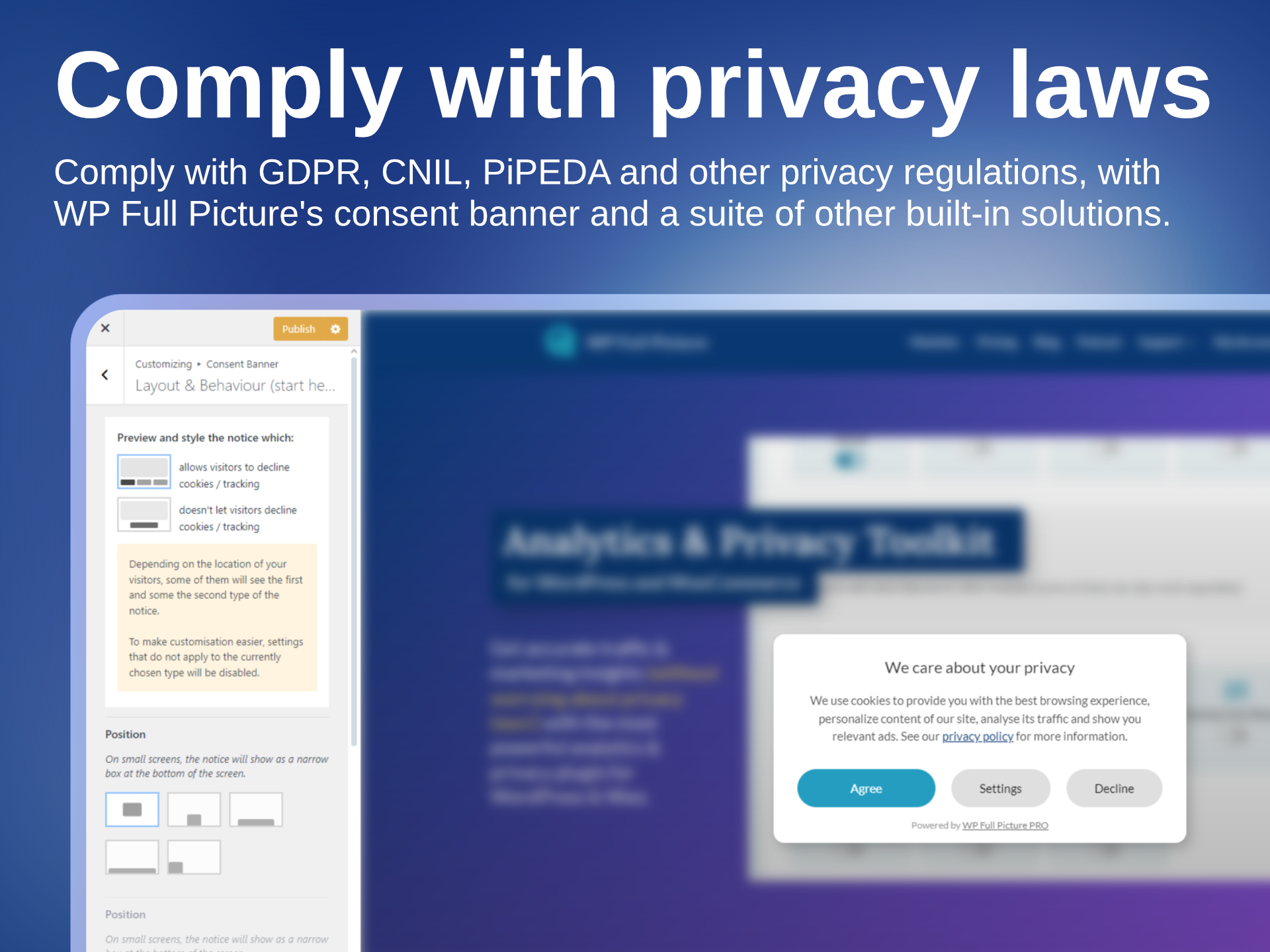
Comply with privacy laws
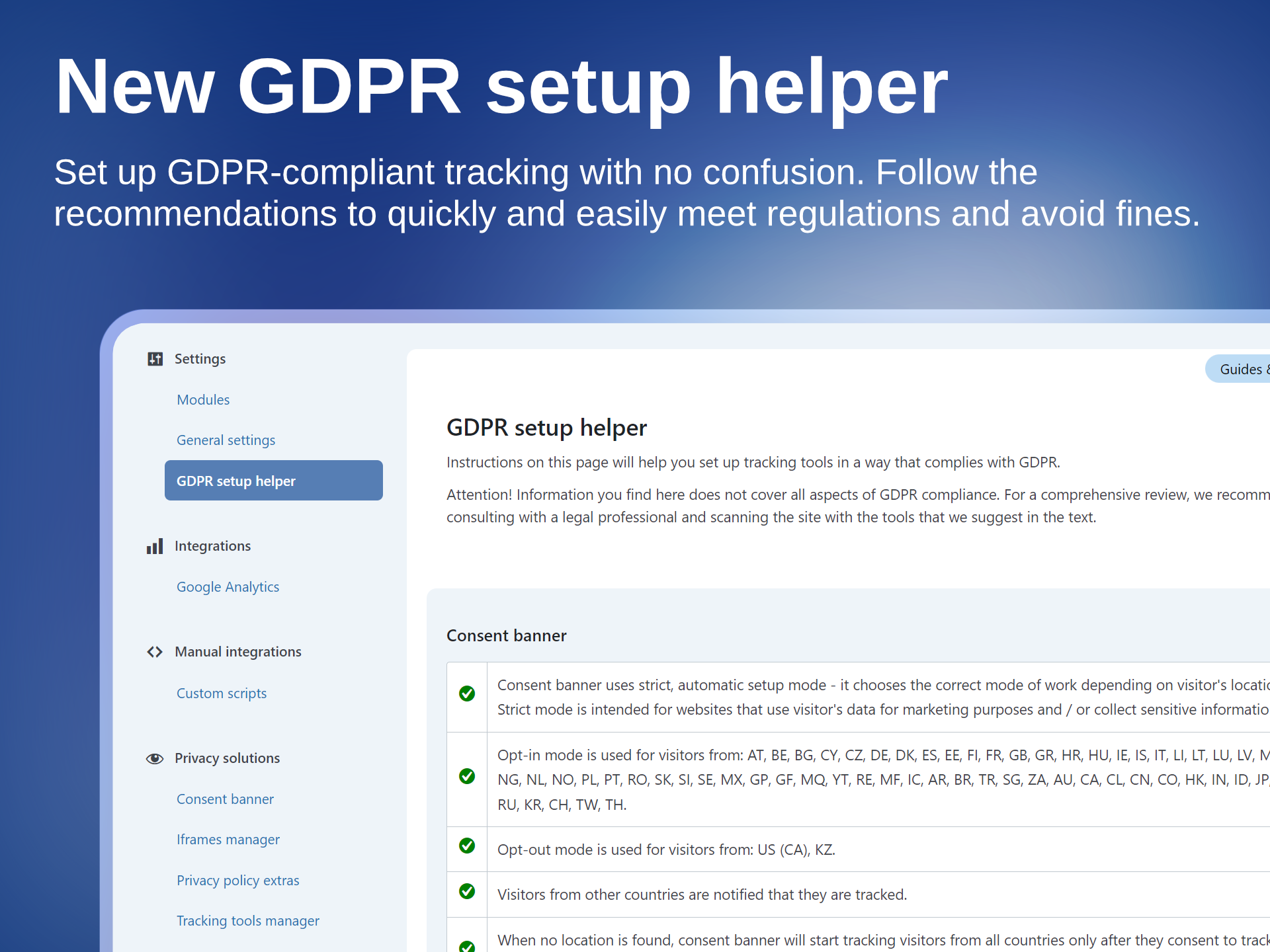
Check GDPR complaince status
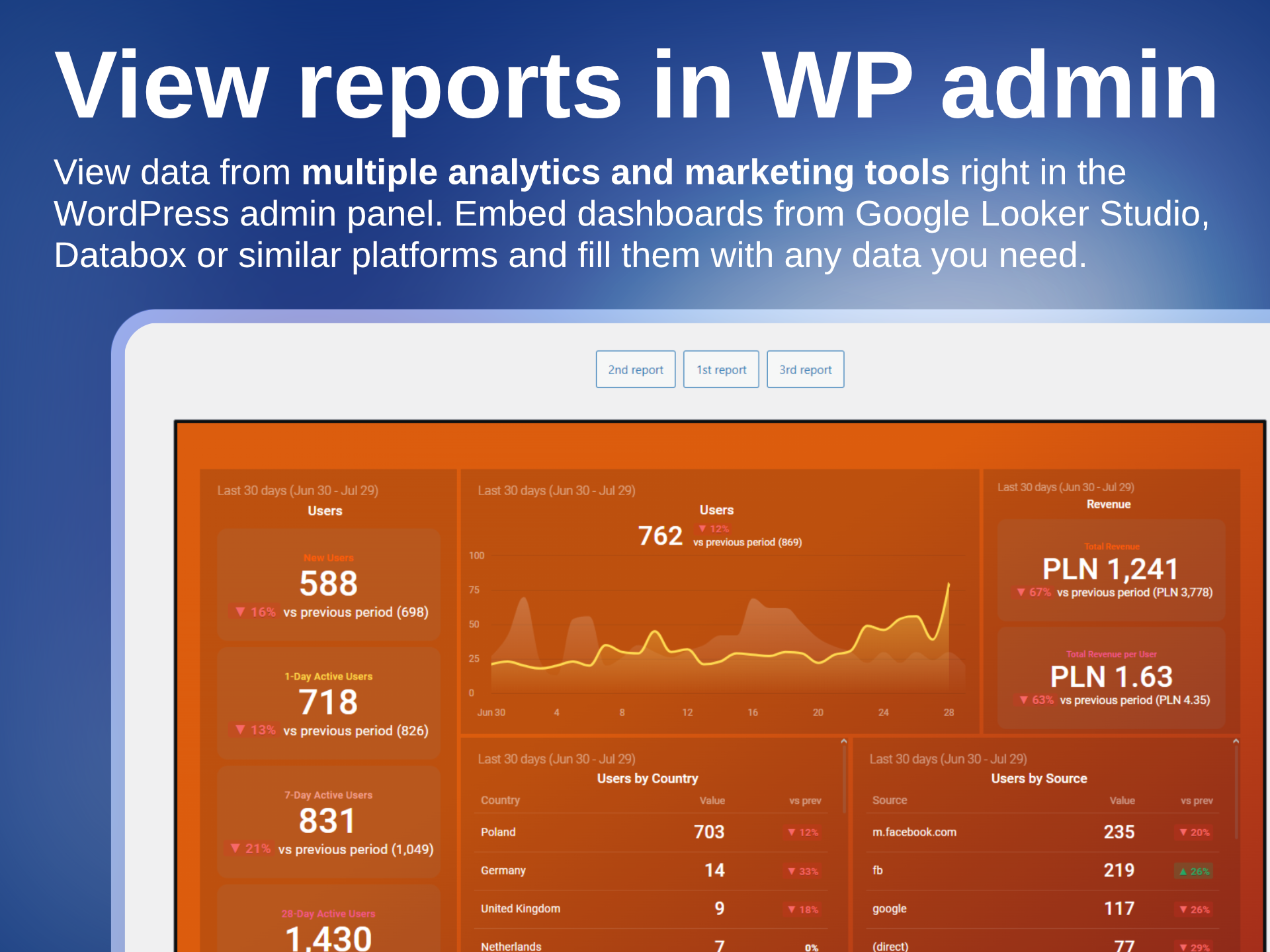
View traffic and marketing reports in the admin panel
Faq
Does the plugin slow down page loading?
Yes, just like any other plugin, but by a very, veeery small amount.
WP Full Picture only loads two small core scripts on every page load. Scripts from other modules are loaded asynchronously, only when they are being used.
Is WP Full Picture compatible with page builders?
Yes. We tested it with Gutenberg, Elementor, Bricks, Breakdance.
Only Bricks requires one small tweak to track interactions with WooCommerce product lists.
Can I use WP Full Picture’s consent banner with other tracking plugins and tools?
Yes. You can use it to control tracking scripts installed by other plugins and load them according to privacy laws.
WP Full Picture automatically handles all plugins that load Google Analytics, Ads and Microsoft Advertising. It can also control the loading og PixelYourSite, Jetpack stats and tools loaded with Pixel Manager for WooCommerce.
Can I use a different consent management plugin, like CookieBot, Iubenda or CookieYes?
No. Many of our unique features are only possible with a built-in consent management solution, e.g. setup helper or tracking exclusion link.
Can I use WP Full Picture on a website that displays ads?
No. You need a paid tool that supports IAB TCF framework. As far as we know, no free tool offers it, because it requires an expensive licence.
Is WP Full Picture certified by Google?
Google certifies only tools that use IAB TCF framework. WP Full Picture doesn’t support it.
Does WP Full Picture lists individual cookies in a privacy policy?
No. This is a popular myth. Listing cookies is not required by law, plus it is technically impossible to always show correct descriptions to every cookie on the page. You can learn more about it here.
Is WP Full Picture’s consent banner limited in any way?
No. It can be displayed unlimited number of times, on unlimited pages by unlimited number of visitors.
Will my site comply with ALL privacy regulations just by using WP Full Picture?
No. Privacy regulations cover many areas of business. WP Full Picture helps you handle only a part of it, so you still need to be aware and act accordingly to be fully compliant with the rest of them.
Can I translate texts in the cookie notice?
Yes. WP Full Picture has been tested and works with multilingual plugins WPML and Polylang. It is possible that it also works with other plugins but we haven’t tested them.
Does WP Full Picture generate product feeds for Google Shopping or Facebook?
No. WP Full Picture is focused on tracking and privacy. To generate a product catalogue you can use one of many plugins from WordPress repository.
Does WP Full Picture display statistics in the dashboard?
Yes. WP Full Picture lets you display in your WP admin panel reports and dashboards created in Google Looker Studio, Databox and other similar platforms.
These platforms allow you to create advanced reports with aggregated data from various analytics and marketing tools, Google spreadsheets and even WooCommerce data.
Reviews
The best tracking solution for WooCommerce with 11/10 Support
By  bogunzp on November 19, 2025
I rarely write reviews, but this plugin and its developer, Krzysztof, absolutely deserve it. We had a complex requirement for our WooCommerce store: we needed to send accurate, server-side Purchase events to Google Analytics 4, but only for specific order statuses. Moreover, we needed to pass custom calculated data (COGS/Profit) along with the purchase event to calculate true ROI. I contacted support, and Krzysztof didn’t just answer — he listened. Within a very short time, he provided a beta version with a new feature (Custom Metadata for Status-Based Order Tracking) that solved our problem perfectly. If you are looking for a way to get 100% accurate data in GA4 without complex GTM/Stape setups, and you need a tool that allows for professional customization — WP Full Picture is the only choice. Pros: Incredible support (Krzysztof is a legend!) Server-side tracking works out of the box. “Status-Based Order Tracking” is a game-changer for accurate reporting. Flexible debugging tools. Highly recommended!
Great plugin and support!
By  mattcnc on August 12, 2025
Great plugin and event better support! Very responsive and clearly caring about the plugin and its users. Thank you very much Krzysztof!
Best, Matt
Excellent user-friendly privacy plugin
By  trcld on July 11, 2025
I’ve been using this plugin for just a short time so far but I am impressed. Very user-friendly in terms of setup and pricing and it has excellent and fast support via online chat. Alternative solutions for consent banners and cookie tracking don’t really come close imo. A great product all-round.
Świetna wtyczka
By  agawilli on May 15, 2025
Bardzo intuicyjna, robi robotę!
Simply perfect
By  Marco1970 on January 9, 2025
It removed the tons of headaches I had when I was trying to make the official WOO GA tracking plugin work against a Cookie plugin (tried several) and the new Google Consent 2.0.
Simply installed, configured, and it worked perfectly, no issues.
And Krzysztof’s support is always immediate and super helpful, even for dumb questions like mine.
A necessary and very useful plugin
By  testica on June 23, 2024
The developer responds promptly to any suggestions for improvements.
Łatwa w obsłudze i funkcjonalna!
By  Tomek (typ) on May 9, 2024
Za funkcjonalność i interfejs.
The Goat Among Plugins
By  rakaluzny on April 18, 2024
This is a plugin that gives you a cookie notice that is not a dummy and also connects all services to your website (GA4, Meta Piksel, GAds, etc.) without using GTM. For basic tracking, all you need to do is add tags to the plugin, magic!
Great plugin that brings together everything you need (and for free)
By  ka444az on April 16, 2024
Great plugin and great support from the author. Configuration and setup is very easy, everything looks really neat. The Pro version introduces a lot of extras, but the basic free version allows you to connect all Google services, set up Google Ads conversions and meets Google Constent requirements. Highly recommended, I use it as much as I can and recommend it to everyone else.
Everythink very good!
By  crokiet on March 13, 2024
Very good plugin and support. The configuration is very simple, everything is clear, the interface looks modern. The website did not slow down after installing the plugin, which I am most pleased with. I had a problem with one thing, but support helped me the same day.
Changelog
11.0.1 (28-10-2026)
- [Fix] Enforced trailing slash at the end of Matomo url and src entered by the user
11.0.0 (20-10-2026)
This was released only for PRO users.
- [New] Extendability. You can add new integrations using addons or build your own. Addons can use all the tracking features of WP FP that you are using (Free or Pro)
- [New] [Free] Saving proofs of consents is now in WP FP Free
- [New] Consent Management – Page scan feature
- [New] Consent Management – New function for blockign tracking scripts
- [New] New UI for managing event tracking – a complete rewrite
- [New] Completely new system of loading plugin files, to avoid issues caused by aggressive settings of caching plugins
- [New] WooCommerce Status-based server tracking now falls back to browser tracking if no data was sent to the server for any reason
- [New] You can now disable unauthorized automatic tracking in Meta Pixel
- [New] TikTok tracking events
- [New] WooCommerce – compatibility with plugins that add custom modifications to single products
- [New] Debug information available in the dev tools Console under “fp.load_queue” variable.
- [New] Spanish Translation (beta, made with AI)
- [New] [Pro] Crazy Egg and Microsoft Advertising now let you track user engagement (prev. Visitor scoring)
- [Improvement] Plugin settings update mechanism
- [Improvement] Consent Management – Refreshed UI and merger of Records of Consent module into the Consent Management module
- [Improvement] Setup helper can now be opened on every page in a side panel
- [Improvement] [Pro] Reactions module now lets you react to simple events (clicks, form submissions, etc.) without forcing you to build custom events
- [Improvement] [Pro] Major update to server-side tracking, to improve accuracy
- [Improvement] [Fix] WooCommerce Status-based order tracking
- [Improvement] WooCommerce – improved handling of multiple currencies
- [Deprecated] fp_info shortcode
- [Deprecated] “Force load” option in settings of tracking tools will be removed in v12 later this year
- [Deprecated] Tracking user engagement time (replaced with much better Engagement tracking)
- [Change] Merger of some modules
- [Change] [Pro] Visitor Scoring module is now renamed to Engagement Tracking, to better reflect what it does
- [Removed] Meta Pixel no longer sends engagement time by default
10.1.2.2 (8-10-2026)
- [Fix] [Pro] SBOT tracking after Woo 11.1.2 started treating rest api calls with GET as admin-only
- [Fix] Check for DOM content loaded now is more reliable
- [Other] Freemius SDK update
10.1.2.1 (23-09-2026)
- [Update] Freemius SDK
- [Fix] “return response” for cURL sending data to other servers sometimes echoed returns instead of not showing them
- [Fix] other minor fixes and improvements to sending data to remote servers
- [Fix] Other small code fixes and improvements
- [Other] Added a banner about v11 beta tests
10.1.1 (18-03-2026)
- [Update] [Woo] Added a few extra rules to better track ATC buttons on single product pages that use Ajax
- [Fix] [Woo] Fixed a bug that prevented tracking ATC events on the cart page (on some configurations)
10.1.0 (11-03-2026)
- [New] [Pro] Added support for Stape’s sGTM plugin
- [New] [Pro] [MS Clarity] You can now send custom events/tags
- [New] [Woo] You can now track add to cart events on single products which originated after clicks in “add to cart + options (beta)” block (variable and grouped products are not supported yet)
- [Update] Moved Consent Mode 2 related settings to the inline JS, to have it fire before any other script
- [Other] [Woo] Removed unused code and renamed some functions
- [Other] Changes to in-admin texts
10.0.2 (25-02-2026)
- [Update] Visual fixes in the admin pages for WP 7.0
- [Fix] Fixed typos in some field descriptions
- [Other] README.txt update
10.0.1 (18-02-2026)
- [Fix] [Woo] Fixed compatibility with WooCommerce HPOS
- [Fix] [GTM] Default name of GTM’s dataLayer is now set to fupi_dataLayer to avoid issues with Google tools loaded outside GTM
- [Fix] [Woo] Matomo sometimes did not correctly track products added and removed from cart
- [Other] Text updates
10.0.0 (09-02-2026)
- [New] All files of WP FP are now loaded asynchronously
- [New] Dashboard page with guides and useful links
- [New] Conflict checker (accessible through the new dashboard page)
- [New] Consent Manager module can now control the loading of PixelYourSite and Pixel Manager for WooCommerce
- [New] Added time information to fpdata object
- [New] [Pro] Reactions module
- [New] [Woo] Option to send “add to cart” events on cart page rather then when users click “add to cart” buttons
- [New] [Woo] You can now disable sending stadard Add To Cart events and replace them with your own code
- [New] [Woo] You can now choose specific WooCommerce pages where instead of sending “Product view” events you will send “Product list view” events (for main products)
- [New] [Pro] Custom triggers can now use “Coursor left browser window” action
- [Update] WooCommerce tracking – important code modifications so that tracking can work with asynchronous file loading
- [Update] Simplified navigation
- [Update] Design and texts
- [Update] You can now block several files of the same 3rd party tool
- [Update] [Pro] Meta Pixel no longer sends Conversion API event for pageviews by default. Now it needs to be enabled by the user
- [Update] [Pro] Visitor scoring levels (10,20,30, etc.) are now enabled by default
- [Removed] Animation for the consent banner
- [Removed] Removed an option to disregard cookie choices (due to abuse and/or improper use)
- [Removed] Function to force load Google Analytics and Ads scripts
- [Removed] Function to load Google Analytics and Ads in specific countries
- [Removed] Custom Brand for WooCommerce (deprecated for a long time)
- [Removed] Options for saving WP FP scripts in files
- [Fix] Small JS bug on the settings page of the Google Analytics module
- [Fix] JS errors on “blur” events (DOM events)
- [Fix] Removed debug_mode parameter from GA events
- [Fix] Consent banner’s scroll lock is now set in a different way and is no longer removed by WooCommerce
- [Fix] [Pro] Value comparison type “lower than” in the builder of custom triggers did not work
- [Fix] [Pro] A bug prevented session cookie to be updated when a user updated from WP FP Free to Pro
- [Fix] [Pro] A bug in Status Based Order Tracking in GA4, which did not track orders for installs with different GTAGs for GA and GAds
- [Fix] Iframe placeholders will no longer get incorrect dimensions on some setups
- [Other] Renamed “Custom scripts” module to “Custom integrations” to avoid confusion with the purpose of the module
- [Other] Optimized JS functions in the customizer
- [Other] Tweaked some texts in the GDPR setup helper and the saved proofs of consent
- [Other] Increased tiemouts for sending data server-server
- [Other] Small tweaks, optimizations and removal of unnecessary code
9.4.2 (01-12-2025)
- [Fix] [GA] Fixed SBOT when gtag ID is different then measurement ID
- [Other] Freemius SDK update
9.4.1 (20-11-2025, PRO-only)
- [New] [GA] [Pro] You can now add custom parameters to “purchase” event payloads sent via SBOT
- [New] [GA] [Pro] Added an option to view SBOT payloads in order details pages
- [Update] [GA] [Pro] Added to SBOT a fallback to WC session saving – saving order data in transients
- [Fix] [Pro] SBOT fixes and improvements
- [Other] Freemius SDK update
9.4.0 (04-10-2025)
- [New] [Pro] Custom events can now have custom properties
- [New] [Pro] Custom events in Hotjar
- [Fix] [Meta] When variable products are viewed, they are now correctly sent with content_type equal to product_group (works only when the user did not choose to track variable products as single products)
- [Fix] [Pro] [GA] Triggering GA #2 pageview after user consent
- [Update] [Pro] Small improvements to status based order tracking
- [Other] Updated texts and in-app documentation
- [Other] Advanced Triggers are renamed to Custom Triggers
- [Other] Added Black Friday notifications
- [Other] Added more reasonable timeouts to sending to remote servers
9.3.2 (27-10-2025)
- [Fix] [Pro] Status-based order tracking fixes and improvements in GA and Meta
9.3.1 (23-10-2025)
- [New] [Meta Pixel] Advanced External ID
- [Change] [Woo] [Meta] When a variable product is viewed, the “content_type” is now sent to “product_group” instead of “product”
- [Fix] [Pro] [Google Ads] Fixes of bugs that showed up after the last update – connected to using GA and GAds with connected tags (the bug was introduced in the 9.3.0)
- [Fix] [Pro] [Google Analytics] When orders are sent via Measurement Protocol, item_category2 was skipped
- [Fix] Information in the GDPR setup helper about missing privacy policy did not change even if the user published it
- [Fix] [Pro] [Google Analytics] When orders are sent via Measurement Protocol, coupon text is now properly added to the payload
- [Update] GDPR-related texts and GDPR setup info page
9.3.0 (14-10-2025)
- [Update] [Google Ads] [Google Analytics] Major improvement for tracking with combined Google Tags
- [Update] Improvement for tracking products added to cart via a link with “add-to-cart” parameter
- [Update] Geolocation module’s settings are moved to the General Settings
- [Update] [Consent Banner] Added a field for the ID of the privacy policy page – important for multilingual websites
- [Update] [Meta Pixel] Status based order tracking no longer sends and empty value for FBC, when it is not available
- [Fix] [Setup Helper] SH no longer shows in the Bricks builder editor
- [Fix] [Consent Banner] Default settings for the rounded corners and button text size on mobile did not get applied properly
- [Other] Updated internal function for getting URL parameter values
9.2.0 (24-09-2025)
- [New] [UI] Basic onboarding sequence
- [New] [UI] Advanced fields are now hidden for new installations (can be shown with a switch in the top menu)
- [New] [Woo] Added support to new WooCommerce blocks
- [New] [Woo] [Pro] Added fpdata.user values to order confirmation page with info on the number and value of previous orders from the client
- [Update] [Caching] Added caching exclusions for LiteSpeed Cache
- [Update] [Caching] Added caching exclusions for WP Rocket (enabled with a switch in the “General Settings” > “Performance”)
- [Update] [Custom Scripts] Slight improvement of the code that prints inline scripts
- [Update] [Consent Banner] New default styling
- [Update] [Consent Banner] New settings for mobile views
- [Update] [UI] Simplified top menu
- [Update] Conditional field toggling now works in the repeater field
- [Update] Improved field clearing in the repeater field
- [Update] [GTM] [Pro] Updated and moved the custom events tracking script to the head file
- [Update] Improved error handling for generating the head.js file
- [Update] [Privacy] The “GDPR setup info” page is slightly expanded
- [Fix] Version number is now correctly saved in fupi_versions for new installations
- [Other] You can now enable setup mode right from the top menu
- [Other] Text updates
- [Other] Freemius SDK update
9.1.2 (02-09-2025)
- [Removed] Information about promotional consents in ConsentsDB
- [Removed] Small code cleaning
9.1.1 (13-08-2025)
- [Fix] GDPR setup info did not show some headings if the Privacy Policy page was not published
- [Fix] Rest API issues with Zapier
- [Other] Added social links to the menu
9.1.0 (06-08-2025)
- [New] [Woo] [Pro] Added a meta box with tracking information to order pages
- [New] [Woo] [Pro] Re-written status-based order tracking
- [New] [Consent banner] You can now disable asking for consents after privacy policy changes or new modules activation. Handy while setting up tracking and testing.
- [Update] More information is now output to the browser console when the Setup Mode is enabled
- [Update] Setup mode is now automatically turned off after 6 hours
- [Fix] Added a check to make sure that modules which require some settings are no longer loaded if the user did not save any
- [Fix] fupi_tools options are now saved if they are empty
- [Fix] Iframes managed with HTML or shortcode did not load if no other iframe management options were enabled
- [Fix] Actions triggered when the page loses focus are now correctly triggered
- [Fix] Translating iframe block in WPML and Polylang did not work correctly after 9.0 update. Now it’s fixed
- [Fix] Google Analytics debug view could not be enabled via the link parameter
- [Fix] Meta tag was not saved in the General Settings when the settings were saved for the first time
- [Other] Small UI tweaks
9.0.0 (02-07-2025)
- [New] User interface overhaul, including major code refactoring, new modules, changed settings and improved texts
- [New] Setup mode
- [New] Records of consent can be now stored in email account (PRO only)
- [New] Backup restoration functions are built from scratch
- [New] You can now add meta tags in the head section of HTML
- [New] MS UET Consent Mode
- [New] Added Custom events tracking to the second module of Google Analytics
- [Update] Google Advanced Consent Mode is now enabled by default
- [Update] Google Tag now loads for all visits (tracking managed by advanced consent mode)
- [Update] [Custom Scripts] HTML comments are now automatically removed from the pasted code
- [Update] Backups are now sorted by date
- [Update] fp_info shortcode now includes information on iframes and automatically managed, 3rd-party tracking tools
- [Update] fp_info shortcode now checks for duplicates
- [Update] [Rest/ AJAX calls] Changed function for getting visitor’s IP address
- [Fix] [Blocking scripts] Rewritten method of blocking scripts with specific content
- [Fix] Added a fallback widget list name for WooCommerce
- [Removed] Removed Pixel Caffeine from supported plugins in the Tracking Tools Manager
- [Removed] Privacy mode in Hotjar has been removed and replaced with data supression option
- [Removed] [GA, GAds, MS Ads] Removed setting to track without waiting for consent as they did not work with consent modes
- [Removed] Enabling debug mode no longer displays WP options below the “Save settings” button
- [Other] Visitors are now always asked for consent after new tracking tools are enabled or priv. policy text changes
- [Other] [Woo] Move “blocking sourcebuster.js” to WooCommerce settings
- [Other] Added a “feedback” button under all popup texts
8.5.3.4 (21-05-2025) [Pro-only update]
- [Fix] [Woo] Added a check for the “billing_address_2” field in checkout
- [Info] Version numbers from 8.5.3.1 to 8.5.3.3 were made available only for Free users in WP repository. They are identical to 8.5.3. They were published because of an error in WP org’s plugin repository.
8.5.3.4 (21-05-2025) [Pro-only update]
- [Fix] [Woo] Added a check for the “billing_address_2” field in checkout
- [Info] Version numbers from 8.5.3.1 to 8.5.3.3 were made available only for Free users in WP repository. They are identical to 8.5.3. They were published because of an error in WP org’s plugin repository.
8.5.3 (19-05-2025)
- [New] [Privacy] Setting default consents can be turned off by setting “fp.vars.use_other_cmp” to true
- [Update] [Google Ads] Added “currency” to “purchase” events (for dynamic remarketing)
- [Update] [MS Ads] Added revenue values to some ecommerce events
- [Update] Freemius SDK
- [Update] [Woo] Set a default “woo custom widget” for “list_name”
- [Fix] [GTM] The event “fp_privacyPreferencesChanged” is now pushed to the DL after the consents are updated
8.5.2 (31-03-2025)
- [Fix] [Meta Pixel] By mistake, the field for adding test event code was available only for Pro users
- [Fix] [Woo] There is no longer a PHP notice when there is no “billing address 2”
- [Update] Updated texts in the GDPR setup helper
8.5.1 (24-03-2025)
- [Update] [Meta Pixel] If the _fbp cookie is missing, it is now generated by WP FP to improve match quality
- [Update] [GDPR] Updated texts for the GDPR setup helper and Records of Consents
- [Fix] [Meta Pixel] The settings field for the test event code did not show up until CAPI key was entered
- [Fix] For some reason Select2 fields stopped showing placeholders
8.5.0 (18-03-2025)
- [New] [Woo] Added an option to send “product view” events when visitors change product variants
- [New] [Woo] Added an option to send an extra “product view” event for “default variants” on product pages
- [New] [Records of consent] Visitors can now see the consent data collected in CDB (must be enabled by admin)
- [Update] [Woo] Added an extra check in JS to make sure no order is tracked twice
- [Fix] [Consent Banner] When “Settings” panel was disabled, hiding the panel with toggling icon did not work correctly
- [Fix] [CDB] Fixed a bug which sometimes prevented the latest WP FP configuration from being sent to CDB
- [Fix] Content of files with settings backups sometimes opened directly in a new tab
- [Fix] [Consent banner] Visitor were asked for consent every time priv. policy or tools changed – no matter whether the settings “ask visitors for consent” was enabled or not
- [Other] [Woo] [GA4 / Meta Pixel] Added a check to disable Status-Based Order Tracking (a.k.a Advanced Order Tracking) when the plugin switches from Pro to Free
- [Other] [GA4 / Meta Pixel] Added an extra debug information about server side tracking
- [Other] Cookie for saving consents is now always set to expire after 182 days unless it’s for development
- [Other] New format of saving consents IDs in cdb_id cookie
- [Other] [Woo] [Pro] Added extra checks for getting customer data
- [Other] [Woo] [Pro] Renamed “Advanced Order Tracking” to “Status-Based Order Tracking”
- [Removed] IPs are no longer sent to CDB