

Font Size
Description
Font Size lets you change the typography of your whole WordPress site without writing code. Pick an element, type a size and see the result instantly in a live preview of your real site – on desktop, tablet and mobile.
Made by SEOS Themes – free and premium WordPress themes for shops, news, blogs, photographers, restaurants, real estate and more. Browse all WordPress themes at seosthemes.com
30+ elements
- Text: body, paragraphs, links (with hover color), bold text, quotes, lists, code, image captions, tables
- Headings: all headings at once plus H1, H2, H3, H4, H5 and H6
- Site areas: site title, tagline, navigation menu, sub-menu, post titles, post meta, post content, sidebar, widget titles, footer
- Forms & shop: buttons, form fields, labels, WooCommerce product titles and prices
- Custom selectors – style any part of your site with your own CSS selector
For every element
- Font size in px, em, rem, % or vw
- Separate tablet and mobile sizes
- Line height, font weight, italic, letter case, letter spacing, underline / strike-through
- Text color and hover color
- Font family – 8 system fonts, 41 Google Fonts (most with Cyrillic) or any custom font name
- Editable CSS selector for unusual themes
Global settings
- Text font and headings font for the whole site
- Root (html) size – scale rem-based themes at once
- Fluid scaling – text grows smoothly between mobile and desktop (CSS clamp)
- Type scale generator – fill H1–H6 with harmonious proportions in one click
- Readability: font smoothing, balanced headings, no lonely last words, hyphenation, space after paragraphs
- Force styles (!important) and stronger selectors to win over theme styles
Visitor text resizer
- Floating “A− A A+” buttons so visitors can make the text bigger or smaller
- Works with every theme, remembers the choice, keyboard and screen reader friendly
- 6 positions, colors, size, step, minimum and maximum
- Shortcode
[font_size_resizer]to place the buttons inside content
Tools
- Live preview of any page of your site before saving
- Export / import settings as JSON, reset to defaults
- Custom CSS field
- Developer filters:
fsz_settings,fsz_css
Translations
English and Bulgarian (Български) included.
Looking for a WordPress theme?
Visit SEOS Themes – WordPress themes for every kind of website.
Installation
Install via Plugins > Add New
- Search for “Font Size”
- Click “Install Now”
- Click “Activate”
Via ZIP / FTP
- Unzip the ZIP file and upload the
font-sizefolder towp-content/plugins. - Activate the plugin through the “Plugins” menu in WordPress.
- Open “Font Size” in the admin menu.
Screenshots

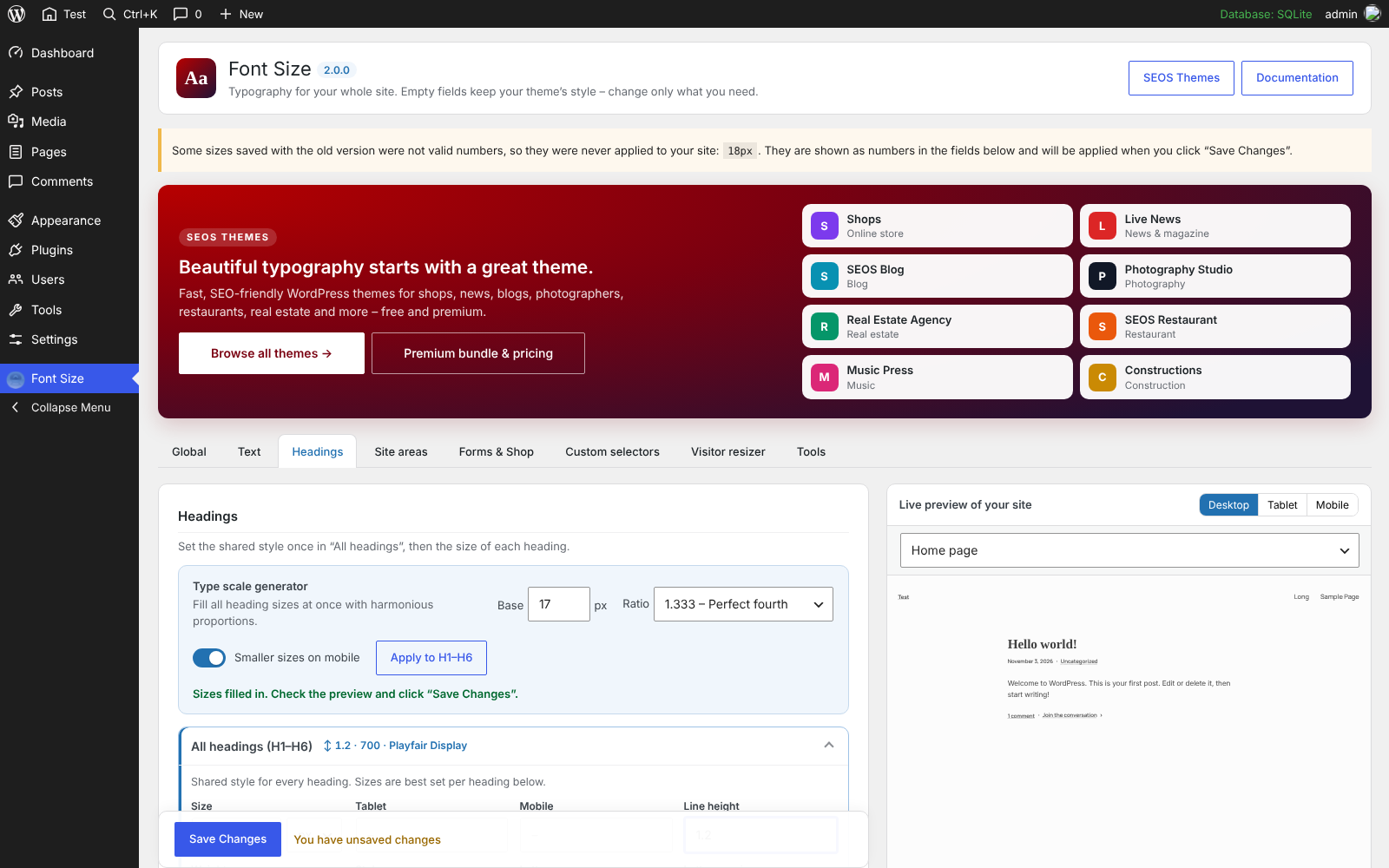
Settings with element cards and the live preview of the site.
Faq
I updated from version 1.x. Will my site change?
No. The six 1.x settings (site title, navigation, body, sidebar, footer and H1) are kept under the same names and printed with exactly the same CSS selectors in the same place, so your site looks exactly as before. Everything new is empty until you fill it.
Some sizes are ignored by my theme
Turn on “Stronger selectors” in the Global tab. Block themes often set sizes with classes like .has-large-font-size, and this option makes your settings win.
Are Google Fonts loaded from Google?
Yes, only when you choose a Google Font. In the EU, check if your privacy policy / cookie consent covers this. System fonts are loaded from the visitor’s computer.
Where can I find more themes and plugins?
Reviews
Easy
By  oguzhan123 on August 5, 2020
Font size plugin
By  seosbg on September 22, 2016
Changelog
2.0.0
- New: completely redesigned settings page with tabs and a live preview of your real site (desktop, tablet, mobile)
- New: 30+ elements – text, links, headings H1–H6, site areas, forms, buttons, WooCommerce
- New: custom selectors
- New: line height, weight, style, letter case, letter spacing, decoration, color and hover color for every element
- New: tablet and mobile sizes, fluid scaling, units px / em / rem / % / vw
- New: text and headings fonts, 41 Google Fonts, system fonts, custom font names
- New: type scale generator, root size, readability options
- New: visitor text resizer (A− A A+) with shortcode
- New: export / import / reset, custom CSS, stronger selectors option
- New: Bulgarian translation
- Fixed: values like “18px” saved by 1.x were printed as “18pxpx” and never worked – now they can be saved correctly
- Compatibility: all 1.x settings are kept and printed exactly as before
1.2.0
- Tested up to WordPress 5.3.2
1.0
- Initial release of plugin