
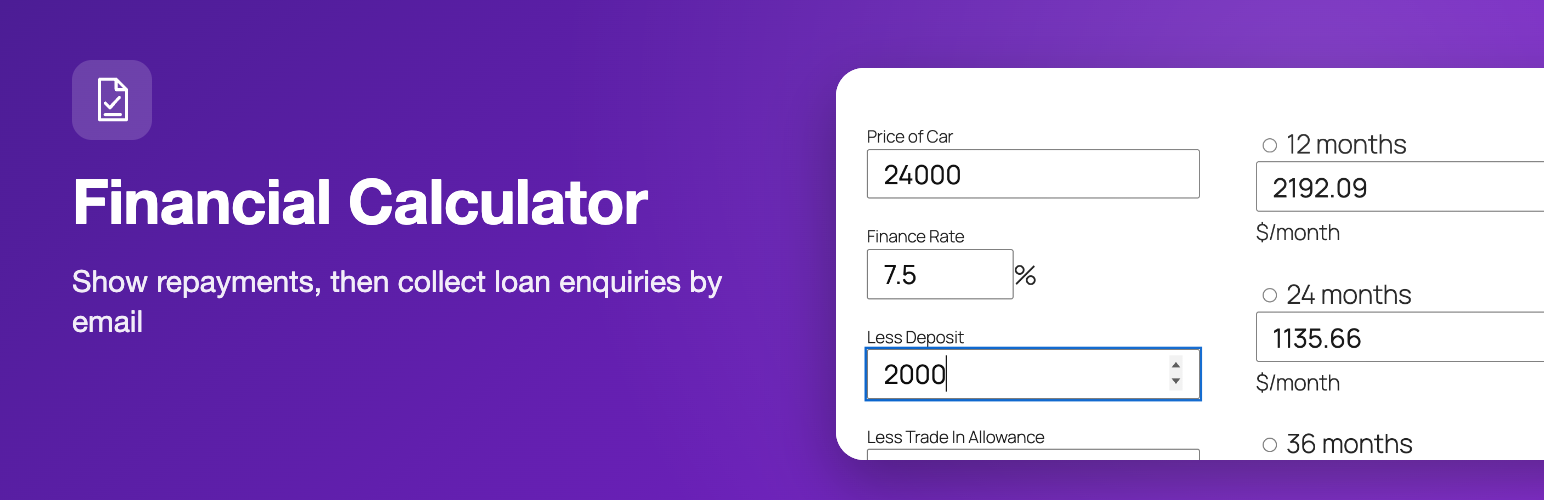
Financial Calculator
Description
The Financial Calculator plugin gives your visitors a loan calculator and a finance calculator that show indicative repayments instantly, without a page reload. Add an optional application form and they can send a finance enquiry to you straight from the same page. It suits car dealers, brokers, lenders and any site that offers loans or finance.
There are two calculators. Add them with the Financial Calculator block in the block editor (choose finance or loan in the block sidebar), or with a shortcode for each: a finance calculator for vehicle-style finance (price, deposit, trade-in, rate) and a loan calculator that offers a list of loan types and rates that you define.
Loan calculator features
- Finance calculator: price, finance rate, deposit and trade-in allowance, with monthly payments shown for 12, 24, 36, 48, 60 and 72 months and the total cost of the credit
- Loan calculator: choose a loan type, enter the loan amount and the repayment period in years, and see weekly, fortnightly and monthly payments, total repayment and total interest
- Optional finance application form that is sent by email to the address you set
- Settings page for the default finance rate, application email address, currency code and symbol, and the list of loan types and rates
- Show or hide the application button
- Shortcode attributes to override the rate or fix the price
- Gutenberg block with a live preview, plus the
[finance_calculator]and[loan_calculator]shortcodes - Calculates in the browser, so results appear immediately
How to add the loan calculator
In the block editor click the “+” button, search for “Financial Calculator” and add the block. In the block sidebar choose the finance calculator or the loan calculator and, if you like, set a rate and a fixed price. Or add one of the shortcodes to a page or post:
[finance_calculator]

[loan_calculator]
Override the default rate for one calculator, or fix the price:
[finance_calculator rate="9.9" price="16000"]
Use digits only in the price (16000, not 16,000). Then open the Finance Calculator settings page in the admin area to set the default rate, application email, currency and, for the loan calculator, the loan options in the format name|percentage,name|percentage, for example Motor Loan|7.9,Standard Loan|9.
Use cases
- Car finance and dealership websites
- Loan brokers, lenders and credit unions
- Personal, motor and other loan enquiry pages
- Blogs and comparison sites that want an indicative repayment calculator
Please note
The figures are indicative only and are not a loan offer.
Installation
- Upload to your plugins folder, usually
wp-content/plugins/ - Activate the plugin on the plugin screen.
- Configure the plugin.
Note: Upgrading from 1.x to 2.x will automatically deactivate the plugin. Head over to your Plugins section and reactivate it.
Screenshots

Repayment options calculated from the price, deposit and finance rate.
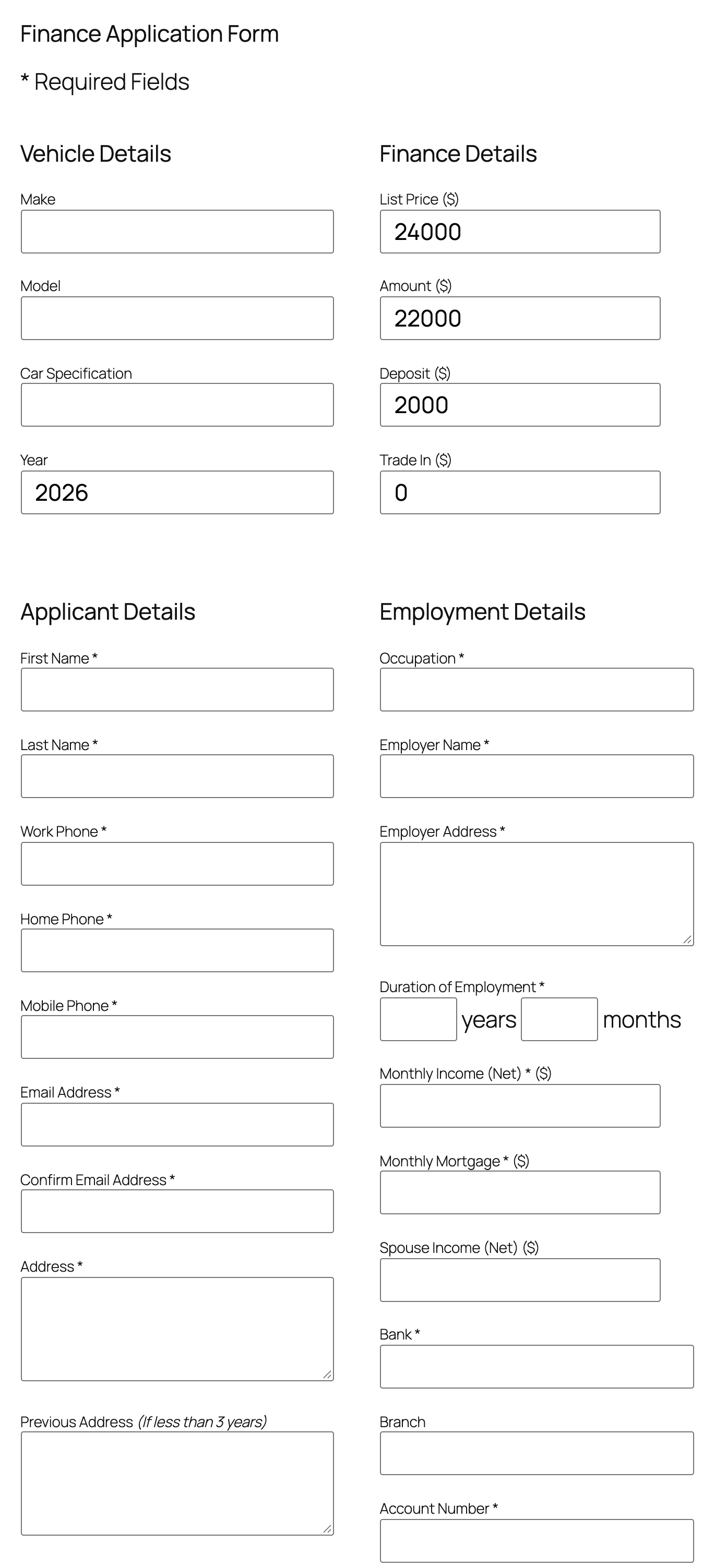
The finance application form shown after the calculation.
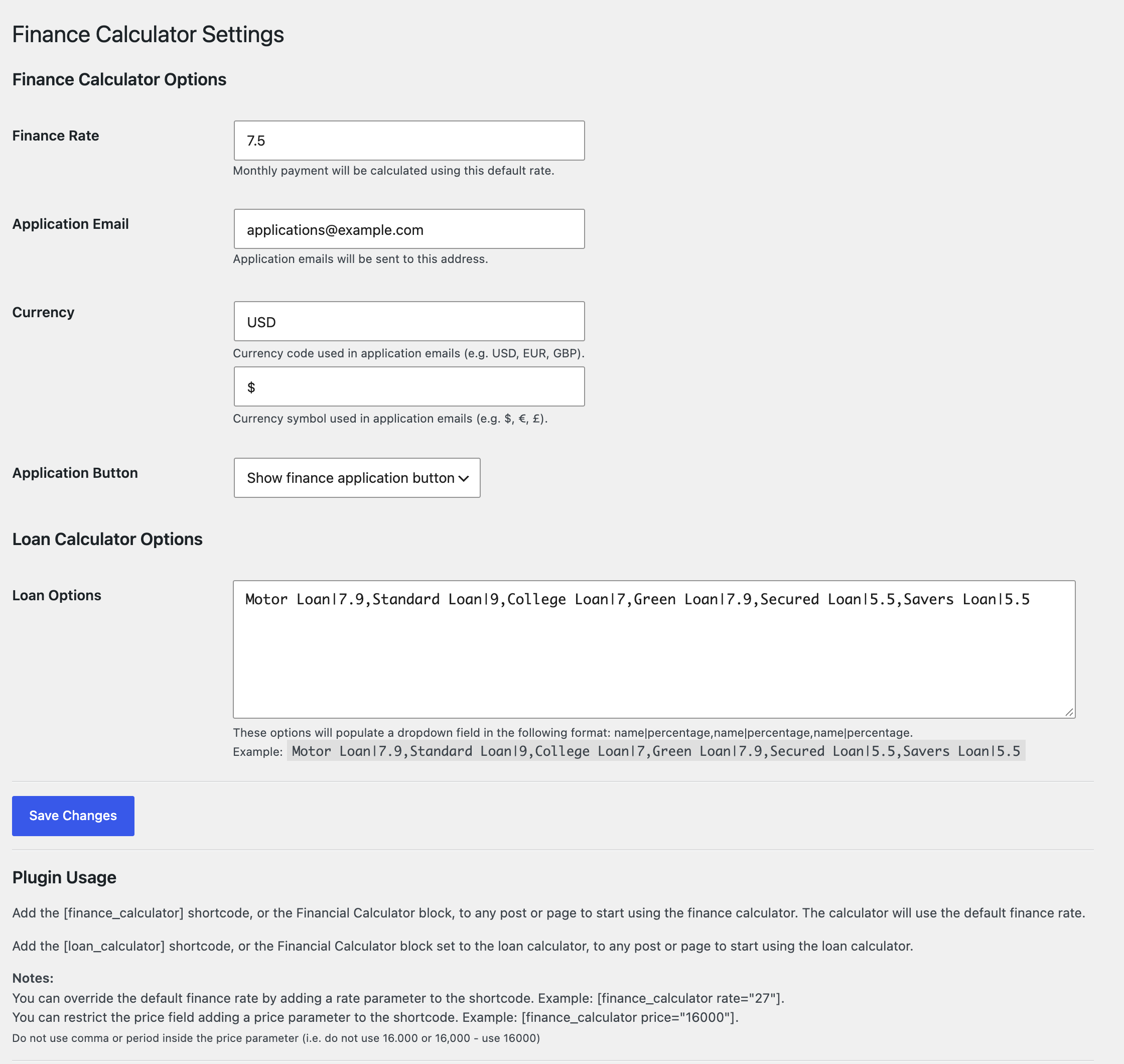
The settings page: finance rate, application email, currency and loan options.
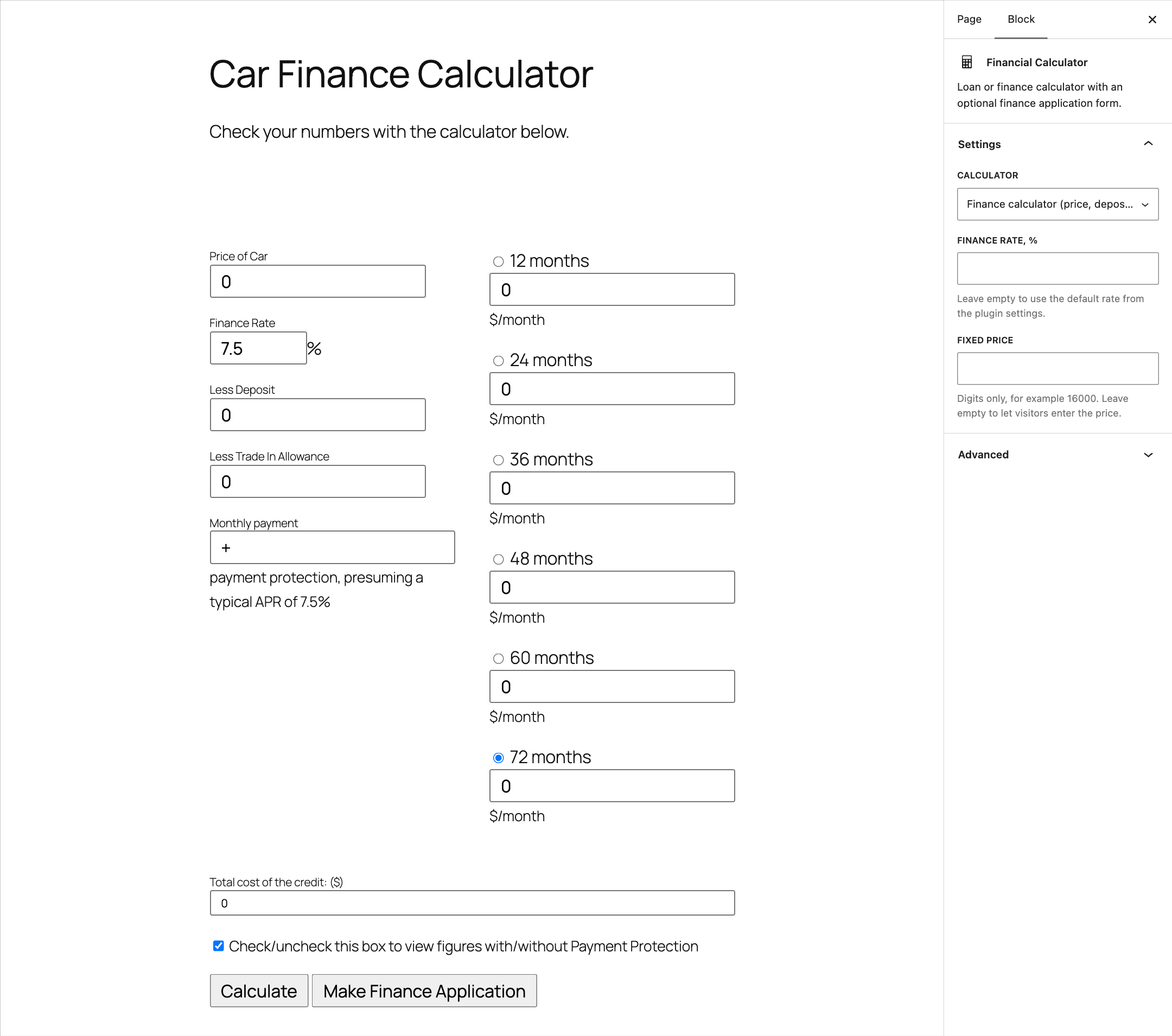
The Financial Calculator block in the block editor, with its settings in the sidebar.

Faq
How do I add the loan calculator to a post or page?
Add the Financial Calculator block in the block editor and pick the loan calculator or the finance calculator in the sidebar. Or put the [loan_calculator] or [finance_calculator] shortcode in the body of the post or page.
What is the difference between the loan calculator and the finance calculator?
The loan calculator lets the visitor pick one of your loan types, enter an amount and a period in years, and shows weekly, fortnightly and monthly payments. The finance calculator works from a price, a deposit and a trade-in allowance and shows monthly payments for 12 to 72 months, with an optional application form.
Where are the application submissions sent?
They are sent by email (using WordPress’ wp_mail function) to the address you enter under Application Email on the plugin’s settings page. The applicant’s email address is used as the Reply-To address.
Are submissions stored in the WordPress database?
No. The plugin sends the application by email and does not save it in the database. Because the form collects personal details, make sure your site has a privacy notice and that you handle the emails you receive in line with the data protection rules that apply to you.
Can I change the interest rate and the loan types?
Yes. Set the default finance rate in the settings, or override it per page with the rate attribute, for example [finance_calculator rate="7.5"]. For the loan calculator, enter your own loan types and rates in the Loan Options box, in the format name|percentage,name|percentage.
Can I hide the application form?
Yes. In the settings choose “Hide finance application button”. The calculator then works on its own.
Is it suitable for car finance and personal loans?
Yes. The finance calculator is built around a price, deposit and trade-in allowance, which suits vehicle finance, and the loan calculator lets you define loan types such as motor or personal loans. Results are indicative repayments, not a loan offer.
Reviews
TERRIBLE
By  carsnz on February 6, 2021
Does exactly what it says on the tin!
By  Theonlytexaspete on September 26, 2017
Changelog
2.3.1
- Fixed: the calculator layout overlapped on block themes.
2.3.0
- Gutenberg block “Financial Calculator”: finance or loan calculator, optional rate and fixed price, live preview in the editor.
- Translation-ready: the settings page can now be translated on translate.wordpress.org.
- A review reminder in the admin after two weeks, dismissible.
- Removed the old promo box from the settings page and its admin stylesheet, which loaded on every admin screen.
2.2.4
- Security: nonces on the calculator and application forms, all request input unslashed and sanitized, application email values escaped.
- The applicant’s address is sent as Reply-To instead of a spoofed From header.
- Fix a fatal error when the application form was submitted twice in one request; shortcodes return output instead of echoing it.
- Text domain matches the plugin slug.
2.2.3
- Security: escape shortcode attributes and form values (CVE-2024-11783), add a nonce and capability check to the settings page.
2.2.2
- Tested with WordPress 7.1. Outbound credit links now carry rel=”nofollow”.
2.2.1
- UPDATE: Updated WordPress compatibility
2.1.9
- UPDATE: Updated WordPress compatibility
2.1.8
- UPDATE: Updated WordPress compatibility
2.1.7
- FIX: Fixed PHP 8 issue with string to array conversion
- FIX: Fixed issue with duplicate field
- UPDATE: Updated PHP requirements
- UPDATE: Updated WordPress compatibility
- UPDATE: Added block editor form preset (columns)
2.1.6
- UPDATE: Updated form structure
- UPDATE: Updated dashboard/settings UI
- UPDATE: Removed dashboard/settings CSS
- UPDATE: Started form refactoring by using arrays
2.1.5
- FEATURE: Added 72 month period
- UPDATE: Updated WordPress compatibility
2.1.4
- UPDATE: Updated PHP requirements
- UPDATE: Updated WordPress compatibility
2.1.3
- UPDATE: Removed Google+ integration
- UPDATE: Updated PHP requirements
- UPDATE: Updated WordPress compatibility
2.1.2
- UPDATE: Removed hardcoded styling (allow theme to style form fields)
- UPDATE: Removed getButterfly logo
- UPDATE: Removed empty folder
2.1.1
- UPDATE: Updated WordPress compatibility
2.1.0
- FIX: Fixed date of birth year going forward to 2000 only
- FIX: Fixed several fields maxlength
- UPDATE: Added bank sort code field
- UPDATE: Added time with bank field
2.0.2
- FIX: Fixed wrong function name (admin style assets)
2.0.1
- FIX: Fixed copyright name
- FIX: Fixed wrong version number
- UPDATE: Updated JavaScript file name
2.0.0
- FIX: Added missing option init
- UPDATE: Updated plugin name for internationalization
- UPDATE: Updated screenshots
- UPDATE: UI tweaks
- UPDATE: Added finance application option (show/hide)
- UPDATE: Added basic form styling (optional)
- SECURITY: Better server security
1.7.2
- UPDATE: Updated settings panel
1.7.1
- FIX: Removed hardcoded calculator description
- FIX: Removed an eval() expression
- UPDATE: Updated readme.txt
- UPDATE: Removed author credit (it’s not good practice)
1.7
- UPDATE: Compatibility/authorship update
1.6.3
- UPDATE: Removed old donation link
- UPDATE: Updated WordPress compatibility
1.6.2
- UPDATE: Allowed decimals for finance rates
1.6.1
- UPDATE: Updated old links
- UPDATE: Updated license
1.6.0
- FIX: Removed unused/broken function to change mail sender
- FIX: Removed textdomain loading as per WordPress 4.6+ specifications
1.5.7
- UPDATE: Updated WordPress compatibility
- UPDATE: Updated author links
1.5.6
- UPDATE: Updated WordPress compatibility
1.5.5
- UPDATE: Updated WordPress version
- UPDATE: Updated translations (default plurals)
- UPDATE: Updated plugin URL
- UPDATE: Added help and support links
- SECURITY: Sanitized options
- FIX: Fixed empty variable
1.5.3
- Added better email headers
1.5.2
- Added donate link
- Added license link
1.5.1
- Tested compatibility with WordPress 3.8-beta-1
1.5
- Added a loan calculator
- Changed slug name due to conflict with other themes and plugins
- Changed option saving method
1.4.2
- Added default values for finance rate and currency
- Added translation engine (the plugin is now translatable, en_US and en_GB are included)
- Updated default options (WordPress specific code)
- Updated options form with HTML5 valid fields
- Updated plugin name and description for less ambiguity
- Fixed some English phrases and typos
- Removed page title due to duplication (both page title and form title are the same)
- Removed Javascript minification due to low ratio (14%) and potential conflict with caching plugins
- Removed occupations dropdown and replaced with text input (better for language locales)
1.4.1
- Added price option (shortcode parameter)
- Removed a useless JS line and calculation
- Tested with WordPress 3.5
1.4
- Added variable/modifiable finance rate
- Added author credit option
- Validated compatibility with version 3.4
1.3.7
- Updated author links
- Validated compatibility with version 3.3
1.3.6
- Updated author links
- Small backend UI changes
1.3.5
- Changed author URL address
1.3.4
- Fixed a large string issue in occupations list
- Fixed a URL/directory detection function (replaced with WordPress specific function)
- Fixed several typos
- Removed several unused parameters
- Removed a deprecated capability function
1.3.3
- Changed name of email sender in application form instead of using the default “[email protected]” (thanks @RedBlood)
- Changed email headers to be actually sent as text/html
1.3.2
- Added a new plugin path detection and fixed some more WordPress configurations
- Users can now override the default finance rate in the shortcode
1.3.1
- Fixed a wrong path issue
1.3
- Updated the readme.txt file in the /docs/ folder with more information
- Fixed XHTML code which invalidated strictness
- Tested the plugin with WordPress 3.1
- Removed old PHP code from index.php
- Removed an invalid attribute from the occupations list
1.2
- Added uninstall function
- Added license file
- Fixed screenshot order
- Rewritten the readme.txt file for consistency
1.1
- Added new features
- Added administration section
- Added possibility of modifiying rates and application email.
- Fixed typos
- Optimized scripts
1.0
- First release