

ShapedGallery – Photo Gallery, Image Gallery, Video Gallery & Lightbox
Description
Create beautiful image galleries with ShapedGallery’s visual layout picker. Build justified, grid, masonry and video galleries without writing a line of code. It’s made for photographers, designers, bloggers, agencies and anyone who wants a fast, responsive gallery on their WordPress website.
ShapedGallery makes building a photo gallery simple. Pick a layout, add images from your Media Library, style it in the live preview, and publish. What you see in the editor is what your visitors get, on desktop, tablet and mobile.
Live Demo | Documentation | Support | Upgrade to Pro!
The Fast, Block-First WordPress Gallery Plugin
Most gallery plugins make you work in a separate settings screen and guess how the result will look. ShapedGallery works inside the WordPress block editor you already use. Add the ShapedGallery block, choose a layout, and you’re looking at your finished gallery right away.
Every gallery is rendered on the server as clean HTML. Your images load with the rest of the page instead of jumping into place a moment later, and search engines can read your images, titles and captions like any other content. Pages without a gallery load none of the plugin’s files at all, so your site stays fast.
Why Choose ShapedGallery?
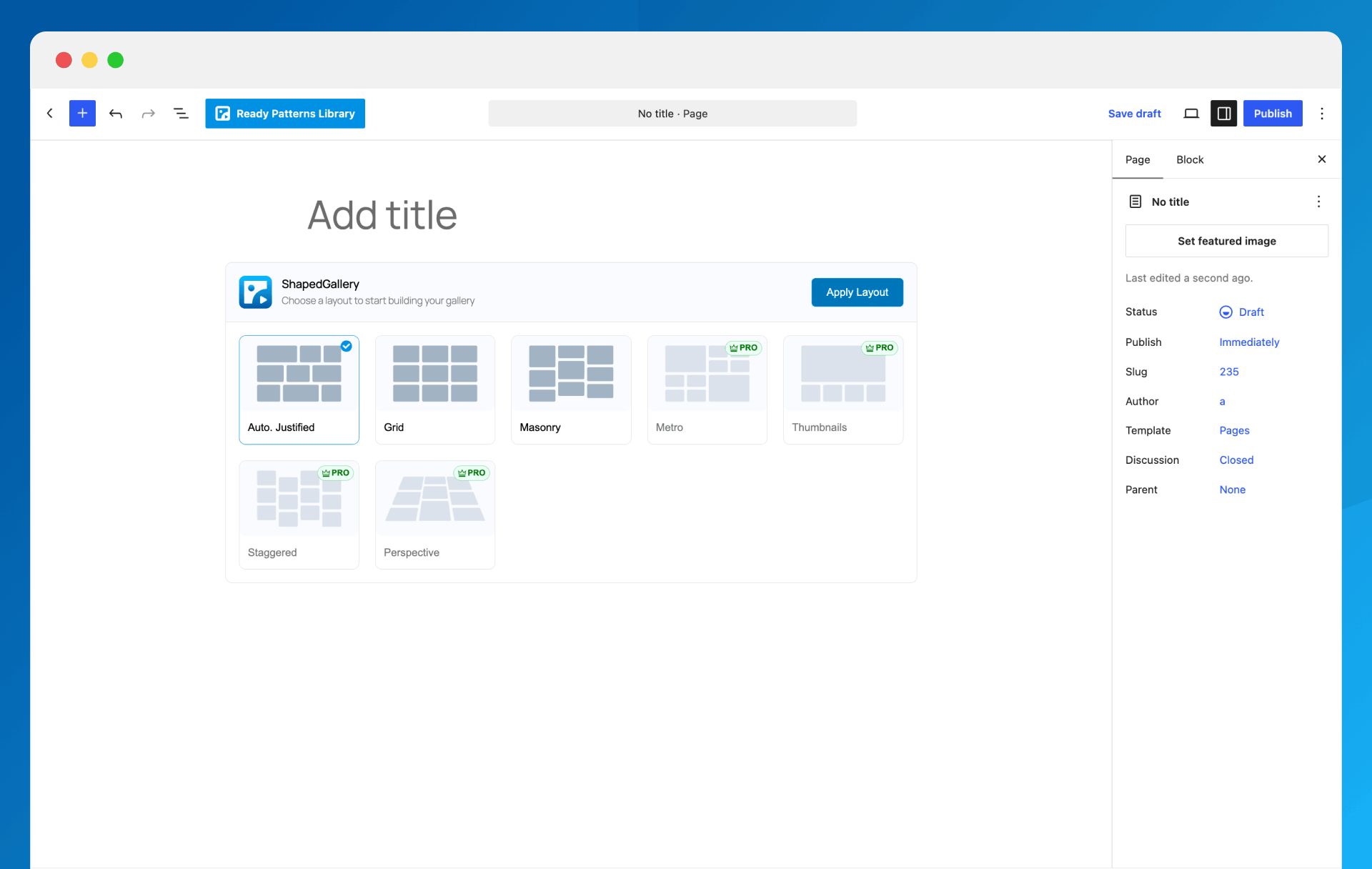
✅ Visual layout picker – See every gallery layout before you choose it, then switch layouts any time without re-adding images.
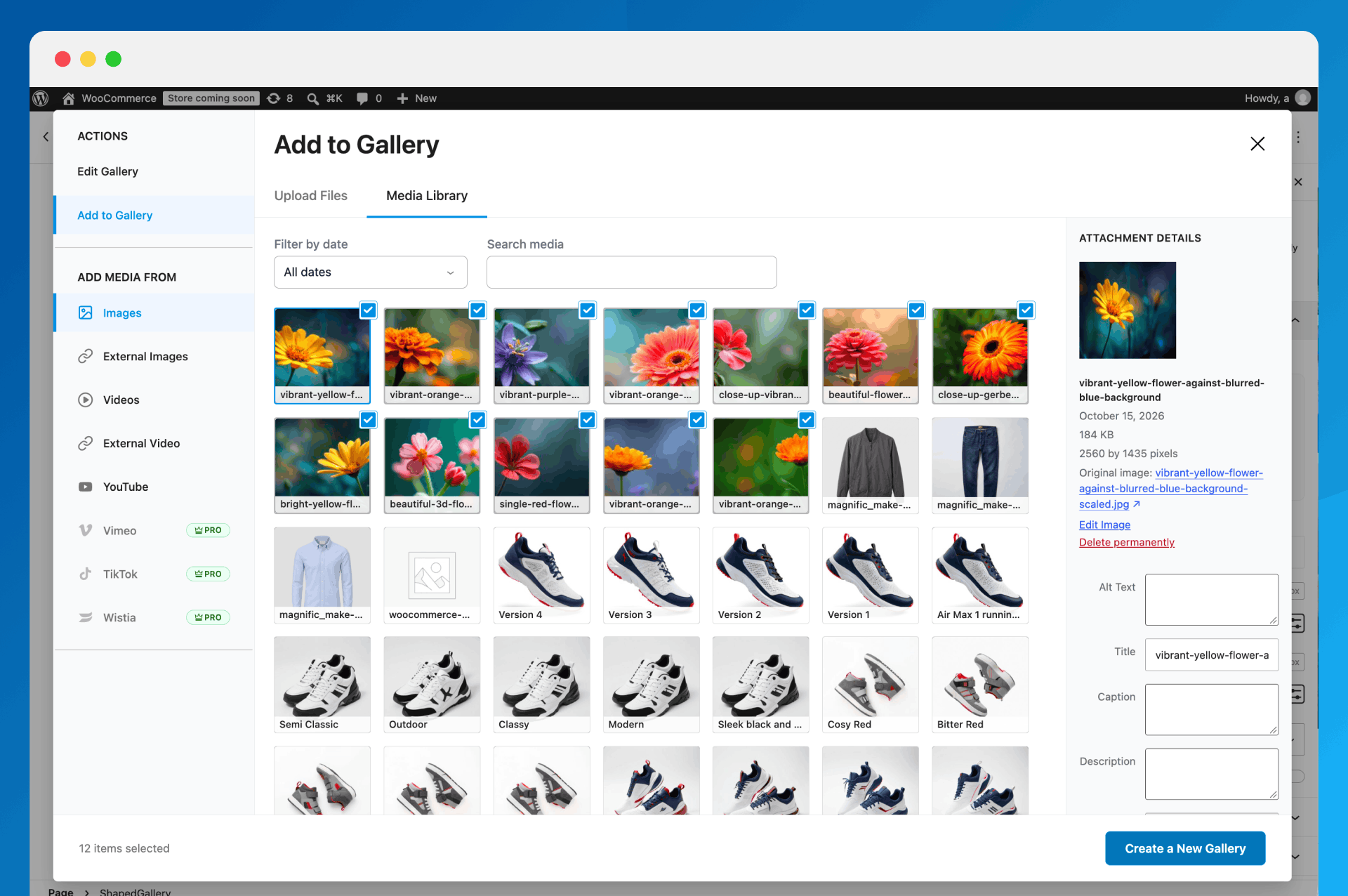
✅ Media Library first – Build galleries from the photos and videos you’ve already uploaded.
✅ Ready Patterns – Start from a professionally designed gallery with one click.
✅ Built-in lightbox and video player – A modern, mobile-friendly lightbox for your images, and videos that play right in the gallery or in their own popup.
✅ Build once, use anywhere – Every gallery gets a shortcode. Edit it once and it updates on every page.
✅ Lightweight and fast – Scripts load only where a gallery appears.
✅ Works with your page builder – Elementor, Divi, Bricks, Oxygen, Beaver Builder and WPBakery.
Responsive Gallery Layouts
Justified Gallery
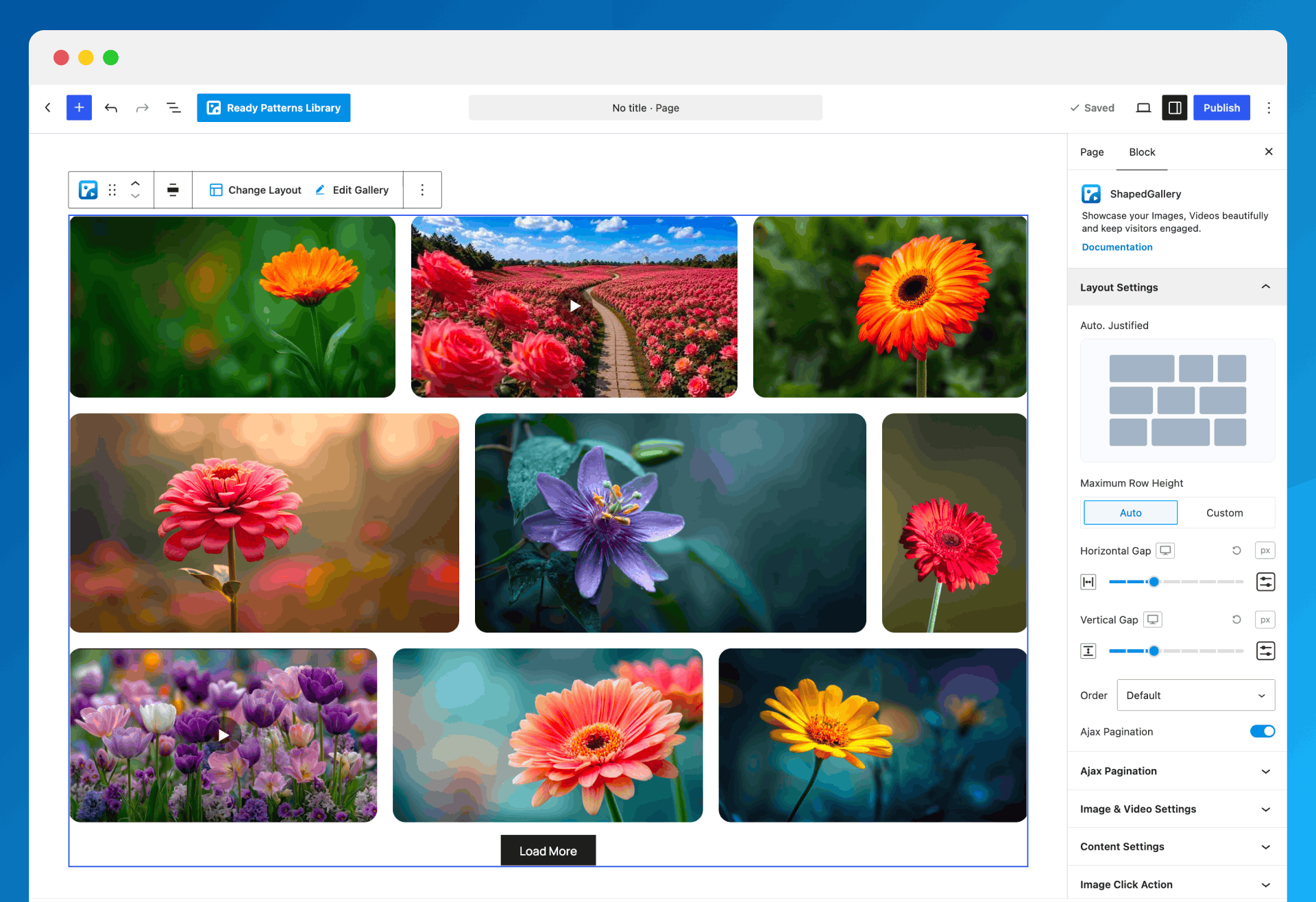
Rows of equal height with image widths balanced so every row fills the space edge to edge. The best choice for photographs of mixed sizes and orientations, and nothing gets cropped.
Grid Gallery
Equal tiles in a set number of columns. A clean, tidy look for portfolios, products, team photos and logos.
Masonry Gallery
Pinterest-style columns of different heights with the gaps closed, so tall and wide images sit together naturally.
Every layout is fully responsive. Set columns and spacing separately for desktop, tablet and mobile so your gallery looks right on every screen.
Ready Patterns: Start With a Designed Gallery
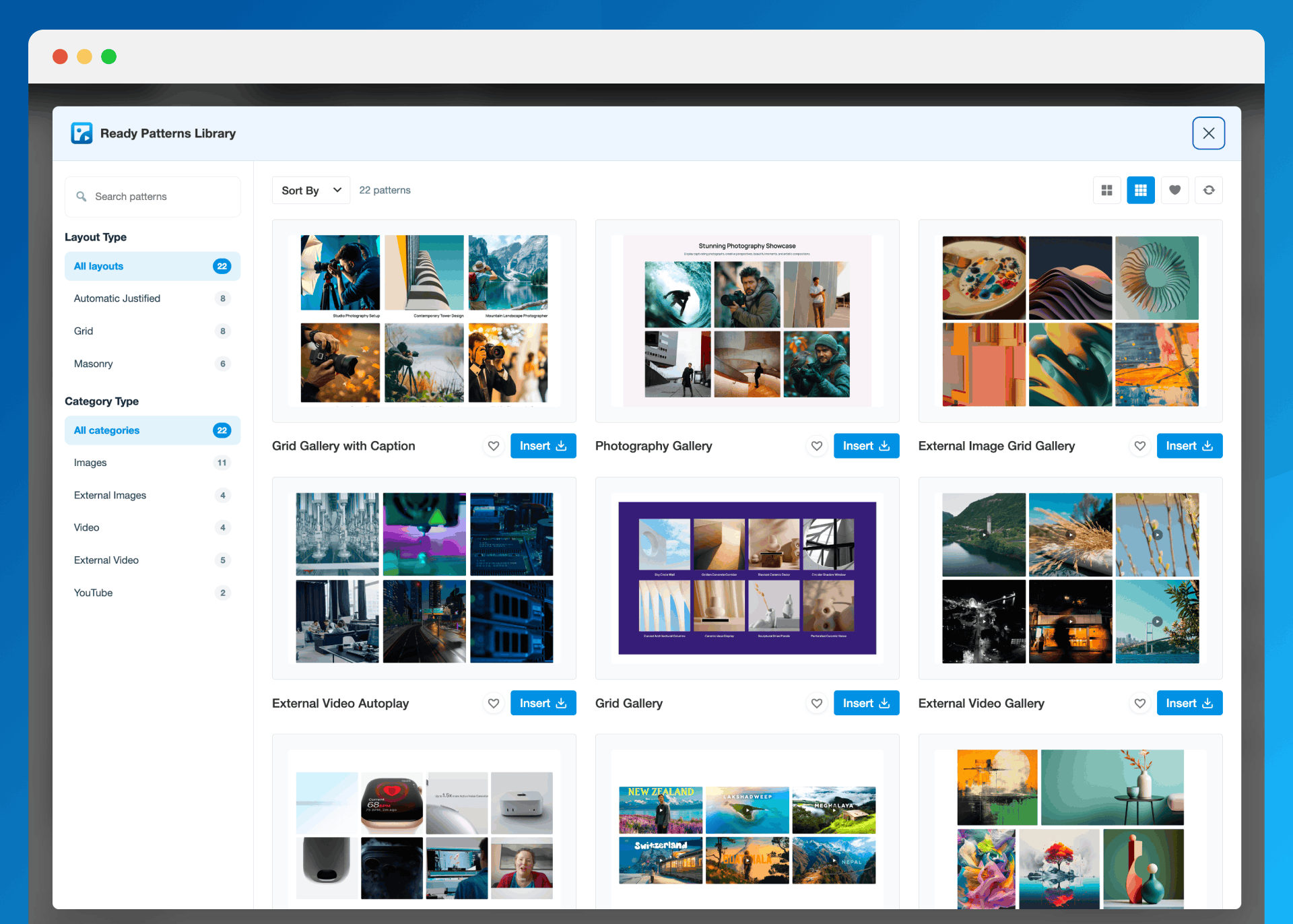
Not sure where to begin? Open the Ready Patterns library, preview a design, and insert it with one click. Patterns are grouped by layout, and each one stays fully editable, so you just swap in your own photos. You can open the library from the block toolbar, the editor header or the dashboard.
Video Gallery Support
Mix photos and videos in the same gallery, or build a video gallery on its own. Add:
- Videos from your Media Library
- External videos by URL
- YouTube videos
Choose how videos play with Video Play Mode: right inside the gallery tile, or in a dedicated video popup with its own player. Either way, videos keep out of the image lightbox, so a slideshow of your photos is never interrupted by a clip.
Built-in Lightbox Gallery
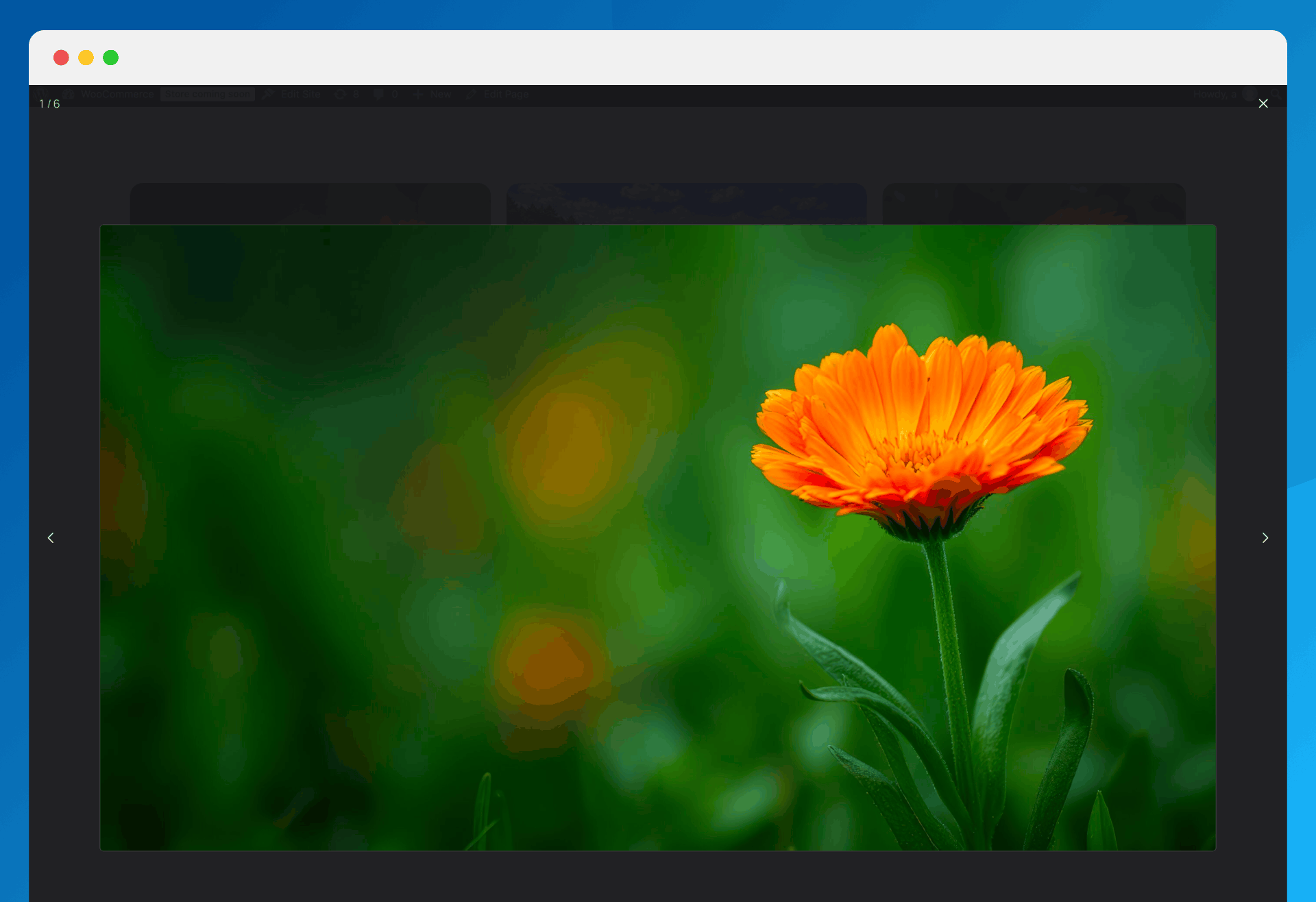
Let visitors view your photos full size without leaving the page. The lightbox is built on the browser’s own <dialog> element, so it’s fast and accessible:
- Zoom and pan on desktop, pinch and swipe on phones and tablets
- Image counter
- Keyboard navigation with arrow keys, and Escape to close
- Loads only on pages where a gallery opens it
Customize Your Gallery Design
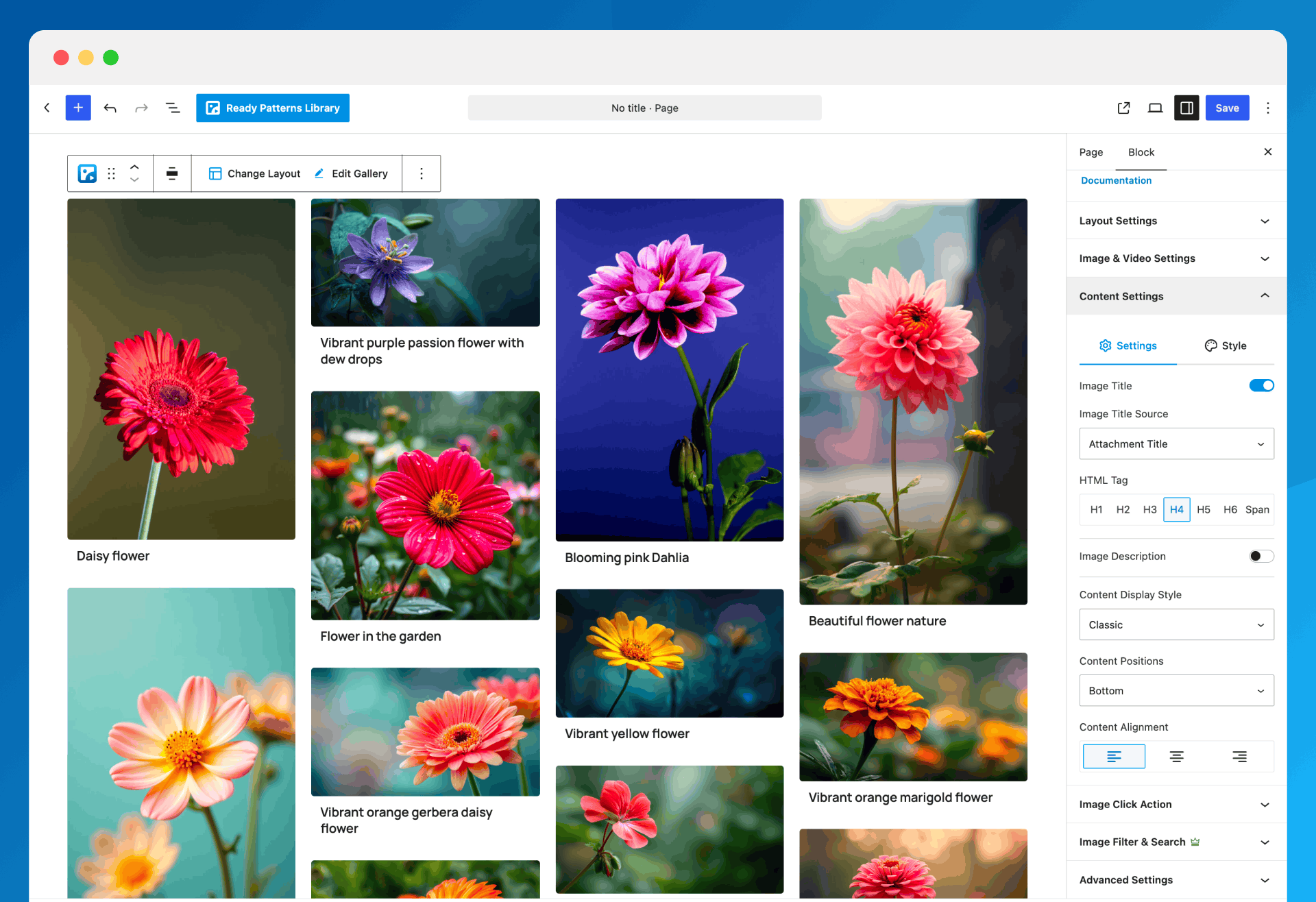
- Titles and descriptions pulled from each image’s title, caption or description
- Classic or overlay caption styles with full typography control
- Border, rounded corners and box shadow for each image, in Normal and Hover states
- Choose the image size: thumbnail, medium, large or full
- Default or random image order
- Click action per gallery: open the lightbox, follow a link, or do nothing
Built for Speed and SEO
- Server-rendered, search-engine-friendly gallery markup
- Lazy loading for images
- Gallery output caching with an adjustable timeout and one-click cache clearing
- Scripts and styles load only on pages that need them
- Ajax Load More button to split big galleries into smaller chunks
Private and Password-Protected Galleries
Share photos with only the right people. Each gallery can be public, private or password-protected, which is handy for client galleries, event photos and member-only content.
Works With Gutenberg and Popular Page Builders
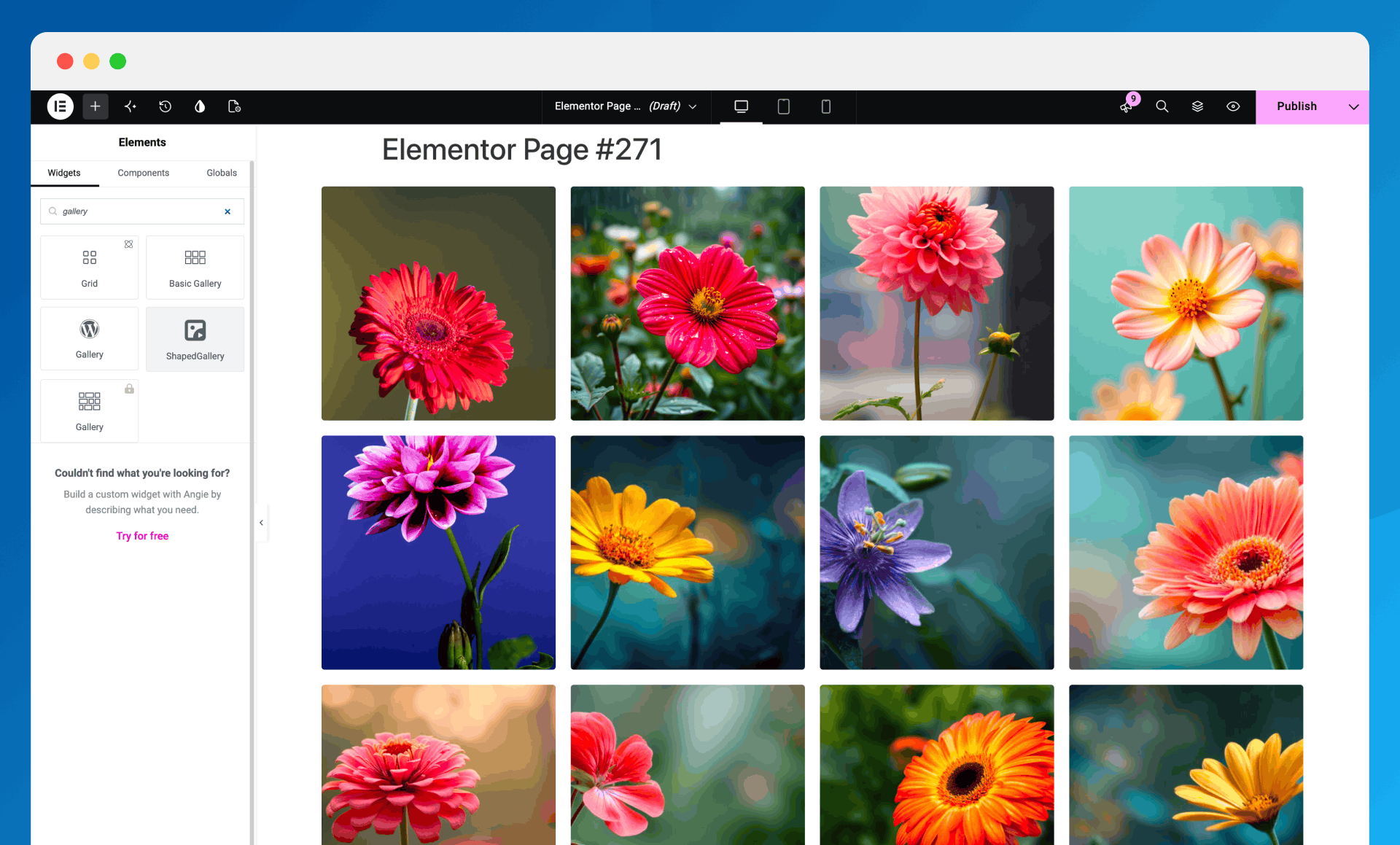
ShapedGallery is a native Gutenberg block. Every saved gallery also has a shortcode you can use in the Classic Editor, widgets and theme templates. Dedicated elements are included for:
- Elementor
- Divi
- Bricks
- Oxygen
- Beaver Builder
- WPBakery
Elementor is on by default. Turn on the others in ShapedGallery Settings Integrations.
Full Feature List (Free)
- Visual gallery layout picker with live preview
- Justified, grid and masonry gallery layouts
- Responsive columns and spacing for desktop, tablet and mobile
- Ready Patterns library with one-click insert
- Image and video galleries from the Media Library
- External images and videos by URL, plus YouTube videos
- Built-in lightbox with zoom, pinch, swipe and keyboard support
- Video Play Mode: play videos inline in the tile or in a popup player
- Image Custom URL – link any image to a page, product or external website
- Ajax pagination with a customizable Load More button
- Image titles and descriptions with typography controls
- Per-image border, radius and shadow for Normal and Hover states
- Hide a gallery on desktop, tablet or mobile
- Public, private and password-protected galleries
- Lazy-loaded images and gallery caching
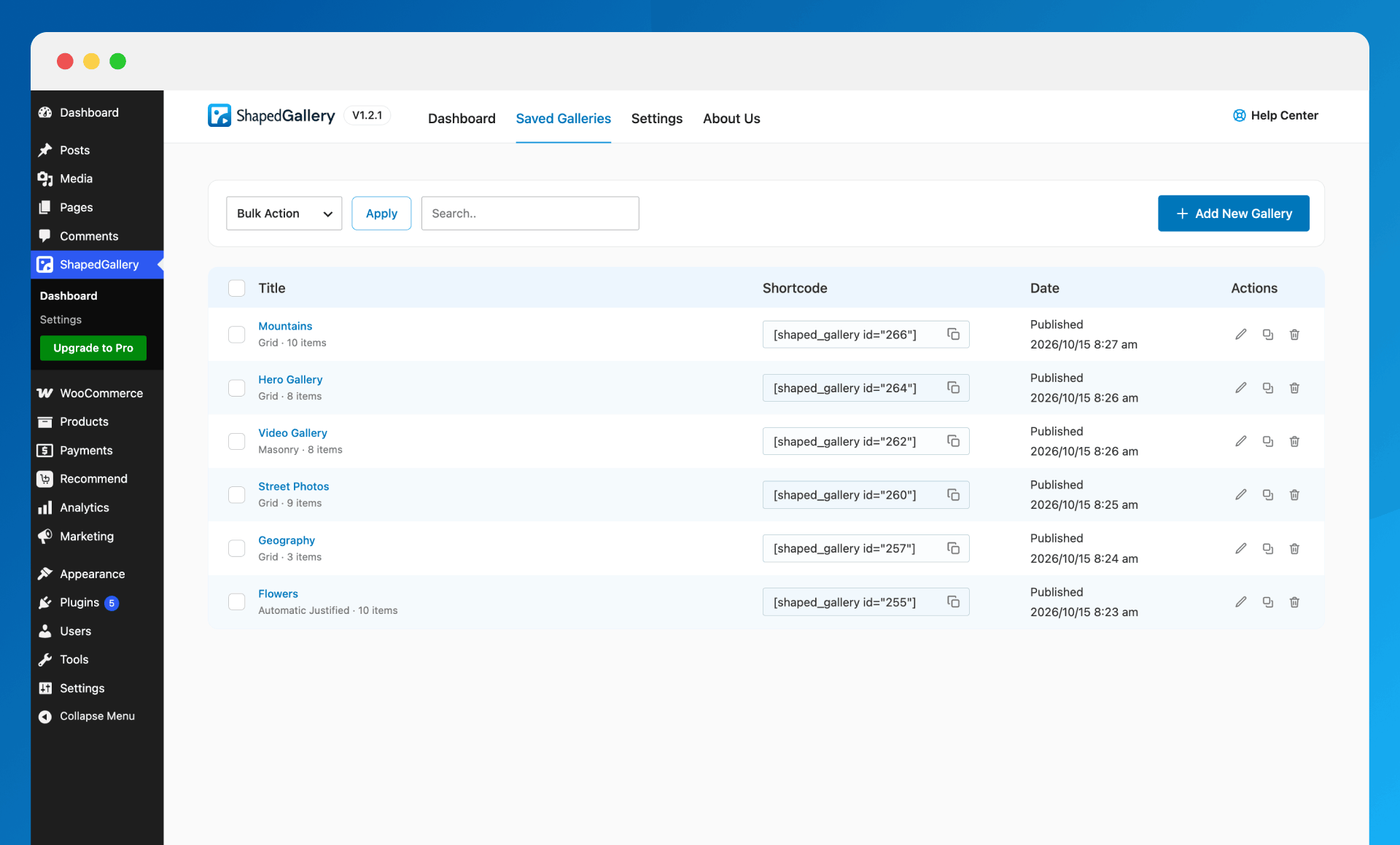
- Saved Galleries dashboard with search, copy shortcode, duplicate and bulk actions
- Turn modules (Lightbox, Image Custom URL, Ready Patterns) on or off site-wide
- Multisite support
- Translation-ready and accessible, with full keyboard support
Installation
Minimum Requirements
- WordPress 6.8 or later
- PHP 8.1 or later
On an older PHP version the plugin shows a notice instead of causing a fatal error.
Automatic Installation (Easiest Way)
- In your dashboard, go to Plugins Add New.
- Search for ShapedGallery.
- Click Install Now, then Activate.
Manual Installation
- Download the plugin zip.
- Go to Plugins Add New Upload Plugin, choose the zip and click Install Now — or upload the unzipped
easy-lightbox-wpfolder to/wp-content/plugins/. - Activate the plugin through the Plugins screen.
Getting Started
- Go to ShapedGallery Dashboard and click Create New Gallery — or click Use Ready Patterns to start from a design.
- Alternatively, add the ShapedGallery block to any post or page.
- Pick a layout, add your images and videos, and publish.
- To show a saved gallery elsewhere, copy its shortcode —
[shaped_gallery id="123"]— from Saved Galleries.
Screenshots

Choose from multiple gallery layouts: grid, masonry, justified, and more
Auto Justified layout for clean, evenly aligned rows
Masonry layout with flexible image heights
Customize Media Panel
Fullscreen lightbox with navigation
Ready-made gallery patterns, insert in one click
Save templates and reuse galleries in any page builder
Elementor addon with a drag-and-drop gallery grid
Faq
What is ShapedGallery?
A photo and video gallery builder for WordPress. It creates responsive justified, grid and masonry galleries from your Media Library, with a visual layout picker, Ready Patterns and a built-in lightbox.
Do I have to use the block editor?
To build a gallery, yes — the editor is WordPress’s own, on a hidden gallery post type. To place one, no: every saved gallery has a permanent shortcode you can use in any editor, page builder, widget or template.
Will editing a gallery update it everywhere?
Yes. A page embeds a reference to the gallery, never a copy, so there is no re-sync step.
Can I add videos?
Yes: videos from your Media Library, external videos by URL, and YouTube videos. They play right in the gallery tile, or in a popup player if you set Video Play Mode to Popup.
Is it mobile-friendly?
Yes. Every layout is responsive, with separate desktop, tablet and mobile values for columns and spacing, and the lightbox supports pinch-to-zoom and swipe.
Can I password-protect a gallery?
Yes. Each gallery can be public, password-protected or private.
Does the lightbox load on every page?
No. The viewer is a separate bundle, requested only by a page with a gallery whose click action actually opens it. (The one exception is a site upgraded from Easy Lightbox, where the compatibility mode keeps the old site-wide lightbox working.)
Which page builders are supported?
Elementor, Divi, WPBakery, Oxygen, Beaver Builder and Bricks each have a dedicated element. Elementor is on by default; enable the others in ShapedGallery Settings Integrations. Anywhere else, use the gallery’s shortcode.
I used Easy Lightbox. Will my site break?
No. Existing litebox links, image sets and the automatic lightbox on WordPress’s shortcode keep working through a compatibility mode that is switched on automatically for upgraded sites. Nothing on your site changes until you choose to build a gallery.
Reviews
Nice tool and service
By  finladyhk on October 20, 2026
I purchased their paid plan and ran into an issue during setup. After reaching out to them, their response was extremely fast. I really appreciate their service.
ShapedGallery plugin is super easy to set up recommended!
By  yamada12 on October 16, 2026
ShapedGallery plugin is super easy to set up recommended!
Helped me with Revolution Slider
By  (naeblis) on February 3, 2021
out of date for video embeds
By  rtpHarry on September 16, 2020
It does not work with YouTube
By  pediaf on June 28, 2019
A very good plugin that supports image and video.
By  muzKore (muzoid) on March 29, 2019
Very good
By  only24 on January 30, 2018
Excellent plugin
By  unalignedcoder on September 3, 2016
Changelog
1.2.2 – Oct 21, 2026
- New: Video Popup plays videos in a focused, accessible player.
- Improvement: Redesigned Ready Patterns preview for faster browsing.
- Improvement: Settings panels open one at a time for a cleaner sidebar.
- Improvement: Editor shows only the first page with Ajax Pagination, matching the frontend.
- Improvement: Font Style shows only weights your font supports.
- Improvement: Ready Patterns keep their curated order.
- Change: Lightbox shows images only; videos follow Video Play Mode.
- Change: Description Source defaults to the attachment description.
- Fix: Zero gap was showing as 20px in the editor.
- Fix: Masonry columns overflowing the editor.
- Fix: Stray
alignclass when Alignment is None. - Fix: Tooltips hidden behind module drawers.
1.2.1 – Oct 15, 2026
- Security: YouTube embed URLs restricted to YouTube’s own hosts.
- New: Upload progress per batch in the Upload tab.
- New: Details panel for images and videos added by link.
- New: Pro layouts, video sources and options shown as locked previews.
- Change: Title Source defaults to the attachment caption.
- Fix: Stalled external links never timing out.
- Fix: YouTube Shorts sized as landscape.
- Fix: Missing fonts falling back to the browser default.
- Fix: Random order not shown in the editor.
- Fix: Details panel showing items from another source.
- Fix: Rounded corners lost under Classic captions.
- Fix: Dashboard navigation scrolling out of view.
1.2.0 – Oct 06, 2026
- New: Responsive justified, grid and masonry photo and video galleries from your Media Library, with a visual layout picker.
- New: Ready Patterns — a library of ready-made gallery designs.
- New: A rebuilt lightbox viewer with zoom, pan, pinch and swipe and full keyboard operation, on the browser’s own
<dialog>element. - New: Page-builder elements for Elementor, Divi, WPBakery, Oxygen, Beaver Builder and Bricks.
- New: Ajax pagination, gallery visibility, Image Custom URL and per-image styling.
1.1.4 – Sep 29, 2026
- Fix: Lightbox could open as an unclosable overlay when the clicked element had no image or media link.
- Fix: YouTube videos failed to load because of a retired embed endpoint.
- Fix: Vimeo videos were requested over HTTP and blocked on HTTPS sites.
- Fix: Removed deprecated jQuery calls that relied on jQuery Migrate being present.
- Fix: Keyboard handling no longer removes keyup handlers registered by other plugins or the theme.
- Tested: WordPress 7.1.2 compatibility.
1.1.3 – Sep 28, 2025
- Tested: WordPress 6.8 compatibility.
1.1.2 – Jan 25, 2024
- Tested: WordPress 6.4.2 compatibility.
1.1.1 – May 28, 2022
- Tested: WordPress 6.0 compatibility.
1.1
- Fix: Loading scripts from unauthenticated sources on SSL server.
1.0
- First Release