
Data Tables Generator by Supsystic – Excel-like, WooCommerce & Pricing Tables
Description
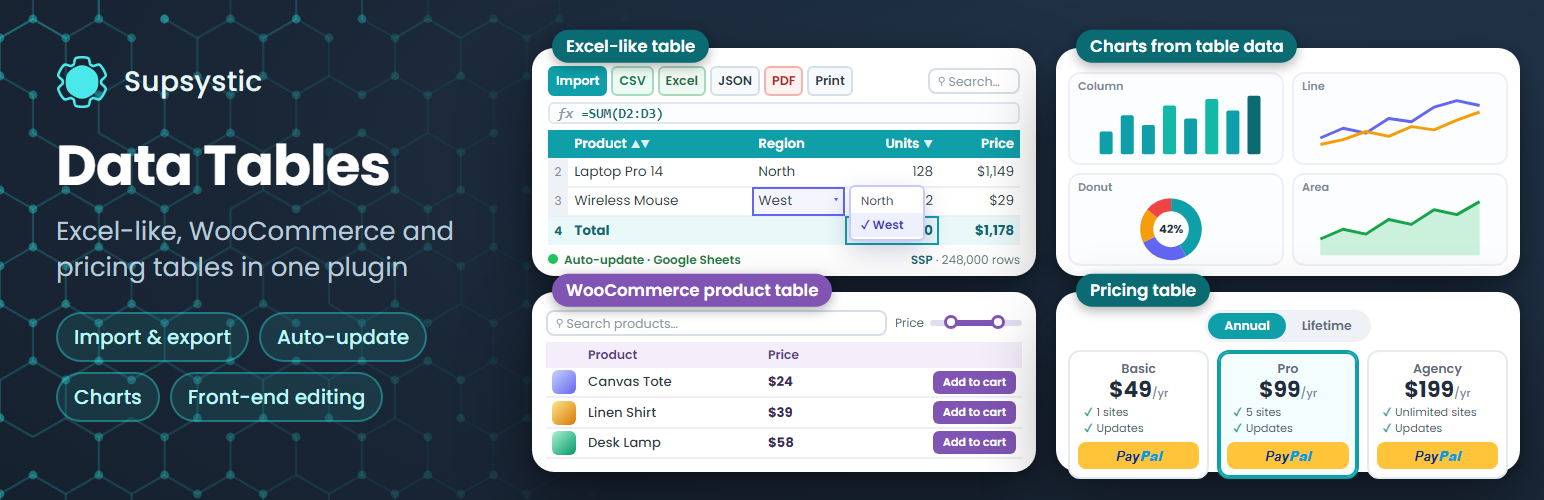
Data Tables Generator by Supsystic is a WordPress table plugin that turns a pasted spreadsheet into a responsive data table your visitors can sort, search and page through. Build the table in a spreadsheet-style editor with Excel-style formulas, style it to match your theme and publish it with a block, an Elementor widget or a shortcode. No code required.
Unlimited tables, rows and columns are free, and large tables stay fast with server-side processing.
Three table types in one plugin
- Excel-like data tables – a spreadsheet editor with formulas, cell formatting and merged cells for any data: price lists, schedules, directories and large datasets.
- WooCommerce product tables – build a searchable, sortable product table straight from your store catalogue.
- Pricing tables – plans and packages on a drag-and-drop canvas with payment buttons, badges and ready-made templates.
All three are created from the same table wizard and added to a page the same way.
Try it in your browser: open a live demo in WordPress Playground – no install, no account.
What you can build
- Price lists, rate cards and comparison tables
- Schedules, timetables, league tables and results
- Staff, member and business directories with photos and links
- Product specifications and catalogues
- Reference tables and datasets with thousands of rows
- WooCommerce product tables built from your store
- Pricing tables for plans, packages and services
A spreadsheet-style table editor
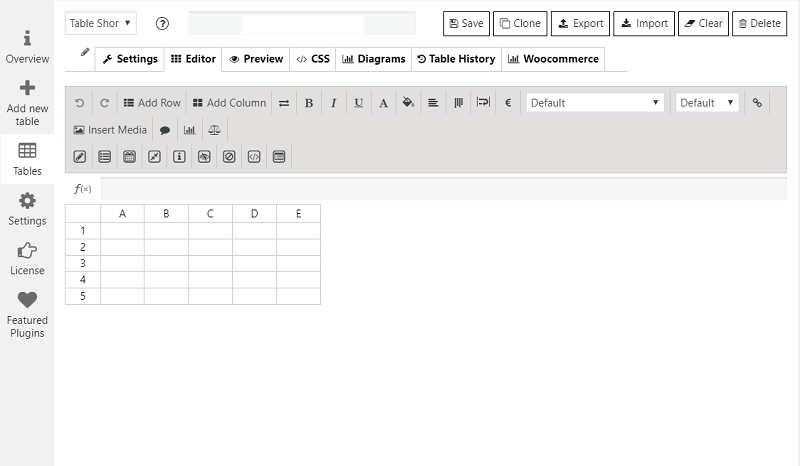
The editor works like Excel or Google Sheets: select cells, copy, paste and fill. Paste a range from a spreadsheet and it lands in the right cells, ready to publish.
- Excel-style formulas such as SUM, AVERAGE and IF
- Cell formatting: colours, borders and alignment
- Merged cells for grouped headers and schedules
- Images, links, video and HTML inside cells
- Column visibility and ordering
- Number, currency, percent and date formats
Sortable, searchable and paginated
Every table gets column sorting, live search and pagination, so a list of two thousand rows is as easy to use as a list of ten.
Responsive tables that work on phones
Choose how each table behaves on small screens: collapse columns, stack rows or scroll. The output is real HTML table markup with keyboard-focusable sortable headers, so your tables stay readable with screen readers too.
Server-side processing (SSP) for large tables
Server-side processing loads big datasets page by page while search, sorting and pagination still work across the whole table. It is included in the free plugin, and users report working with tables of 200,000 rows.
Import, export and auto-update
Paste data straight from any spreadsheet in the free plugin. Pro brings data in from the files and services you already use and keeps it current on its own:
- Import from CSV, Excel (XLSX and XLS), JSON and Google Sheets
- Auto-update from Google Sheets on a schedule
- Scheduled imports from FTP and SFTP servers
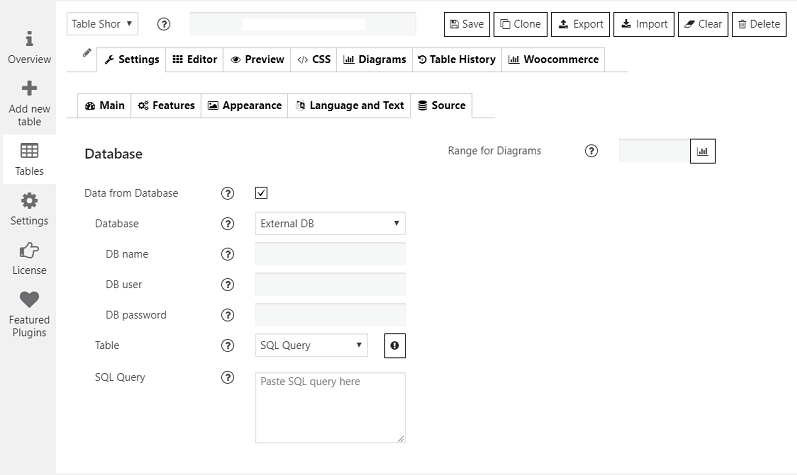
- Tables built from MySQL, PostgreSQL and SQLite queries
- Export to CSV, Excel (XLS and XLSX), JSON and PDF, or print with your logo
- Export buttons for your visitors on the front end
Front-end editing
With Pro, logged-in users or selected roles can update a table right on the page: editable cells, dropdown and date-picker fields, row removal and a marker on the last edited cell. No dashboard access needed.
Charts and graphs
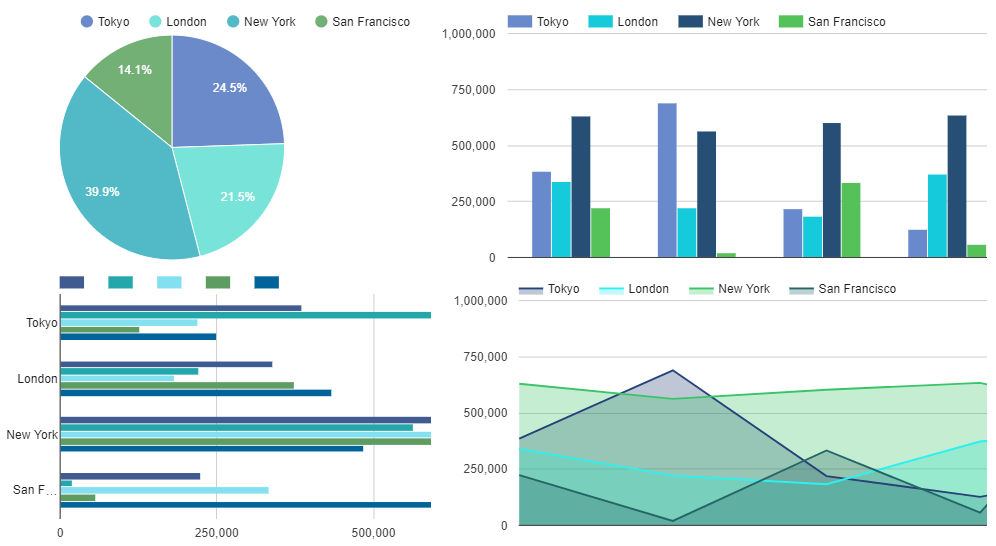
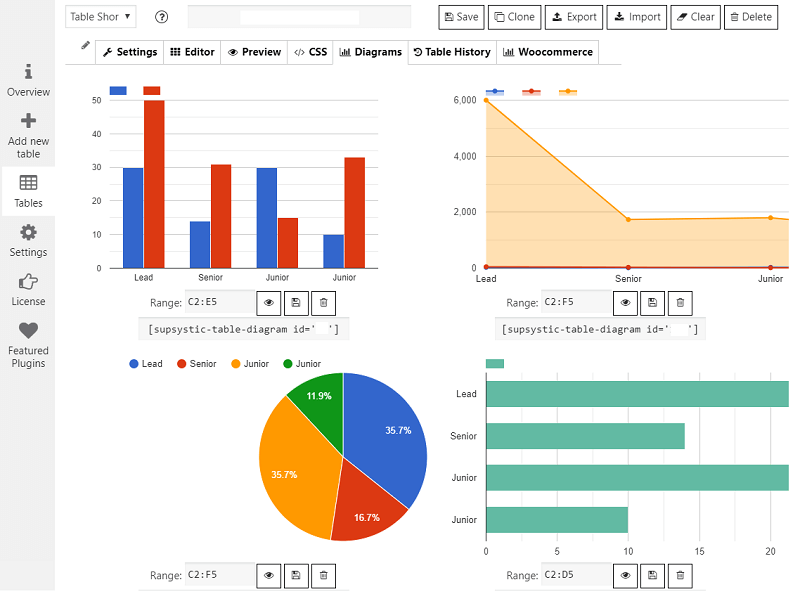
With Pro, turn table rows into line, bar, pie, area and bubble charts that update when the data changes.
WooCommerce product tables
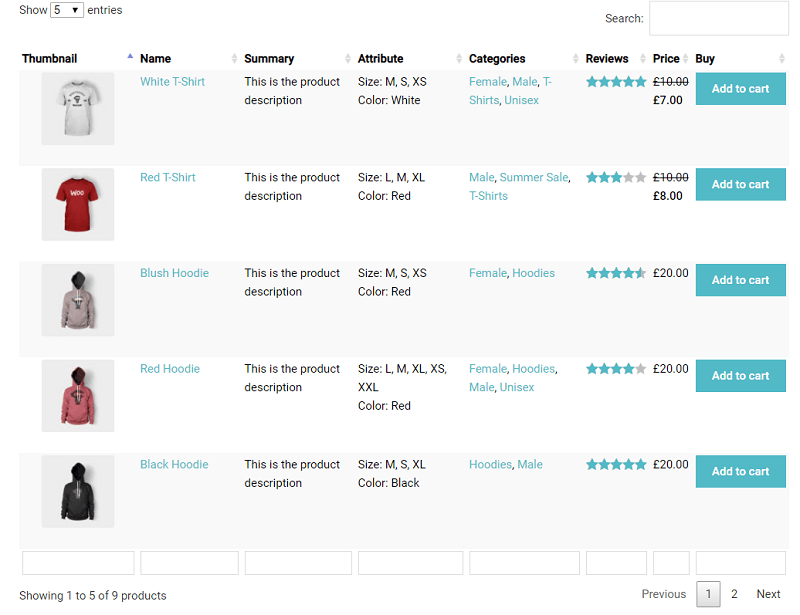
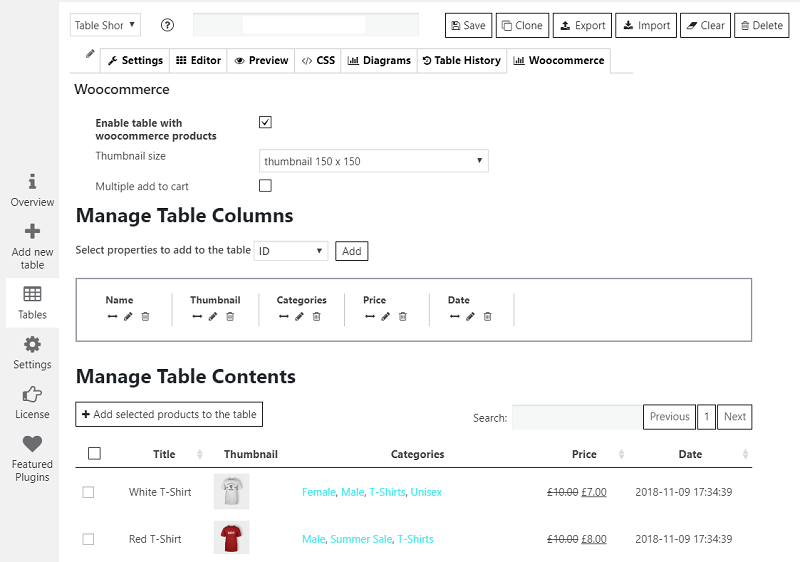
When WooCommerce is active, the table wizard offers a dedicated WooCommerce Product Table. Assign your products, sort the columns and choose a loader to turn the catalogue into a searchable product list.
Pricing tables
A separate table type for plans and packages, built on a drag-and-drop canvas instead of rows of data:
- Plan columns with header, description and footer rows
- Payment buttons linked to PayPal, Stripe, WooCommerce or your own checkout
- Badges and ribbons to highlight a plan
- Icons, images, video and tooltips in cells
- Hover animation, comparison layouts and ready-made templates
Ask AI about your tables
Data Tables Generator includes its own MCP server. Connect ChatGPT, Claude, Gemini, Copilot, Cursor or any assistant that supports MCP and ask about your tables in plain language: “What is the average in column B?”, “Which rows are below 10?”, “Summarise this table.” Reading and analysing tables with AI is free.
Use your tables anywhere
- Gutenberg block, Elementor widget and shortcode
- Works with WPBakery, Divi and other page builders through the shortcode
- One table on many pages: edit it once and every copy updates
- Custom CSS per table for advanced styling
- REST API to read and write table data as JSON
Data Tables Generator Pro
Besides import, export, auto-update, front-end editing and charts, Pro adds:
- Conditional formatting that colours cells by value
- Collapsible rows, tooltips and an image lightbox
- Table history to restore an earlier version
- WooCommerce product table filters, categories, design templates and export
- Monthly and yearly price switch for pricing tables
- Control over which user roles can manage tables
- Create and edit tables with AI (separate add-on)
Learn more
Installation
- In your dashboard go to Plugins Add New Plugin and search for “Data Tables Generator by Supsystic”.
- Click Install Now, then Activate.
- Open the Data Tables menu and click Add New Table. Choose Data Table, WooCommerce Product Table or Pricing Table.
- Type or paste your data, adjust the settings and save.
- Add the table to a page with the block, the Elementor widget or the shortcode shown above the editor.
Screenshots

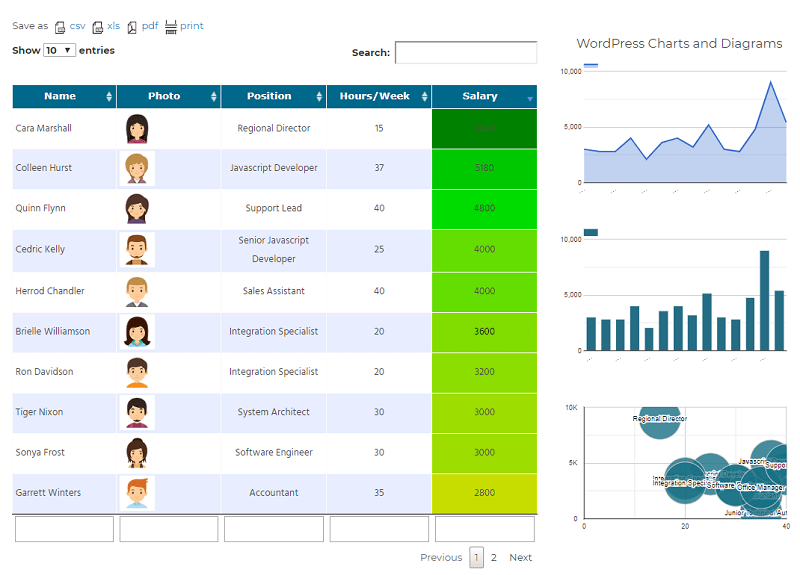
Data table with photos, coloured cells, column search and pagination, next to charts built from the same rows (charts and conditional formatting are Pro).
Charts and graphs created from table data (Pro).
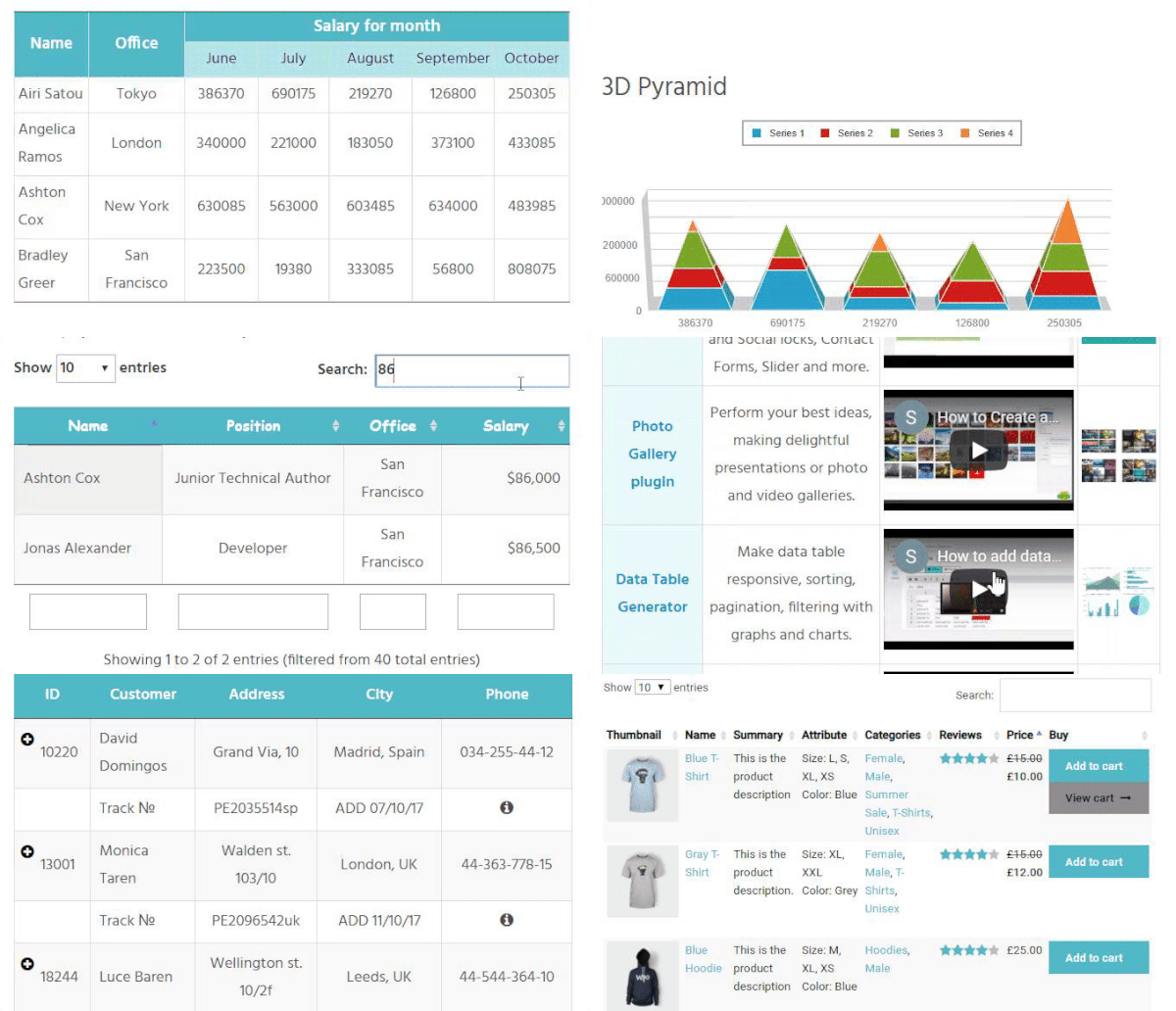
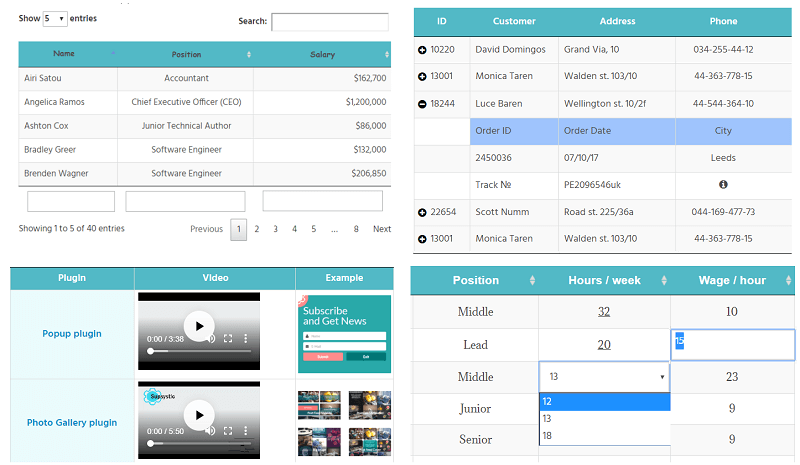
Front-end examples: sorting, search and pagination, video and images in cells, collapsible rows and front-end editing (the last two are Pro).
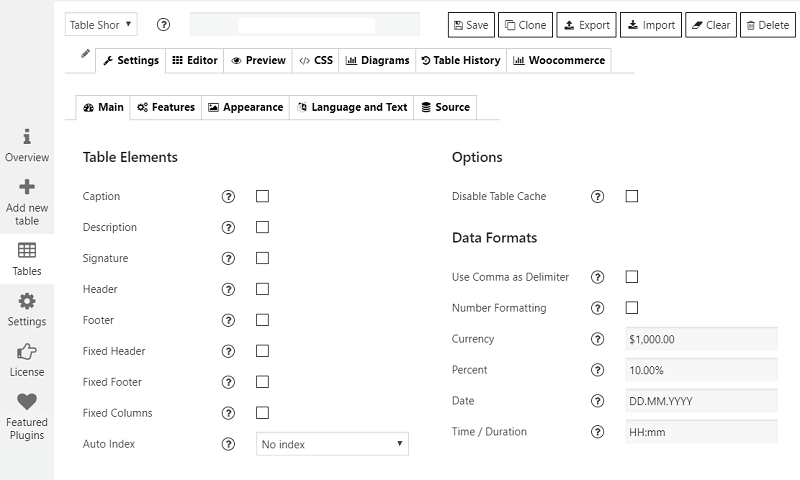
Table settings: caption, header and footer, fixed columns and number, currency and date formats.
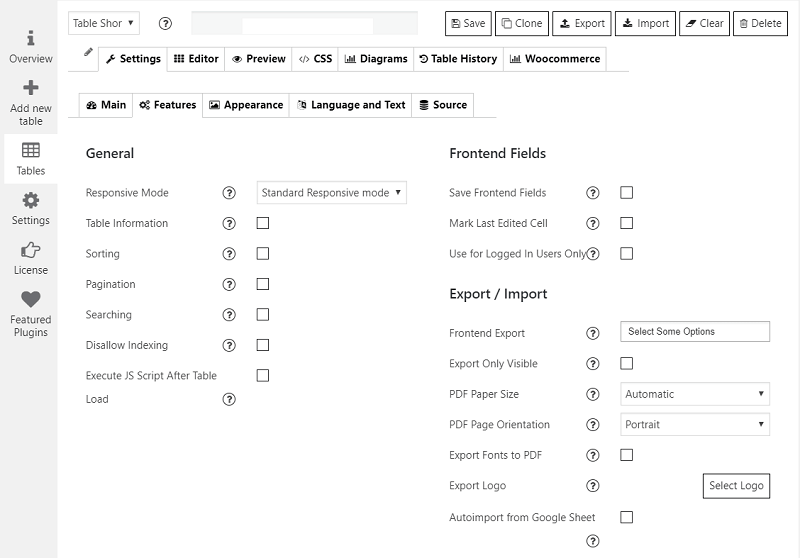
Table features: responsive mode, sorting, pagination, search and export options.
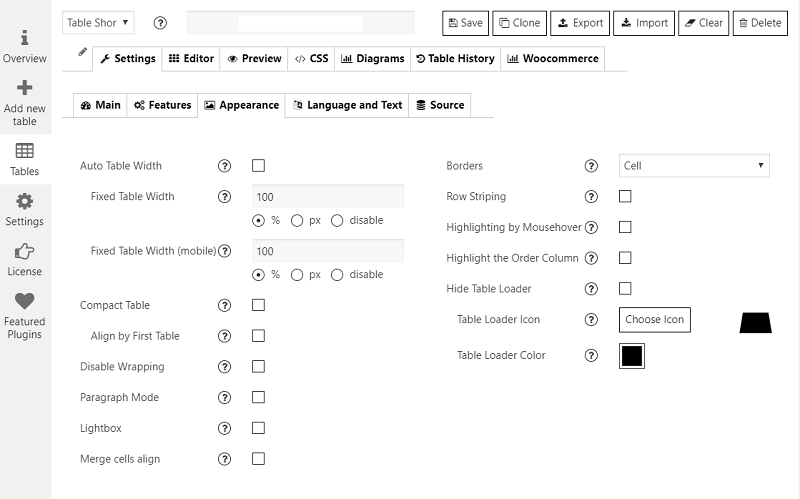
Table appearance: width, borders, row striping, hover highlighting and loader.
Faq
No. Unlimited tables, rows and columns, formulas, sorting, search, pagination, responsive modes and server-side processing are all free. The free plugin never expires.
Yes. Copy a range in Excel, Google Sheets or LibreOffice and paste it into the editor. Importing whole CSV, Excel or Google Sheets files and keeping a table synced with its source are Pro features.
Server-side processing loads large tables page by page, so tables with tens of thousands of rows stay fast. Users report working with tables of 200,000 rows.
Yes. Each table can collapse columns, stack rows or scroll on small screens. The output is standard HTML table markup with keyboard-focusable sortable headers.
Yes. Cells can hold images, links, video, icons and HTML, which works well for directories, product comparisons and catalogues.
Yes. Excel-style formulas such as SUM, AVERAGE and IF work in the free plugin.
Use the plugin’s block in the block editor, the Elementor widget, or paste the table shortcode into any page, post or widget area.
Yes. There is a native Elementor widget, and the shortcode works in Divi, WPBakery and other page builders.
Yes. When WooCommerce is active, choose WooCommerce Product Table in the table wizard and assign your products. Pro adds category and attribute filters, design templates and export.
Yes. Choose Pricing Table in the table wizard to open the drag-and-drop pricing editor with plan columns, payment buttons, badges and templates.
Any assistant that supports the Model Context Protocol (MCP), including ChatGPT, Claude, Gemini, Microsoft Copilot and Cursor. Reading and analysing tables is free; creating and editing tables with AI needs the Pro AI add-on.
Yes, with Pro: front-end editing for logged-in users or chosen roles, and export buttons for visitors (CSV, Excel, PDF and print).
Yes, with Pro. Connect a Google Sheet, an FTP or SFTP file, or a MySQL, PostgreSQL or SQLite query, and the table refreshes on a schedule instead of being imported again by hand.
Pro imports CSV, Excel (XLSX and XLS), JSON and Google Sheets, and exports CSV, Excel (XLS and XLSX), JSON and PDF, plus print.
Yes. Pro builds on the free plugin, so every table you have created keeps working and nothing has to be rebuilt.
Please report security issues through the Patchstack Vulnerability Disclosure Program. The Patchstack team validates and triages each report and notifies us.
Reviews
Fast and efficient
By  ritaantal on August 17, 2026
Fantastic support for Pro subscription. Highly recommended. 🙂
12 Years of Experience
By  phantasmix on July 2, 2026
The free version was fine to start, but then we wanted some of the extra features only available in the Pro version, and haven’t regretted upgrading even once. We’ve been using the PRO version for 12 years now on multiple websites. Having compared Supsystic to two other premium table plugins during this time, we stuck with this one for a number of reasons. It is robust, stable, and simple to use. I have needed support 3 times over the 12 years and received quality personalized contact every time. Separately, would like to say I really appreciate the absence of “decorations” and extraneous colors in the dashboard and all manner of flying effects. Just quick and simple tables, as close to Excel experience as you can expect online. Thank you
Excellent plugin and great support
By  was1 on July 2, 2026
I highly recommend this plugin—fast and excellent support
Excellent plugin and support
By  nextnorth on April 23, 2026
Very flexible and well-designed plugin which has worked really well for me when clients ask to upload large spreadsheets to their websites that they want to be searchable. Support was also very responsive when I had a technical issue and solved it rapidly.
Tables by Supsystic – Excellent Product and Support
By  pfti2017 on July 22, 2025
This is an easy-to-use plugin for data tables, and the product support has always been spot on! Thanks, Ole Supsystic
great plugin for data tables!
By  jayceezay on May 23, 2025
easy to use, very wide feature set, responsive support!
Excellent plugin for working with tables from the frontend
By  matielles on September 26, 2024
I needed a plugin to work with formulas and be able to enter the data from the frontend. I tried several until I found “Data Tables Generator by Supsystic”. I am very happy with the result and with the support they have given me. good job!
works fantastic
By  raiflei on August 15, 2024
great plugin
This plugin is really helpfull
By  farhanhan173 on May 13, 2024
This is a really handy WordPress plugin. It makes creating tables for your website super easy. You can customize them to match your site’s look perfectly. The plugin lets you do cool stuff like sorting, filtering, and pagination. Plus, you can import data from CSV, Excel, or Google Sheets. If you need to display data neatly on your site, this plugin is a great choice!
Great plugin and excelent support
By  David Viña (soivigol) on April 29, 2024
I had a strange issue in a multisite, but their support team worked hard, and I had an excellent communication to solve the issue.
I highly recommend this plugin.
Changelog
2026
1.15.6 — October 16, 2026
- Maintenance release with minor stability improvements.
1.15.5 — October 15, 2026
- General security hardening and code improvements.
1.15.4 — October 9, 2026
- Maintenance release with minor stability improvements.
1.15.3 — September 30, 2026
- Maintenance release with minor stability improvements.
1.15.2 — September 30, 2026
- General security hardening and code improvements.
1.15.1 — September 22, 2026
- General code improvements.
- Added an Elementor widget and a Gutenberg block: pick a table from a dropdown and insert it, in addition to the existing shortcode and classic widget.
- Fixed the classic “Tables Widget” table dropdown, which was rendering as escaped text instead of real options.
1.15.0 — September 21, 2026
- Added new Pricing Table type.
- General security hardening and code improvements.
1.14.3 — September 3, 2026
- Tested up to 7.1
1.14.2 — August 12, 2026
- Added SQLite support.
- Added a configurable Column Hiding with Settings responsive mode for classic tables.
- Added fixed cell max-height and max-width options, including per-column max-width rules.
- Improved server-side processing redraw handling for responsive columns and cell overflow wrappers.
1.14.1 — August 11, 2026
- Maintenance release with minor stability improvements.
1.14.0 — August 10, 2026
- General security hardening and code improvements.
1.13.2 — August 7, 2026
- General security hardening and stability improvements.
- General source code cleanup.
1.13.1 — July 30, 2026
- Added further security hardening and unofficial version detected
- Fixed cell formatting and links disappearing on page 2+ and in search results when Server-Side Processing is enabled on the frontend.
- Fixed a crash when saving very large tables with pagination enabled in the table editor.
- Added a lighter “save only this page” option for large paginated tables in the editor, plus a “Save Settings Only” button so you don’t have to resave every row just to update a setting.
- Replaced the page-switch save prompt with a proper in-app dialog (Save / Don’t Save / Cancel), and fixed it popping up even when nothing had actually changed.
- Fixed the “Hide Table Loader” checkbox not toggling correctly in Settings.
- Fixed a PHP deprecation warning that could appear when importing or exporting very large spreadsheets.
1.13.0 — July 28, 2026
- Fixed a critical error that could occur during automatic Google Sheets imports.
- Replaced the legacy contact form on the Overview screen with a direct link to our support team, so help is always one click away.
- Completed a full compatibility review across the plugin’s core and bundled libraries, keeping everything running cleanly from PHP 7.4 through the newest PHP 8.5.
- General security hardening and stability improvements.
1.12.05 — July 23, 2026
- Applied a small fix to keep table migrations running smoothly.
1.12.04 — July 15, 2026
- Added further security hardening to keep your table data safe.
- General stability improvements.
1.12.03 — July 2, 2026
- General stability improvements.
1.12.02 — July 1, 2026
- Added a new (S)FTP auto-sync source, so tables can pull data on a schedule without any manual re-import.
- Added PostgreSQL support as a database source.
- Fixed an issue with apostrophes appearing incorrectly in table data.
1.12.01 — June 24, 2026
- Fixed a CSS conflict that could leak styles onto other elements on the page.
1.12.0 — June 22, 2026
- Added a brand-new table creation wizard to help you get started faster.
- Added a dedicated WooCommerce Product Table type with advanced display options.
- Added compatibility with WordPress 7.0.
1.11.2 — May 25, 2026
- Improved REST API endpoint reliability.
- Added further compatibility improvements for PHP 8+.
- Fixed hyperlink rendering and a text-concatenation issue.
1.11.1 — April 29, 2026
- Added the option to show column titles above column search fields, with duplicate labels hidden automatically.
- Improved asset loading for the collapsible row feature.
1.11.0 — April 2, 2026
- Added compatibility with WordPress 6.9.4.
- Introduced the new AI-powered table assistant (read and analyse your tables with ChatGPT, Claude, Gemini, and more).
- Refined the plugin’s design, fixed a licensing display issue, and added further security hardening.
1.10.48 — March 16, 2026
- Fixed a PHP error in the export libraries and a nonce validation issue.
- Optimised the codebase and removed an outdated WooCommerce notice.
1.10.47 — January 19, 2026
- Confirmed compatibility with WordPress 6.9 and PHP 8.4.
- Fixed a caching issue and added further stability improvements.
2025
- Closed a legacy vulnerability in the cache-cleaning routine.
- Refreshed the plugin overview screen and fixed a fatal error that could occur during installation on some servers.
- General stability and maintenance improvements.
- Versions released: 1.10.38–1.10.46.
2024
- Fixed a security issue in the promotional module.
- Improved handling of conditional-formatting styles during import.
- General stability and usability improvements.
- Versions released: 1.10.32–1.10.37.
2023
- Added the Love Link feature.
- Improved nonce security and fixed the free-to-Pro migration flow.
- Added compatibility fixes for PHP 8.2.
- Versions released: 1.10.26–1.10.30.
2022
- Added support for WordPress 6.0 and 6.1, and PHP 8.1.
- Migrated PDF export to the mPDF library for more reliable exports.
- Fixed several XSS security issues and refined the interface.
- Versions released: 1.10.14–1.10.25.
2021
- Added support for PHP 8.
- Fixed several XSS security issues.
- Fixed import, table-layout, and formula-rendering issues.
- Versions released: 1.10.0–1.10.13.
2020
- Migrated the import/export engine to PHP Spreadsheet for better long-term reliability.
- Added support for WordPress 5.5.
- Applied multiple security hardening fixes and general stability improvements.
- Versions released: 1.9.85–1.9.99.