

Continue Shopping Anywhere for WooCommerce
Description
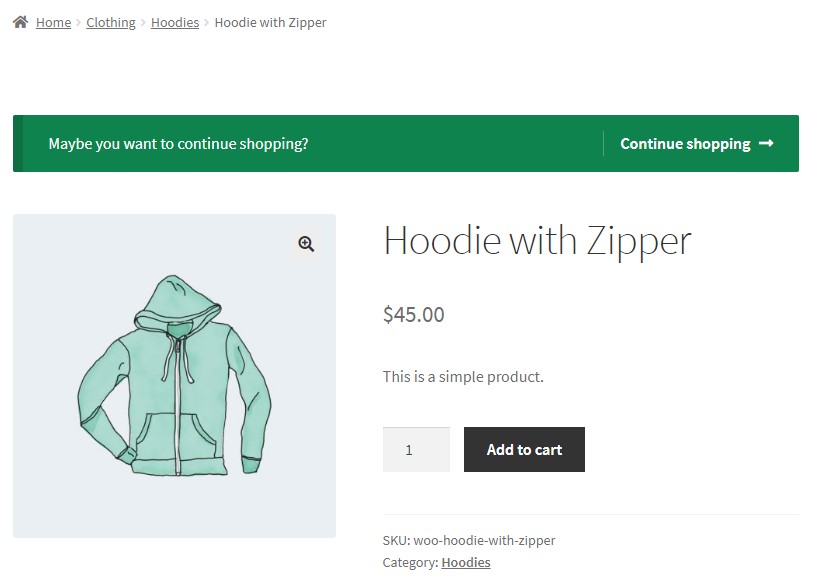
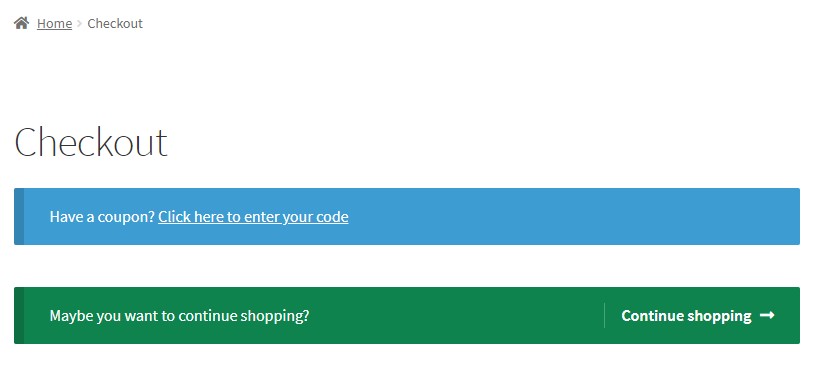
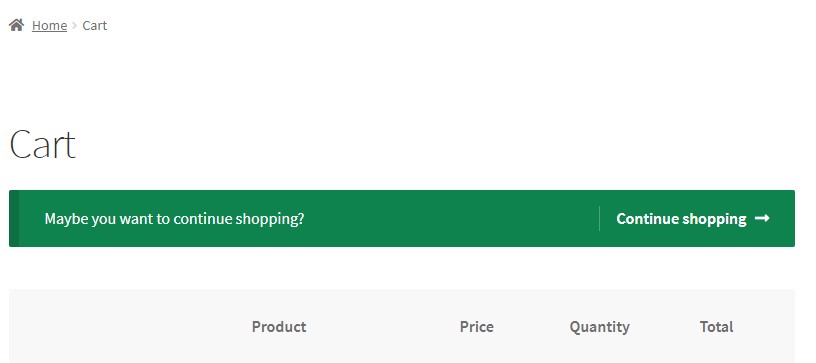
You can add a message with a link to continue shopping on the following pages:
- Single product page
- Cart (compatible with automatic redirection after adding product to cart)
- Checkout page
You can change the default link and select one of the following options:
- Home
- Shop
- Custom Link
- Default (back to product) – available for cart with automatic redirection after adding product
- Previous Page (referer) (NEW)
- Recent Category (NEW)
Try other useful plugins for WooCommerce
Installation
- Upload zip archive to the
/wp-content/plugins/directory - Activate the plugin through the ‘Plugins’ menu in WordPress
Screenshots

Single Product
Checkout
Cart
Settings

Faq
How to find settings page?
WooCommerce -> Settings -> Continue Shopping Anywhere
How to find other page settings instead of cart page?
You can find them on top.
Reviews
Excellent
By  enrique1siv on October 23, 2023
Respects the theme style – Please keep testing it with new vesions of Woo
Excellent
By  SuperCoolTotes (supercooltotes) on June 26, 2023
Works great. Thanks!
A great plugin, very useful
By  Sylvie-V (Sylvie-Aveline) on October 4, 2022
Many thanks, a very useful plugin who works perfectly !
Awesome Plugin
By  greenpasturedesigns on April 24, 2020
I spent hours trying to find a solution to add a ‘continue shopping’ button to the checkout page. This plugin solved my issue seamlessly. Thanks, Ivan!
Much needed plugin
By  groggy72 on December 9, 2019
Awesome stuff.
Changelog
1.3.0 – 2022/09/04
- New: Added “Recent Category” option
- New: Added “Previous Page” option
- Tweak: Tested with WP 6.0 and Woo 6.8
1.2.0 – 2021/07/17
- New: Added “Out of Stock only” option for single page
- New: Added “After Product Summary” and “After Product” options for single page
- Tweak: Tested with WP 5.8 and Woo 5.5
1.1.0 – 2019/12/11
- Tweak: Added ability to change position on Single product page.
1.0.0 – 2019/09/19
- Release