
Classic Editor
Description
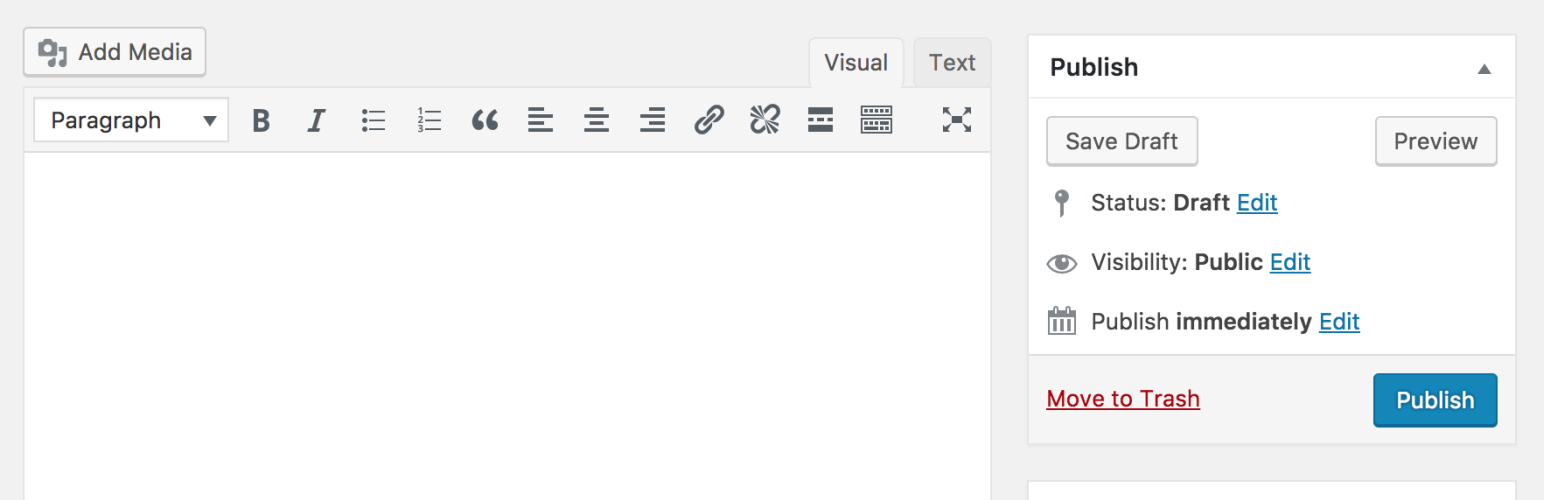
Classic Editor is an official plugin maintained by the WordPress team that restores the previous (“classic”) WordPress editor and the “Edit Post” screen. It makes it possible to use plugins that extend that screen, add old-style meta boxes, or otherwise depend on the previous editor.
Classic Editor is an official WordPress plugin, and will be fully supported and maintained until 2024, or as long as is necessary.
At a glance, this plugin adds the following:
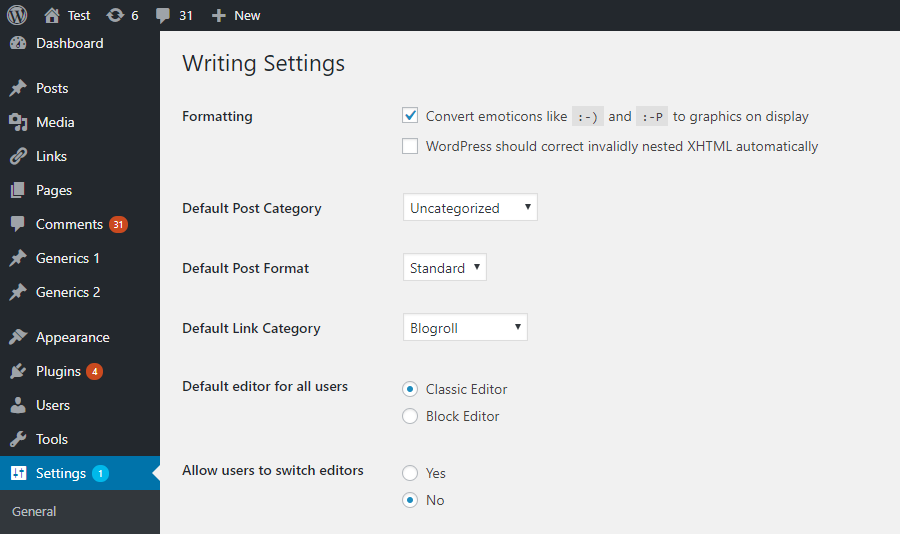
- Administrators can select the default editor for all users.
- Administrators can allow users to change their default editor.
- When allowed, the users can choose which editor to use for each post.
- Each post opens in the last editor used regardless of who edited it last. This is important for maintaining a consistent experience when editing content.
In addition, the Classic Editor plugin includes several filters that let other plugins control the settings, and the editor choice per post and per post type.
By default, this plugin hides all functionality available in the new block editor (“Gutenberg”).
Screenshots

Admin settings on the Settings -> Writing screen.
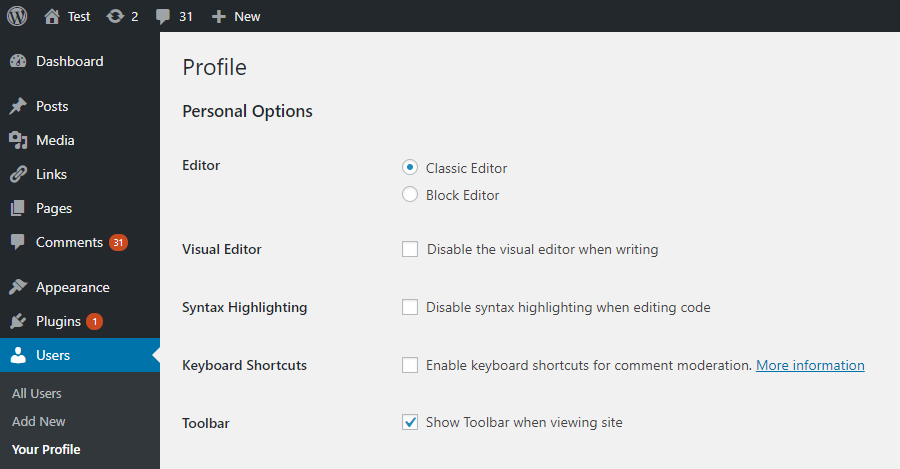
User settings on the Profile screen. Visible when the users are allowed to switch editors.
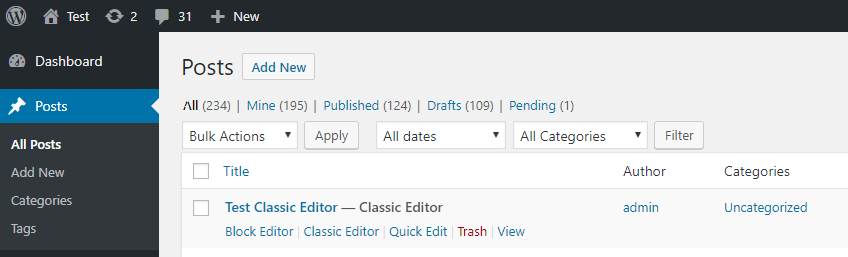
“Action links” to choose alternative editor. Visible when the users are allowed to switch editors.
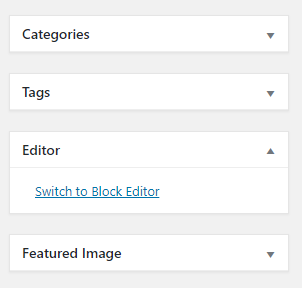
Link to switch to the block editor while editing a post in the classic editor. Visible when the users are allowed to switch editors.
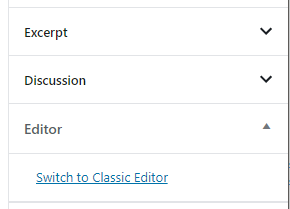
Link to switch to the classic editor while editing a post in the block editor. Visible when the users are allowed to switch editors.
Network settings to select the default editor for the network and allow site admins to change it.
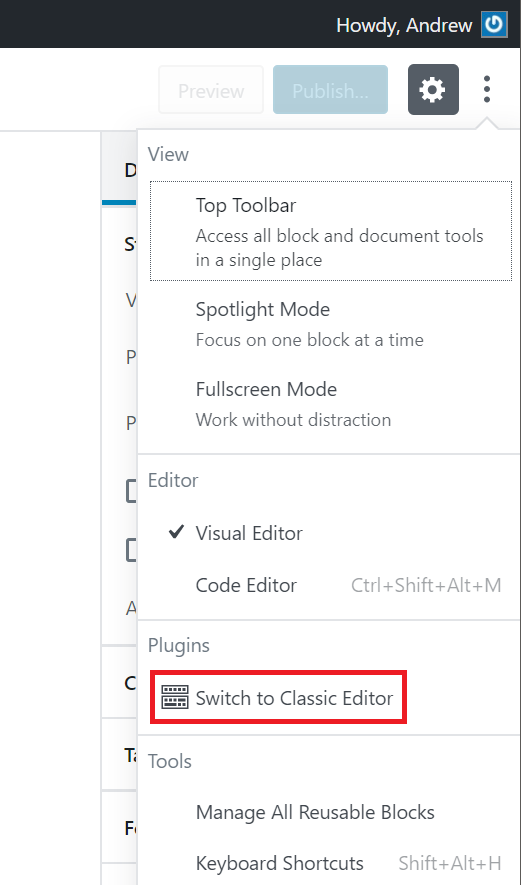
The “Switch to classic editor” link.

Faq
When activated and when using a classic (non-block) theme, this plugin will restore the previous (“classic”) WordPress editor and hide the new block editor (“Gutenberg”).
These settings can be changed at the Settings => Writing screen.
There are two options:
- When network-activated and when using a classic (non-block) theme, this plugin will set the classic editor as default and prevent site administrators and users from changing editors.
The settings can be changed and default network-wide editor can be selected on the Network Settings screen. - When not network-activated each site administrator will be able to activate the plugin and choose options for their users.
It is in the main block editor menu, see this screenshot.
No, as block themes rely on blocks. See Block themes article for more information.
Reviews
Keep It Classic
By  spitfirecreative on October 13, 2026
This editor is the best for a reason. Really can’t say enough good things about this one. Thank you WordPress team for creating such a great editor for the world to use.
Essential for bloggers and writers
By  hectorservadac on September 26, 2026
Blocks are everywhere, but this plugin remains my all-time favourite for just writing and remembering the good old days of the internet, when blogging was at its peak.
A must-have plugin
By  mehrpatienten on September 10, 2026
A lot of our customers are overwhelmed by the block editor and we also don’t like it that much as developers. This is the perfect solution to get things back to basics.
The one and only
By  thomaswagner on August 17, 2026
This is still nicer to use than Gutenberg. I love it. Thanks for keeping the option around and not completely removing it.
Happy that we still have this option
By  huntvinyl on August 12, 2026
Not a fan of the Gutenberg blocks – so this really helps. Thanks for this option!
The best plugin ever
By  Alex (alexhillt) on July 29, 2026
The one must-have plugin for WordPress of all the times. Nuff said.
www.vindarl505.co.ke
By  vindarl on July 24, 2026
Hey guys. We wanted you to know today that this is our default plugin for crafting blog posts for our new blog.
Classic!
By  Sundy (breecie) on June 8, 2026
Yes! Love this plugin!
Simple but limited
By  andrea5 on June 3, 2026
strictly using it for blog posts cz gutenberg feels too heavy. makes typing super fast n clean. only downside is u can’t build layouts easily without extra addons. still solid fr.
My Whole Team Loves It
By  kendel79 on June 1, 2026
got a small content team & everyone was struggling w gutenberg. installed classic editor & productivity went up instantly. no learning curve at all. clients r happy, team r happy. not changing this
Changelog
1.7.0
- Added a hotfix for crowded elements in the publishing actions area in WordPress 7.0. See Core-65286 for more information.
1.6.7
- Fixed loading of script translations when post.js is replaced in WordPress 6.7.1.
1.6.6
- Added fix for selecting/deselecting multiple unwanted categories in WordPress 6.7.1 when clicking on a category checkbox on the old Edit Post screen.
1.6.5
- Added fix for Safari 18 negative horizontal margin on floats.
1.6.4
- Added support for administrators to choose the default editor for other users.
1.6.3
- Added some WPCS fixes, props NicktheGeek on GitHub.
- Updated “Tested up to” in the readme and removed it from classic-editor.php. This should fix false positive errors in security plugins in the future.
1.6.2
- Fixed bug that was preventing saving of the last used editor.
1.6.1
- Fixed a warning on the block editor based widgets screen.
- Fixed use of a deprecated filter.
1.6
- Updated for WordPress 5.5.
- Fixed minor issues with calling deprecated functions, needlessly registering uninstall hook, and capitalization of some strings.
1.5
- Updated for WordPress 5.2 and Gutenberg 5.3.
- Enhanced and fixed the “open posts in the last editor used to edit them” logic.
- Fixed adding post state so it can easily be accessed from other plugins.
1.4
- On network installations removed the restriction for only network activation.
- Added support for network administrators to choose the default network-wide editor.
- Fixed the settings link in the warning on network About screen.
- Properly added the “Switch to classic editor” menu item to the block editor menu.
1.3
- Fixed removal of the “Try Gutenberg” dashboard widget.
- Fixed condition for displaying of the after upgrade notice on the “What’s New” screen. Shown when the classic editor is selected and users cannot switch editors.
1.2
- Fixed switching editors from the Add New (post) screen before a draft post is saved.
- Fixed typo that was appending the edit URL to the
classic-editorquery var. - Changed detecting of WordPress 5.0 to not use version check. Fixes a bug when testing 5.1-alpha.
- Changed the default value of the option to allow users to switch editors to false.
- Added disabling of the Gutenberg plugin and lowered the required WordPress version to 4.9.
- Added
classic_editor_network_default_settingsfilter.
1.1
Fixed a bug where it may attempt to load the block editor for post types that do not support editor when users are allowed to switch editors.
1.0
- Updated for WordPress 5.0.
- Changed all “Gutenberg” names/references to “block editor”.
- Refreshed the settings UI.
- Removed disabling of the Gutenberg plugin. This was added for testing in WordPress 4.9. Users who want to continue following the development of Gutenberg in WordPress 5.0 and beyond will not need another plugin to disable it.
- Added support for per-user settings of default editor.
- Added support for admins to set the default editor for the site.
- Added support for admins to allow users to change their default editor.
- Added support for network admins to prevent site admins from changing the default settings.
- Added support to store the last editor used for each post and open it next time. Enabled when users can choose default editor.
- Added “post editor state” in the listing of posts on the Posts screen. Shows the editor that will be opened for the post. Enabled when users can choose default editor.
- Added
classic_editor_enabled_editors_for_postandclassic_editor_enabled_editors_for_post_typefilters. Can be used by other plugins to control or override the editor used for a particular post of post type. - Added
classic_editor_plugin_settingsfilter. Can be used by other plugins to override the settings and disable the settings UI.
0.5
- Updated for Gutenberg 4.1 and WordPress 5.0-beta1.
- Removed some functionality that now exists in Gutenberg.
- Fixed redirecting back to the classic editor after looking at post revisions.
0.4
- Fixed removing of the “Try Gutenberg” call-out when the Gutenberg plugin is not activated.
- Fixed to always show the settings and the settings link in the plugins list table.
- Updated the readme text.
0.3
- Updated the option from a checkbox to couple of radio buttons, seems clearer. Thanks to @designsimply for the label text suggestions.
- Some general updates and cleanup.
0.2
- Update for Gutenberg 1.9.
- Remove warning and automatic deactivation when Gutenberg is not active.
0.1
Initial release.