
ATUM WooCommerce Inventory Management and Stock Tracking
Description
✨ NEW IMPROVED ATUM v2 ✨
💻 NEW ATUM REST API
📖 NEW ATUM’s KNOWLEDGE BASE
💬 FOR ANY QUESTIONS, VISIT OUR OFFICIAL FORUMS
DESCRIPTION
If you have an online store, you need ATUM, the most powerful stock management solution for Woocommerce.
ATUM is now the most advanced FREE WooCommerce inventory management tool in the WordPress plugins repository. Good WooCommerce inventory solution is an absolute must for every serious shop owner. The Dashboard Statistics or the breath-taking Stock Central, the heart of ATUM, gives you the full control of your WooCommerce stock. Get the ability to quickly edit every aspect of your WooCommerce inventory, suppliers, SKUs, locations, weight, or even prices. Beautifully carved into the WordPress interface, the system feels very familiar and user-friendly.
ATUM Dashboard creates an entirely new, and we felt a necessary connection between the creators and users. The dashboard aims to become an everyday screen with a quick link to support, documentation, and most importantly, business stats. We have developed a brand-new widget section that can be personalized from every corner.
Each section of ATUM has an intuitive layout to favor the experience of store owners, facilitating stock management, and contributing to the optimization of time and resources. We understand that shop owners need to focus their efforts on growing their online business, so our aim is to help our clients through our add-ons to get to the top.
Stock Management Labs™, creators that have combined over 25 years of experience in inventory management, working very closely with a bunch of professional WordPress developers since October 2016. The aim is to create the complete WooCommerce solution that will take care of all your business needs.
In addition, in the preparation process for the development stage, we have tested and tried the most popular WooCommerce inventory management and cloud inventory management plugins in the world. With full confidence, we believe that ATUM will become unrivalled in every category.
AVAILABLE FEATURES
Most Advanced FREE WooCommerce Inventory Management – Inventory Statistics (Periodical Sales, Inventory Levels, Lost Sales, Promo Sales), Stock Central with Data Export, Inventory Logs (Reserved Stock, Lost In Post, Customer Returns, Inbound Stock, Warehouse Damages), One Page Updating, Quick Price Changes, Stock Levels Indicators, Suppliers, Purchase Orders, and Premium Add-ons.
- ATUM ground-breaking Stock Control system.
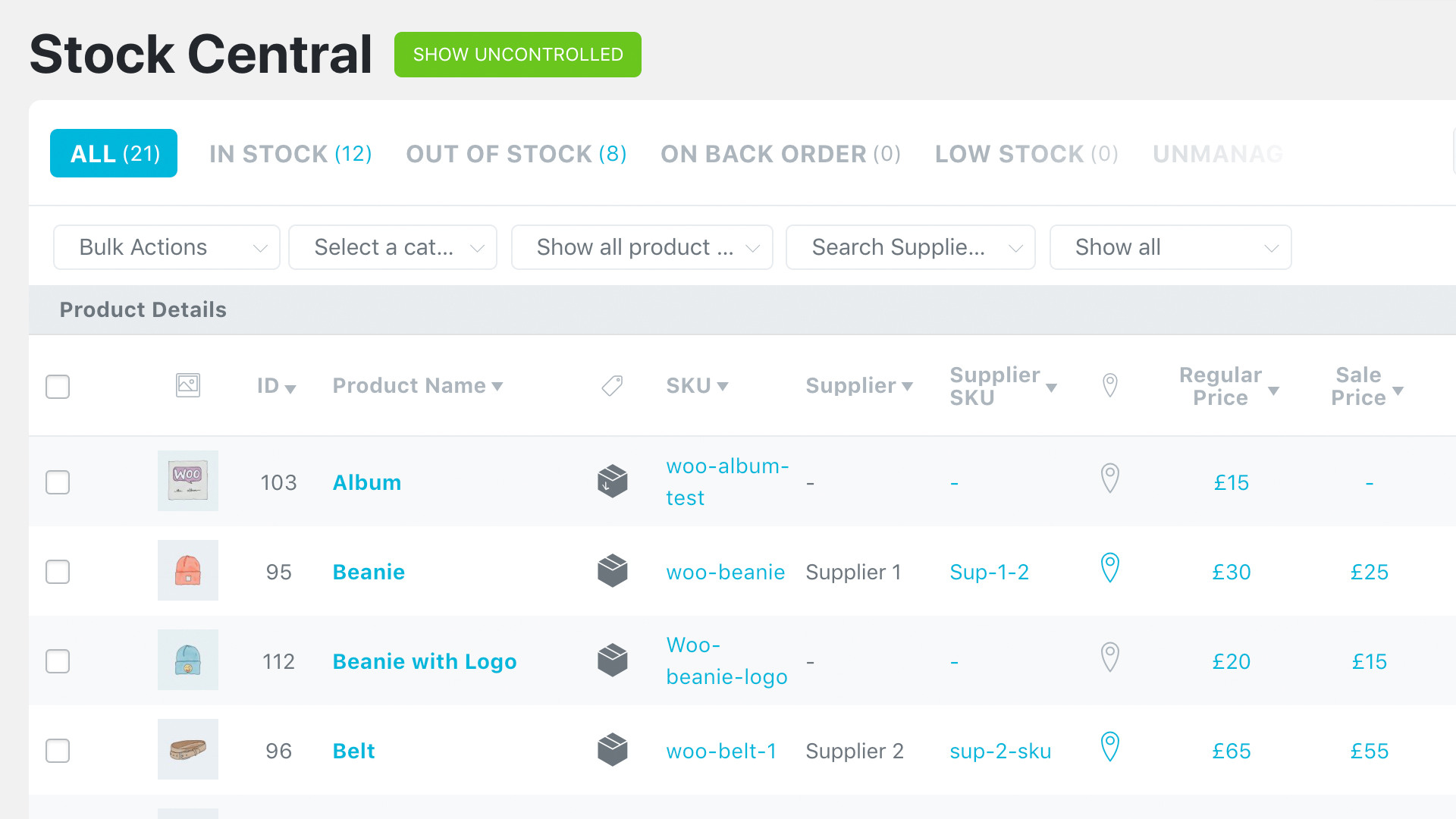
- All WooCommerce products on one screen with a smooth mouse wheel or touchpad scrolling.
- Image thumbnails for easier identification of your WooCommerce Inventory.
- Short product names overview including the products’ ID and SKU. Change SKUs on the fly from one screen. Now with direct edit links.
- Purchase prices are now included with direct edit from the Stock Central page. WooCommerce inventory management was never easier.
- Suppliers column and fully filtered product list by Suppliers name.
- Quickly edit the Product Price and Product Sale Price, including the date ranges of your sales. Now bulk editing is available.
- Change, edit, or update the inventory of every WooCommerce product in your database. Changes immediately reflect the front-end of your site.
- Weekly and Fortnightly Sales, Lost Sales, and Inventory Level Indicators to help you with re-ordering plan.
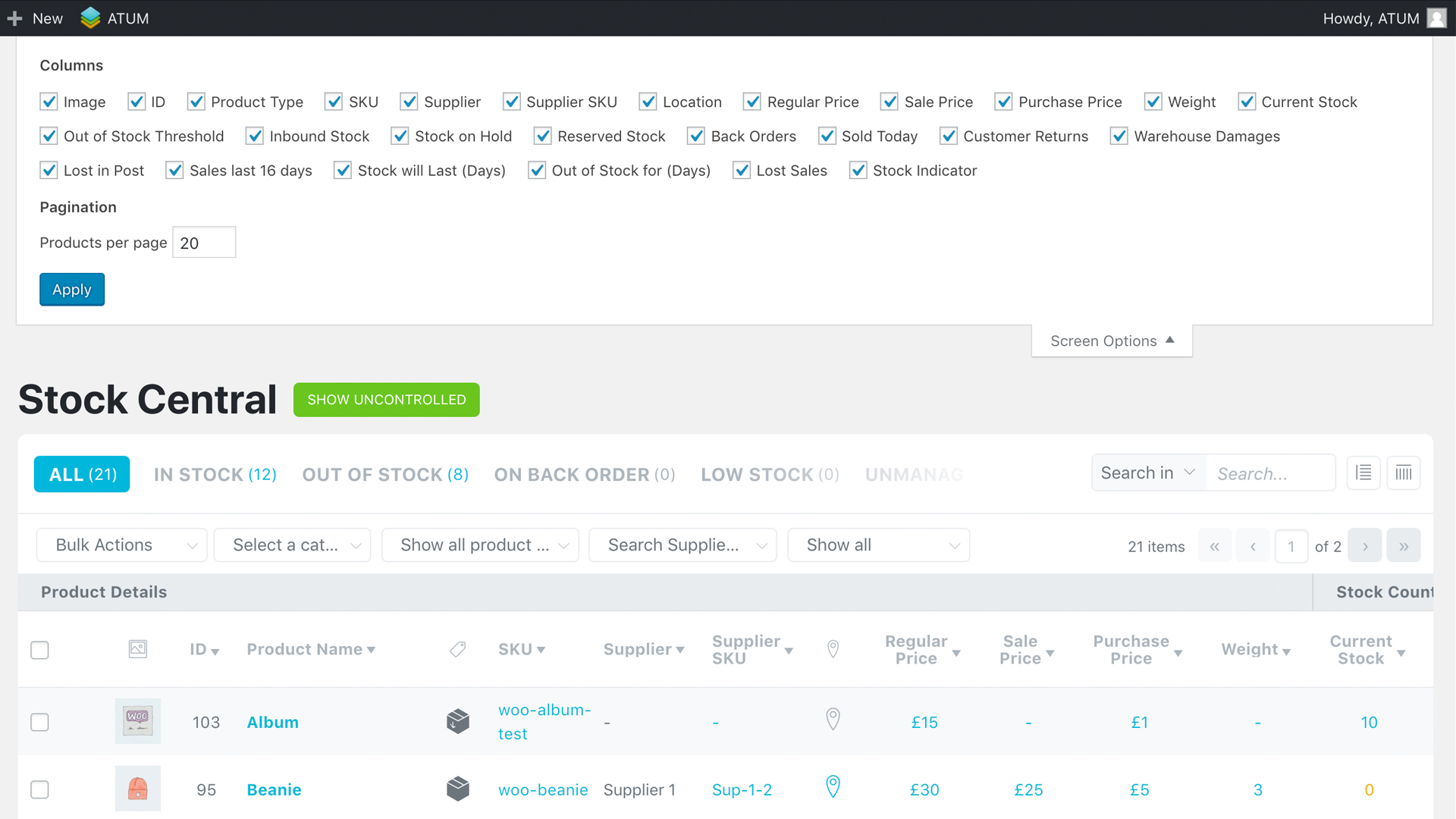
- Customise the visual appearance of Stock Central with the ability to add or remove any columns according to your business needs.
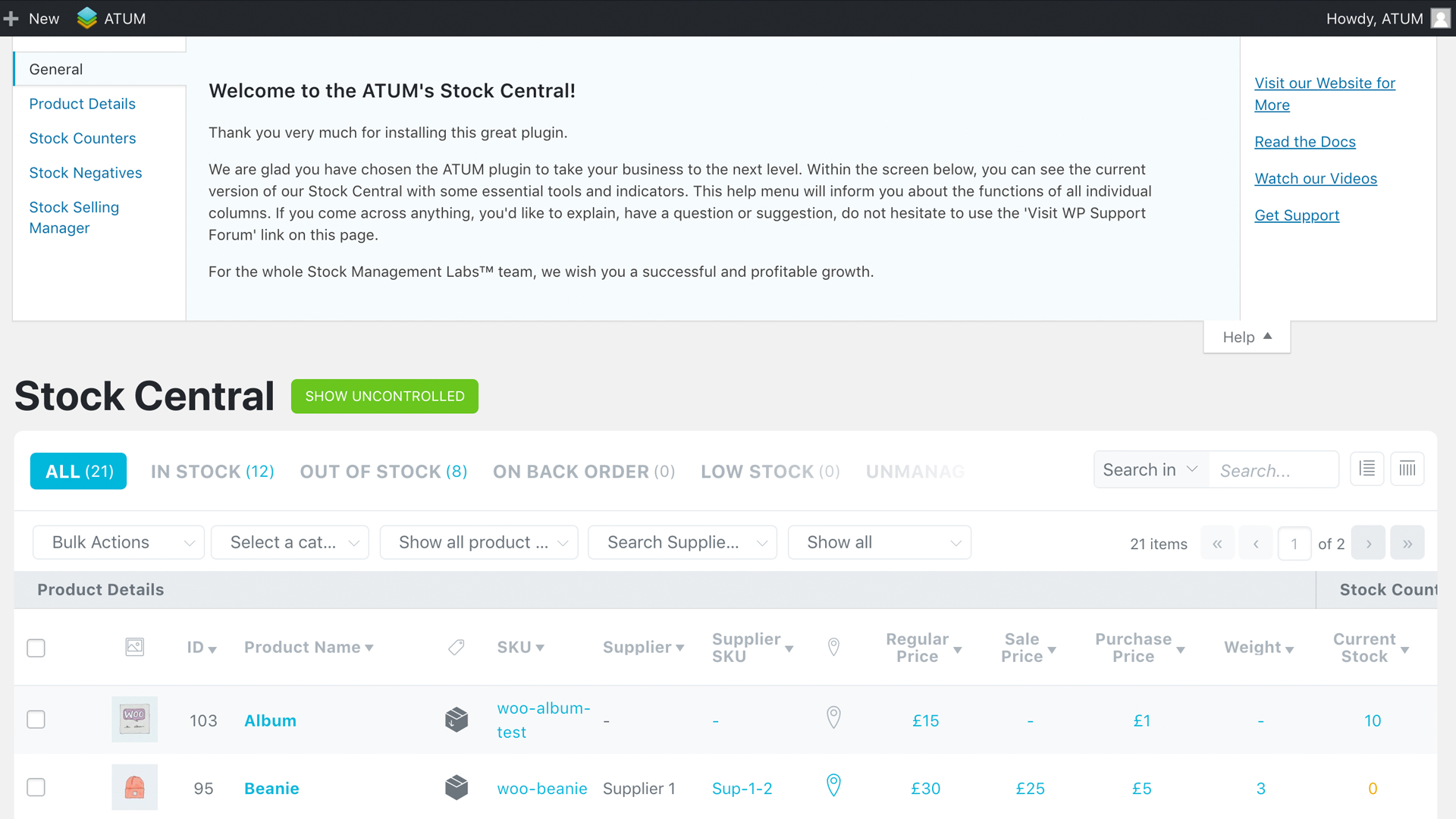
- Complete “HELP” sections with the detailed explanation of every feature.
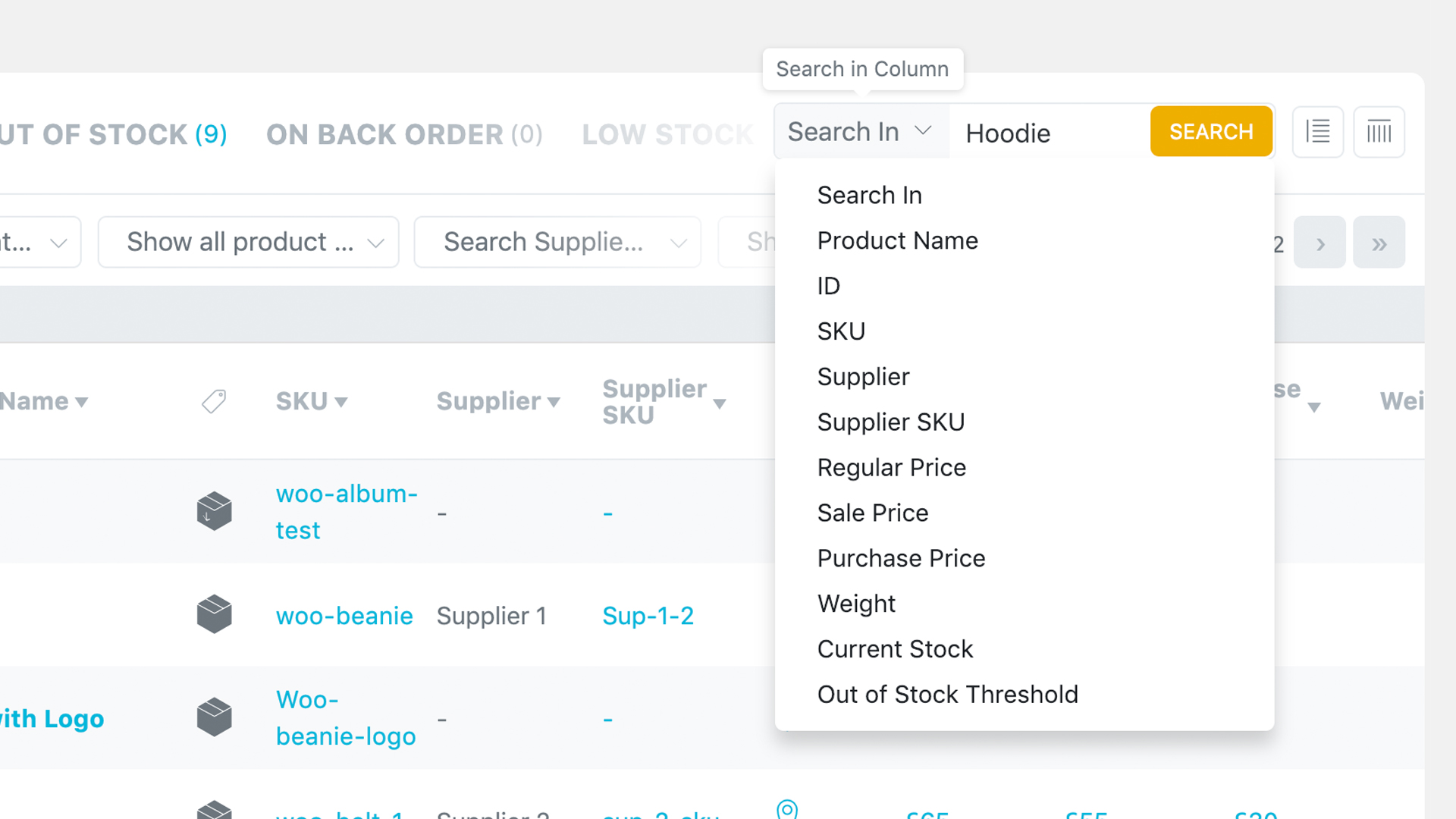
- Advanced search with an autofill feature and fine-tuned performance.
- Inventory / Stock filters, new product category filters, extra drop-down filters and new column sorting.
- Intelligent settings for easy inventory/stock management.
- Advanced WooCommerce inventory controlling and monitoring features.
- Faultless approach to all product types, including WooCommerce subscriptions.
- Full support for WooCommerce variable products.
- Bulk product Actions to activate or deactivate WooCommerce stock management at product level.
- Bulk Actions within Stock Central to Control/Uncontrol products in bulk.
- Full inventory PDF export directly from Stock Central.
- Complete WPML compatibility for all WooCommerce inventory.
- Clear, effective, and branded ATUM fields.
- See inventory count totals for selected products.
- Complete location hierarchy tracking.
- URL hash navigation for filters in Stock Central.
- Navigating through filters history with the browser’s back/forward buttons.
- Easy page reload without losing filters.
- Sticky header in Stock Central to stay always in control even when scrolling through hundreds of WooCommerce products.
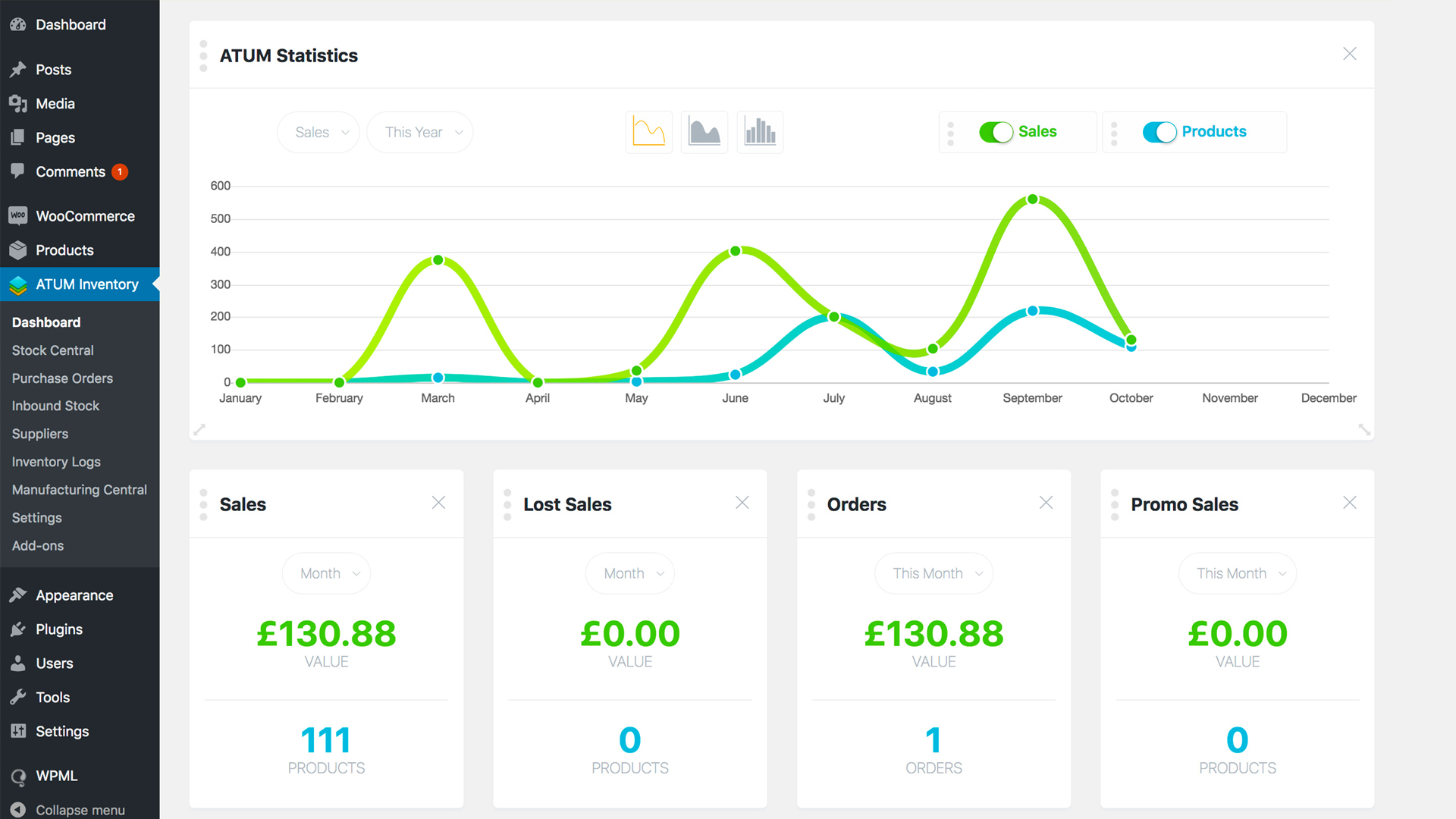
- WooCommerce business statistics of revenue and product sales. The user can filter the performance per period and choose from three graphical views.
- Widgets for Sales, Lost Sales, Orders, and Promo Sales.
- Stock Control Widget for a better WooCommerce summary of In Stock, Low Stock, and Out of Stock Products.
- Latest News – direct link to our new blog where we discuss functions and new features coming to ATUM.
- Full feed of our YouTube channel and video Tutorials that can be viewed directly in your WP admin.
- Build for unlimited widget additions. Our team will develop widgets for every feature, so the user has the full freedom.
- Inventory logs now allow you to increase or reduce WooCommerce stock.
- Product Locations feature lets you create several storage locations per item.
- Location hierarchy available too – create custom storage places within a location.
- Add Suppliers feature – add new suppliers and save their data for more natural inventory management and ordering.
- Set default and assign users or locations to individual suppliers.
- Pair products with suppliers for quick selling stock re-ordering.
- Set different suppliers to each variation.
- Add decimals to your WooCommerce stock quantities.
Purchase orders with PDF export
- Add Purchase Orders – create purchase orders for your sellable WooCommerce inventory.
- Easy Supplier locking feature – a quick search for products has never been easier.
- Add products to stock when you receive them at storage locations. Be notified if another user has already stocked selected WooCommerce products.
- Purchase Order notes to control the change log of each PO.
- Add Purchase Prices – add individual purchase prices and prepare your shop for monitoring of your gross profits.
- Purchase prices can be attached to the Purchase Orders directly. No need to jump back to product edit.
- Inbound Stock overview – keep an eye on all your inbound WooCommerce products.
- Pending incoming stock reflects in Stock Central.
- Direct Purchase Order editing from the inbound stock page.
Every user may create an account on our website stockmanagementlabs.com. To get the most out of ATUM
Installation
From your WordPress dashboard
- Visit
Plugins > Add New. - Search for ‘ATUM Inventory Manager for WooCommerce’.
- Activate ATUM from your Plugins page.
From WordPress.org
- Download ATUM.
- Upload the ‘atum’ directory to your
/wp-content/plugins/directory, using your favourite method (FTP, SFTP, SCP, etc). - Activate ATUM from your Plugins page.
Once Activated
After successful activation of ATUM, you are ready to make your business even more profitable and enjoyable than ever before. The only thing left is to visit our YouTube Channel or read the DOCUMENTATION to let us show you how to take full advantage of the plugin.
Once Configured
- ATUM was designed to give the user overall control of the full WooCommerce inventory from one screen. You can completely configure the Stock Central page and disable all individual columns that are not part or interesting for your business.
- We have prepared the Stock Central help section that will guide every user through the particular column functionality.
Screenshots

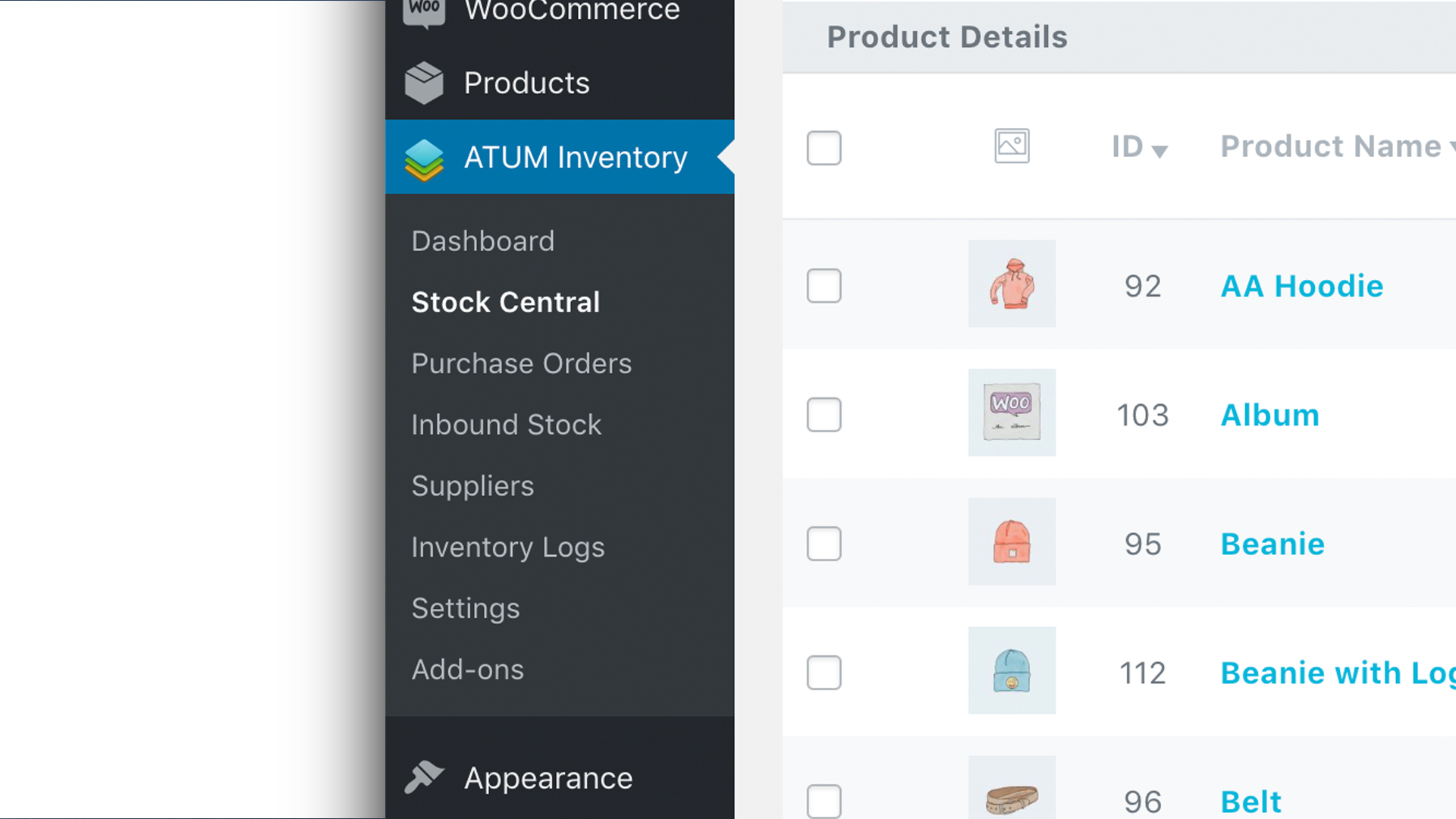
New Menu Design with Easy Access to Individual Features
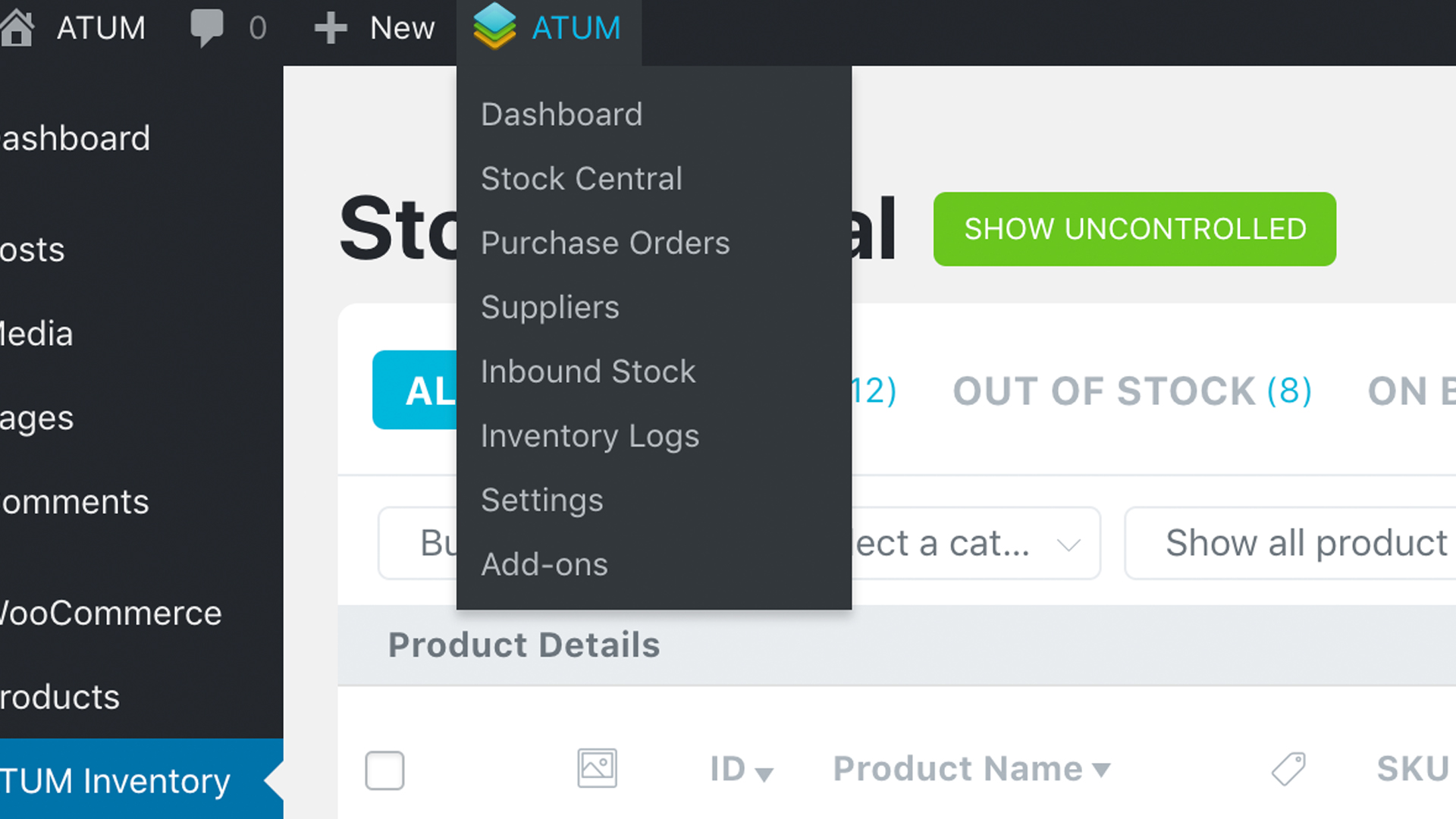
New Admin Bar Menu for Easier and Quicker Inventory Control
New Editable Dashboard ATUM Statistics
Extended Stock Central Control (New Filters)
Full Control of the Stock Central View – Screen Options
HELP Section for Easier Understanding of Stock Central’s Columns
On and OFF Automatic Product Search Feature
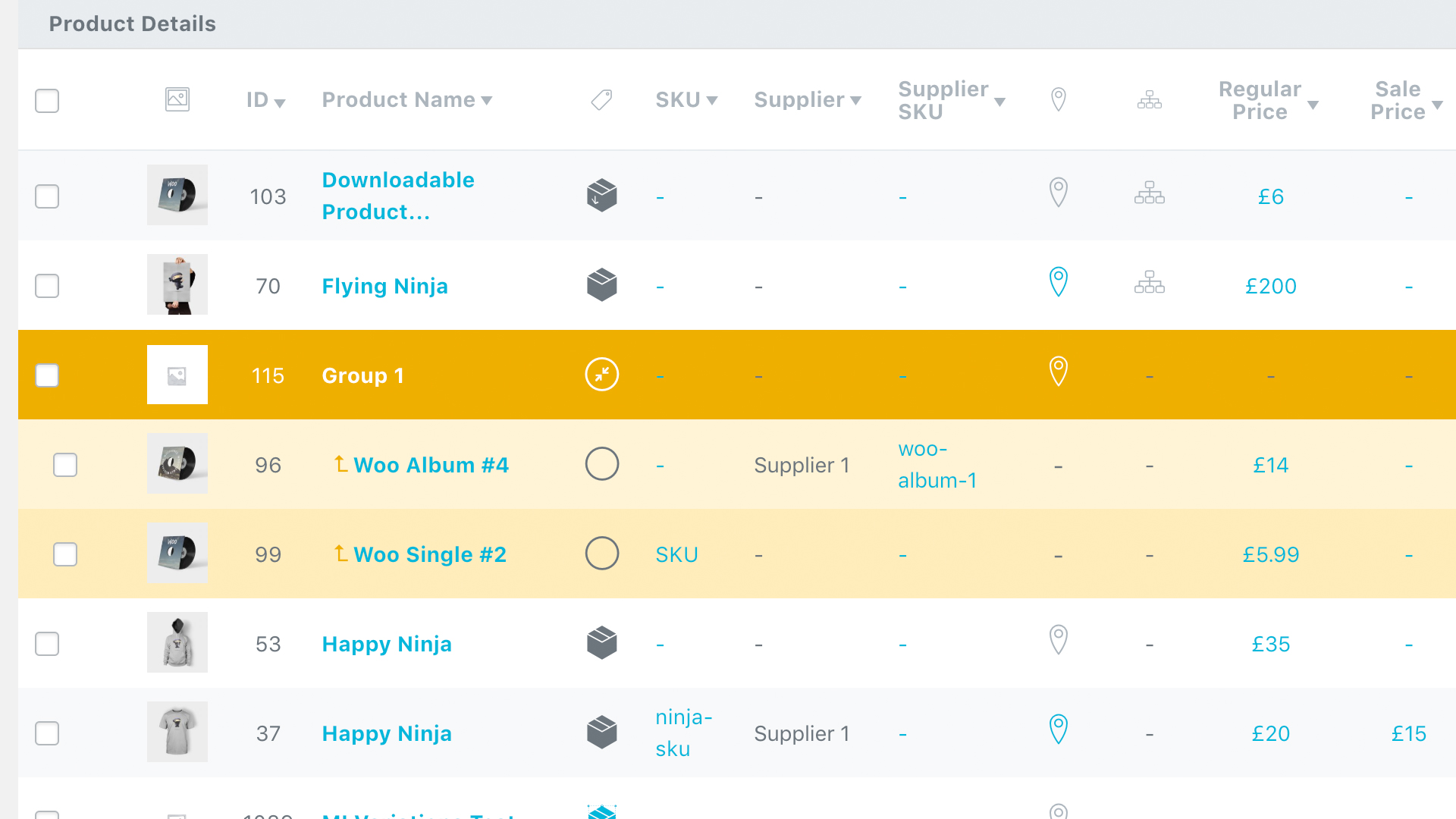
Grouped Products Are Included in the Stock Central Interface
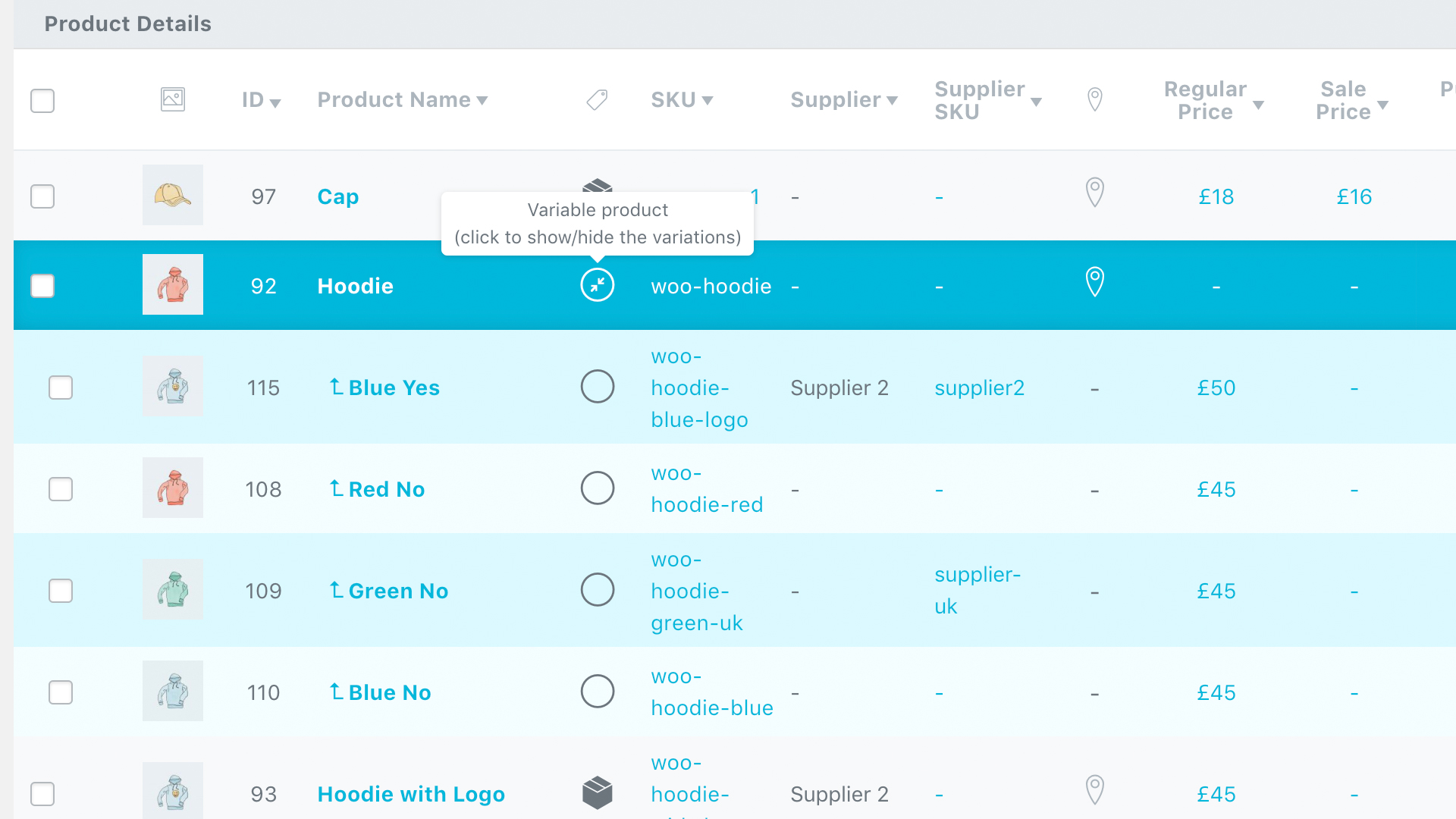
Variable Products within the Stock Central Interface
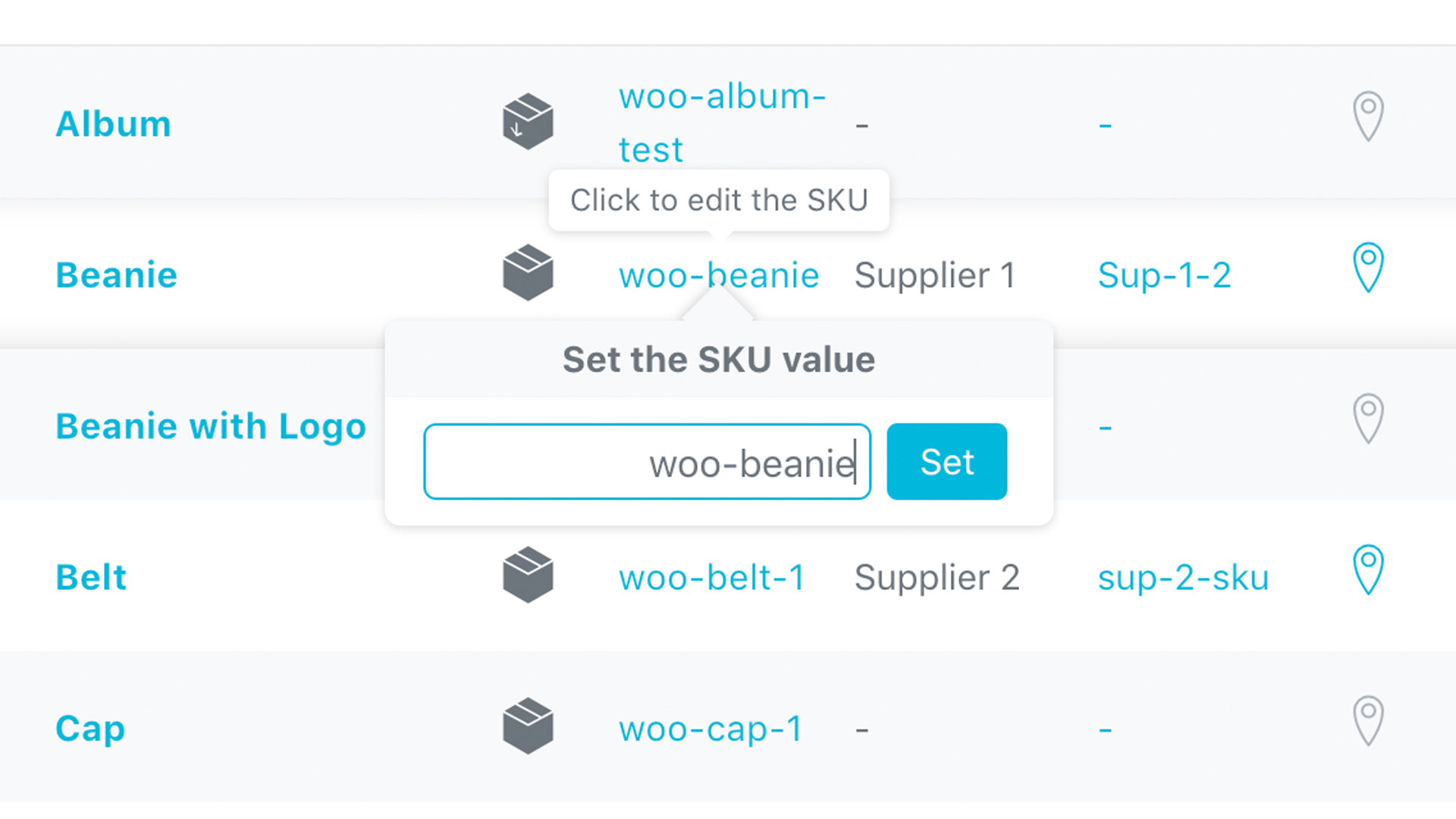
One Click SKU Edit Directly in Stock Central
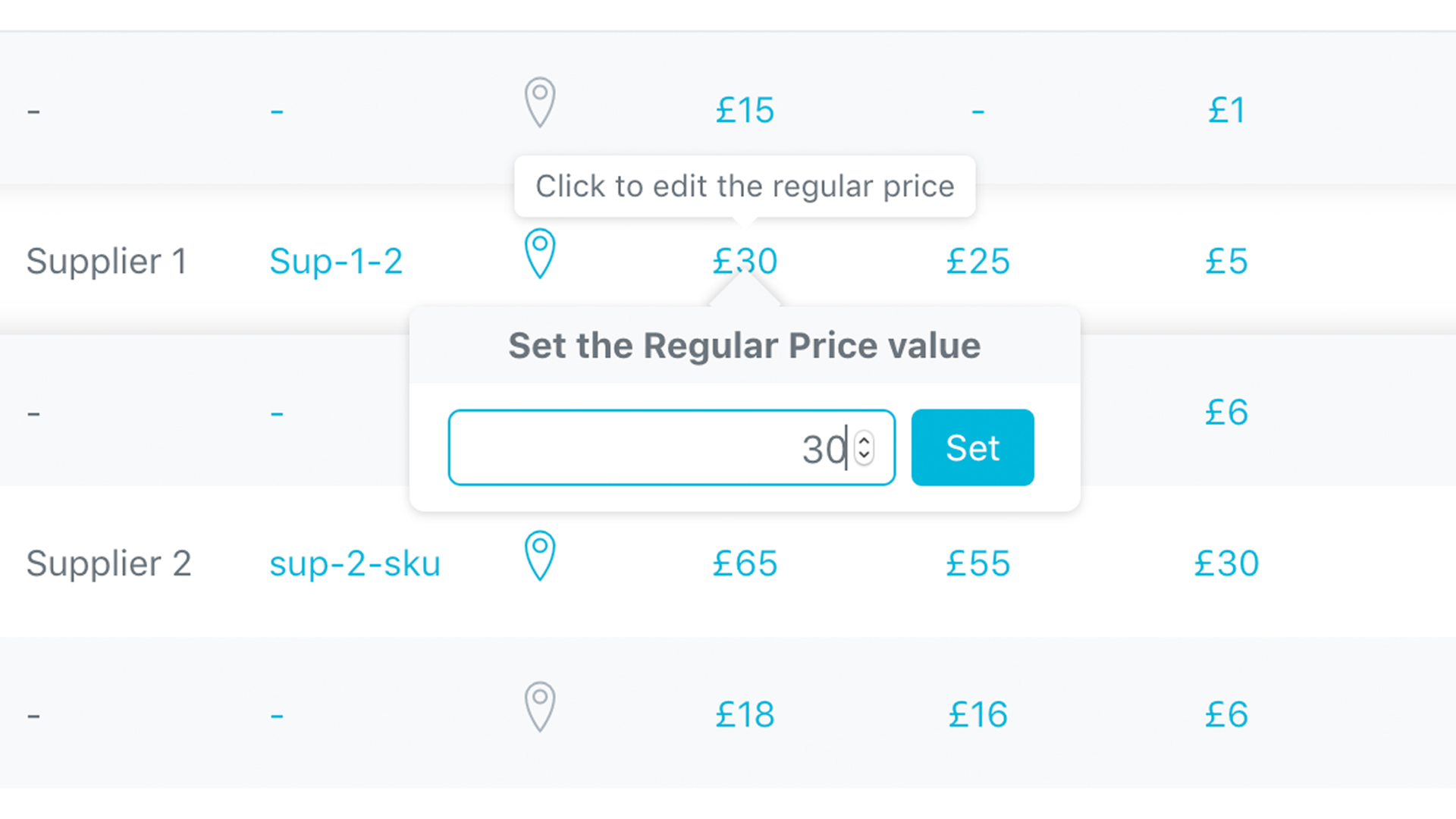
One Click Regular Price Edit Directly in Stock Central
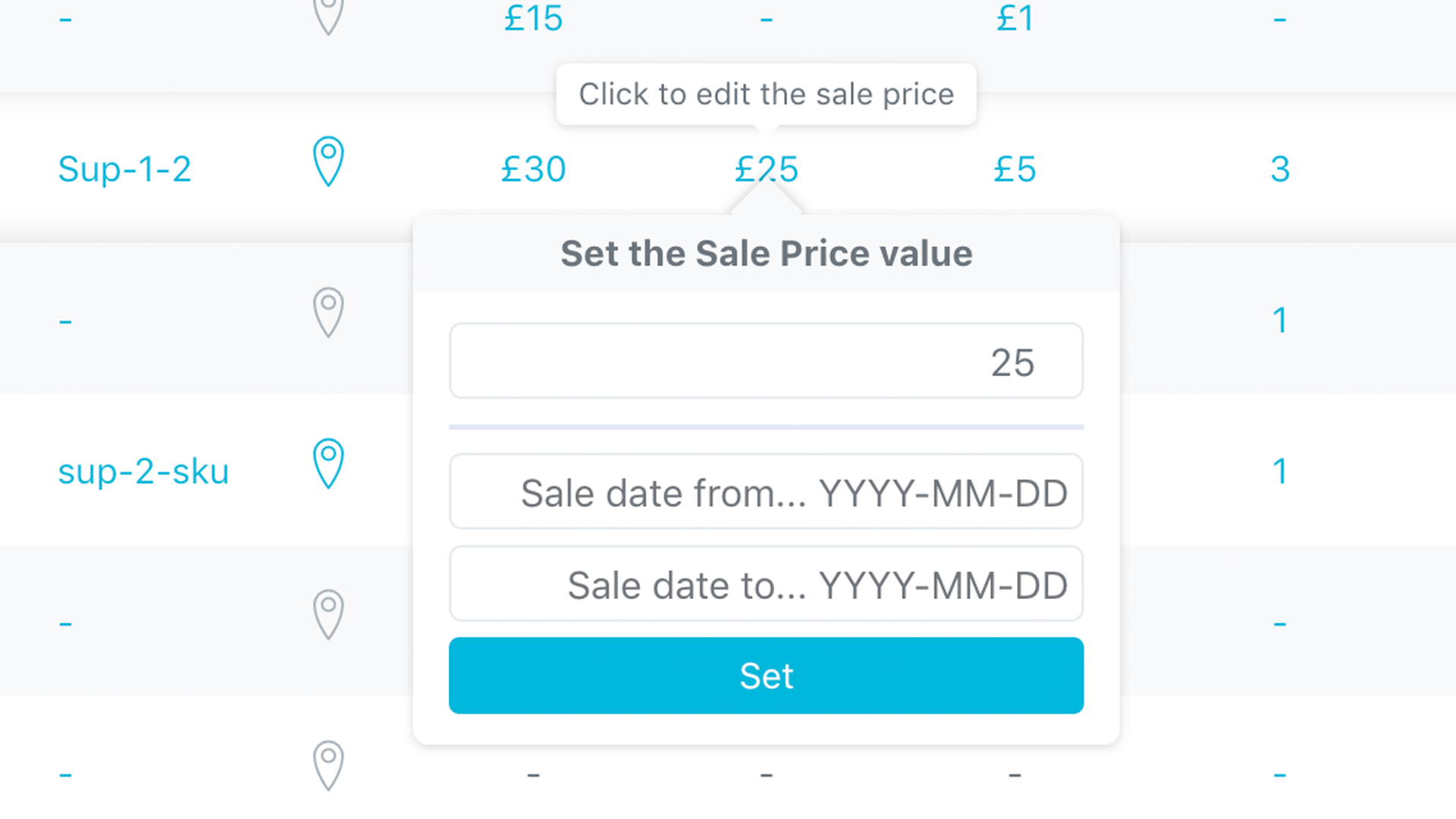
One Click Sale Price Edit Directly in Stock Central
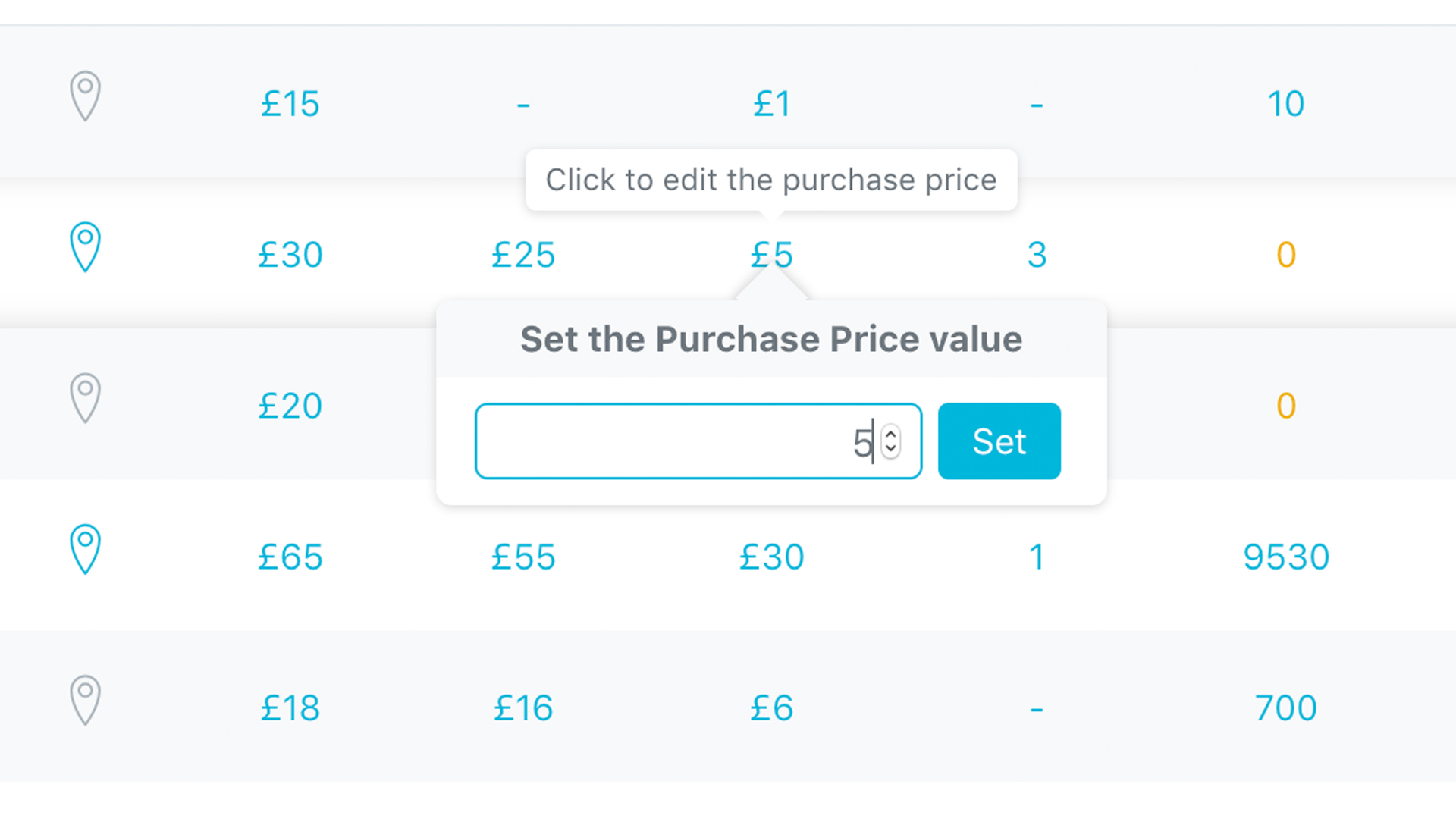
One Click Purchase Price Edit Directly in Stock Central
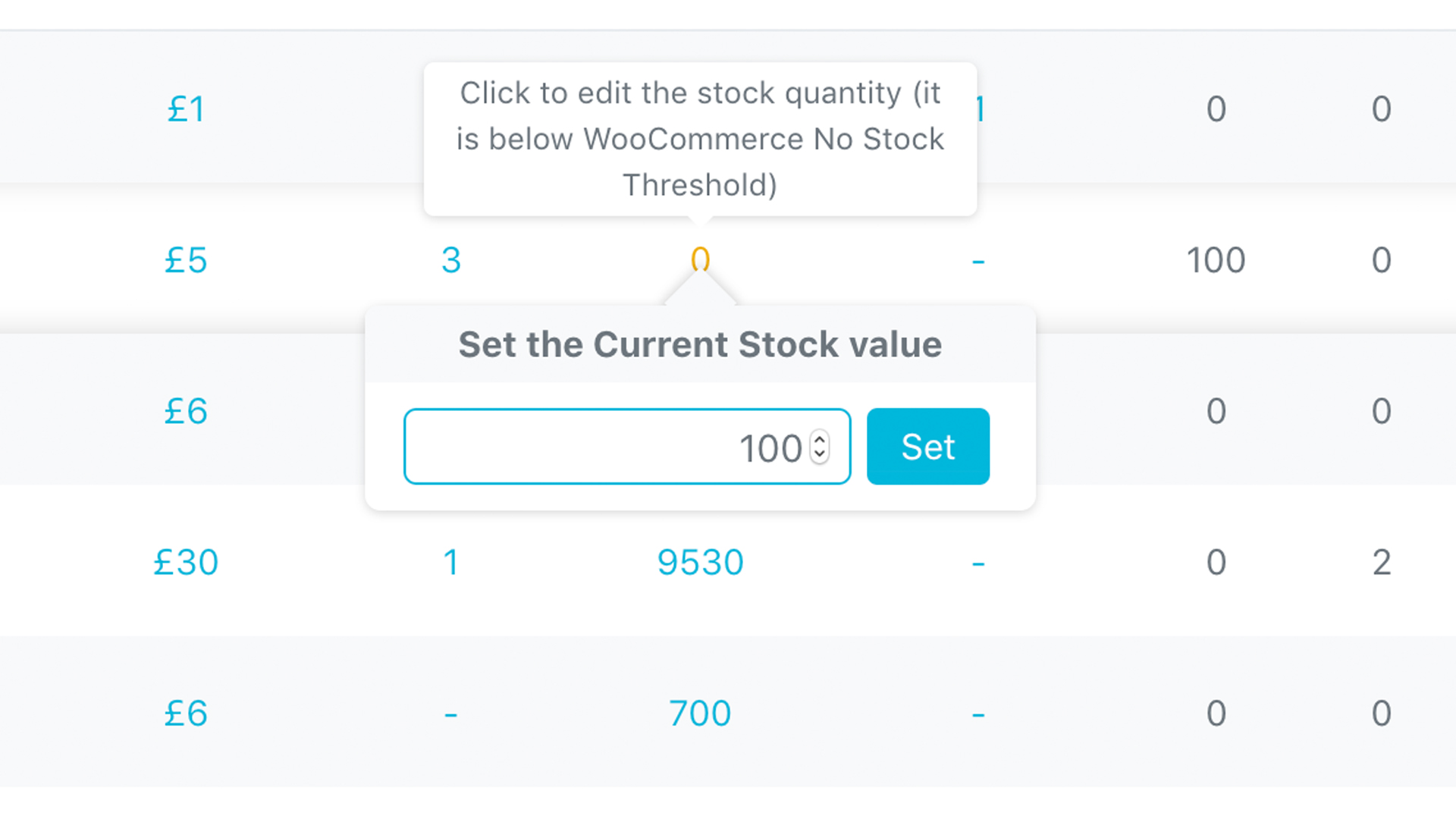
One Click Stock Quantity Edit Directly in Stock Central
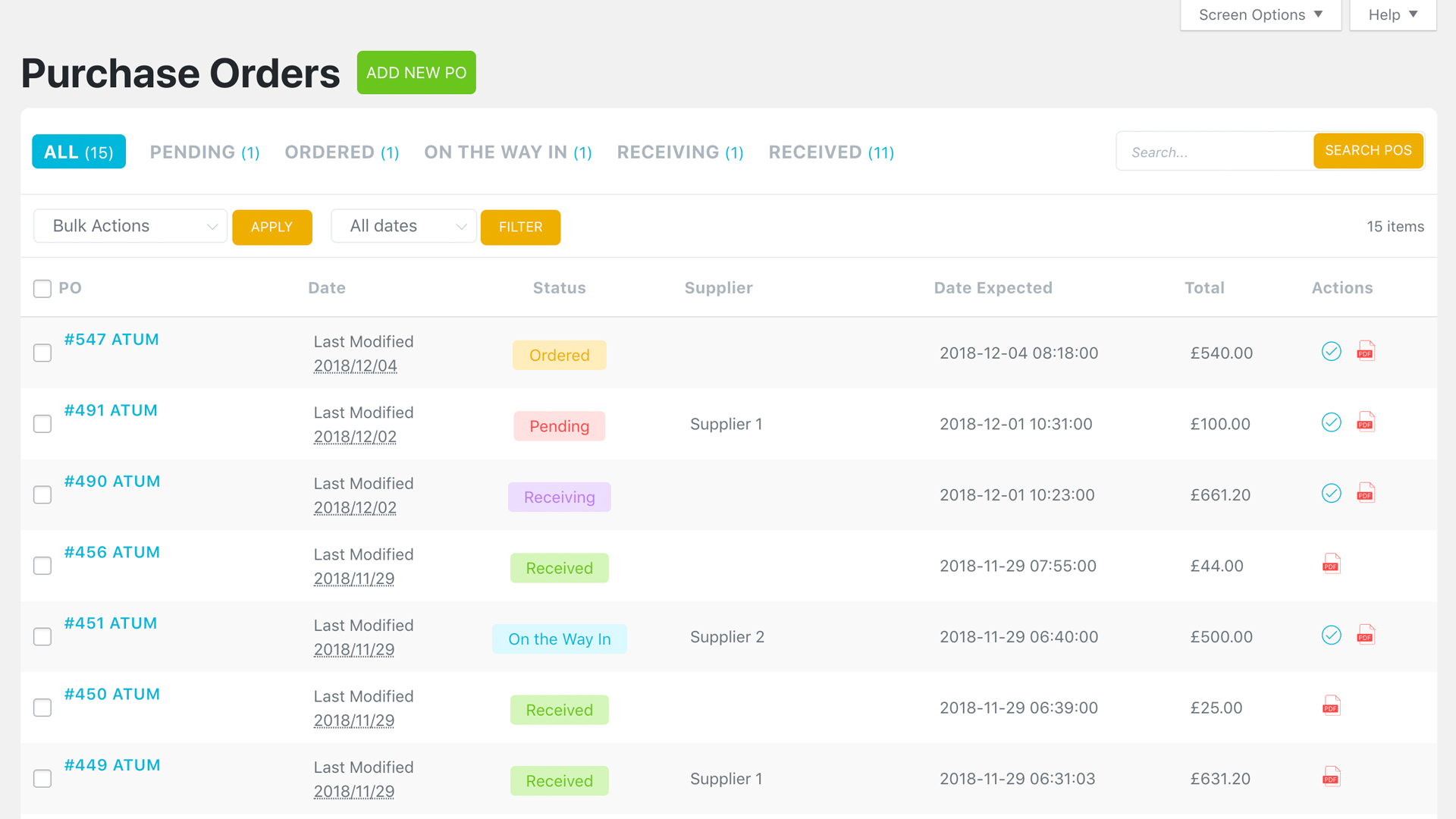
Purchase Orders – Full List of Created Purchase Orders
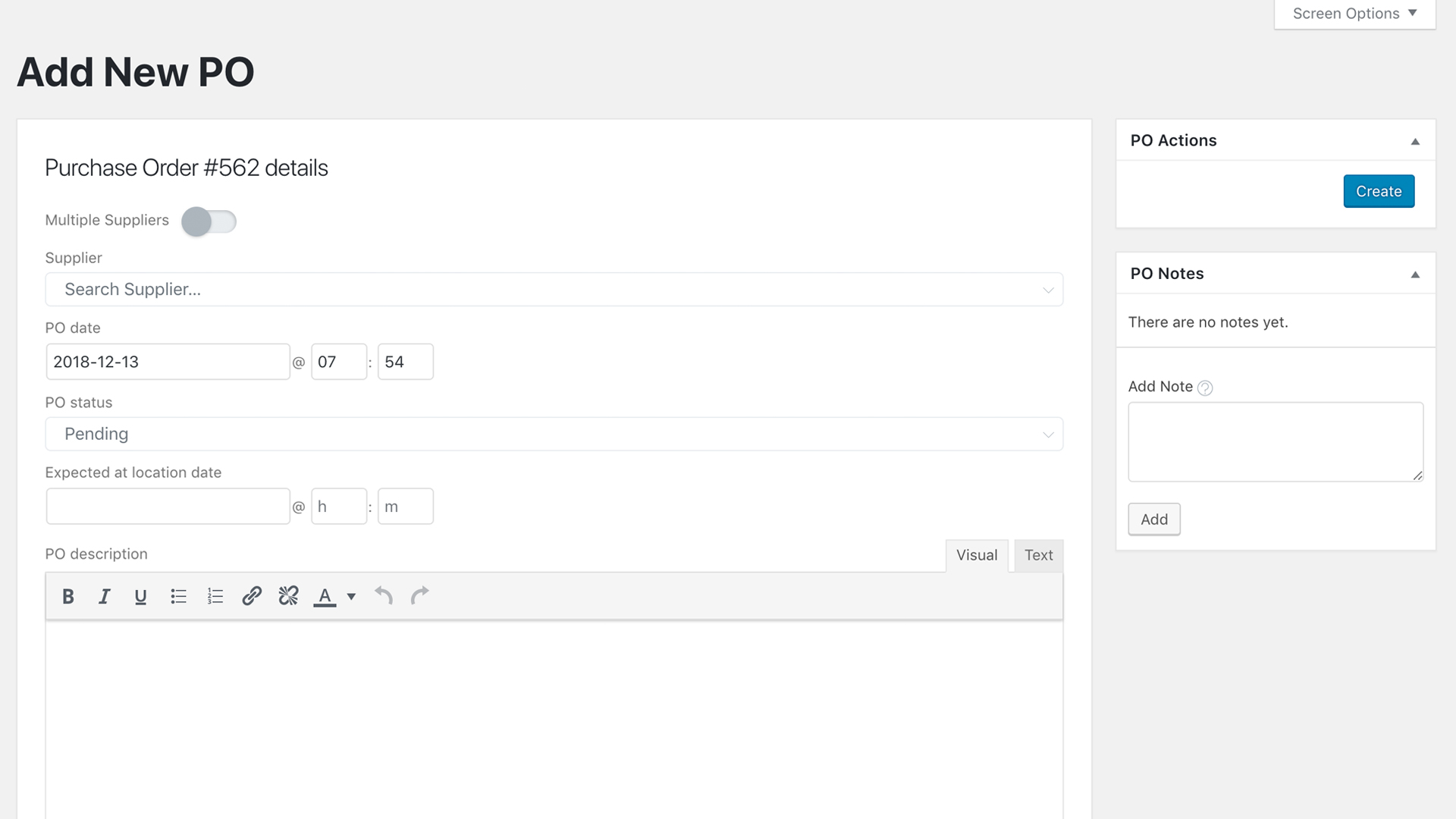
ADD New Purchase Order Screen – Control over your Incoming Items
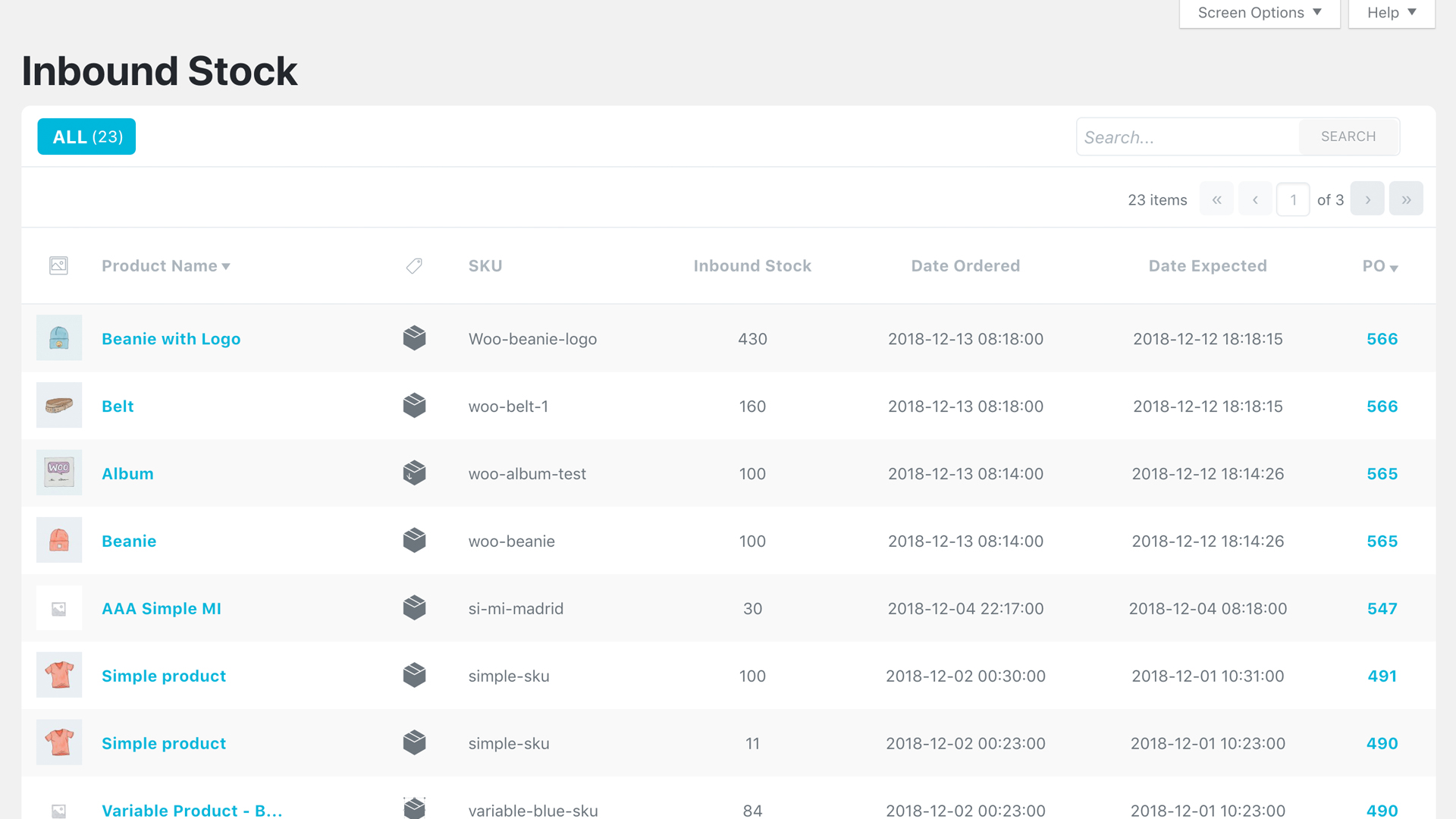
NEW Inbound Stock Preview – See All Yours Incoming Items
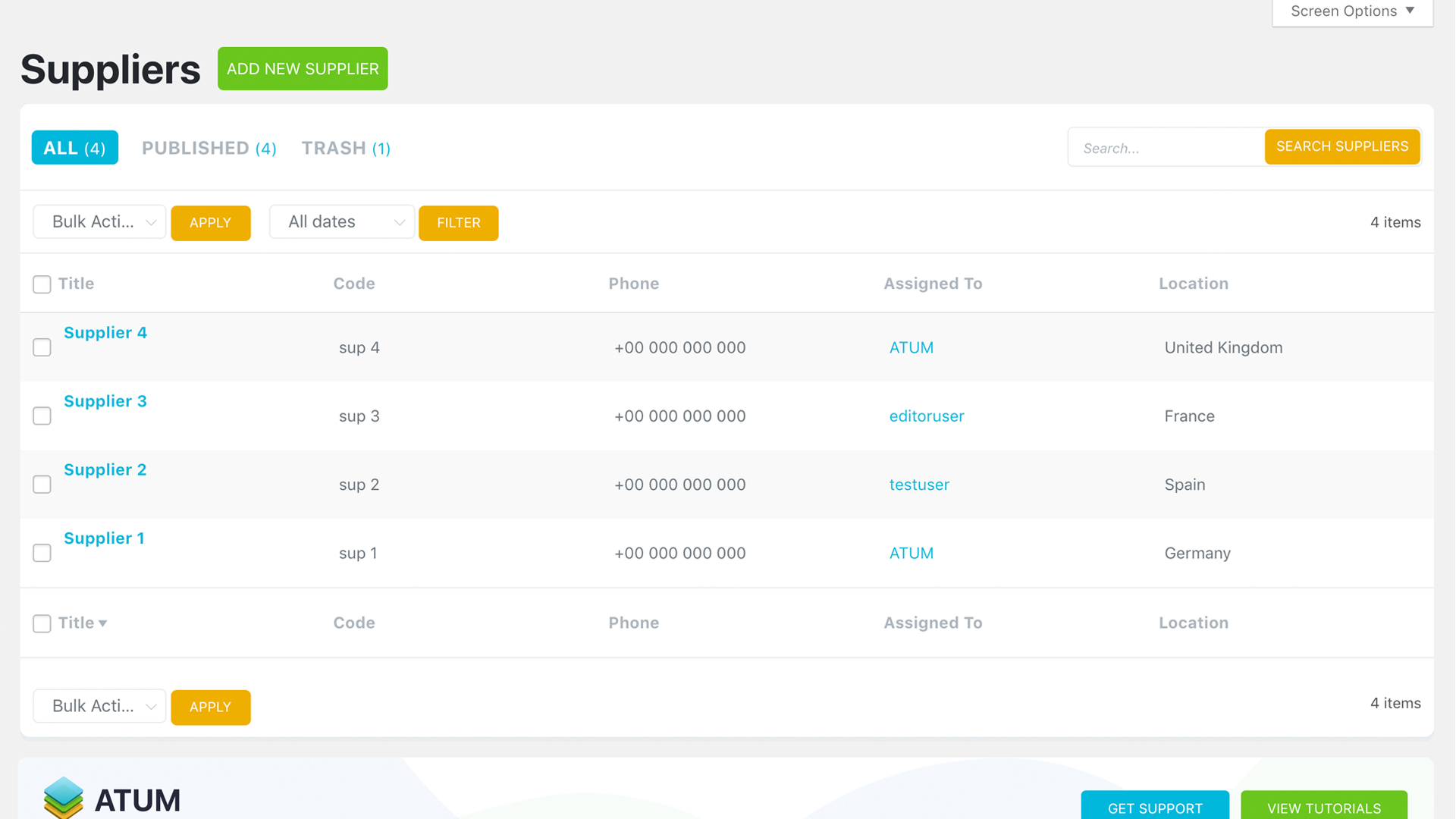
Suppliers – Preview of all Created Suppliers
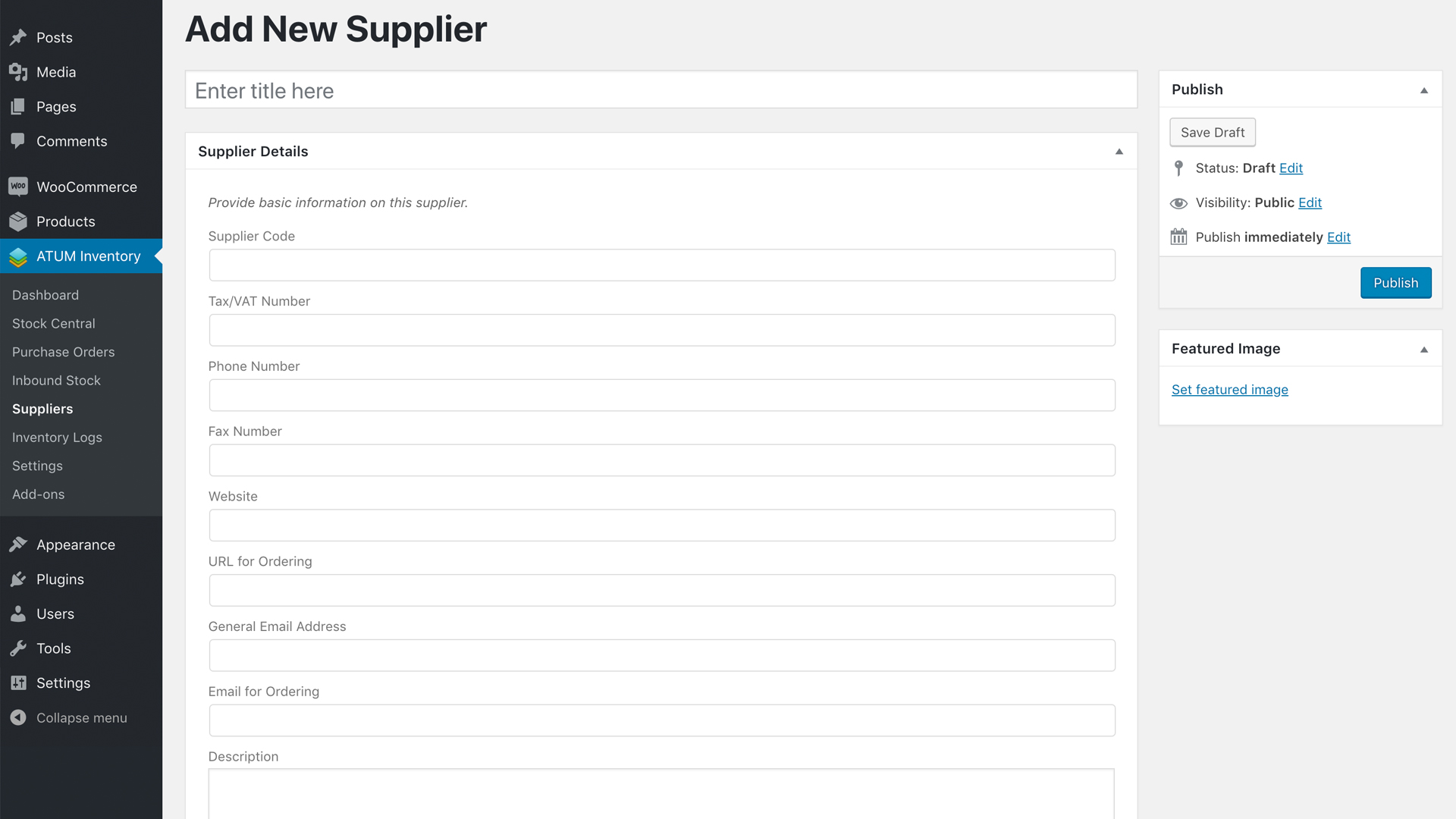
ADD New Supplier – Brand New Feature with Full Supplier Details
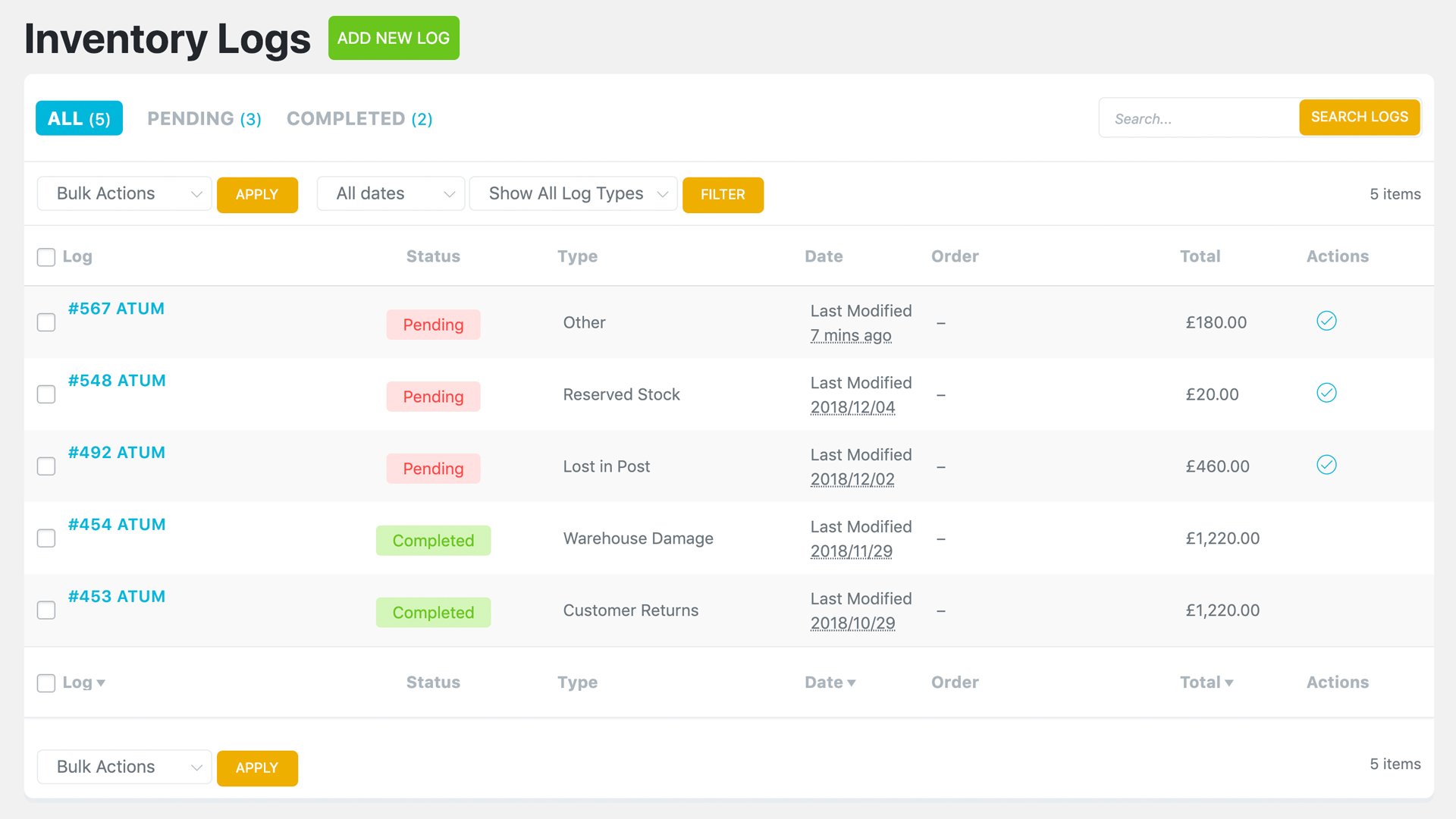
Inventory Logs – Preview of all Inventory Logs
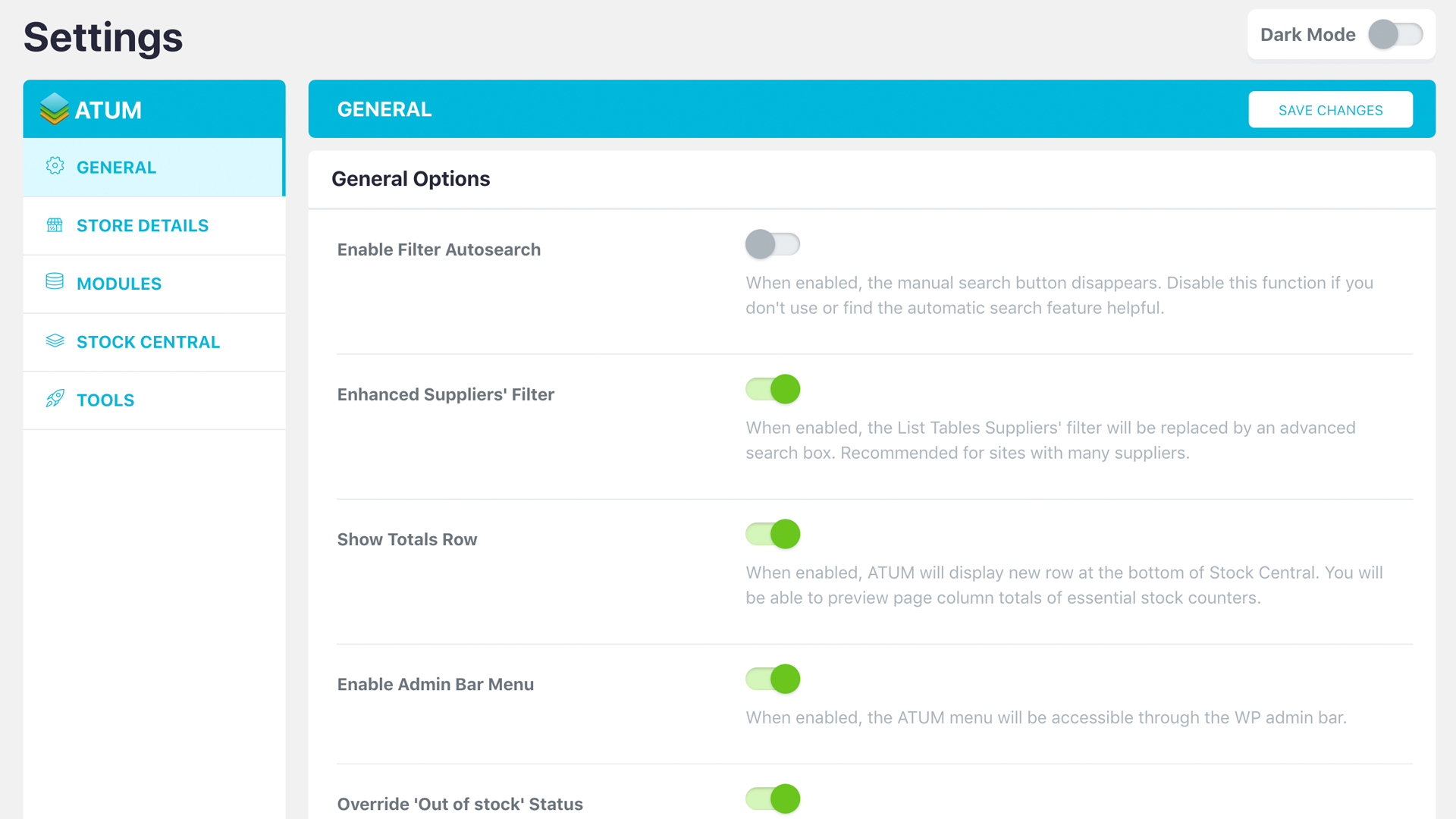
ATUM Settings – Dark Mode
ATUM Settings – Light Mode
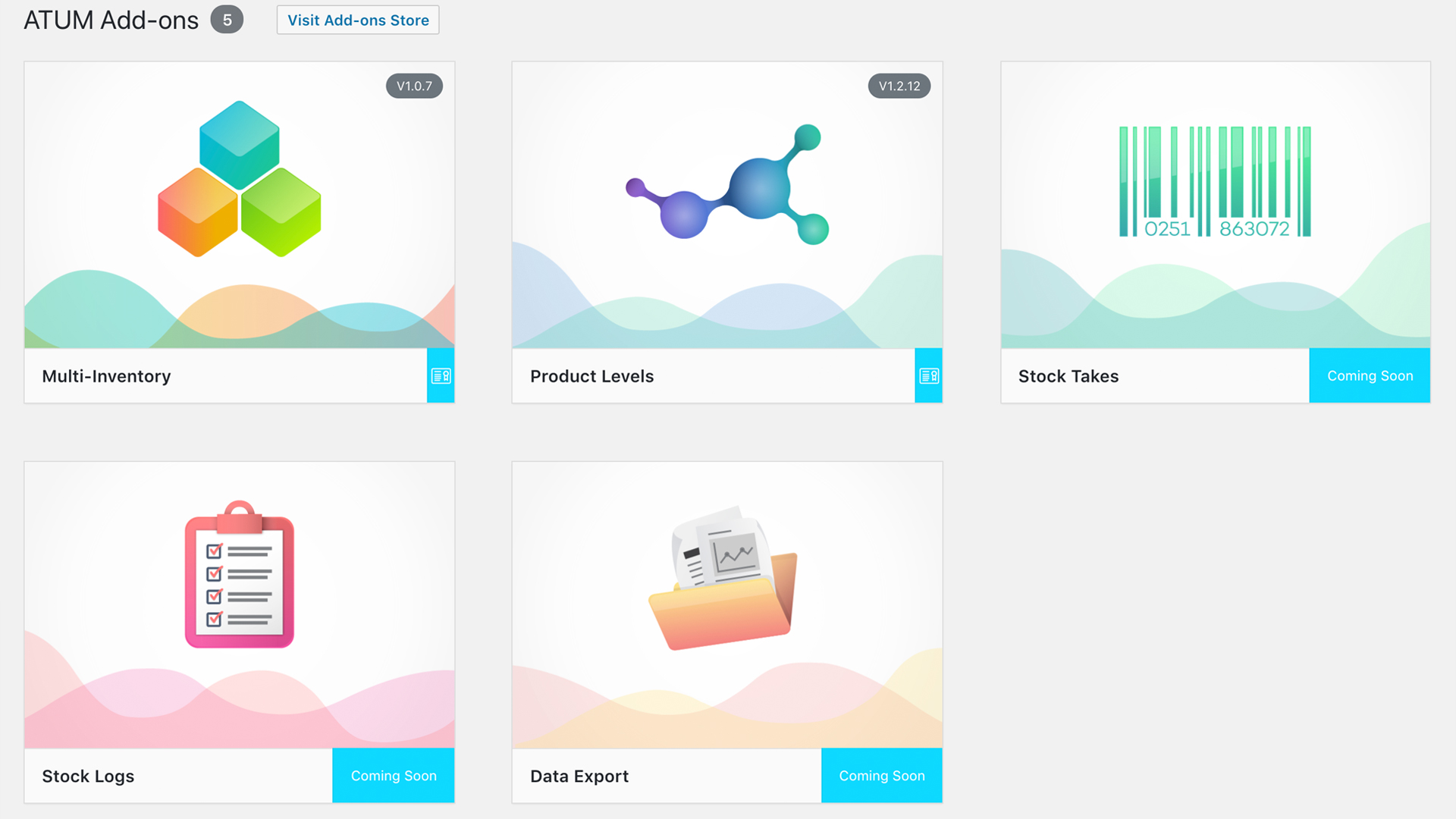
Brand New Add-Ons Screen For Further Shop Control
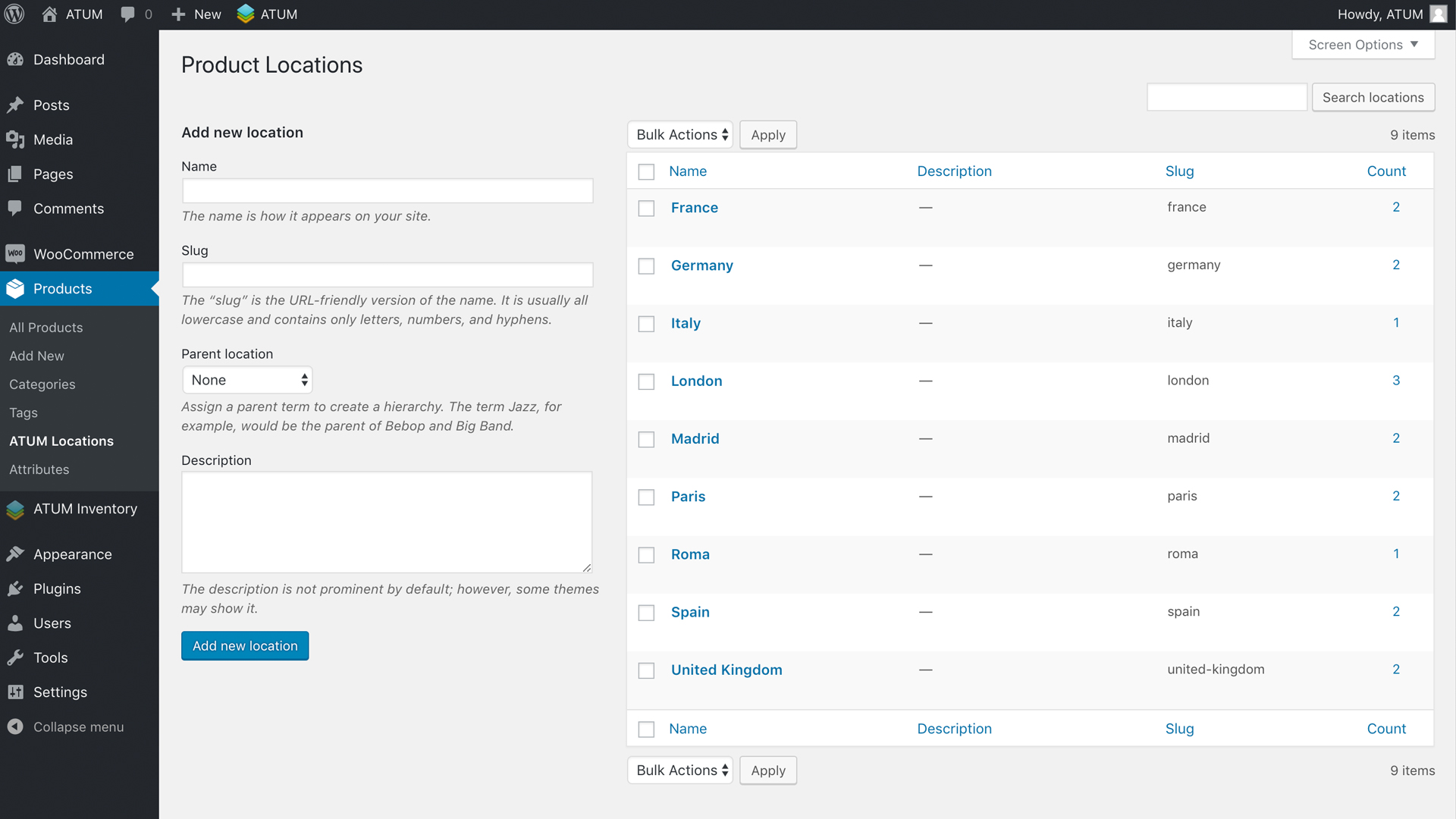
Create Product Locations – Warehouse, Shelf, Page, etc.

Faq
ATUM requires PHP version 7.4 or greater (recommended version 8), WordPress 5.0 or greater (recommended the latest version) and WooCommerce 5.0 or greater (recommended the latest version), but our recommended environment is the same as WooCommerce:
[https://docs.woocommerce.com/document/server-requirements/).
**For ATUM to work you need to activate the Enable Stock Management option in WooCommerce settings (WooCommerce-Settings-Products-Inventory-Manage Stock).
Also, we recommend of having WooCommerce up to date as we test and adapt ATUM for the latest version.
ATUM inventory management plugin is completely free and will stay as such. It was designed to suit most users that need essential inventory control of their business. However, for users that wish to take their inventory management further have the opportunity of using one of our Premium Add-ons.
In the Stock Central screen, you can sort your products into two lists, the ‘controlled’ and ‘uncontrolled’ list. Products you would like to monitor, control or edit you will see in the default controlled list that shows ‘immediately’ after you open the Stock Central screen. Products you do not wish to monitor you can find in the ‘uncontrolled’ list. Move products from one list to another is quick and straightforward and can be done directly on the Stock Central screen.
Yes, click the stock amount of the relevant product under the “Current Stock” column. ATUM opens a little pop-up, where you can apply your change. Now you can do many changes at the same time and hit the save button that appears on the top left.
Please, in case of a technical issue open an official support ticket or if it is a simple request, leave a post in the support forum.
At the time you read this, several translations may be available. To find out more or if you are interested in working with us and translate the plugin, don’t hesitate and do it here. We will reward you big time!
ATUM support all types of products available in the Free WooCommerce Plugin. We will most likely not support any product types of 3rd parties or premium WooCommerce extensions (apart from the official versions of WooCommerce Subscriptions, WooCommerce Bundles, and WooCommerce Bookings).
Product variations are fully supported and editable from Stock Central. ATUM handles variable products with ease and uses an expandable feature to make things clear and straightforward.
If you are using some cache system, try to purge the cache or ask your hosting provider to do it.
Also, try to reload the ATUM pages with CTRL + F5 (Windows) or CMD + R (macOS) to clear your browser cache.
We are very sorry: the current version of the plugin needs PHP 7.4+. Our team has tested it on PHP8 that WordPress recommends. Please see the link here
We do not plan any support for older PHP, and version 7.4 is the minimum.
We officially support: WooCommerce Product Bundles, WooCommerce Subscriptions, WooCommerce Bookings, and WMPL. Many other plugins can be compatible without any kind of customization, but others can cause conflicts.
Reviews
Almost perfect
By  pedw on August 4, 2026
Only missing the option for bulk edit & pdf printing
Thanks for your great work
Looks really nice!
By  tonytheboss on June 19, 2025
Actually it provides every function I need.
5 stars!
Broke my sales for a week
By  abewp on May 9, 2025
I use the base and product levels. All of a sudden all of my product was OOS. Support blamed something else, when theirs was the plugin I updated. Rollign back didn’t help. After days of being OOS I realized that they broke their own nested BOMS, and spent hours removing those. At the end of all this wasted time and effort they admitted it and I got a “sorry for any inconvenience.” Terrible support.
Excellent plugin, did more than expected
By  Hergé (rguilbert) on April 24, 2025
I was looking for a plugin to manage stock quantities, and I see that it also manages orders. I’ll probably be able to get rid of my Access program and group my supplier orders here. The only question is whether it manages supplier payments/schedule of payment : I still need to explore the features.
Thanks for you work
Great but sometimes fail
By  miguel1258 on April 9, 2025
It was what I needed at the beginning. I could add multiple locations/inventories to manage my products. However, after 8 months the numbers didn’t match. Since this is critical, we had to go back to excel. Lastly the support window was gone and we didn’t plan to pay monthly fees to keep the tool useful. Maybe can work if ATUM uses an URL/webiste to show the stock and just a plugin to call an API from products in Woo.
Perfect Tool
By  fjancsi85 on February 2, 2025
I think the product is highly overpriced, but for now, I can’t suggest a better one.
Need to use IDs and not SKU
By  sofiahz on August 26, 2024
If you need the extra add-on ExportPRO there is one thing that you need to know before using the ATUM is that you will not be able to use your SKUs for uploading you need to have the IDs (that are created when you upload a product to woocommerce) also. We had a lot of products and needed to update some information but since we needed the IDs we could not upload them so all needs to be done manually (many many hours of work). It will also be a problem when we get lists from a supplier with SKUs but no IDs (ofcourse) then manual work needs to be done to upload new information. However they say this is going to be fixed soon so hope that will come soon.
Best Inventory Plugin for WooCommerce
By  travis1199 on January 7, 2024
ATUM is simply a must have inventory plugin for Woocommerce, I run my site using the free version, plus pay for the export/import premium addon for doing stock analysis. Simply the best ive found for managing inventory, purchase orders, incoming stock, etc.
best reactivity to repair an issue
By  Frédéric (jardindanslavallee) on November 14, 2023
We had a problem with the stock and they fix it ASAP
Thank you
Invaluable plugin!
By  Dana (dsurrusco) on August 24, 2023
This is hands-down the best Woo inventory tool I’ve tried – would hate to go back to managing inventory without Stock Central! Excellent UI design, with all the features I need for my small sideline shop. Will happily upgrade to paid version when my shop expands!
Changelog
2.0.7
2026-10-19
Fixes
- Fixed the expiring calculated props job never finishing and reprocessing the whole catalog on sites whose time zone is west of UTC.
- Fixed PHP warnings and database errors logged for every product by the expiring calculated props job, which also saved the inbound stock as 0.
- Fixed the expiring calculated props background actions failing after 300 seconds.
- Fixed Inventory Logs quantities counting logs in every status when recalculated by background jobs.
- Fixed WPML translations not being included in the inbound stock calculated by background jobs.
- Fixed the paid date of completed orders being shifted by the site’s time zone offset.
2.0.6
2026-10-16
Changes
- Excluded orphan variations from the Current Stock Value widget.
Fixes
- Fixed PHP warnings on every admin and REST request caused by a development-only class missing from the package when ATUM add-ons are active.
- Security: the add-ons auto-installer now only accepts known add-ons and well-formed license keys.
- Fixed an undefined constant error in the REST API orders extender when the Stock Takes add-on is not active.
2.0.5
2026-10-15
Changes
- Added new messages when trying to add a product that already exists in the PO items.
- Paginated the calculated props cron to avoid timeouts.
- Excluded orphan variations from the stock levels widgets.
- Added more local TLDs and staging subdomains to the add-ons license checks.
Fixes
- Several security fixes.
- Fixed the best/worst sellers filter cache in Stock Central ignoring the selected date range.
- Fixed incorrect color of negative stock when backorders are not allowed.
- Fixed updating ATUM order items through the API.
- Fixed errors when using WP-CLI.
2.0.4
2026-09-15
Changes
- Changed capability used to activate licenses.
- Show a message when the staging sites activation limit has been reached.
- Do not show the filter button on the bottom bar in list tables.
Fixes
- Fixed string+int TypeError in “maybe_update_variable_calc_prop” under a persisting object cache.
- Fixed new datepicker wasn’t visible in modals.
- Fixed the edit button not visible when a lot of countries set in MI popovers.
- Fixed some calculated props not being calculated under some time zones.
- Fixed multiple items cannot be added to a PO on WC 11.1+.
- Several WC 11.1+ compatibility fixes.
- Fixed sale schedule dates shifting when the site timezone is not UTC.
- Fixed a sticky header issue on Stock Central.
- Fixed hour and minute input fields’ width in Inventory Logs.
- Fixed MI columns searches in Stock Central.
- Make sure an array of add-ons exists before using it.
- Fixed the manual search-by-column field styling in list tables.
- Fixed select2 CSS.
- Fixed loading addon integrations when any addon does not meet its minimum requirements.
- Fixed list tables view counters when there are uncontrolled products.
- Fixed list table totals now counting on first load.
- Fixed variation names with “any” value set in List Tables.
2.0.3.2
2026-07-28
Changes
- Refactoring.
Fixes
- Fixed PO PDF colors.
- Fixed calc props not working on some sites.
2.0.3.1
2026-07-21
Fixes
- Fixed capability check on variation products.
2.0.3
2026-07-20
Changes
- Check minimum ATUM version required before installing addons via automatic updates.
Fixes
- General hardening.
2.0.2
2026-07-15
Fixes
- Fixed dist folder not being deployed.
2.0.1
2026-07-15
Features
- Improved ATUM cache system.
- Added compatibility to “WC Product Object Caching” feature.
- Modernized dev environment.
- New AtumAssets class.
- Upgraded to gridstack v12.
- Upgraded chart.js.
- Upgraded intro.js.
Changes
- Refactoring.
- Removed deprecated news and video widgets.
- Removed deprecated code.
Fixes
- CSS fixes.
- Fixed namespaces.
- Fixed wrong tooltips shown when the sales statistics chart is disabled.
- Fixed jquery compatible versions.
- Security fix in ajax callback (thanks @Saher).
- General hardening.
- Fixed delete IL items in bulk.
1.9.56
2026-05-11
Features
- Show the sale price in red if the product is not on-sale anymore.
Changes
- Make sure an ATUM order exists before using it.
- Disable the ATUM Order object caching in WP Engine by default.
- Allow passing null to the edit popover.
- Disabled enable_action_scheduler_high_volume option as we don’t really need it anymore.
- Cancel any posible duplicated ATUM job in Action Scheduler.
- Do not get rid of the date values in SC datepicker inputs if they are not valid.
- Count the “onbackorder” items as part of the out-of-stock counter in the dashboard widget.
- Do not apply any roundings until a price is displayed.
Fixes
- WP 7 compatibility fixes.
- Fixed deprecated .blur usage.
- Fixed composer.json option.
- Fixed item quantities not saving correctly through the API.
1.9.55
2026-03-30
Features
- Several performance improvements.
- Added new setting to disable ATUM object caching on orders.
Changes
- Removed deprecated wp_enqueue_js.
- Refactoring.
- Removed product stock status from the current stock value widget query.
- Updated minimum required addons versions.
- Allow sale dates propagation when editing from Stock Central.
Fixes
- Fixed input step quantity when stock decimals is enabled in WC 10.1+.
1.9.54.1
2026-02-03
Changes
- Updated addons minimum versions.
- Update wpml-config.xml.
- Make sure an ATUM queue hook callback has been registered before scheduling it.
- Changed addons alert color.
- Refactoring.
Fixes
- Fixed issue with some list tables when being loaded as a report.
1.9.54
2026-01-19
Features
- Added filter when excluding variable products from List Tables.
- Added filter badges when an extra filter with values is active.
- Added an action after an ATUM order gets created.
Fixes
- Fixed deprecated jQuery functions.
- Fixed SASS deprecated warnings.
1.9.53
2025-11-25
Changes
- Updated JS dependencies.
Fixes
- Released new version to fix wordpress.org issue with the updates.
1.9.52.1
2025-11-25
Fixes
- Fixed site crash when using some specific PHP versions.
1.9.52
2025-11-25
Features
- Added a dropdown to filter products by location to Stock Central.
Changes
- Removed full export endpoint.
- Avoid issues when a product type is not supported by ATUM.
Fixes
- Fixed a deprecated notice for the block-ui enqueue.
- Fixed undefined array key notices in some scenarios.
1.9.51
2025-10-14
Features
- Added a new helper function to get the post type name from a give order type ID.
Changes
- Refactoring.
- Dot not override the “search in” dropdown items if there are values.
Fixes
- Fixed PHP 8.4 compatibility.
1.9.50
2025-08-28
Features
- Allow some HTML tags on titles when exporting POs to PDF.
- Add suppliers params to the PO API list query.
- Added a new filter to set the default qty used when adding products to ATUM Orders.
Changes
- Ask the users to uninstall a trial before activating a full version license.
- Refactoring.
- Remove the twigg templates for language dropdowns.
- Ensure the WPML lang is saved if it’s set.
- Exclude empty “element_id” when searching for translations.
- Updated JS dependencies.
Fixes
- Fixed full export dumps.
- Prevent issues if, for some reason, a hook is called multiple times and the item does not exist anymore.
- Fixed API error when creating a PO and the COGS feature is enabled.
- Fixed default qty added to PO items when the stock decimals value is enabled and the step decimals value is 0.