

Addon Elementor Container Link
Description
Addon Elementor Container Link extends the functionality of Elementor by introducing an anchor link field within containers, sections, inner sections, and columns. After installing and activating the Addon Elementor Container Link plugin, navigate to your Elementor editor. When editing a container, section, or column, you will find a new option labeled “Container Link” under the Layout tab. Upon activation, you can easily designate these elements as clickable, enhancing user experience and navigation on Elementor-powered websites.
This feature enriches the default capabilities of Elementor, providing users with greater control over interactivity and engagement.
Features
- Add a custom URL to make Elementor containers, sections, inner sections, and columns clickable.
- Enhance user experience by making container elements clickable.
- Support ‘Open in new window’ link options, middle-click, and Ctrl/Cmd+click navigation.
- Accessible: includes keyboard navigation (Tab focus & Enter key) and ARIA link semantics.
- Non-intrusive: preserves child links, buttons, form controls, and user text selection.
- Safe editing: automatically disables links inside the Elementor editor while designing.
- Dynamic tags support (compatible with Elementor Pro).
- Fully compatible with WordPress 6.x and 7.x.
- Fully compatible with Elementor 3.x and 4.x.
Note
Our plugin requires the installation of Elementor for full functionality. Access the anchor or custom URL field option in the Elementor edit page interface to unlock enhanced interactive features.
Installation
- Upload the plugin files to the
/wp-content/plugins/addon-elementor-container-linkdirectory, or install the plugin through the WordPress plugins screen directly. - Activate the plugin through the ‘Plugins’ screen in WordPress.
Screenshots

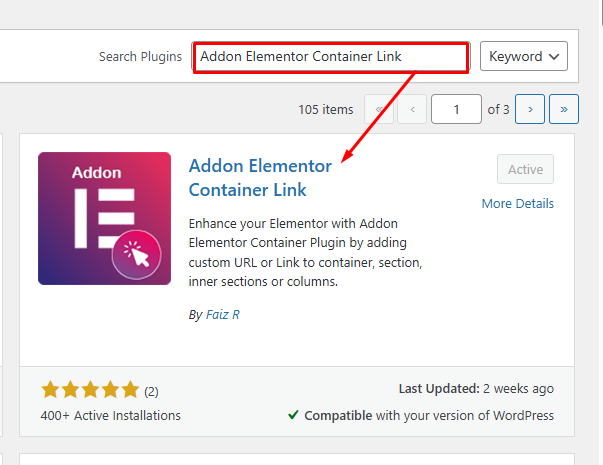
Add New Plugin Addon Elementor Container Link
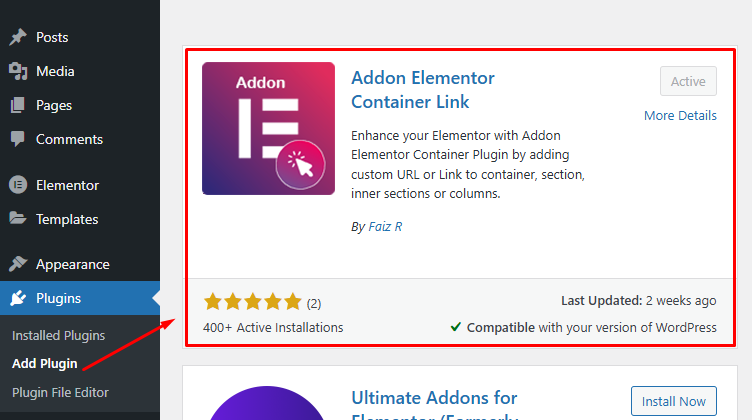
Activate Plugin Addon Elementor Container Link
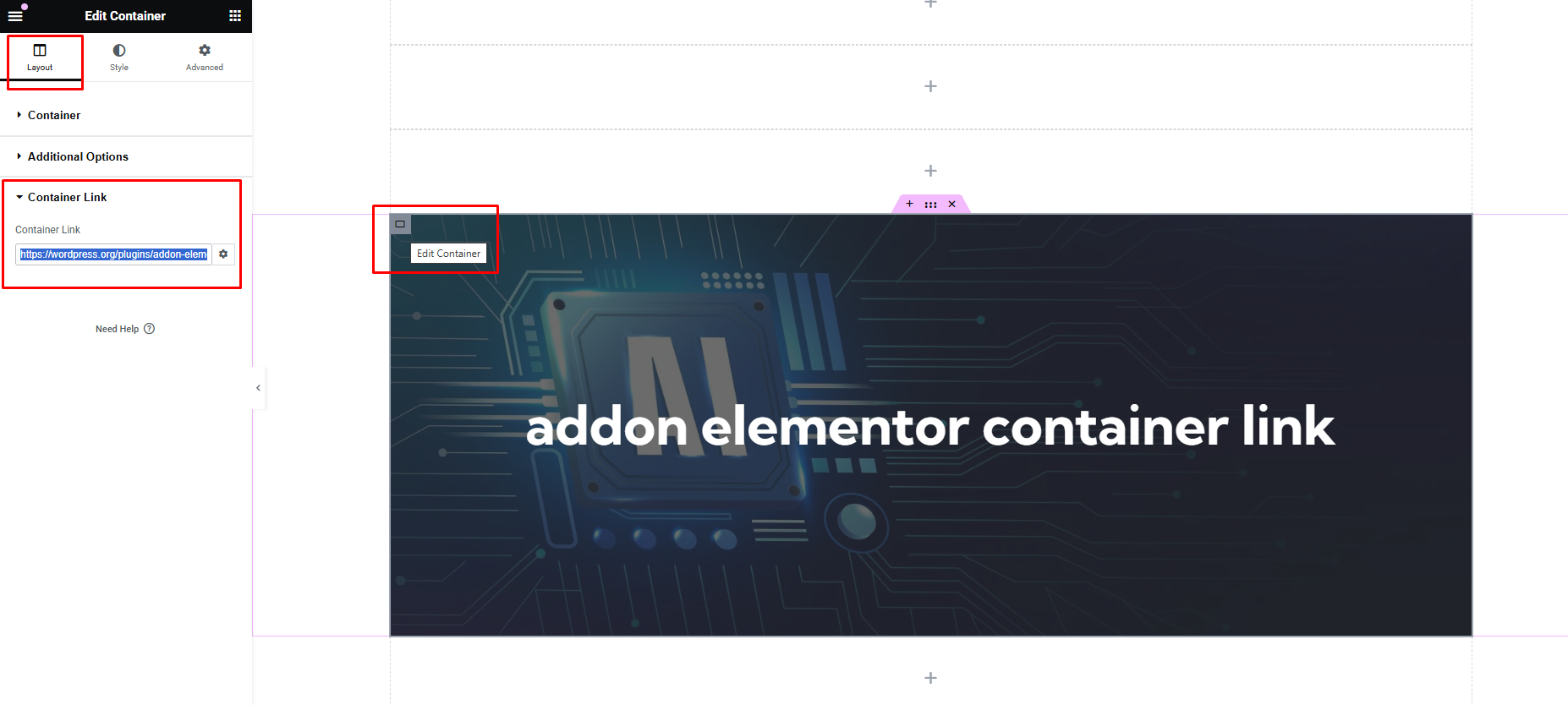
Edit Page in Elementor Page Builder -> Layout Tab -> Container Link
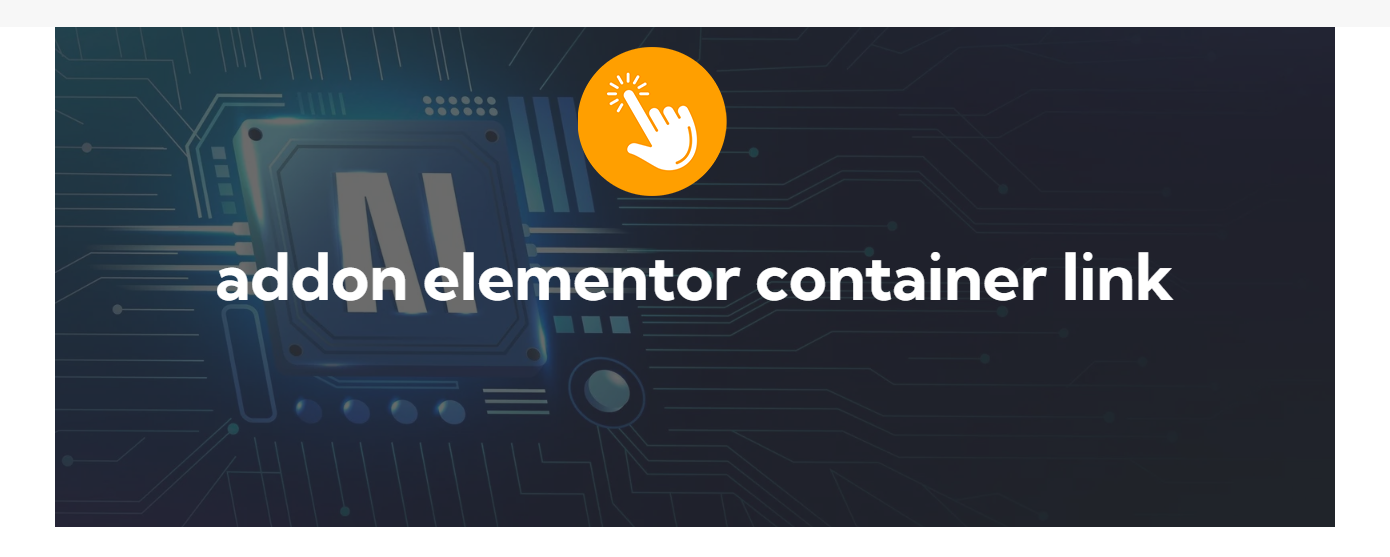
View the Page and Test the container clickable now
Faq
How do I add a link to an Elementor container or column?
After installing and activating the Addon Elementor Container Link plugin, navigate to your Elementor editor. When editing a container, section, or column, you will find a new option labeled “Container Link” under the Layout tab. Enter the desired link URL in the provided field, and the element will become clickable on the frontend.
Can I customize the appearance of the clickable containers?
Yes, you can customize the appearance of clickable containers using custom CSS or Elementor’s built-in style settings. The plugin automatically adds a pointer cursor and proper semantic link attributes.
Reviews
Perfect addon
By  eleopard on November 17, 2025
Does what it ways, and intuitive enough to use. Thanks!
A Minimalist Approach to Container Links
By  emalbert on September 16, 2025
Minimalistic and straight to the point. An excellent solution if you don’t want to flood your WordPress with lots of widgets you’ll never use.
Yes it totally works 🙂
By  michael0808 on April 12, 2025
Why does your plugin work much better than Elementors own solution? 🙂
Many Thanks for creating it 🙂
Btw to other people. The addon is on any container at the bottom of the layout tab.
Btw I created a user here just to be able to say thanks and let people know it works 🙂
Thank you so much
By  Brksoft (brksoft) on March 29, 2025
Yours is the only plugin on the market that works my bro, thanks for your support
Changelog
1.1
- Tested with WordPress 6.8
- Tested with Elementor 3.28.3
- Fully tested on PHP 7.4, 8.0, 8.1
1.2
- Tested and Compatible with WordPress 6.8.1
- Tested and Compatible with Elementor 3.28.4
- Fully tested with PHP 7.4, 8.0, 8.1
- Added: Screenshots, thumbnails and icons
1.3
- Tested and Compatible with WordPress 6.8.1
- Tested and Compatible with Elementor 3.29.2
- Fully tested with PHP 7.4, 8.0, 8.1
- Added: Dynamic Tags (will work with Elementor Pro)
- Fixed: Link ‘Open in new window’ link options.
1.4
- Added support for Elementor columns and inner sections.
- Improved frontend event handling: links support Ctrl/Cmd+click and middle mouse click.
- Added keyboard accessibility support (Tab focus and Enter key navigation).
- Added protection against navigating while highlighting or selecting text.
- Prevented links from triggering inside the Elementor editor while editing.
- Ensured nested parent/child container links work independently; child links no longer trigger parent links.
- Cleanly enqueued frontend scripts and styles via WordPress/Elementor APIs.
- Added pointer cursor support natively via CSS.
- Added compatibility notice if Elementor is not active.
- Added “Buy cup of coffee” support link in plugin row meta.
- Tested and compatible with WordPress 7.1.
- Tested and compatible with Elementor 4.3 and 3.x.
- Fully tested with PHP 7.4, 8.0, 8.1, 8.2, 8.3.