
A Random Number
Description
A Random Number adds a simple random number generator to WordPress. Add the “A Random Number” block in the block editor, or put the [arandomnumber] shortcode in any post, page or widget, and it prints a new random number every time the page loads. Use it as many times as you like on the same page.
Features
- Gutenberg block with minimum, maximum and thousands-separator settings and a live preview
- Random number generator shortcode for posts, pages and text widgets
- Custom range with the
minandmaxattributes (default 1 to 100) - Negative numbers and large ranges are supported
- Thousands separators on by default, switch them off with
comma=no - Insert button in the classic editor (visual and text mode)
- No settings page and no database tables to manage
How to use
In the block editor click the add-block button, search for “A Random Number” and set the range in the block sidebar.
Or add the shortcode wherever you want the number to appear. The default range is 1 to 100.
[arandomnumber]
Pick your own range with min and max:
[arandomnumber min=1 max=10000]
This prints a number between 1 and 10,000, for example 8,014.
[arandomnumber min=-500 max=-1]
This prints a number between -500 and -1, for example -232.
[arandomnumber min=50000000 max=60000000]
This prints a number between 50,000,000 and 60,000,000, for example 56,449,060.
To print the number without thousands separators use comma=no:
[arandomnumber min=100000 max=999999 comma=no]
This prints something like 456245.
Use cases
- Giveaway or contest placeholder numbers
- Lucky numbers, dice-style demos and games
- Test data and sample figures while you build a page
- Random values for form fields or URLs
- Checking whether a page is cached: the number changes on every uncached page load
Installation
- Upload the plugin files to the
/wp-content/plugins/a-random-numberdirectory, or install the plugin through the WordPress plugins screen directly. - Activate the plugin through the ‘Plugins’ screen in WordPress
- Use the shortcode to display your magic number.
Screenshots

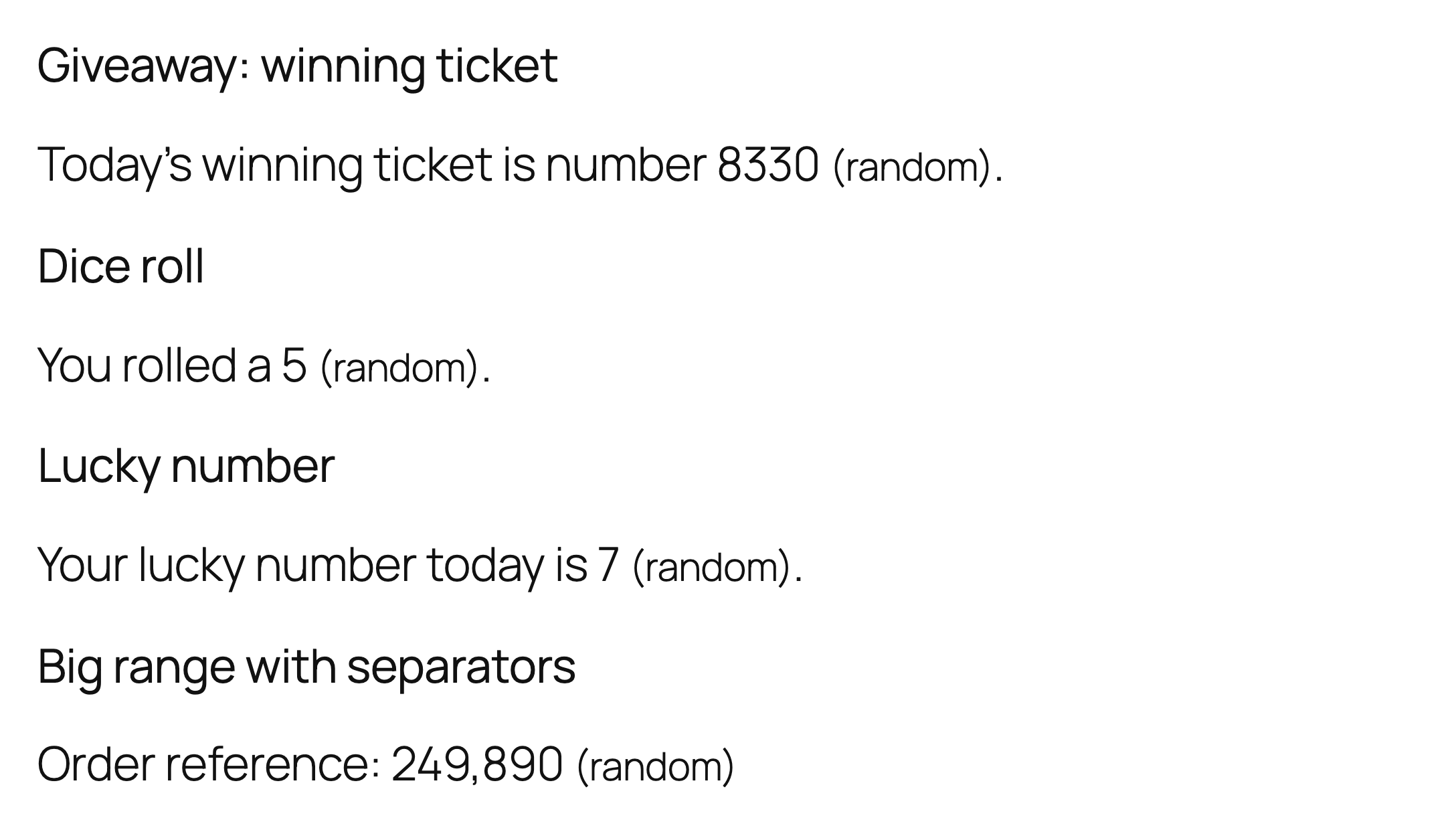
Random numbers on a page, each shortcode with its own minimum and maximum.
The Random Number block in the block editor, with minimum and maximum in the sidebar (the [arandomnumber] shortcode works too).

Faq
How do I show a random number between two values?
In the block editor add the “A Random Number” block and fill in the minimum and maximum in the sidebar. With the shortcode use the min and max attributes, for example [arandomnumber min=1 max=50]. If you enter min and max in the wrong order the plugin swaps them for you.
Does the number change on every page load?
Yes. A new number is picked each time WordPress builds the page. If you use a page cache or a caching plugin, the cached copy of the page keeps the number that was generated when it was cached, so exclude that page from caching if you need a fresh value for every visitor.
Can I remove the thousands separators?
Yes, add comma=no, for example [arandomnumber min=1000 max=9999 comma=no].
Can I use it for lotteries, passwords or security tokens?
No. The plugin uses the WordPress random number function, which is fine for display purposes, but it is not designed for security-sensitive uses or for draws that must be provably fair.
Does it work in widgets and page builders?
It works anywhere WordPress runs shortcodes: posts, pages and text widgets. In page builders, use a shortcode or text element and paste the shortcode into it.
Does the plugin store any data about my visitors?
The plugin does not collect personal data about visitors. It keeps one small internal option in your own database.
Reviews
too bad.. a no go!
By  griezo on February 18, 2025
To bad… why there is suddenly a link? A no go.
Found a better random numer generator (B7) without all the nonsens.
Started to add ad links
By  weekender on January 23, 2025
Suddenly started to post ad links with the random numbers. No go.
Works great!
By  dansayswithwords on January 18, 2021
Useful And Easy To Use
By  mehdibmm on May 21, 2018
Works great.
By  JimDixon on December 14, 2017
Works well
By  givememyleg on September 3, 2016
It does what it says it does. Simple yet works, used it to help me with testing page caching.
Changelog
1.3.0
- New: Gutenberg block “A Random Number” with minimum, maximum and thousands-separator settings.
- Translation-ready: all strings use the a-random-number text domain.
- A review reminder in the admin after two weeks, dismissible.
- Requires WordPress 5.8 or newer.
1.2.2
- Hardening: direct-access guard, prefixed function names, shortcode min/max are cast to integers (non-numeric values no longer cause a fatal error on PHP 8), output of the stored link data is escaped, editor button accepts only whole numbers, WordPress random functions are used.
1.2.1
- Tested with WordPress 7.1. Outbound credit links now carry rel=”nofollow”.
1.2
- Updated to the latest WordPress version.
1.1
- Added comma attribute to remove commas if needed.
- Released August 19, 2017
1.0
- Launched A Random Number into the Internets. It’s alive!
- Released January 8, 2016